-
-
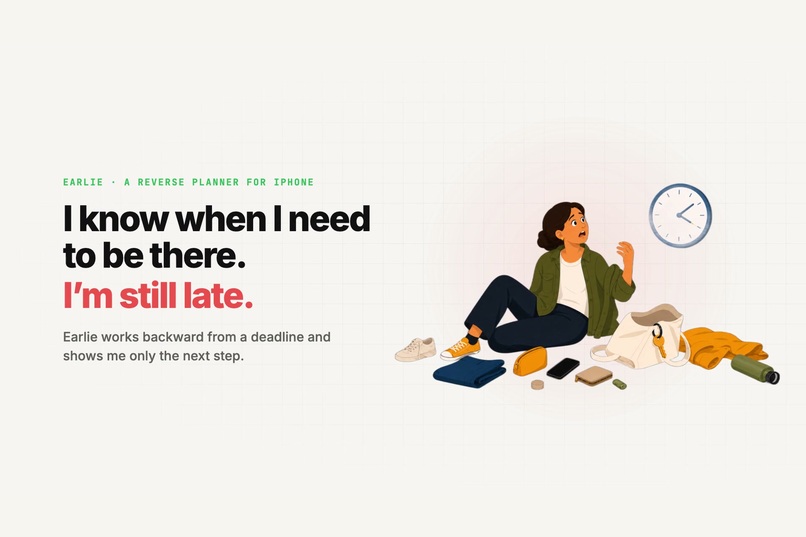
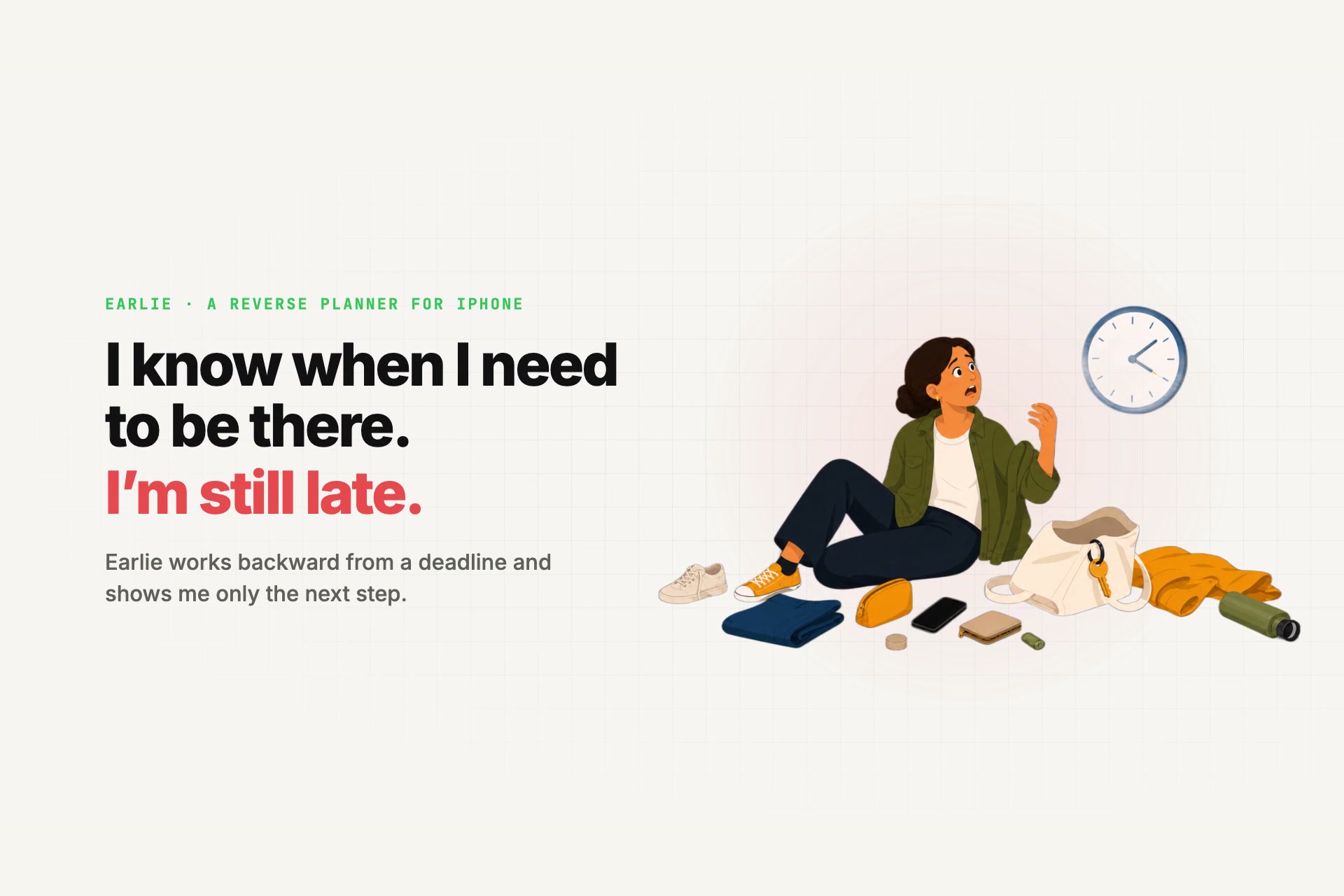
Earlie: one deadline in, one next step out.
-
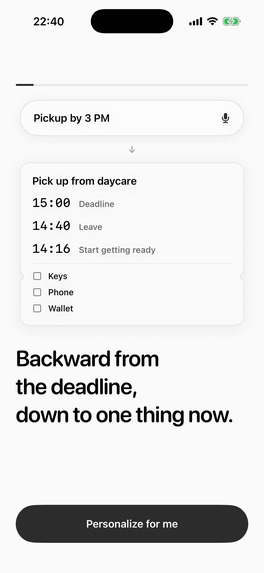
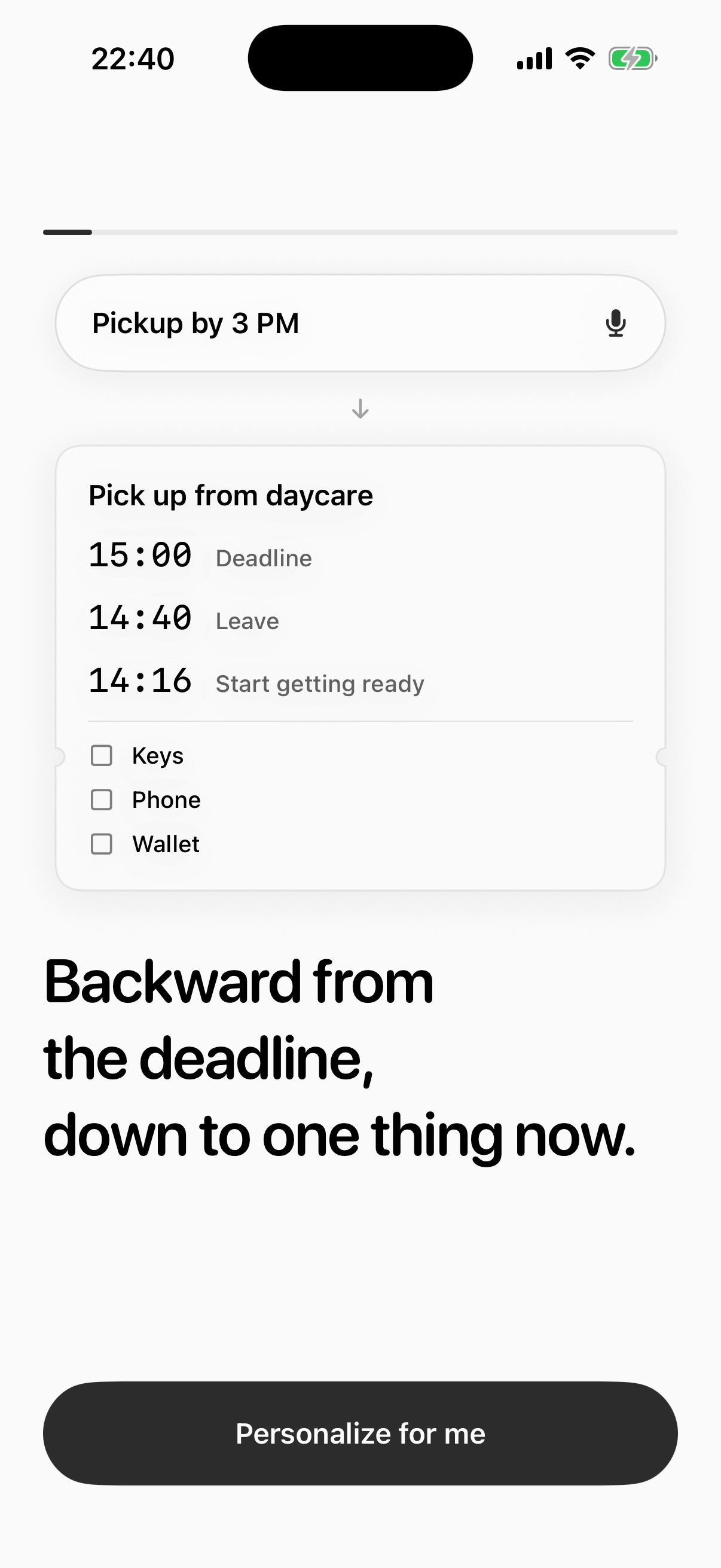
Backward from the deadline, down to one thing now.
-
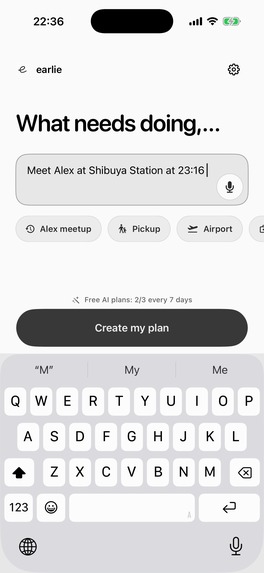
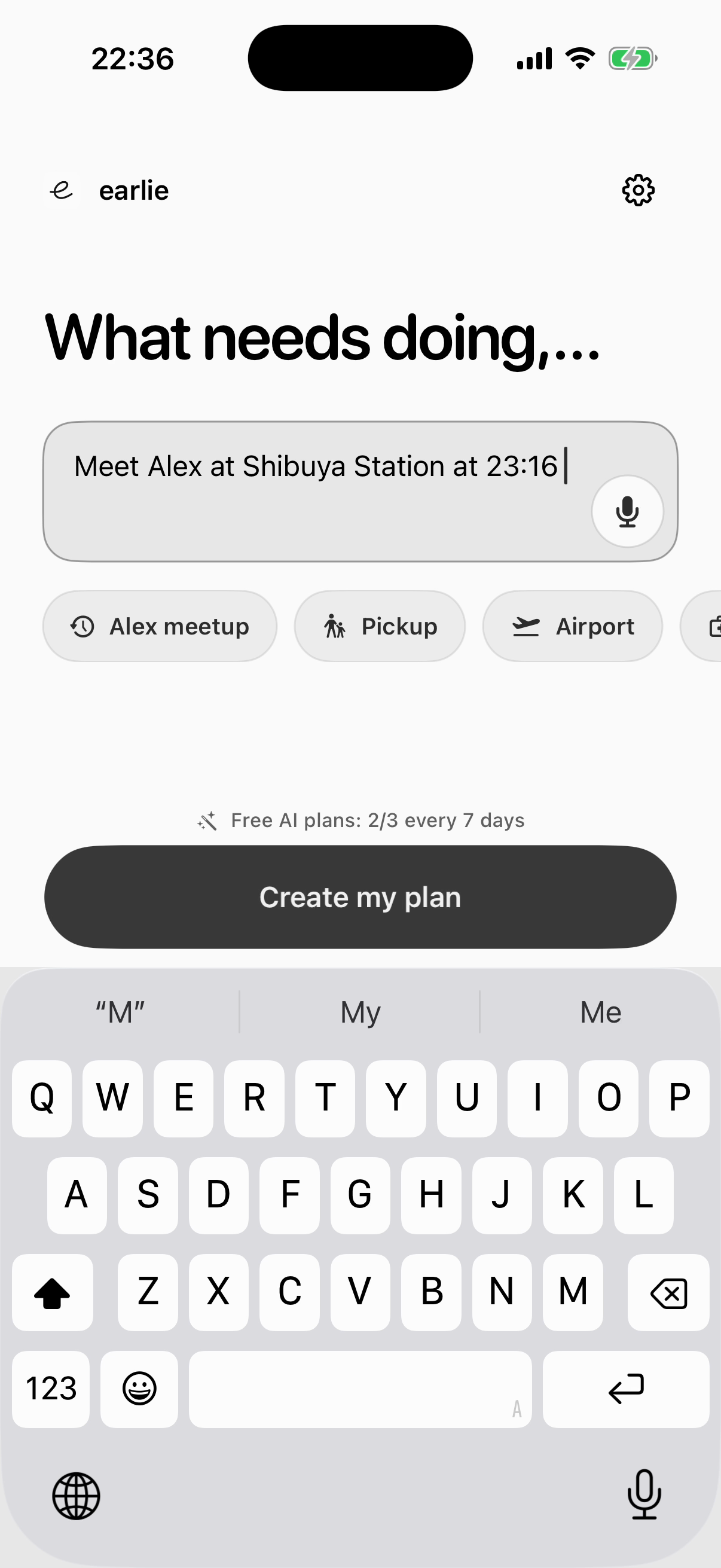
One sentence is the whole input.
-
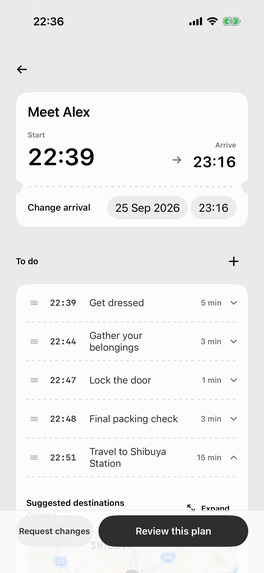
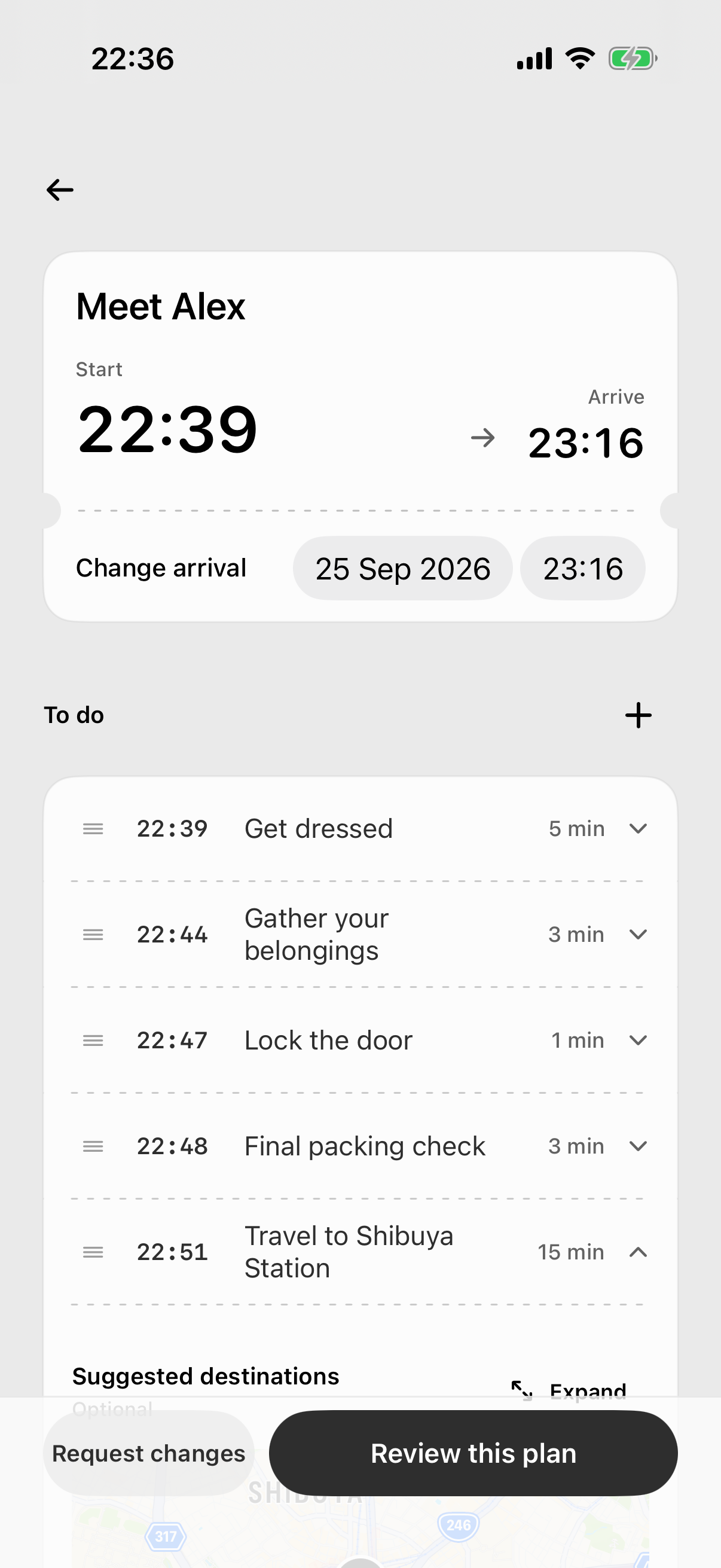
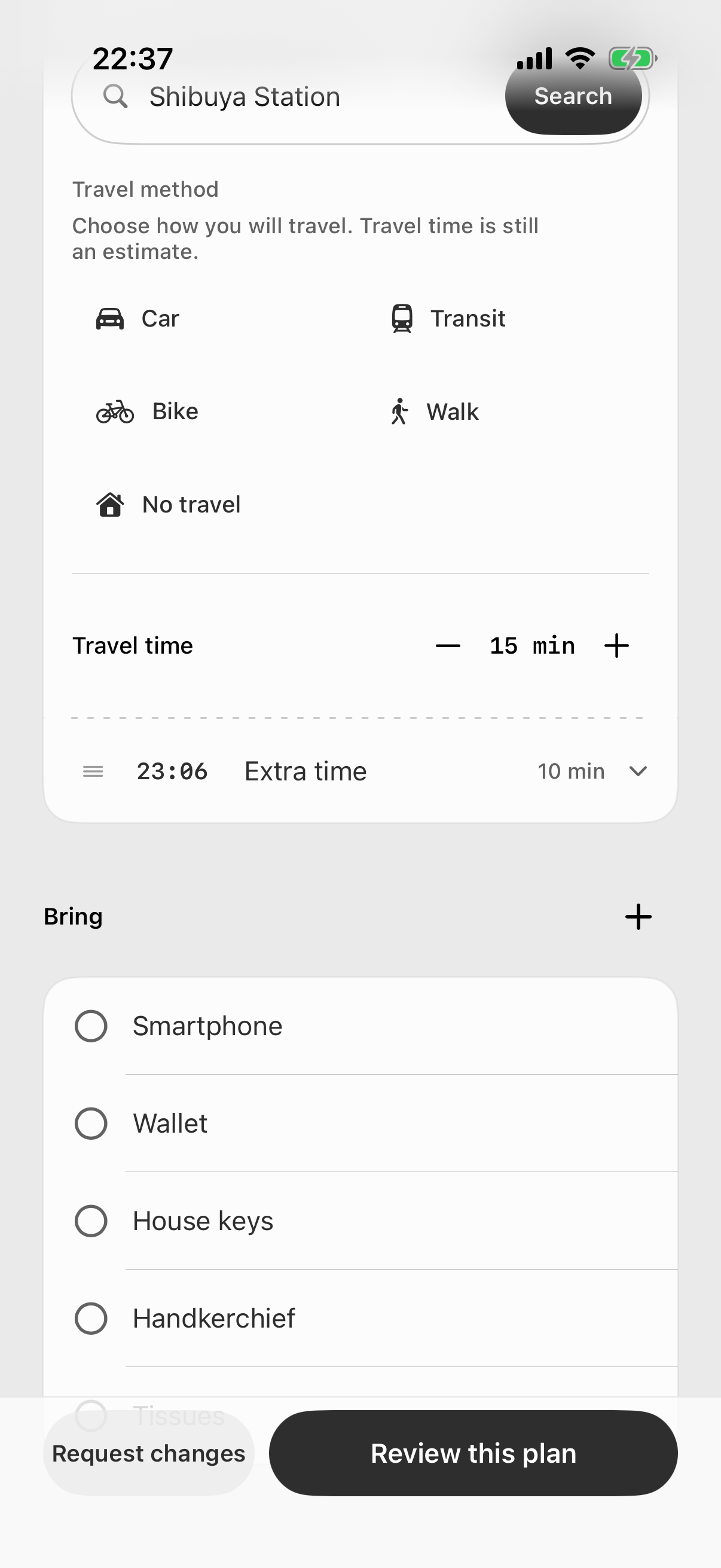
A reverse plan you can check and edit before starting.
-
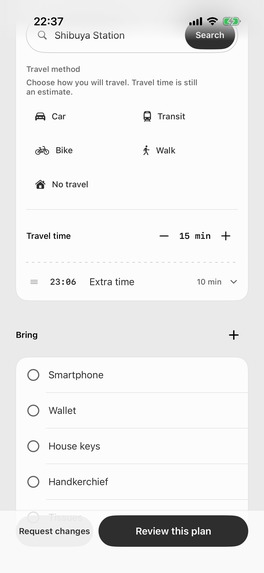
Travel time, a built-in buffer, and a packing list.
-
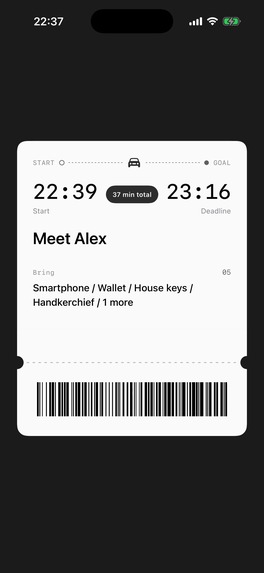
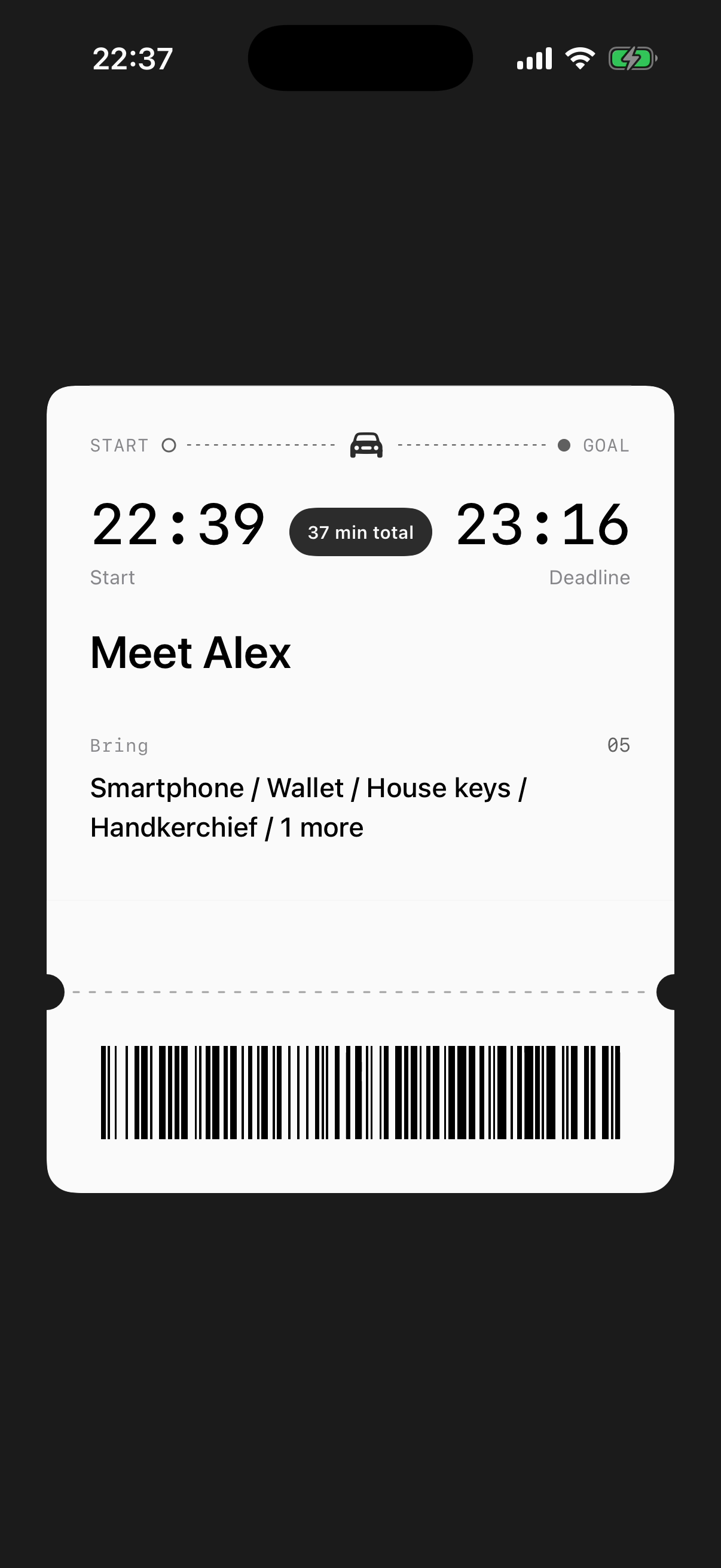
The plan prints as a receipt; tear it to begin.
-
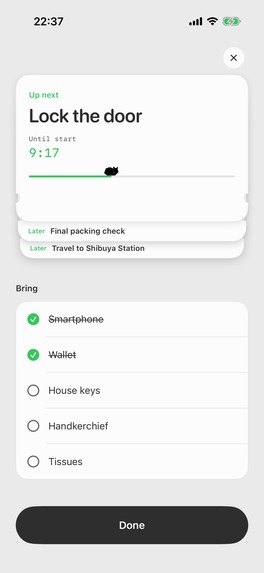
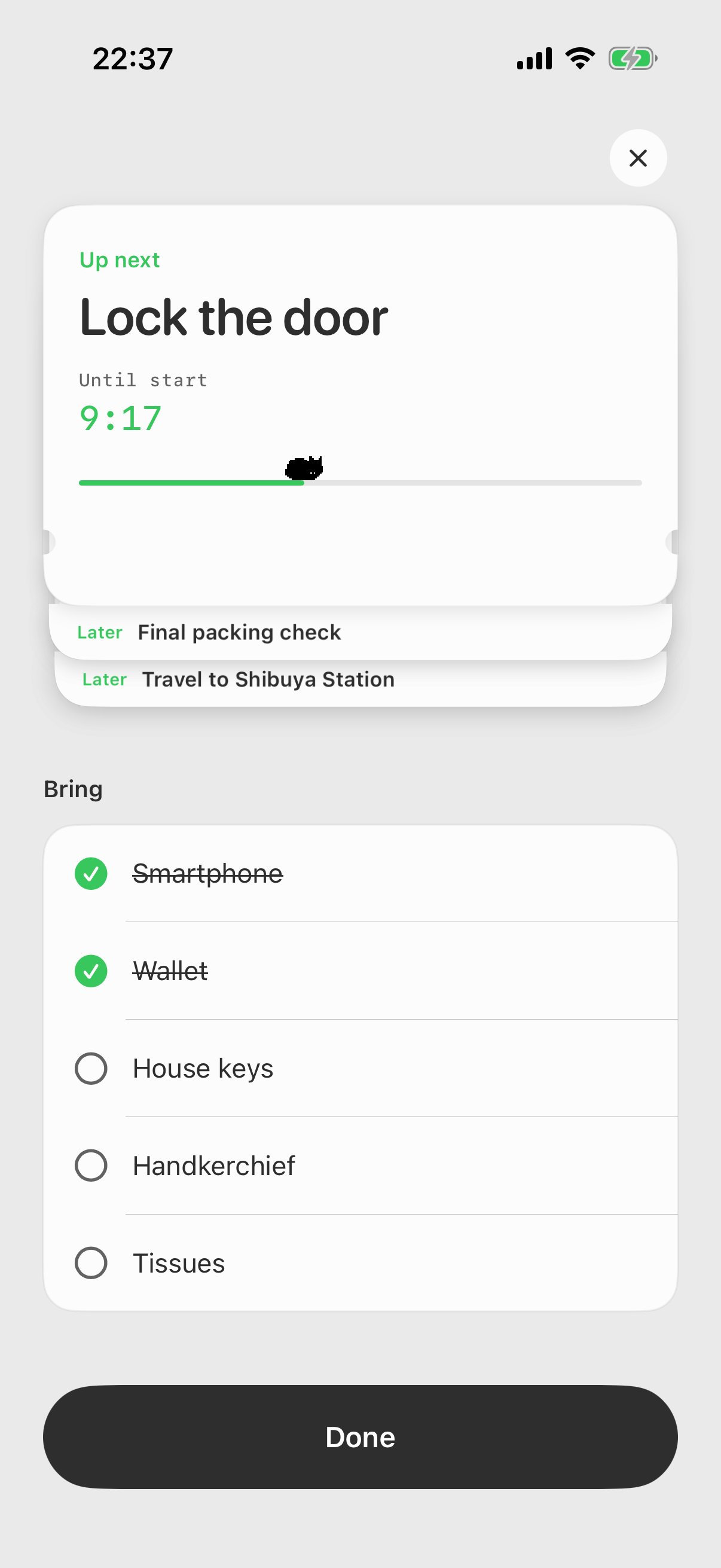
The current step, what comes next, and what to bring.
-
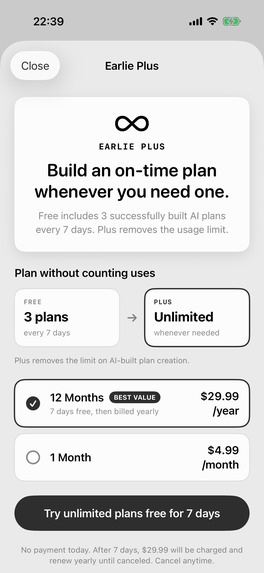
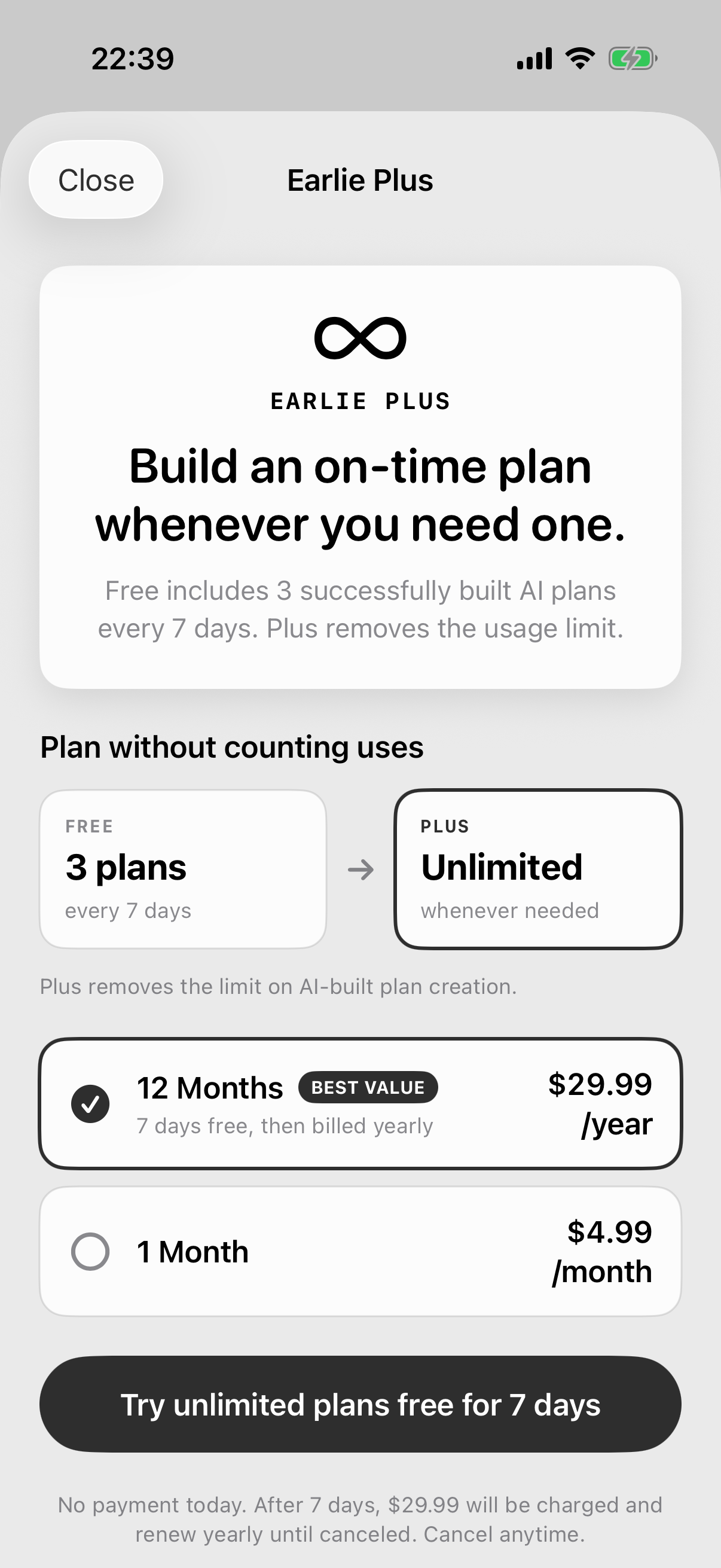
Earlie Plus: unlimited AI plans, 7-day free trial on annual.
-

App icon (1024 × 1024, uncropped)

Inspiration
I'm neurodivergent: autistic, with ADHD traits. I am often late even when I know exactly when I need to be somewhere: daycare pickups, my daughter's appointments, family days out. For me, being late starts long before departure: "there's still time," then one quick unrelated task, then a missing wallet at the door, then running. Alarms and to-do lists told me when to leave, but never what to do first or when to actually begin getting ready.
I built Earlie as the tool I needed: turn one hard deadline into a plan that already includes preparation, packing, travel, and a buffer, then show only the next step.
What it does
Tell Earlie, in one sentence, when and where you need to be—for example, "Meet Alex at Shibuya Station at 23:16." It works backward from that deadline and builds a plan that combines preparation steps, packing, travel time from an Apple Maps route, and a buffer. A short onboarding first learns what usually makes you late, how much breathing room you want, and what should stay most visible while you get ready.
Before you start, you can review and edit every step. The plan then prints as a tactile receipt that you tear to begin. During execution, Earlie shows the current step with its countdown, the steps coming next, and a packing checklist, with Live Activities for glanceable progress.
The free tier includes three successfully built AI plans every seven days. Earlie Plus removes that creation limit. Saved plans, manual editing, reminders, and the core execution experience stay free, without artificial premium clutter.
How we built it
Earlie is a native iOS app built with SwiftUI. MapKit supports route-aware travel planning, ActivityKit powers Live Activities, and a Cloudflare Worker calls OpenAI for structured plan generation. Firebase supports app services and diagnostics. RevenueCat manages the Earlie Plus entitlement, offerings, purchases, restoration, and the annual free trial.
Challenges we ran into
The hardest problem was making an AI-generated schedule feel trustworthy rather than magical. Route ambiguity, missing preparation steps, and optimistic time estimates can all make a plan useless. We therefore expose the full reverse plan before execution, keep every step editable, distinguish estimated travel from map-confirmed travel, and add an explicit buffer.
The second challenge was monetization. Earlie currently has one genuinely recurring cost and value driver: AI plan creation. We kept the paywall equally simple instead of inventing extra locked features just to make the subscription look larger.
Accomplishments that we're proud of
- Shipped a new iOS app during the Shipaton eligibility window: first released on the App Store on September 7, 2026, with 112 first-time downloads across 8 countries in the first 18 days, mostly from App Store search.
- Turned a generated schedule into a distinctive receipt metaphor that carries from planning through execution and completion.
- Added RevenueCat-backed monthly and annual subscriptions, restore purchases, and a seven-day annual trial.
- Kept the free product useful while tying Plus to a clear, understandable recurring benefit.
What we learned
People do not need another calendar view when they are already under time pressure. They need the next action, a believable buffer, and confidence that nothing important was forgotten. We also learned that a narrow paywall is easier to explain and test than a bundle of unrelated “Pro” features.
What's next for Earlie
Next we will measure free-limit reach, trial start, trial-to-paid conversion, successful-plan retention, and annual-versus-monthly mix. Product work will focus on better personalization from completed plans, faster repeated routines, and clearer intervention when the remaining time no longer matches the plan.
Demo video notes
App footage is the real app with its English UI, recorded in the iOS Simulator. Waits such as AI plan generation are sped up. Music was generated with Gemini and the video was edited with Remotion.

Log in or sign up for Devpost to join the conversation.