-
-
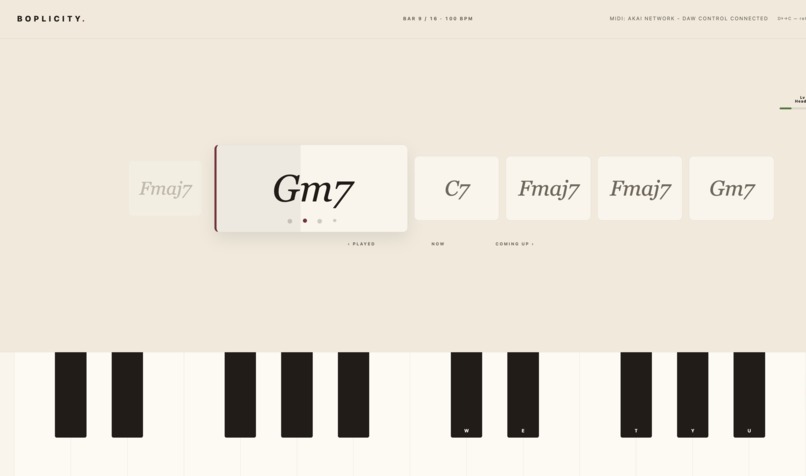
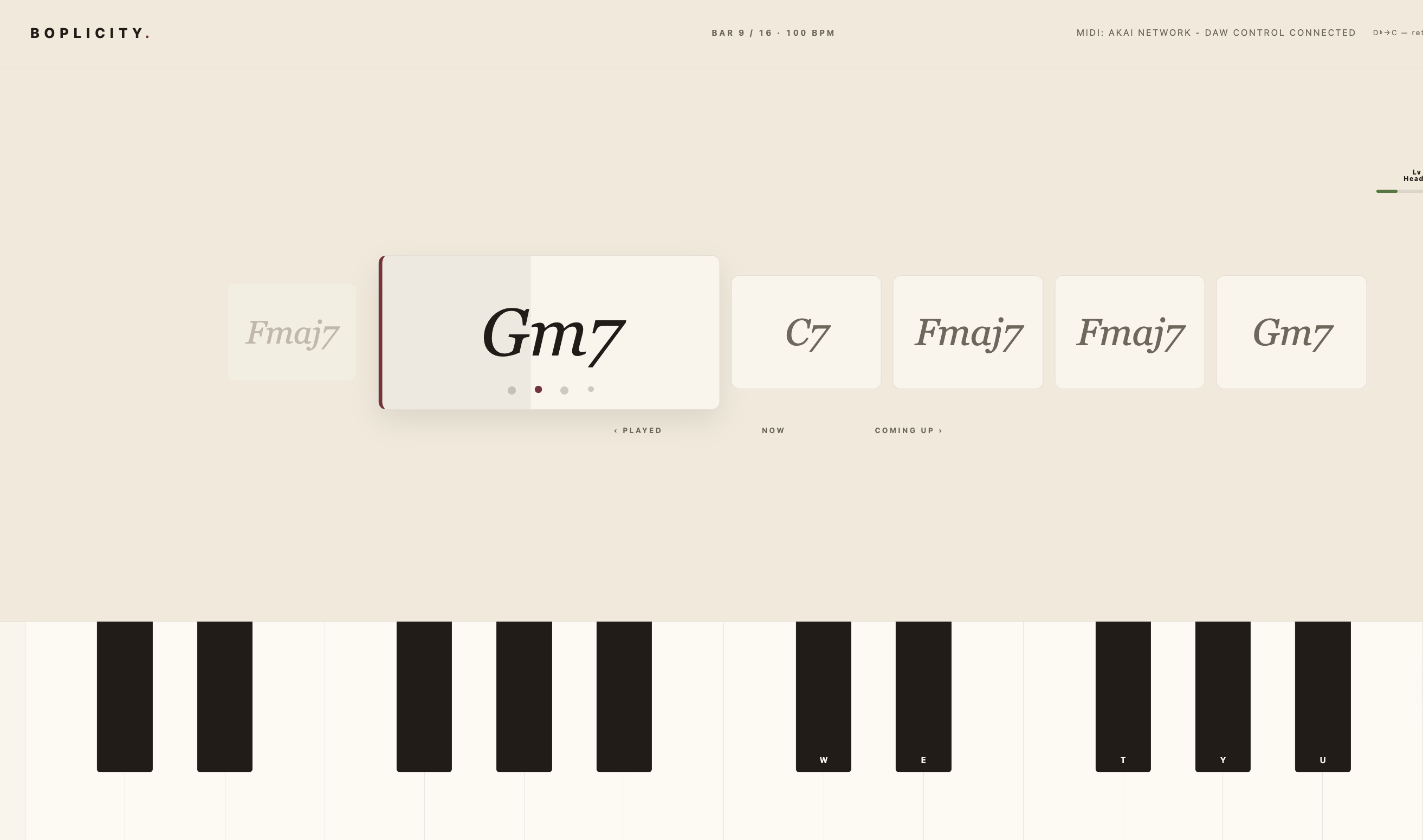
play page
-
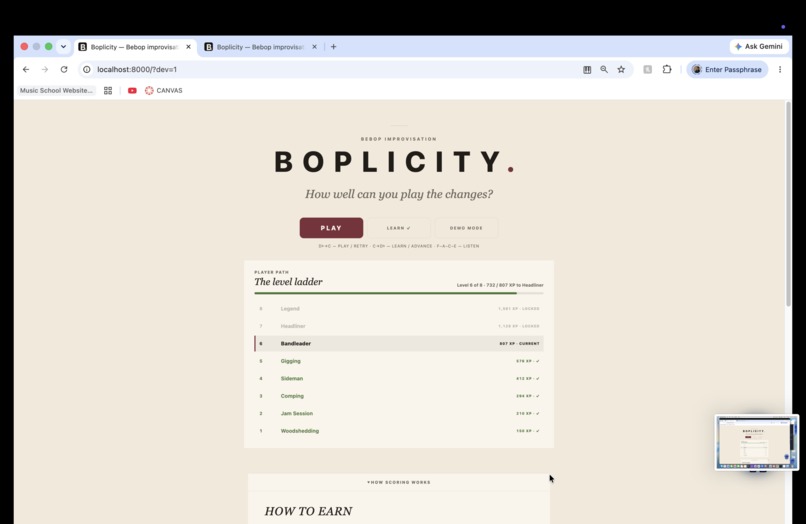
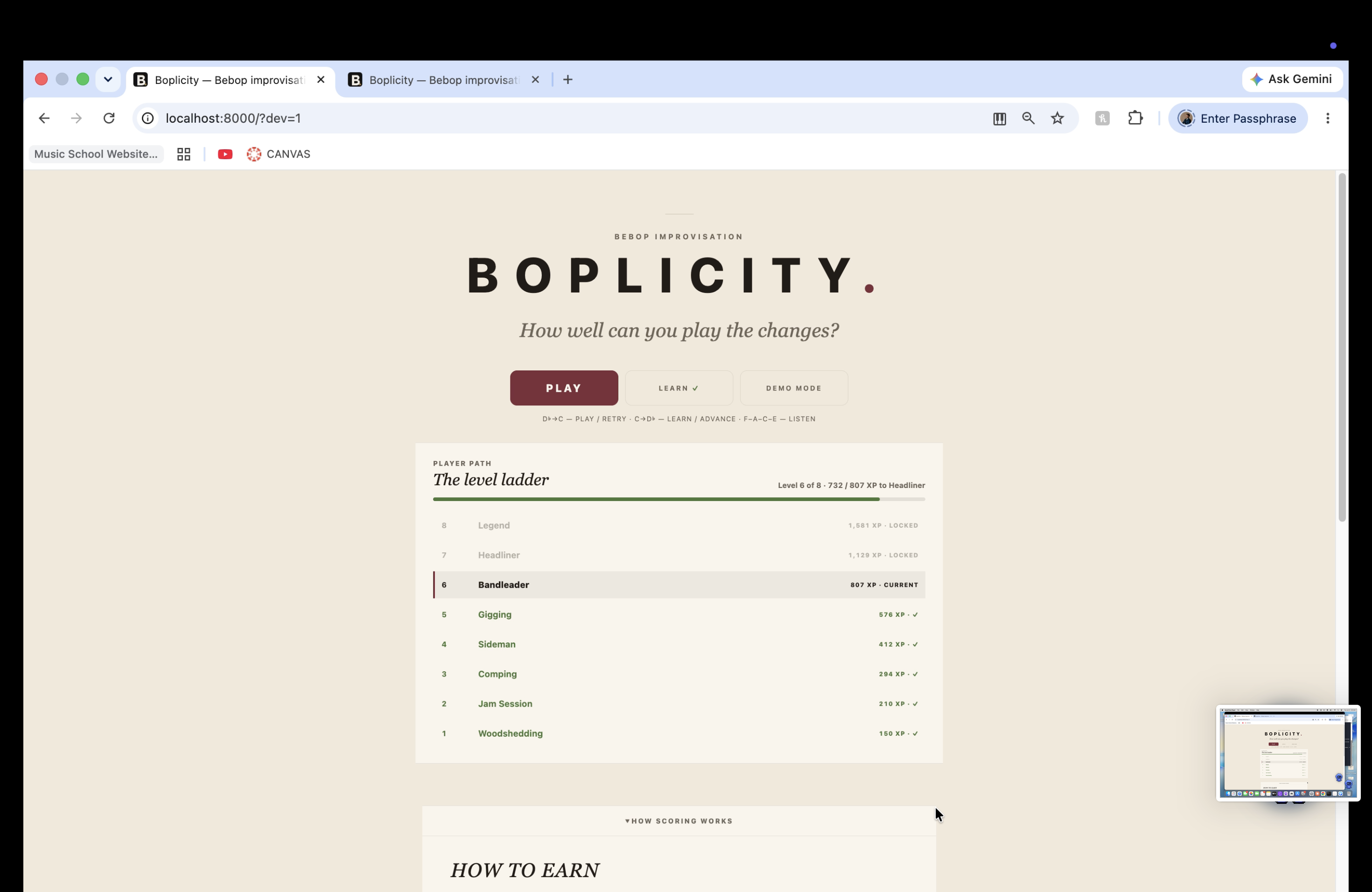
home page
-
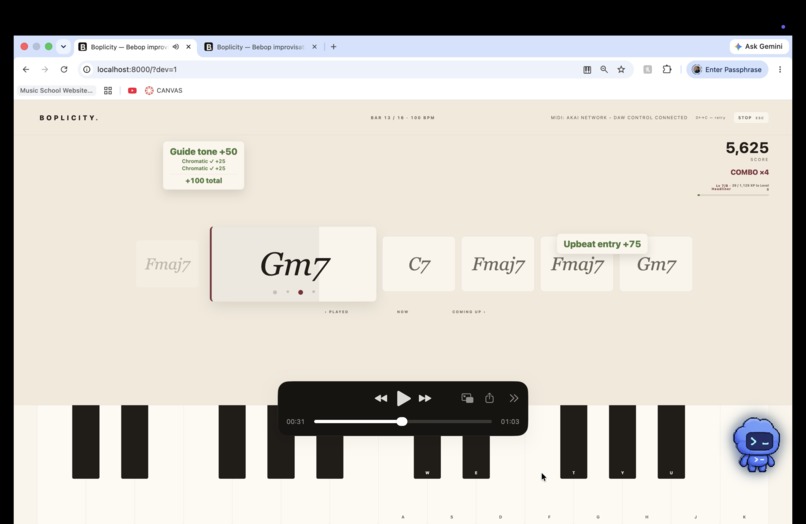
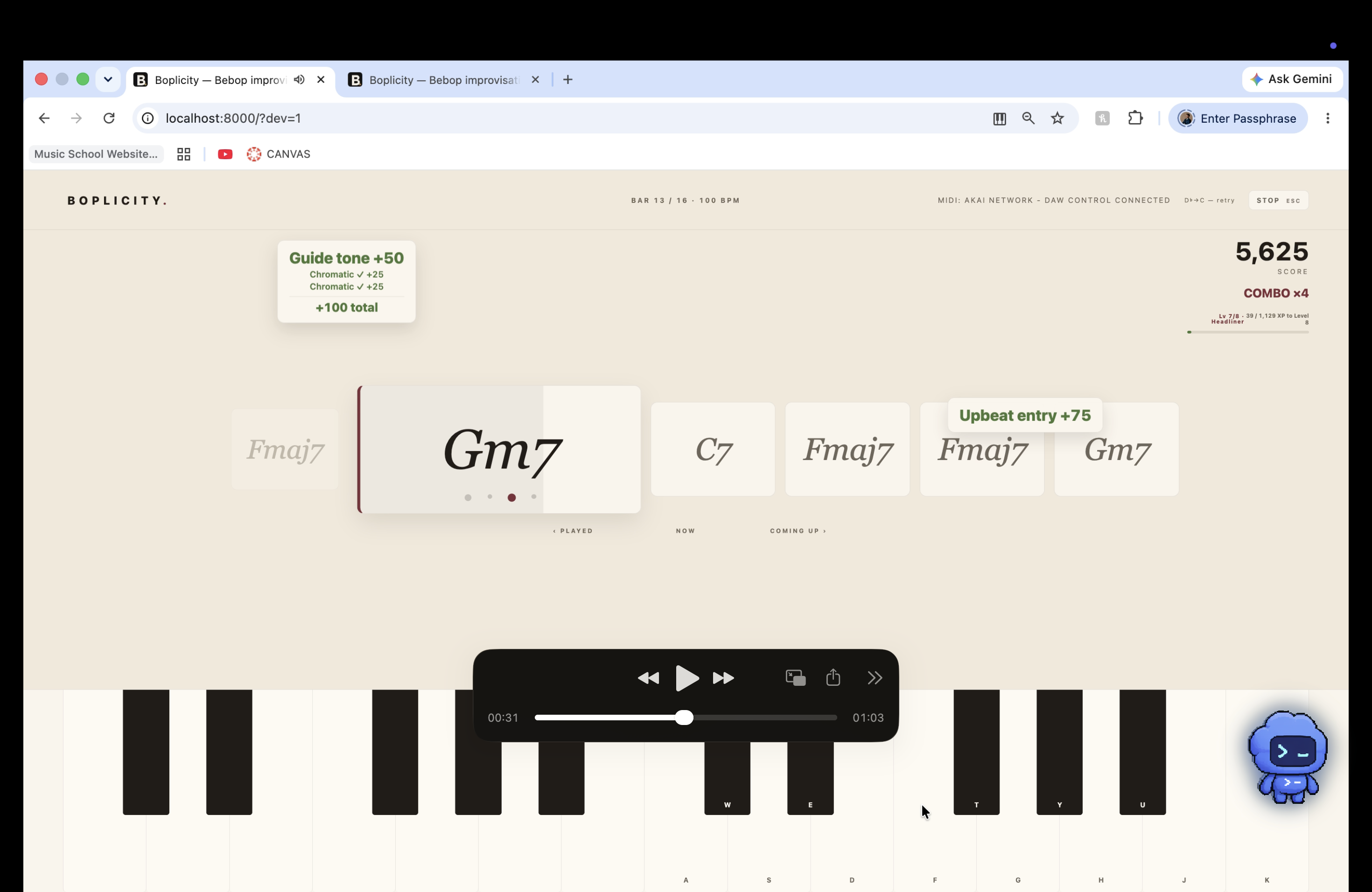
play page with points
-
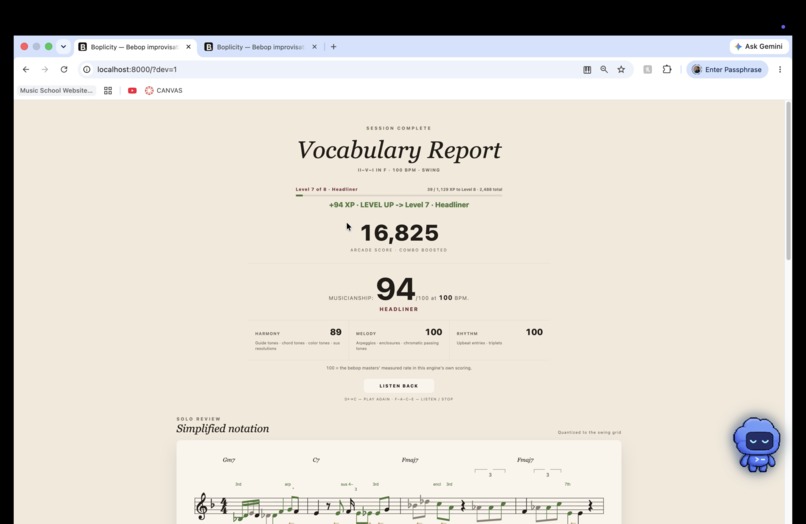
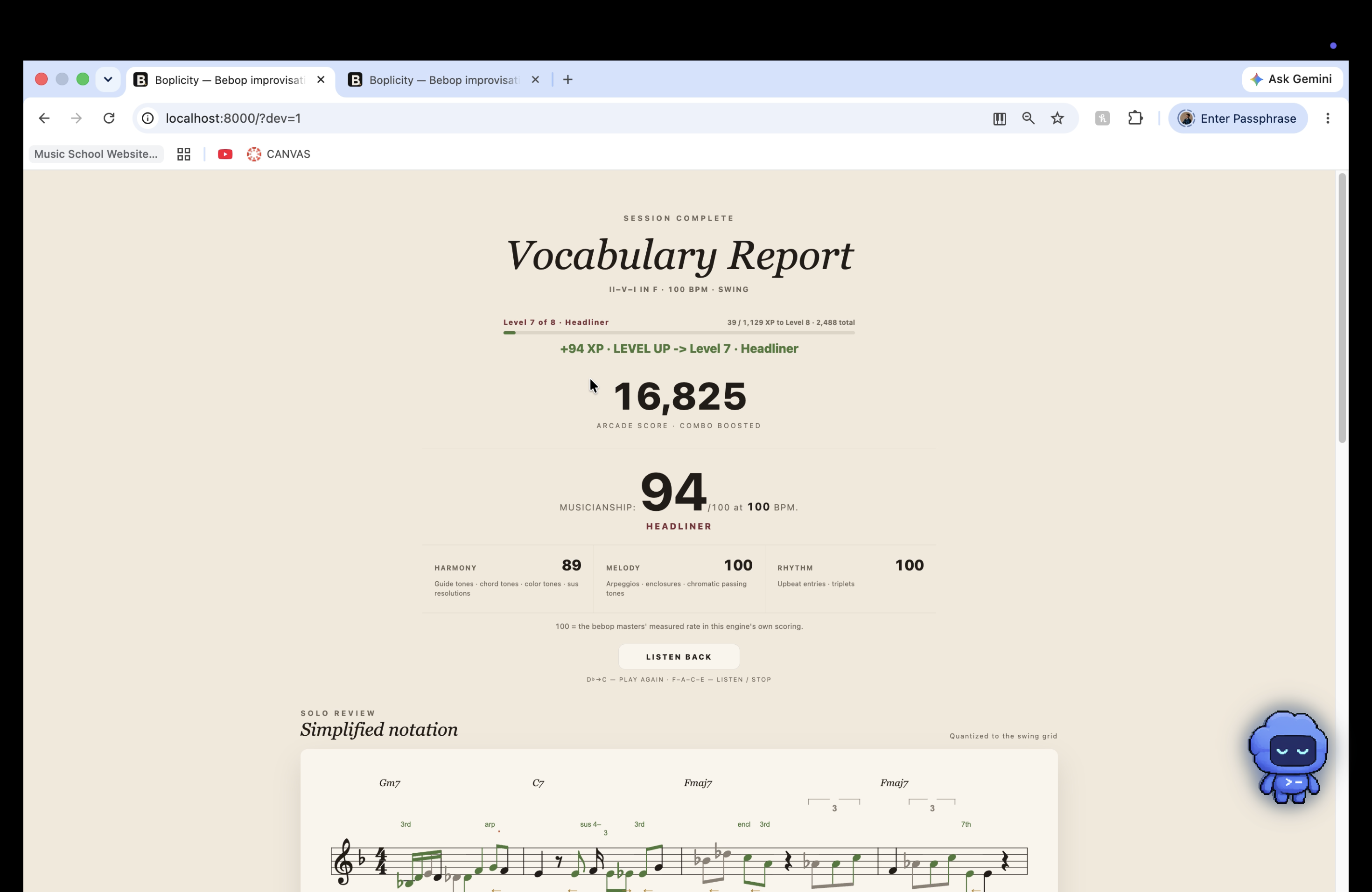
transcribed solo and points/grade
Inspiration
I have played piano for about 12 years. I started after high school because my family could not afford lessons when I was a kid. I eventually earned an associate degree in music and then a bachelor’s degree in piano performance and jazz studies from the University of Texas at Arlington.
Today, I teach full time, recently founded my own music school, and perform around the Dallas–Fort Worth area with my jazz trio.
Bebop appeals to both sides of my personality. I love the freedom and feeling of improvisation, but it also feeds the analytical side of my brain: figuring out what notes to play, when to play them, and how to navigate that maze of possibilities.
One difficulty I have experienced as both a student and teacher is that improvisation can be hard to evaluate in real time. It can feel subjective. Interrupting a solo after every mistake destroys its flow. Waiting until the end preserves the music, but it often leaves the teacher giving generalized advice.
Even an experienced teacher may remember that the harmony was not clear without being able to identify every exact note, beat, and chord where it happened.
I built Boplicity to give improvisers and teachers something more concrete.
What it does
Boplicity is an interactive bebop improvisation trainer. It supplies a rhythm section and the chord changes, listens to a single-note MIDI solo, evaluates the musical language being played, and converts the performance into readable music notation, feedback, and annotations.
A player can practice a 16-bar ii–V–I session in any of the 12 keys, choose the tempo and feel, and select a scoring difficulty. I plan to expand this into additional progressions and complete tunes.
Boplicity recognizes devices such as guide tones, chord tones, arpeggios, enclosures, chromatic approaches, anticipations, rhythmic phrasing, and unresolved notes.
The app provides two complementary evaluations. The arcade score rewards vocabulary and momentum, while the musicianship grade compares the performance with patterns and reference values I interpreted from transcribed solos by musicians including Charlie Parker, Bud Powell, Sonny Clark, Barry Harris, Hank Jones, and Red Garland.
After the chorus, Solo Review presents the performance as musical notation. Green notes earned points, red notes were left unresolved, gray notes were neutral or passing, and timing indicators show where the player rushed or dragged.
Instead of only hearing that something went wrong, the player can see what happened over the exact chord.
Learn Mode turns that feedback into short exercises covering guide tones, chord tones, and arpeggios, followed by a graded synthesis session. Performances and lessons also earn experience across an eight-level progression from Woodshedding to Legend.
How I built it
Boplicity is a no-build, single-page application built with HTML, CSS, and JavaScript. It uses Web MIDI for performance input, Tone.js for the rhythm section and audio system, and VexFlow for music notation. Progress, calibration, and player experience are stored locally in the browser.
The most important engineering decision was separating measured performance timing from displayed notation.
Scoring preserves when a note was actually played. The notation layer independently quantizes that performance into readable musical intent. This allows Solo Review to remain legible without rewriting the timing evidence used by the scoring system.
I also built latency calibration, chord-aware spelling in all 12 keys, adaptive rhythmic quantization, MIDI and computer-keyboard input, deterministic Demo Mode data, hands-on-keyboard navigation, and browser-based regression fixtures.
I developed Boplicity by myself during OpenAI Build Week. The idea existed only as a brief thought before the event. The design and implementation began during the hackathon.
How I used Codex and GPT-5.6
OpenAI Codex with GPT-5.6 Sol was my primary implementation and debugging environment. It accelerated development of the application interface, notation renderer, audio engine, calibration workflow, Learn Mode, scoring integration, and regression fixtures.
I provided the musical direction, interpreted the transcription-based reference material, play-tested the system, reviewed the generated code, and made the final product and scoring decisions.
Some of the most important decisions—including separating performance timing from notation, maintaining two different scoring perspectives, and prioritizing a complete playable flow—came from testing the app as a musician and teacher.
I also used Claude to help organize detailed specifications and draft prompts. I then brought those specifications into Codex for implementation, testing, and revision.
Challenges
The hardest challenge was converting a live MIDI performance into legible musical notation.
Human timing does not arrive as clean eighth notes, sixteenth notes, and triplets. A completely literal transcription is difficult to read, but excessive correction can misrepresent what the player actually performed.
Solving this required separate layers for measured timing, rhythmic interpretation, notation quantization, chord-aware spelling, rests, ties, beams, triplets, and visual spacing.
Small improvements often created new edge cases somewhere else, so deterministic fixtures and repeated musical play-testing became essential.
Audio latency was another challenge. Different controllers and computers report timing differently, so I built a calibration workflow instead of relying on one fixed correction value.
What I learned
I became better at prompt engineering, but the larger lesson was learning to explain my thoughts completely.
Codex produced better results when I described the musical intention, technical constraints, edge cases, and verification steps instead of simply requesting a feature.
I also learned how important product hierarchy becomes under a short deadline. I had many possible ideas, but I needed to prioritize the complete experience: play a solo, receive feedback, inspect the notation, and practice the weak areas.
Finally, I learned that turning this prototype into a market-ready music product would require substantial investment, particularly in audio processing, content development, compatibility testing, and music education design.
What's next
The largest current limitation is input. Boplicity currently works best with MIDI, where pitch and timing arrive as structured data.
Supporting acoustic piano and other instruments will require reliable real-time pitch detection, onset detection, noise handling, and more complicated latency correction.
I also want to expand beyond ii–V–I progressions with a larger library of standards, chord progressions, feels, and Learn Mode material. Long term, I want Boplicity to connect each player’s analysis directly to a personalized practice path.
Boplicity is not meant to replace a great teacher—it is designed to work alongside one. It gives teachers and students concrete musical evidence they can use together: what translated through the changes, what still needs work, and what to practice before taking another chorus.

Log in or sign up for Devpost to join the conversation.