Inspiration
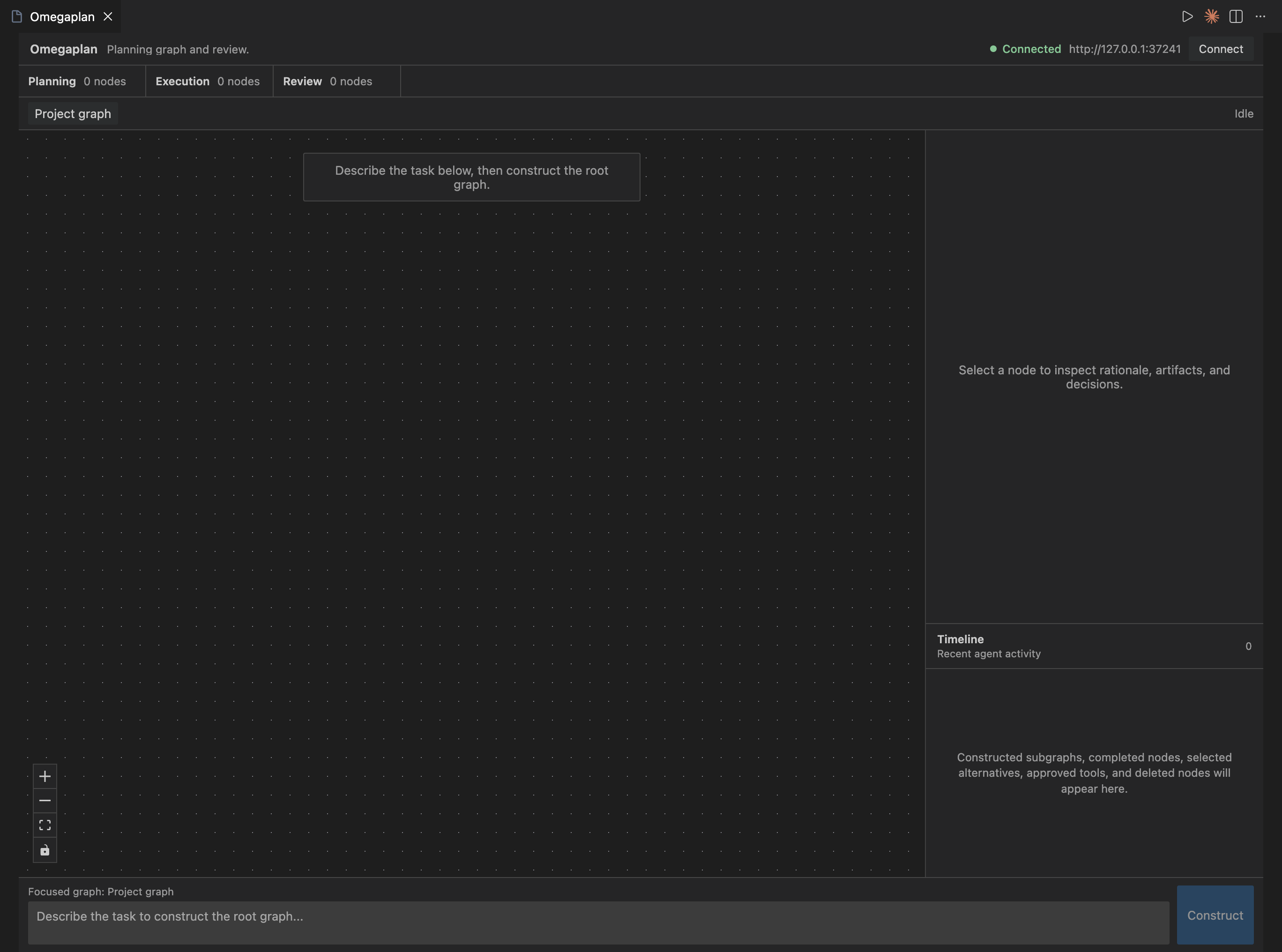
Coding agents have improved rapidly through better models, tool calling via MCP, and multi-agent orchestration, but the core interaction pattern has mostly remained the same as a text-based sidebar or command line interface. We wanted to shift that paradigm into a visual VS Code panel where an agent’s work is represented as a directed graph of planned steps, not just a chat transcript or flat checklist. By letting users click into any node to reveal deeper subplans for better observability, Omegaplan enables agent reasoning to be more visible, navigable, and controllable.
What it does
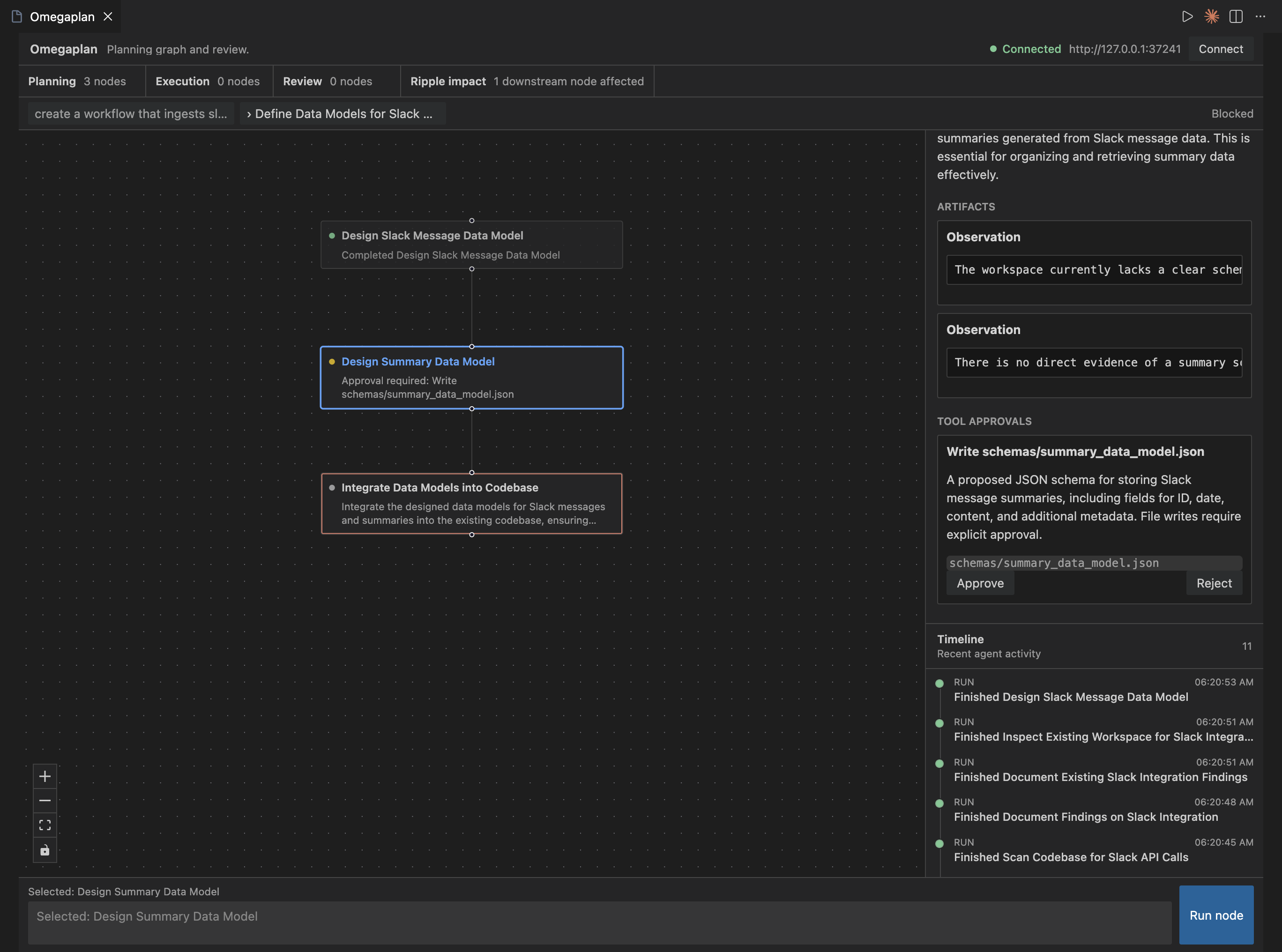
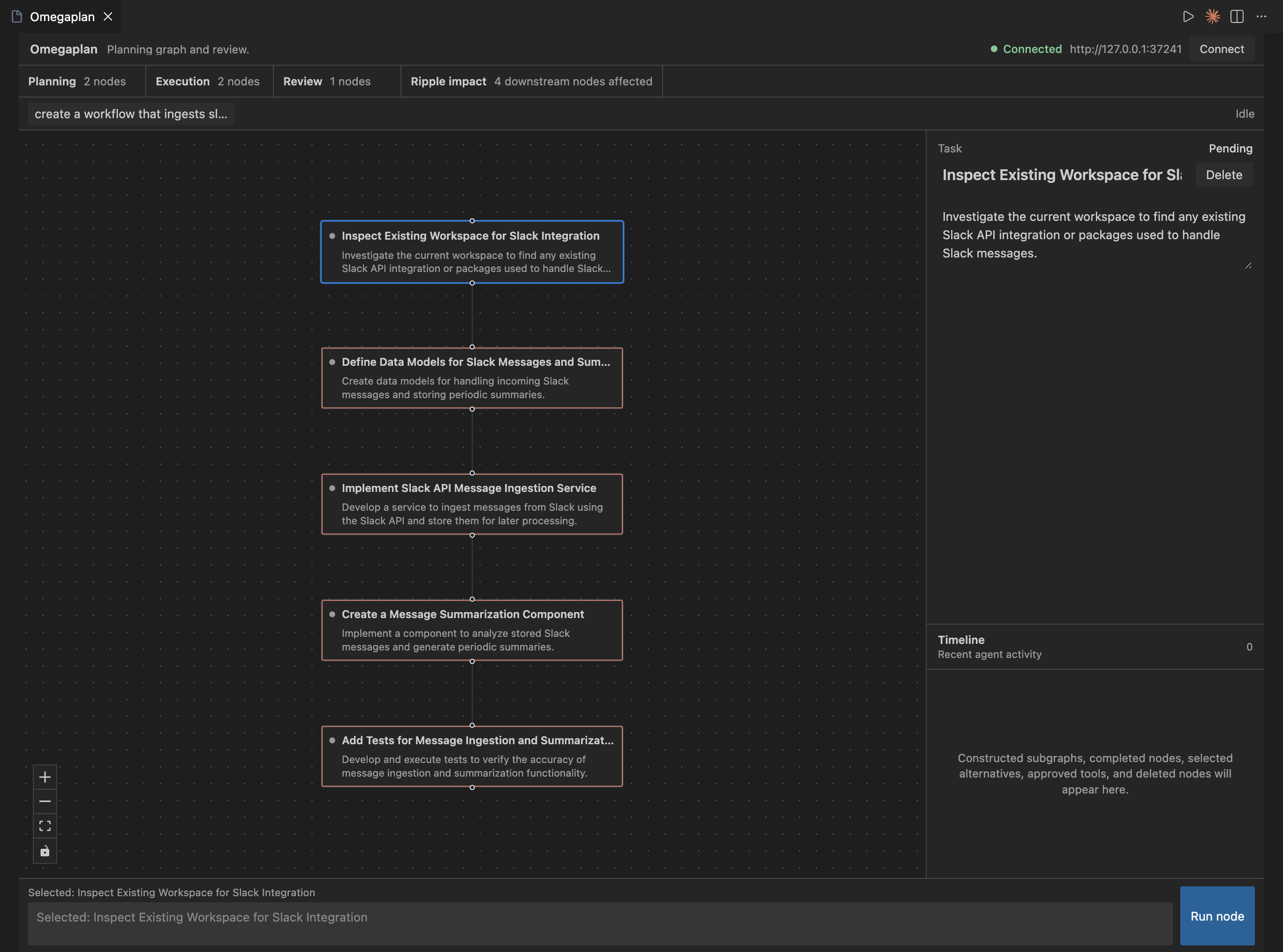
Omegaplan turns a coding task into an interactive planning graph inside VS Code. It breaks work into nodes, lets users inspect each step’s rationale, expand nodes into subgraphs, select alternatives, run individual nodes or whole graphs, approve/reject tool actions, and track high-signal events in a timeline. Instead of watching a chat display go by, developers get a more robust control surface for agent reasoning and execution.
How we built it
Omegaplan is composed of three coordinated layers:
VS Code Extension
- Built with TypeScript and the VS Code Extensions API
- Manages session persistence, graph snapshots, and connection state
- Bridges communication between the frontend webview and the local backend agent
Frontend Webview
- Built with TypeScript and React
- Renders the recursive planning processes as an interactive directed acyclic graph (DAG)
- Provides breadcrumbs for navigating between root graphs and focused subgraphs
- Uses VS Code-native styling to integrate the interface with the editor
Backend Agent
- Built with TypeScript as a local HTTP/SSE server
- Uses the OpenAI API to generate coding plans, decompose nodes into subgraphs, and produce execution results
- Streams structured events back to the extension so the graph updates in real time
- Handles human-in-the-loop actions (tool approval, rejection, deletion, graph clearing, recursive graph execution, etc.)
Challenges we ran into
- State Synchronization: Keeping the extension, webview, and local bridge server synchronized with add, modify, and delete functionalities
- Recursive Graph Complexity: Supporting top-level graphs and focused subgraphs to represent agent planning processes
- Human-in-the-Loop Mechanisms: Adding tool approvals, rejections, and downstream effects that were analogous to that of a standard coding agent.
Accomplishments that we're proud of
- Creating a meaningfully different experience from a traditional chat-based coding agent.
- Ensuring better observability and interactivity via the recursive graph model
- Implementing the paradigm directly within VS Code by running as an extension
What we learned
- Small differences in node states (completed, rejected, invalidated, etc.) can have major effects down the line in a graph-based model.
- Recursive interfaces often require focused navigation and breadcrumbs to ensure user experience
- Working with agent systems entails reliable fallbacks for empty states, user interventions, and LLM calls
What's next for Omegaplan
- Multi-Agent Orchestration: Implementing a "manager graph" that decomposes large tasks, spawns sub-agents, and coordinates via the graph interface
- Benchmarking on Real Tasks: Using graph signatures (reasoning traces, human interventions, etc.) to evaluate model performance on coding tasks
- Replayable Components: Enabling replays of failed or suboptimal agent runs for better observability
Built With
- github
- mcp
- node.js
- python
- react
- typescript
- vs-code-extensions-api


Log in or sign up for Devpost to join the conversation.