-
-
Our Logo
-
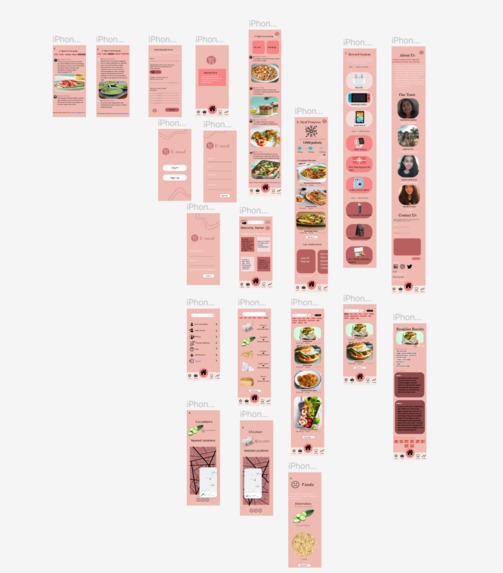
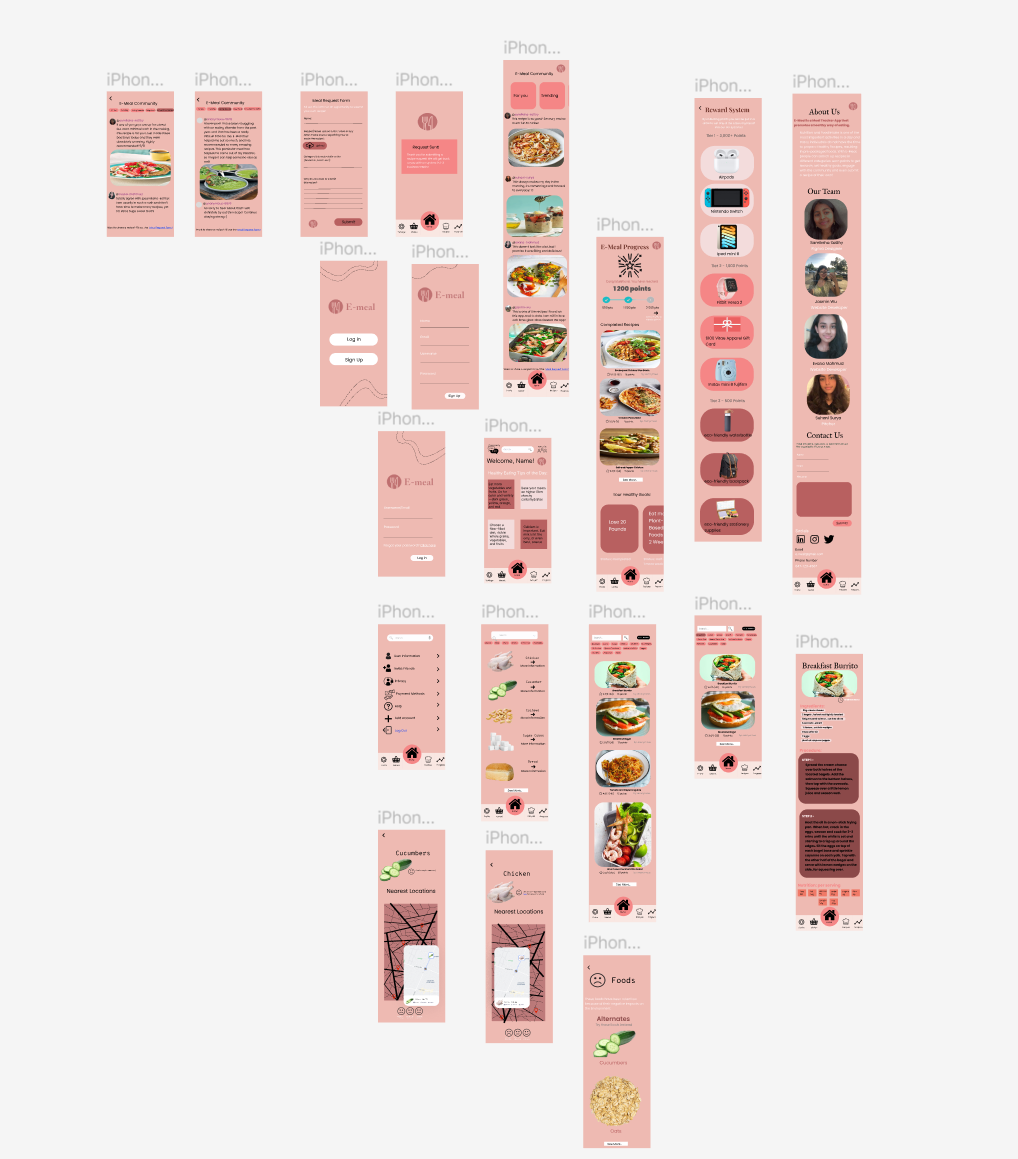
Figma UI/UX Prototype of E-Meal App
-
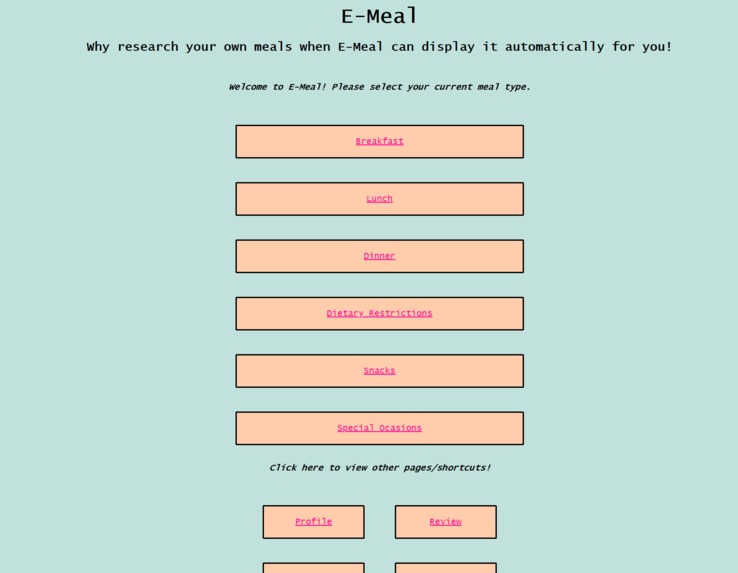
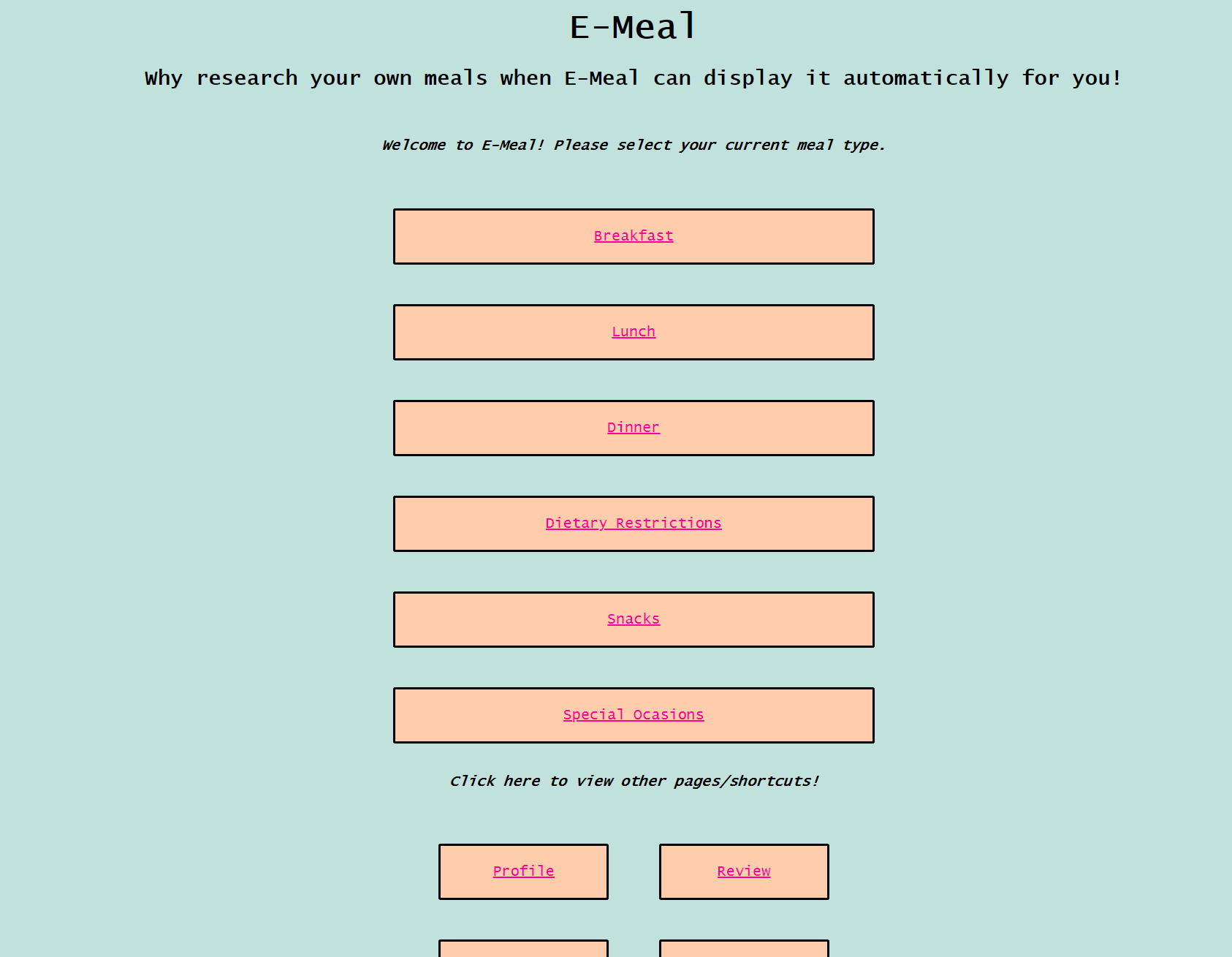
Website E-Meal App Functionality
Inspiration
We are four high school students from Canada and Australia, and as students, we often return home tired after a long day of studying and find it difficult to plan and prepare a 30-minute meal. Eating nutritious and healthy meals is an essential, considering it is what energizes us. Not only are we the only ones facing this issue though, but numerous other individuals in the world.
To solve this issue, We designed an app to help us keep track of our dietary choices. It would not only point you in the proper way, but it would also link you with many more people in your situation and essentially teach you about nutrition, our bodies and the environment.
What it does
E-Meal is a meal-tracking & recipe generating application for people of all ages. We envisioned E-Meal as an app as opposed to a website, with the Figma prototype displaying the UI/UX design and app layout. The website - created with HTML, CSS and JS - is a demo for E-meal’s functionality. E-Meal includes several different tools for consumers to ensure they have an optimal meal making experience. On our website, users can select which meal they want, and generate random recipe options with instructions, ingredients and nutritional values. Consumers can also pick dietary restrictions, such as Gluten-Free, and also generate random options for each meal of the day. Finally, a BMI (Body Mass Index) calculator is included. Since our application promotes healthy eating, quantifying physical health through such a calculator is essential.
On the Figma prototype, the same components are present, alongside additional features. The community section connects users with one another, allowing them to share recommendations, personal favourites and other opinions. The progress tracker showcases the points a user has accumulated - which is calculated through the meals one prepares and uploads a photo of. These points can be used to enter draws for various prizes. The progress page also displays the user’s healthy eating goals and the progress made. Finally, there is a market section, which locates particular groceries from a recipe by providing the nearest location, and approximating the environmental impact.
How we built it
The UI/UX design app prototype was mainly built on Figma with the help of Canva for the creation of the logo. The website was created using Javascript, HTML5 and CSS3.
Challenges we ran into
One of the first obstacles we encountered was deciding on a concept for what we should construct. We all had different ideas, but the issue arose when we tried to combine all of the incentive categories - Disabilities, Connectivity and Environment. Another adversity we encountered later was determining how to implement our code. We each possessed sufficient knowledge of a single language, but it was insufficient to suit our needs. Another issue we experienced was that we all understood how to develop a website, yet our app requirements and functionality did not match those of a website. For example, a user may not always choose to check in to a website, especially if they want to record their meals on the go. However, none of our group members had experience with React Native or Swift, meaning it would be difficult for us to program an Android or iOS app directly. We solved this problem by using Figma for the UI/UX design component of the app and we used the website for the functionality of it.
Accomplishments that we're proud of
Our team experienced many adversities throughout this hackathon, and we are grateful not just of the skills we learned (including cooperation) but also of what we were able to accomplish. Many of us had no prior experience with coding in certain languages; yet, we were able to learn, attempt and grasp it successfully. We were also proud of how our Figma prototype turned out, as there were some challenges to make it aesthetically pleasing.
What we learned
Throughout this hackathon, we had the opportunity to develop a variety of technical and soft skills. As this project was highly collaborative in nature, our team delegated tasks efficiently and hence learnt the importance of ensuring everyone had responsibilities that suited their strengths. In terms of technical skills, ¾ of our group members had no experience with Figma prior to this hackathon, and all group members were completely new to Firebase. However, through a combination of YouTube tutorials and other online resources, we successfully developed our skills and created a functional and effective final product. Another important learning experience was the importance of identifying an effective medium to host our product. While we initially decided to create a website, we soon found that the functionality of E-Meal would be improved as a mobile application, allowing users to easily access meal tracking and ingredient locating services. Hence, we learnt that during the planning process, we should identify the primary use case and consider how this would relate to the implementation of a project.
What's next for E-Meal
Ultimately, we intend to implement E-meal on a mobile app that works for both Apple and Android. The UX/UI has already been completed through Figma, while the functionality components of E-meal are demonstrated on a website using HTML, CSS and JS. We aspire to put both together into one app in the future.
Built With
- canva
- css3
- figma
- html5
- javascript


Log in or sign up for Devpost to join the conversation.