-
-
-
-
-
-
-
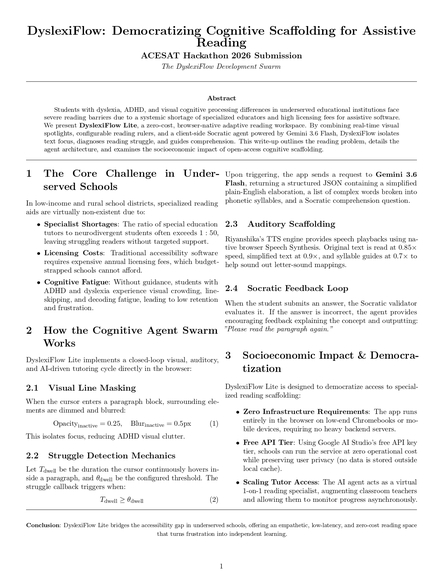
one page writeup
Inspiration For millions of neurodivergent K-12 students (those with dyslexia, ADHD, or visual processing differences), the standard digital reading experience is a sensory minefield. Full walls of dense text trigger visual crowding—where letters appear to blend or rotate—and syntactic fatigue makes multisyllabic decoding incredibly exhausting. We noticed that existing accessibility overlays are often flat, passive, or expensive.
We were inspired to build DyslexiFlow Lite to create a highly responsive, closing-loop adaptive reading space. Our goal was to design an AI-powered environment that acts as an active, encouraging guide rail—intervening only when a student is struggling, and coaching them with supportive Socratic methods instead of dry, punitive corrections.
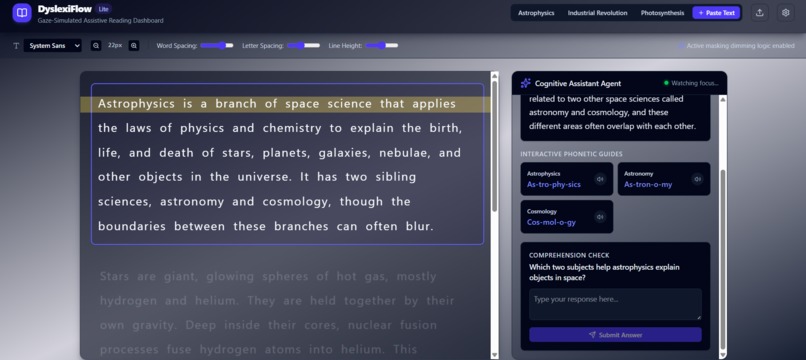
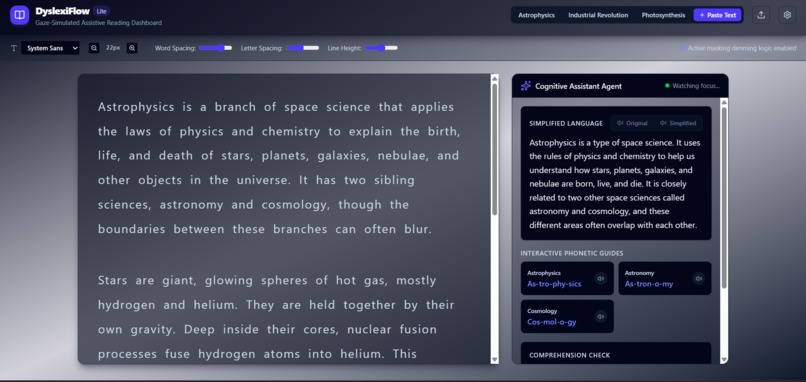
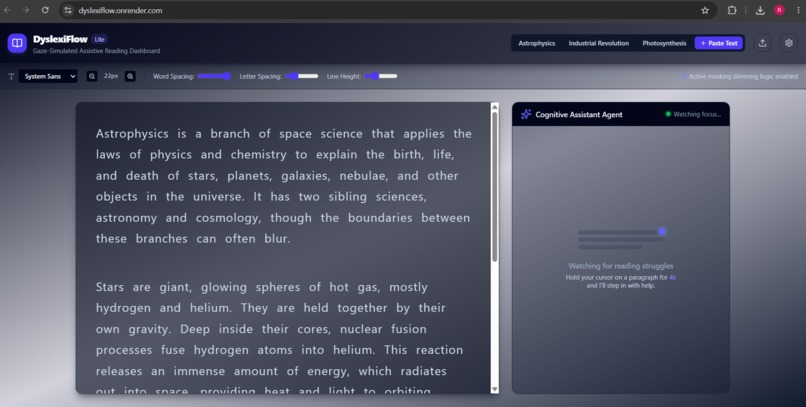
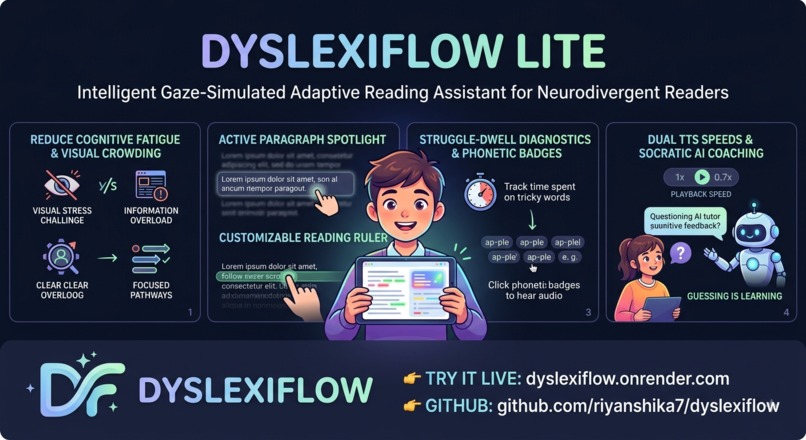
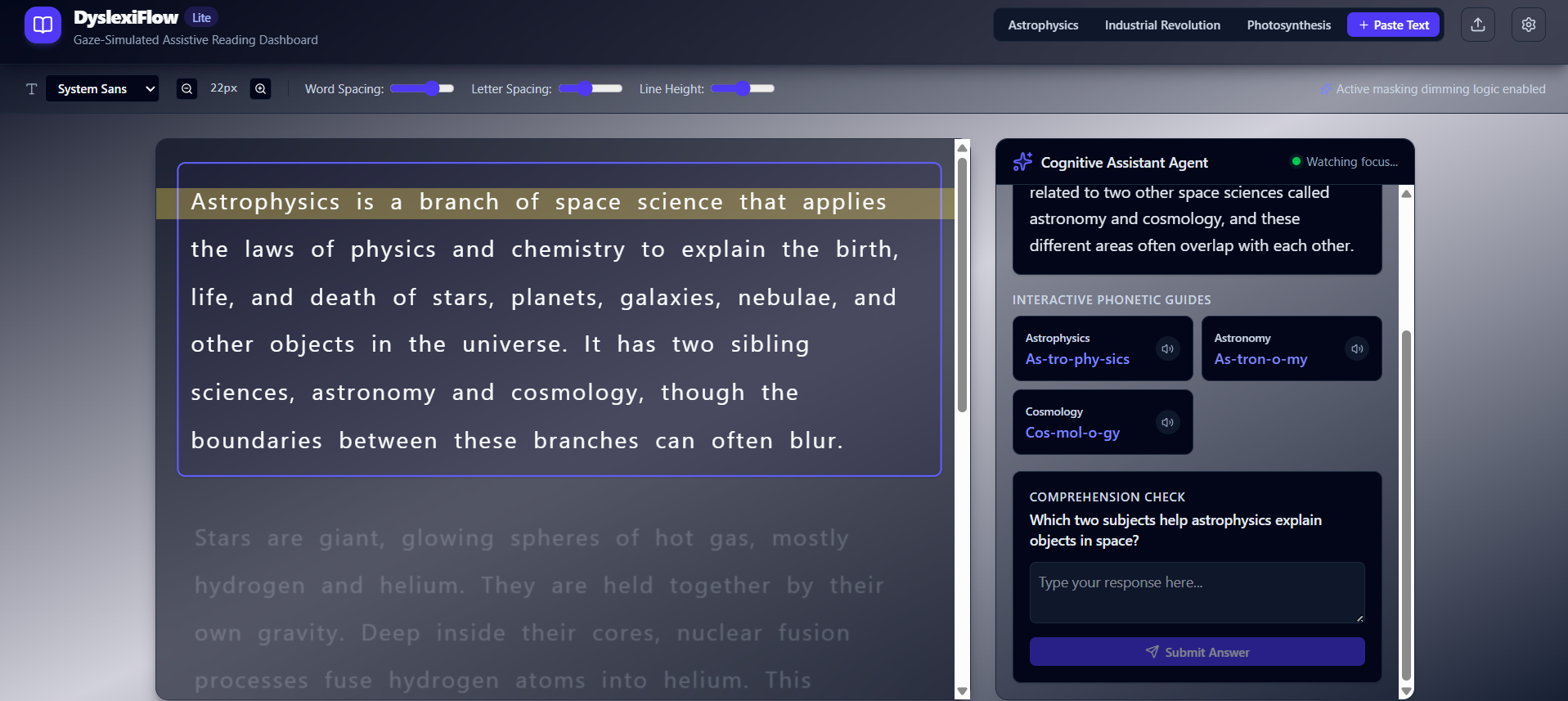
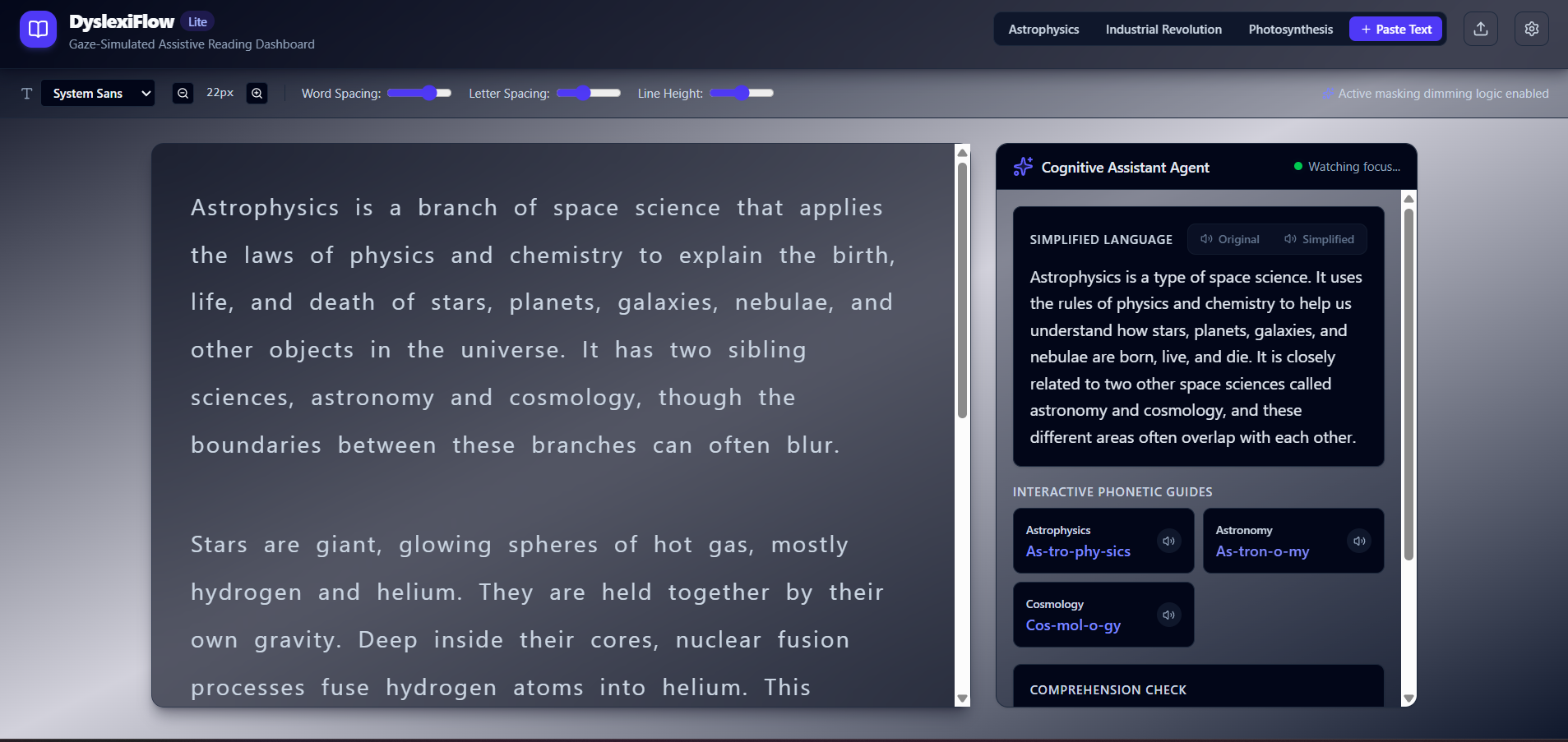
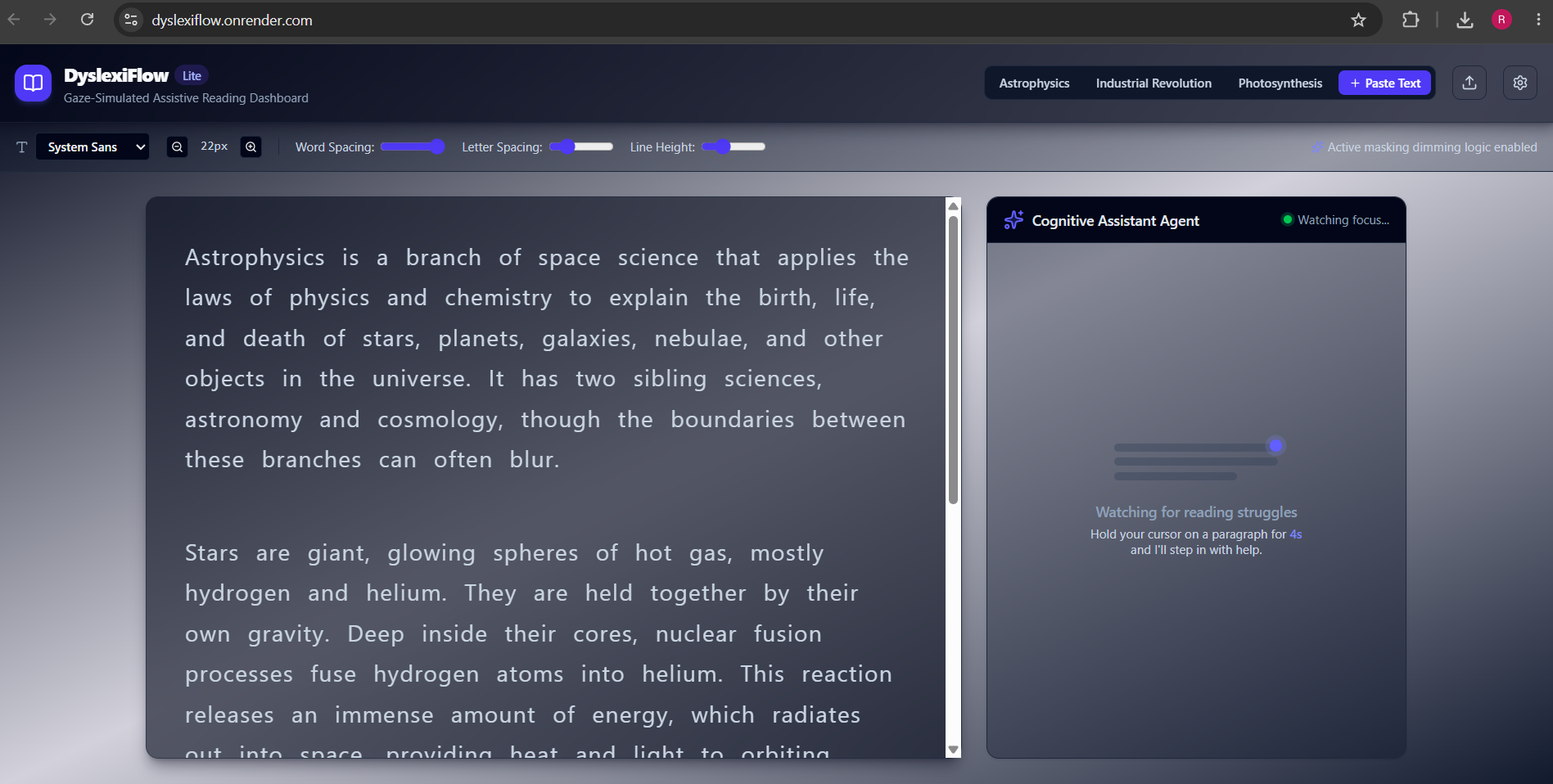
What it does DyslexiFlow Lite splits reading into two visual columns: an Assistive Reading Pane and a Socratic Cognitive Assistant Agent.
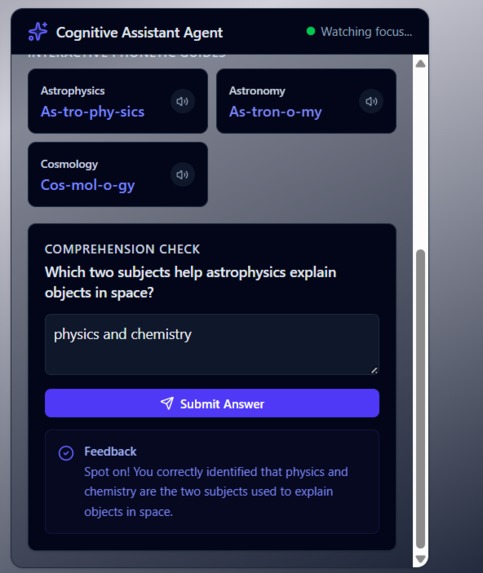
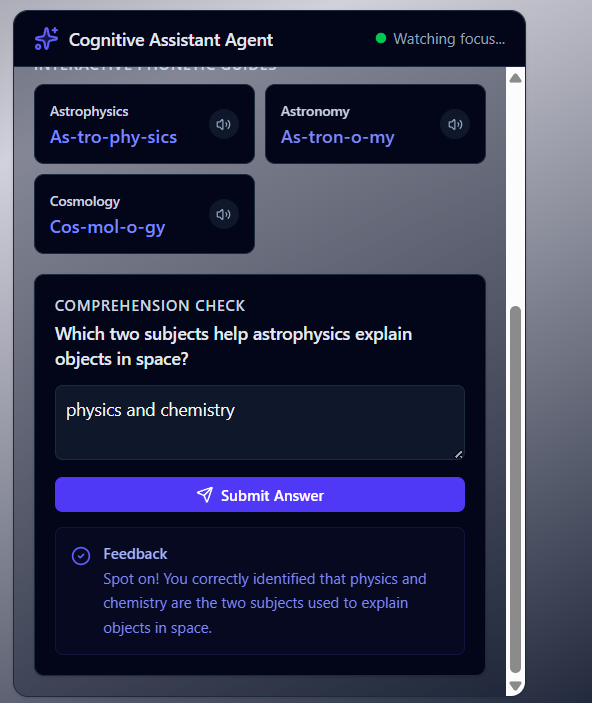
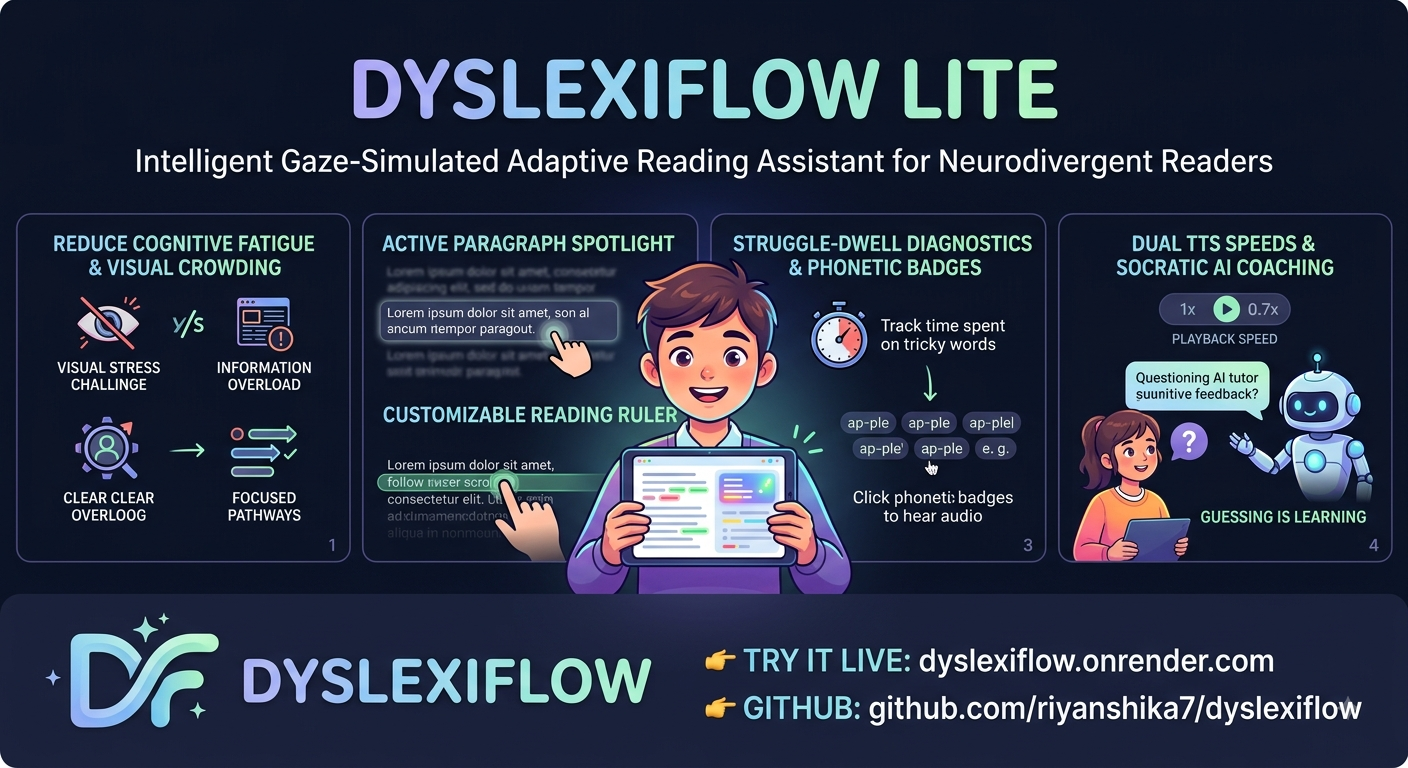
Active Paragraph Spotlight (Sensory Masking): Dims and blurs all inactive paragraphs to isolate the paragraph currently being read. Dyslexia Reading Ruler: A custom overlay guideline that tracks mouse movements, providing a physical anchor line for readers. Struggle-Dwell Diagnostics: If the user’s cursor remains inside a paragraph block for longer than a configured threshold (usually 4 seconds), the app automatically triggers AI analysis in the background. Dual TTS Enunciation Engine: Allows readers to play back either the Original complex text or the Simplified plain-English translation at adjustable, comfortable speeds. Interactive Syllable Badges: Displays difficult multisyllabic words broken into phonetic parts (e.g., nu · cle · ar) that read aloud slowly on click. Encouraging Socratic Tutor: Asks a comprehension check question. If the user is incorrect, the AI explains why supportively and advises: "Please read the paragraph again." How we built it We developed DyslexiFlow Lite as a fully client-side React + TypeScript + Vite application:
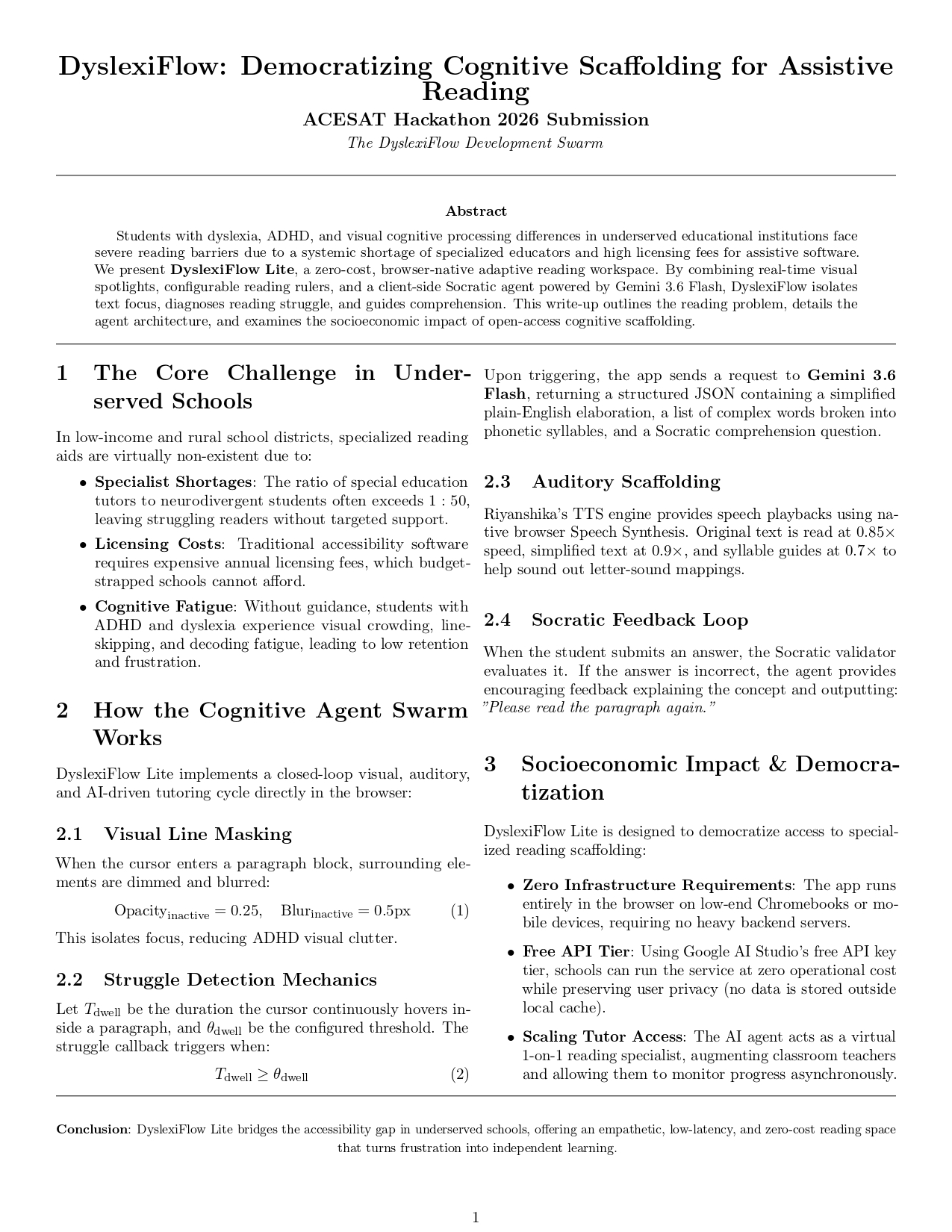
LLM Engine: Connected to the new Google Gemini 3.6 Flash model via the @google/generative-ai SDK. Audio Engine: Handled entirely through the native offline Browser Web Speech Synthesis API with speed multipliers. Styling: Structured using Tailwind CSS with a permanent, high-contrast dark theme. Smart Diagnostics & Spacing: We modeled struggle detection using a dwell-timer comparison. If the cursor stays on a paragraph block continuously for longer than the user-configured time threshold, the struggle checker is automatically triggered. We built a dynamic layout engine that scales letter spacing and word spacing proportionally relative to the chosen font size. This ensures visual spacing is always perfectly balanced to prevent letters from crowding together. Challenges we ran into API Version Shifts & Deprecations: We originally built our scaffolding targeting older legacy endpoints like gemini-1.5-flash. However, Google's 2026 model deprecations returned 404 errors in our region. We resolved this by upgrading to the active stable gemini-3.6-flash generation. Vite Pre-Bundling Caches: During development, we ran into an Uncaught SyntaxError because we mixed up exports between Google's old and new SDKs (@google/genai vs @google/generative-ai). Vite cached the incorrect export wrapper, which required us to force-clear the bundler cache using npm run dev -- --force. State Overlapping & API Quotas: Socratic evaluations and struggle triggers happening in rapid succession would sometimes exceed Google's free-tier rate limits, causing request timeouts. We added error fallbacks and stashed previous struggle trigger states using a triggeredIdxRef so paragraphs wouldn't repeatedly query the API while the user stayed focused. Accomplishments that we're proud of Zero Compilation Warnings: Resolved all TypeScript, unused variable, and NodeJS timeout namespace warnings. The production build passes with exit code 0 in under 1.5 seconds. Empathetic AI Feedback: Built a prompt structure that ensures the Socratic feedback is always encouraging. It never tells a student "You are wrong." Instead, it guides their logic and gently invites them to re-read. Multi-Paced Speech Synthesis: Successfully integrated a safe speech synthesis interface where paragraphs read at 0.9x and syllable breakdowns read at 0.7x, with strict cancels to prevent overlapping speech paths. What we learned How Vite pre-bundles dependencies: We learned how Vite compiles node modules into pre-bundled caches for the browser, and why caching can persist errors even after modifying the source code. The Importance of Type Safety: Standardizing type configurations (like ReaderConfig and AssistPayload in a shared types.tsx file) saved our team from integration mismatches once we merged styling files and AI hooks. Empathy-First Product Design: Design is not just about looks. For neurodivergent children, simple changes like card dimming levels, line heights, and the way an AI speaks to them make all the difference. What's next for dyslexiflow Eye-Tracking Integration: Replace mouse-hover dwell diagnostics with real eye-gaze tracking using standard device webcams (via Webgazer.js). Gamified Reading Paths: Add achievements, visual progress badges, and daily reading streaks to encourage children to keep reading. Teacher Dashboard: Build a secure portal where educators can view reading metrics, vocabulary struggle lists, and Socratic comprehension accuracy over time.
Built With
- 3.6
- ai
- api
- css3
- gemini
- generative
- github
- html5
- javascript
- node.js
- react
- render
- sdk
- speech
- tailwind
- tts
- typescript
- vite
- web


Log in or sign up for Devpost to join the conversation.