Inspiration
The inspiration for this project came from the YouTube short film "Mical (2020)", which highlights the challenges and emotional stress faced by a child with dyslexia. After watching it, I explored articles, research papers, and community forums to better understand the everyday difficulties experienced by people with dyslexia.
Today, almost every service, business, and educational institution has an online presence. Being able to comfortably read and understand web content is essential. This motivated me to build Dyslexia AI Assistant, a Chrome extension that makes web content more accessible and easier to comprehend.
What it does
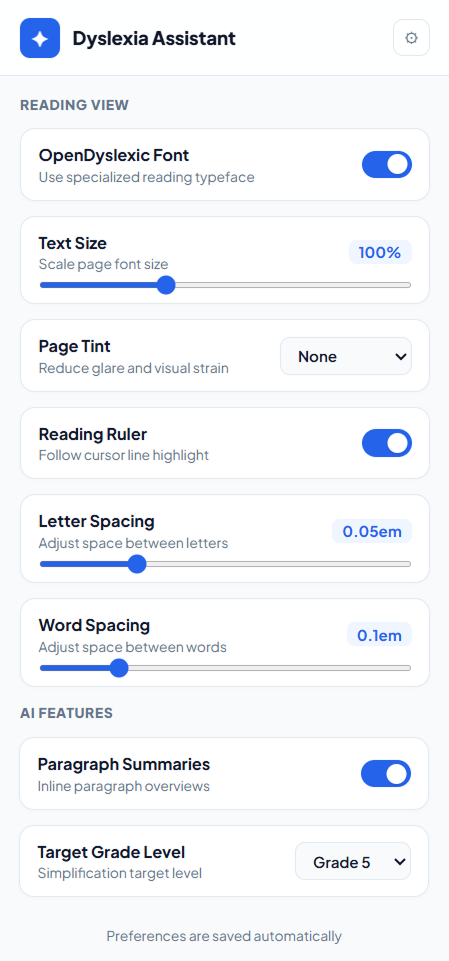
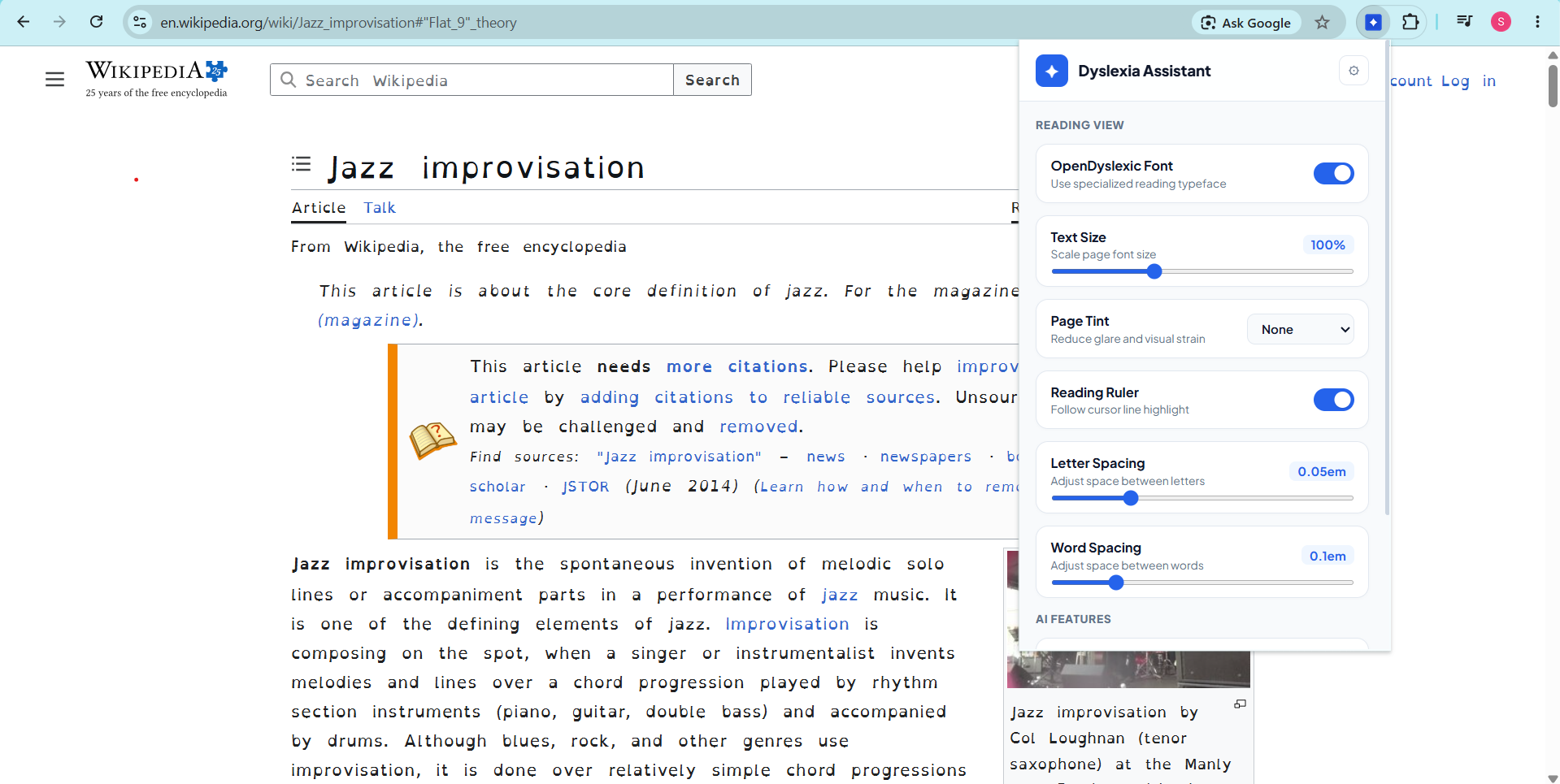
Dyslexia AI Assistant enhances the reading experience by providing a set of accessibility features that can be enabled directly on any webpage.
It allows users to:
- Switch to the OpenDyslexic font
- Increase text size
- Adjust letter and word spacing
- Improve reading focus with accessibility-friendly formatting
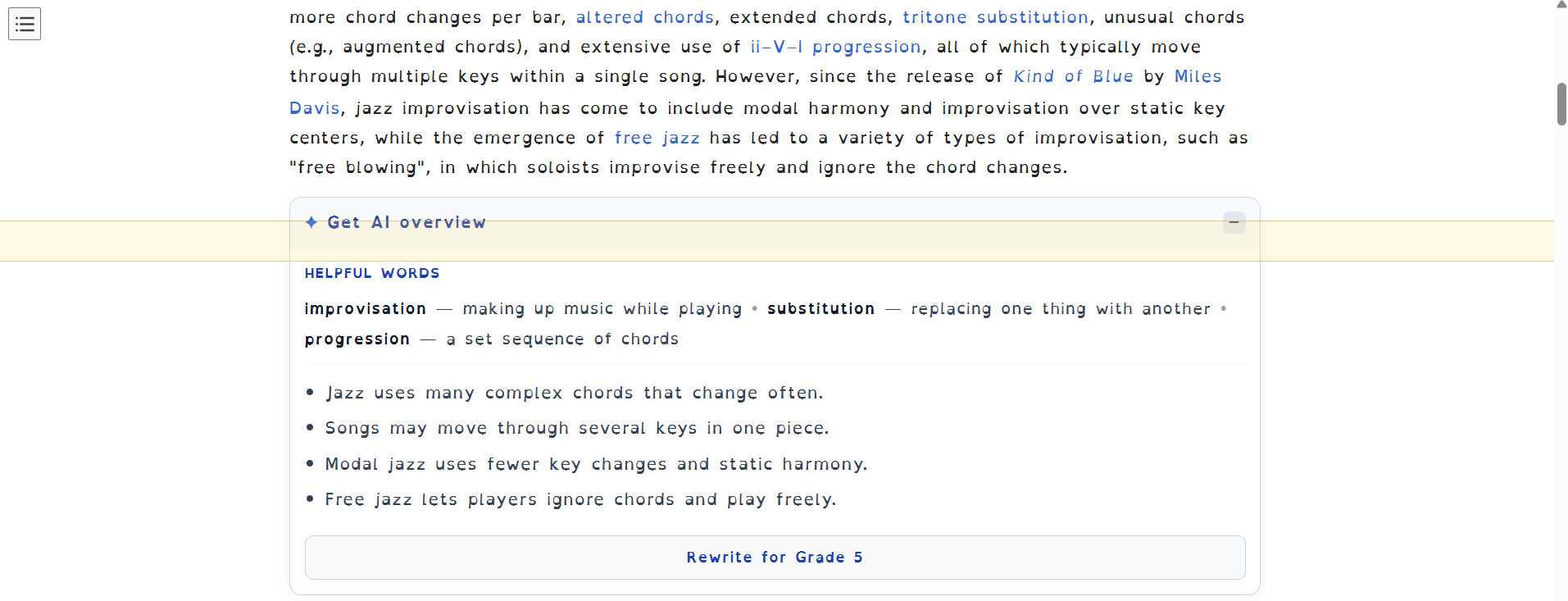
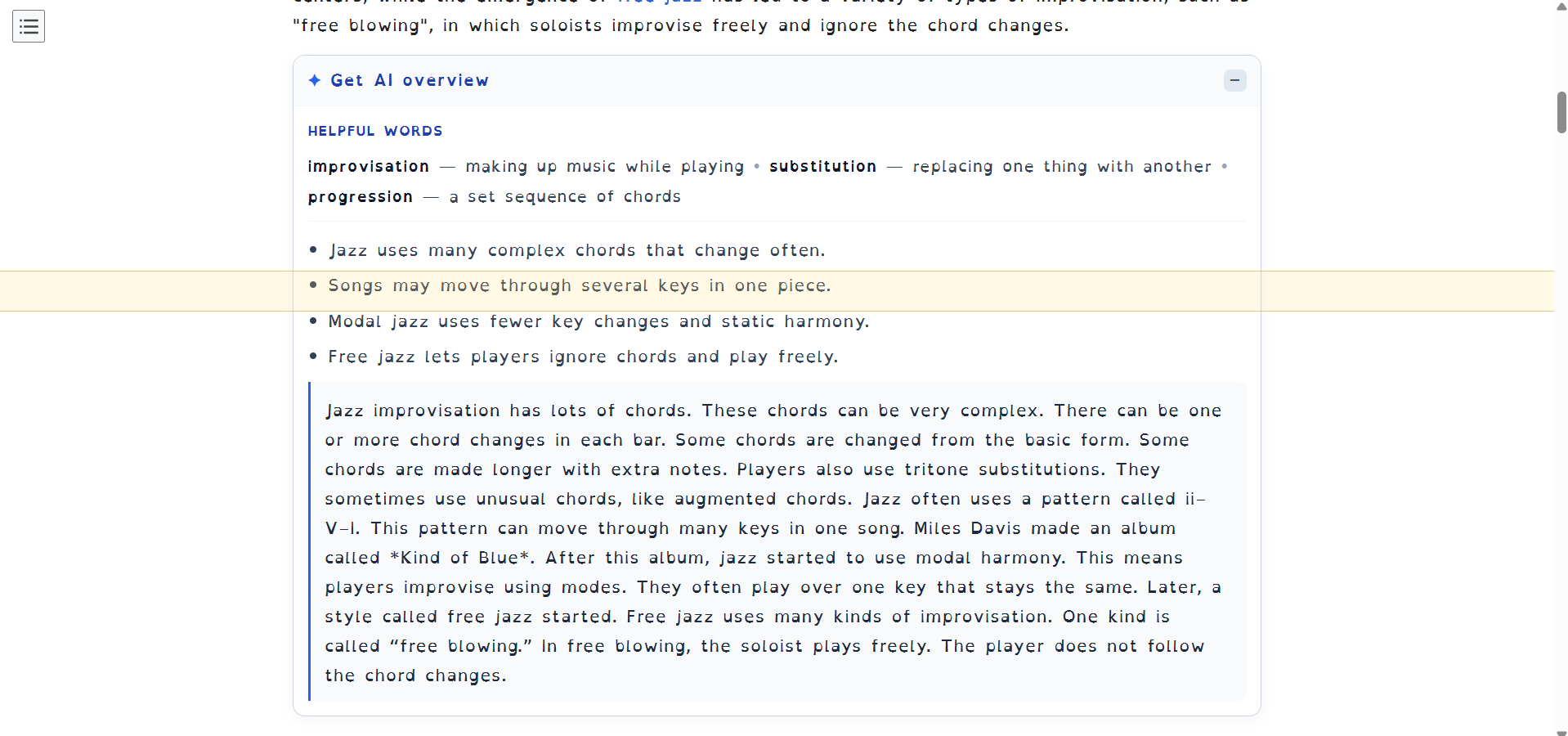
- Generate AI-powered paragraph summaries with key points
- Highlight important words in each paragraph
- Rewrite content based on a selected reading grade to simplify complex text
These features work together to reduce reading effort and improve comprehension for people with dyslexia.
How we built it
The extension was built using HTML, CSS, and JavaScript. AI-powered features such as summarization, keyword extraction, and content rewriting are powered by Azure OpenAI.
Challenges we ran into
This was my first time building a Chrome extension, so I had to learn the extension architecture, permissions, content scripts, and popup interactions from scratch. Integrating AI seamlessly into webpages while maintaining a smooth user experience was also an interesting challenge.
Accomplishments that we're proud of
I'm proud of building a fully functional Chrome extension within the hackathon timeline. It combines accessibility features with AI-powered assistance in a simple interface that can improve the reading experience for users with dyslexia.
What we learned
Through this project, I learned how to build Chrome extensions, inject functionality into webpages, and integrate Azure OpenAI to provide real-time accessibility features.
What's next for Dyslexia AI Assistant
The extension is currently free to use. However, AI-powered features require an Azure OpenAI API key, so users must currently provide their own credentials.
In the future, we plan to introduce a subscription model that securely manages API access, allowing users to access AI features without configuring their own API keys. We also plan to add additional accessibility features, personalized reading preferences, and support for more languages.

Log in or sign up for Devpost to join the conversation.