
Inspiration
Many beginners start climbing because it’s fun and social, but progress can feel unclear. Unlike other sports, climbers often rely on memory to track improvement: remembering what grade they sent, how many attempts something took, or whether their movement is improving.
As climbers ourselves, we’ve experienced this firsthand. After sessions, we would try to remember what we climbed, how many attempts something took, or whether our technique had actually improved — but there was no easy way to track it all.
We wanted to build a tool that helps climbers see their progress clearly. DYNO was inspired by the idea that improvement becomes much more motivating when it’s visible. By combining climb tracking, video analysis, and predictive insights, we wanted to help beginners understand how they’re improving and what they should aim for next.
What it does
DYNO is a bouldering progress tracker designed to help climbers - especially beginners - understand and stay motivated by their improvement.
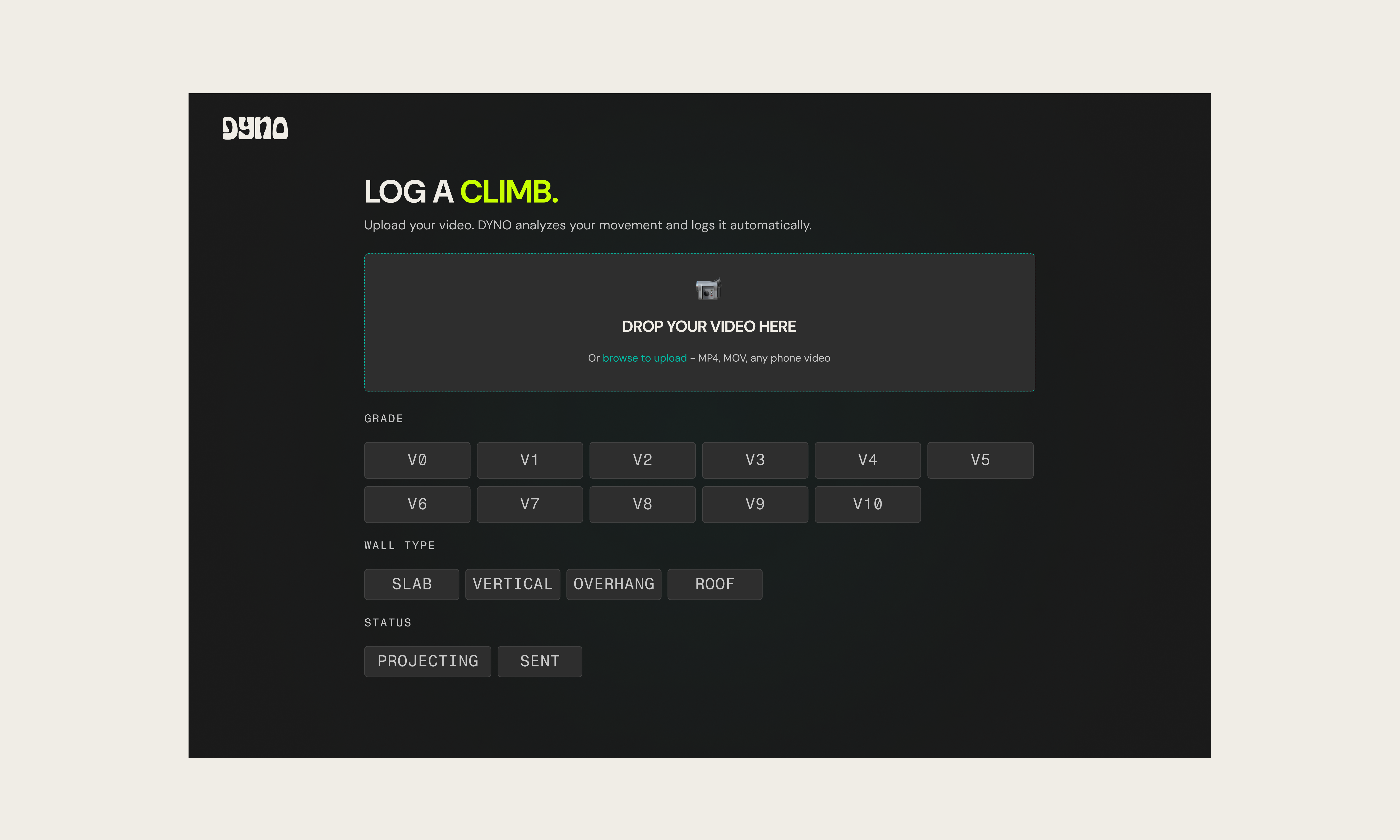
Users can log climbs by recording the grade, number of attempts, wall type, and whether the climb was sent or still a project. DYNO then organizes this information into a personal logbook and visualizes progress over time, allowing climbers to see their hardest sends and grade distribution.
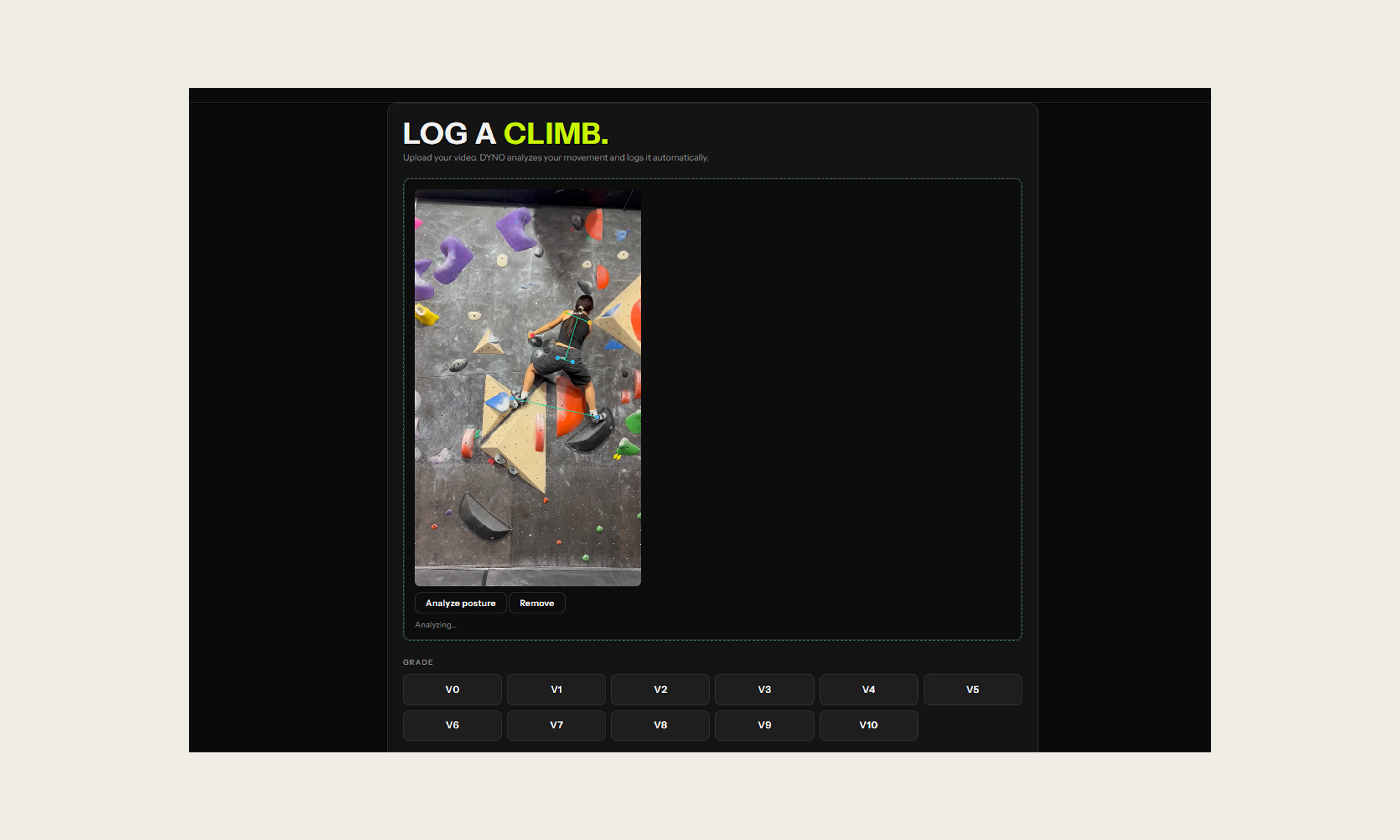
In addition to tracking climbs, users can upload climbing videos and receive posture feedback through pose detection. The system analyzes body landmarks during the climb and highlights potential movement inefficiencies.
DYNO also generates challenge recommendations by predicting the next grade a climber should attempt and estimating the number of attempts it may take. This helps climbers set realistic goals and stay motivated as they improve.
How we built it
DYNO was built as a lightweight web application using HTML, CSS, and JavaScript for the frontend interface.
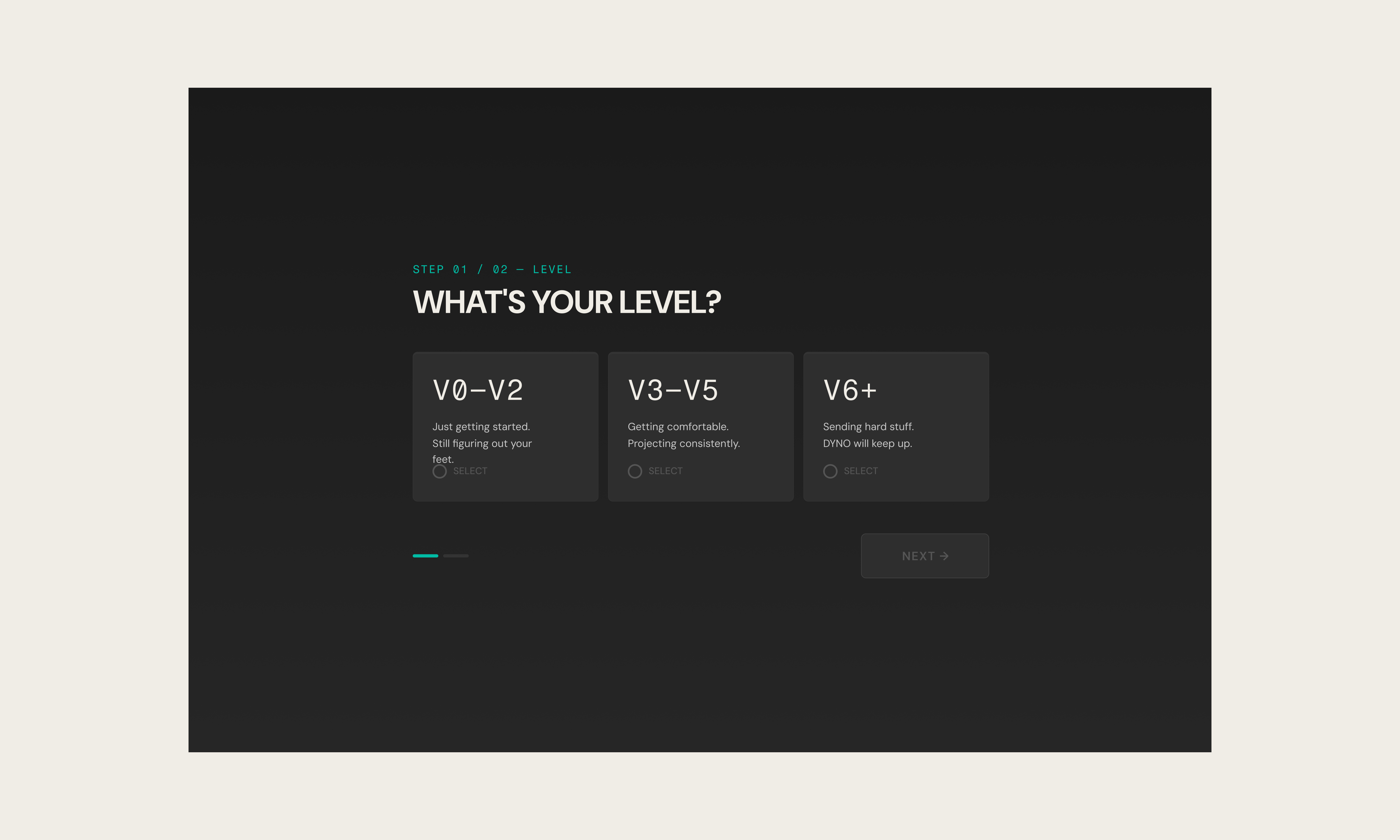
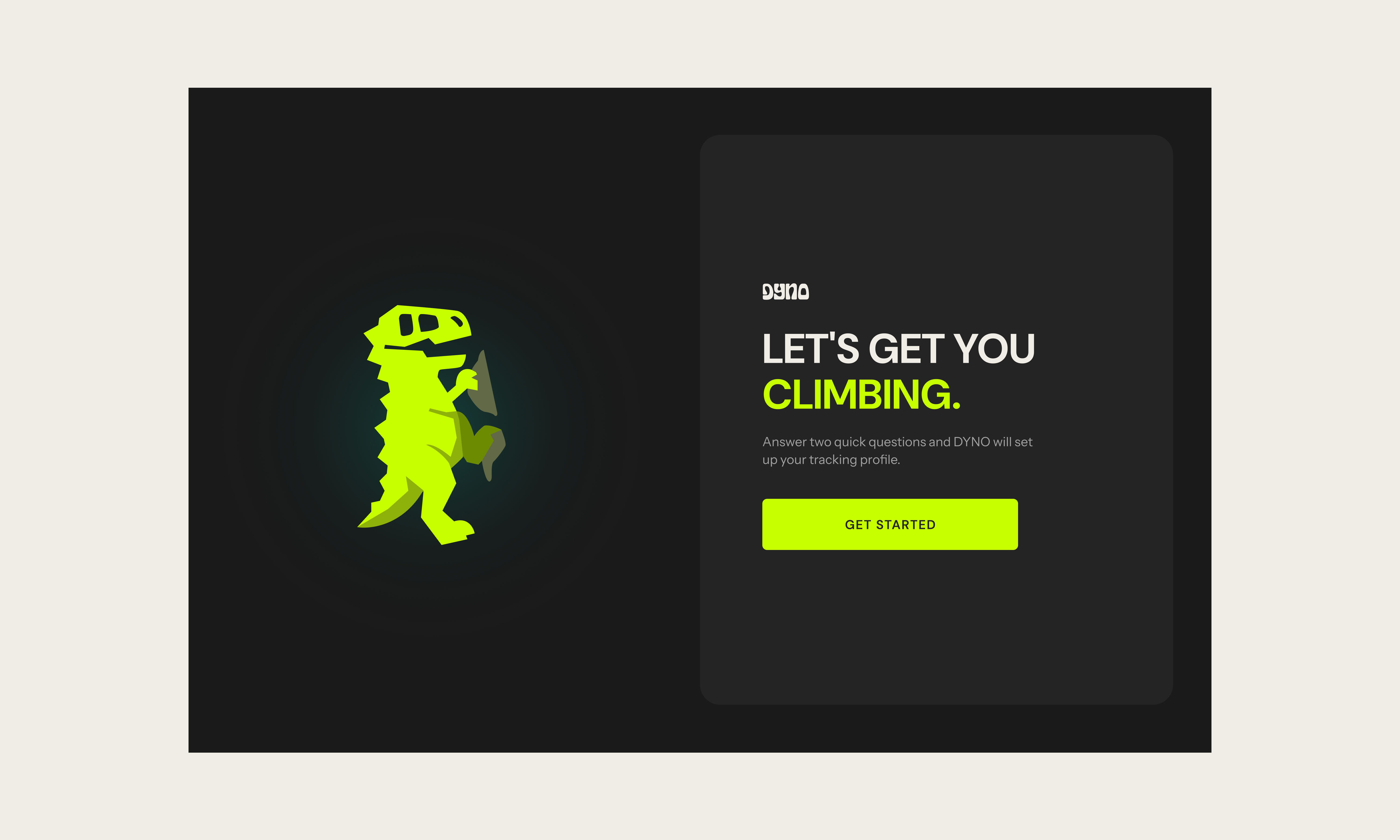
The application includes an onboarding flow that collects the user's climbing level and goals, followed by a climb logging system where users can record their sessions. Logged climbs are stored through an API and rendered dynamically in a logbook table and progress statistics dashboard.
For movement analysis, we integrated MediaPipe Pose to detect body landmarks from climbing videos. When a user uploads a video, the system processes frames and extracts key points such as shoulders, hips, and feet. These landmarks are used to calculate posture-related metrics and generate simple feedback about body positioning.
We also implemented a challenge recommendation system via Python and Scikit-learn that predicts the next grade climbers should aim for. The Random Forest model predicts how many attempts you'll need to send a given grade, personalized to your climbing history. It's trained on external climbing data to provide a baseline prediction, and automatically adjusts the weight so that user logs weighted more heavily than the baselines.
Together, these components combine climb tracking, computer vision, and predictive insights into a single tool that helps climbers better understand their progress.
Challenges we ran into
One of the biggest challenges was working with climbing video data in the browser. Handling video uploads, playback, and frame processing required careful management of browser storage and performance.
Integrating pose detection was another challenge. While MediaPipe Pose provides body landmarks, converting raw landmark coordinates into meaningful climbing feedback required experimentation and tuning. We needed to determine which body positions actually reflected inefficient climbing movement and how to present that feedback in a clear way.
Another challenge was thinking about how to incorporate user-specific climb logs into our prediction system. External climbing data can provide a useful baseline, but every climber progresses differently. Designing a model that combines broader dataset patterns with a user’s own logged climbs - while weighting the user’s data more heavily as more personal history is collected - was an important technical consideration for making predictions feel more personalized and useful.
Accomplishments that we're proud of
We're proud that DYNO brings together several complex components into a cohesive and easy-to-use experience.
The application allows users to track climbs, visualize their progress, upload climbing videos, and receive automated posture feedback - all within a single web interface. Integrating pose detection and translating those results into understandable insights was a major technical milestone for our team.
We’re also proud of the challenge feature, which encourages climbers to attempt the next grade and stay motivated by turning progress into a measurable goal.
Most importantly, we built a tool inspired by our own climbing experiences that could genuinely help beginners stay engaged and see their improvement over time.
What we learned
What's next for Dyno
Our next goal is to expand DYNO into a mobile application, allowing climbers to easily log climbs and upload videos directly from the gym.
We also plan to improve the machine learning model by combining global climbing datasets with individual user data. As a climber logs more climbs, the model will prioritize their personal performance history, allowing predictions to become increasingly personalized.
Future versions of DYNO could also provide:
- personalized training suggestions
- movement pattern insights from multiple videos
- long-term progress tracking across climbing sessions
Our vision is to make DYNO a tool that helps climbers climb smarter, stay motivated, and continuously improve.
Built With
- canvasapi
- express.js
- indexeddb
- javascript
- mediapipe
- node.js
- numpy
- pandas
- python
- restapi
- scikit-learn


Log in or sign up for Devpost to join the conversation.