-
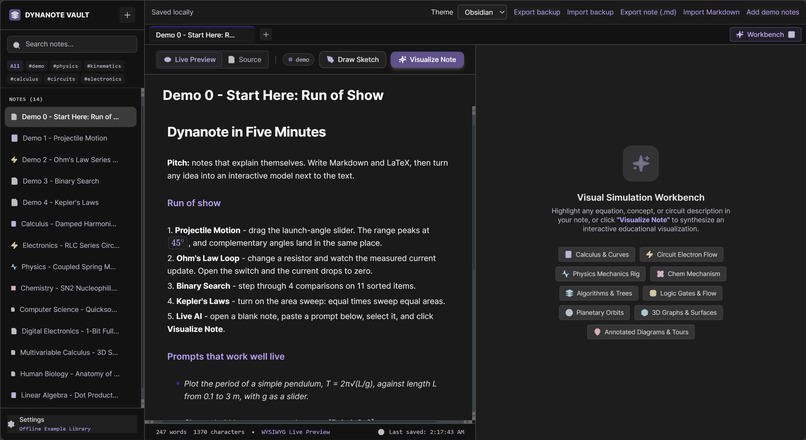
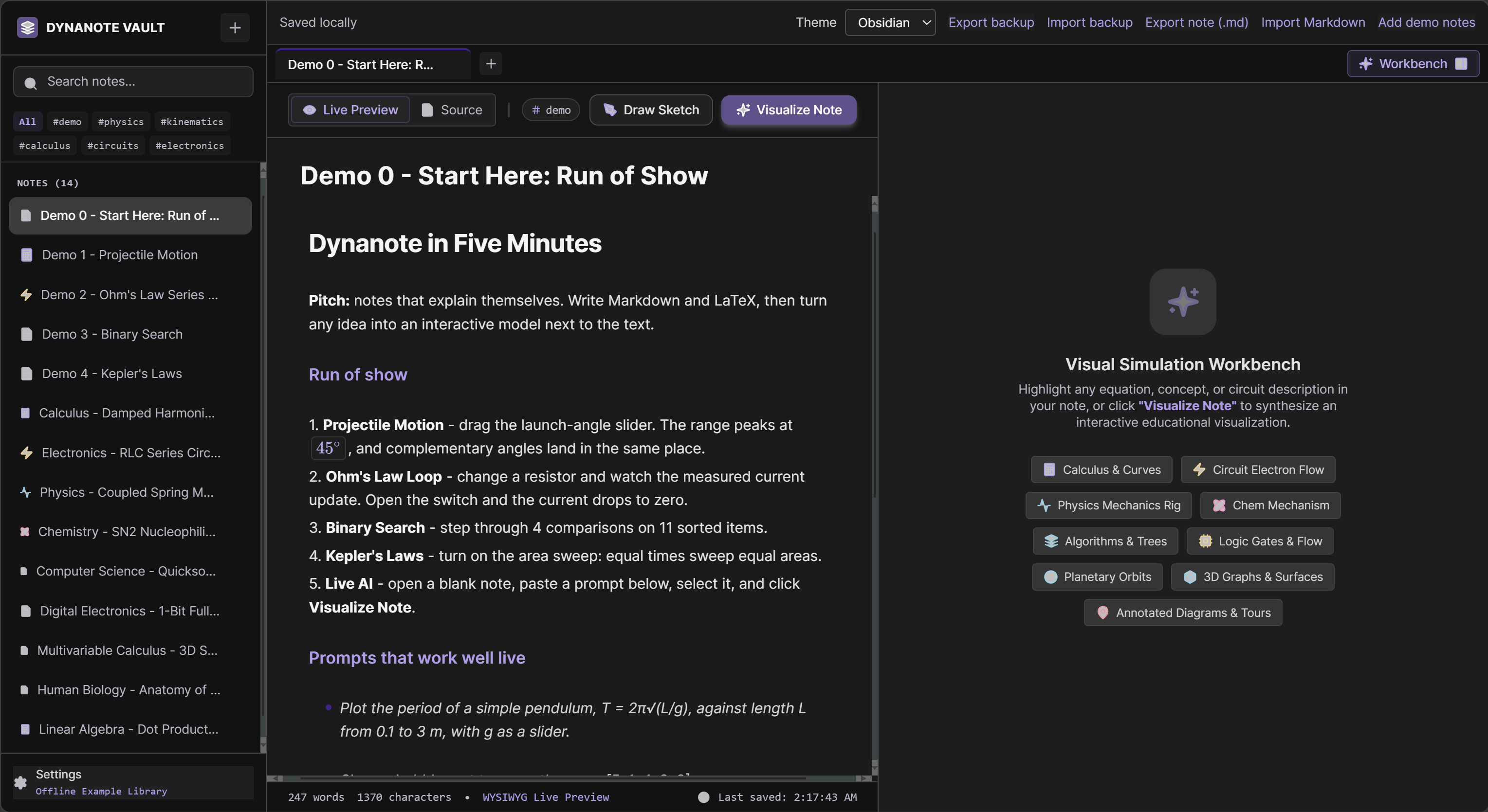
Dynanote - Homepage
-
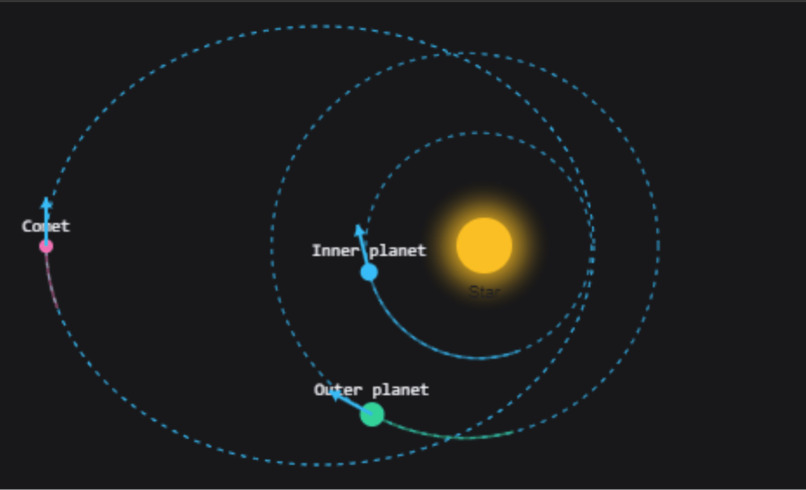 GIF
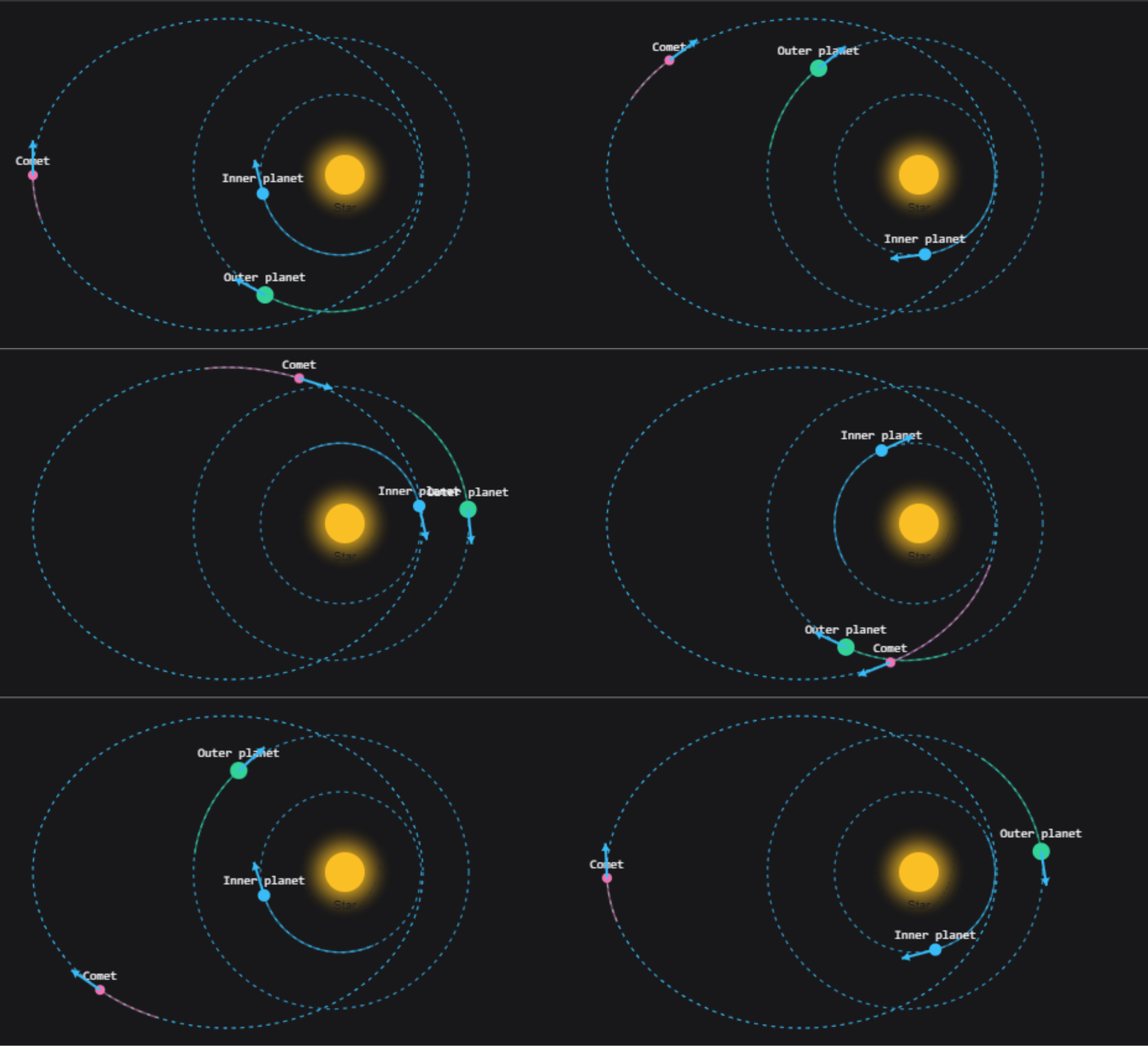
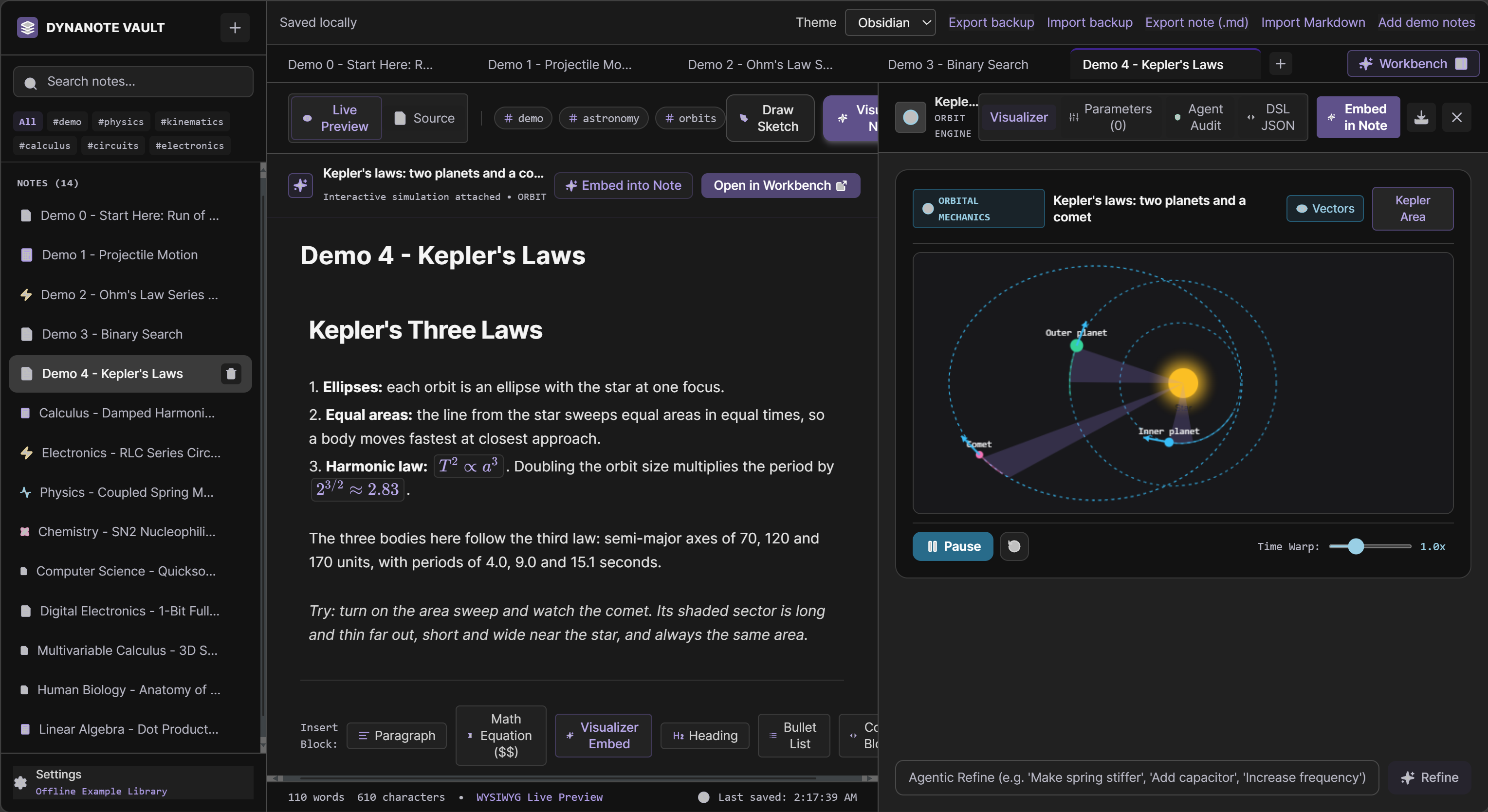
Dynanote - Kepler's Laws Interactive Visualization
-
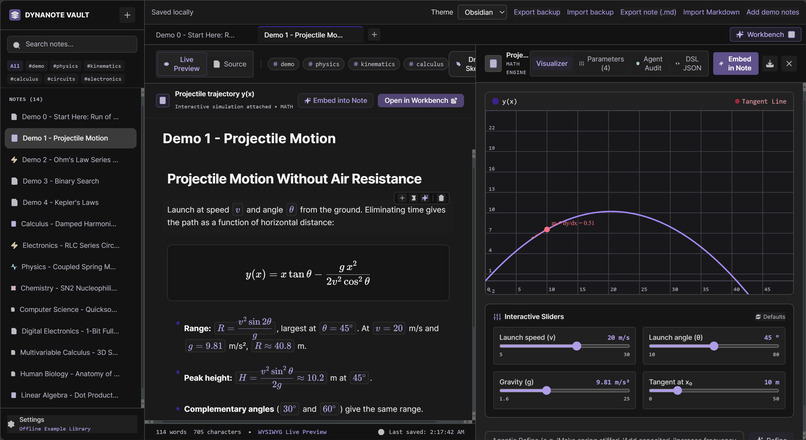
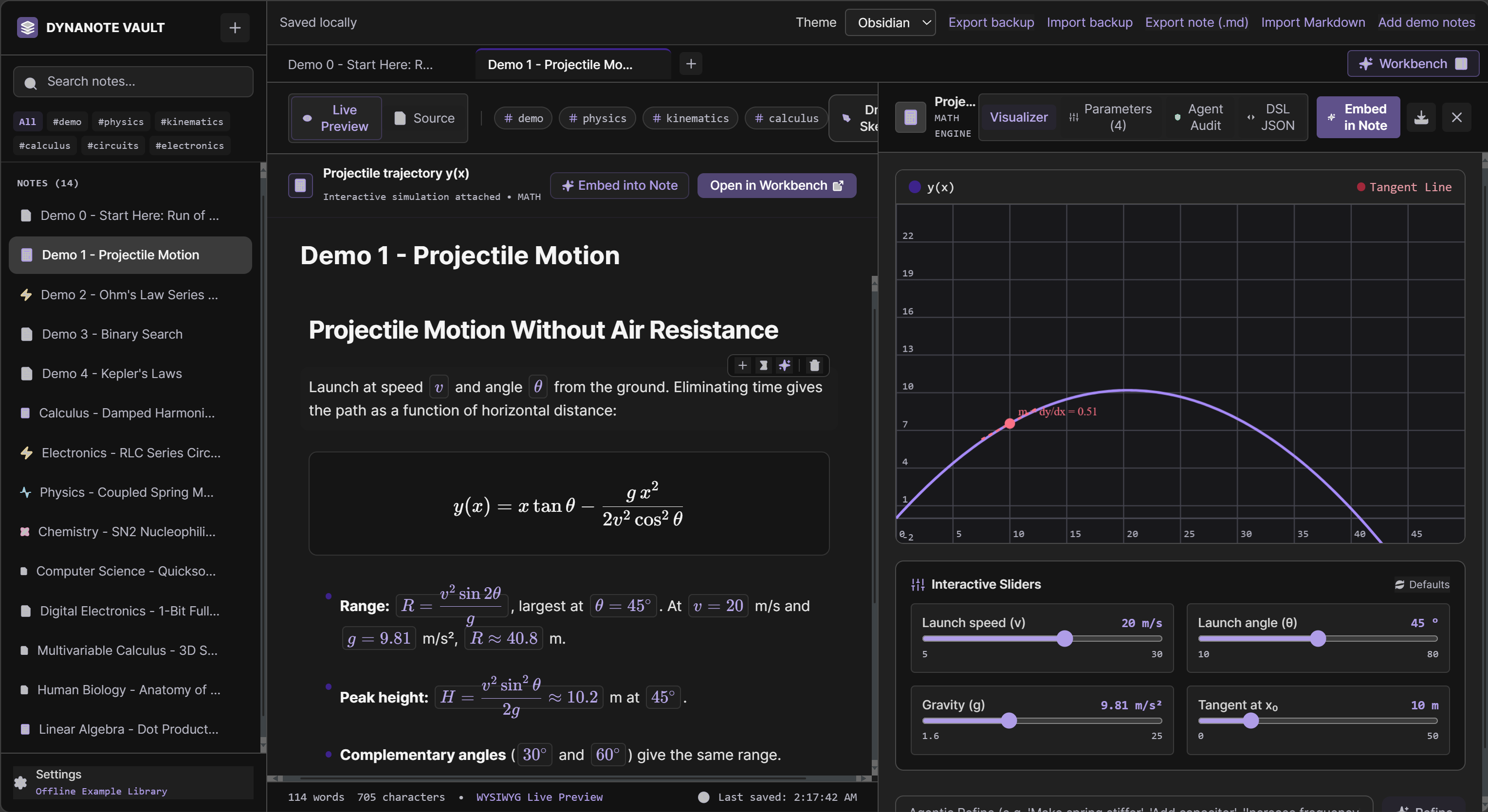
Dynanote - Demo 1 - Projectile Motion
-
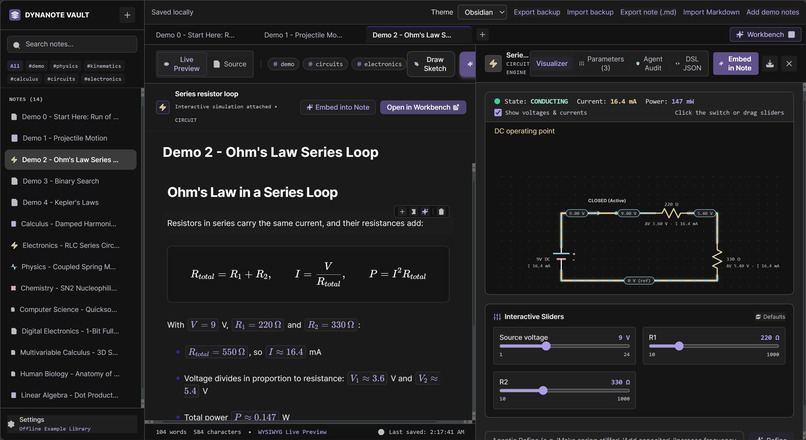
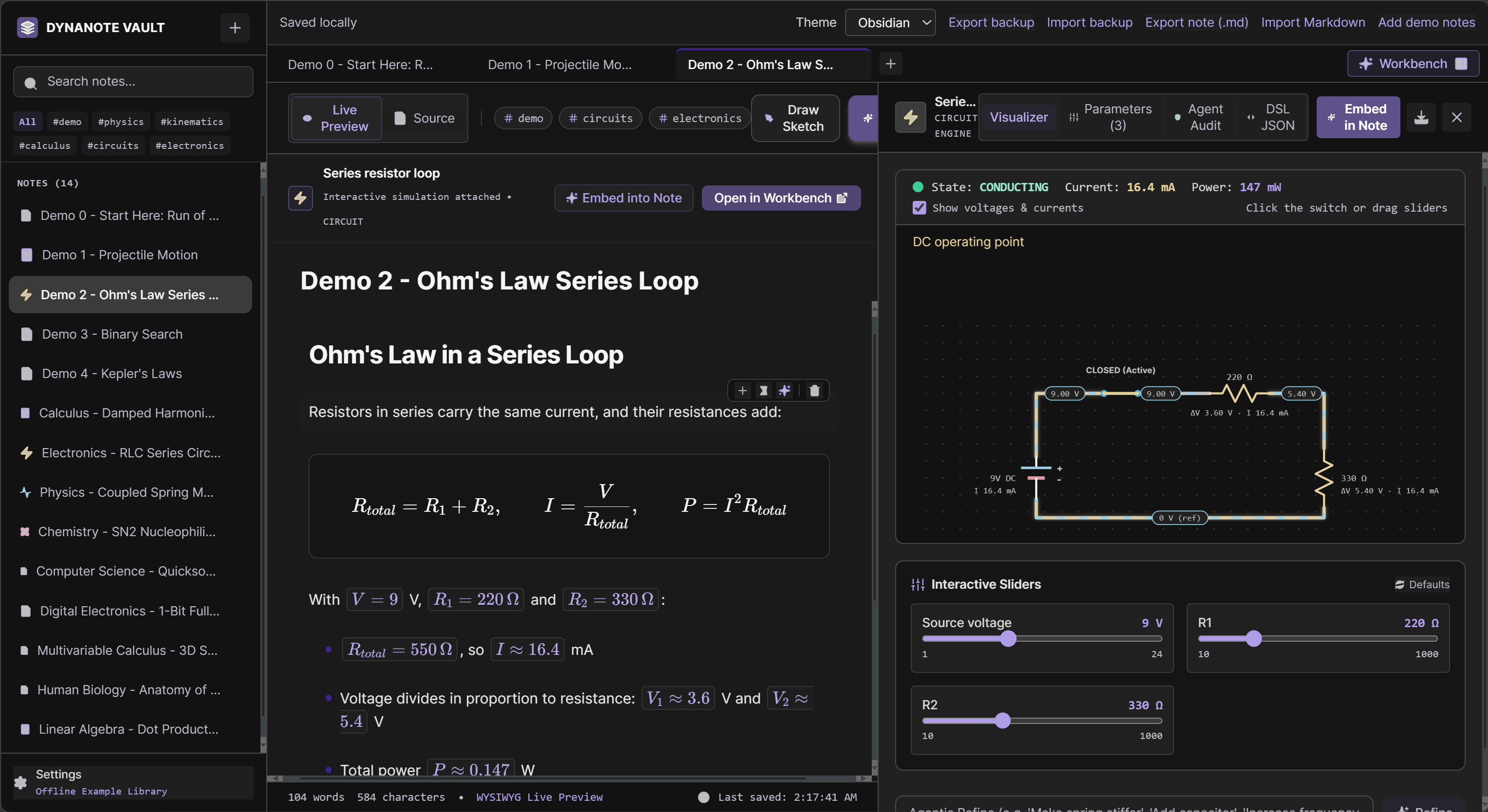
Dynanote - Demo 2 - Ohm's Law Series Loop
-
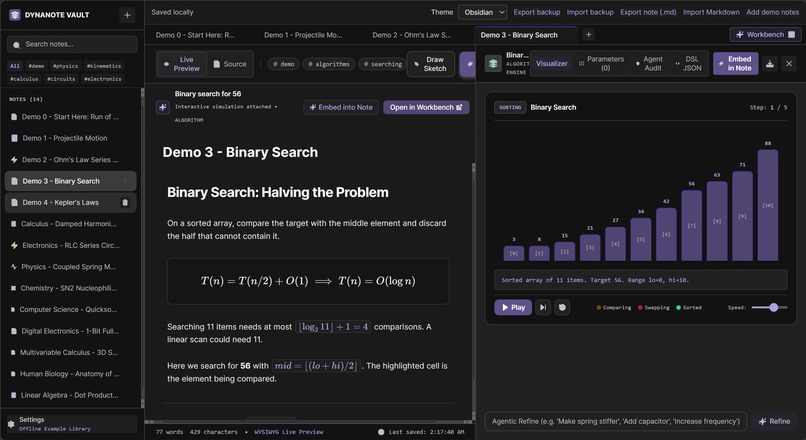
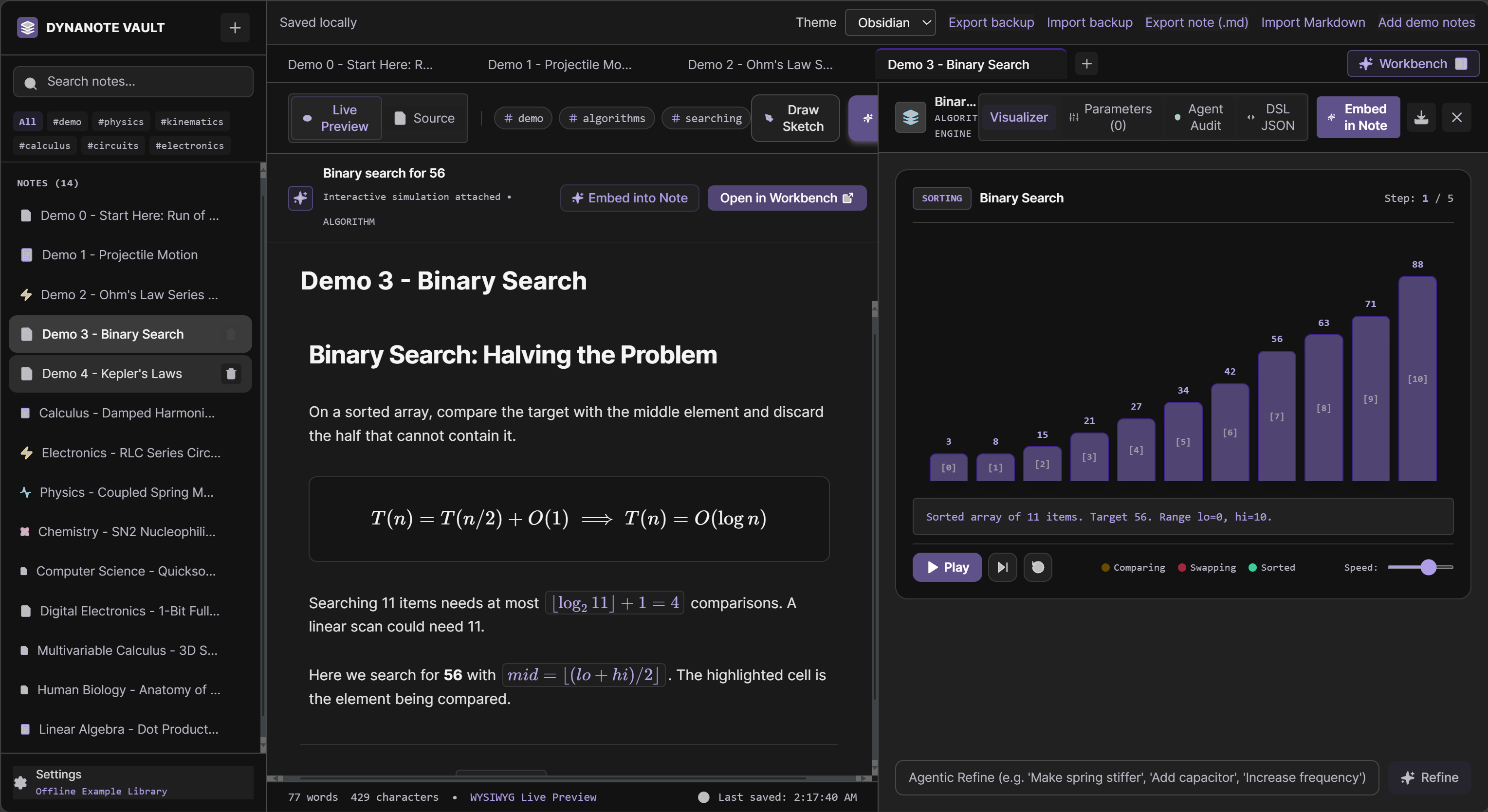
Dynanote - Demo 3 - Binary Search
-
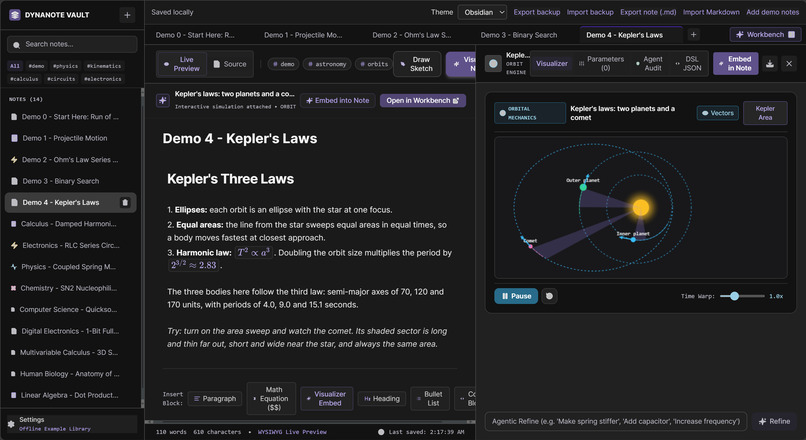
Dynanote - Demo 4 - Kepler's Laws
-
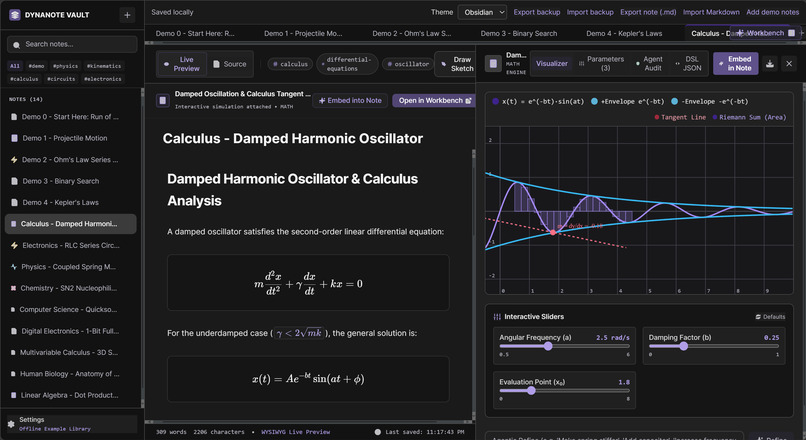
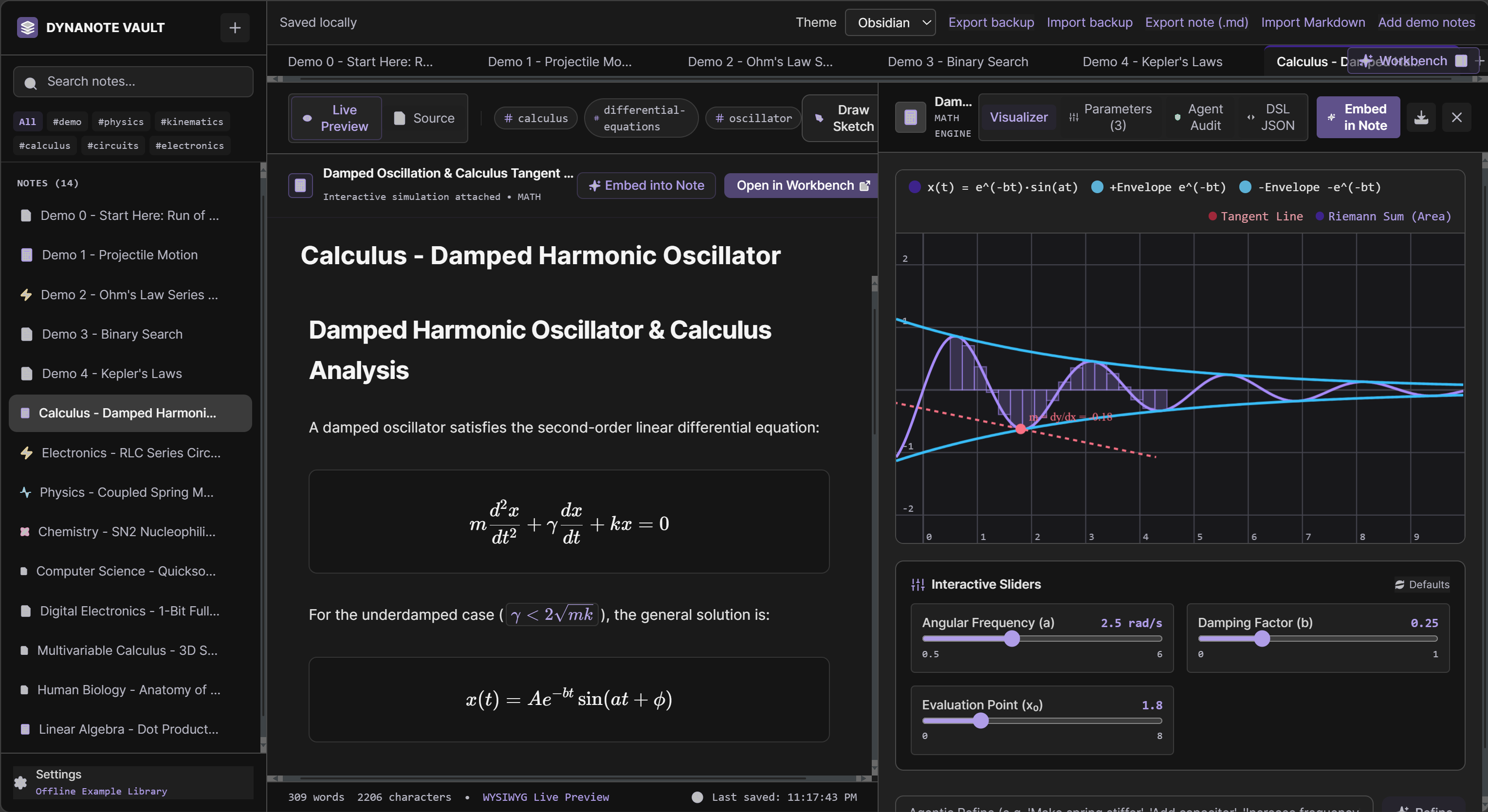
Dynanote - Calculus - Damped Harmonic Oscillator
-
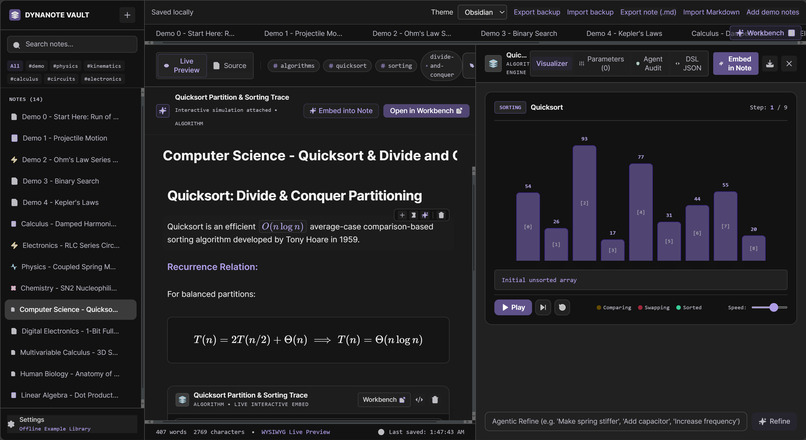
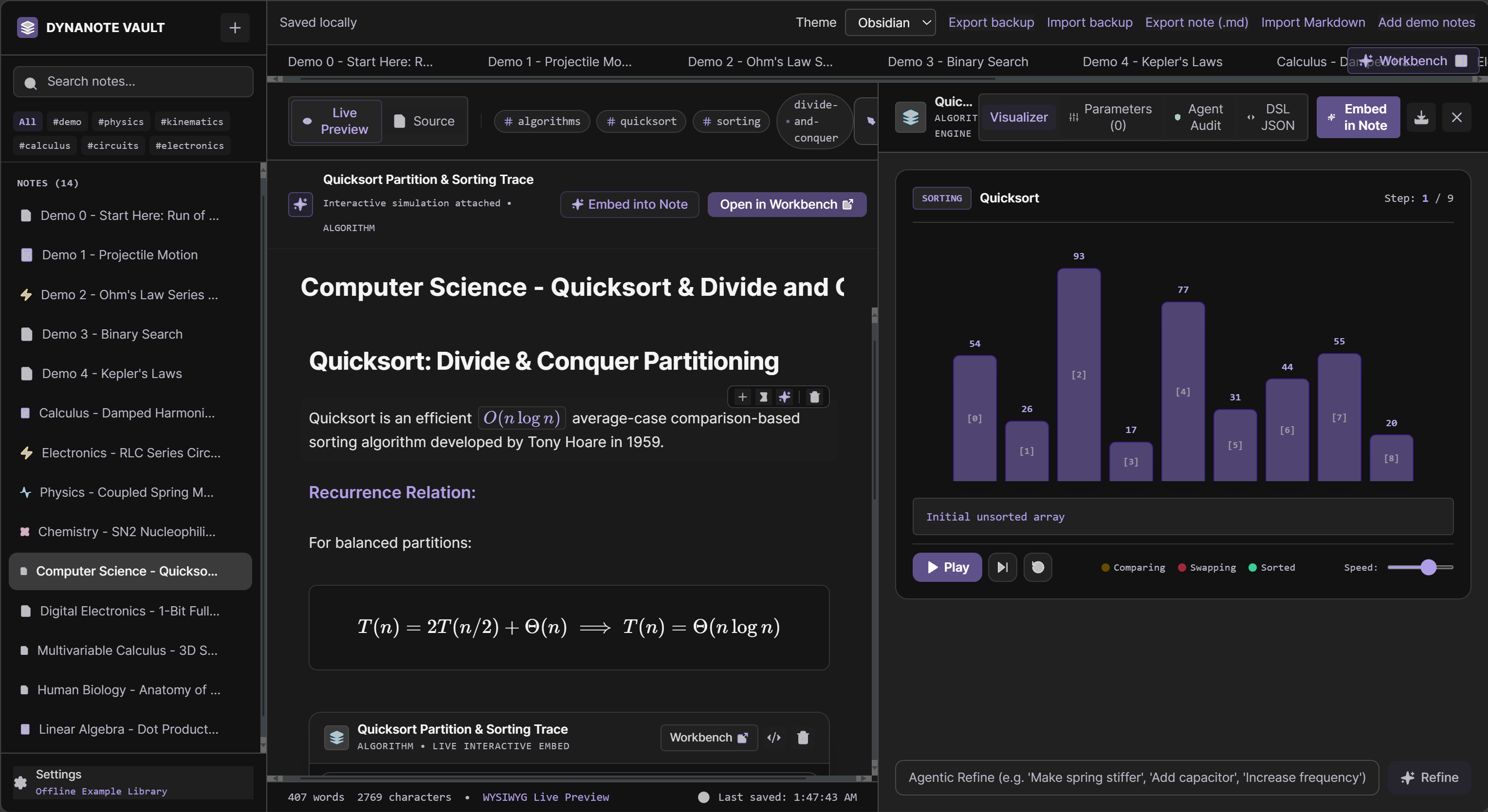
Dynanote - Computer Science - Quicksort & Divide and Conquer
-
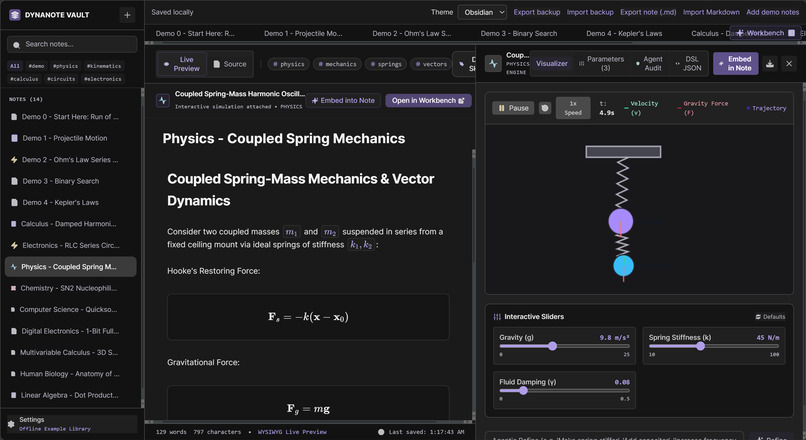
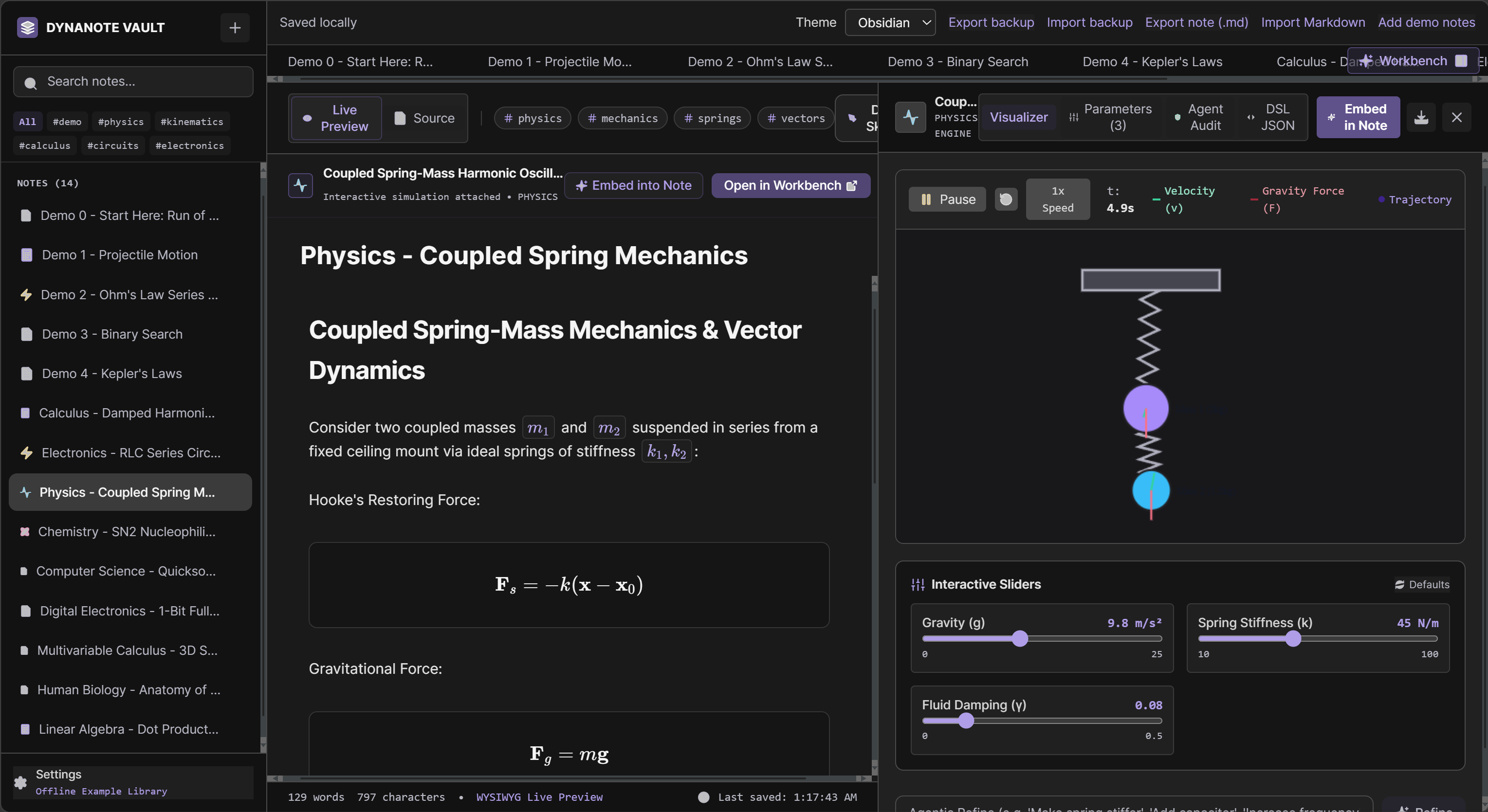
Dynanote - Physics - Coupled Spring Mechanics
-
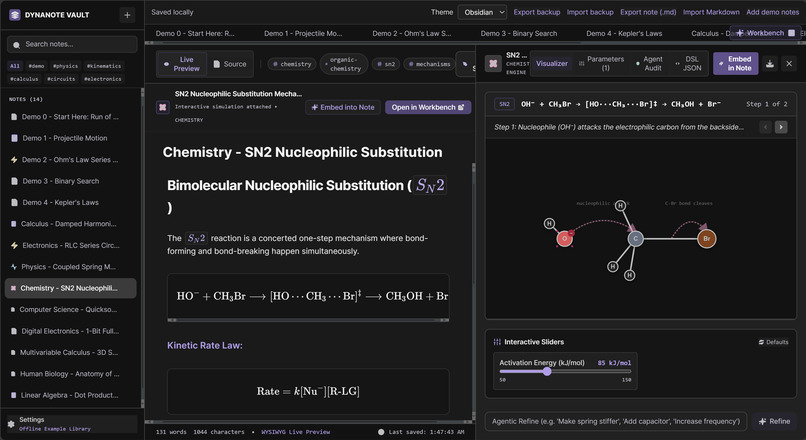
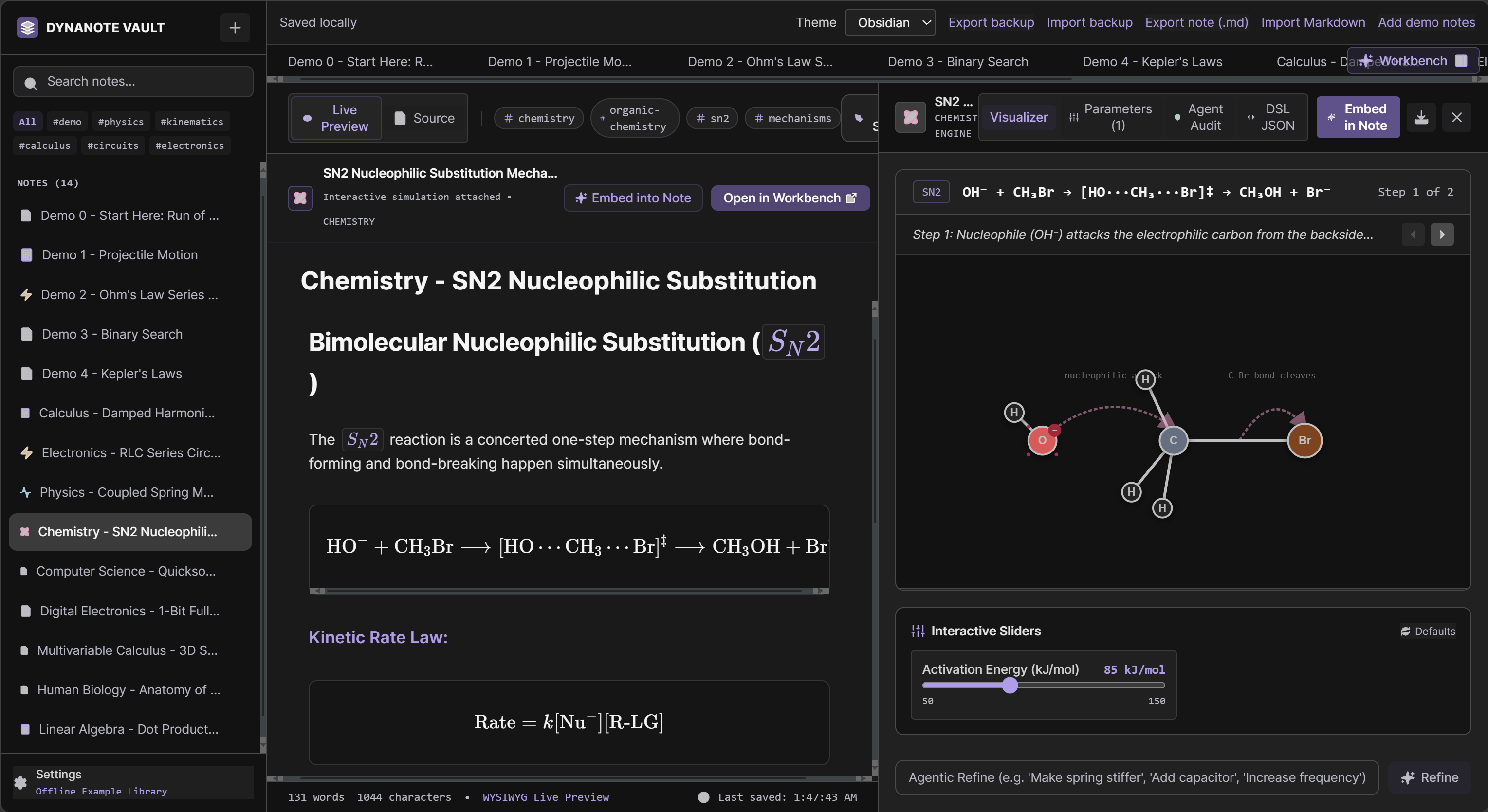
Dynanote - Chemistry - SN2 Nucleophilic Substitution
-
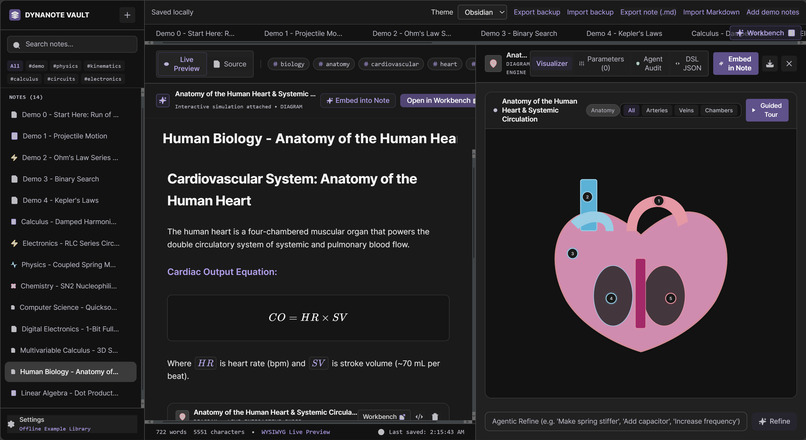
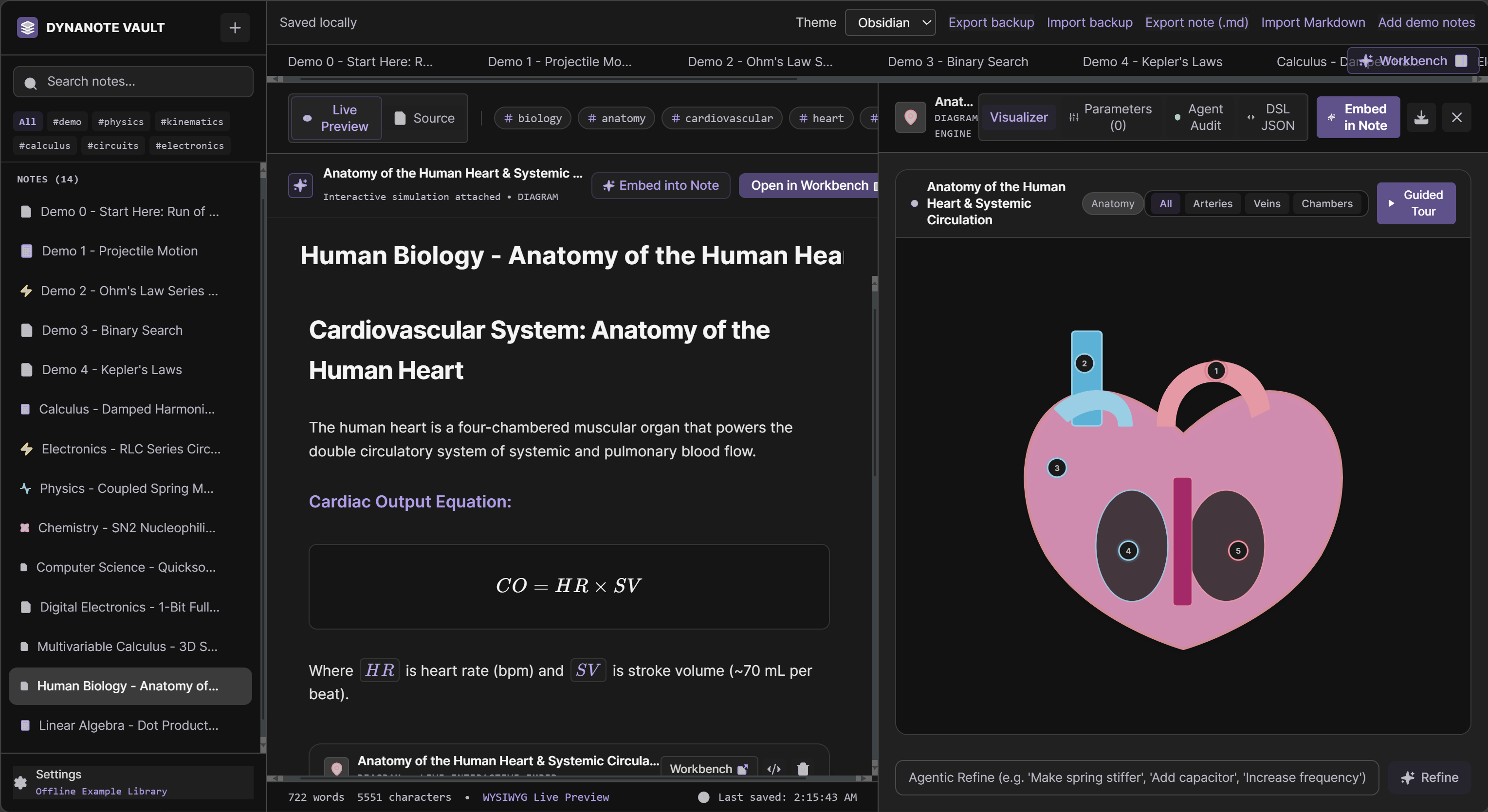
Dynanote - Human Biology - Anatomy of the Human Heart
-
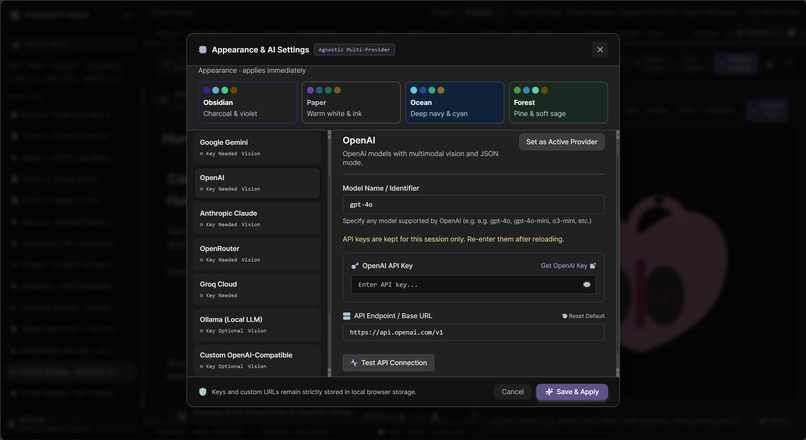
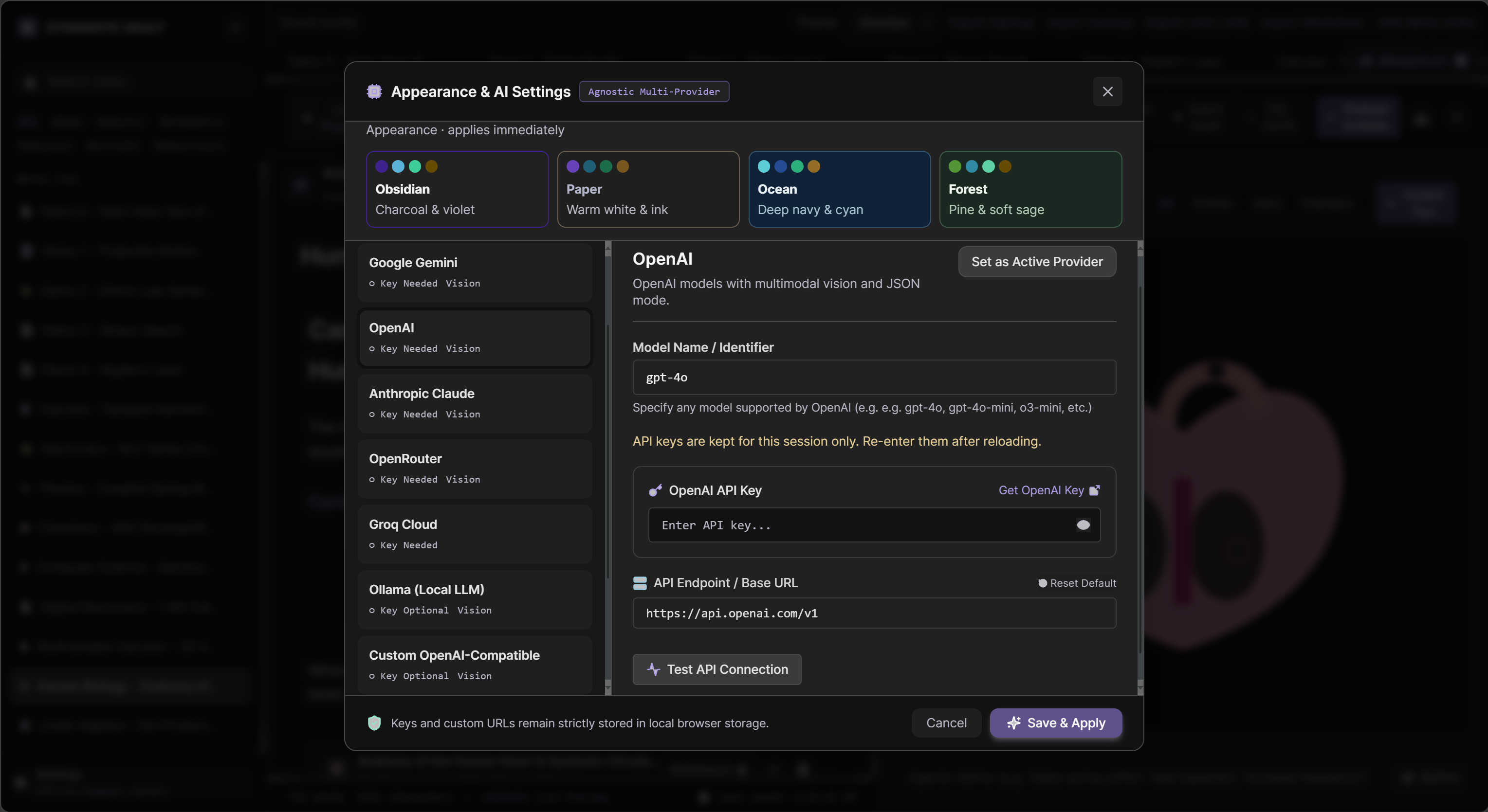
Dynanote - Setting Page
Project Story
Inspiration
The idea for Dynanote began with a simple but frustrating problem: scientific work often gets scattered across too many places. Notes live in one app, equations in another, references in a browser tab, and visual explanations are lost in screenshots or static slides. I wanted something closer to how real thinking actually happens—fluid, connected, and personal.
I was inspired by the quiet power of a physical notebook: a place where ideas can grow naturally, where observations, questions, and discoveries can sit together without friction. At the same time, I wanted to bring in the best parts of modern tools—Markdown for writing, LaTeX for precise math, and AI-supported interactive visualizations for teaching and exploration. The result was a local-first scientific notebook designed to keep research and learning close to the person doing the work.
What it does
Dynanote is a local-first scientific notebook for writing, exploring, and sharing ideas. It lets users:
- write in Markdown
- render mathematical expressions with LaTeX
- organize notes and experiments in a single space
- include interactive educational visualizations
- keep work private and available without depending on cloud services
What makes Dynanote especially powerful is the way AI supports the visualization layer. Instead of forcing users to build every diagram manually, the system can interpret the surrounding notes, equations, and concepts and suggest meaningful visual explanations. For example, if a learner writes about motion, growth, probability, or circuit behavior, AI can help generate an illustrative chart, animation, or interactive explainer that matches the idea being described. It can also explain the visual in plain language, helping students understand not just the result but the reasoning behind it.
This means the notebook is not only a place to record knowledge—it becomes a place to explore it. The AI helps turn abstract ideas into understandable visual experiences, while still keeping the human in control of the final learning flow.
How we built it
We built Dynanote around the idea that the best creative tools should be fast, private, and flexible. The app is designed to work locally first, which means the user’s work lives on their own machine instead of being locked behind a remote platform.
We combined a rich Markdown editor with LaTeX support so scientific writing feels natural, and we added interactive visual elements to make concepts easier to teach and understand. The interface was designed to support both deep focus and easy exploration, so a researcher can move from writing a question to running through a formula to visualizing a concept without leaving the flow of their thinking.
The AI layer is designed to support this workflow by analyzing the content in the notebook and generating or refining visual explanations. It can help identify which concept would benefit from a diagram, suggest a structure for the visualization, and even explain how it connects to the surrounding text. This turns the notebook from a static writing surface into a living workspace for scientific understanding.
Challenges we ran into
One of the biggest challenges was creating a tool that feels both simple and powerful. Scientific work is messy: ideas are not always linear, and math, text, and visuals often need to be viewed together. Designing an interface that supports this without becoming cluttered or overwhelming took a lot of iteration.
Another challenge was building local-first software without sacrificing usability. Local-first tools are powerful, but they also require careful thought around storage, syncing, and reliability. We wanted the experience to feel smooth and dependable, even when the user is offline or working with large amounts of content.
There was also the challenge of integrating AI in a way that feels helpful rather than distracting. The goal is not to replace the scientist or learner, but to assist them with intelligent suggestions, guided explanations, and dynamic visuals that make ideas easier to grasp.
Accomplishments that we're proud of
We’re proud that Dynanote brings together the core ingredients of scientific thinking in one place:
- Markdown for rich, readable notes
- LaTeX for equations like $$E = mc^2$$
- interactive educational visuals
- AI-assisted concept-to-visual explanations
- a local-first workflow that respects user control and privacy
We also built something that is useful beyond just writing. It supports learning, research, and communication. A student can use it to explain a concept. A researcher can use it to track hypotheses. An educator can use it to build engaging content. And with AI-powered visualizations, the system can help make complex concepts more intuitive and accessible.
What we learned
The biggest lesson was that tools for knowledge work should support the rhythm of thought, not interrupt it. The best interfaces fade into the background and let the user focus on understanding. We also learned that science and education benefit enormously from flexibility: the ability to move between text, equations, and interactive explanations without friction.
Another important lesson was that privacy and accessibility are not secondary features—they are part of the product’s value. Local-first design gives people more control, more trust, and more freedom. AI should enhance this by making the experience more intelligent and helpful without undermining user ownership of the work.
What's next for Dynanote
The next step is to make Dynanote even more useful as a real research and teaching environment. That could mean better organization for long-form projects, stronger linking between notes and visualizations, more flexible collaboration options, and richer support for data-heavy scientific workflows.
We also want to deepen the AI layer so it can act as a true research companion: suggesting visualizations, summarizing concept relationships, generating teaching prompts, and helping users uncover patterns in their own notes and experiments.
The long-term vision is simple: a notebook that helps ideas become understanding. A space where learners and researchers can think clearly, write precisely, and explore deeply without being boxed in by fragmented tools. With AI woven into the visualization experience, Dynanote becomes not only a place to store knowledge, but a place to actively understand it.
In the end, Dynanote is not just about notes. It is about building a more natural way to do scientific thinking.
Built With
- browser-localstorage
- css
- javascript
- katex
- local-first
- optional-ai-apis
- react
- typescript
- vite
- webapp


Log in or sign up for Devpost to join the conversation.