-
-
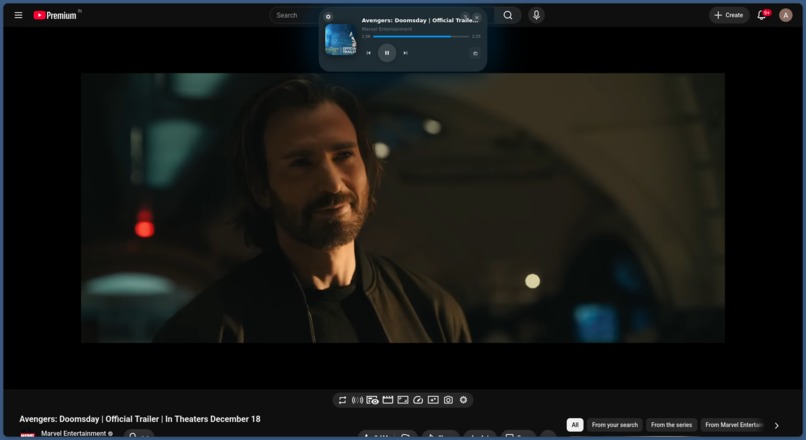
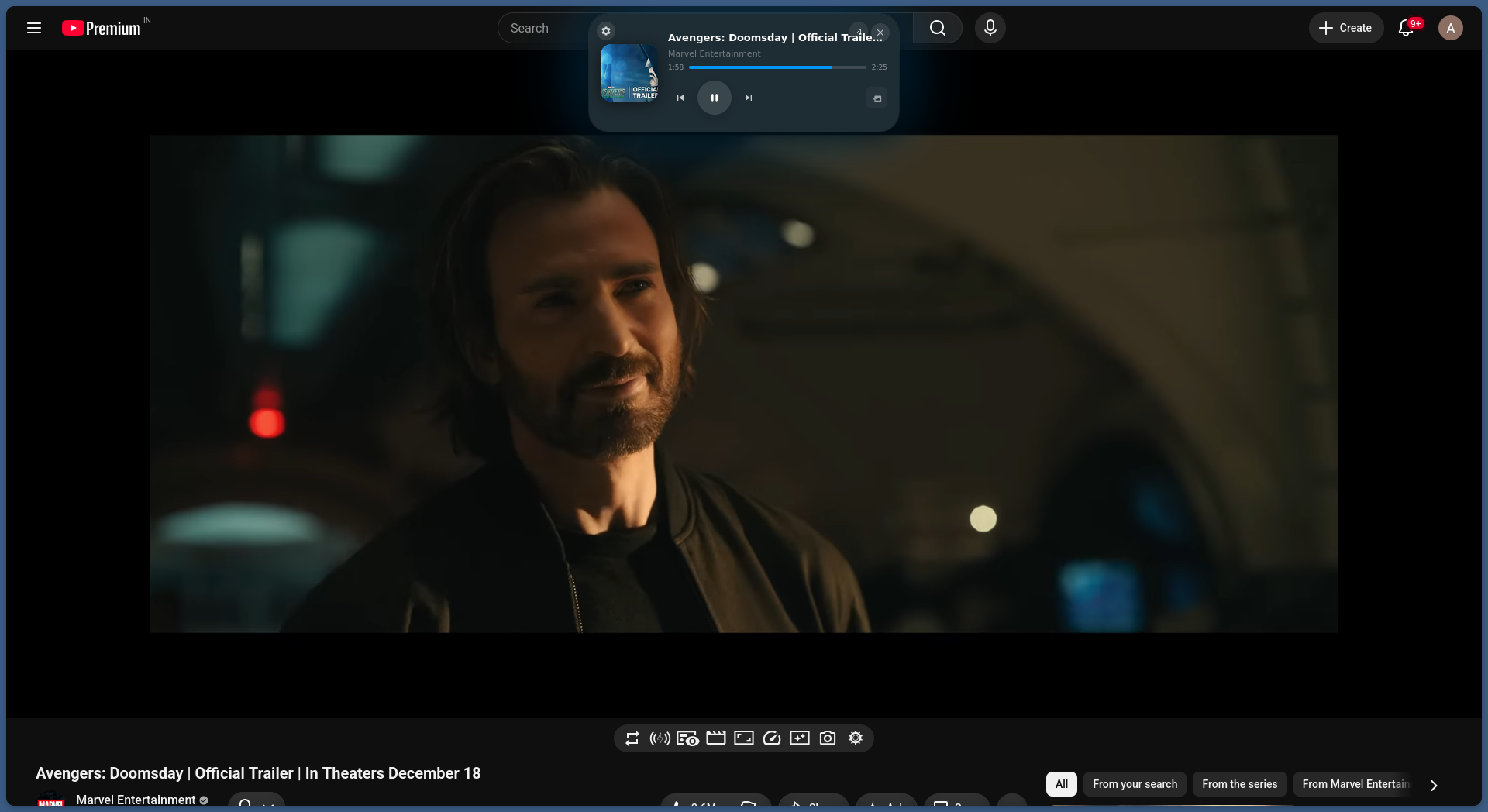
Implementation in YouTube
-
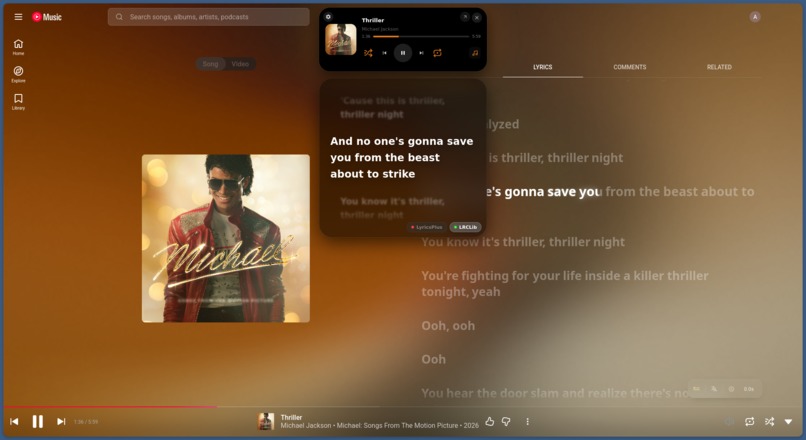
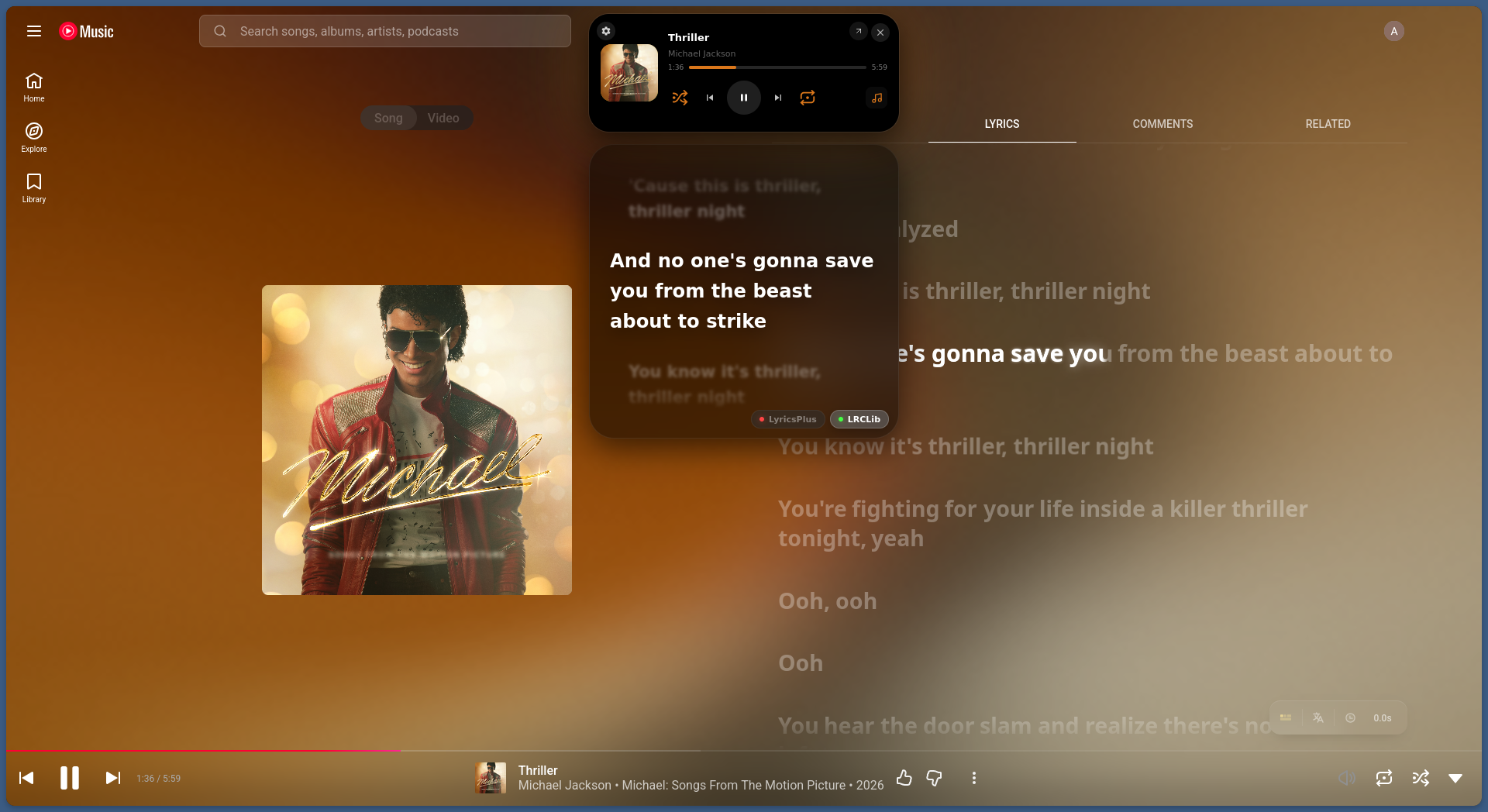
Implementation in YT Music
-
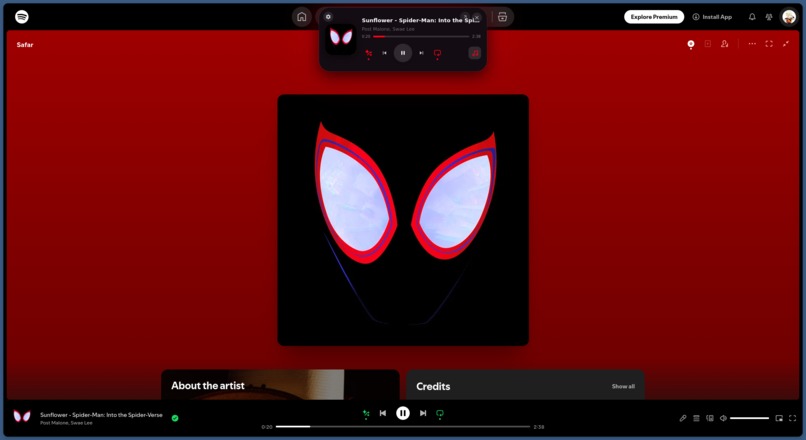
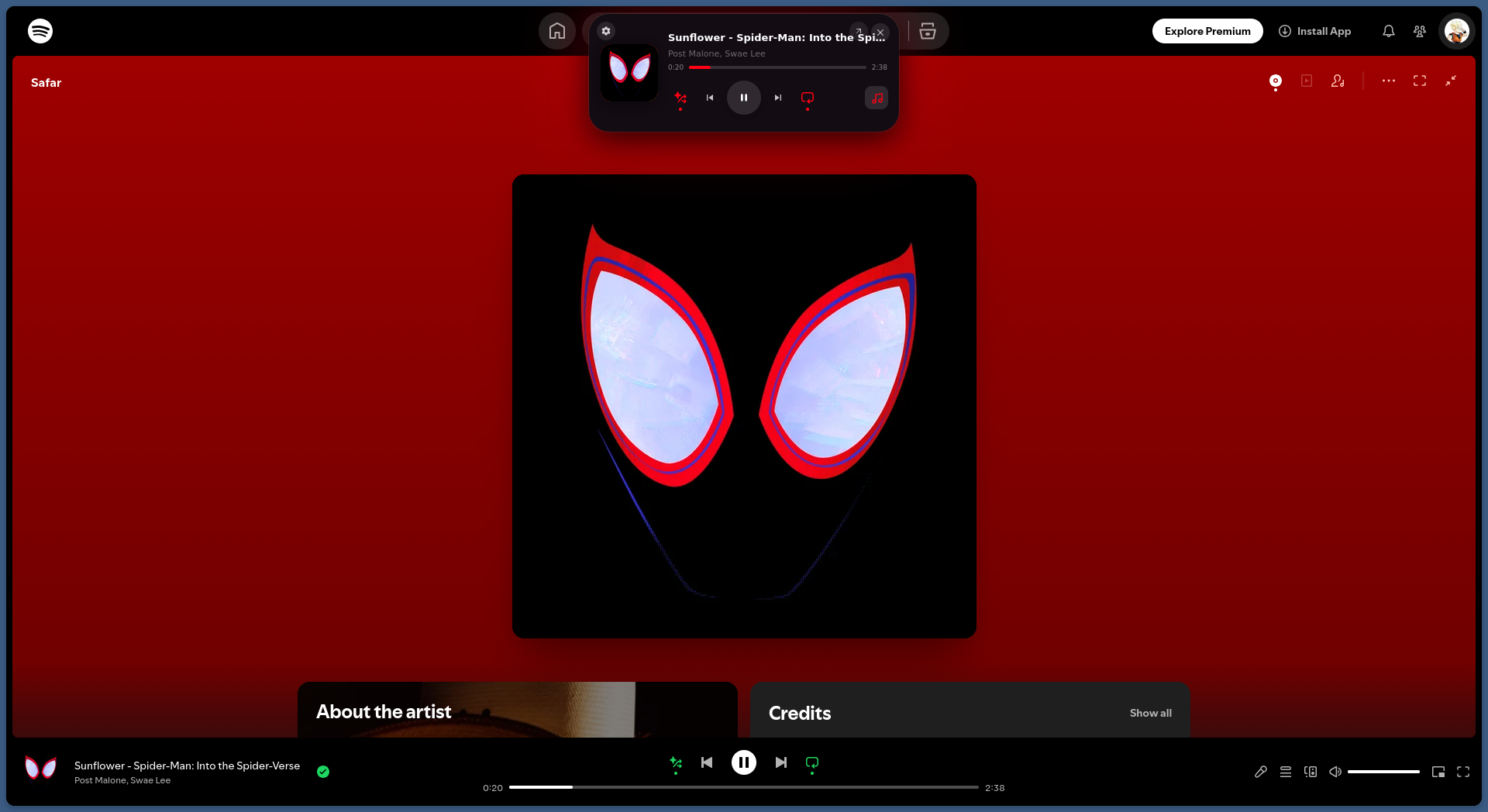
Implementation in Spotify
-
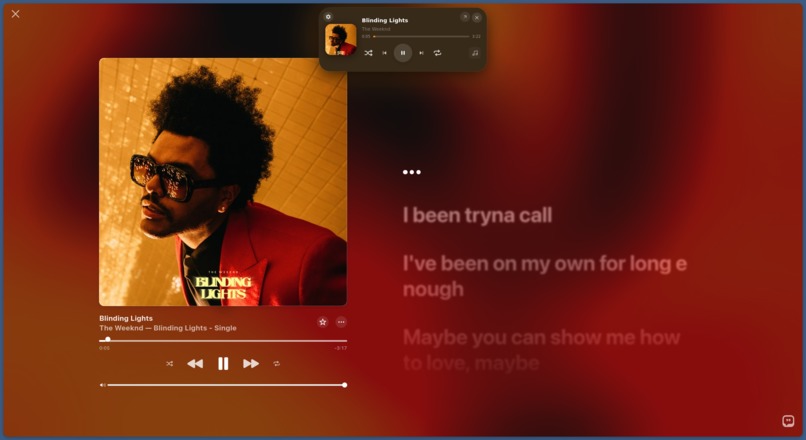
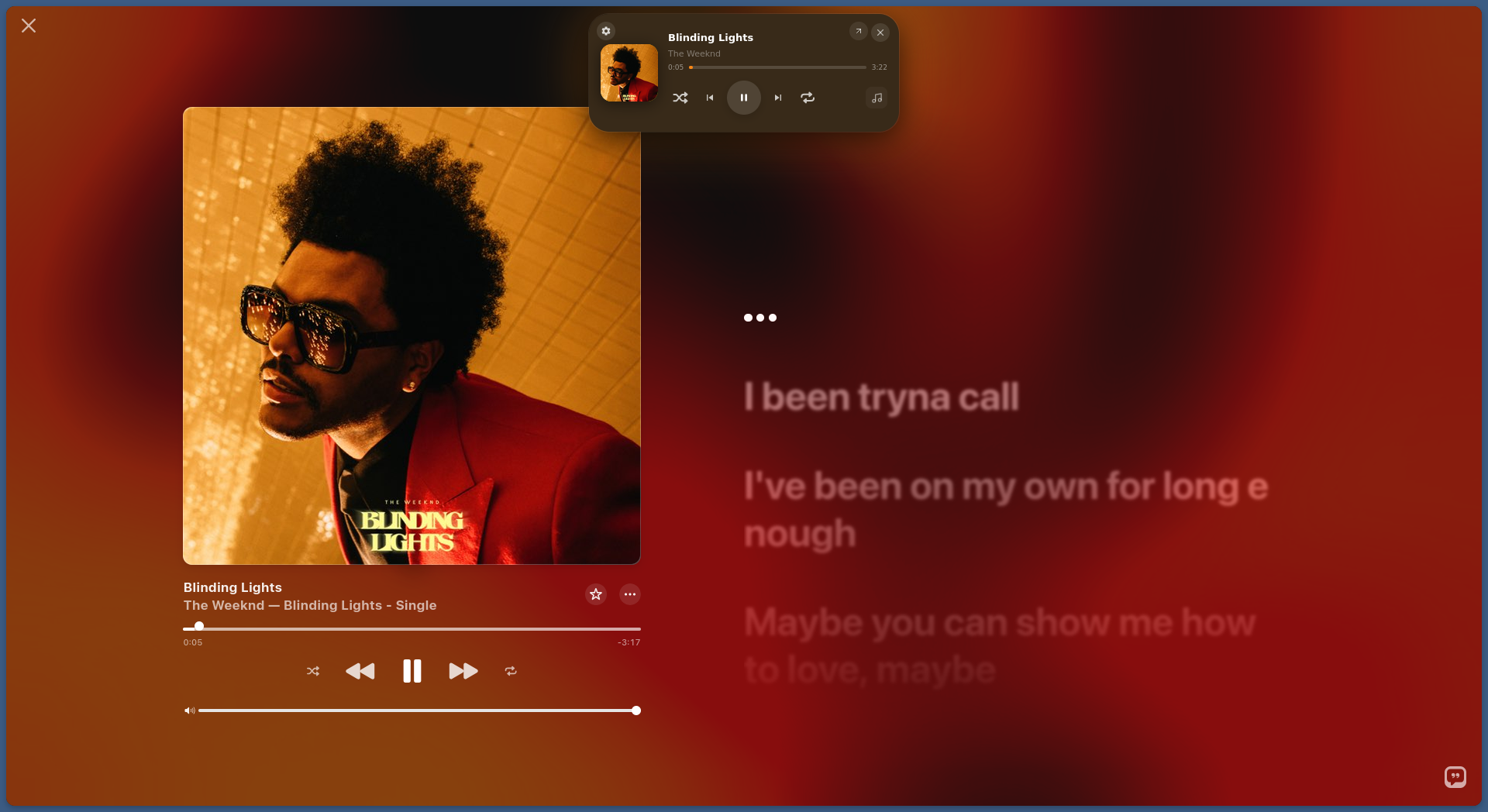
Implementation in Apple Music
The Problem I Solved — For Myself
I'm a 3rd-year Computer Science student. Every day, I'm coding, reading documentation, writing reports — and listening to music the entire time. The workflow is always the same: I'm deep in a coding problem, a bad song comes on, I switch to my Spotify tab, skip the track, lose my place in the code, and spend 30 seconds finding where I was.
Multiply that by 20 times a day. That's 10 minutes of lost focus — every single day — just from controlling music.
My phone's battery is dying, my GPS is broken, my storage is full. I can't rely on a mobile app to control music. Everything has to happen in the browser. So I built the tool I needed.
What Glance Does
Glance (V1.6) is a browser extension that puts a persistent, minimal media controller on every webpage. It sits at the top of the screen as a small dot. When I need it, I hover and it expands. When I don't, it gets out of the way.
From any tab — my code editor, my notes, a research paper — I can:
- See what's playing (track, artist, album art)
- Play/pause, skip, shuffle, repeat — without switching tabs
- Use keyboard media keys for completely hands-free control
- Read live synchronized lyrics without opening the music tab
- Pop out the video into Picture-in-Picture with one click
- Save my 3 most-used playlists and launch them instantly from the popup
It works on Spotify, Apple Music, YouTube, and YouTube Music.
Why This Matters Beyond Just Me
Context-switching is one of the biggest productivity killers for anyone working on a computer. Studies show it takes an average of 23 minutes to fully regain focus after a task switch. Even a "quick" tab switch to pause music is a micro-interruption that compounds over a full work day.
Glance eliminates that friction entirely. The media controls come to YOU — on whatever page you're already on. You never leave your work.
For students specifically:
- During lectures: Control background music without switching away from lecture slides or notes
- While coding: Skip tracks with keyboard shortcuts without moving your hands from the keyboard
- Late-night study sessions: AMOLED Black mode reduces eye strain, and the lyrics panel lets you follow along without opening another tab
Build Quality
The extension is built entirely in vanilla JavaScript — no React, no frameworks. This was a deliberate choice: frameworks add bundle weight and rendering overhead. For a UI widget that lives on EVERY webpage, performance is non-negotiable.
Key technical achievements:
- 60FPS progress bar using local interpolation (not dependent on polling latency)
- Sub-400ms sync drift tolerance for lyrics accuracy
- Golden ratio color extraction:
Math.sqrt(pixelCount) * Math.pow(Chroma, 4)to find the dominant vibrant color from album art - Platform-isolated extraction pipelines for 4 different music services
- Published on Firefox Add-ons and Edge Add-ons Store
How I Built It
I used AI coding tools (Antigravity 2.0, Claude) to generate the implementation code. I personally directed all architecture decisions, caught critical bugs the AI missed (Apple Music infinite loops, Chromium PiP restrictions, closure scope errors), and handled all QA testing across browsers.
Technologies Used
JavaScript (Vanilla), HTML5, CSS3, Chrome Extension API (Manifest V3), Node.js build compiler, LRCLib API, LyricsPlus API, Apple MusicKit JS SDK
Built With
- api
- chrome
- css3
- dom-manipulation
- html5
- javascript
- manifest-v3
- node.js

Log in or sign up for Devpost to join the conversation.