Inspiration
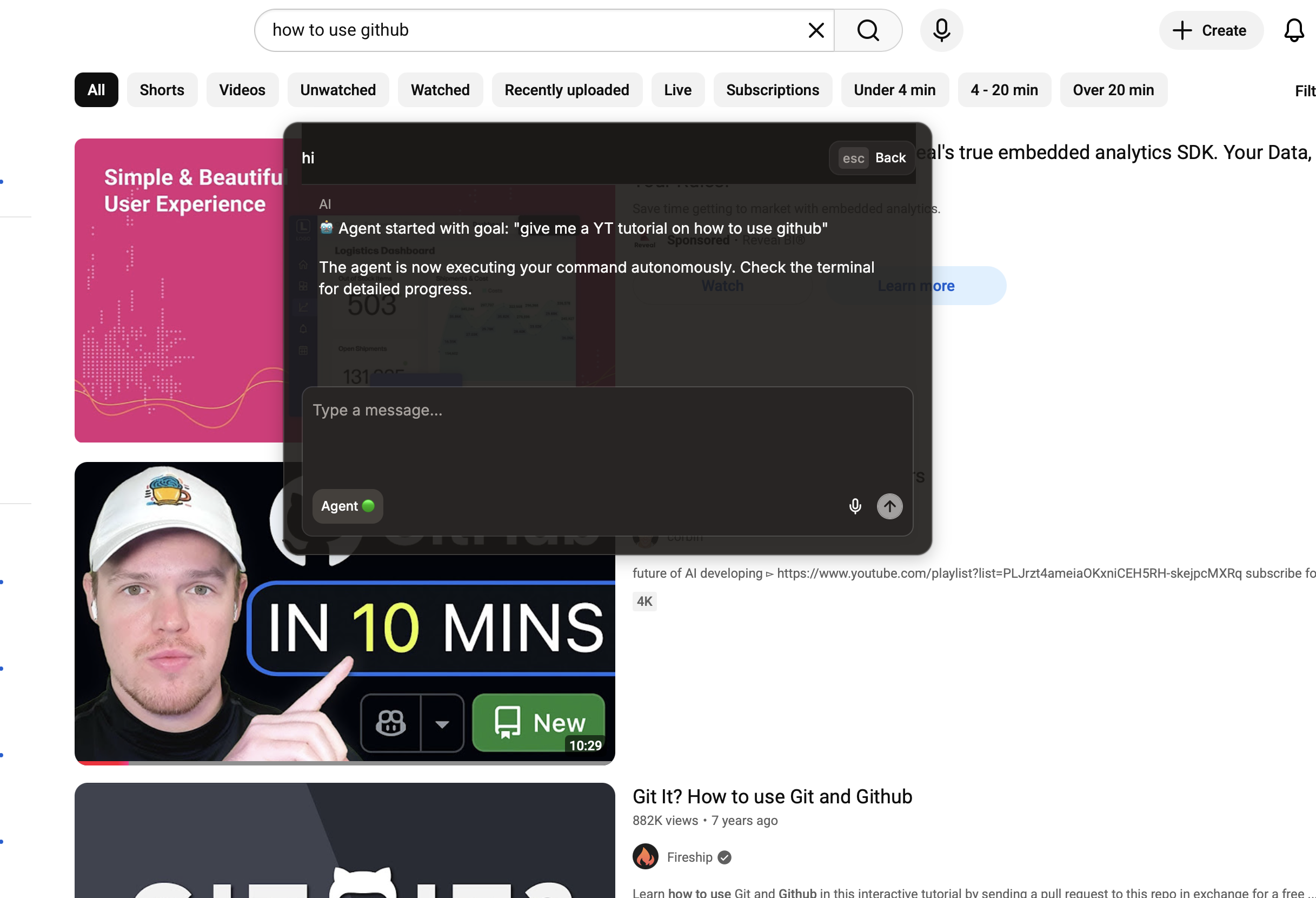
We were inspired by software like Chat GPT Atlas and Perplexity Comet, which allowed the user to control your browser using a LLM. However we noticed a lack of software that allows you LLMs to control your actual desktop (e.g. opening the system settings, searching through files), so this project aimed to address that. Additionally we were inspired by software like Cluely, and Raycast which allowed the user to open a command palette globally using a shortcut, making it easy to access. We merged these two inspirations into a single project, a command palette you can open globally to control your computer autonomously with LLMs.
What it does
Dylan autonomously executes any desktop action given a prompt.
How we built it
Our project is divided into two parts: the front end, an Electron app; and the backend, which was built with Flask. The front end was built with Electron, Vite.js, and TailwindCSS. Our backend was built with pyautogui, which allows the agent to click, type, scroll, etc. certain elements; Qwen2-VL-7B, a vision model was used to detect elements (e.g. buttons, sliders, dropdowns), and find their position within the screen; and Flask, which we used to allow communication between the front and back-end through API endpoints. Eleven Labs’ speech to text api was also used to transcribe the user’s speech into requests for our software.
Challenges we ran into
The VLM often didn’t identify the correct coordinates to click on because of improper cropping and multiple search button options (e.g. youtube, chrome, and finder all have identical search buttons on the screen) and that resulted in our desktop agent clicking the wrong elements. To address this issue, we forced the LLM to interact with elements only in the local area (e.g. find buttons only within the finder window if the request is related to finder).
What we learned
We learned how to create desktop apps using Electron.js, which we had no experience with prior to the hackathon. Additionally, we learned how to use a VLM in conjugation with an agent capable of clicking elements on our screen to control our desktop. Communicating with the backend with the frontend was tricky. We learned that for the client to communicate with the server we needed to set up Flask API endpoints on the backend and send API requests from the frontend to backend.
What's next for Dylan: Your Desktop Agent
Our current codes brainpower is limited by the computational power of Gemini free model. With updated models, and also a faster pipeline between the agents, Dylan will become more accessible to all.

Log in or sign up for Devpost to join the conversation.