-
-
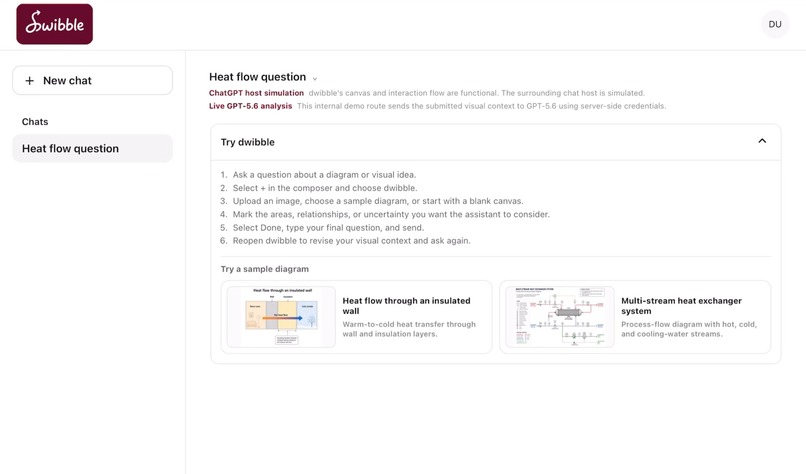
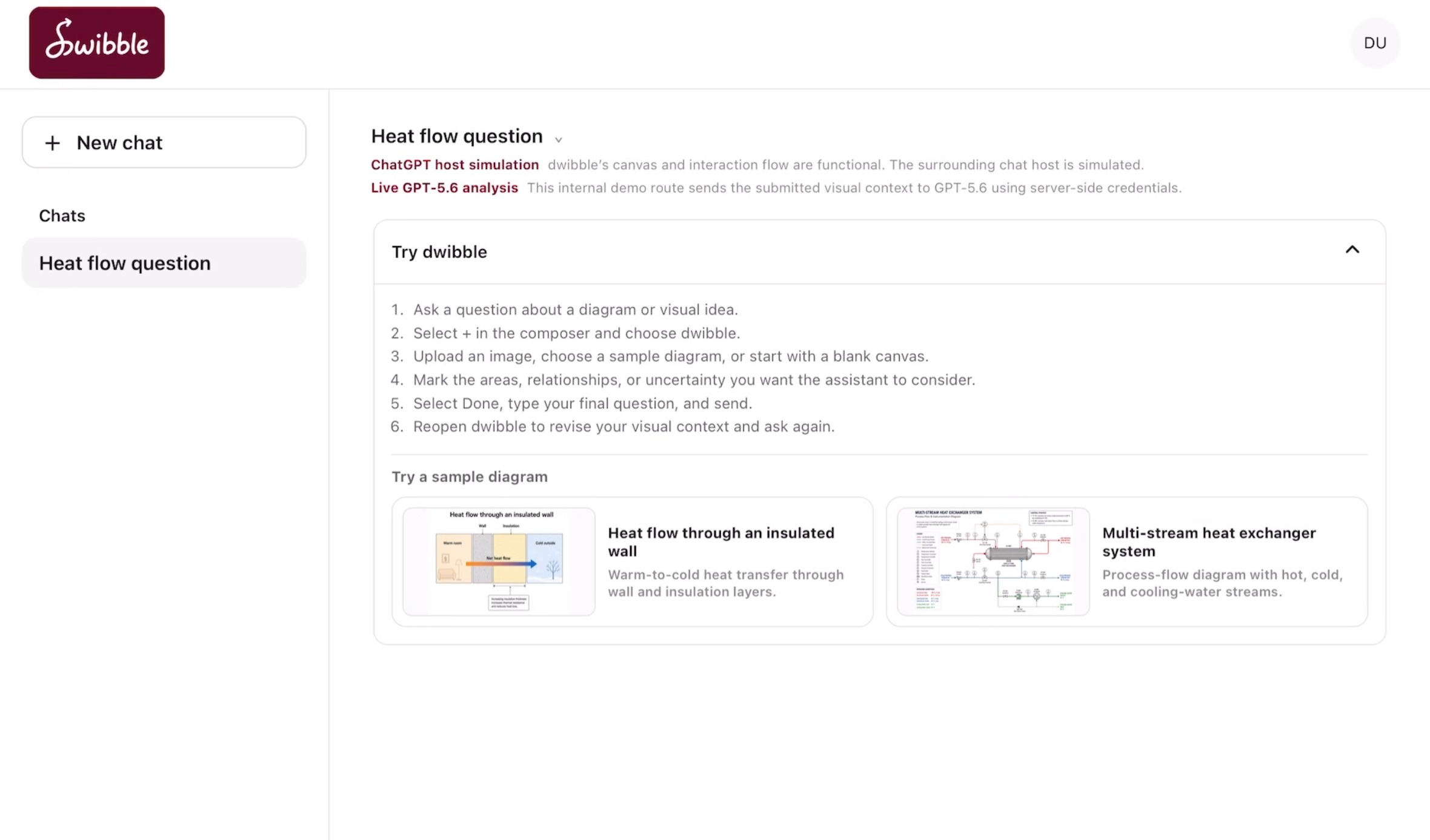
Landing page
-
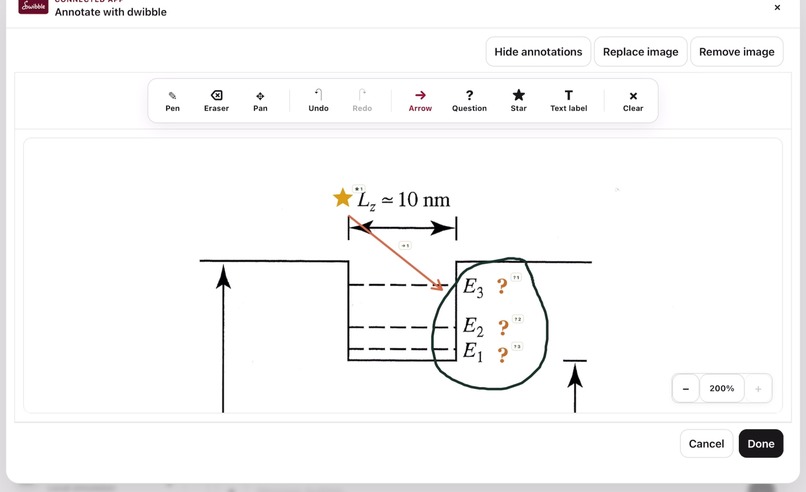
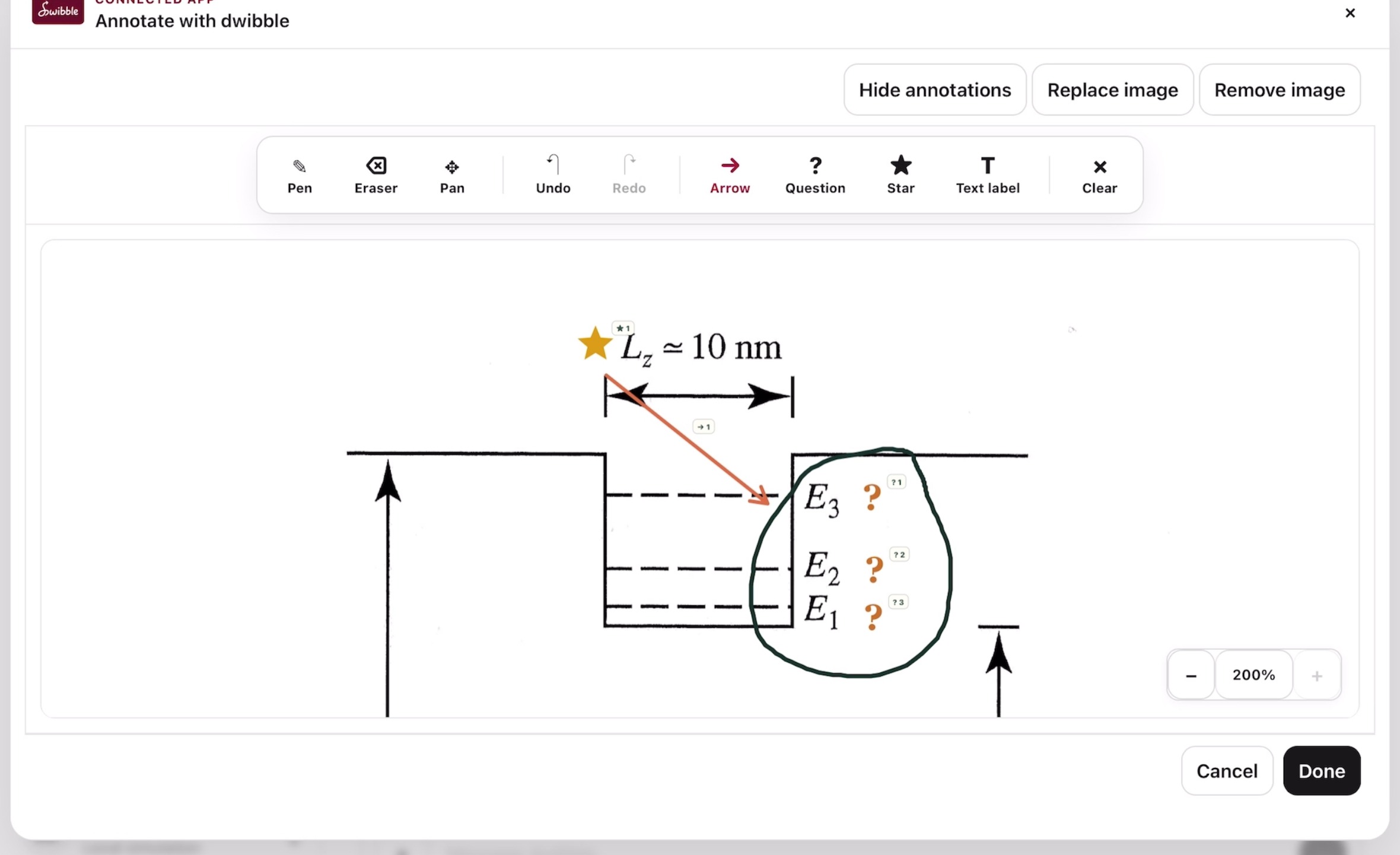
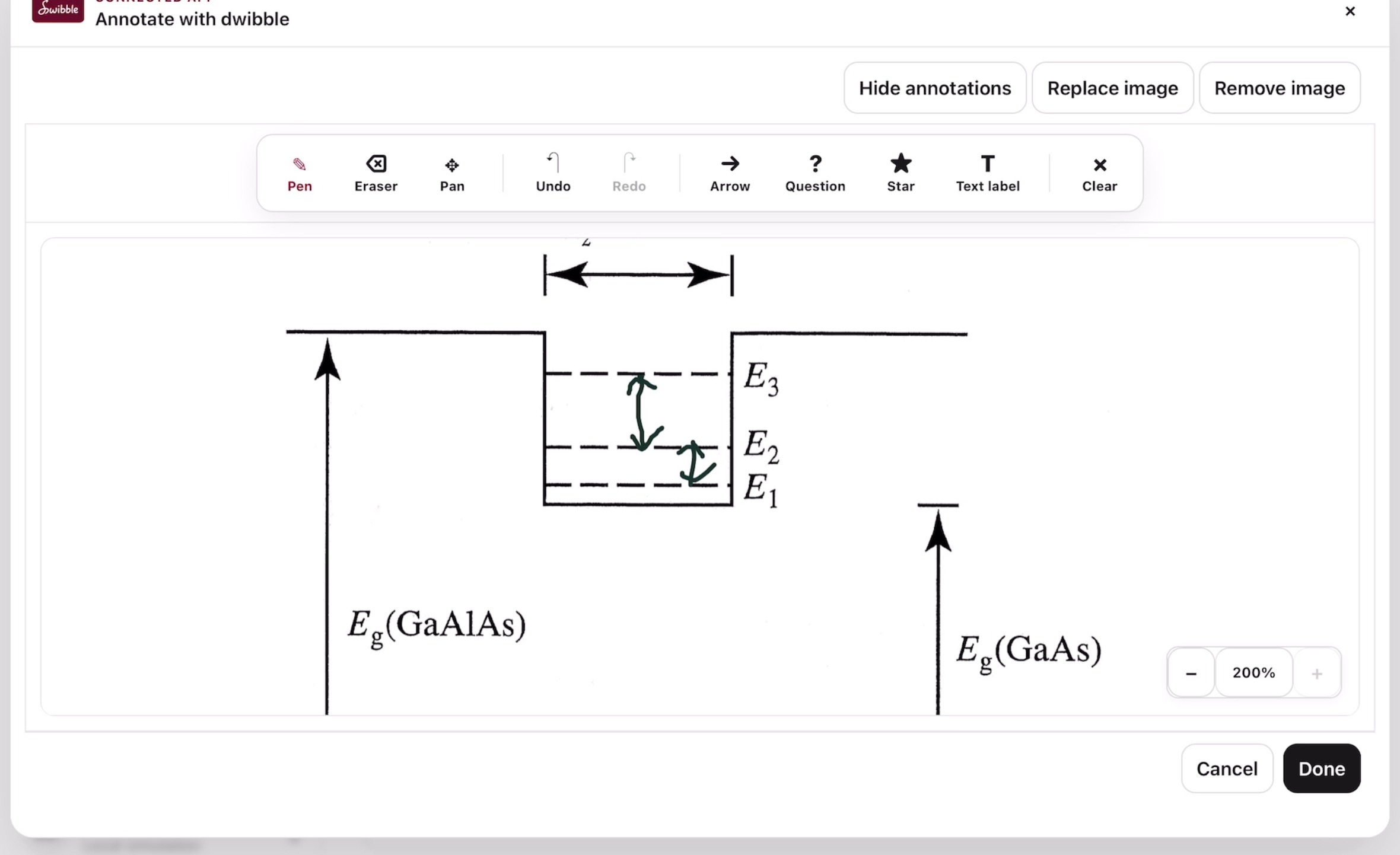
Annotations using visual markers
-
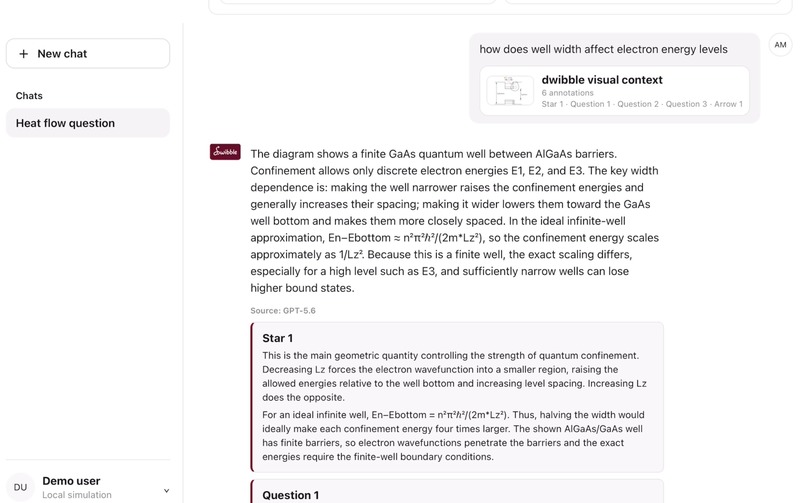
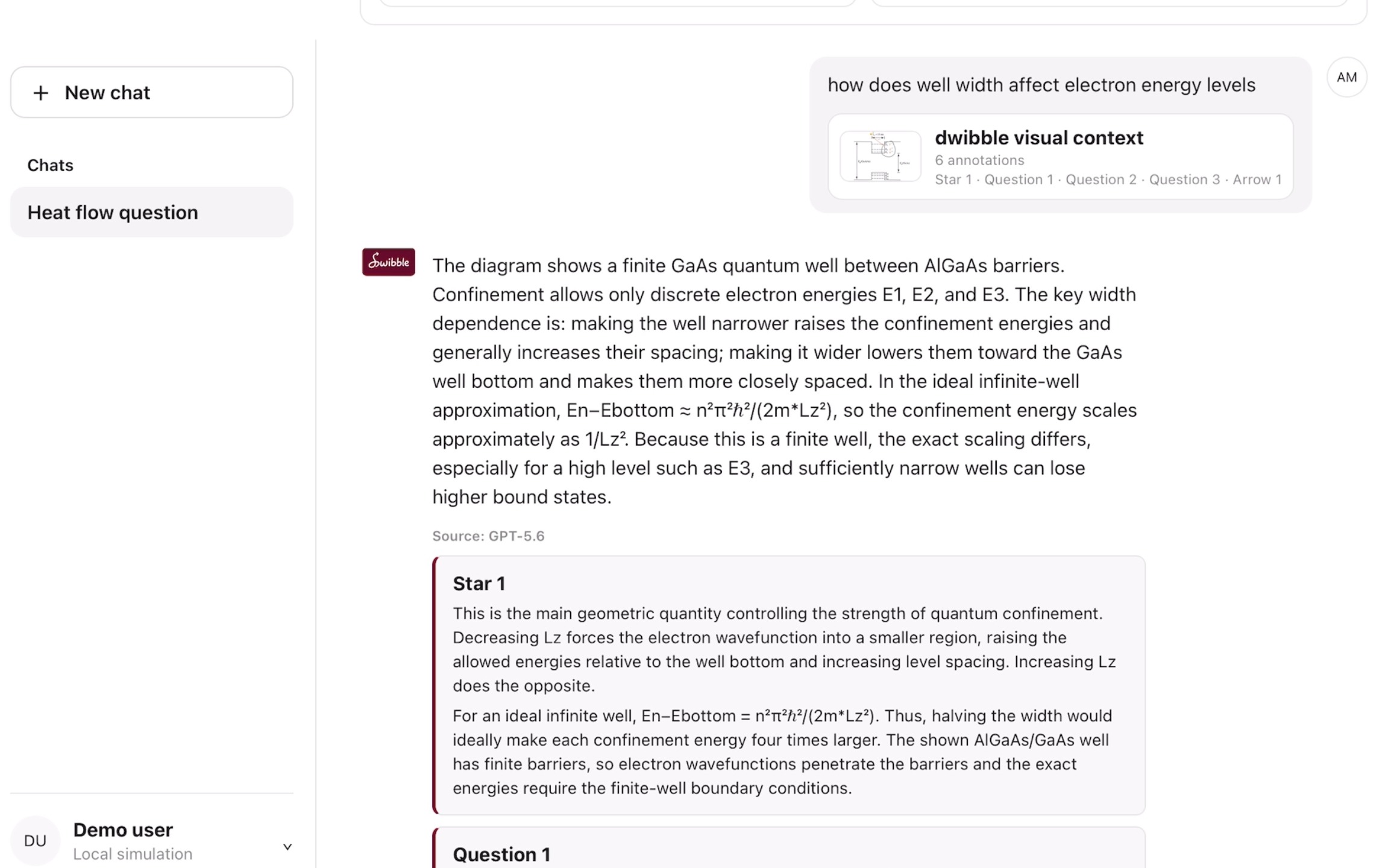
GPT-5.6 response to annotated diagram
-
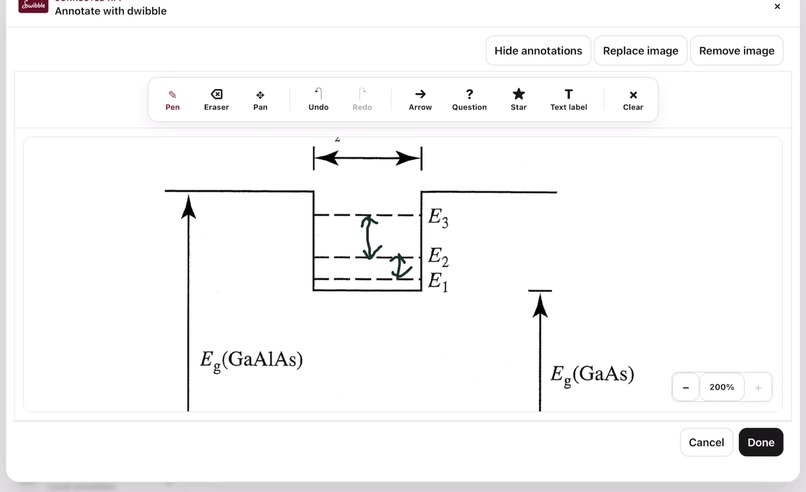
Reopen canvas to add new annotations
-
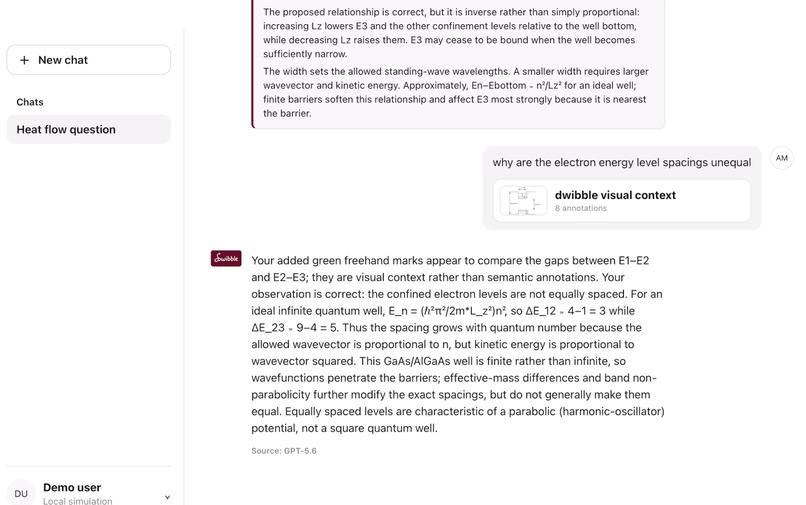
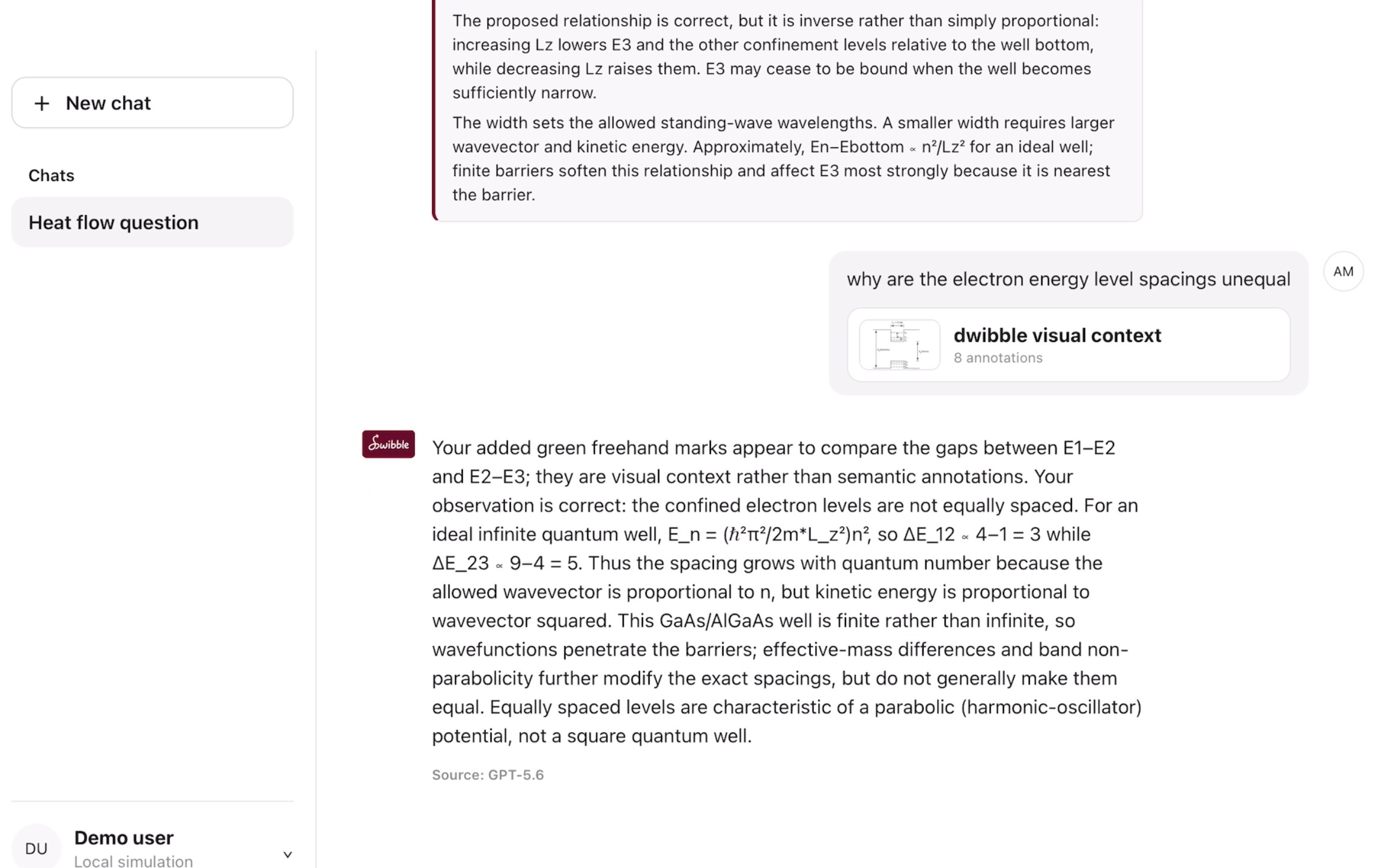
GPT-5.6 response to follow-up question
Inspiration
dwibble was inspired by how I study using my iPad. I often screenshot diagrams and mechanisms from lecture slides and upload them to ChatGPT to ask for clarification. However, I found that I spent more time trying to describe which part of an image I was referring to than actually understanding the concept.
When several arrows, components, or processes appeared in the same diagram, my questions often became ambiguous and this sometimes confused both AI (and myself). I built dwibble for learners who can recognise what they do not understand but may struggle to express in words precisely through a text prompt.
What it does
dwibble helps learners ask questions supported by images and drawings. Users can upload a lecture slide, textbook diagram or hand-drawn sketch, then annotate the exact area they want the AI to examine.
Simple visual markers such as stars, question marks, and arrows allow learners to highlight an important component, identify an unclear relationship, or indicate the direction of a process. dwibble interprets both the reference image and the position of these markers, giving the AI clearer spatial context and enabling it to generate explanations that reflect the learner’s intended question more closely.
How we built it
dwibble was designed around a minimal digital canvas where users can upload an image, draw freely, and add structured annotations.
Each annotation is recorded together with its type and position on the canvas. The annotated image and its spatial information are then passed to a multimodal AI model which analyses the original learning material alongside the learner’s visual cues.
I used ChatGPT 5.6 during the early design stage to brainstorm the user flow, refine the interface, and explore how visual annotations could communicate different types of questions. I then used Codex throughout development to structure the application, implement the annotation interactions, troubleshoot integration issues and rapidly iterate on the prototype.
I also focused on keeping the interface simple so that asking a question feels as natural as pointing at a diagram.
Challenges we ran into
One of the main challenges was translating informal visual markers into context that an AI model could interpret consistently. A hand-drawn arrow may indicate direction, movement or simply an area of interest, depending on how it is used. I had to think carefully about how each annotation should communicate intent while still allowing the user to draw naturally. I also had to preserve the correct position and scale of annotations when images were resized or displayed on different screens.
Another challenge was balancing functionality with simplicity. I wanted to provide learners with enough tools to express their questions while keeping each feature self-explanatory and friction-free.
Accomplishments that we're proud of
I am proud to have developed a working prototype that demonstrates visual prompting as an alternative to text-heavy AI interaction.
One of the most exciting moments was receiving explanations that were grounded in both the uploaded image and my annotations. I am especially proud that dwibble was shaped by a recurring problem I experienced when using AI as a learning companion and I was able to turn that frustration into a practical solution.
What we learned
As a beginner in hackathon, I learned how to narrow a broad idea into a focused prototype that could be built and demonstrated within a limited timeframe. I also explored how visual inputs can act as a form of prompting and learned more about the research behind visual interaction with AI.
Annotations can reveal what users are paying attention to and indicate the kind of explanation they need. Building dwibble also allowed me to experiment with different interaction designs and better understand how visual communication can enhance the experience of working with AI models.
What's next for dwibble
The next step for dwibble is to explore more reliable integration with ChatGPT and other learning environments. I also want to make it easier for learners to revisit previously uploaded resources. Instead of taking a screenshot, cropping it and uploading it again, users could browse the resource directly within dwibble, capture the section they want clarification and annotate it immediately.
Building on this idea, dwibble could support multi-image annotation on a large canvas, allowing learners to connect concepts across different resources. Overall, I want dwibble to make interacting with AI feels more like showing another person exactly what you are thinking.
Built With
- codex
- css
- gpt-5.6
- html
- javascript
- mcp
- node.js
- openai-api
- openai-apps-sdk
- react
- typescript
- vite
- web
- zod

Log in or sign up for Devpost to join the conversation.