-
-
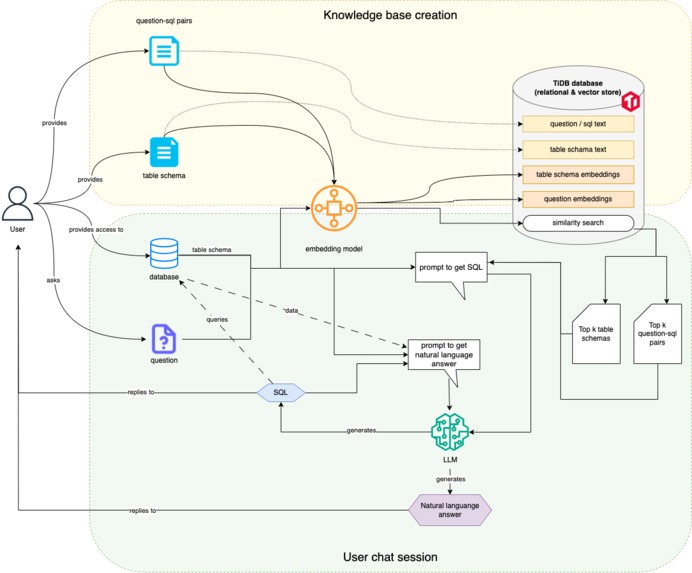
Architecture
-
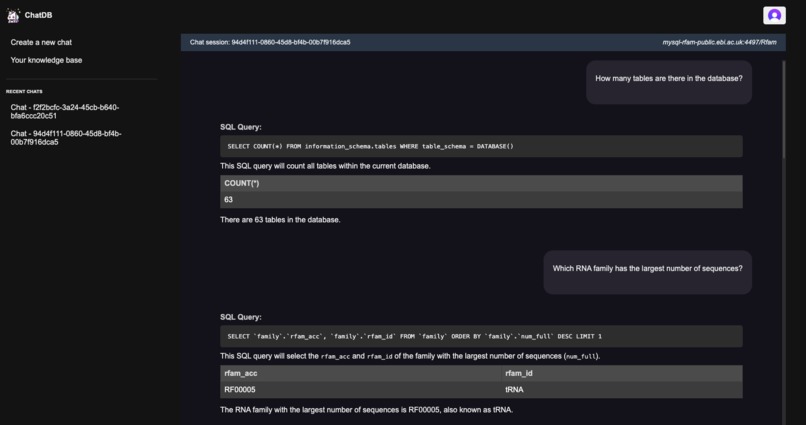
Chat session
Inspiration
Writing queries to answer analytical questions or troubleshoot database health is a key task for software developers and data analysts. However, turning these questions into accurate and efficient SQL code can be difficult, particularly when dealing with large and varied data across multiple database types.
Inspired by PingCap Chat2Query, our application extends this idea by allowing users to build their own custom knowledge base of table schemas and question-SQL pairs. This knowledge base serves as a foundation for prompting the LLM model, enabling it to generate answers that align with the specific data and SQL style of each user or organization. This approach not only enhances the relevance and accuracy of the generated SQL but also empowers users to leverage their domain expertise effectively.
Additionally, our application is designed with flexibility in mind. It can be extended to support various database types and different LLM clients by implementing defined interfaces that enables future integration. This extensibility makes our application as a potential open-source project, encouraging community contributions and further development to meet diverse needs across the industry.
What it does
This application enables users to ask questions and troubleshoot their database by leveraging Large Language Models (LLMs) for answers. With Retrieval-Augmented Generation (RAG), users can create a custom knowledge base of question-SQL pairs, allowing each user to have a personalized knowledge base that enhances prompt generation for more accurate and tailored LLM responses.
How we built it
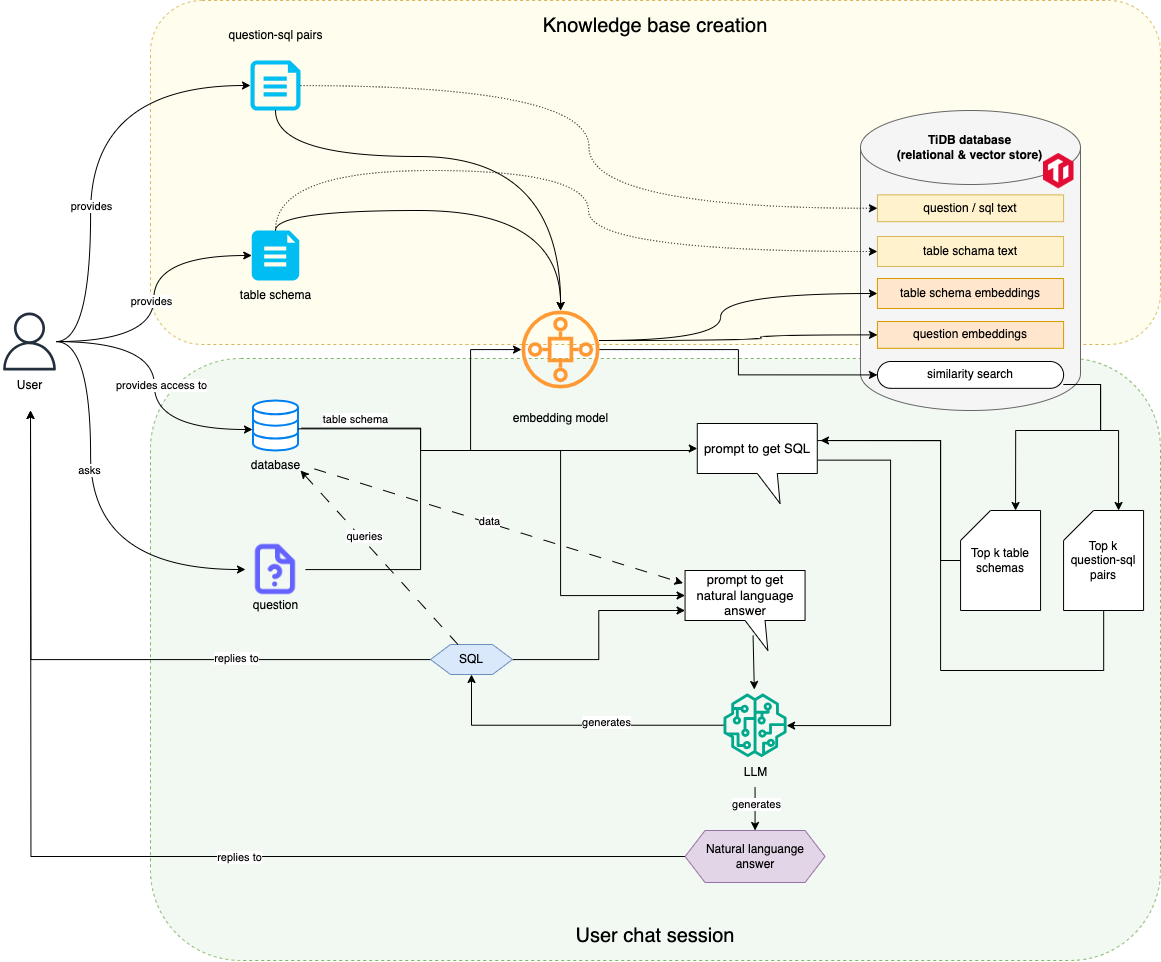
(Refer to the architecture diagram uploaded)
- Embedding Model: Responsible for generating embeddings for both table schema text and question/SQL text.
- TiDB Database: Acts as a combined relational and vector store, supporting similarity searches and storing embeddings, together with other text data.
- Prompt Generation:
Two distinct prompts are generated during the process:
- Prompt to Get SQL: Used to create a SQL query based on the user’s question and relevant data.
- Prompt to Get Natural Language Answer: Used to generate a natural language response after processing the SQL data.
- LLM (Large Language Model): Used for generating SQL queries and natural language answers based on the user’s question and retrieved data.
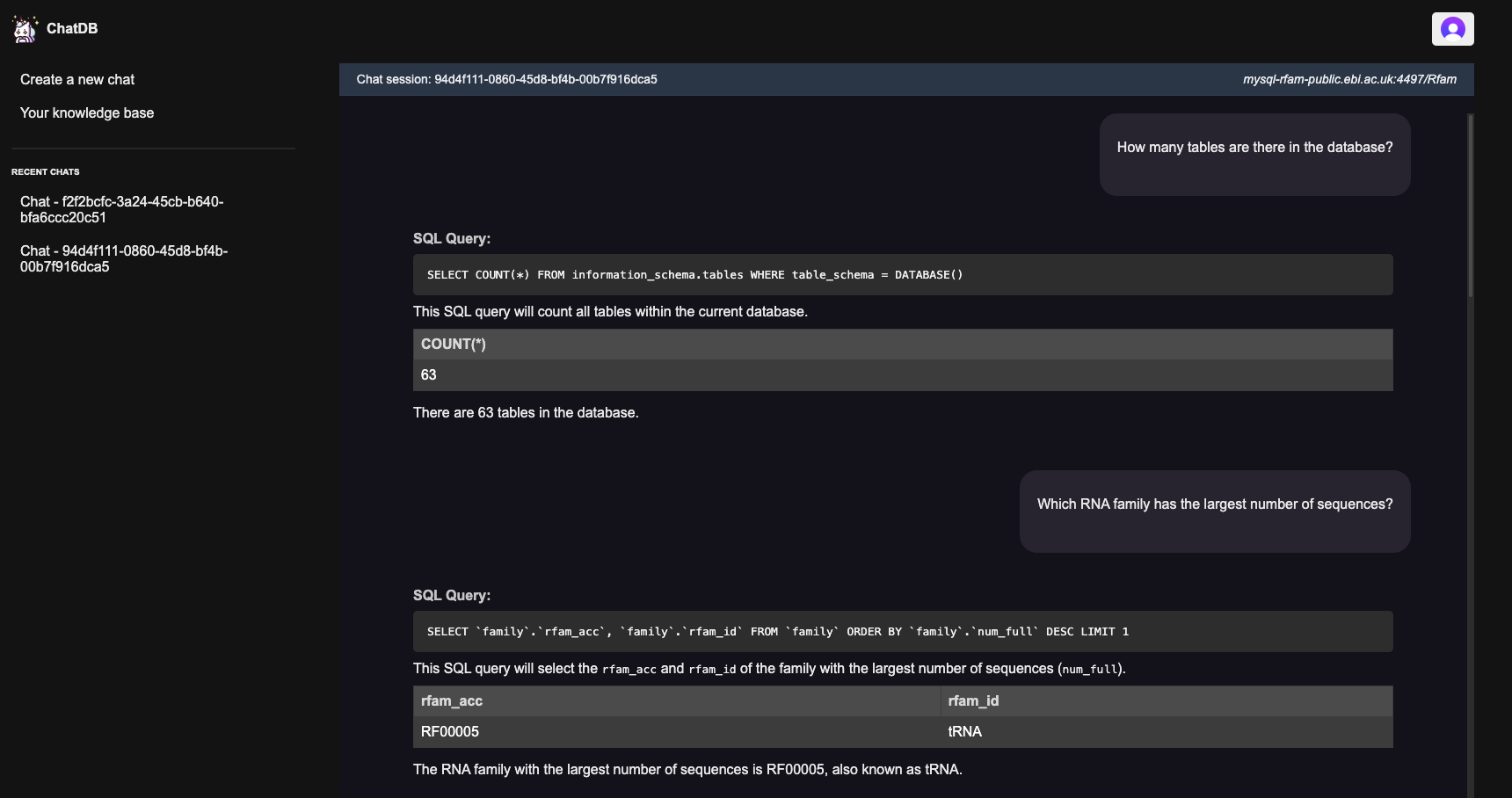
- Chat Interface: The primary user interface where the user interacts, asks questions, and receives responses.
Accomplishments that we're proud of
One of the accomplishments we're proud of is enabling users to build their own knowledge base tailored to their unique needs. Whether a company has specialized data domains, distinct SQL styles, or works with various types of SQL databases, customized knowledge base allows our app to be context-aware and create prompts that adapt to these differences, which can then improve the relevance of the generated response by LLM.
Besides, our application is designed to support multiple database types and multiple LLM clients. We can implement the interface of the database handler for any new database type such as Postgres, BigQuery etc, or implement the LLM client interface to support new LLM clients.
What's next for Chat DB
- Enhance frontend webpage to improve user experience
- Support more database types
- Support more LLM client types
- Improve and use embedding model service that has lower latency and better performance

Log in or sign up for Devpost to join the conversation.