-
-
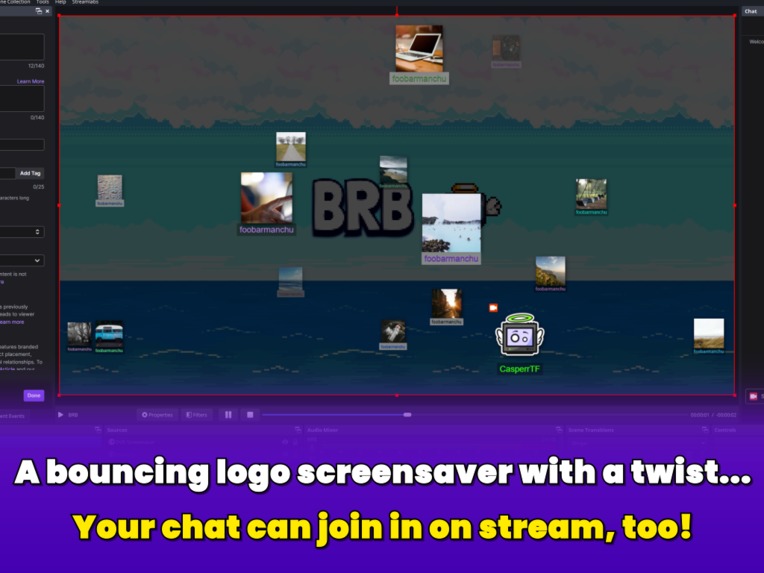
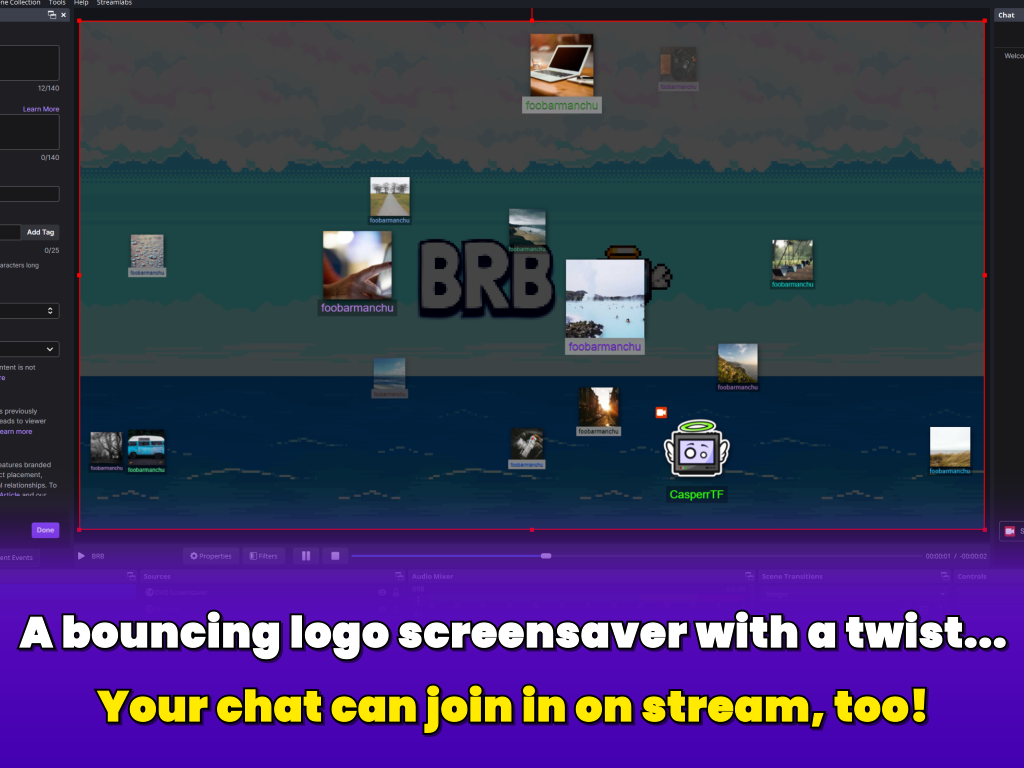
Example of DVD Screensaver with a handful of viewers joining in
-
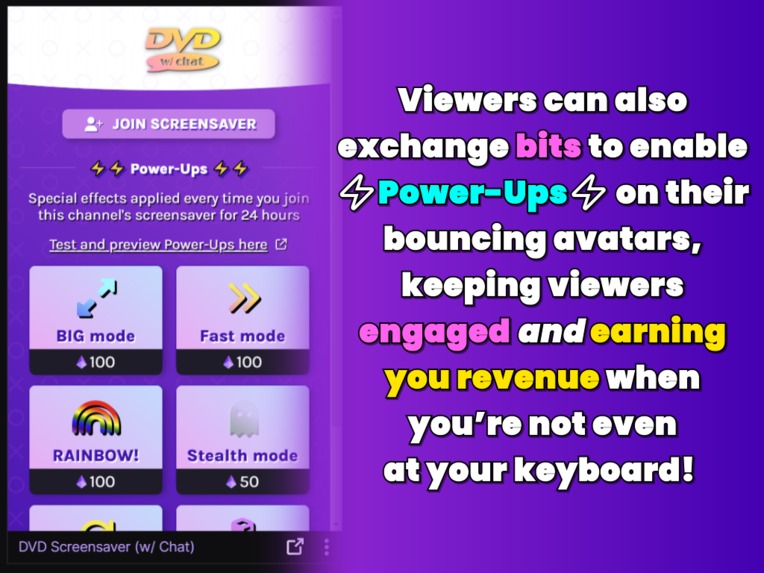
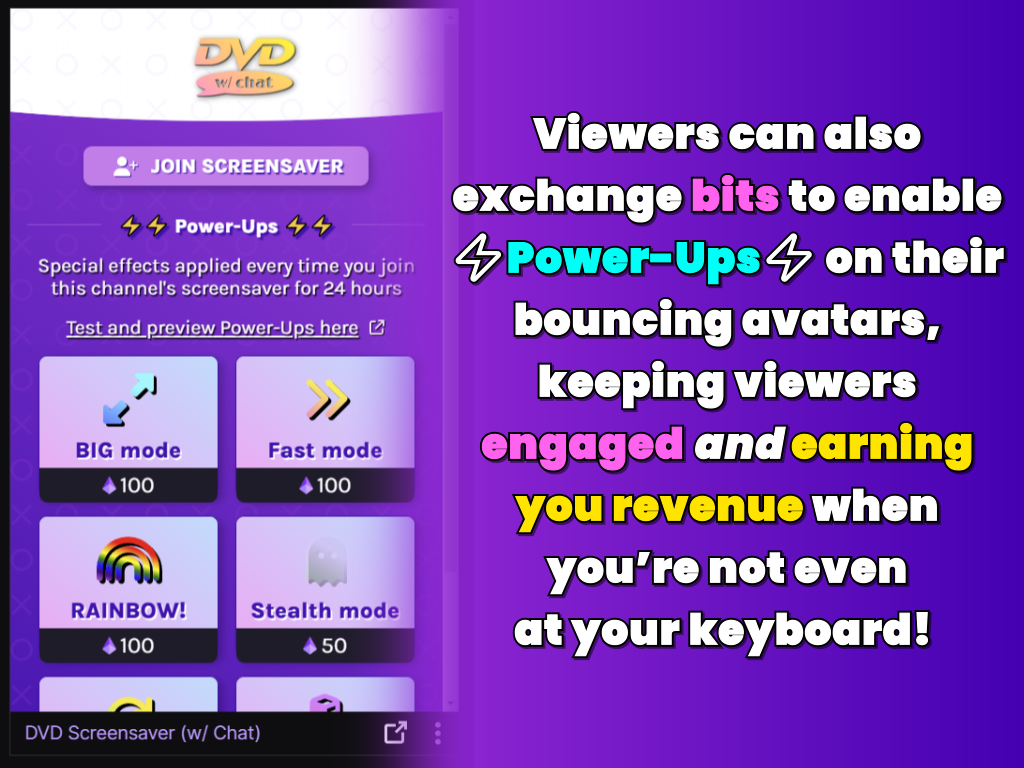
The viewer facing panel and brief explanation of the Power-Up purchase flow
-
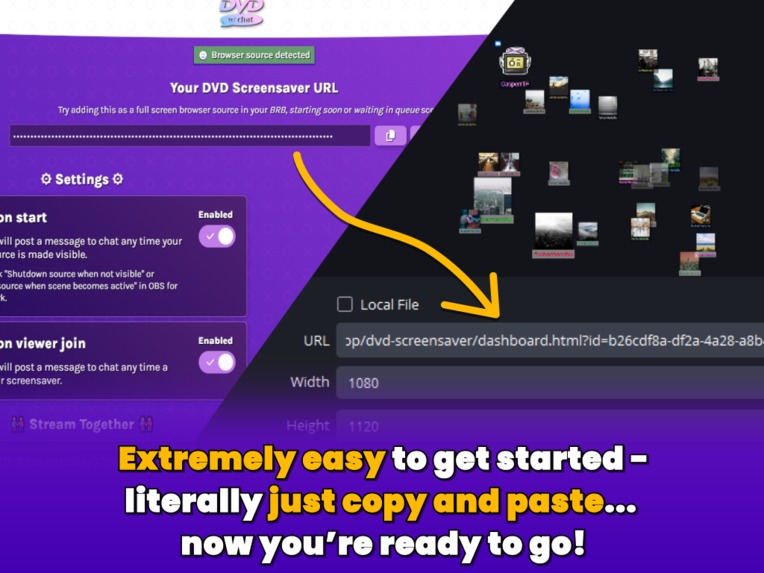
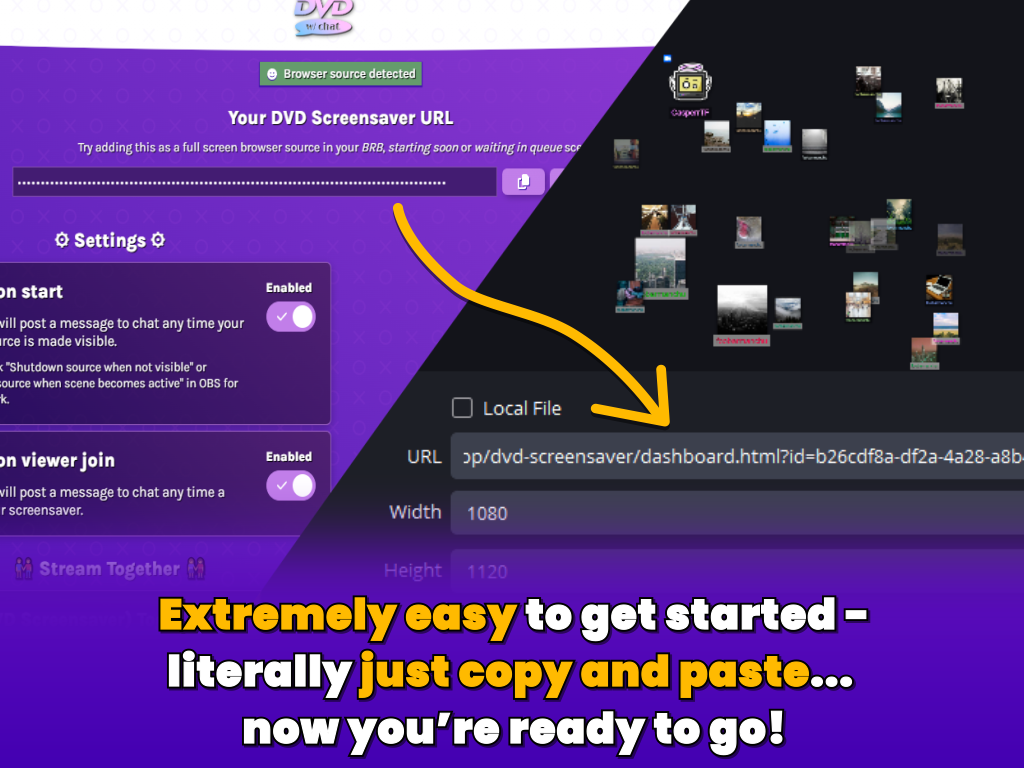
Illustration showing the simple copy and paste set up
-
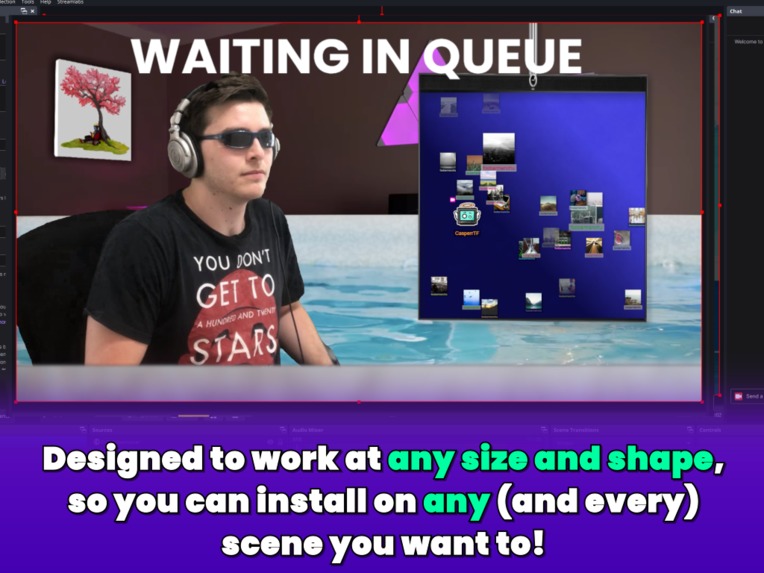
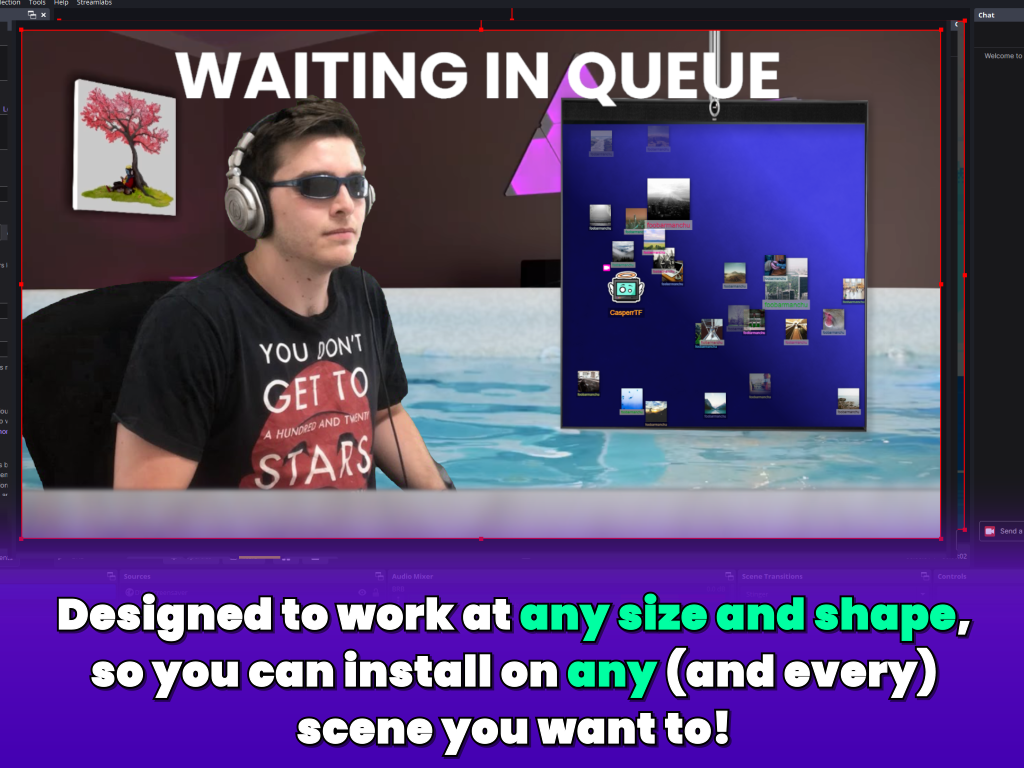
Example of a more advanced use - resizing/changing the aspect ratio of the overlay... and it still works perfectly :)
Inspiration
After reading the requirements and prize criteria, we wanted to set ourselves the challenge of building something which met as many of those criteria as possible, whilst at the same time not doing anything just for the sake of it.
This meant that the end result had to be something that provided value to both viewers and streamers just by existing - i.e. before any monetization or extra flare was even considered. The concept of an interactive AFK screen felt like the perfect idea to achieve this goal. The viewers win because there is something to engage them during what is typically boring downtime, and the streamer wins because their viewers remain engaged whilst they're AFK so are much more likely to hang around for the duration of the break, which is otherwise probably a pretty high churn period for their view numbers.
Then comes the monetization and flare. Again, it was important that these things had intrinsic value and weren't just unnecessary bloat or contrived paid features forced into place. An inherent part of any stream is viewer interaction/recognition, so it was important to us that our monetized features enhanced a viewer's recognition, which in this case is both figurative and literal because every power-up which can be redeemed for bits literally makes the viewer's name and picture stand out among the crowd.
And finally, we saw how important the Stream Together focus was in the hackathon overview and chose a project we knew had room for streamer-to-streamer collaboration, even if as a secondary focus.
What it does
Provides an overlay with a classic bouncing DVD screensaver logo, and a Twitch extension which viewers can use to "join" the screensaver making their Twitch profile icon and name appear on stream whilst the streamer has the screensaver active (which we recommend on BRB and starting soon scenes, or even waiting in queue).
Viewers can also exchange bits to "power-up" their avatars on screen, introducing unique visual effects like rainbow colours, double speed, and even duplicating themselves 3 times.
Streamers using Stream Together will also automatically have their DVD Screensavers merged together, so viewers from all channels appear on all screensavers with a helpful icon to show which channel they originally joined from. The result is inevitably a boost in collaboration, and maybe even some friendly competition!
How we built it
Everything frontend is vanilla CSS and JS, the backend uses pretty much everything Supabase has to offer: postgreSQL database, edge functions, realtime presence, and more. The CSS takes massive advantage of CSS custom properties to easily account for most of the power-ups functionality and allow the overlay to be 100% responsive both horizontally and vertically without relying on any calculations in JS or, God forbid, magic numbers.
Before the project started we had a pretty clear vision of how it would all fit together, so no individual part required much research, only time. We cobbled together an extremely basic proof of concept which added some fields into a database table and sent a realtime message from a Twitch config page to the front end browser source. Once that concept was complete we attempted to kanban as much the project as possible and work through cards one a time, often with sub-checklists to make sure every idea was recorded, prioritized and had its progress tracked.
Challenges we ran into
As a solo developer working a full-time job, the biggest challenge was probably finding time to work on the project. I've also already committed to "we/us" at this point so I'm sticking with it. I mean we're* sticking with it. We* mean we're sticking with it. Never mind.
Being solo also means no one to code review or test things other than the person who designed and coded it, so the result is a lot of silly things don't get caught early and cause headaches later on.
We also have negative skill attributes in graphic design. We lifted the main panel and config design from one of our previous extensions (Memeboard) and have never been happy with the screenshots we've been able to put together for an extension listing page. Hopefully the concept alone does most of the heavy lifting this time!
Accomplishments that we're proud of
We're very happy with the end result, because amazingly things turned out much better than the original vision. Multiple times throughout the project we thought of a way to rebuild a feature or function in a way that was both simpler from a coding perspective, but also much better from a usability perspective.
The big one of these is accomplishments is the code behind the animation, something which was originally a massive complex JavaScript file which began to lag if too many viewers joined the screensaver, which we then swapped out to be pure CSS, improving both its function and optimisation many times over. More on that in the learning section!
What we learned
Building something from scratch takes a lot of time and energy 😅 The largest part we were able to reuse from previous projects was the bouncing animation, and around half way into development we completely rebuilt that part as well!
Originally we spent many hours crafting the perfect "bounce on all four walls" JavaScript logic piped into GSAP for the most optimised animation possible... Only to suddenly have a lightbulb moment that the very same complex animation is actually just two exceptionally simple animations layered on top of each other: alternating 100% of the viewport width and alternating 100% of the viewport height. Combine this together with a basic speed offset to match the difference in axis length based on aspect ratio and you now have a bounce on all four walls animation with like 1% as many complex calculations, and something which can be now done ENTIRELY IN CSS, optimising the animation an insane amount. And we tried - the screensaver can work with up to 1,000 bouncers with only a tiny bit of occasional light chugging... the same could NOT be said for our original JavaScript approach 🙃
What's next for DVD Screensaver (w/ Chat)
We want to reward viewers for doing things they were doing already, that way everyone keeps on winning. So one of our first post-launch updates will be leaderboards for viewers who join the most screensavers for a given channel, and naturally those in the top positions will get free effects on their avatars such as gold, silver and bronze borders when joining any future screensavers.
We also plan to add moderation tools: firstly the ability to kick or ban a user from your screensavers, but also the option to limit who can join in the first place such as restrictions allowing only followers, subs or even mods and VIPs.
And of course we have a list of future Power-Ups we plan to add even longer than the list available at launch.


Log in or sign up for Devpost to join the conversation.