-
-
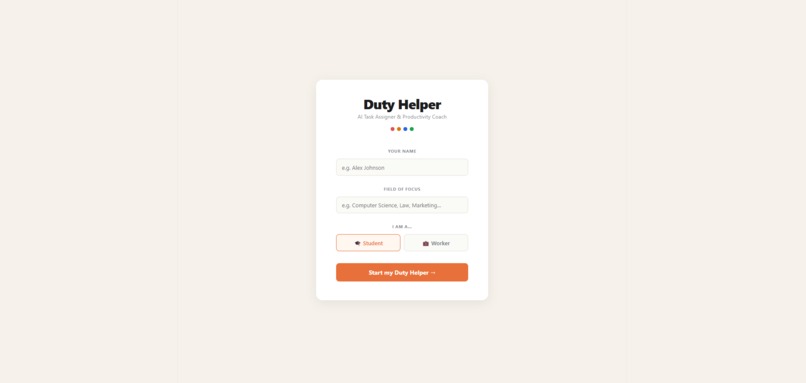
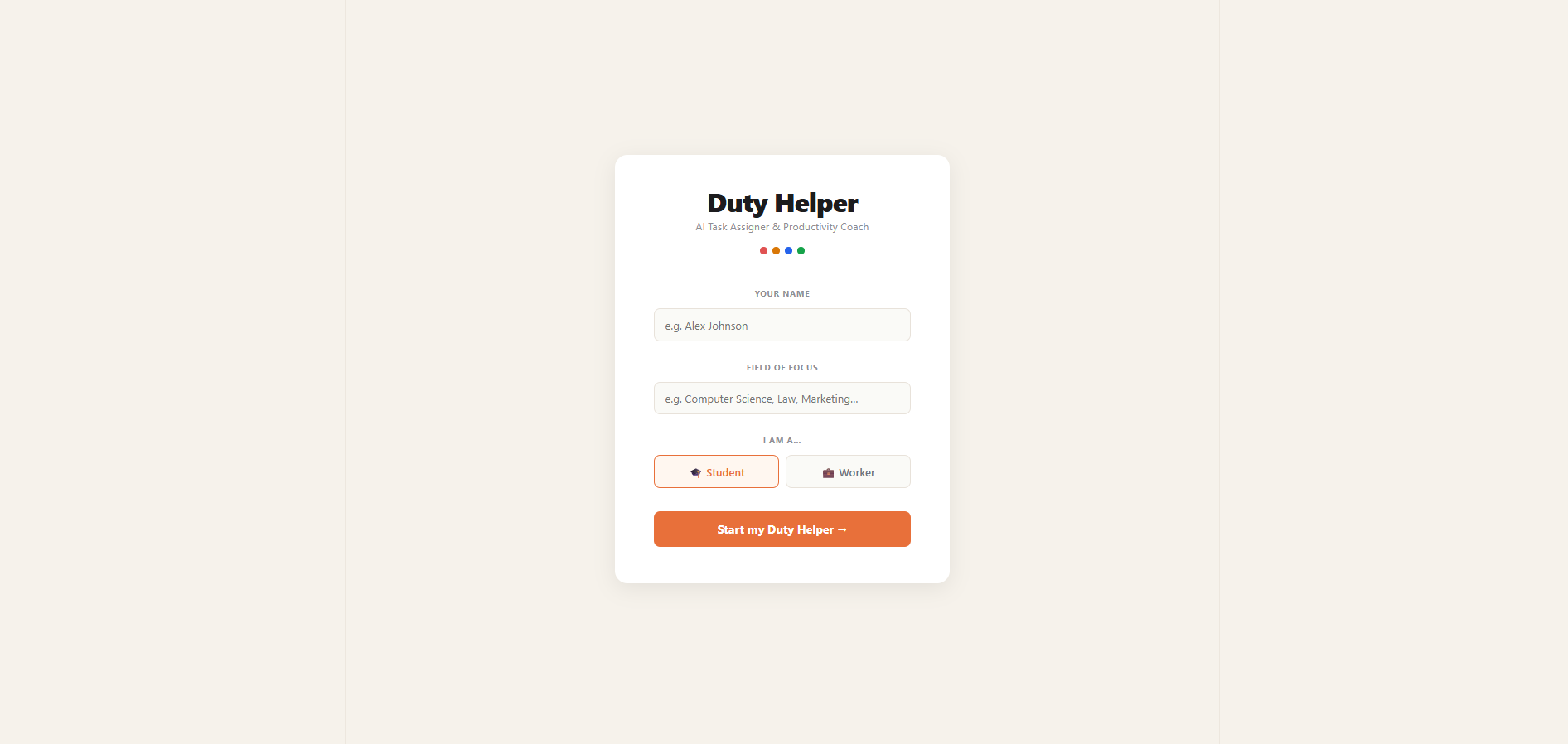
Login Page
-
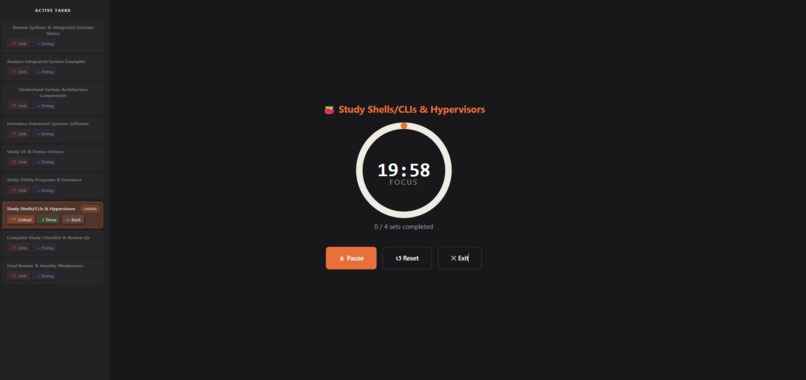
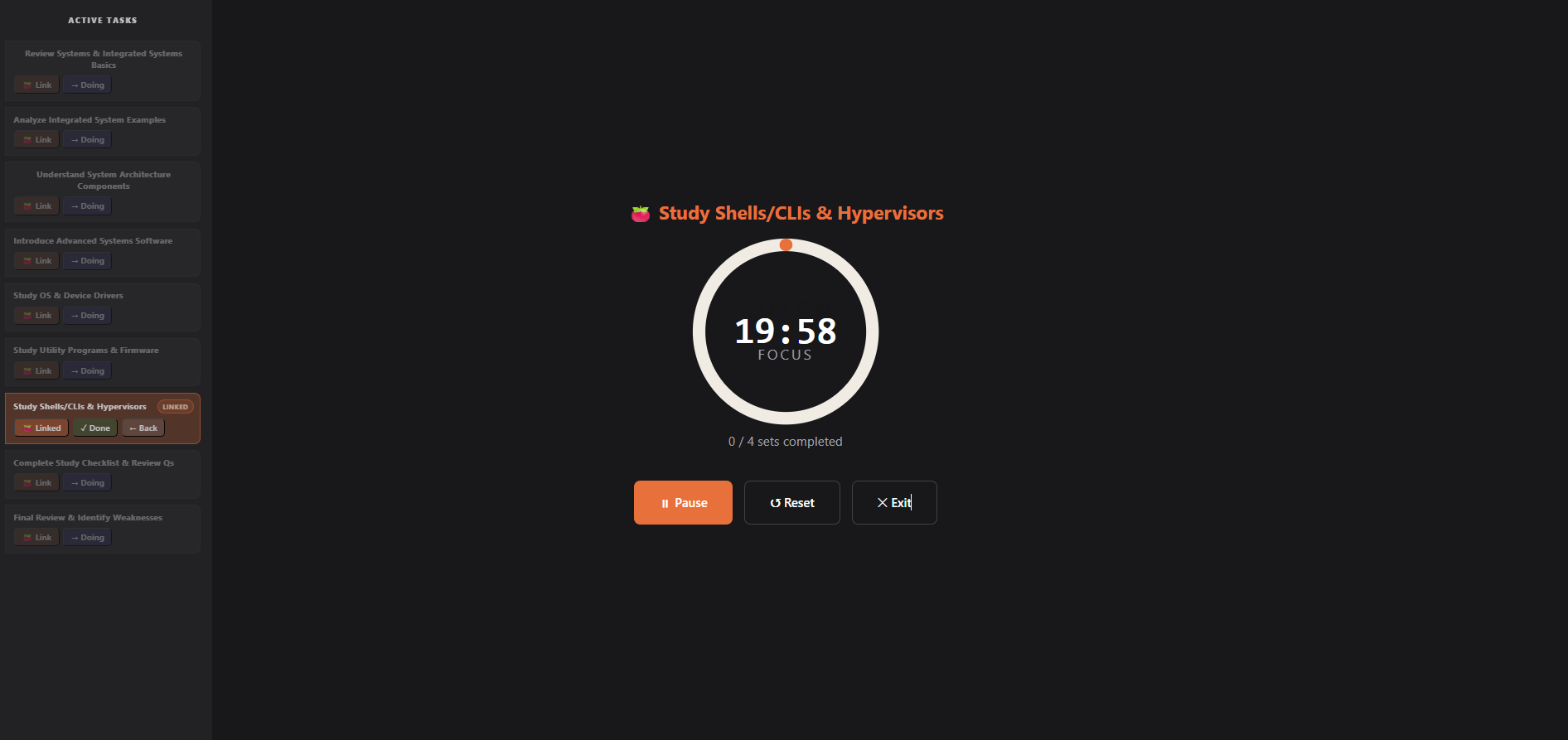
Pomodoro Focus Mode
-
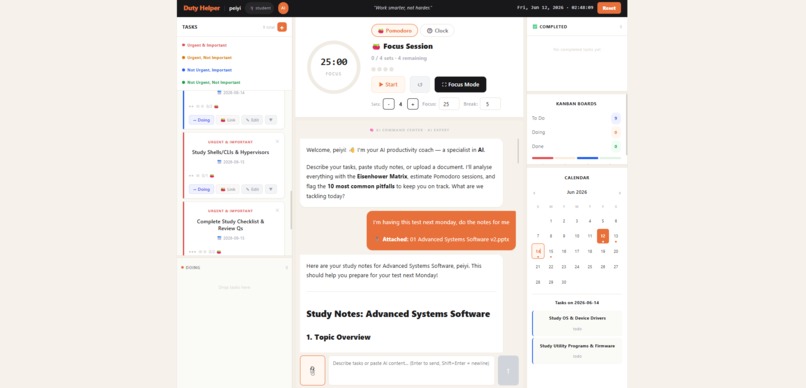
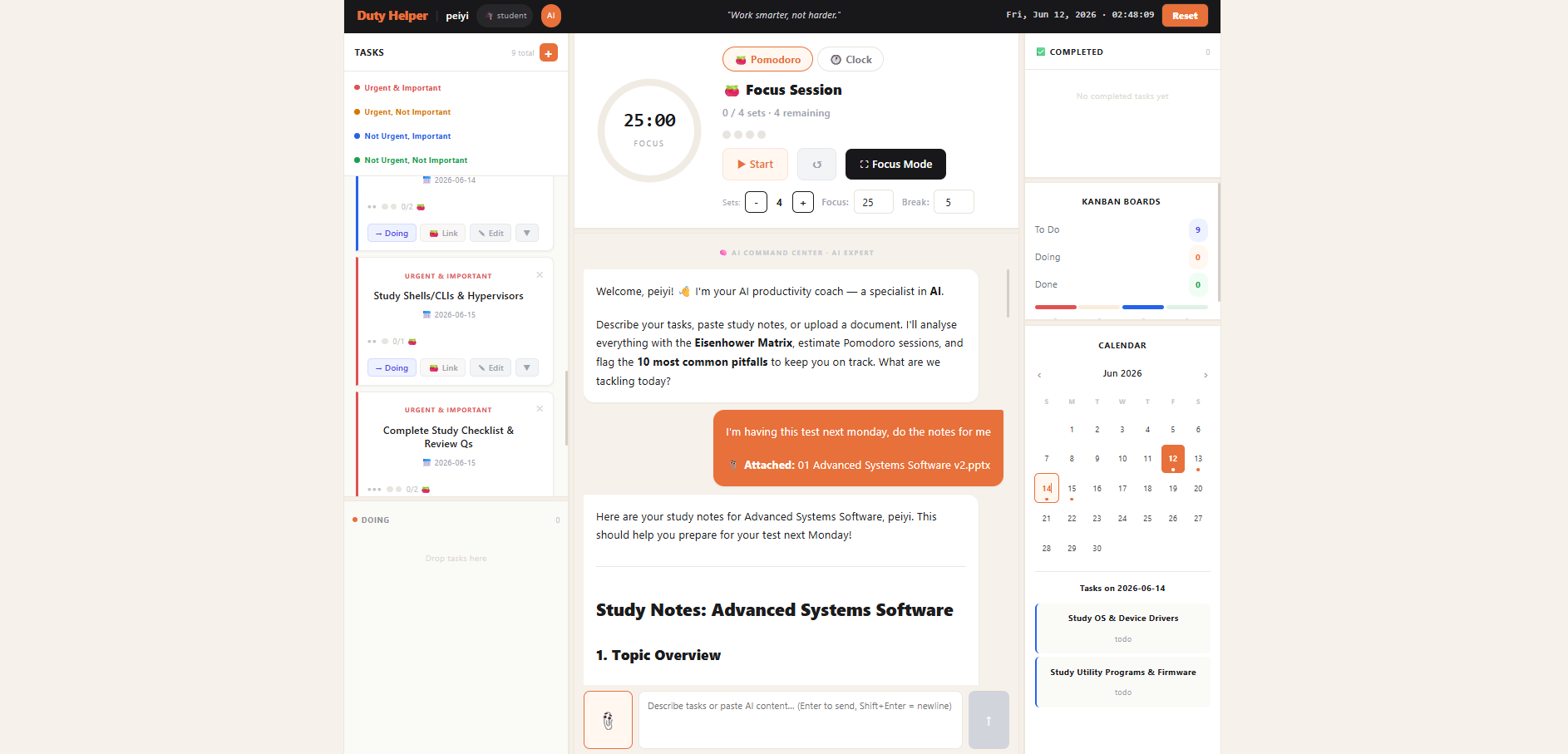
Main Dashboard
-
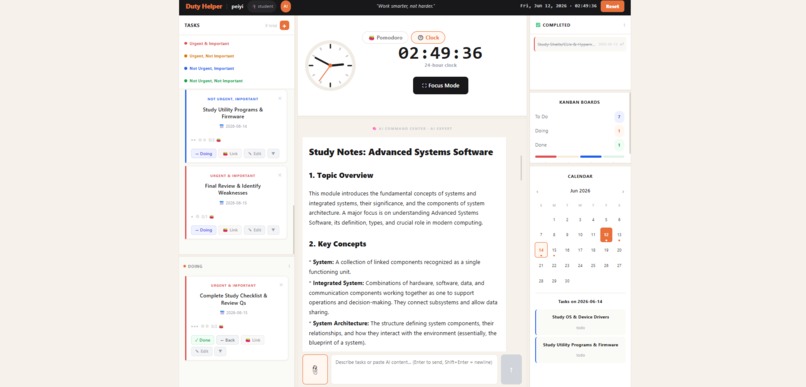
AI Notes
-
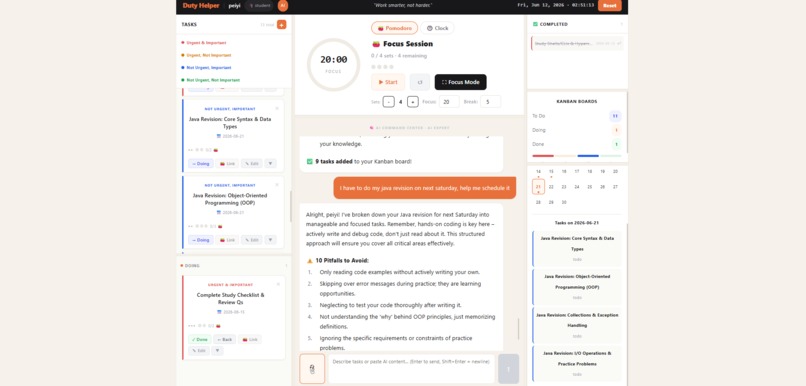
Task Scheduling
Inspiration
Duty Helper was created to help students and workers stop feeling overwhelmed by long task lists. Many productivity tools only store tasks, but they do not help users decide what to do first, how long to focus, or how to plan work across different dates. We wanted to build an AI-powered productivity coach that can organize tasks, study notes, and documents into a clear plan.
What it does
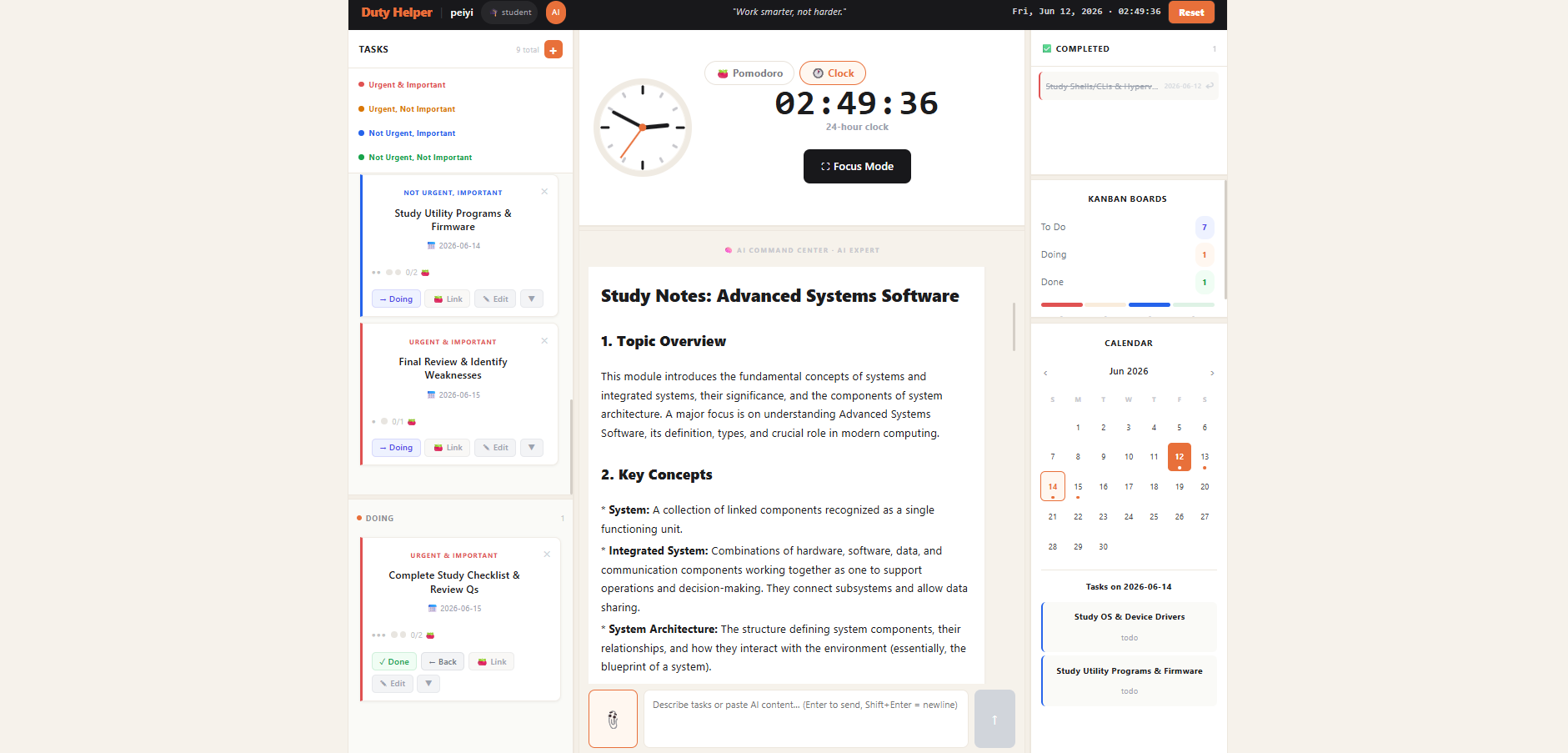
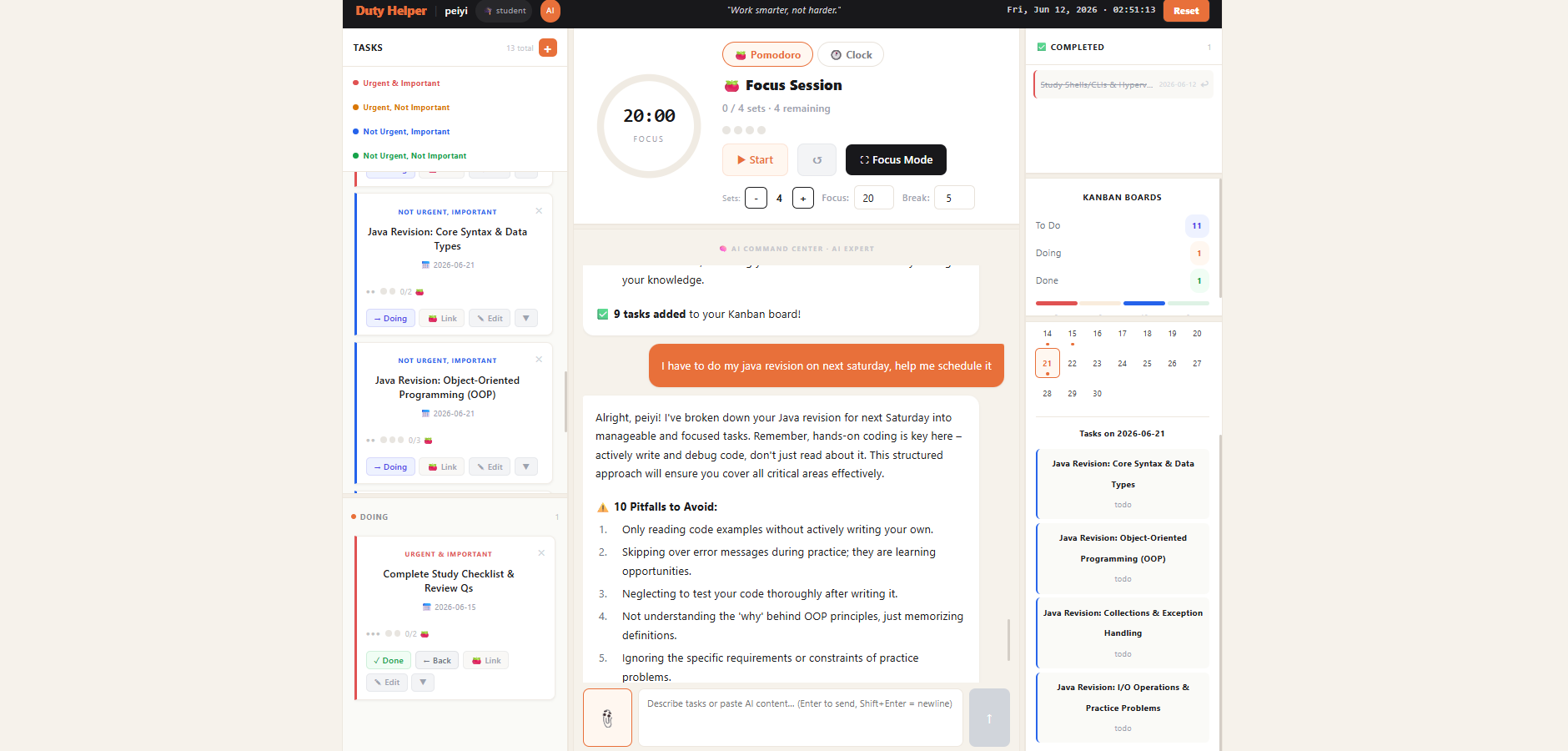
Duty Helper helps users manage tasks using the Eisenhower Matrix: Urgent & Important, Urgent Not Important, Not Urgent Important, and Not Urgent Not Important. Users can manually choose a category or let AI classify tasks automatically. The app can also generate study notes from uploaded documents, split tasks into specific dates, show tasks on a calendar, and support both Pomodoro and 24-hour clock focus modes.
The focus mode keeps active tasks visible in a semi-transparent side panel, allowing users to link tasks, update progress, and stay focused without losing task control.
How we built it
We built the frontend with React and JavaScript, using component-based UI design for the task board, Pomodoro timer, calendar, AI chatbox, and focus mode. Local storage is used to persist user data, tasks, completed tasks, and custom quotes. The AI assistant is connected through an API endpoint to classify tasks, generate structured study notes, and split work into scheduled task plans.
Challenges we ran into
One challenge was balancing productivity features with a clean interface. We had to improve the layout so it works on smaller screens and allows users to resize task panels, Pomodoro sections, and calendar areas. Another challenge was making AI-generated results structured enough to become usable tasks, especially when users asked for plans tied to specific dates.
We also improved the focus mode so tasks remain functional while staying visually calm and semi-transparent.
Accomplishments that we're proud of
We are proud that Duty Helper combines AI planning, task classification, study-note generation, calendar planning, Pomodoro timing, and focus mode in one workspace. The app does not just store tasks; it actively helps users decide what to do, when to do it, and how to stay focused.
What we learned
We learned how important UI clarity is in productivity tools. Small details such as readable buttons, task labels, calendar dates, and focus mode layout can greatly affect the user experience. We also learned how to design AI prompts so that AI output can be transformed into useful app data.
What's next for Duty Helper
Next, we want to improve task scheduling, add better recurring tasks, sync with external calendars, support more file formats, and make the AI coach more personalized for different types of users such as students, developers, and working professionals.

Log in or sign up for Devpost to join the conversation.