-
Colourize
-
Webpage
Inspiration
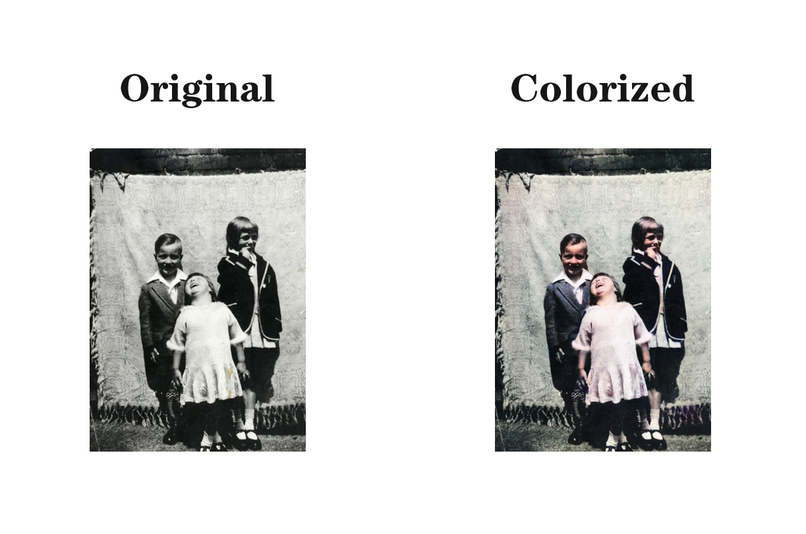
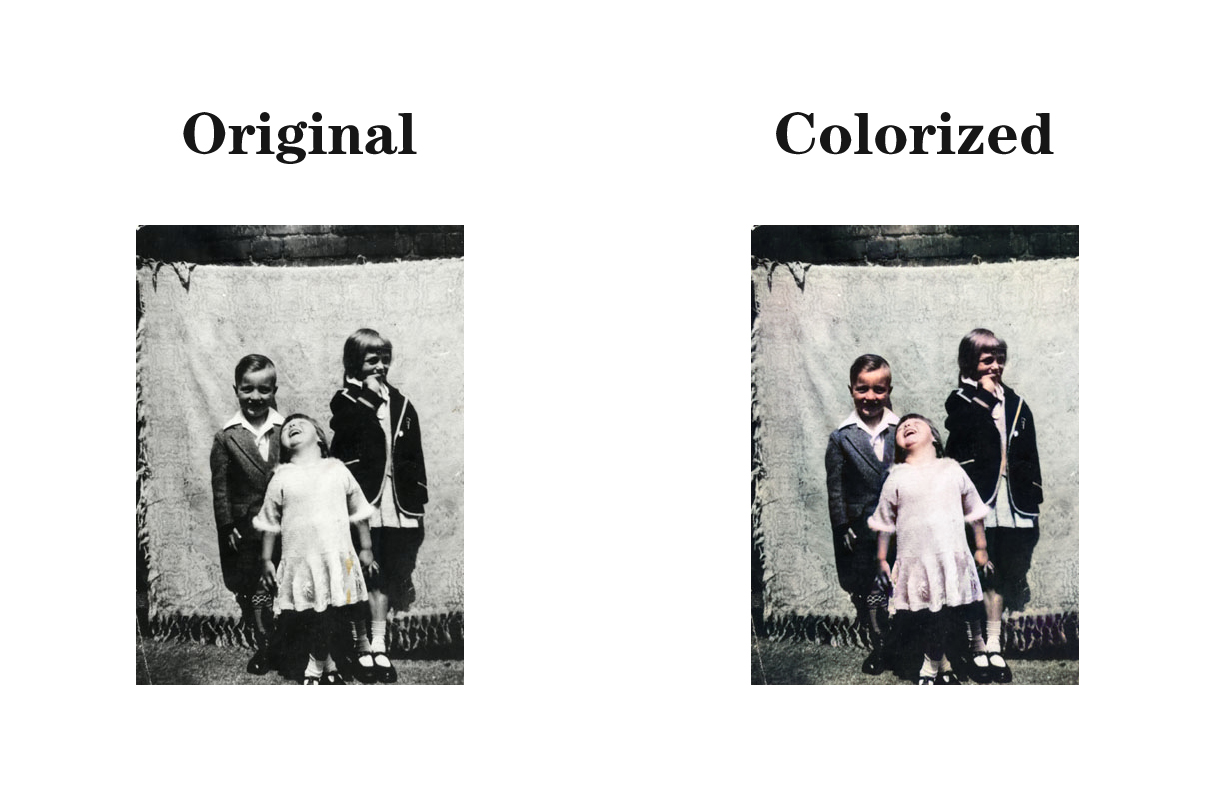
The scanned photographs are mainly low quality black and white images, we intended to colorize those photos and improve their quality, in order to make it more lively and impressive.
What it does
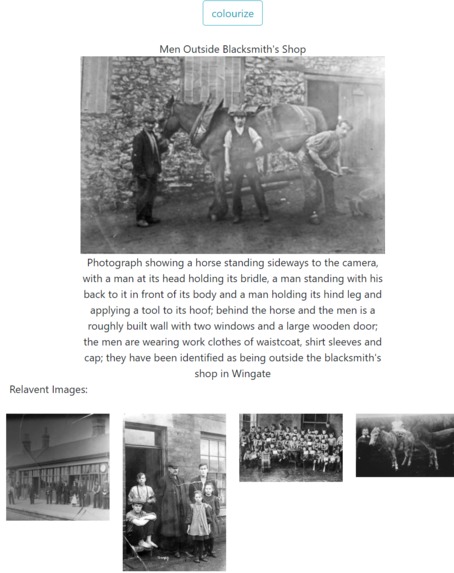
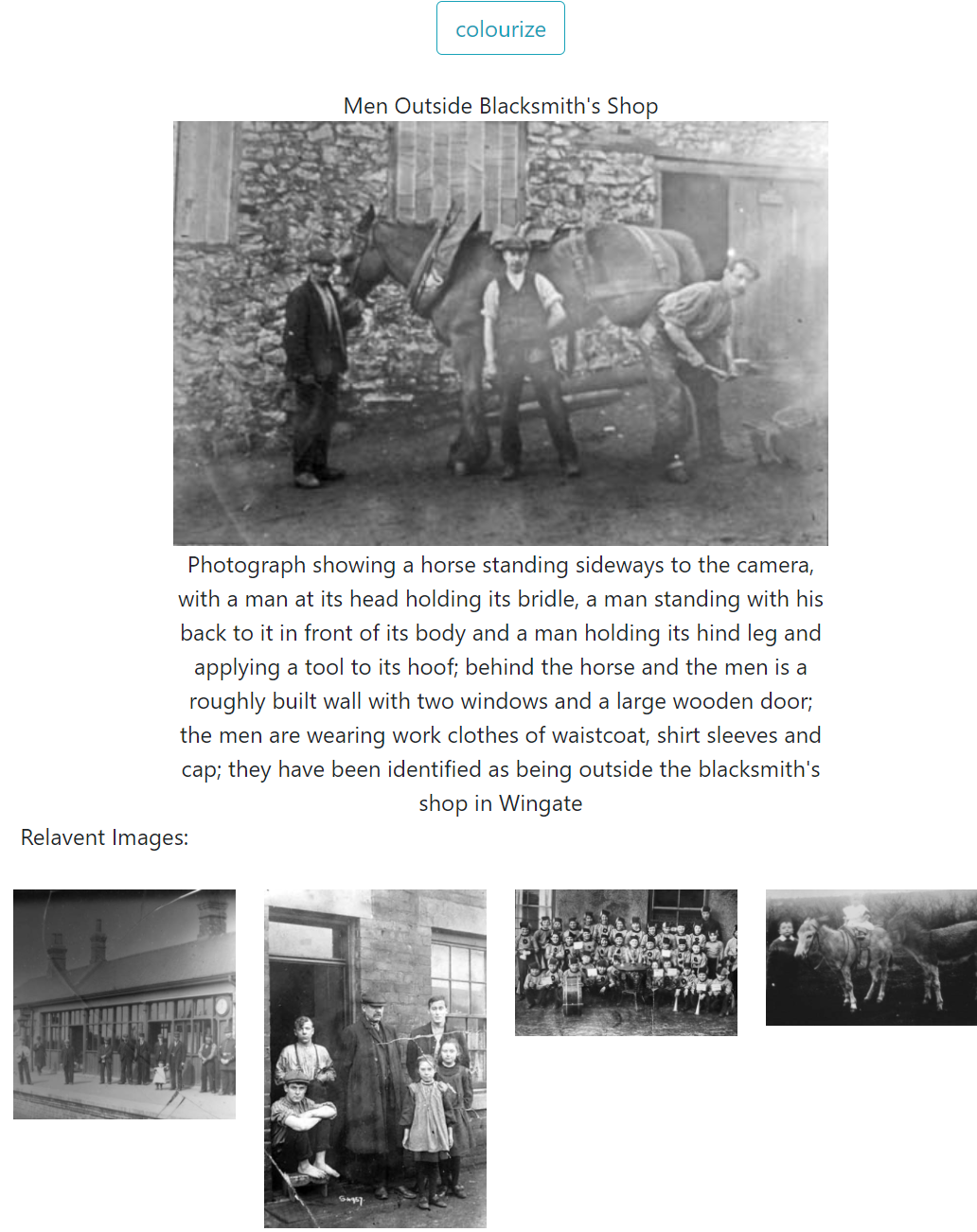
The project converts black and white images to colored images, each image is linked with 4 most relevant images based on the textual descriptions provided in the Excel document.
How we built it
We firstly used python to colorize all the images with deepAI api, then used image processing techniques to enlarge, sharpen images and also remove noises and adjust the contrast of the images.

Then we used python natural language toolkit package to analysed the text description of the images to find 4 most relevant images for each image.
Extract keywords from caption by Nature Language Toolkit(nltk) from caption
<description>Photograph showing three children standing in front of a blanket suspended behind them; on the left is a boy, aged approximately six years, wearing an open-necked shirt, a jacket, long socks and dark shoes; on the right is a girl, aged approximately nine years, wearing a dark blazer with a light border, a pleated skirt, socks and button shoes; in front of the other two is a child, aged approximately four years, wearing a light-coloured dress, socks and sandals; they have been identified as being in Blackhall</description>
'blac0001':
['front', 'blanket', 'left', 'boy', 'shirt', 'jacket', 'dark', 'right', 'girl', 'blazer', 'border', 'skirt', 'button', 'front', 'child', 'dress', 'blackhall']
Compute the most relative 4 photos:
'blac0001': ['sout0036', 'hord0043', 'misc0008', 'seah0173']
And we finally construct a Gallery Web to contain the picture we have prompted.
In this gallery page we have two active parts, the main part is a place to display the current photo, here is the colorized photo.

The user can view the original image by clicking the button.
There are four recommended pictures in the secondary part. This picture is calculated by nltk above. Clicking on each picture will jump to the page of the recommended picture.
Challenges we ran into
The biggest challenge we have encountered is that the incomplete picture information makes a lot of information unable to be used effectively. The automation of the entire processing process is also a point that needs attention.
Accomplishments that we're proud of
We are delighted to propose a format for the presentation of Durham's historical materials, with coloured pictures more appealing to different people than black and white pictures.
And the final recommendation part gives some potential associations between pictures, making it easier for people to intuitively extend the surrounding information from the cluster information.
What we learned
We have learned text mining and data processing from natural language, and have seen and used various image enhancement techniques in image processing. Finally, the entire project is an application across python and javascript languages.
What's next for Durham County Council: People Past and Present Challenge
In this project, we want to use some deep learning techniques to enhance the recognition and correlation of images in the future, and integrate it into a pipeline operation to make the whole project more coherent and robust


Log in or sign up for Devpost to join the conversation.