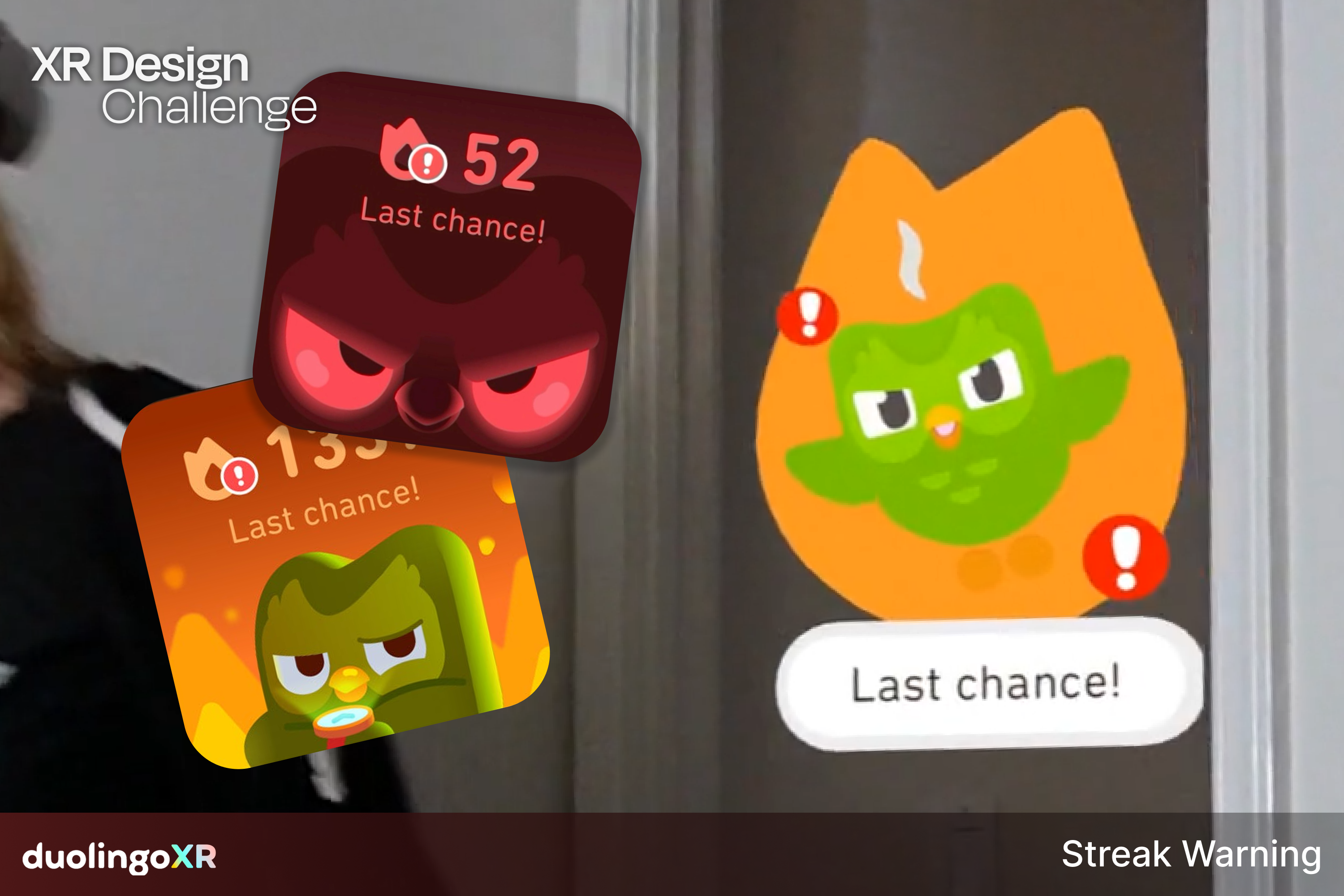
This is DuolingoXR, an immersive language learning playground!
DuolingoXR is more than a mixed reality port of Duolingo- it's the app that asks the question: "What if Duo escaped from your phone?"
Duo, the mascot of Duolingo, is central to the user experience, so we wanted to expand on his personality, building a character-centric UI and minigames. We took inspiration from both educational and "virtual companion" apps.
Core Features
DuolingoXR has both adaptations of existing Duolingo features, and new ones only possible in XR.
UX
- Duo-centric UI access the menu, swap languages (Unity)
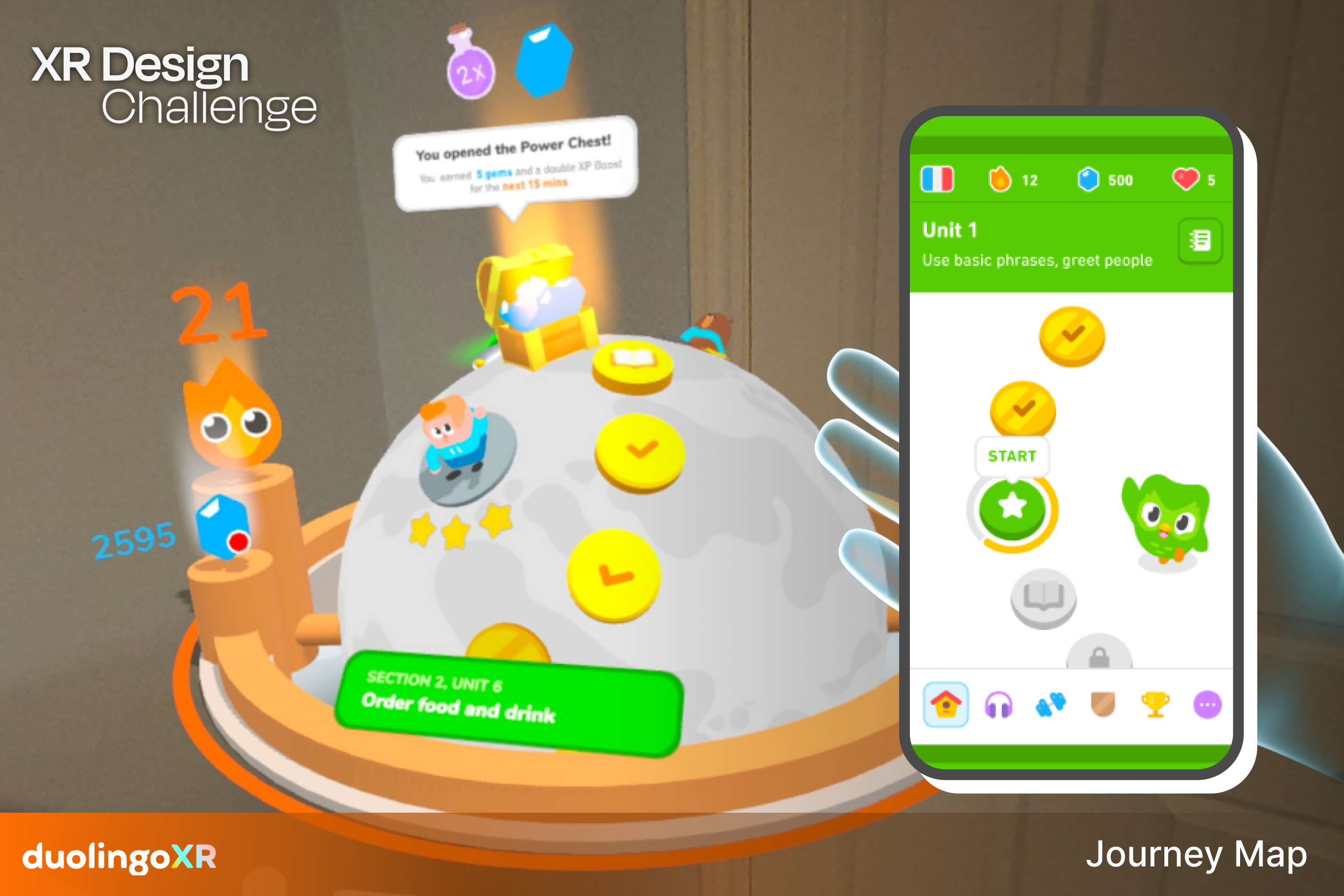
- Level selection/curriculum (Unity, ShapesXR)
- Rewards chest (ShapesXR)
- Duo handtracking interactions Pet, squeeze, shake him! Let him sit on your hand. (ShapesXR, Unity)
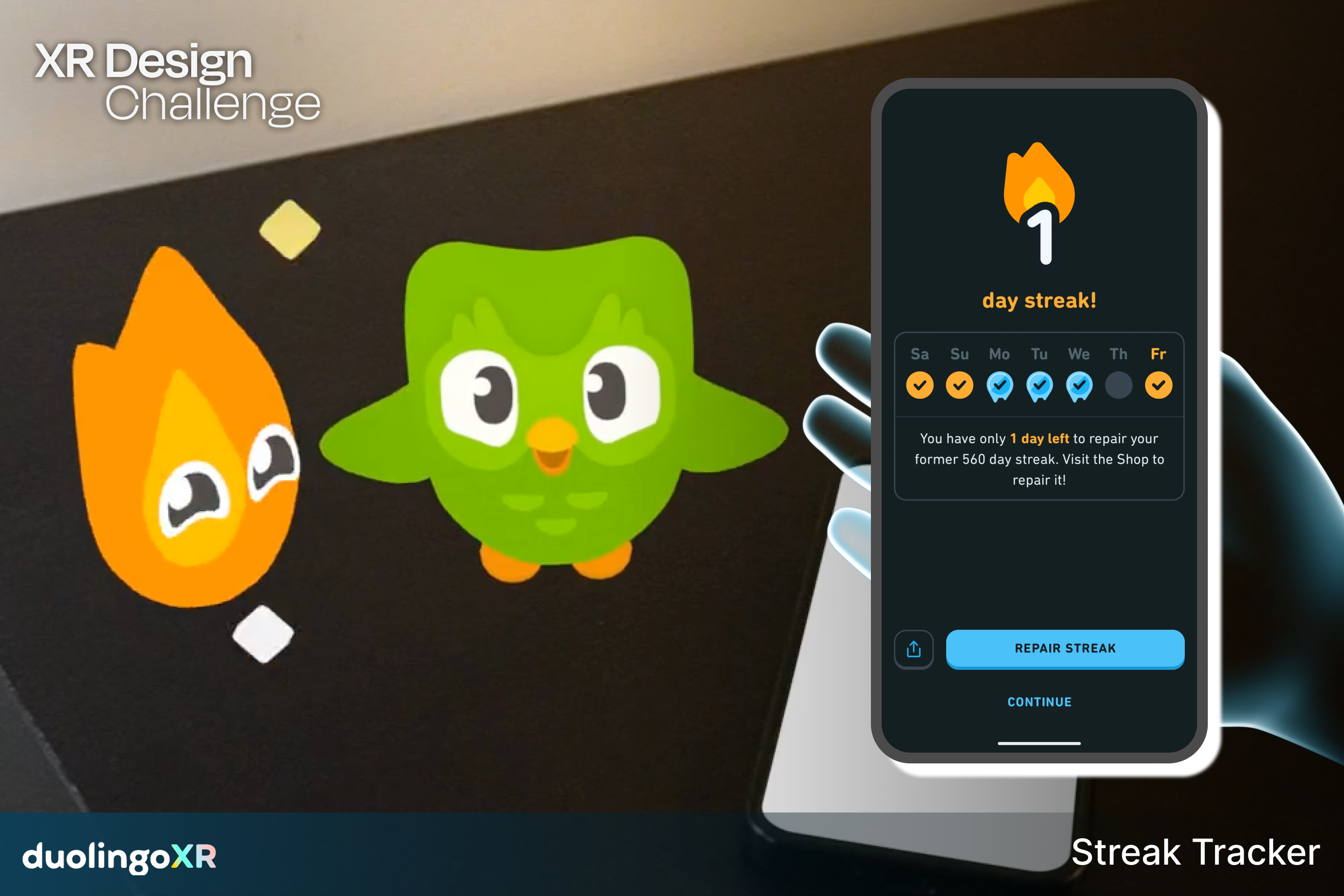
- Streak mascot and celebrations (ShapesXR, Blender)
Gameplay
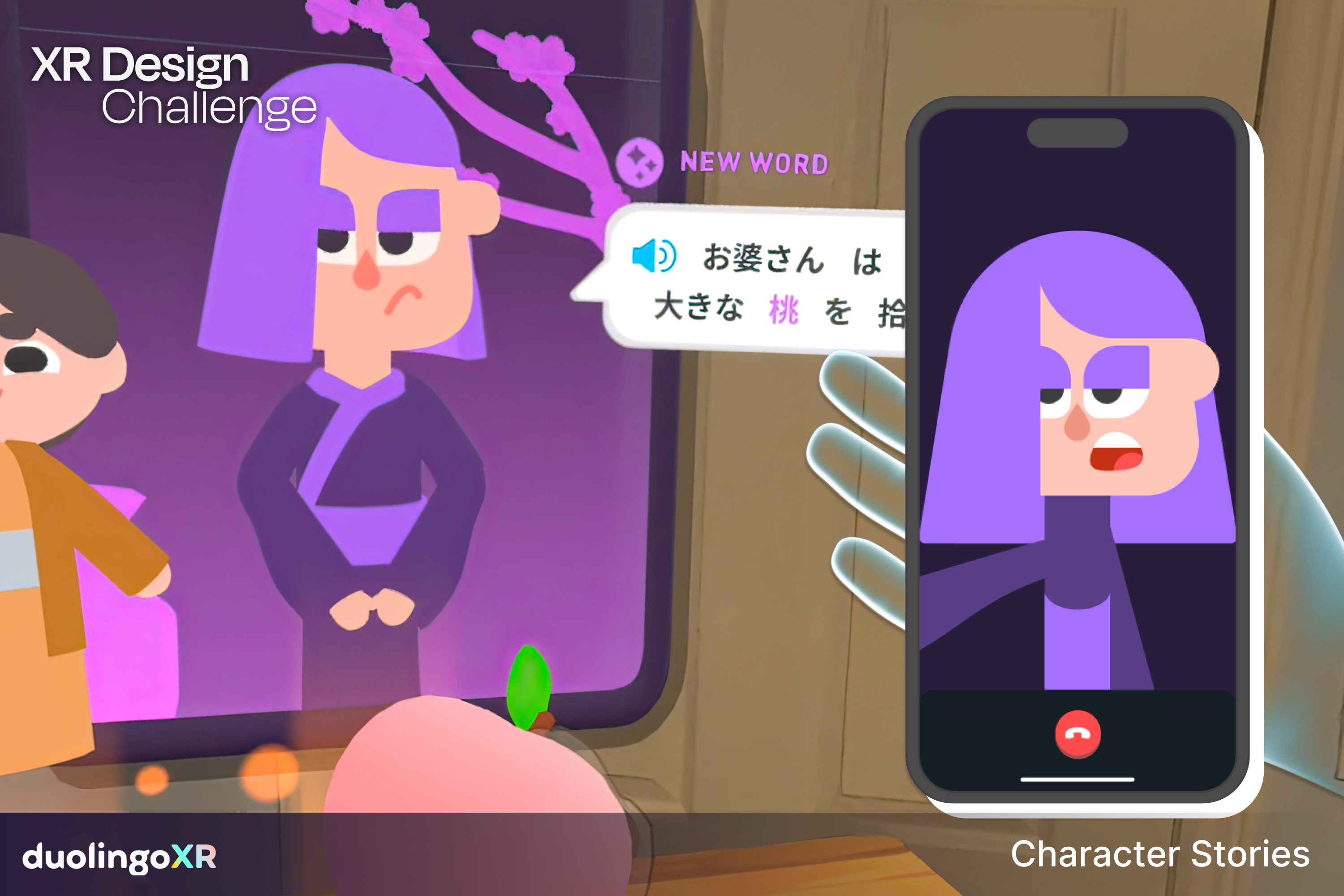
- Story Mode Learn by acting out Momotarō (桃太郎), a Japanese folktale, with Lily (ShapesXR)
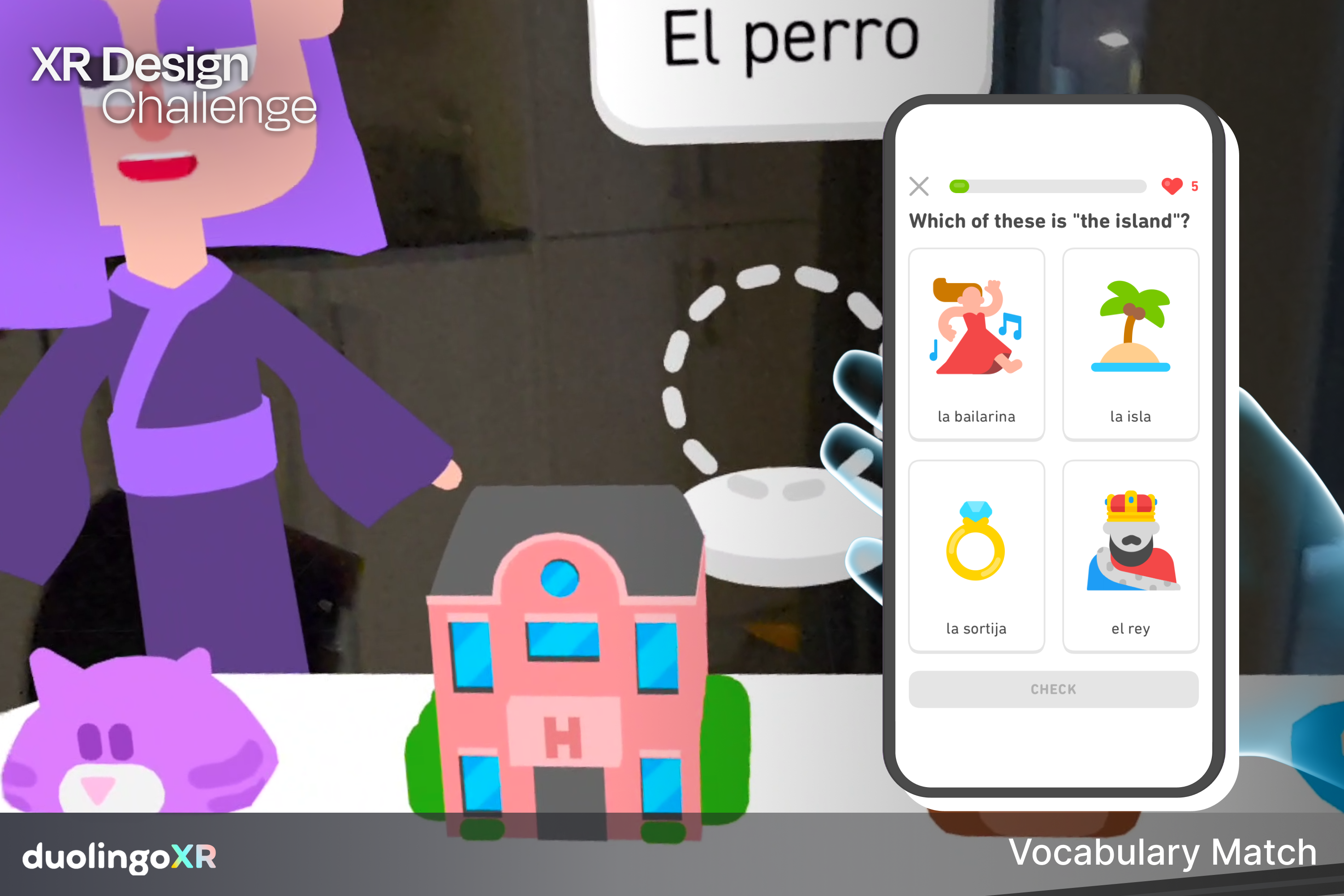
- Vocab Match Match the object to the vocabulary word, at your own pace. (ShapesXR)
- Block Blitz Move your body to select the correct answer as it flies towards you (ShapesXR)
- Portal Punch objects are flying from a magic portal! Punch them to the correct target before they fall, featuring Duolingo characters Lily, Junior, and Falstaff. (ShapesXR)
How We Built It
We used five core tools:
- Notion for task management and team calendar
- Figma as a hub to plan and share ideas, create mockups, and create UI for ShapesXR.
- ShapesXR to quickly prototype and test ideas
- Blender for asset creation
- Unity For designing and prototyping final features, or features not possible in ShapesXR.
Unity details: Unity v2022.3.19f1 (Android), Universal Render Pipeline (URP) 14.0.10, Meta All In One SDK v71, Unity Toon Shader 0.11.0, Unity Dotween, Dynamic Bones
How ShapesXR Helped Us
We spent a lot of time in ShapesXR. If you want to see all of our work, there is a README file with all the space codes in the Google Drive folder attached.
We primarily used ShapesXR for brainstorming and testing if our designs worked, especially for XR experiences. ShapesXR helped us determine which design decisions would make the experience feel better in XR. For example, the initial concept for Duolingo's journey map was flat, but when we began prototyping, we thought it would be cool to represent it as a globe (reference: 01 Japanese lesson). This turned out to be a fun iteration.
Additionally, we used ShapesXR for communication with the development team. We visually demonstrated what we wanted and how we envisioned it, and the development team was able to provide feedback (reference: 03 UI Map for Unity). This greatly accelerated the process when working with developers!
Our Challenges
General Challenges
We originally started off with a team of 2, but by the end of the challenge, became a team of 6! Early on, we were just a designer and developer. However, we still needed 3D & VFX artists and audio designers, which we didn't find until 3 weeks remained.
Although it was difficult to complete the project with a tight deadline, it was worth it to have so many amazing and talented people on the team!
Creative
- Scope We were still in the ideation phase in week 4 of the project and were concerned about executing. Thanks to our mentor, Pip, we got great feedback and were able to narrow our direction and accelerate.
- Communication Most work asynchronous and remote, so there were language and communication confusions. Luckily, we found a way to make sure the designer and developers are on the same page by creating more detailed visual mockups and using comments/annotation features on Figma.
Technical
- Feature conflicts Some interactions conflicted with each other, and for such a short challenge, we were limited on troubleshooting time. So, we ended up splitting some features into separate scenes to showcase all our ideas.
- Asset management we had a lot of large files that needed to be sent between designers, artists, and developers. We used a combination of GitHub, Discord, and Google Drive to try and handle the massive quantity of assets being used.
- We wanted to match Duolingo's signature design style, so all of our visual assets are from scratch.
- This was some team members' first Hackathon! Learning the flow of that.
- Meta All In One SDK Poking, grabbing, scaling objects, and hand poses features were a big challenge. Watching our mentor’s lecture on hand tracking was very helpful in deciding how to implement grabbing features._
Accomplishments: What We're Proud Of!
- Understanding the Duolingo brand identity. Duolingo has an abstract, fun visual language, but it's almost all 2D. We quickly learned what worked in 3D- and what didn't.
- Task efficiency Originally, it would take hours just to set a basic grabbing item in Unity. Now it takes less than 30 minutes to rapid prototype some interactions.
- Scope We're proud of all the ideas we got to explore, everything from user flow with Duo to individual minigames.
- ShapesXR usage At first, we thought we were concerned about being able to prototype all our ideas, but after becoming familliar with ShapesXR, we realized it was a fantastic tool for prototyping and didn't need to use Unity at all in some cases.
Learnings & Takeaways
Creative
A creative pipeline that we found worked for us was using ShapesXR quickly iterate on each feature before passing it to our Unity developer.
- For instance, one of our designs featured table, but it was unclear that the user could grab it. We experimented with different ways to communicate interactability such as VFX, hand silhouettes, or capsule-like "handles."
We also deepened our design knowledge from research, lectures, and our from our amazing and knowledgeable mentor, Pip. Some of the key learnings include UX best-practices for XR, translating 2D apps into 3D experiences, and how to design for hand tracking.
Technical
For many of us, it was our first time with tools such as ShapesXR, Figma, or Meta All In One SDK. Not only did we learn how to use these tools, but how to collaborate and communicate our ideas with them.
-Figma: We brainstormed a ton, so we had to learn how to narrow down ideas. We took advantage of commenting and annotating features, especially because most work was asynchronous. We learned about eachothers' design and thought processes, enabling us to leverage eachothers' strengths and support eachothers' weaknesses.
What's Next for DuolingoXR
We want to improve the UX. The app is set up in a very decentralized way; there are different scenes for each feature for prototyping purposes, which can sometimes disrupt the user experience. In the future, we want improve the user flow, building it so the user won’t need to switch scenes on a per-feature basis.
We hope to get the attention and feedback of Duolingo! Our brand and UX research on Duolingo led us to admire their design philosophy and culture. Because they cater to such a variety of people and their diverse learning needs, we believe XR would provide a new, exciting experience to learners.
Special Thanks
- Special thanks to Pip, our XRDC mentor, for amazing resources and for setting aside time to meet with the team! This wouldn't have been possible without you.
- Thanks to Lahli, for voice acting our video on short notice!
Fun Fact: Why Lemon Sharks? 🍋🦈
Did you know that lemon sharks are real creatures? Google them! The reason we chose lemon sharks for our team name is that they are highly social animals that work together to learn from each other and solve complex problems. This is the kind of team we envision ourselves being. No matter how challenging the obstacles were over the past six weeks of the hackathon, we were able to overcome them by supporting one another and working together as a team.


Log in or sign up for Devpost to join the conversation.