-
-
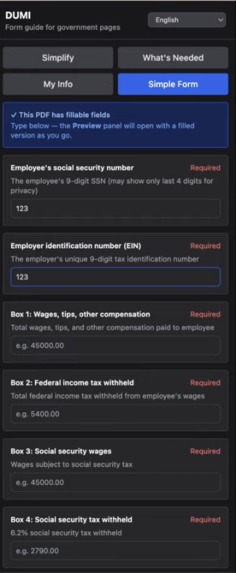
DUMI Interface
Inspiration
Dumi was inspired by our experience growing up as first-generation students and helping our immigrant parents navigate government paperwork from a young age. Whether it was tax forms, DMV paperwork, or other official documents, we saw firsthand how confusing and stressful these systems could be, especially when language barriers made already technical forms even harder to understand. We wanted to build something that could make this process less intimidating and more accessible for families like ours.
What it does
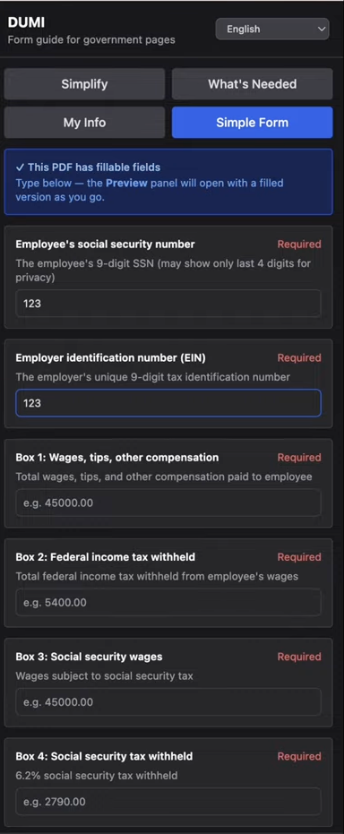
Dumi is a Chrome extension that helps users better understand and complete government forms online. It can detect forms on a page, simplify complicated field labels into plain language, provide helpful hints about what each field is asking for, and support autofill using saved personal information. The goal is to help users feel more confident when completing important forms by making the language clearer and the process easier to navigate.
How we built it
We built Dumi as a full-stack project with a Chrome extension frontend and a FastAPI backend. On the frontend, we used Plasmo to create the extension and worked with popup scripts, content scripts, background scripts, and Chrome local storage to manage interactions across the browser. On the backend, we used FastAPI to create endpoints for simplifying form fields, scanning uploaded documents, and analyzing forms. We connected the extension and backend through API calls and structured the data flow so the extension could send detected form fields to the backend and display simplified results back to the user.
Challenges we ran into
One of the biggest challenges was working with Chrome extension architecture, since it is very different from building a traditional web app. We had to debug issues involving message passing between scripts, local storage, permissions, and TypeScript support for Chrome APIs. Another challenge was making sure the frontend and backend were aligned on the exact request and response formats, since even a small mismatch could break the flow. We also ran into collaboration issues with Git and merge conflicts while trying to move quickly under hackathon time pressure.
Accomplishments that we're proud of
We are proud that we were able to turn a personal and meaningful experience into a working technical project. We built a Chrome extension that can already detect fields, simplify language, and support autofill in a way that feels genuinely useful. We are also proud of how much we were able to learn in a short amount of time, especially while building with technologies that were new to us and debugging across both frontend and backend systems.
What we learned
This project taught us a lot about building browser extensions and full-stack systems. We learned how to use Plasmo to structure a Chrome extension, how content scripts and popup scripts communicate, and how Chrome storage can be used to persist data. We also learned how to build and organize API endpoints with FastAPI, how to connect a frontend extension to a backend service, and how important it is to keep data contracts consistent across the stack. Beyond the technical side, we also learned how much thoughtful design matters when building tools meant to reduce stress and confusion for real users.
What's next for Dumi
Next, we want to make Dumi more robust, accurate, and helpful for a wider range of forms. That includes expanding support for more government websites and document types, improving the quality of simplified explanations, and strengthening multilingual support for families who are more comfortable navigating forms in languages other than English. We also want to improve autofill accuracy, make the guidance more personalized, and continue refining the product so it can become a practical tool for the communities that inspired it.

Log in or sign up for Devpost to join the conversation.