Inspiration
I asked a model why mail from a domain was going to spam. Got back a confident, detailed, completely stale answer.
Which makes sense. Its weights hold the DNS and certificate state of whenever training stopped, and all of that changes without telling anyone.
Giving an agent live lookups fixes half the problem. Here’s the half nobody talks about: when the agent runs six lookups and gives you a paragraph, you’re trusting the paragraph. You never see the SPF include tree that blew past ten lookups. The evidence existed for a second inside a context window and then it was gone.
What it does
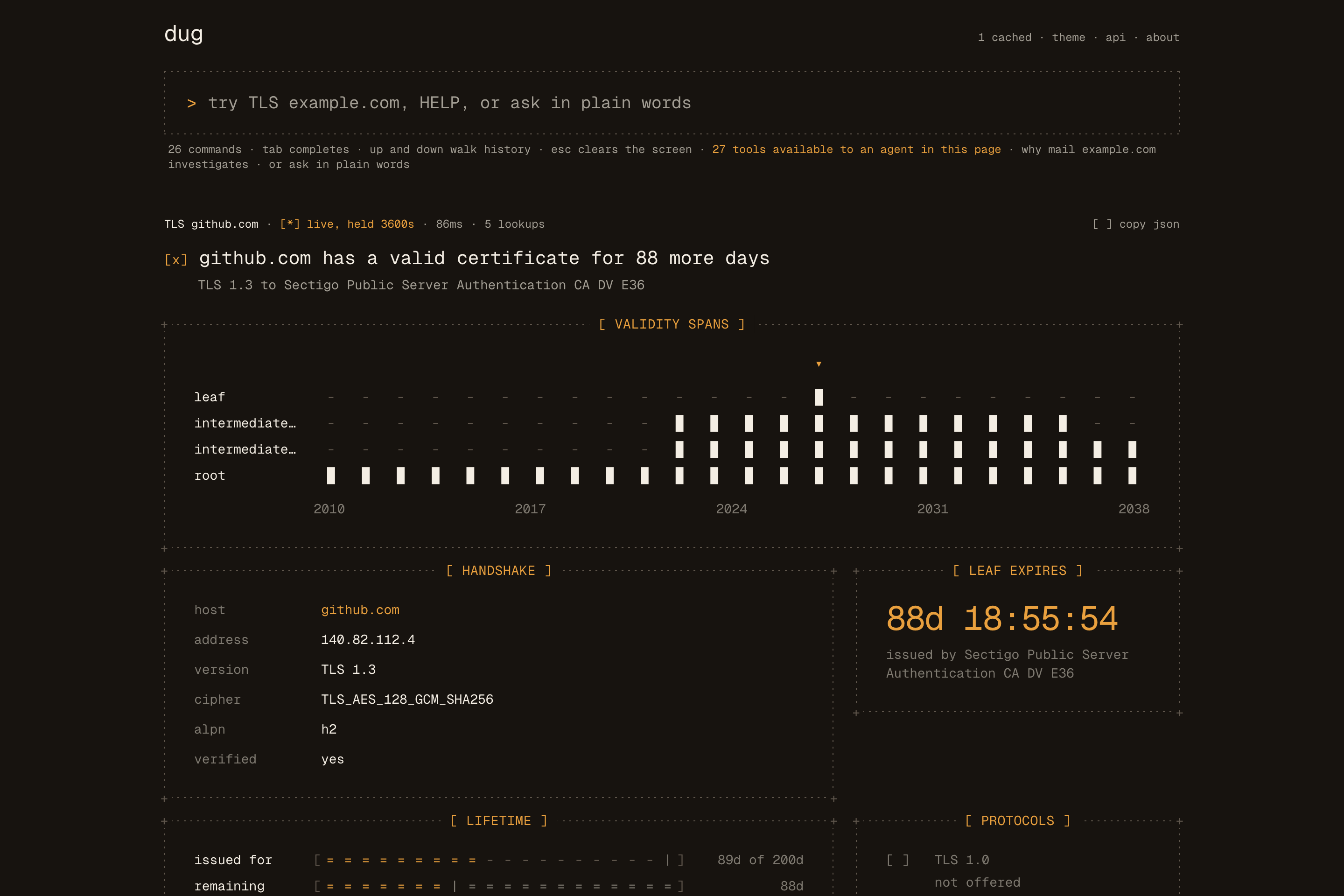
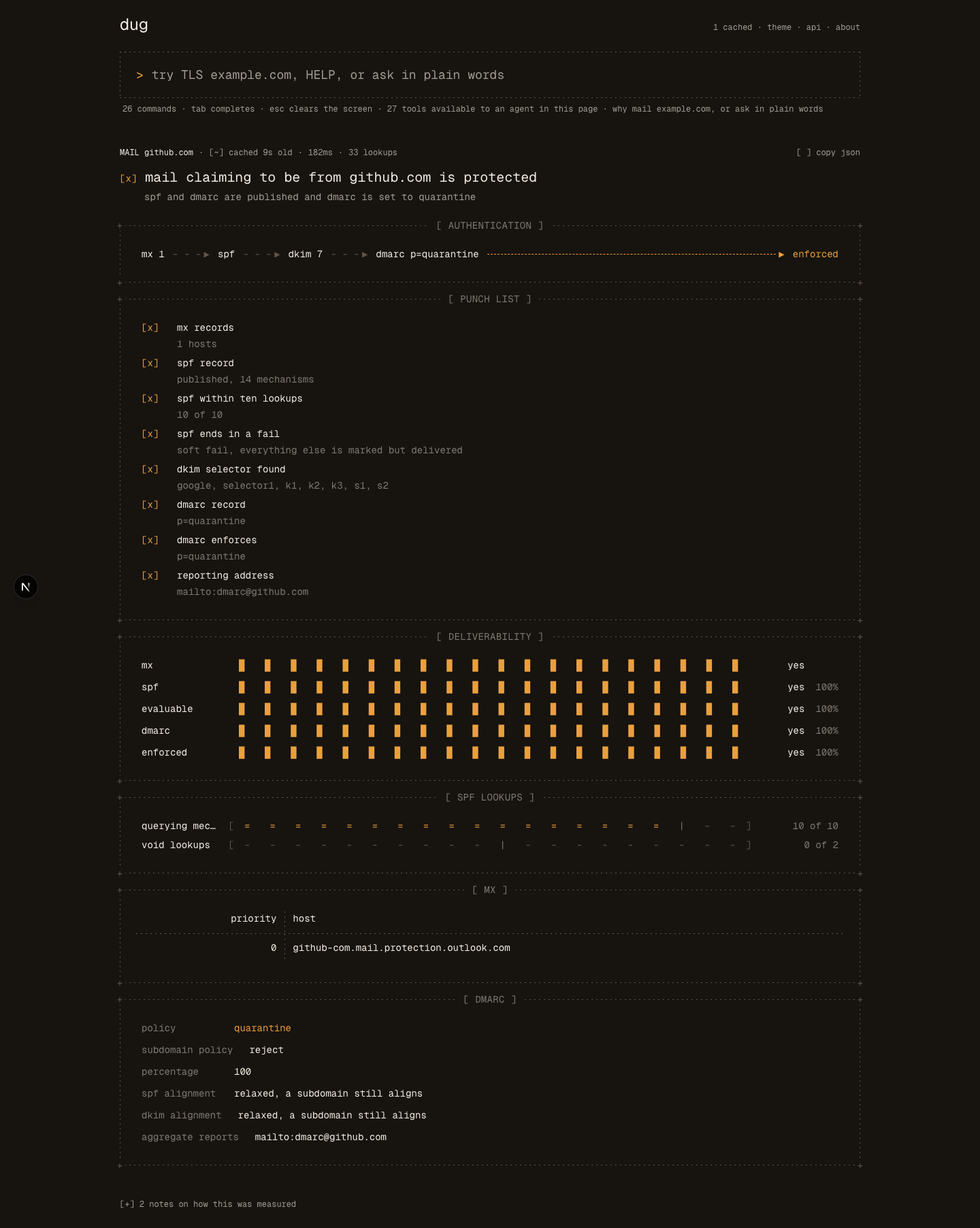
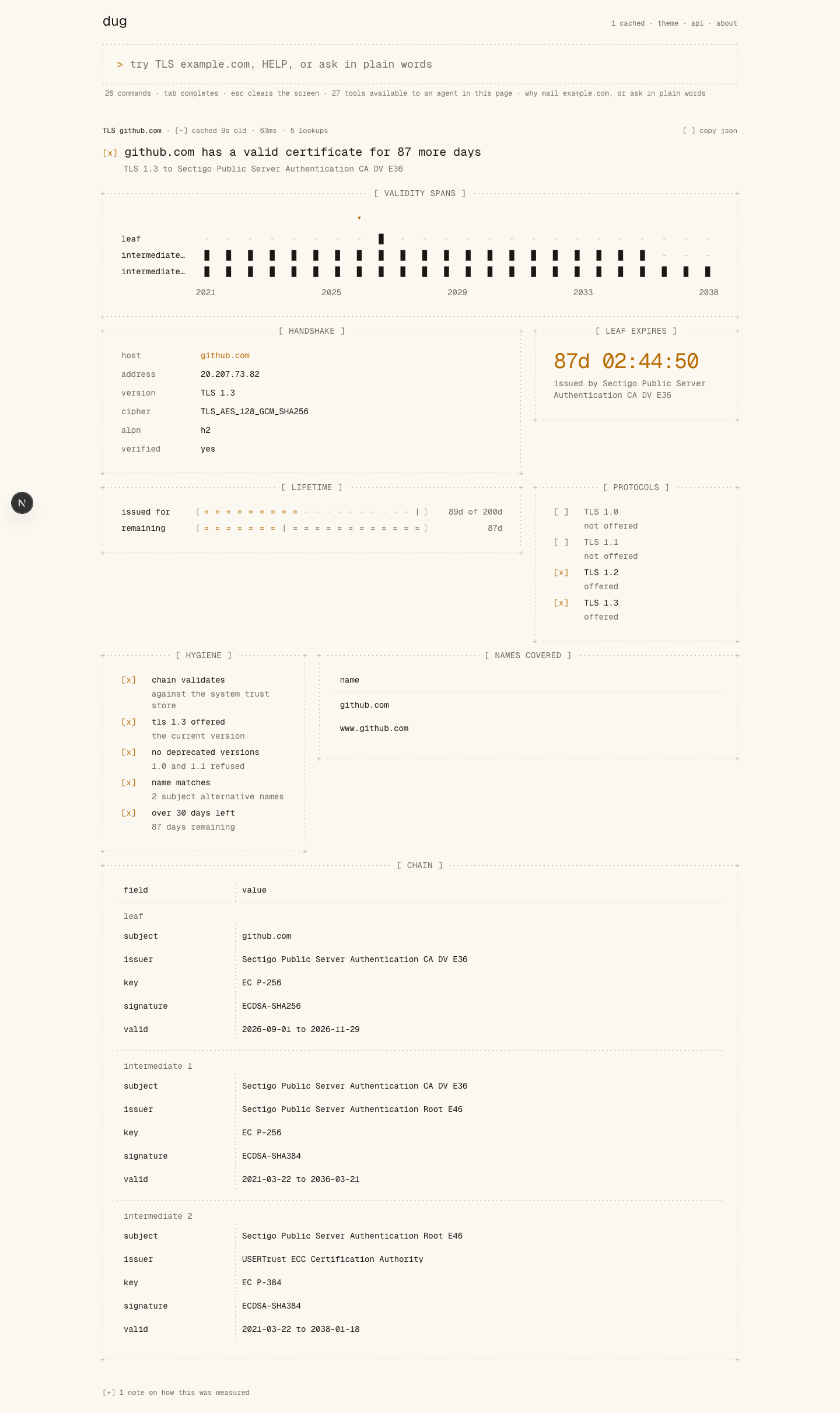
dug is a command-driven terminal for domain and network diagnostics. One question per command, live, no key and no signup. DNS across six resolvers, TLS chains, RDAP registration, SPF/DKIM/DMARC alignment, ASN and routing, plus a family of commands for how readable a site is to crawlers and agents. The full list is at https://dug.sh/llms.txt, generated from the same registry the app runs on, so it’s never out of date.
Every command is registered as a WebMCP tool on document.modelContext. When an agent in the page calls one, the answer doesn’t go only to the agent. It renders on the page, as the same screen you’d have got by typing the command yourself.
The tool I cared about most is the one that isn’t a command. dug_investigate takes a question, a target, and a list of commands the agent wrote itself:
dug_investigate({
  question: "why is mail from this domain going to spam",
  target: "acme.com",
  steps: ["MAIL acme.com", "SPF acme.com", "DIG acme.com MX", "RDAP acme.com"]
})
It runs them in order and files every screen under the question, each one showing up as it arrives. You end up reading a case file instead of a summary. The header says “planned by your agent”, so you know which half of the room asked.
Why WebMCP and not only MCP
Because dug_investigate can’t exist on a remote MCP server. I shipped one so you can check.
/mcp serves the same commands over Streamable HTTP. An agent there runs the same four lookups and gets the same four payloads. What it can’t do is leave them anywhere a person is looking. An investigation’s output is a page, and there’s nothing at the other end of an HTTP response to render onto.
So don’t take my word for it. Call it over /mcp, you get JSON. Call it in the page, somebody watches the case get built.
There’s a second reason that matters more than it sounds. Every tool is annotated readOnlyHint and untrustedContentHint, because every answer here is built out of whatever some third-party nameserver or registry returned. A TXT record is attacker-controlled text. The page knows that. A scraper guessing at the DOM doesn’t.
How it makes the thing better to use
Typing “why mail acme.com” means knowing there’s a topic called “mail”. That’s exactly what you don’t know when you’ve got the problem. You know the symptom.
I kept the keyword form for people without an agent, and the page says outright that it’s the worse path. Then I gave the prompt its own planner: type the sentence and dug asks a model to pick the lookups, and the case is headed “planned by dug” so it never pretends an agent was there. With a real agent you say “our invoices are landing in spam” and it plans through dug_investigate itself. Either way you didn’t learn a grammar, and you still get the evidence instead of somebody’s opinion about the evidence.
What people and agents can do together now
Read the same thing at the same time. That’s it. I think it’s new here.
Before, an agent using a diagnostics API ate the output privately, and whatever you learned came through its summary. Scraping the UI is worse: the agent guesses at a DOM it doesn’t understand, and the site has no way to tell it a DKIM record is untrusted input.
With dug, the tool call and the thing a human looks at are the same event. The agent gets structured payloads to reason over. You get a few thousand pixels of evidence to argue with it about. When it tells you SPF is fine, the include tree is sitting right there and you can see it at ten of ten lookups, one CNAME from breaking.
There’s also a loop this challenge made possible, which I didn’t expect to build. WEBMCP checks whether some other site is wired for agents: the Origin-Agent-Cluster header native WebMCP needs, whether the page’s scripts reference the API, the remote MCP surface. It’s careful about what it can’t know. Tools register at runtime, so nothing fetched from outside a browser can list them, and the screen has a frame titled “what this cannot see” that says so. A checker printing a tool count off a curl would be making it up.
How I built it
WebMCP lives in lib/webmcp.ts, written against the current spec, not the February draft. That distinction cost me a day.
Entry point is document.modelContext. navigator.modelContext is read as a fallback only, since it’s a deprecated alias as of Chrome 150. Registration is registerTool(tool, { signal }), one tool at a time, with a single AbortController for the whole set. provideContext got pulled from the spec because it replaces the entire list in one call, which on a page where two scripts register tools isn’t cooperation, it’s a takeover. Every response sends Origin-Agent-Cluster: ?1. Without it Chromium disables the API and nothing you register works at all, which is a fun hour to spend. @mcp-b/global installs the API where the browser hasn’t shipped it yet.
One command registry generates the tools, and the REST routes, the OpenAPI document and the MCP server all read the same registry, so the four surfaces can’t drift into describing different tools. A parity test fails the build if they do.
Errors are made for agents too. A refusal is a 400 with a code the caller can branch on, and it says what would have worked: ask the DNS endpoint for a record type it doesn’t know and the hint lists the ones it does; send a command to an endpoint that doesn’t serve it and the hint names the ones that do. The plain-text form that curl and the MCP bridge get prints every block the page shows, and strips any control characters a page title or a TXT record might carry, so a hostile record can’t rewrite a terminal or slip an escape sequence to a model.
Backend is Go on Vercel functions. The dialer validates every outbound destination right before connect, so a lookup can’t be aimed at private or loopback space, and it judges IPv4 wrapped in IPv6 by the address inside rather than the wrapper.
What I learned
Static analysis can’t see a WebMCP tool set. Obvious in hindsight, and it ended up changing the product. Building WEBMCP as a checker forced me to get precise about the difference between “this page’s scripts reference the API”, which you can observe, and “an agent is connected”, which nobody can observe from anywhere. The page never claims the second one, because nothing it could call would know.
Things that were on the “next” list until yesterday
A fleet in one case. dug_investigate takes a targets list, and a step written as MAIL {target} runs once per domain, in order, under one heading. WHY mail a.com b.com does the same from the prompt, and so does the planner: type “is mail set up right for a.com and b.com” and dug files one case for both. An agent asked about three domains files one case, not three.
The server card as an MCP resource. SEP-1649 recommends it, so a client that’s already connected can read mcp://server-card.json and validate the tool set without a second fetch to .well-known. Both come from one builder, so they can’t disagree.
Two more built-in investigations for people without an agent: “is this site down for everyone or only for me” and “is this domain’s registration and delegation healthy”. The whole point still stands, though: an agent doesn’t need me to write them.
What’s next
Whatever the judges break.
Try it
- Live: https://dug.sh
- Code: https://github.com/zaidmukaddam/dug (MIT)
- Remote MCP: https://dug.sh/mcp
- Server card: https://dug.sh/.well-known/mcp/server-card.json
- For agents: https://dug.sh/llms.txt
For judges: open https://dug.sh in ChatGPT’s in-app browser, or Chrome 149+ with chrome://flags/#enable-webmcp-testing turned on. Then ask your agent something like “why would mail from github.com go to spam?” or “is vercel.com readable by agents?”. No signup, no key, nothing to install. In an ordinary browser the tools register and nothing is listening, and the page tells you that instead of pretending otherwise.
Built With
- go
- mcp
- next.js
- react
- tailwind
- typescript
- vercel
- webmcp

Log in or sign up for Devpost to join the conversation.