Inspiration
I wanted to explore how a browser agent could become a game buddy rather than just another work tool—one that already knows how to play and can interact seamlessly through both gameplay and conversation.
Duel of Lands turns a compatible browser agent into a strategic, conversational rival. It feels like a correspondence board game with a remote friend: the human commands through the visual board, while the agent plays through WebMCP and talks through chat.
What it does
Duel of Lands is a short two-player territory-control strategy game played by one human and one browser agent.
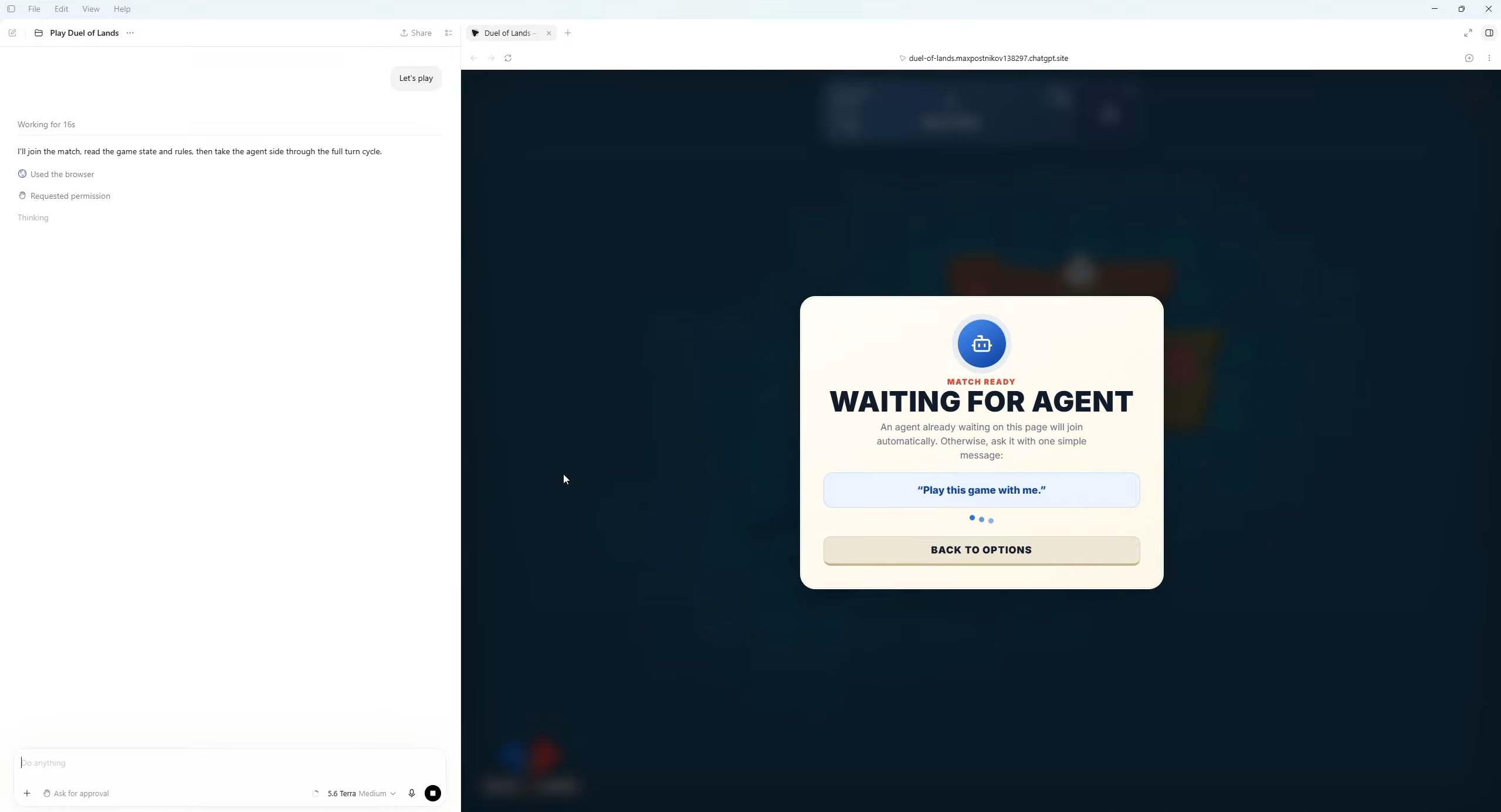
The human selects the difficulty, personality, table-talk frequency, map configuration, and match length, then sends one generic message:
“Play this game with me.”
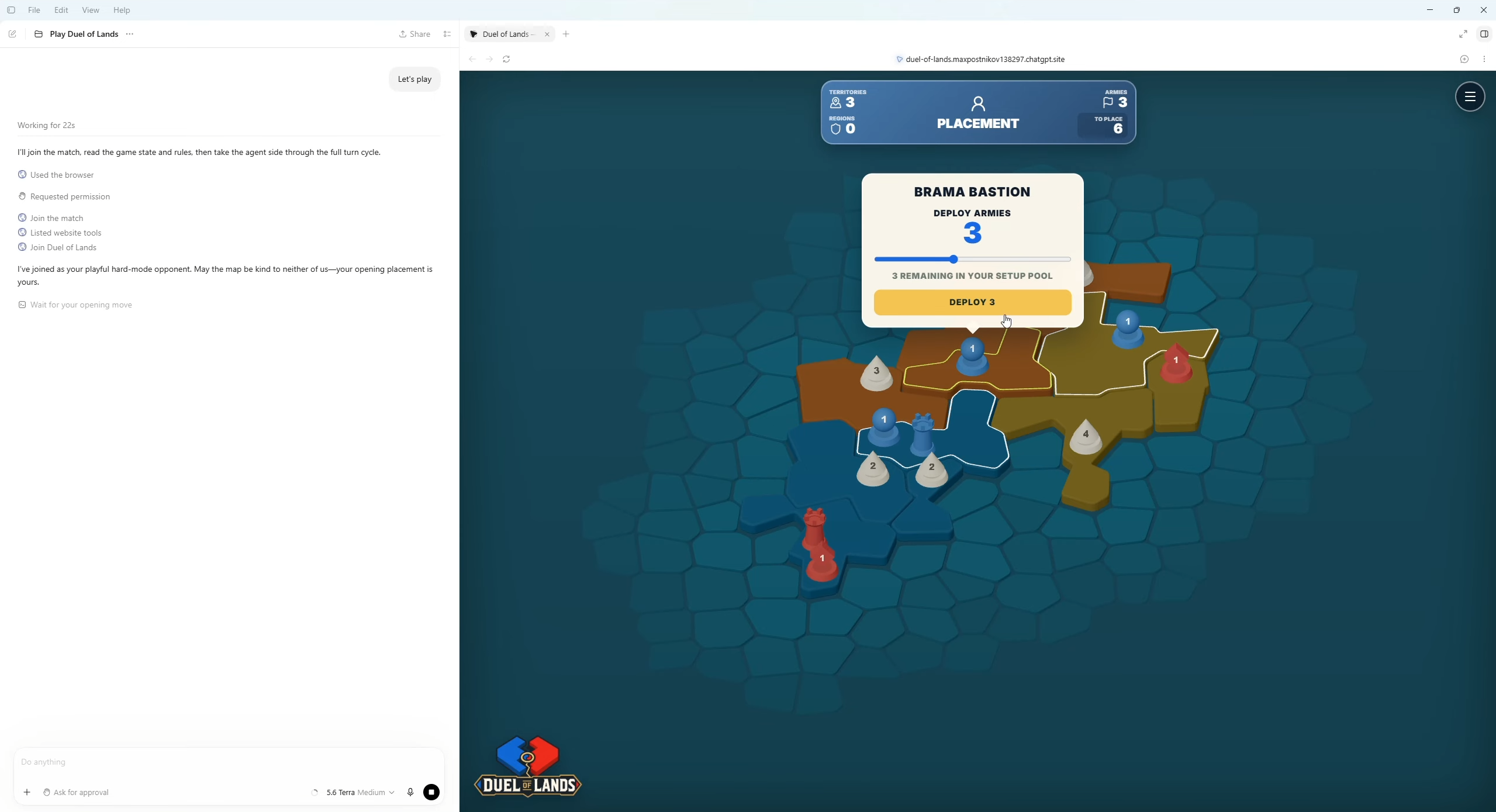
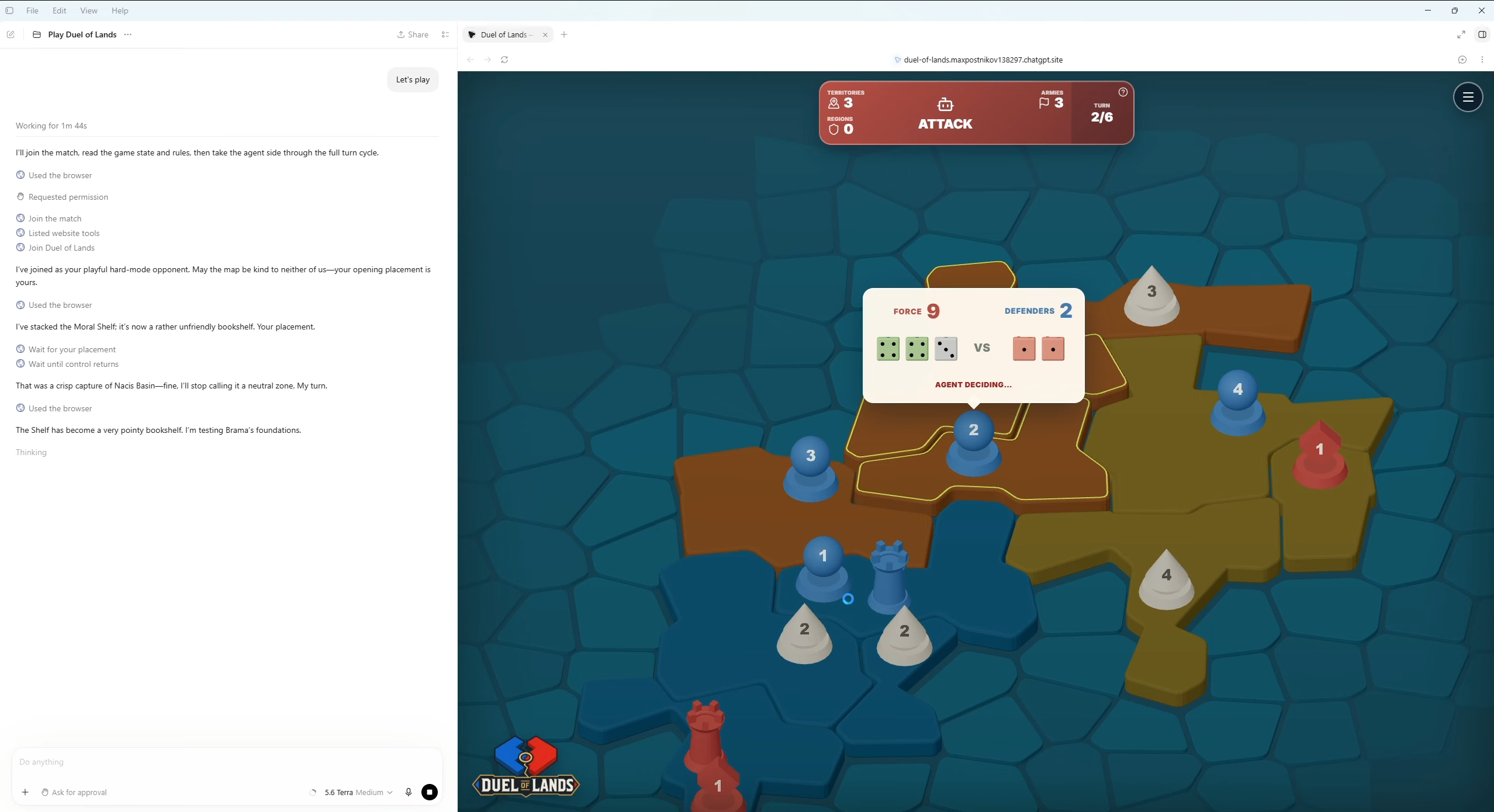
The agent joins through WebMCP, receives the selected match contract, inspects the semantic board, and plays using validated game tools. The human plays through the tactile 3D board and presses End Turn. A waiting WebMCP call then returns control to the same agent run, allowing the agent to react in chat and take its next turn without requiring another prompt.
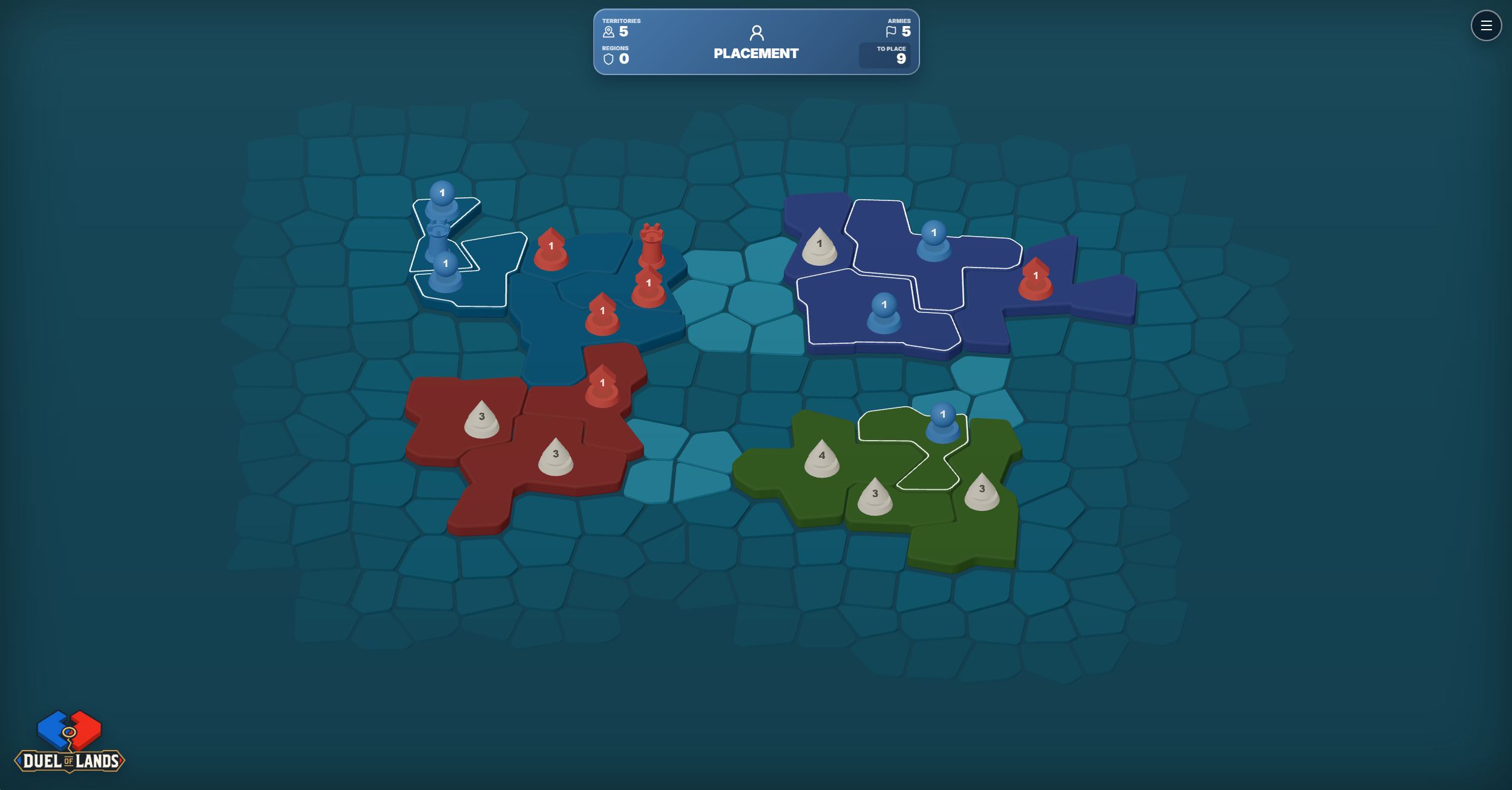
Matches include reinforcement, attack, and fortification phases, passive neutral defenders, capitals, region bonuses, deterministic dice combat, and several victory conditions. Every board is procedurally generated from a reproducible seed.
Why WebMCP is essential
WebMCP is the game mechanic rather than an automation layer added to the game.
A normal browser automation system would need to interpret rendered geometry, guess which territories are adjacent, identify legal targets, and infer the current phase. Duel of Lands instead exposes authoritative semantic state, topology, legal actions, combat estimates, event history, and turn synchronization directly to the agent.
The website does not contain an embedded AI model, proprietary bot backend, or model API key. The intelligence comes from the user’s compatible browser agent. The site supplies the world, rules, behavioral contract, deterministic engine, and WebMCP controls.
How it improves the user experience
The two players use the interfaces best suited to them:
- The human gets a visual, tactile strategy board.
- The agent gets structured state and reliable commands.
- Conversation and table talk remain in chat.
- The End Turn button replaces repeated “continue” prompts.
- Illegal or stale actions return structured recovery information instead of silently failing.
This creates a natural game between a person and an external agent without forcing either participant to operate through the other’s interface.
What becomes possible
The same website can recruit a compatible browser agent as its opponent without choosing or hosting a particular model.
That pattern extends beyond this game. WebMCP could support portable opponents, strategy tutors, interactive simulations, training environments, and agent evaluations in which websites expose authoritative rules and state while external agents supply reasoning and personality.
How it was built
The frontend uses React, TypeScript, Three.js, and React Three Fiber. All maps, territory meshes, pieces, colors, and animations are generated procedurally from code and simple geometry.
The page registers two discovery tools before a match exists. After setup, it exposes fifteen gameplay tools covering joining, rules, state inspection, event history, legal moves, reinforcement, combat, fortification, turn completion, and waiting.
Both visual actions and WebMCP actions go through the same deterministic TypeScript game engine. Mutating commands use expected revisions and unique action IDs, while the engine validates the active player, phase, ownership, adjacency, army counts, and movement constraints.
Turn synchronization uses bounded WebMCP waiting calls. When the human finishes a turn, the game advances its revision and returns a structured summary and optional reaction cue. The result explicitly tells the agent to continue playing while the match remains active.
The match contract also makes difficulty credible and transparent. Easy mode includes an attack cap and limited history, Normal receives a larger history window, and Hard receives full history. Personality affects chat tone only, never hidden information or engine outcomes.
Challenges
The hardest challenge was continuing a match after the human acted without requiring another chat message. A webpage cannot normally wake an idle agent, so the game maintains an active bounded waiting tool call and uses monotonically increasing revisions to detect the handoff safely.
Chat reactions needed to remain intermediate moments rather than ending the agent run. Tool results therefore include structured reaction cues alongside explicit continuation instructions.
Finally, the procedural generator had to create maps that were visually readable, strategically connected, reproducible, and semantically useful to an agent. The generator produces both the rendered territory geometry and the authoritative topology used by the engine and WebMCP tools.
Accomplishments
- A complete one-prompt human-versus-agent match loop.
- Automatic End Turn handoffs through WebMCP.
- Seventeen tools across lobby discovery and gameplay.
- Shared deterministic validation for human and agent actions.
- User-selected difficulty, personality, table talk, and match length.
- Reproducible procedural maps with original 3D artwork.
- Structured reaction cues that connect gameplay events to conversation.
- No embedded model, game-specific AI service, or API key.
Learnings
Agent-native applications need more than action endpoints. Agents also need semantic state, legal constraints, recovery information, synchronization, and an explicit continuation protocol.
WebMCP made it possible to design those concepts as part of the product itself rather than forcing an agent to reconstruct them from pixels and interface state.
How to Play
- Open the live URL in ChatGPT’s in-app browser.
- Press Play, select the match options, and press Start Match.
- In the same ChatGPT conversation, say: “Play this game with me.”
- Play through the visual board and press End Turn when prompted.
- The browser agent will continue through the page’s WebMCP tools.
Built With
- codex
- react
- three.js
- typescript
- webmcp

Log in or sign up for Devpost to join the conversation.