-
-
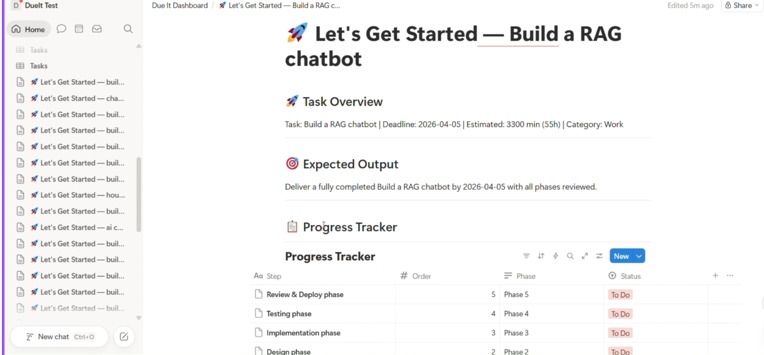
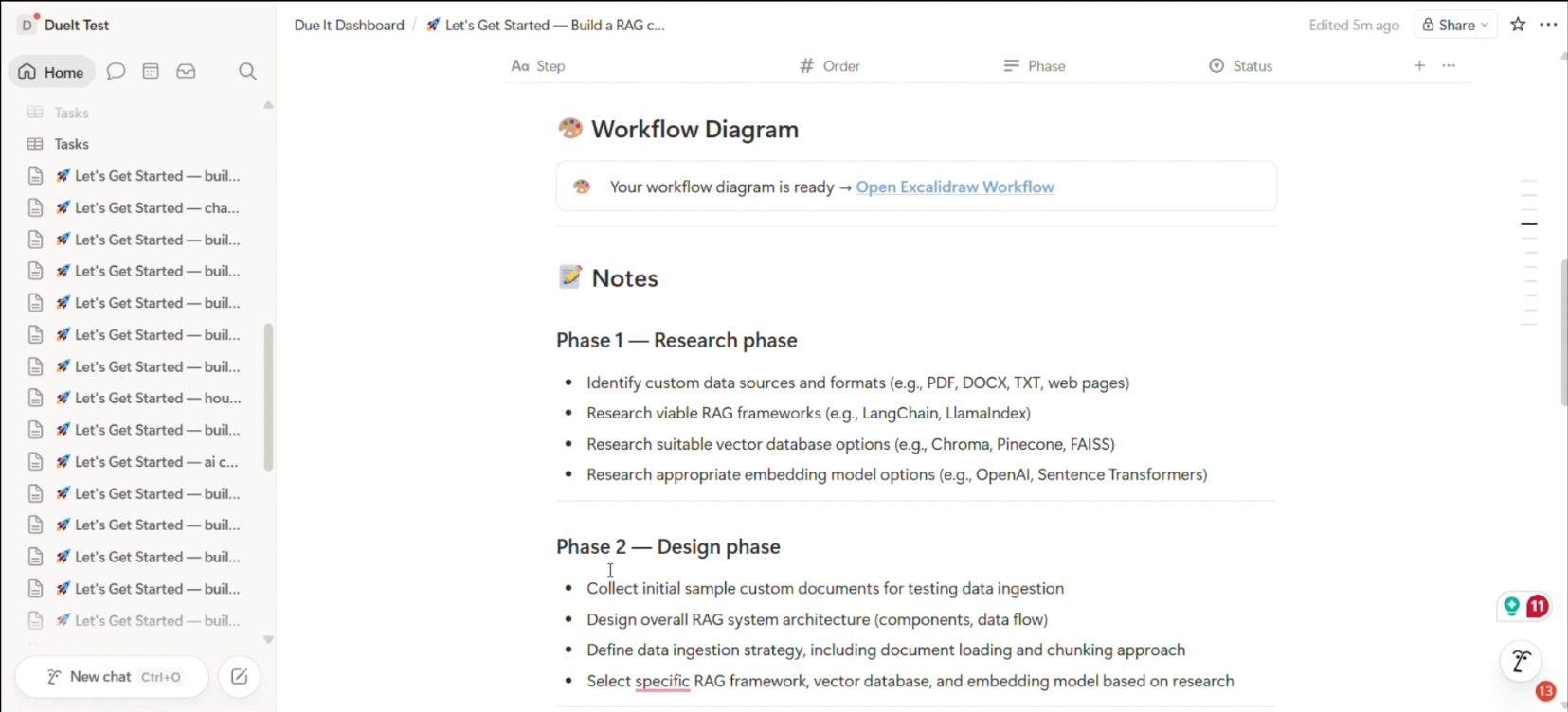
notion template generation
-
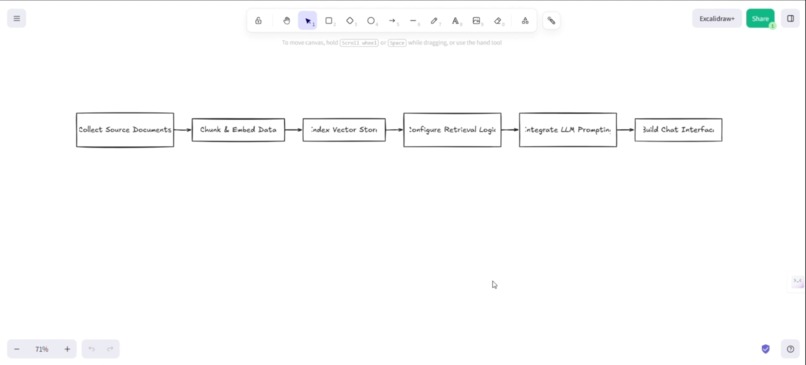
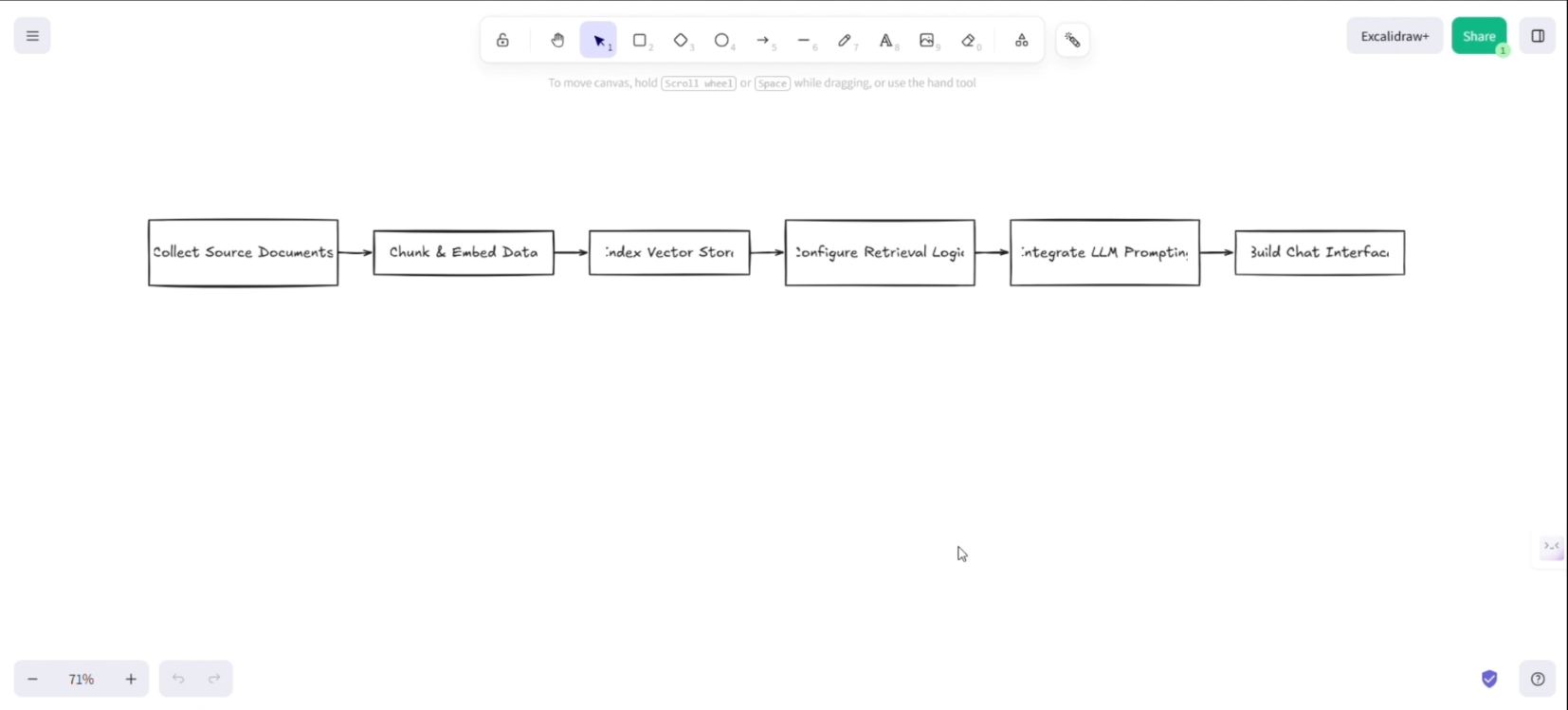
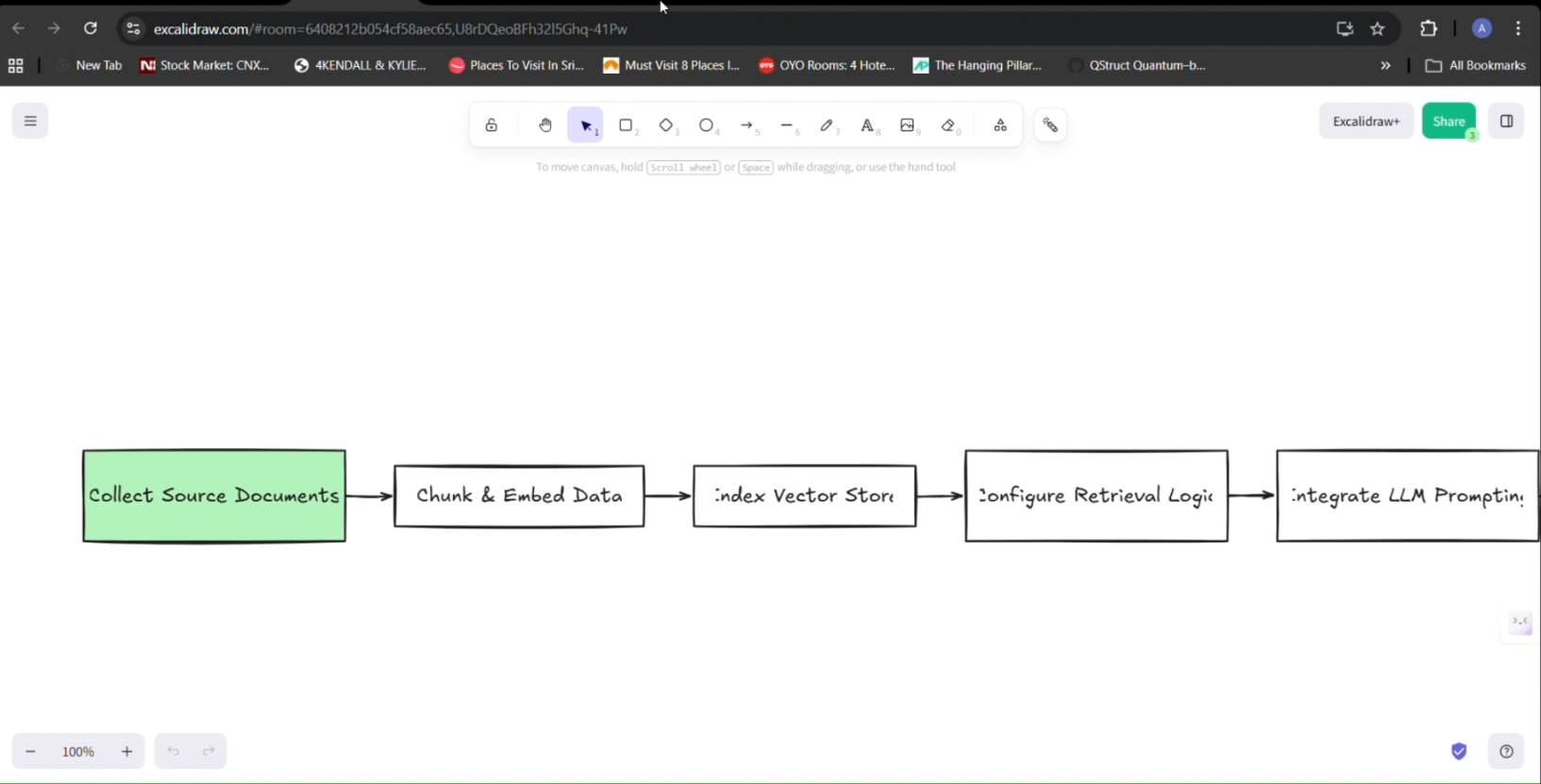
excalidraw workflow generation
-
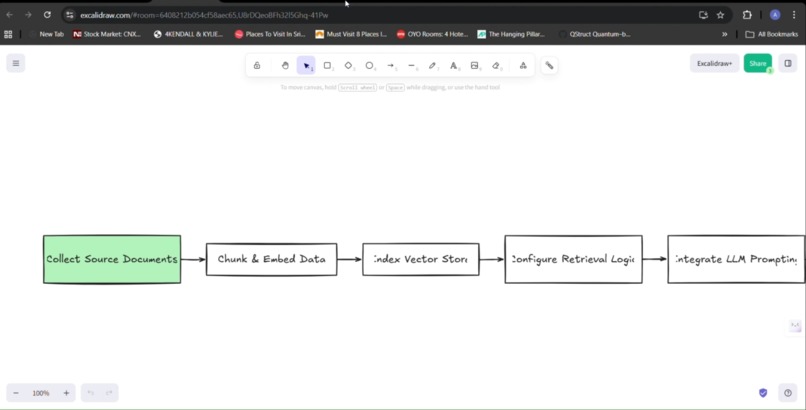
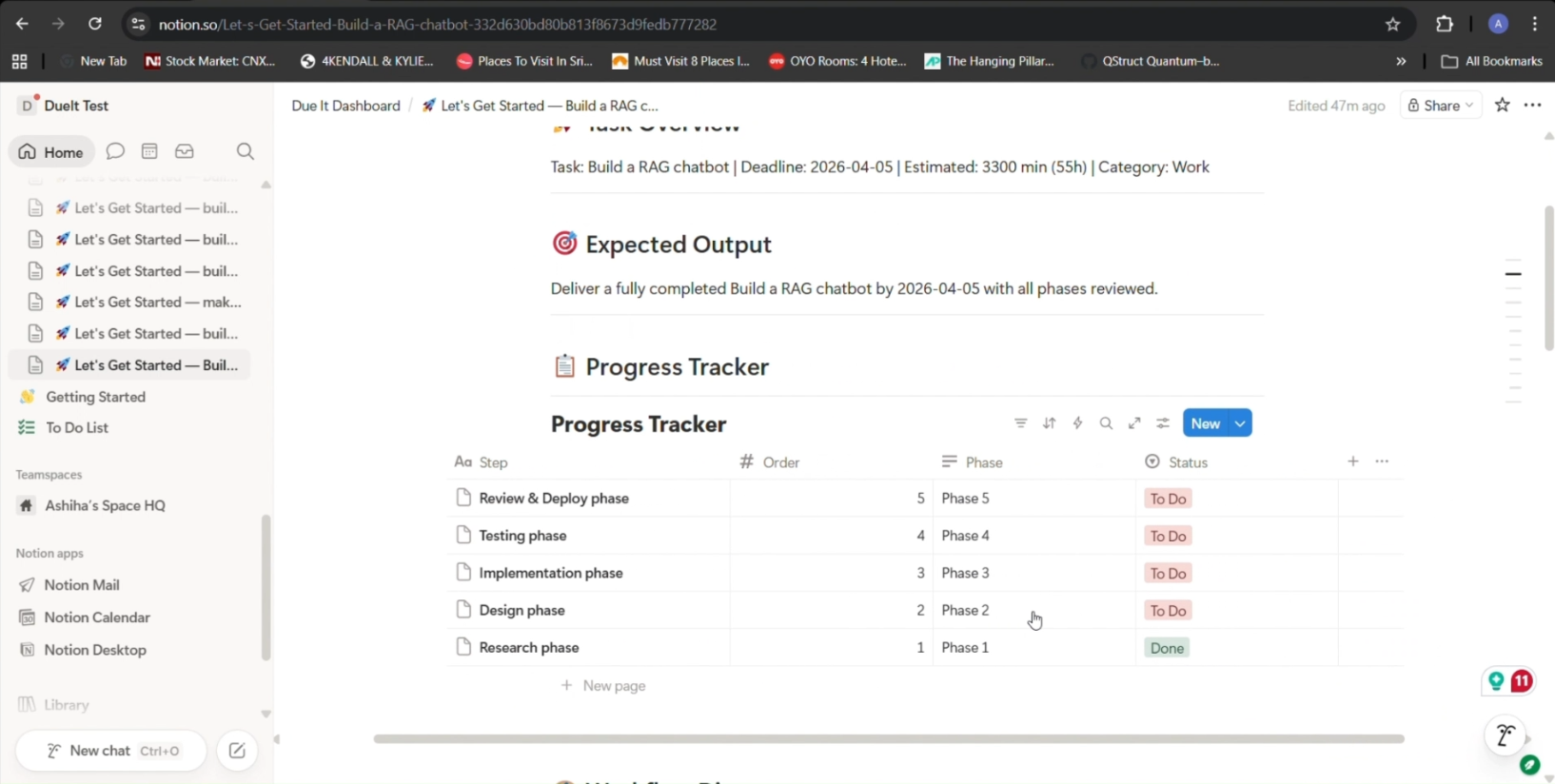
Excaildraw workflow progress tracking
-
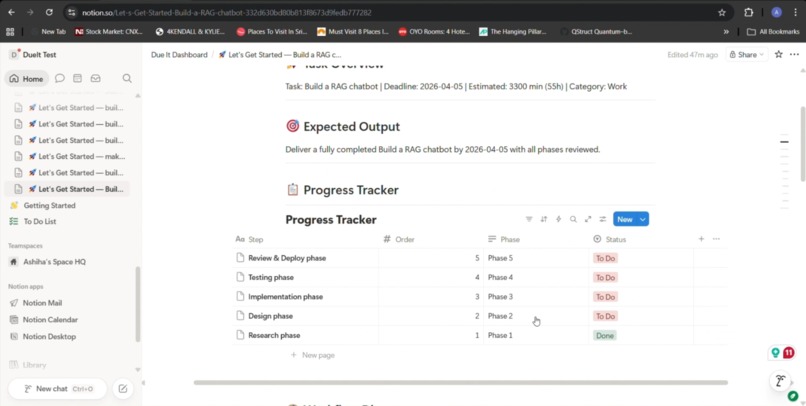
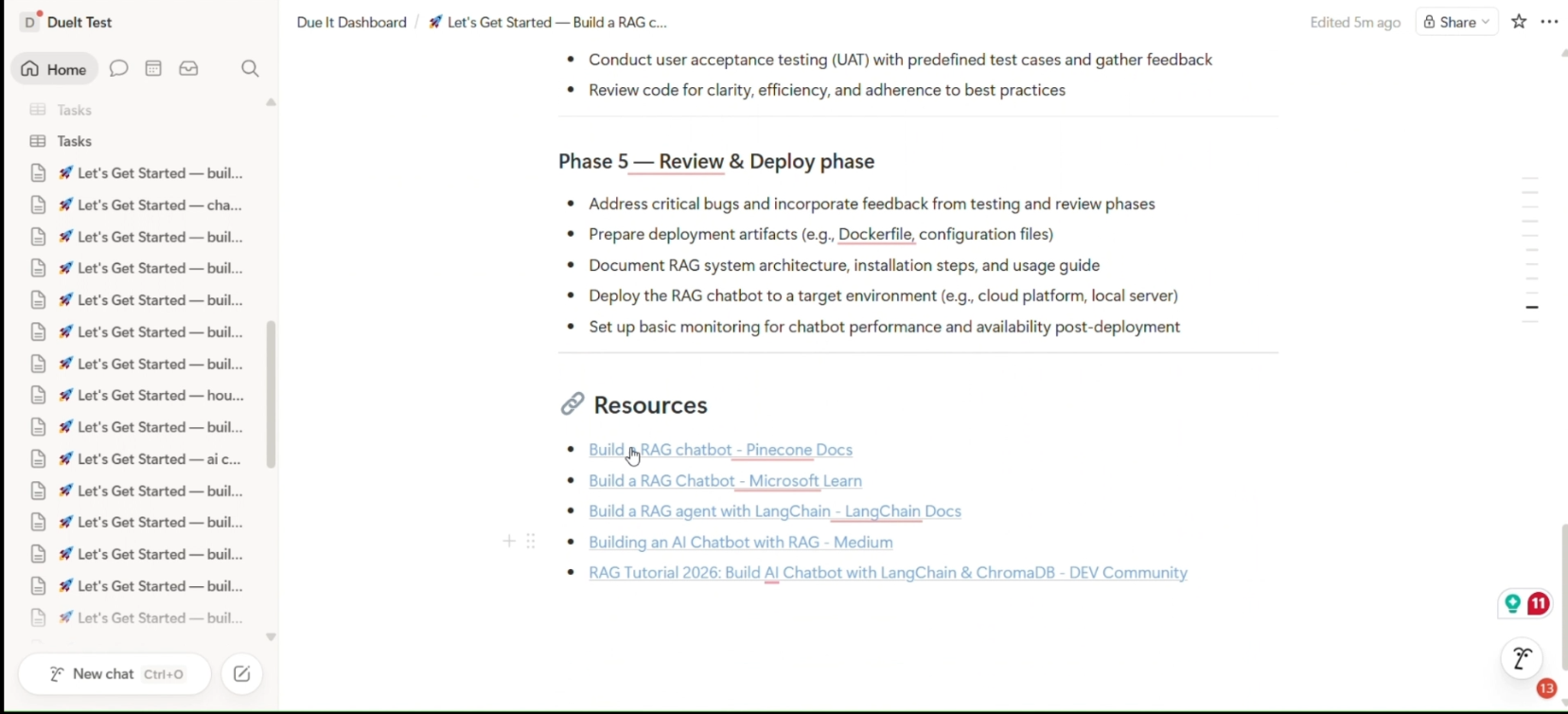
Cursor via progress tracking using Notion MCP
-
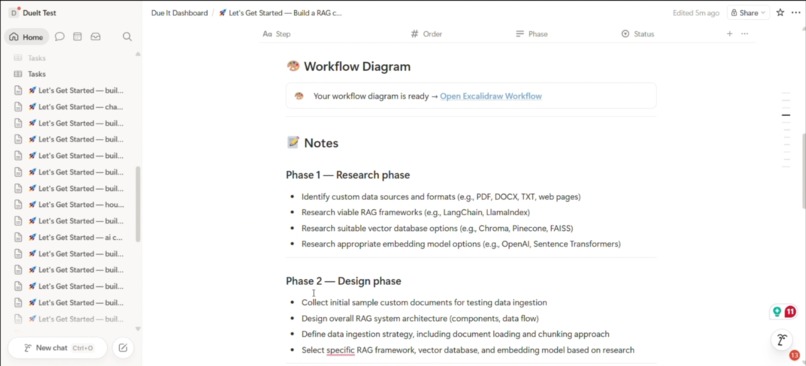
notion template generation
-
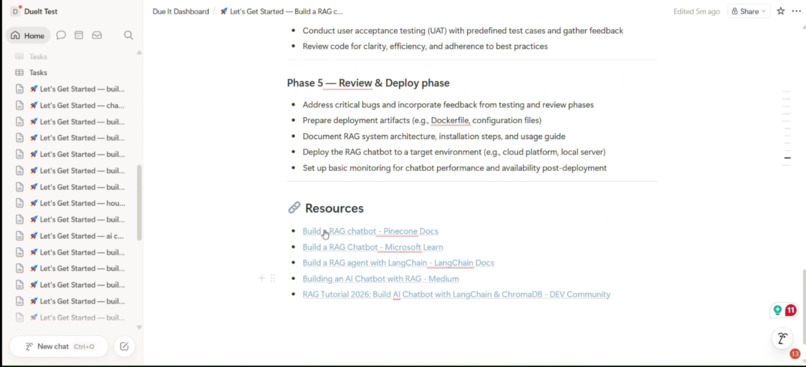
tinyfish- resource
-
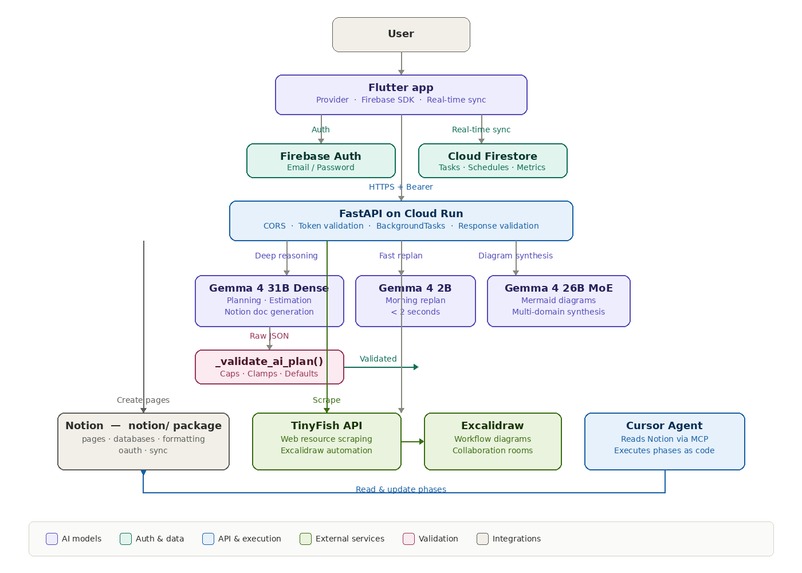
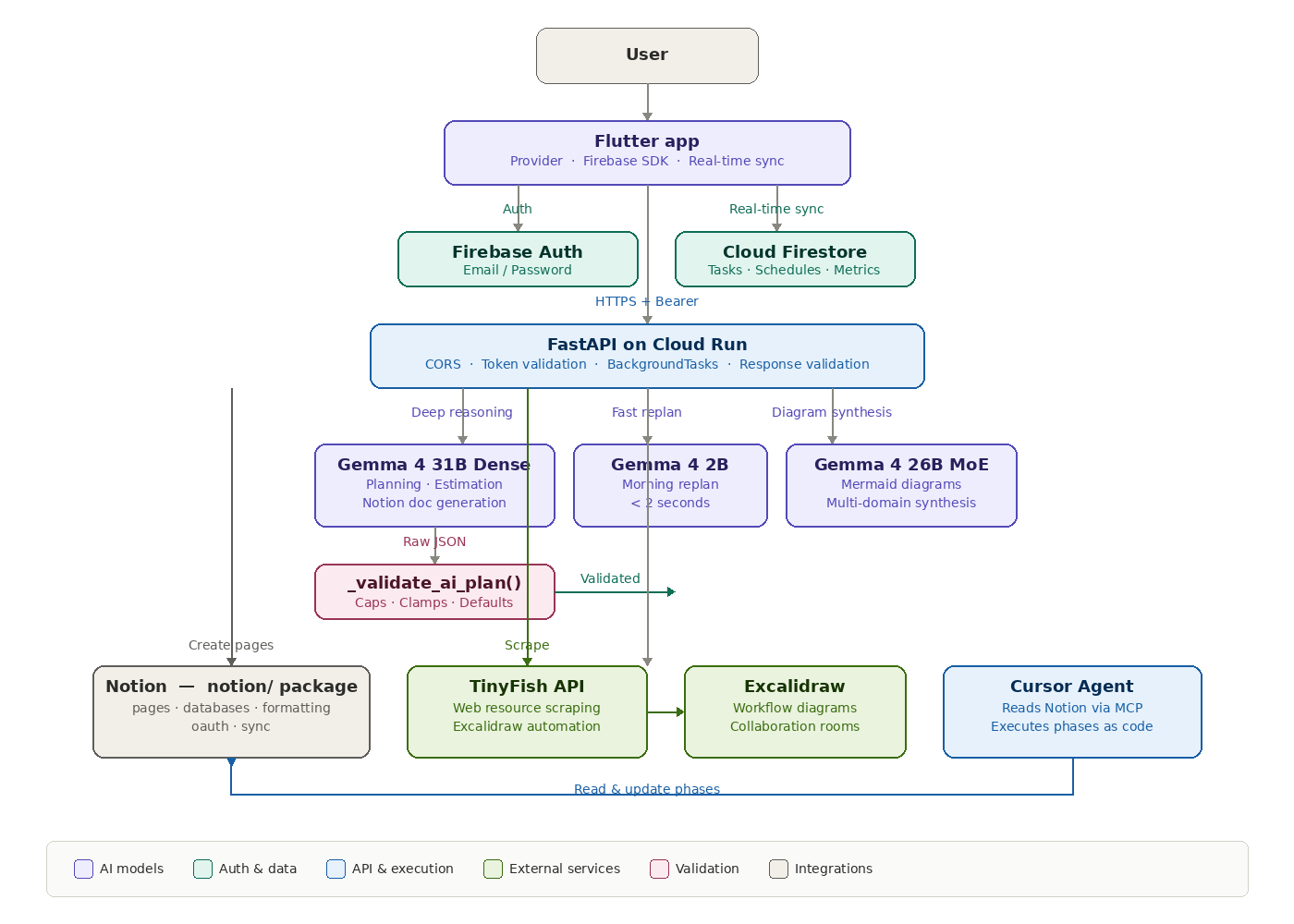
Architecture Diagram
Inspiration
I kept losing to the same two problems every semester — forgetting an assignment existed until the night before, and never having enough time because I started too late. Every productivity app I tried gave me a blank list and expected me to figure out the rest. None of them planned for me. None of them adapted when I inevitably skipped a day. I wanted an app that doesn't just list tasks — it reasons through them, builds an execution plan, and fixes that plan every morning based on what I actually did yesterday. That's what DueIt is.
What it does
You create one task — and DueIt takes over. Gemma 4 31B Dense reasons through the complexity, estimates how long it will actually take, breaks it into phases and microtasks, and distributes them across your calendar as real time-blocked sessions.
Gemma 4 2B runs every morning when you open the app. It checks what you completed, what you skipped, and redistributes missed tasks across your remaining days — in under 2 seconds.
Gemma 4 26B MoE generates Mermaid flowcharts from your task phases and renders them as Excalidraw workflow diagrams with live collaboration rooms.
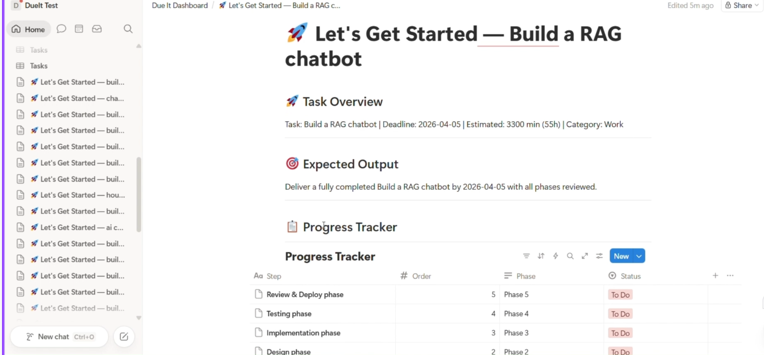
On top of that, DueIt auto-generates a complete Notion workspace — task overview, progress tracker database, phase-by-phase notes, curated web resources scraped by TinyFish, and the workflow diagram. Cursor AI connects to that Notion page through MCP, executes phases as code, and updates the progress tracker. The status syncs back to your Flutter app in real time.
A dashboard shows your pressure meter, risk score, streak counter, work rhythm chart, and an AI productivity heatmap of your entire month.
How I built it
Frontend: Flutter with Provider for state management and Firebase SDK for auth and real-time Firestore sync. Four main screens Home (task list with expandable microtasks), Calendar (AI-distributed time blocks), Dashboard (pressure/risk meters + heatmap), and Profile.
Backend: FastAPI on Google Cloud Run. Three Gemma 4 models accessed via OpenRouter each routed to based on task type. Every AI response passes through _validate_ai_plan() which caps estimated minutes between 1–10000, clamps confidence to 0–1, limits schedules to 60 days, and sets safe defaults for missing fields. Background tasks fire Notion workspace creation, TinyFish resource scraping, and Excalidraw diagram generation in parallel.
Notion integration: Restructured from a 1,481-line monolith into a clean 6-file package — pages.py, databases.py, formatting.py, oauth.py, sync.py, and init.py. Handles OAuth flow, page creation, progress tracker databases, and real-time status syncing.
Execution layer: Cursor AI connects to Notion via MCP, reads the structured phases and microtasks, executes them as code, and updates the progress tracker from "To Do" → "In Progress" → "Done."
Challenges I ran into
Model selection wasn't obvious. My first instinct was to use the biggest model for everything. But 31B was too slow for morning replanning — students won't wait 15 seconds before class. And 2B couldn't reliably generate structured JSON for planning — it would drop microtask fields or extend schedules past the deadline. Finding the right model for each task required actual testing, not guessing. Gemma 4 thinking tokens. Gemma 4 is a thinking model — it writes an internal reasoning chain before producing output. With max_tokens set too low (carried over from Gemini), the model spent all its tokens on reasoning and returned empty content. Bumping to 4096 for planning and 2048 for diagrams fixed it, but it wasn't documented anywhere. Threading in async handlers. The original code spawned raw threading.Thread inside FastAPI async endpoints. That's fragile with asyncio. Migrating everything to FastAPI's BackgroundTasks was necessary but touched every endpoint that did parallel work. The Notion OAuth flow on mobile. Getting the OAuth callback to work correctly on Flutter web + mobile + the Cloud Run backend required careful redirect URI handling. The token exchange had to happen server-side while the redirect landed back in the app.
Accomplishments I'm proud of
Three Gemma 4 models with intentional role separation not "use the biggest one for everything" but each model earning its place based on the task's computational demands A complete code quality overhaul: 7 bare excepts → 0, 5 security vulnerabilities removed, Notion monolith → clean package, 0 tests → 19, all dependencies pinned The adaptive replanning actually works skip a day and the calendar genuinely redistributes, pressure rises, risk adjusts, and the path to your deadline stays clear The full pipeline from task creation to Notion workspace to Excalidraw diagram to Cursor execution all triggered by a single button tap
What I learned
Model selection matters more than prompt engineering. The same prompt with the wrong model produces garbage. The right model with a mediocre prompt still works. Validation between AI and database is non-negotiable. Without _validate_ai_plan(), a single malformed Gemma response would corrupt the entire user's task data in Firestore. Code quality isn't optional for hackathons. The 17 problems I fixed weren't cosmetic they were bugs I couldn't diagnose, security holes I didn't know existed, and architectural debt that made every new feature harder to add. Smaller models are faster but not just "dumber versions" of larger ones — they fail in qualitatively different ways. 2B doesn't generate slightly worse JSON than 31B. It generates structurally different JSON that breaks downstream parsers.
What's next for DueIt
Neo4j Knowledge Graph — DueIt learns how each person actually works: their real speed, productive hours, weak areas, procrastination patterns. Every future plan gets calibrated to the real person, not a generic student. RAG System — Upload your syllabus, lecture notes, and study materials. DueIt plans around the actual content, not just a vague task title. LangGraph + MCP Orchestration — Replace scattered API calls with a proper agent architecture. Five specialized agents with shared tools, each handling one responsibility. Play Store Release — Ship it to real students and start collecting the feedback that tells me what to build next.

Log in or sign up for Devpost to join the conversation.