-
-
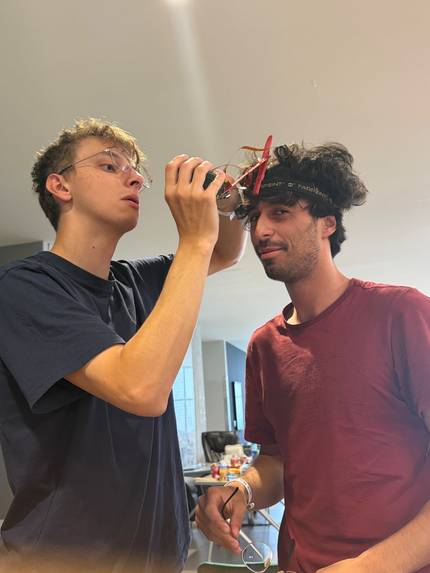
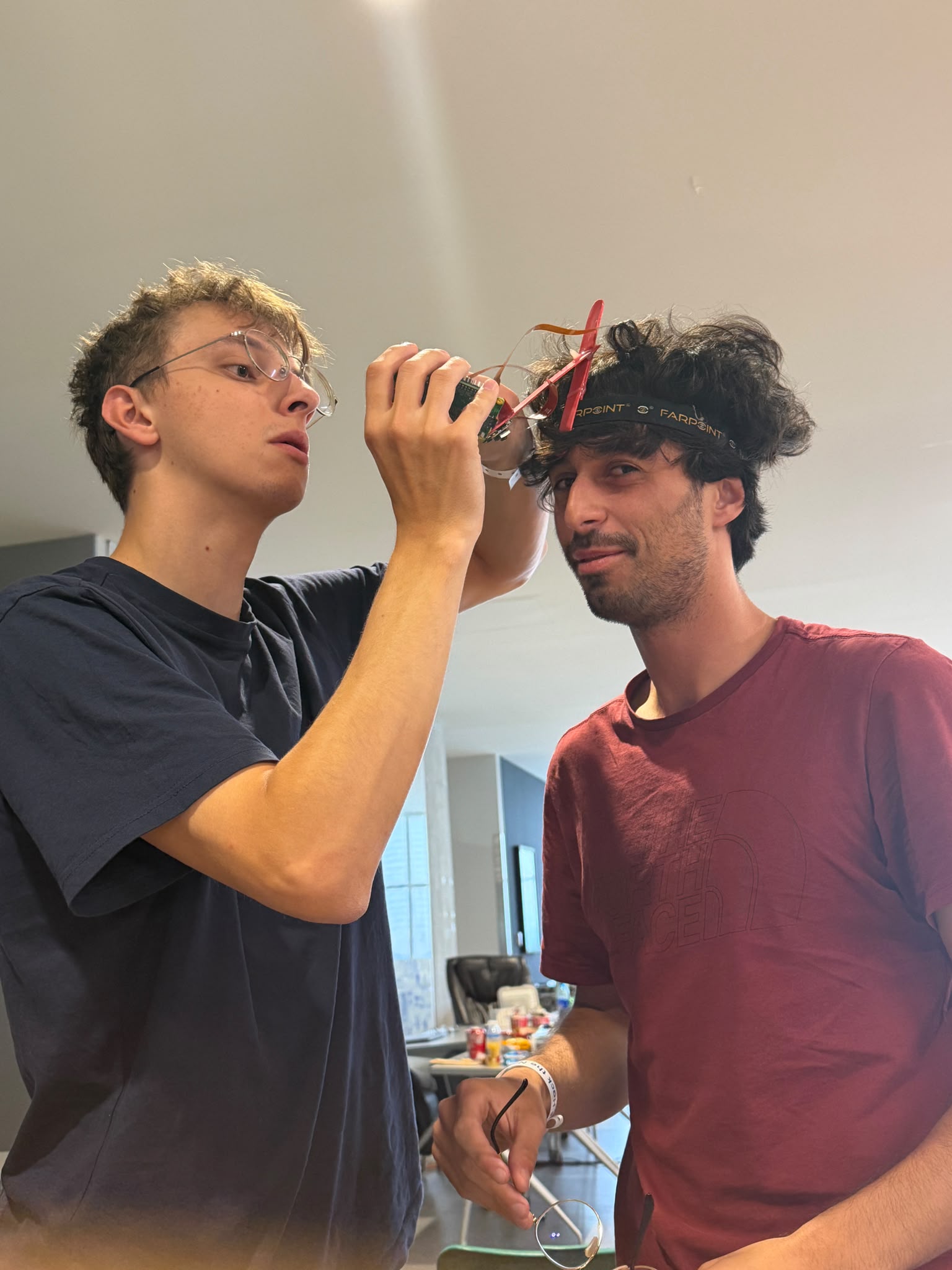
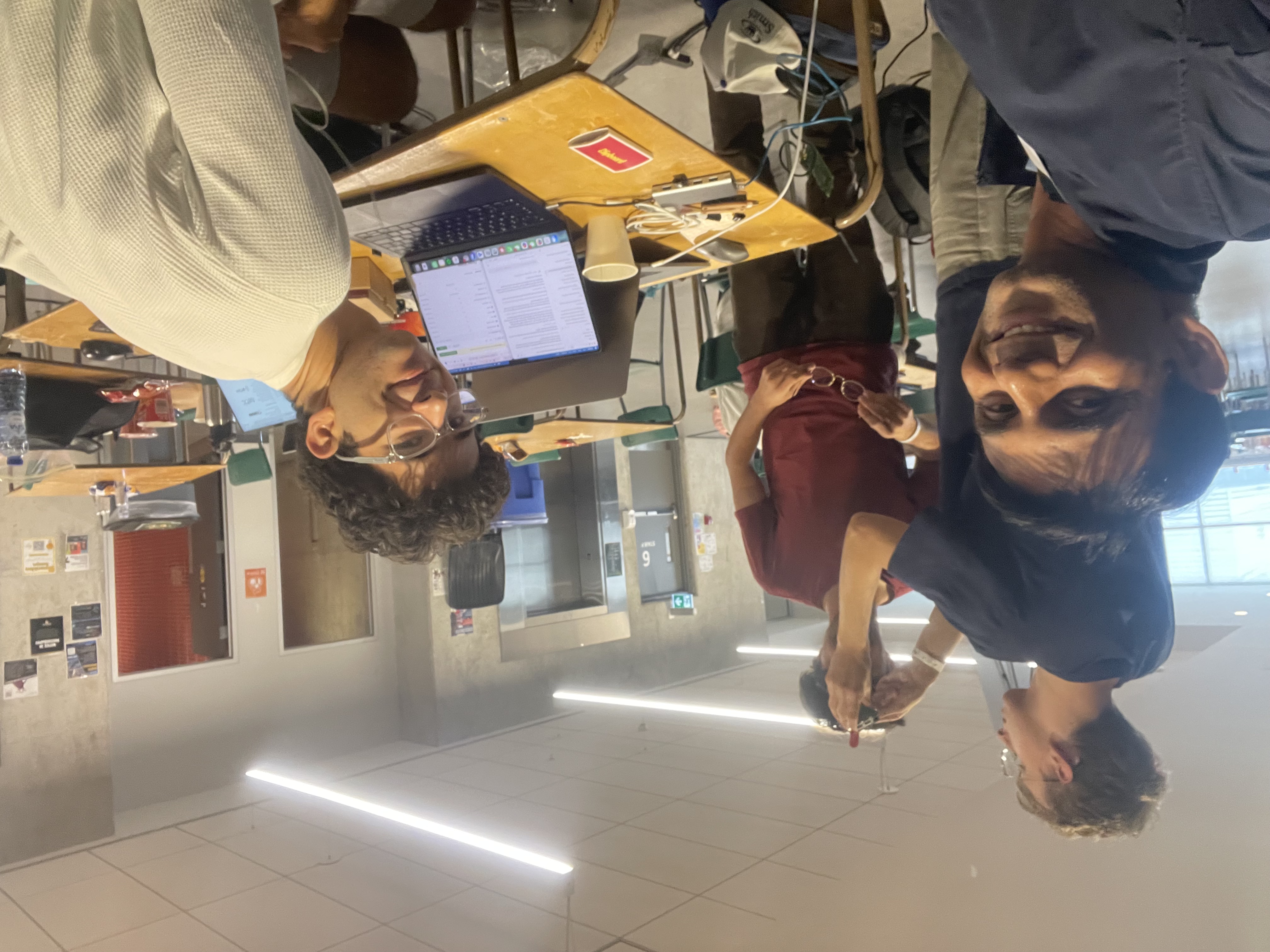
Testing the setup on Ale's head for the first time!
-
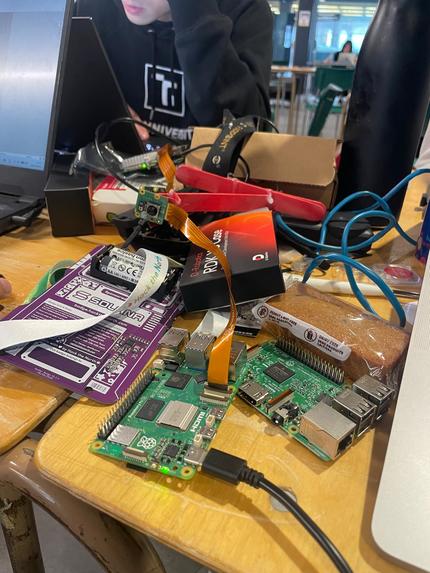
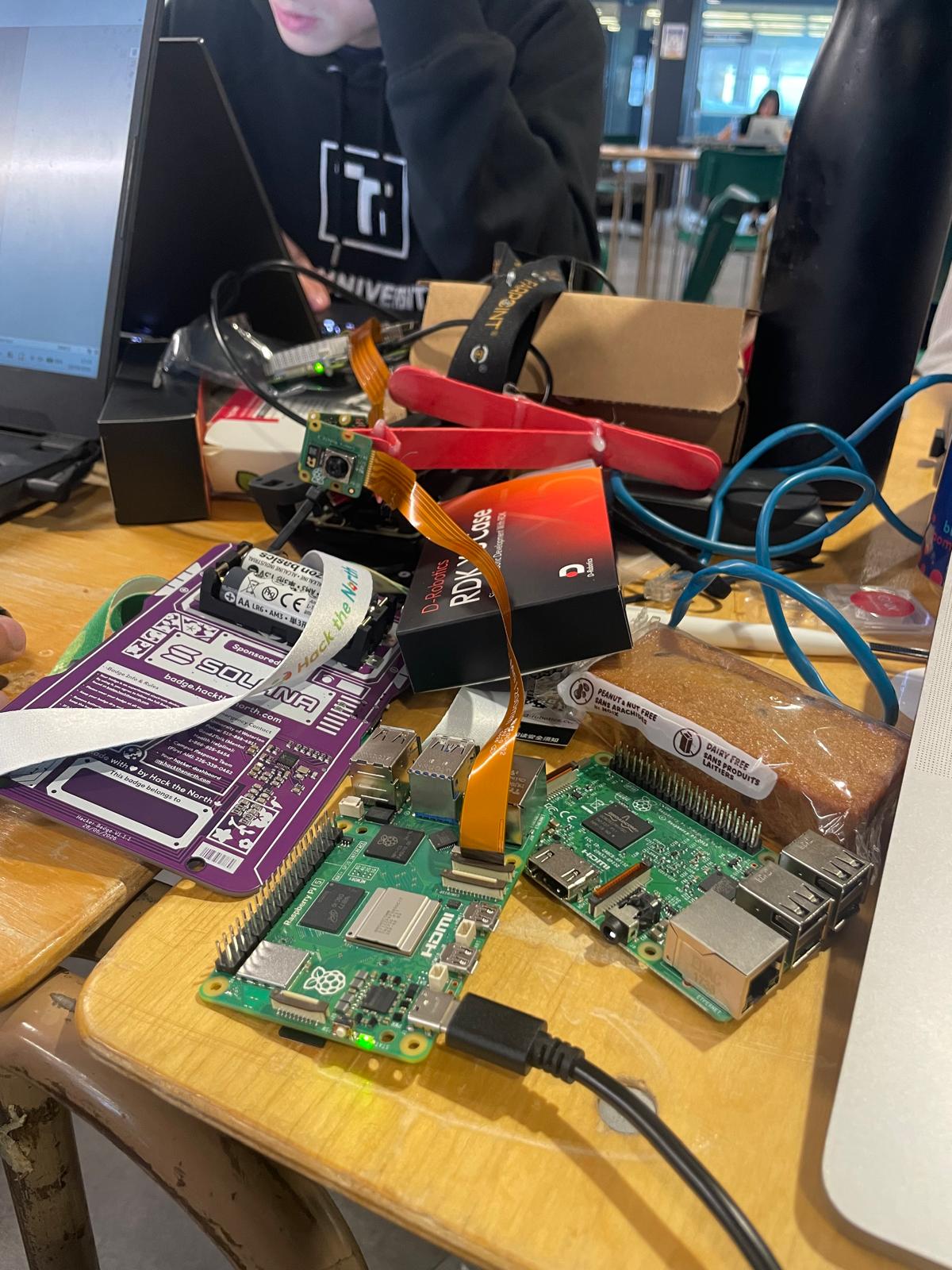
The circuitboards used
-
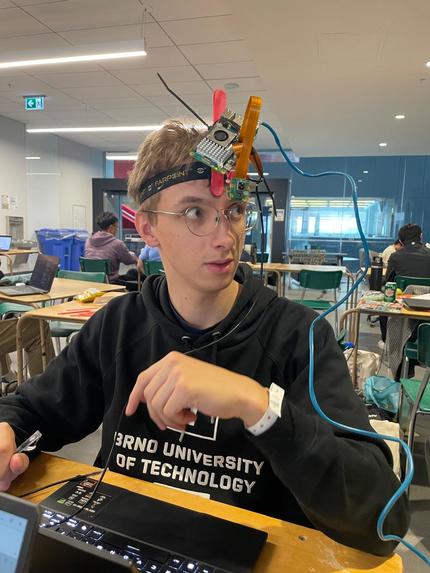
Calibrating target distances
-
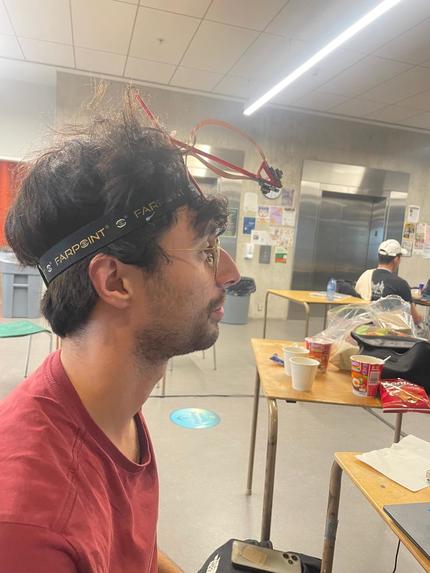
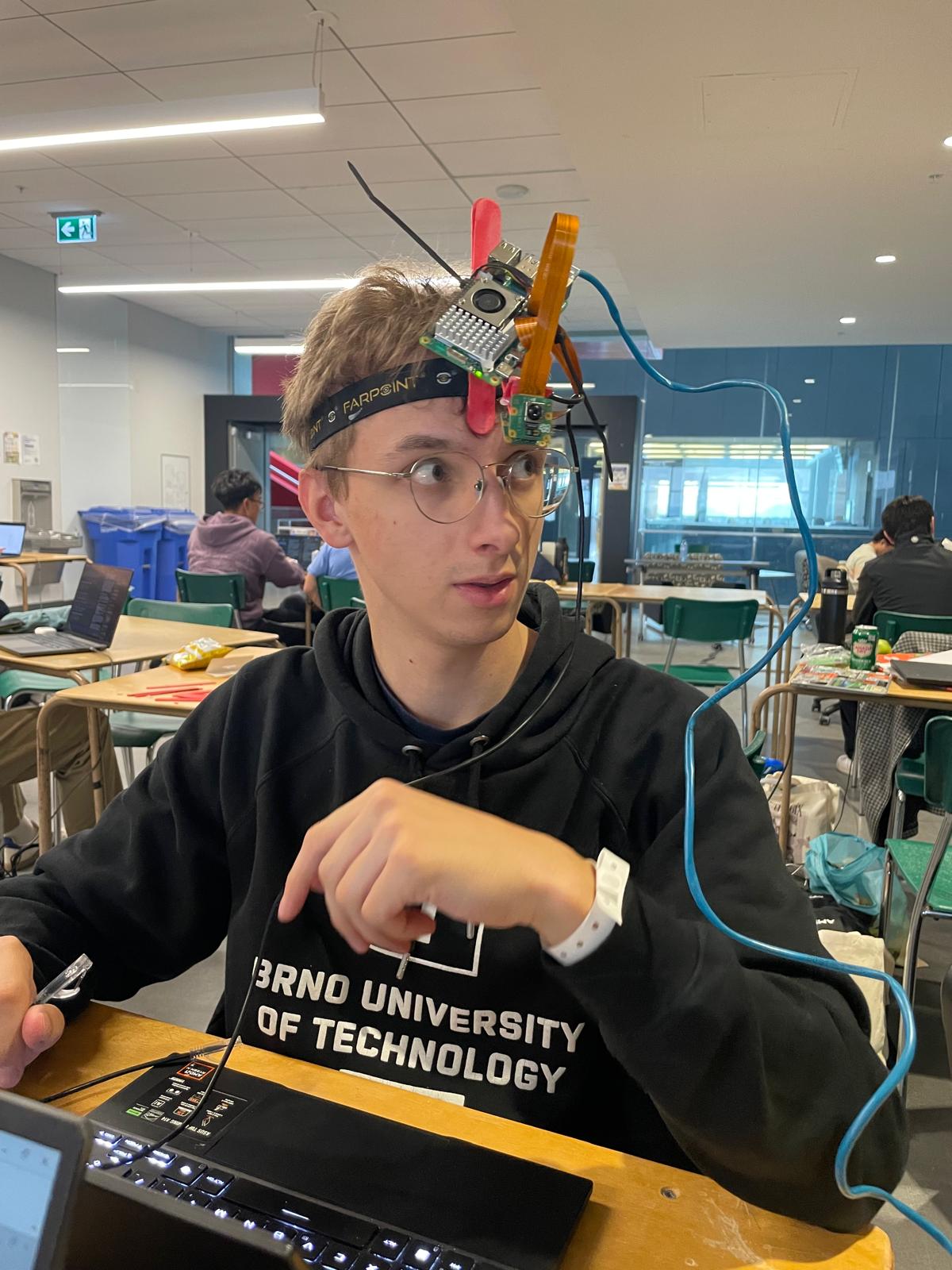
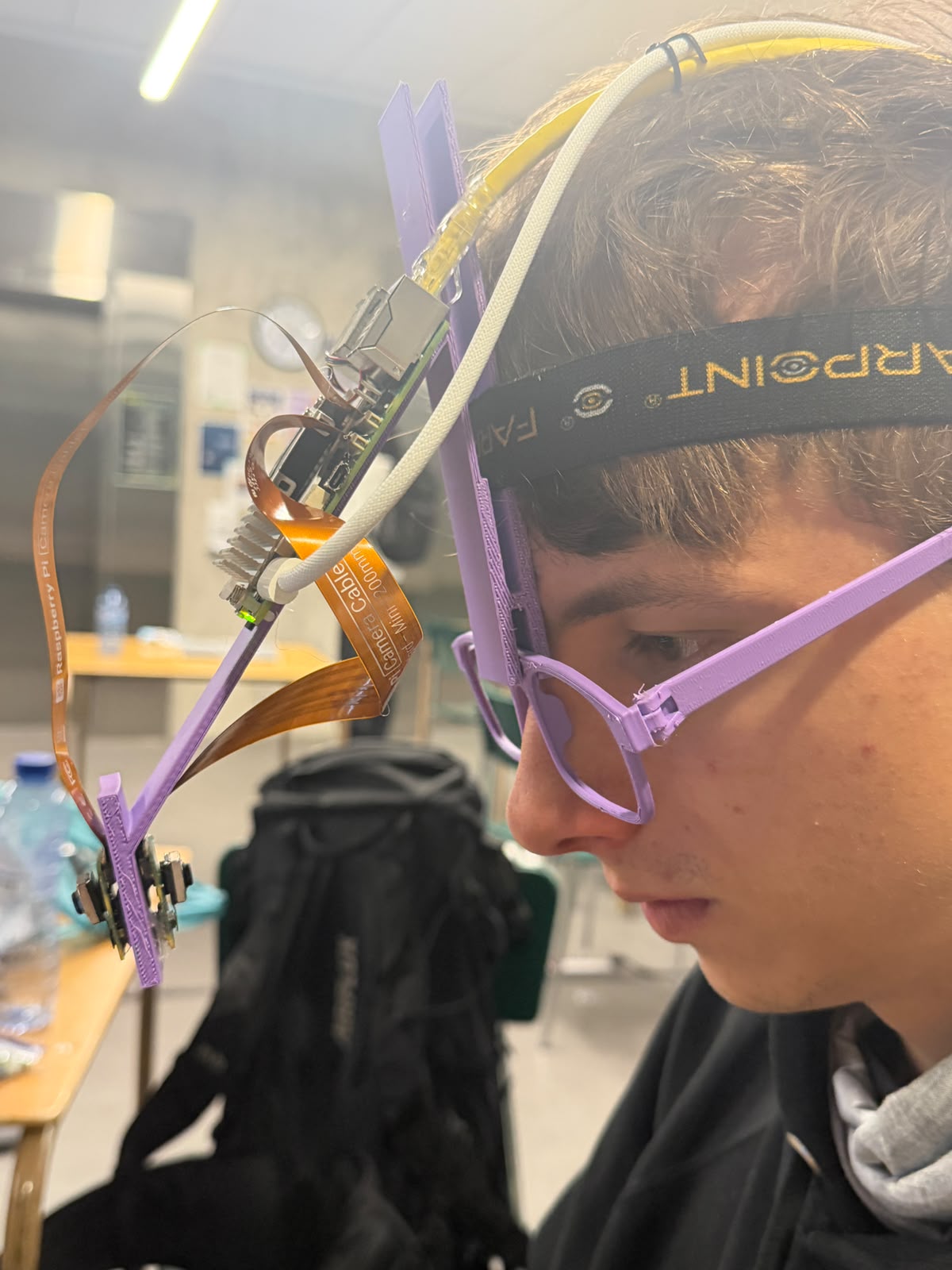
v1 of the headband design
-
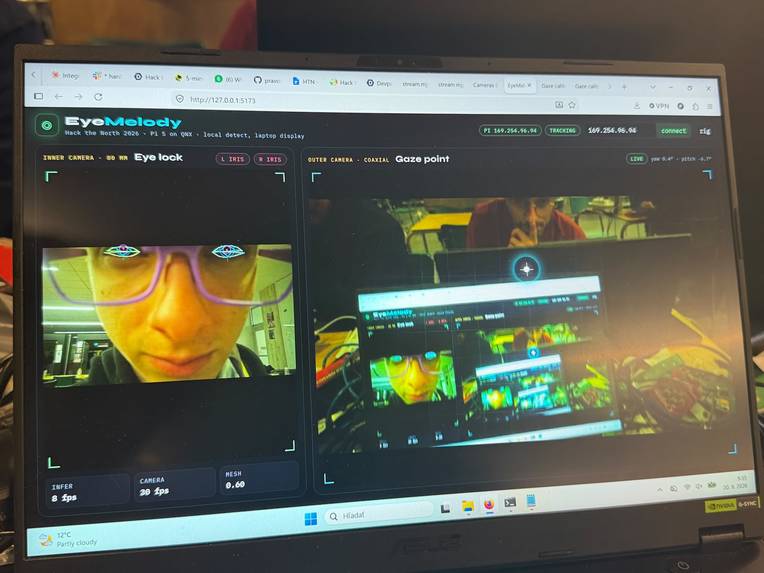
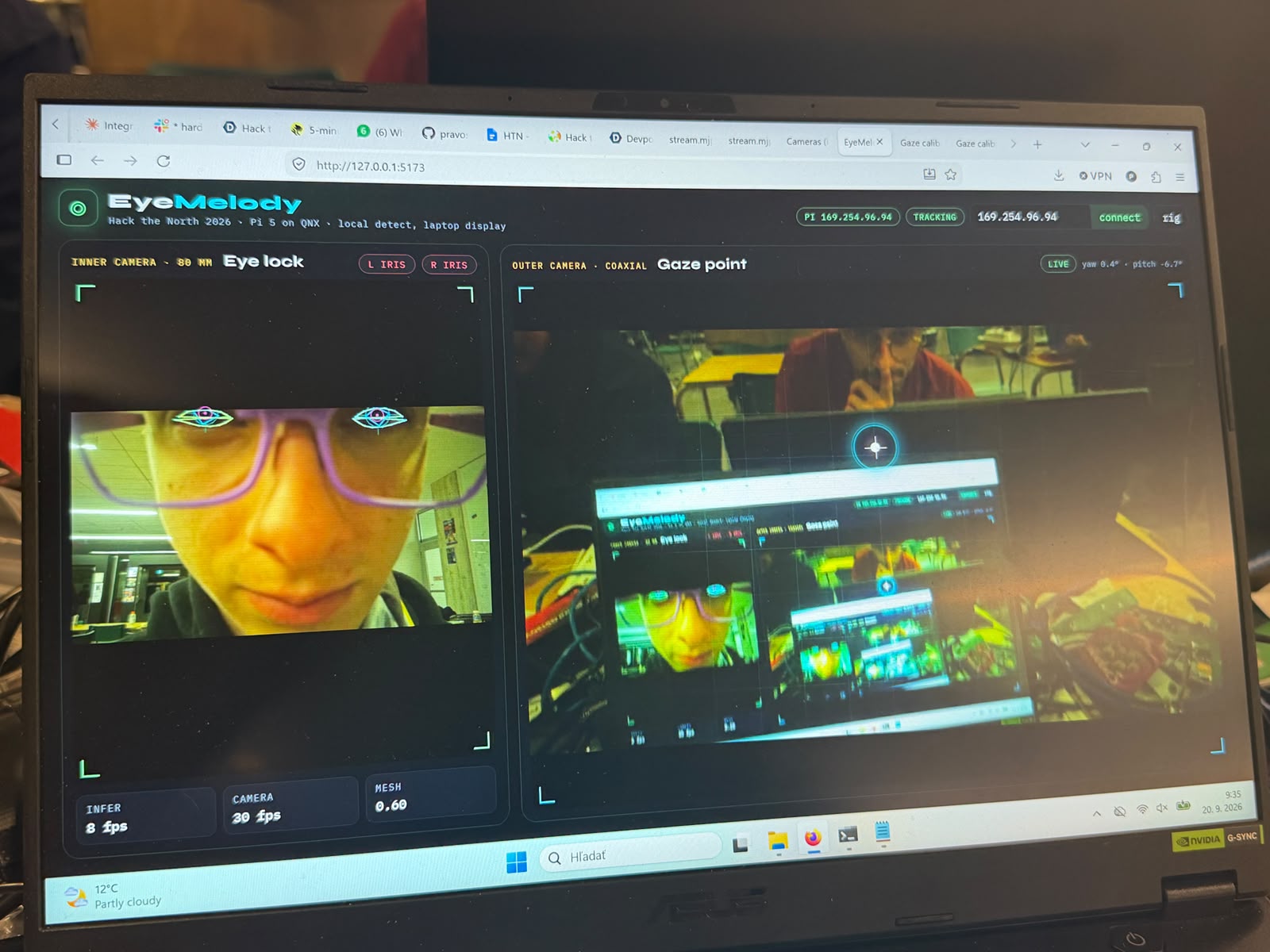
Display showing multiple cameras
-
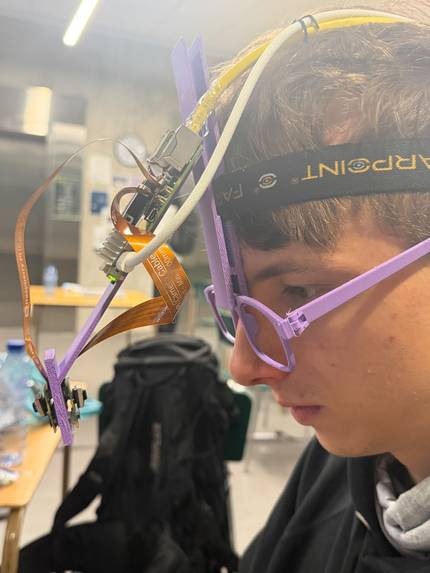
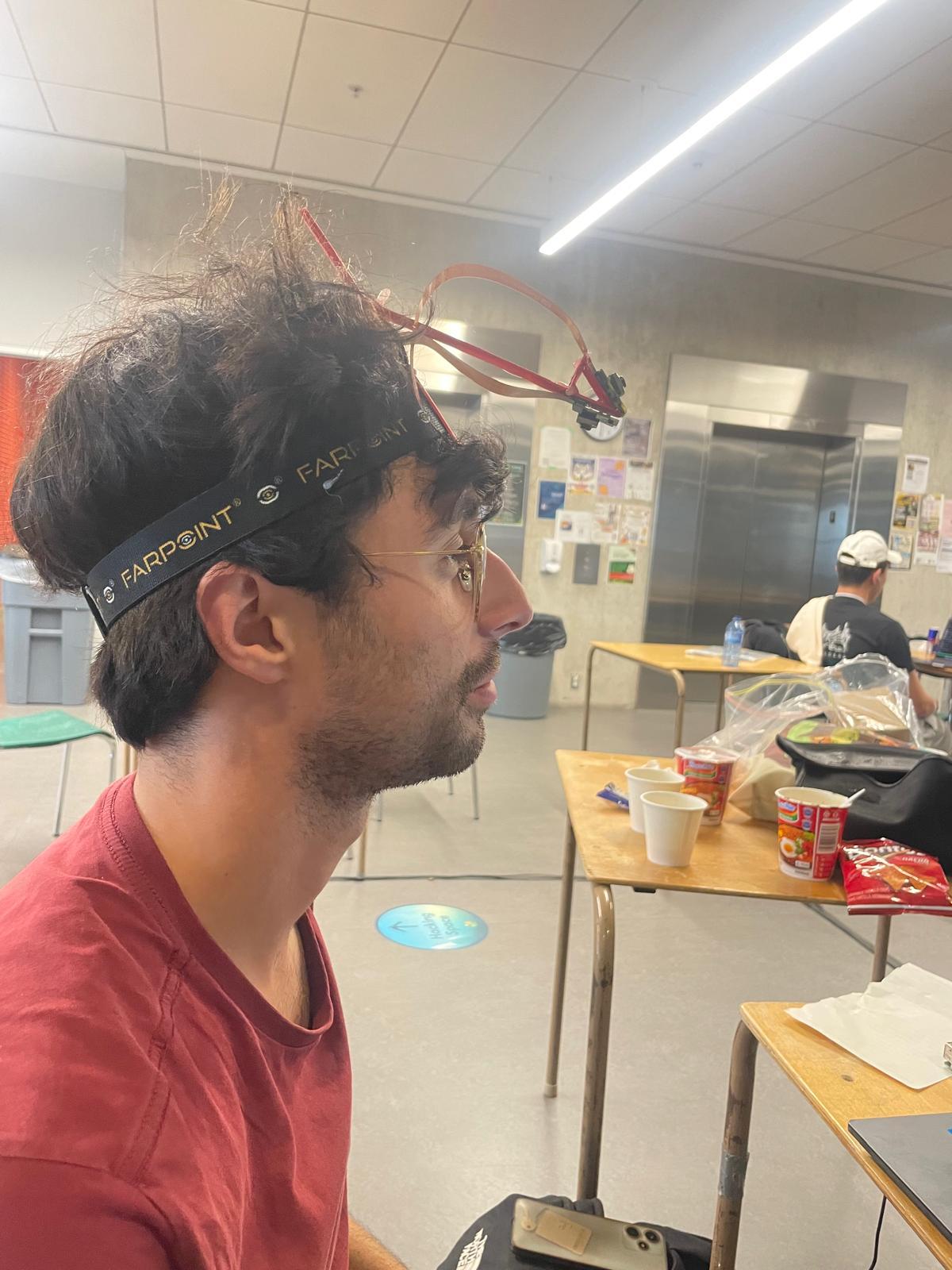
v2 of the headband design
-
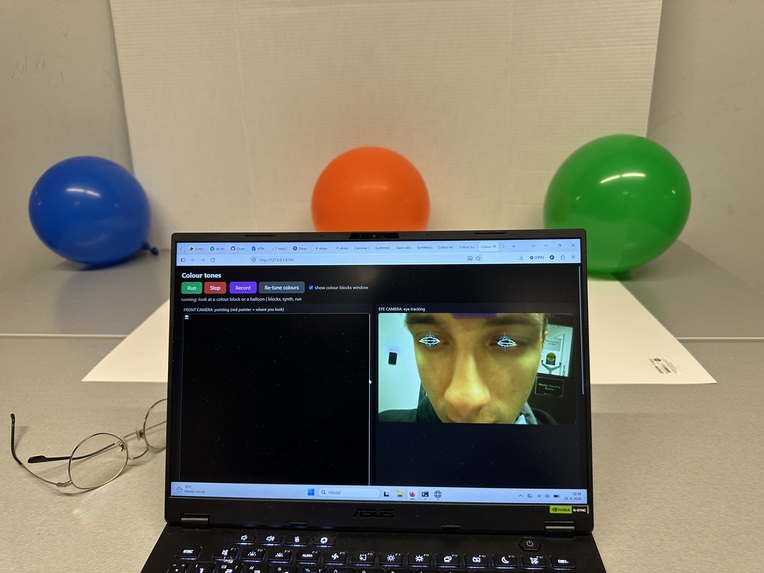
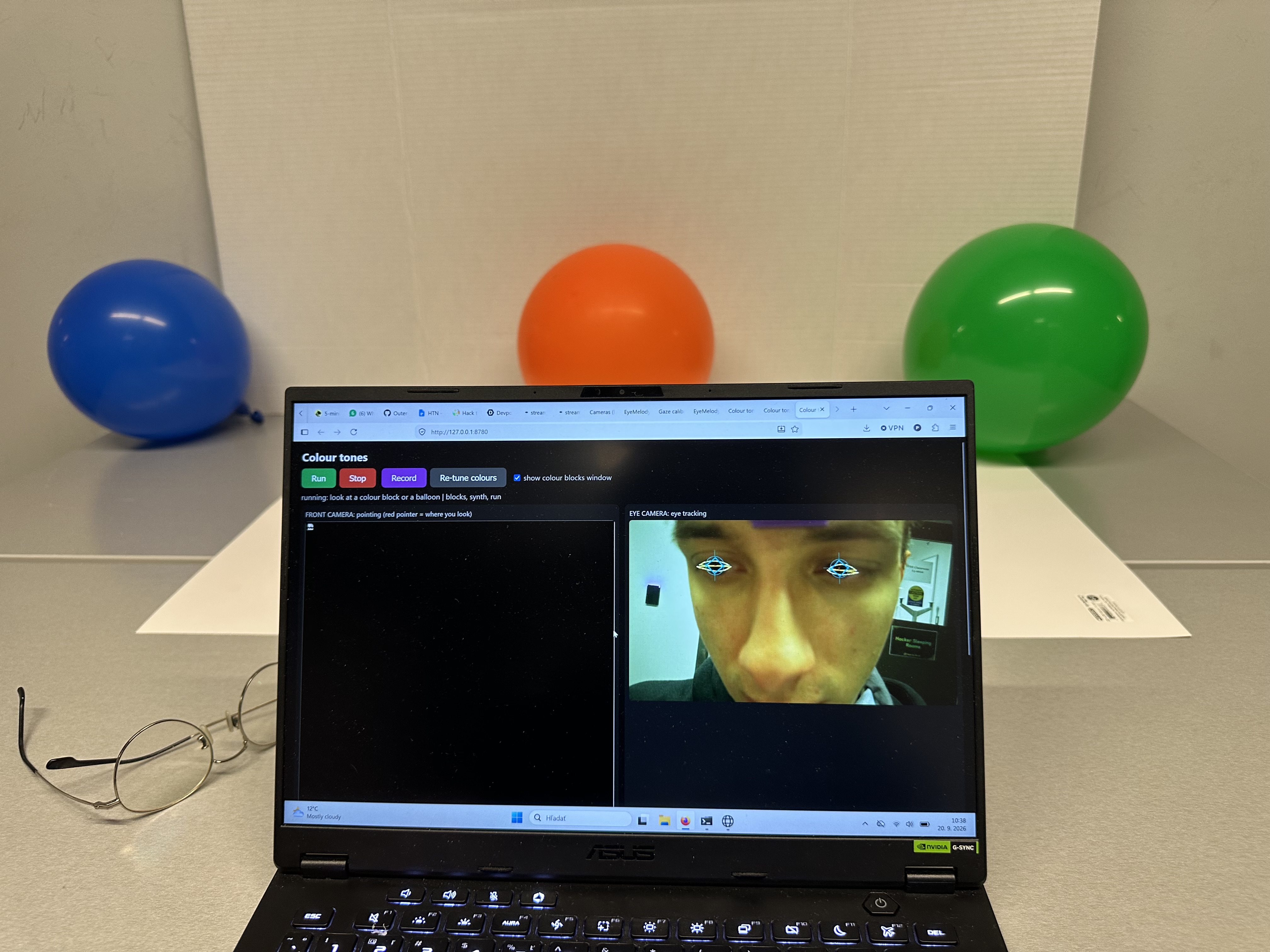
Calibration setup
-
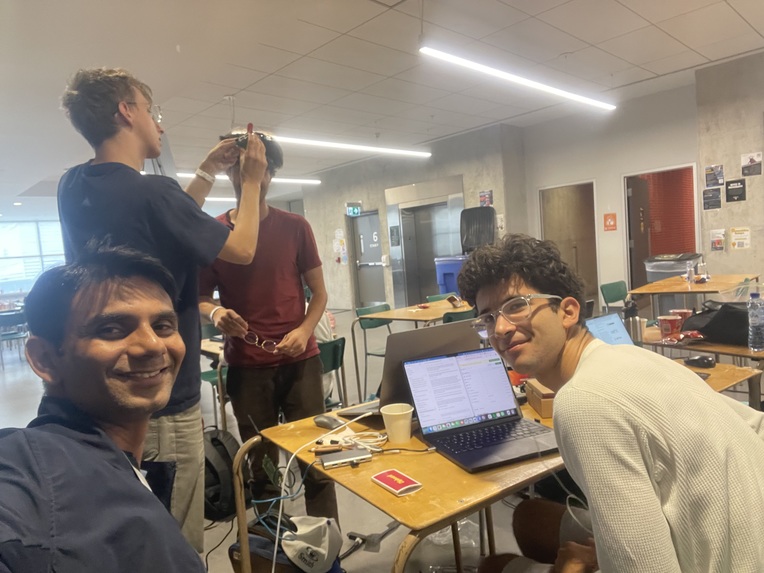
Team
Inspiration
There's so much we take for granted on a daily basis, one of which is agency, the ability to create, at our own pace, and have control over when and where we do. However, ALS and high-level spinal injury can take away someone's hands and often voice, but their gaze still survives the longest, it's the one channel that's still reliable.
Existing assistive technology is overwhelmingly about communication (spelling boards, eye-typing). Almost nothing is about play, making something, good or not, at your own pace. Music is expressive, social, and doesn't need to be "useful".
And with music, there's no intermediate steps, the task is creating the music, same with our project, looking at a thing is the action, zero translation steps.
What it does
We've built a headset where one camera watches your eye, one watches the table in front of you. Then, we place coloured objects on a table. Looking at one plays a note, which is the whole interface.
- We have 5 supported colours, enough for most modern pop songs.
- The note fires when you look at it, look away and back to play the same note.
- You can also arrange the objects however you want, the table is the layout of the instrument, so you're able to help someone compose in physical space.
OMNI Integration
OMNI is used to recognize other objects and then uses ElevenLabs to determine what note a certain object may be. "Maestro", our nickname Huawei's OMNI model, answers out loud and fills in the details itself, it sees the camera frame, the scene, and your recent interactions.
Eleven labs Integration
ElevenLabs gives the glasses a voice and an instrument. The assistant speaks every reply through streaming text-to-speech (first audio in about 170 to 210 ms). Then it goes further: when the wearer says "OMNI, make a sound for this object," OMNI writes the sound description itself and ElevenLabs' sound-effects model generates it (about 1.5 s for 2 s of audio).
QNX Integration
We built a head-mounted eye-tracking instrument on a Raspberry Pi 5 running QNX 8.0. Two Camera Module 3 cameras, one on the eye and one facing forward, are captured through the QNX sensor framework (libcamapi).
Sentry Integration
Our gaze pipeline reports only stage durations, so we rebuild a gaze_pipeline trace per sampled frame (spans cap, pupil, gaze, scene, fix, anchored to the receive time) and always capture anomalous frames. Tracking loss, packet loss and Pi events are structured logs attached to the frame's trace. Every OMNI voice request is a trace with spans for the model call and ElevenLabs. The dashboard runs Replay, and a PROFILE=1 switch (SDK not even imported when off) profiles test runs.
How we built it
Hardware
- There's a QNX Raspberry Pi 5 (Pi OS) worn on the body
- Camera Module 3 on the headset
- A direct ethernet connection
Vision Pipeline
We used Python and OpenCV. For colour, each pixel is mapped to it's nearest registered colour via a lookup table. Each frame is then fed into a small CNN exported to ONNX and run through OpenCV's DNN.
There are stable object IDs across frames, which ensures that no matter how long someone is looking at an object it remains recognized by the model. To select an object, the nearest object outline plus some dwell time allows for a lock and the note to be played. We used synthetic renders, then collected real crops off the actual table.
Audio
ElevenLabs sound-effects API generates samples per instrument, and can regenerate based on user request when prompted by OMNI. We play the sound on a phone or laptop as the Raspberry Pi 5 has no audio jack.
Reliability
- We incorporated a circuit breaker and throttled error logging around every network service, so OMNI or ElevenLabs going down degrades to offline defaults instead of killing the instrument.
- Session recording (video + gaze/blink log) so we could replay a real session and tune thresholds without re-wearing the rig.
Challenges we ran into
- We had planned to place the camera on the side of a face, but winking needs to be seen from both sides, so we had to move the camera to the front using a rig and take an accurate snapshot.
- Black, white, brown and grey are impossible. They're the table and its shadows. We ended up restricting to 5 saturated colours matched by nearest prototype.
- We also realized that a hand reaching over the table can be seen as a blob of colour. We solved this by adding an explicit "reject" class to the CNN and training on real footage of hands and pens waved over the table.
- The cameras lens was not focused. QNX could not drive the lens motor, so the eye camera is placed at the distance where the picture was sharp.
- CPU was a bottleneck. Both cameras run the ISP on the CPU and the display driver used about one core. Copying the full-resolution frame on every frame dropped the face model to about 4 fps, so we removed the per-frame copy and the cameras stream at about 30 fps.
Accomplishments that we're proud of
Our tool can actually play music, someone who cannot use their hands or voice can sit down, look at objects, and make music, with 100-200ms latency and no microphone needed (all OMNI features that are voice-enabled are optional).
Most of the interface is based off someone's eyes, configuration, song creation, tempo, all happen through looking at objects. The voice commands are useful, but the product still works even if voice is not an option for an individual.
If we kill the network, Maestro falls back to it's built-in defaults, and the instrument keeps playing. This is the standard for Assistive tech, and we made sure to incorporate it.
What we learned
The constraints we started with became part of the design, the blink menu and the 3-options-per-menu were very clear when we ended up thinking of a no-hands approach.
What's next for EyeMelody
- Adding a stereo/depth camera, so that volume actually comes from the position on the table and not just how far someone is leaning.
- The ability for sustained musicality, loops, tempo, octaves. Right now it's only one note at a time.
- We also want to add detection for arbitrary everyday objects in any room, instead of saturated colors.
- Bring a USB speaker and processing on the Pi, so that nothing depends on a laptop.


Log in or sign up for Devpost to join the conversation.