-
-

ICON
-
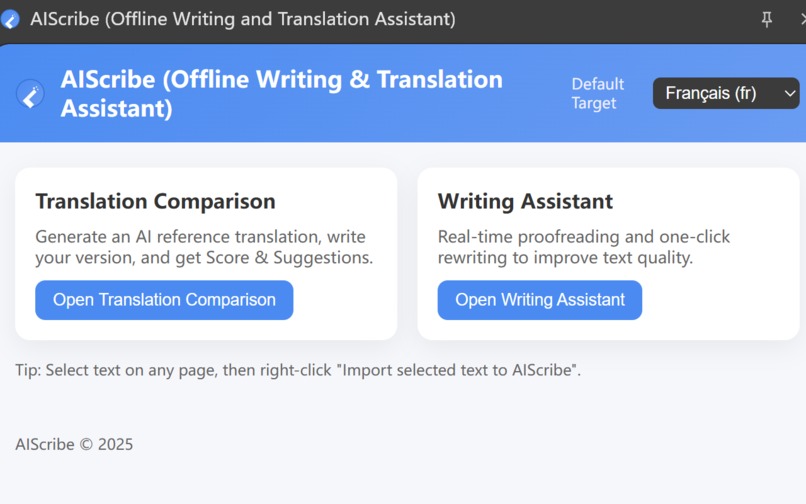
Home
-
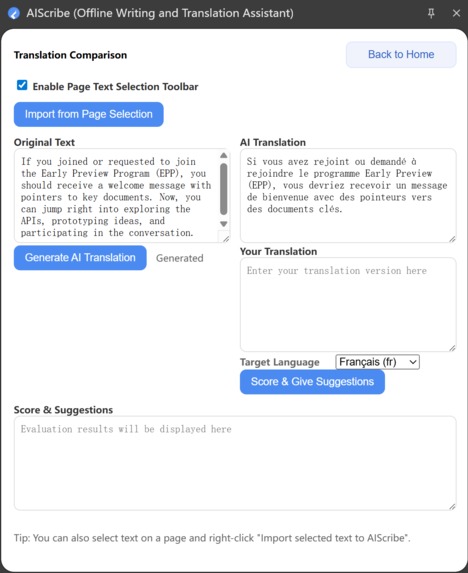
Offline Translation
-
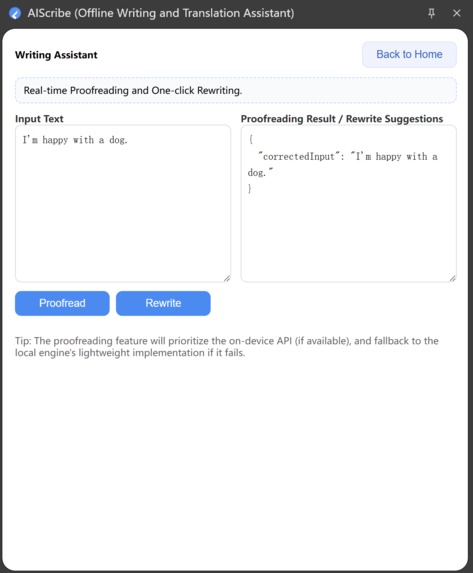
Offline Rewriting
-
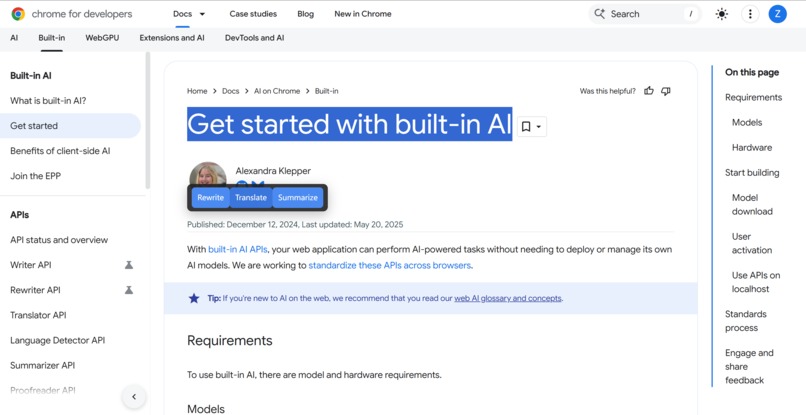
popup toolbar

Inspiration
- Constantly copying text to external tools for translation and writing breaks flow and raises privacy concerns. I wanted “lightweight translation + writing assist” to live inside the browser—no tab switching, local-first by default, fast and reliable.
What I Learned
- Manifest V3 service worker lifecycle and event-driven design, plus a minimal-permissions mindset.
- How Side Panel and content scripts collaborate; choosing between MAIN and ISOLATED worlds greatly affects chrome.* API availability and stability.
- Turning translation engine readiness and download progress into a clear UX.
- Writing transparent, practical privacy and store-compliance documentation: local-first, controllable, no data exfiltration.
How I Built It
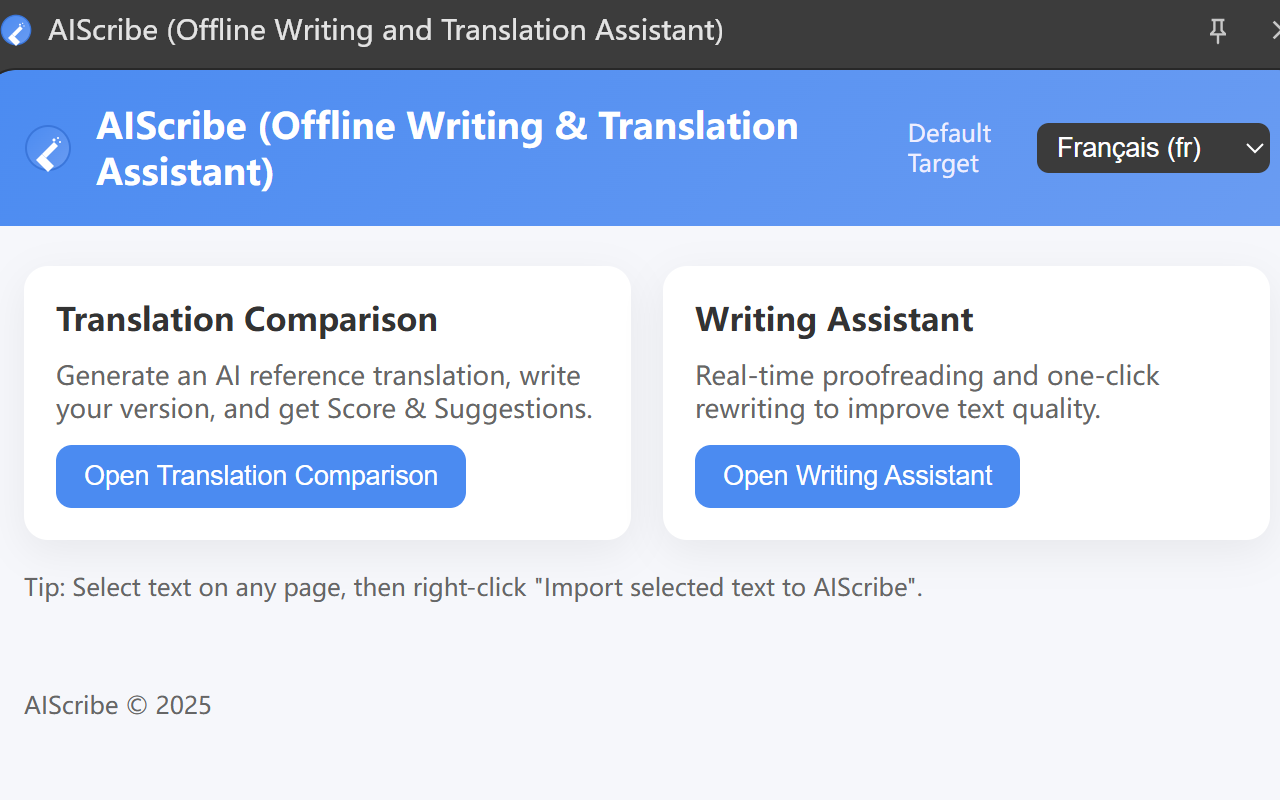
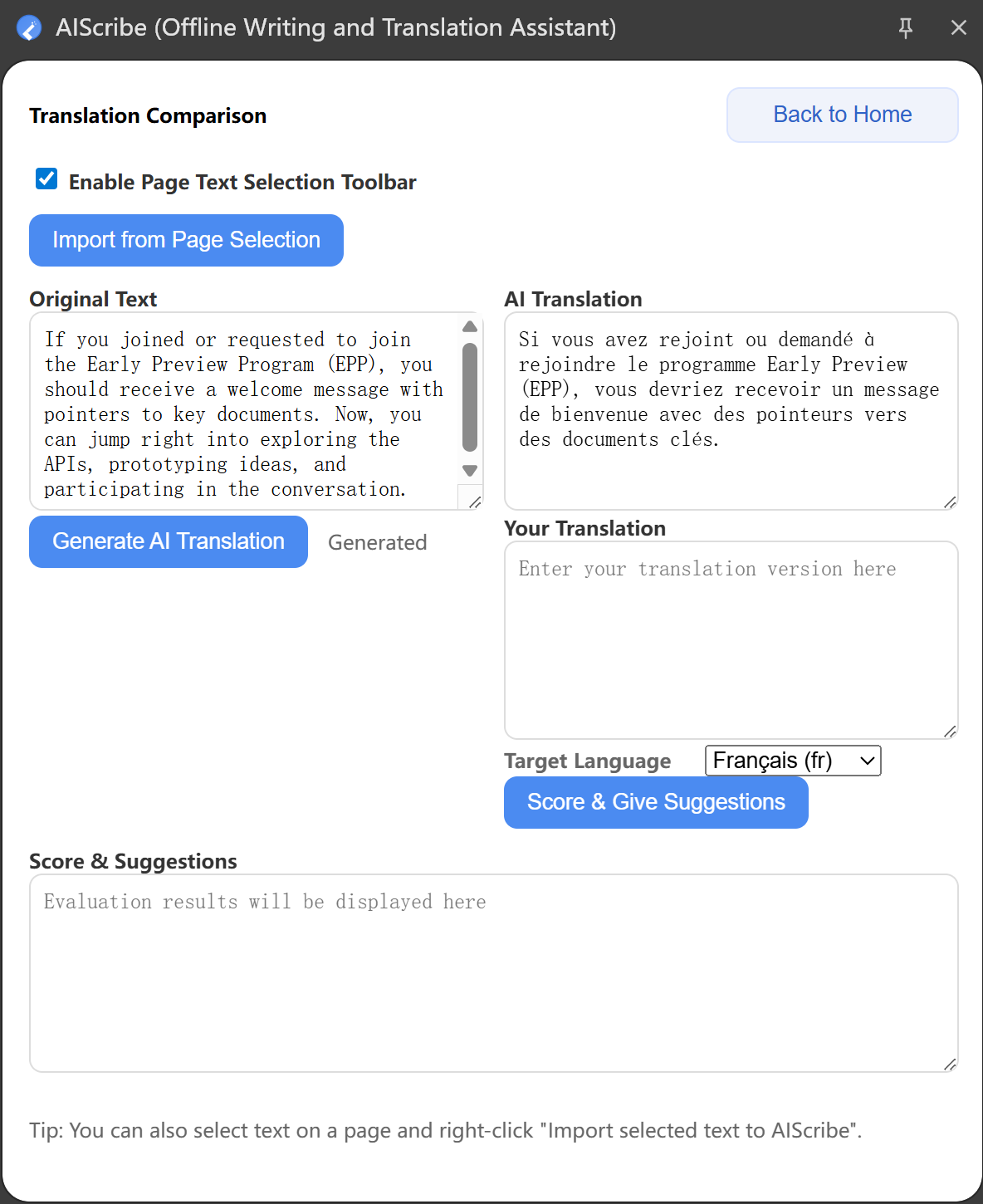
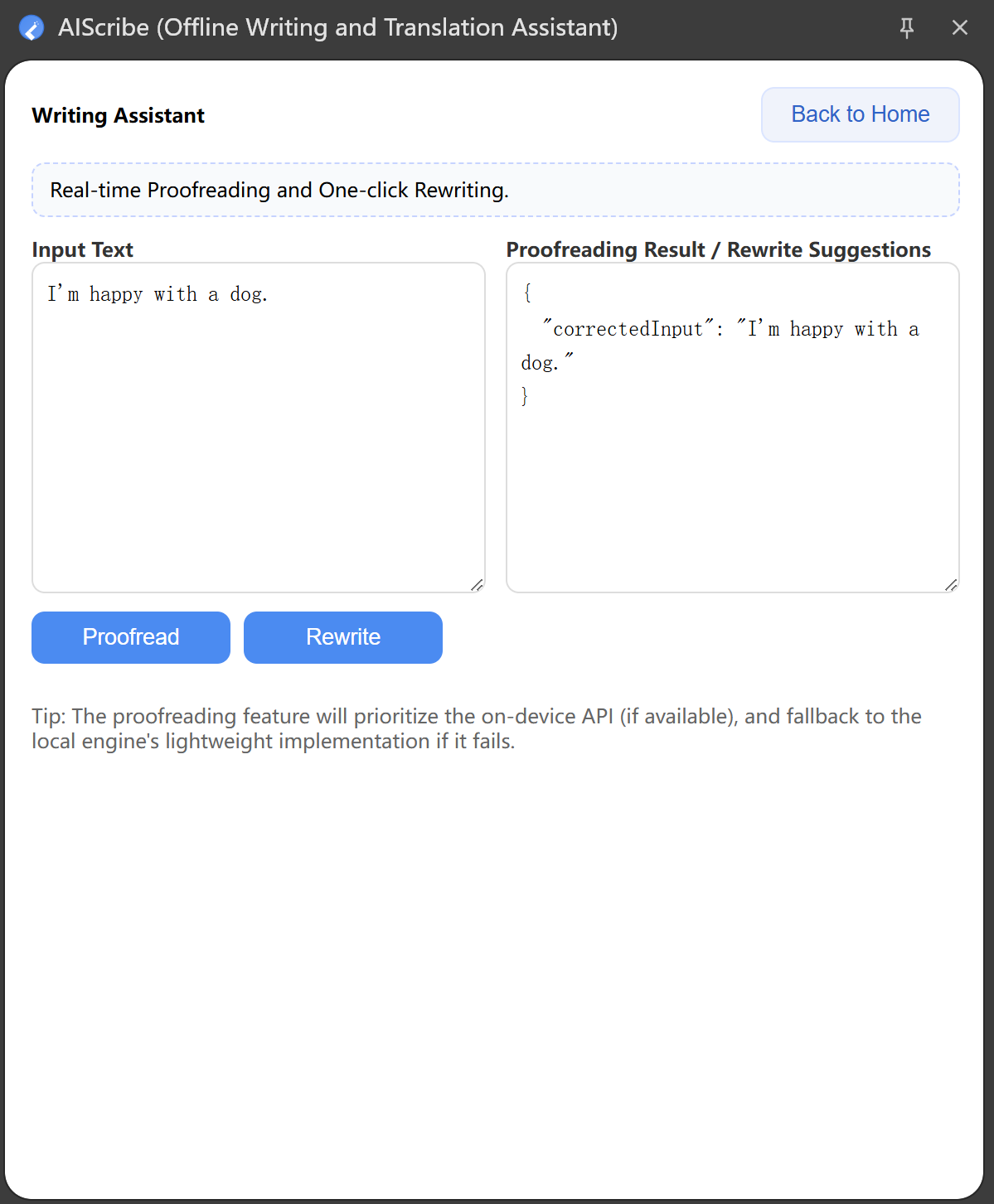
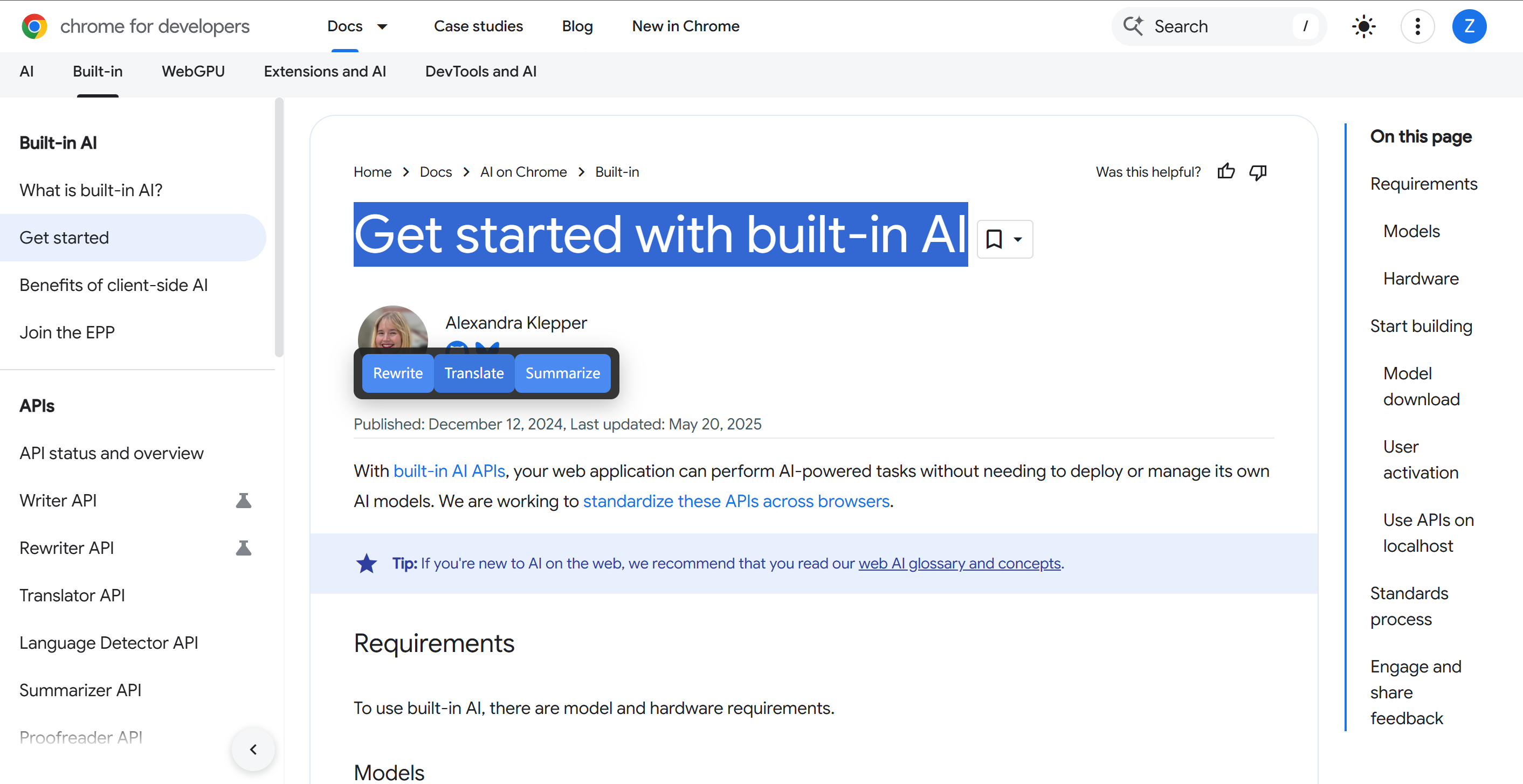
- Architecture & UI: A Side Panel with “Translation” and “Writing” pages, plus a floating toolbar for one-click translation; a Settings page for persisting target language and preferences.
- Data & State: Store only the target language and a few preferences in chrome.storage ; when content-script read fails, fall back via background messaging to keep language consistent after refresh.
- Stability Improvements: Switched the content script world to ISOLATED to avoid pages that override window.chrome and break storage/API access; also listen for engine readiness to smooth first-run experience.
- Interaction & Performance: In the select→translate→render loop, I model latency as [ T_{\text{total}} = T_{\text{select}} + T_{\text{translate}} + T_{\text{render}} ] and keep (T_{\text{network}} \approx 0) with local-first handling to boost responsiveness.
Challenges & Solutions
- “Target language resets to Chinese after refresh”: caused by storage read failures and a hardcoded default; solved with background fallbacks and switching to the ISOLATED world.
- Compatibility on high-security pages: improved robustness with resilient messaging/state sync and an optional visible “Translate → FR” hint for transparency.
- Compliance & Transparency: Clearly documented “acts only on selected text, local by default, preferences stored locally, no data leaving the device.”
Why It’s Worth Installing
- One-click translation and writing assist right in your browser—no context switch, no break in reading/writing flow.
- Local-first by default for speed and privacy; minimal permissions and full user control.
- Preferences persist across sessions, keeping the experience consistent and reliable.
Built With
- extension
- javascript
- languagedetecor
- prompt
- proofreader
- translator
- windows-11


Log in or sign up for Devpost to join the conversation.