-
-
-
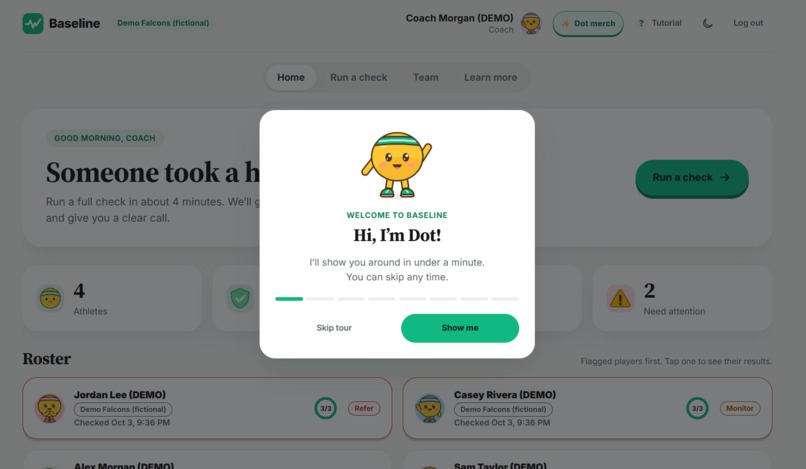
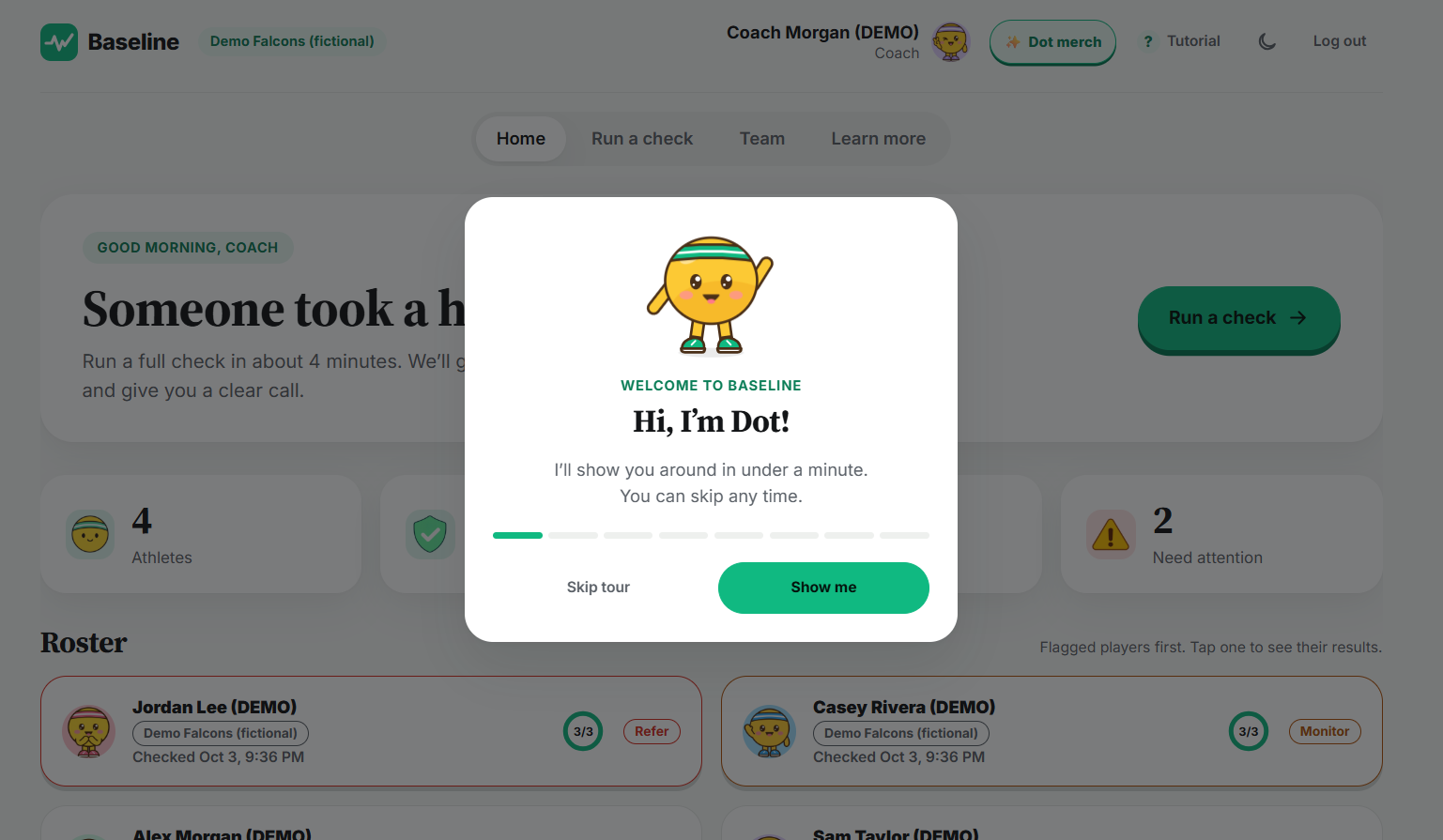
Tutorial on the landing page led by our mascot Dot!
-
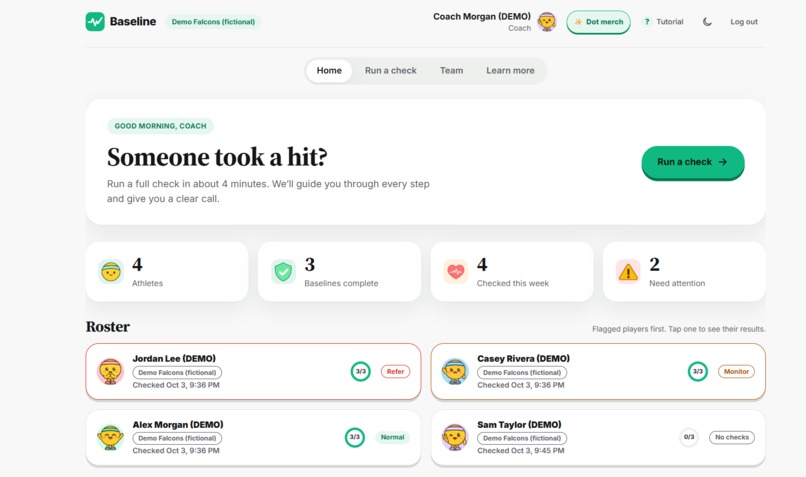
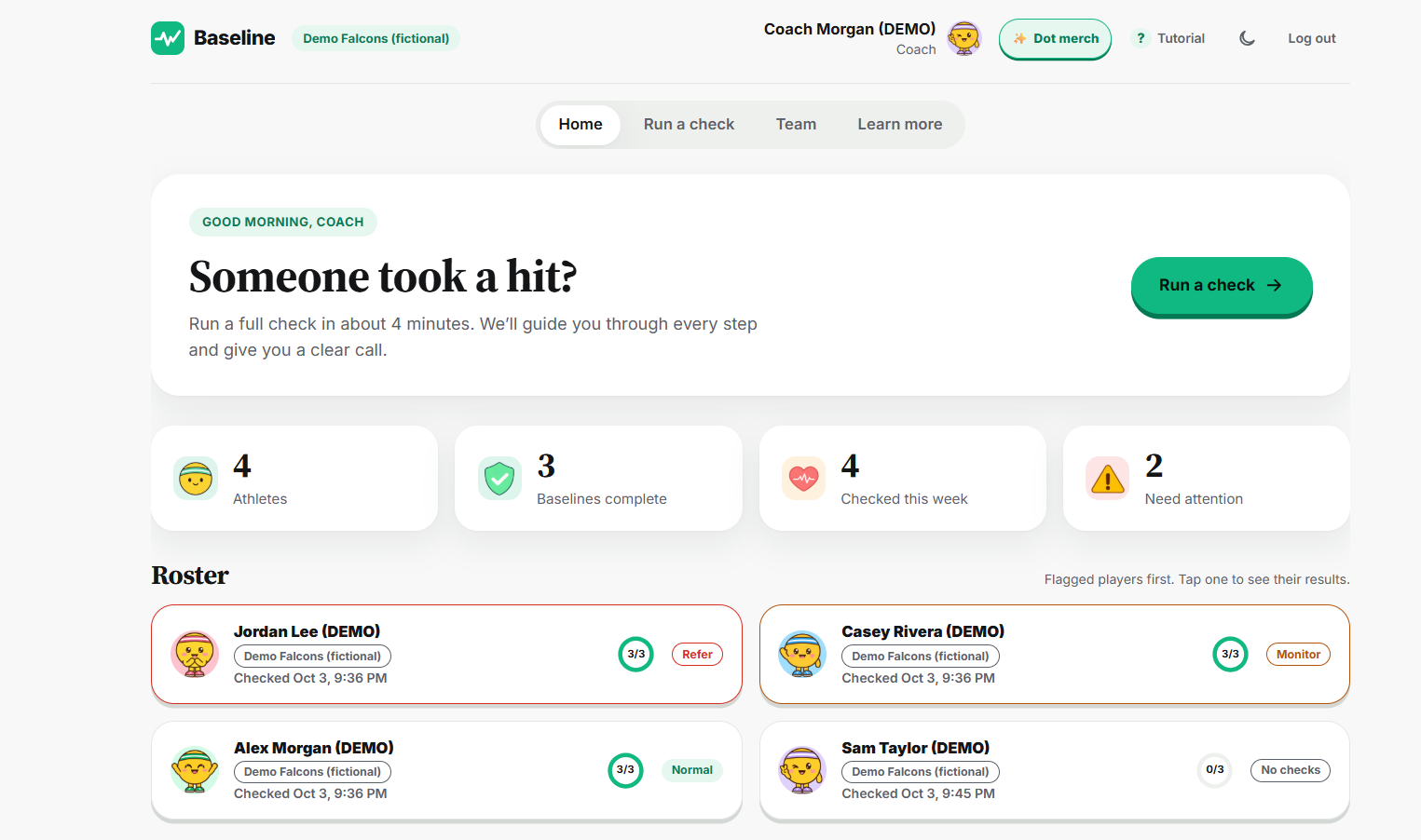
Menu page for coaches with an overview of their athletes and conditions.
-
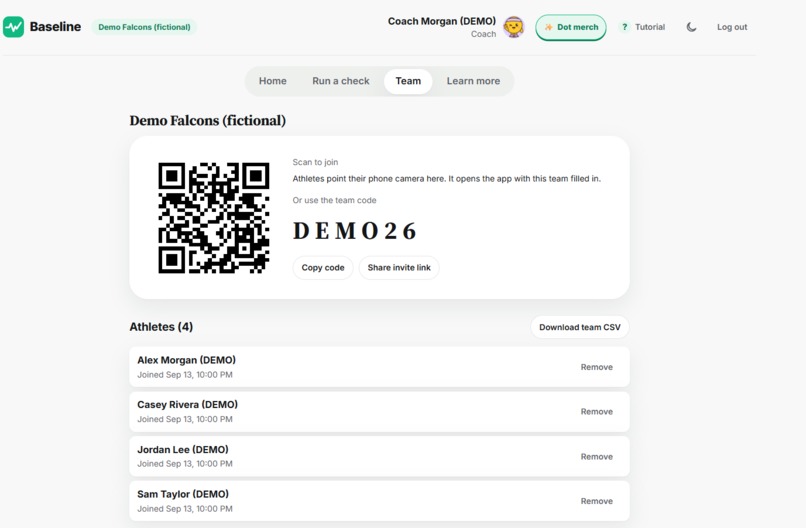
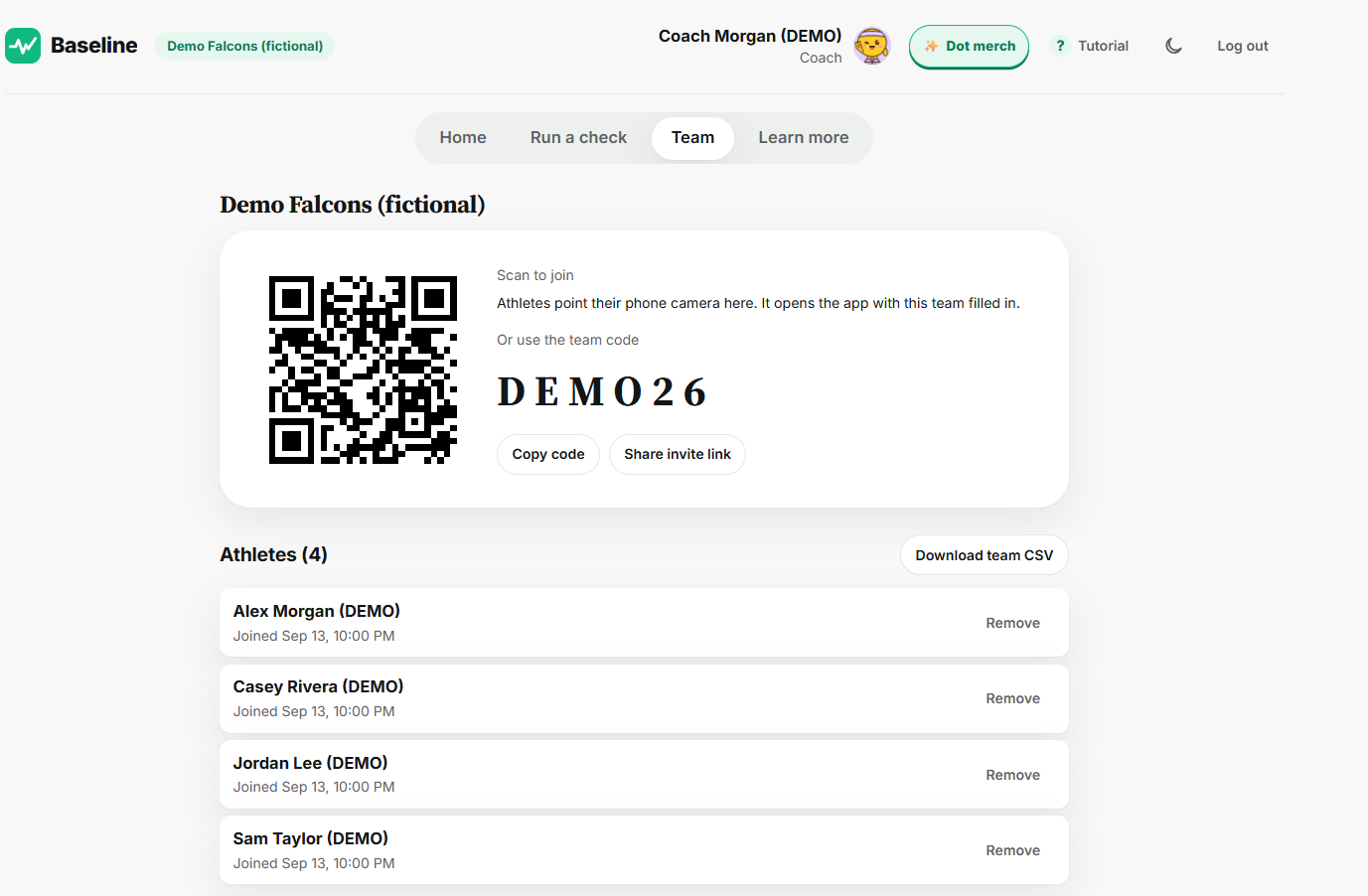
Team overview for coaches with athletes and access code.
-
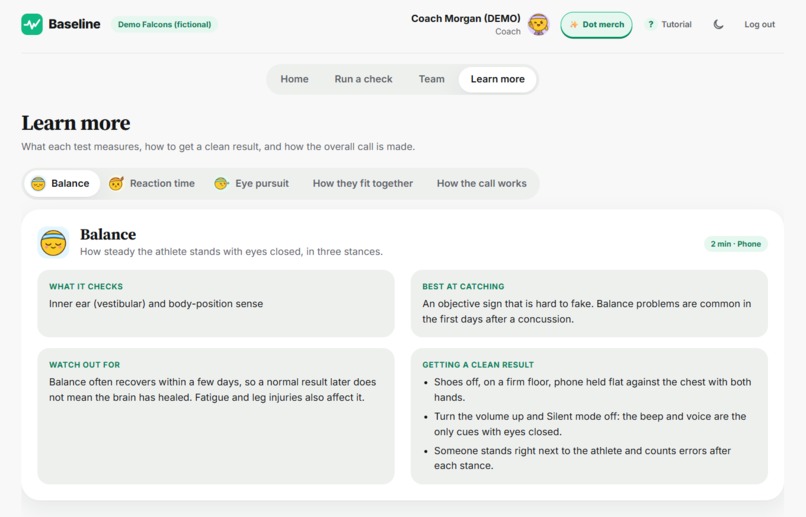
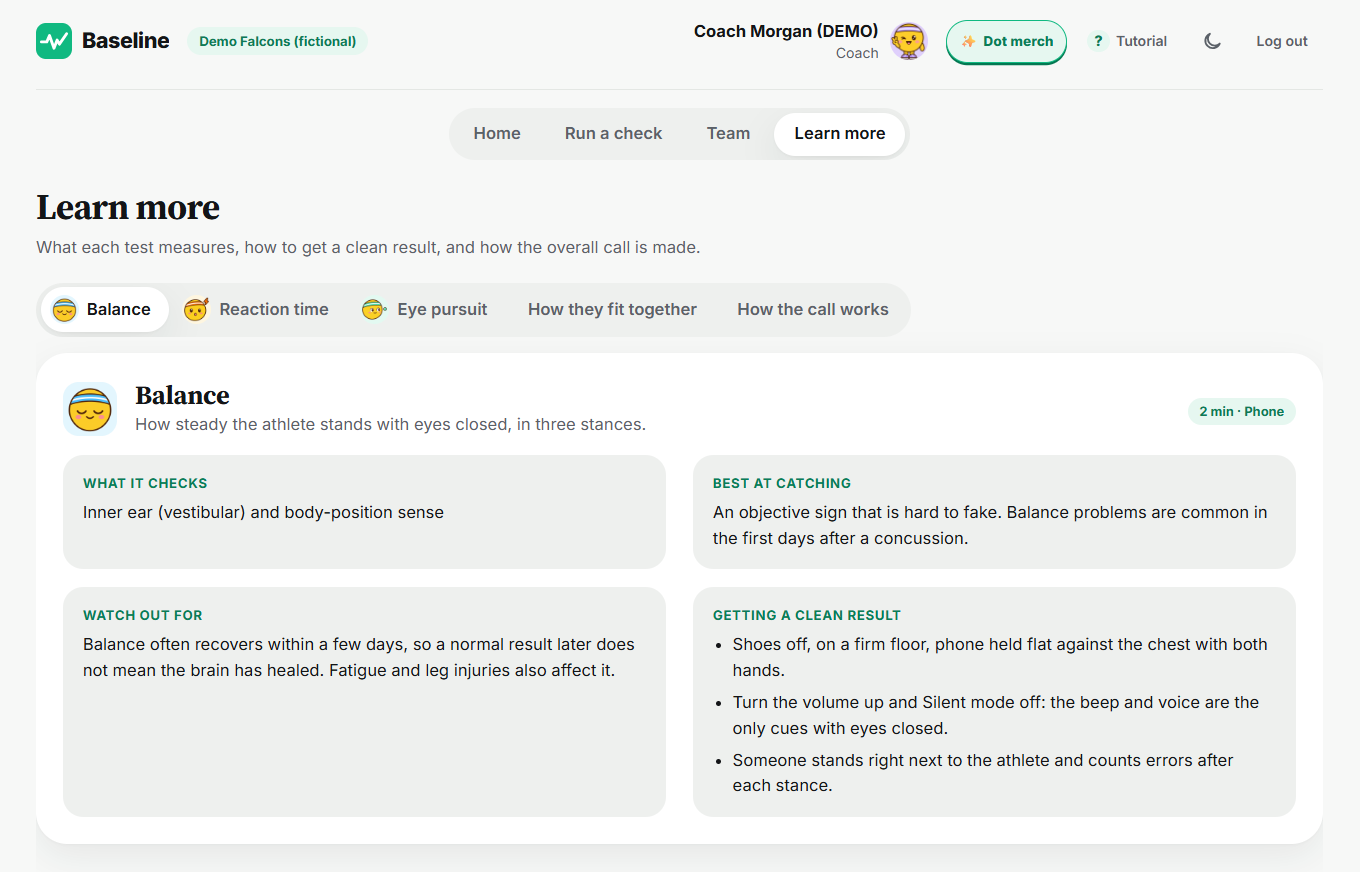
Learn more section for coaches and athletes to understand the importance and relationship between the tests provided.
-
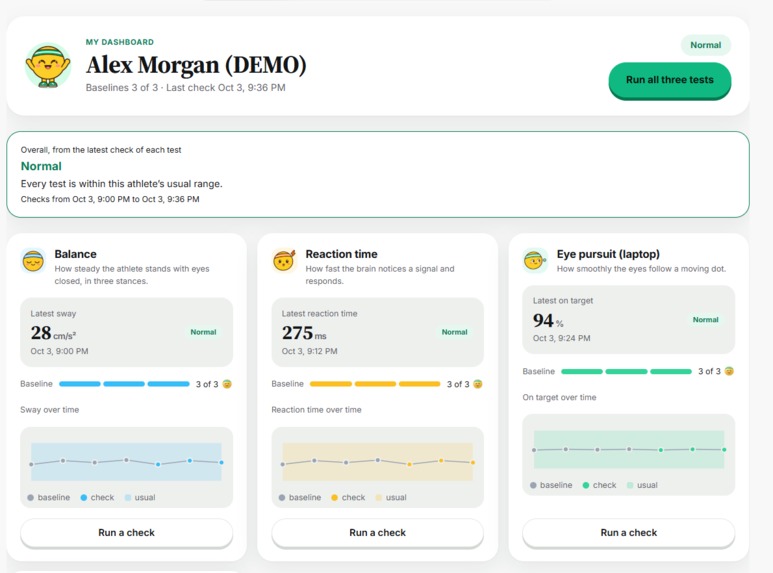
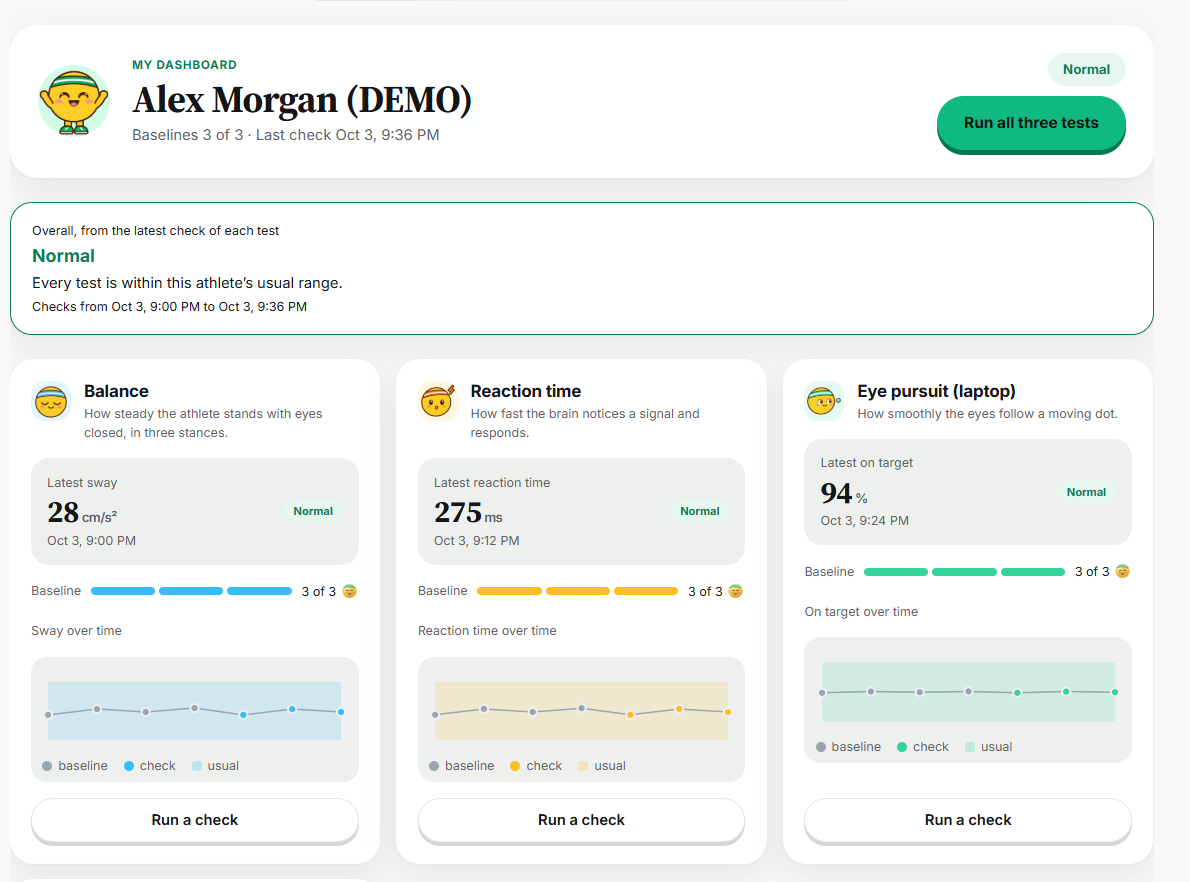
Menu page for a student athlete with their latest scores and baseline.
-
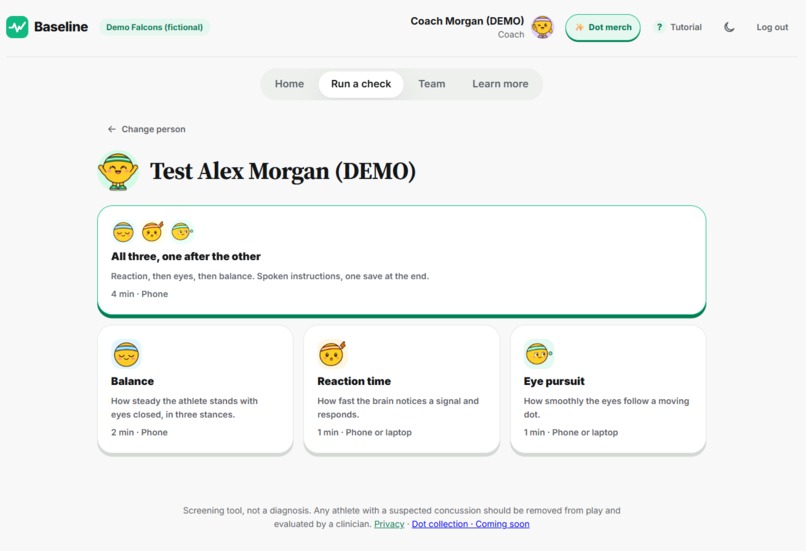
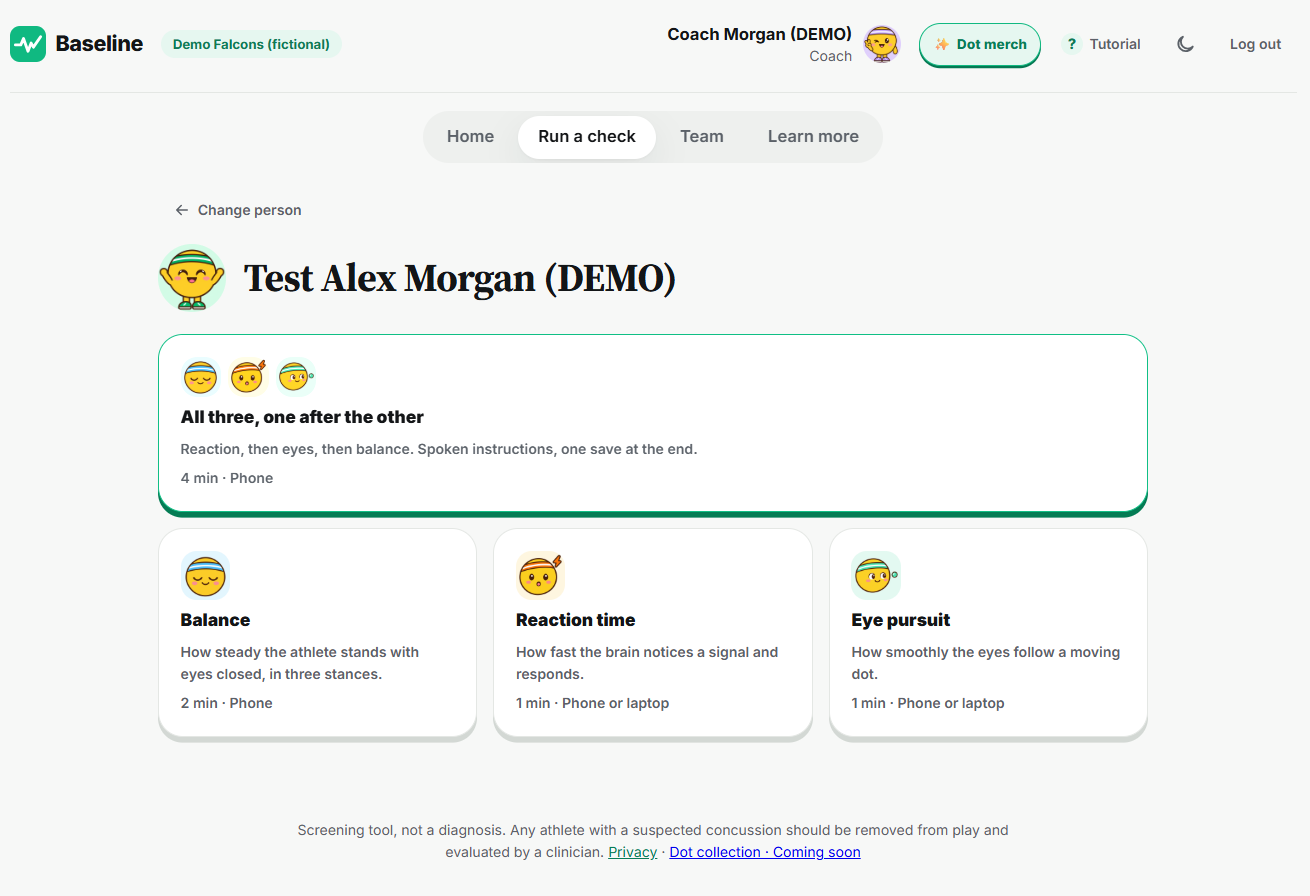
Run a check tab!
-
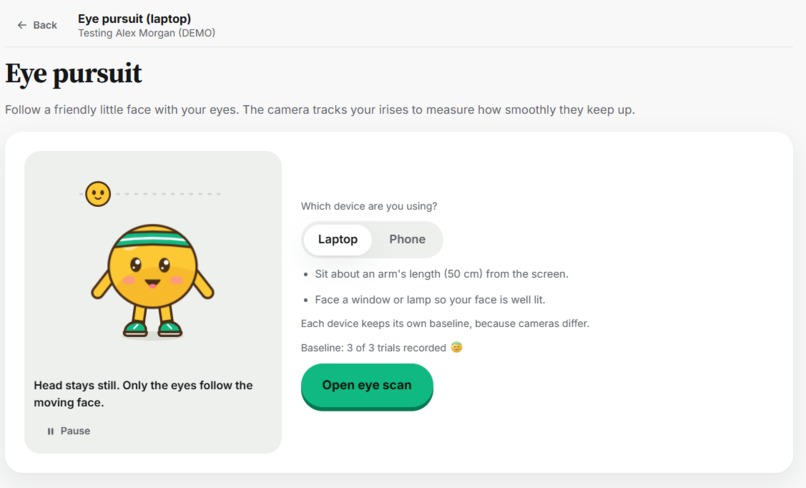
Visual and written instructions for each test.
-
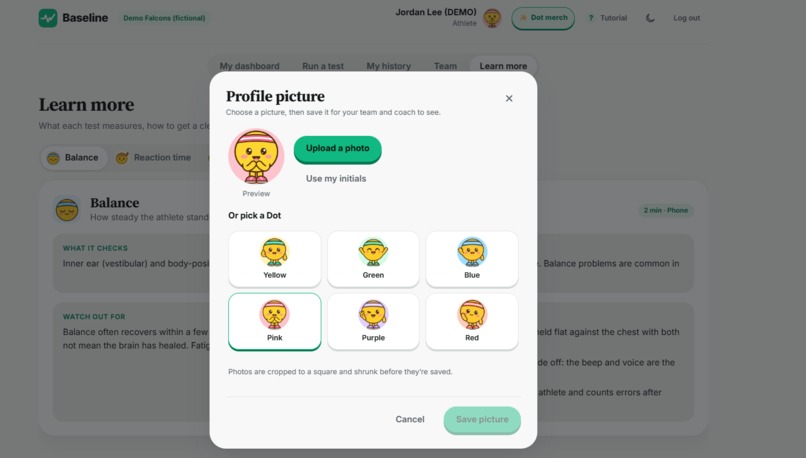
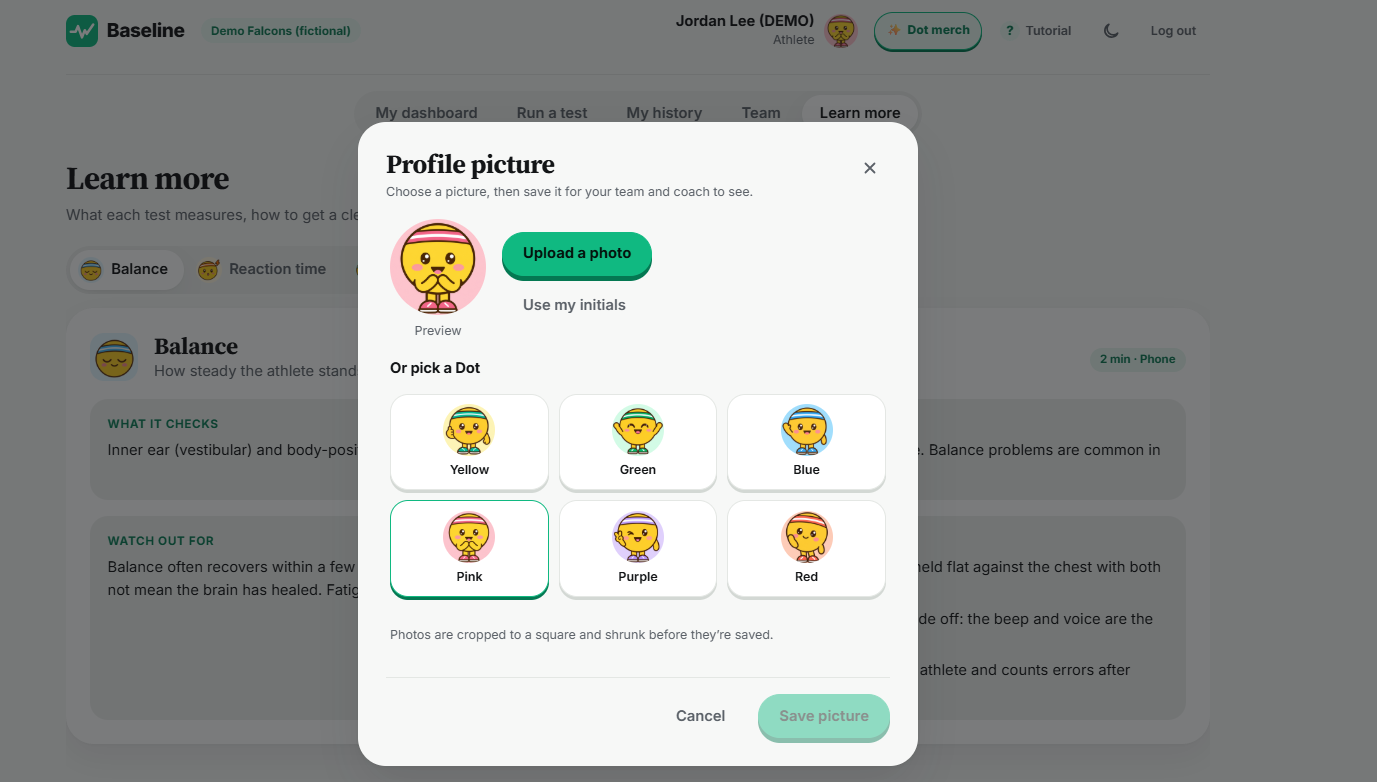
Customize your character!
Inspiration
After a hard hit, a coach has seconds to decide whether a player keeps playing. Many youth and high school sidelines have no doctor, and athletes often say they feel fine. Sideline checklists compare a player to an average person, but nobody is average: a reaction time that is slow for one athlete is a normal day for another. We wanted a tool any coach could pull out of their pocket that answers the real question: is this athlete different from their own normal?
What it does
Baseline is a browser-based concussion screen that compares each athlete to their own healthy baseline.
- Balance: the phone's motion sensor measures sway while the athlete stands eyes closed in three 20-second stances.
- Reaction time: tap the moment the target turns green, over 15 scored trials.
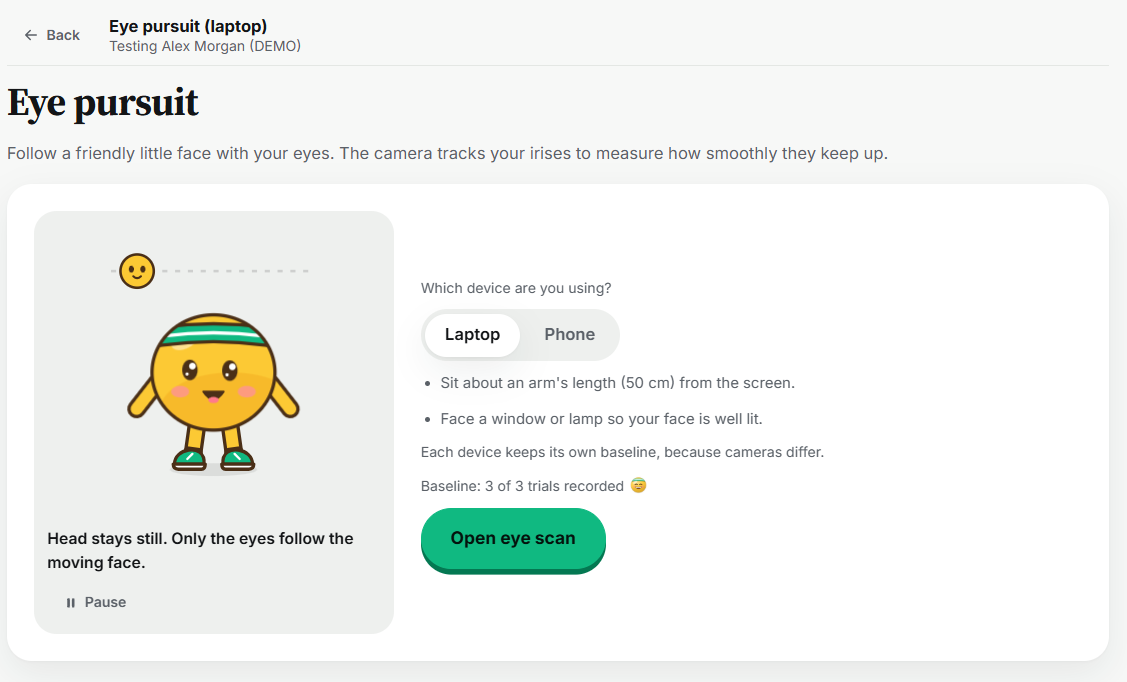
- Eye pursuit: the camera tracks the eyes as they follow a moving dot, measuring time on target, smoothness, catch-up jumps, and lag.
- Personal baselines: athletes record three healthy baseline runs. After a hit, Baseline compares each measurement to that athlete's own range and gives one clear call: Normal, Monitor, or Remove from play and refer.
- Fair comparisons: before every test, a quick setup records rest, heat, light, and noise, so results are compared under similar conditions.
- Coach dashboard: the whole roster at a glance with flagged players first, a plain-language explanation of every result, alerts when a check comes back yellow or red, and CSV export.
- Teams and privacy: athletes join by QR code or a six-character code, and one record follows them across up to ten teams. Medical history (prior concussions, ADHD, vision or inner-ear problems) is visible only to the athlete and their coaches.
- Easy to use: a guided "run all three" mode, spoken instructions, beeps and vibration cues, a guided tour from our mascot Dot, dark mode, and a phone-first layout.
Baseline is a screening tool, not a diagnosis.
How we built it
- Frontend: React 19 and Vite, installable as a phone app, with a custom flat design system and original artwork of our mascot, Dot.
- Sensors: the DeviceMotion API for balance sway and stumble detection, Google's MediaPipe Face Landmarker running in the browser for eye tracking, and Web Audio, vibration, and speech synthesis for cues.
- Scoring: one shared scoring module used by both the app and our tests. Each athlete's normal range comes from their baseline average and spread, with a minimum spread so small baselines don't cause false alarms. One measurement outside the range means monitor; two or more means refer.
- Backend: Firebase Authentication, Realtime Database, and Hosting, with security rules generated from code so athletes, coaches, and teammates each see only what they should.
- Reliability: results are saved on the device first and synced when the connection allows, so a weak signal at the field never loses a test.
- Testing: automated tests for scoring, syncing, the offline save queue, database migration, and security rules, plus a false-positive simulation to tune our thresholds.
Challenges we ran into
- False alarms. Our first thresholds flagged healthy athletes too often. We simulated many healthy test sessions, raised the cutoff, added a minimum spread, and required more than one flagged measurement before saying "refer."
- Eye tracking on real cameras. Head movement, lighting, and webcam quality made the gaze signal noisy, and an early bug made it cancel itself out to zero. We added calibration, lag-aligned scoring, and separate baselines for phone and laptop cameras.
- Running out of database quota mid-hackathon. Repeated writes hit Firebase's free daily limit. We cut unnecessary reads and writes, then moved shared records to Realtime Database with an offline-first save queue.
- Sensors across devices. Motion and camera permissions behave differently on iPhone, Android, and laptops, so we built clear permission steps and a sound check.
- Merging fast. Several of us changed the same screens at once, so we relied on tests and careful merges to keep the app working.
Accomplishments that we're proud of
- A complete end-to-end product: sign up, join a team, record baselines, run a post-hit check, and see the coach get alerted, all in a browser with nothing to install.
- Eye tracking that runs entirely on the device, with no video uploaded.
- Scoring that compares athletes to themselves and is tuned to avoid false alarms.
- Privacy by design: medical history never appears where teammates can see it.
- Dot, a mascot that makes a serious tool approachable for young athletes.
What we learned
- "Normal" is personal, and good health tools respect that.
- A false alarm costs trust just like a missed one, so thresholds need data, not guesses.
- Building for the sideline means designing for weak signal, bright sun, and noise.
- Browser APIs are powerful enough to turn an ordinary phone into a measurement device.
- Clear words matter as much as the math: a coach needs one call they can act on.
What's next for Baseline
- Pilot with a local team for a full season, working with athletic trainers to validate and tune the thresholds.
- Add more checks used in clinical screening, such as memory and symptom tracking across recovery days.
- Return-to-play tracking that shows recovery against the athlete's baseline over time.
- Exports that trainers and clinicians can attach to a referral.
- Launch the Dot collection, with 100% of profits going to concussion research. A little Dot, a bigger purpose.


Log in or sign up for Devpost to join the conversation.