-
-
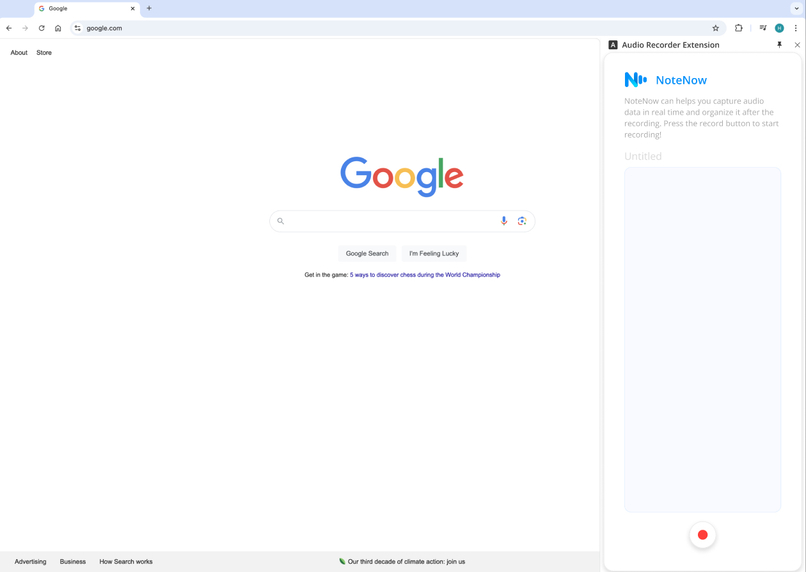
Empty Status
-
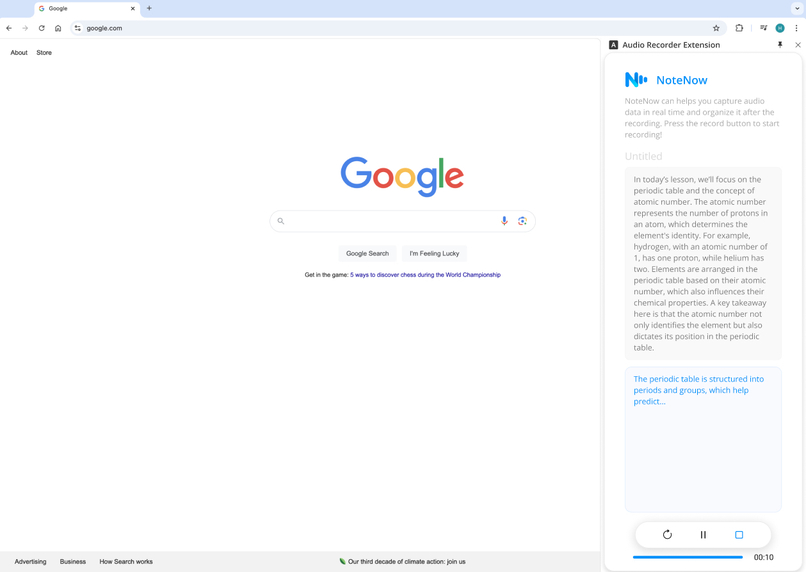
Recording and Lap
-
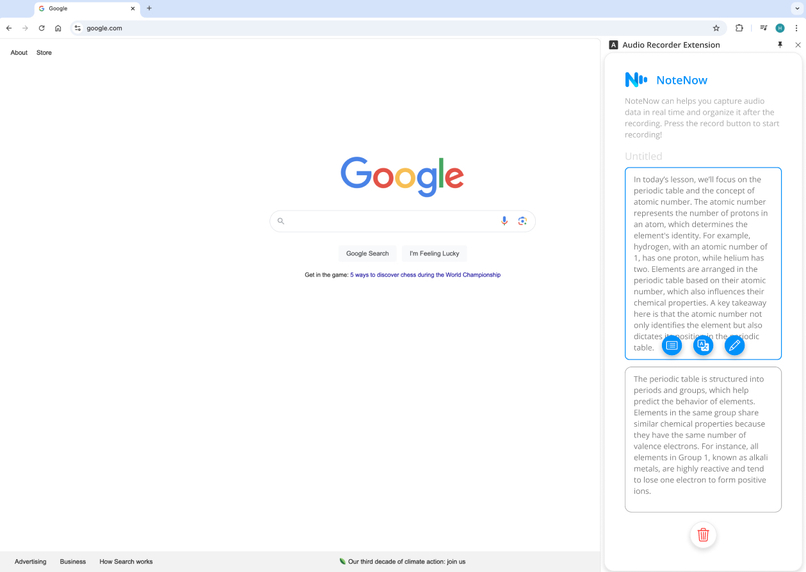
Complete Status
-
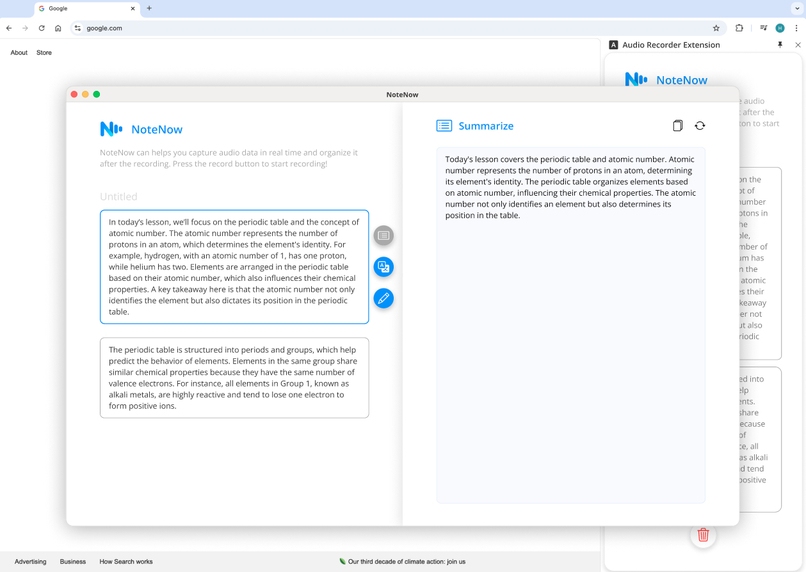
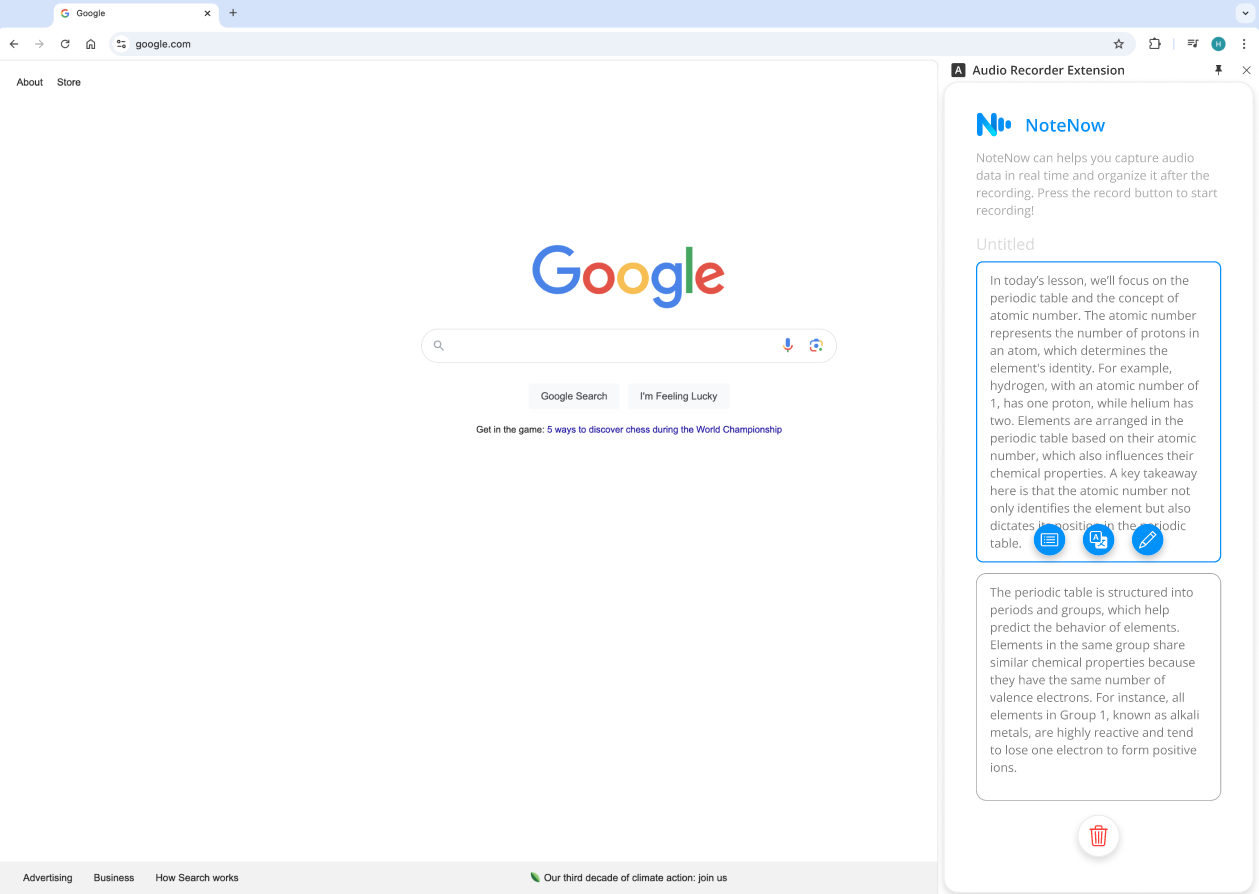
Summarize Function
-
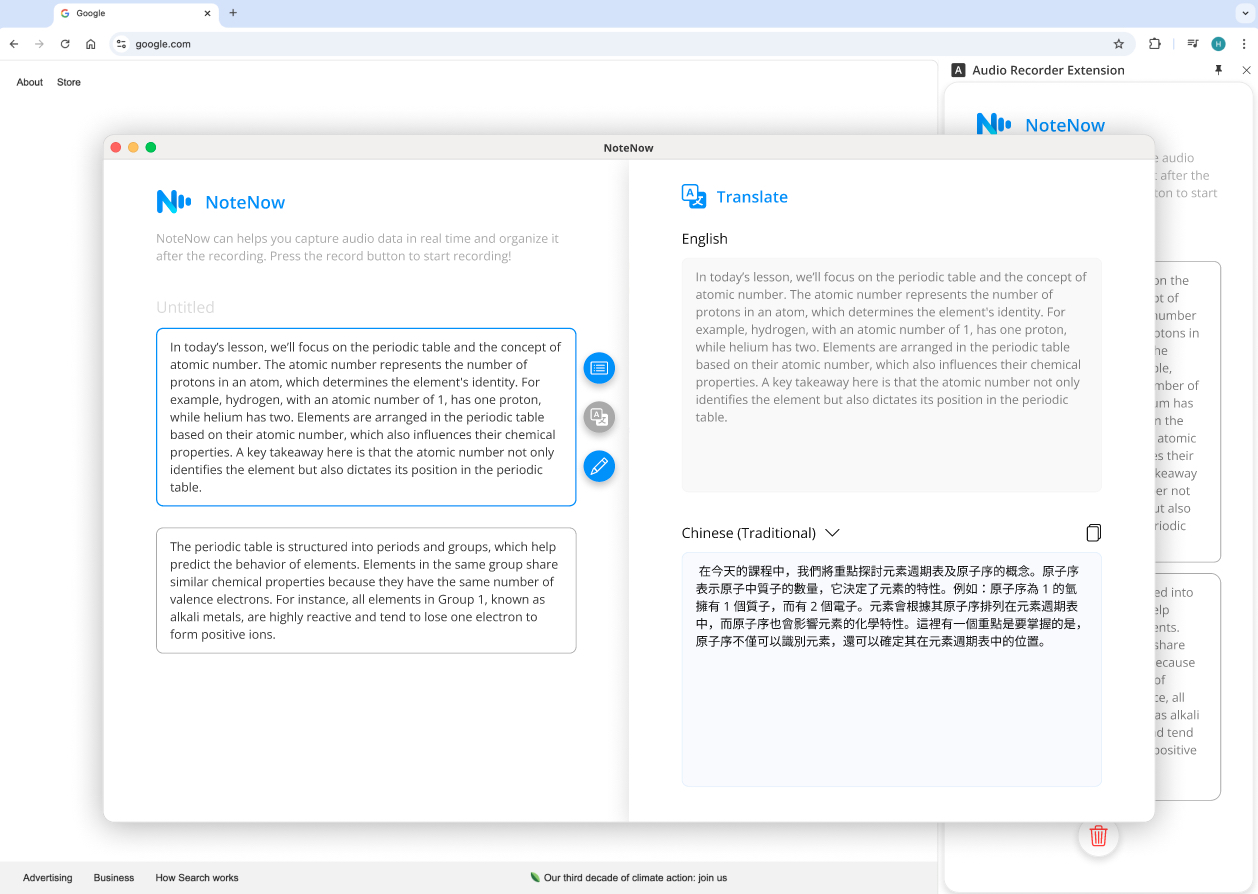
Translate Function
-
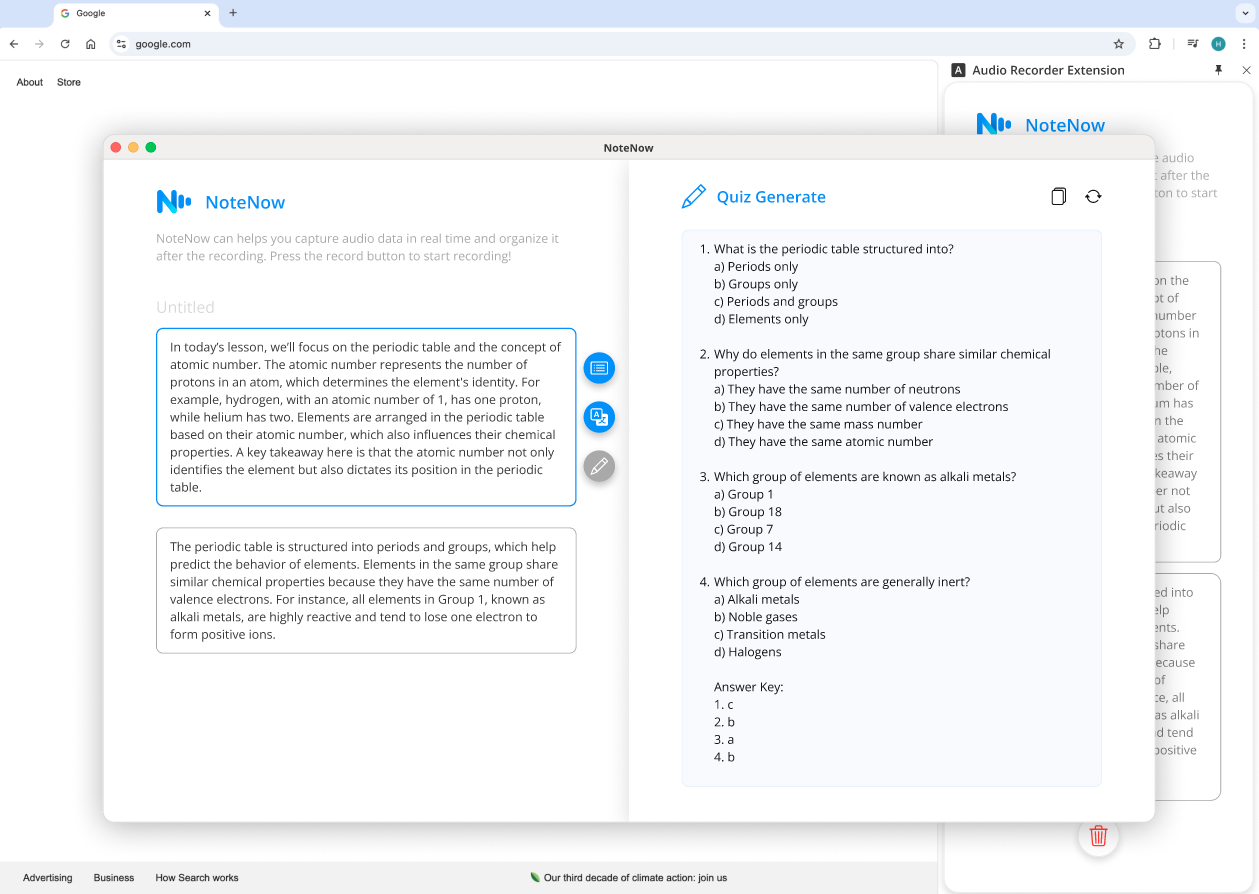
Quiz Generate Function

Inspiration
We noticed how inconvenient it can be to record audio, then revisit it later for subtitles or reorganizing key points. Often, the true value of lectures, meetings, or study sessions lies in summarizing insights, translating content, or preparing for exams—tasks that are most effective when done in real time. This inspired us to create NoteNow, a Chrome Extension powered by Google Gemini Nano, enabling users to process and utilize audio content instantly. With cutting-edge AI technology, users can actively engage in learning while seamlessly capturing and transforming information as it happens.
What it does
NoteNow is a Chrome extension that enables users to:
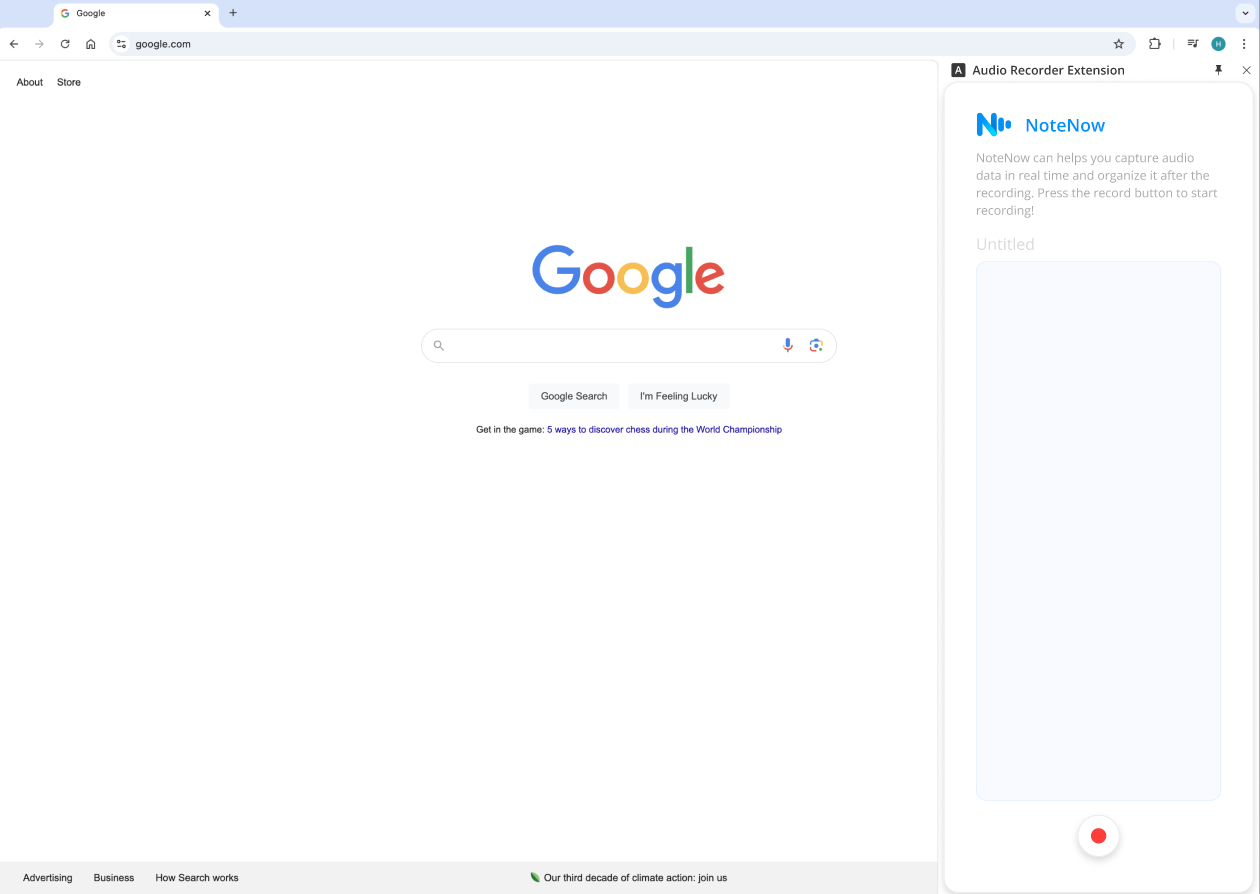
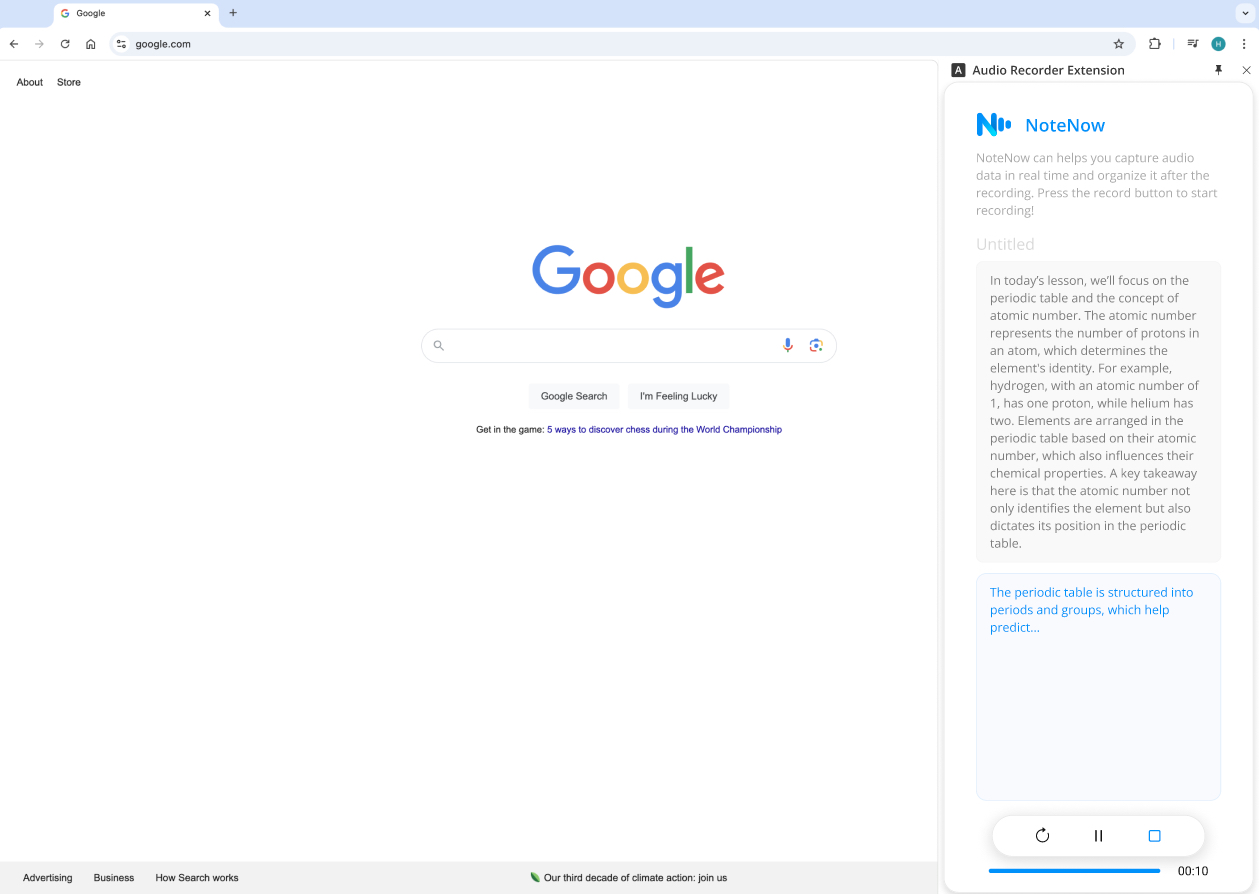
- Record audio in real-time, segmenting it into manageable parts (Laps).
- Summary: Summarize key takeaways for each segment, highlighting essential points.
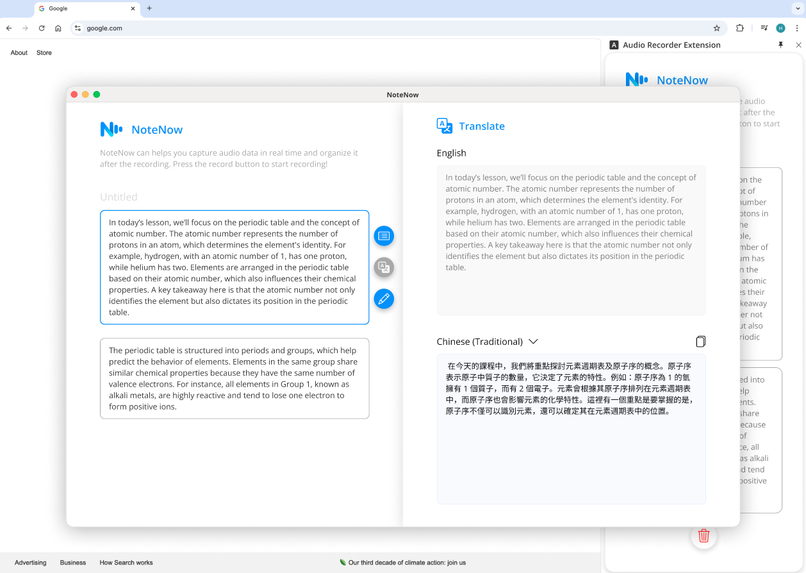
- Translation: Translate audio content into multiple languages to aid multilingual learners.
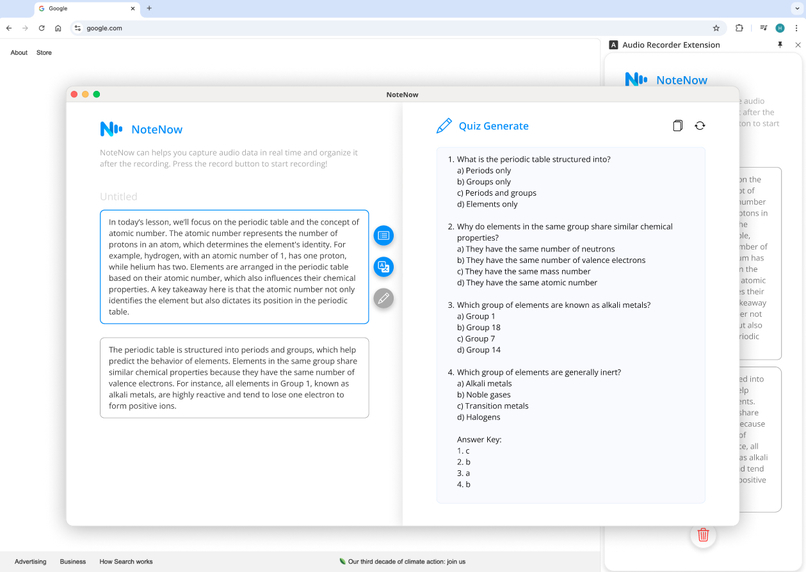
- Quiz Generation: Generate quizzes from recorded content to reinforce understanding and retention.
How we built it
- Target User Identification: Focused on
studentsandlifelong learners. - User Research: Conducted interviews with university students to identify pain points and understand their preferences.
- Design Process : Created detailed wireframe specifications for the UI/UX, iterating on designs based on user feedback.
- Prototyping: Built an interactive prototype for testing core functionality, usability, and design effectiveness.
- Development:
- Used audio content as the input to process and generate meaningful insights through advanced APIs powered by Google Gemini.
- We leveraged the prompt API using the generateContent method with the gemini-1.5-flash-8b model, which excels in multilingual processing and summarization. This approach allowed us to generate summaries, translations, and quizzes tailored for learning purposes, ensuring accurate and refined content creation.
- Built the UI Front-End using JavaScript, HTML, and CSS, ensuring a sleek and responsive user experience.
Challenges we ran into
Design
- Balancing Readability and Usability: We designed a compact sidebar on the right to allow users to record voice notes without obstructing the webpage. The primary challenge was arranging content and buttons effectively in the limited space, which impacted readability. This required careful consideration of UX principles, including visibility of system status and a minimalist design.
- Solution:
- Kept the design simple. Besides showing the transcribed text, other elements were minimized to reduce clutter and make the interface easy to use.
- Kept the design simple. Besides showing the transcribed text, other elements were minimized to reduce clutter and make the interface easy to use.
- Solution:
Development
- Permissions Issues: Chrome extensions require explicit permissions to access system resources like the microphone. If permissions aren't set up correctly, your extension won't be able to access the microphone.
- Handling Audio Stream and Recording: Managing the audio stream and ensuring that the recording starts and stops properly can be tricky. Mismanagement of the stream or incorrect stopping of the recording can lead to bugs or memory leaks.
- Solution:
- Use the
MediaRecorderAPI to handle the recording. - Create separate start/stop functions to properly manage the recording lifecycle.
- Use the
- Solution:
- User Interface Challenge: Creating a smooth user interface that allows users to control the recording (start, pause, stop) can be challenging, especially with Chrome Extensions' pop-up interface limitations (such as size constraints).
- Solution:
- Make sure your UI is responsive and clear. Using buttons for start/stop and a progress bar can improve user experience.
- Use CSS and JavaScript to update the UI dynamically during the recording process.
- Solution:
- Background Script Communication: Passing data, such as audio or other state, between different parts of the extension (popup, background script, content script) can be confusing.
- Solution:
- Use
chrome.runtime.sendMessageandchrome.runtime.onMessageto communicate between background and popup scripts.
- Use
- Solution:
Accomplishments that we're proud of
- Successfully Creating a Seamless User Experience That Transitions from Recording to Insight Generation
- We created a smooth workflow where users can record audio, segment it into Laps, and process insights with ease. The intuitive interface minimizes distractions, letting users focus on organizing and understanding content effortlessly.
- Implementing an Accurate Summarization System Capable of Condensing Large Amounts of Information Effectively
- By leveraging the Gemini Summarization API, we developed a system that produces concise, reliable summaries for any topic. The ability to regenerate results ensures flexibility, saving users valuable time during content review.
- Achieving Multilingual Support to Make the Tool Accessible for Diverse Learners
- Integrating the Gemini Translation API allowed us to deliver accurate, fluent translations in multiple languages. This feature breaks language barriers, making NoteNow a powerful tool for diverse learners worldwide.
- Functional Prototype Validated by Positive Feedback
- In a short timeframe, we built a functional Chrome extension featuring all core tools. Early testers praised its usability and practical impact, confirming that NoteNow effectively addresses real-world learning challenges.
What we learned
User-Centric Design Is Key:
- Through interviews and testing, we learned that understanding user behavior is critical to building features that truly address their pain points. For example, users valued real-time functionality like Lap creation and summarization but also emphasized simplicity in UI design to avoid cognitive overload during fast-paced sessions.
Controlling Google Extension V3:
- Managing the side panel and offscreen processing in Google Extension V3 taught us how to balance performance and responsiveness.
- Side Panel: Used as the main interface for user interaction, providing dynamic views for recording and creating laps. Learning how to manipulate its size, layout, and integration with the content script was key to delivering a fluid experience.
- Event-Driven Message Handling: Learnt how to listens for messages using
chrome.runtime.onMessage.addListener, which is an event-driven approach. This allows extension to react to messages sent from other parts of the extension. - Managing Data with Chrome Storage: The
chrome.storage.local.getmethod retrieves data stored locally in the extension, such astitleandtranscriptions. We understood how to store and retrieve data efficiently using Chrome’s storage APIs, a critical skill for maintaining state or transferring data across components.
- Managing the side panel and offscreen processing in Google Extension V3 taught us how to balance performance and responsiveness.
Prompt Engineering for Gemini API Interaction:
- Crafting precise and context-aware prompts was critical for generating high-quality outputs. For example:
- Summarization Prompts: "Summarize the following text into concise bullet points, focusing on actionable insights."
- Translation Prompts: "Translate the following content into [target language] while maintaining natural fluency and tone."
- Quiz Generation Prompts: "Create three multiple-choice questions from this text, each with one correct answer and three distractors."
- These taught us the importance of iterative tuning and testing to achieve consistent, user-appropriate results.
- Crafting precise and context-aware prompts was critical for generating high-quality outputs. For example:
The Importance of Iterative Testing:
- By conducting multiple testing and feedback loops, we realized how small adjustments can significantly improve the overall product experience. This approach helped us identify overlooked edge cases, such as handling long audio recordings or poorly recorded audio.
- By conducting multiple testing and feedback loops, we realized how small adjustments can significantly improve the overall product experience. This approach helped us identify overlooked edge cases, such as handling long audio recordings or poorly recorded audio.
What's next for NoteNow
- Expanding the User Base:
- We plan to tailor NoteNow for a broader audience and streamline their user cases to iterate our product, including educators, corporate teams, and language learners, enabling diverse use cases like collaborative projects, professional development, and language mastery.
- We plan to tailor NoteNow for a broader audience and streamline their user cases to iterate our product, including educators, corporate teams, and language learners, enabling diverse use cases like collaborative projects, professional development, and language mastery.
- Supporting File Uploads for Precise Prompt Material:
- Future updates will allow users to upload supplementary files, such as lecture slides, meeting notes, or reference documents. This will enhance the accuracy and relevance of the AI-generated summaries, translations, and quiz content.
- Introducing a Personalized History Page:
- Users will soon have access to a "My History" page, where they can view and manage recordings from past lectures, meetings, or study sessions. This feature will help users revisit key insights and organize their learning journey effectively.



Log in or sign up for Devpost to join the conversation.