Inspiration
Many students understand DSA concepts theoretically but struggle to convert them into working code. A small pointer mistake, incorrect loop boundary, missing recursion base case, or misunderstood BFS step can cause a solution to fail.
Most coding platforms only return “Wrong Answer,” while tutorials often reveal the complete solution. We wanted to build a platform that helps learners understand their mistakes without taking away the thinking process.
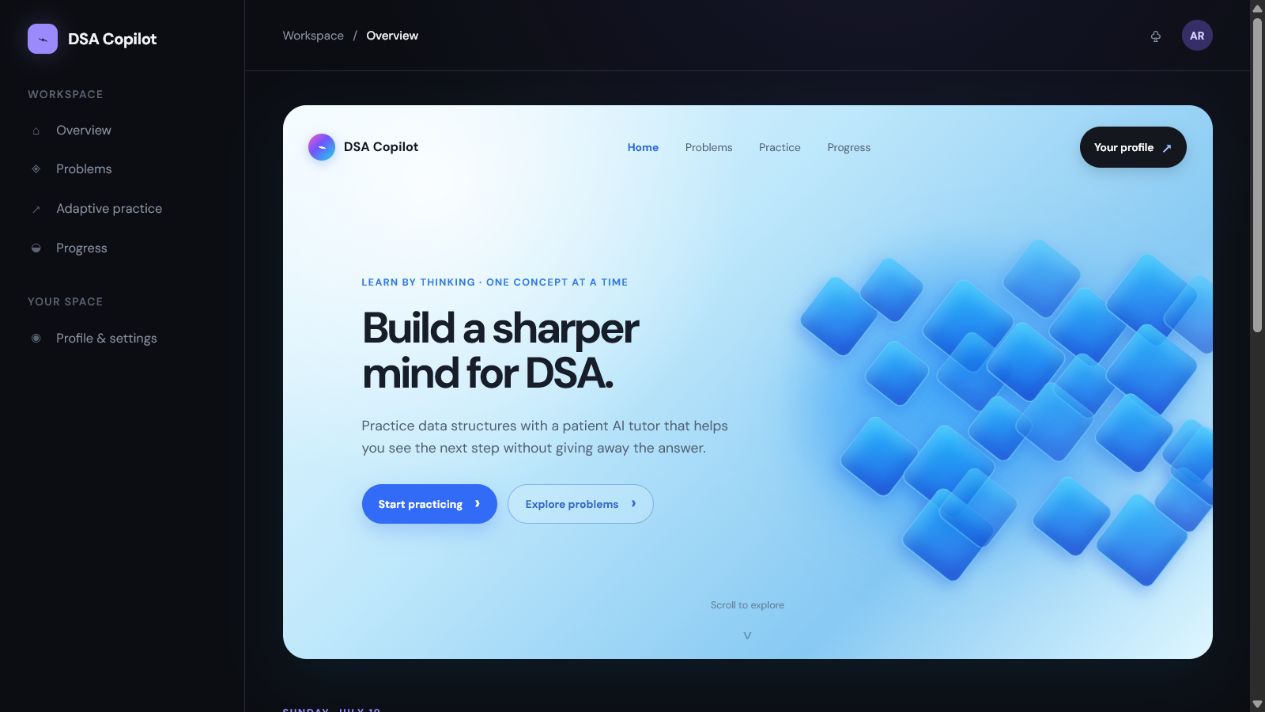
That idea became DSA Copilot.
What It Does
DSA Copilot is an AI-assisted DSA learning workspace where users can:
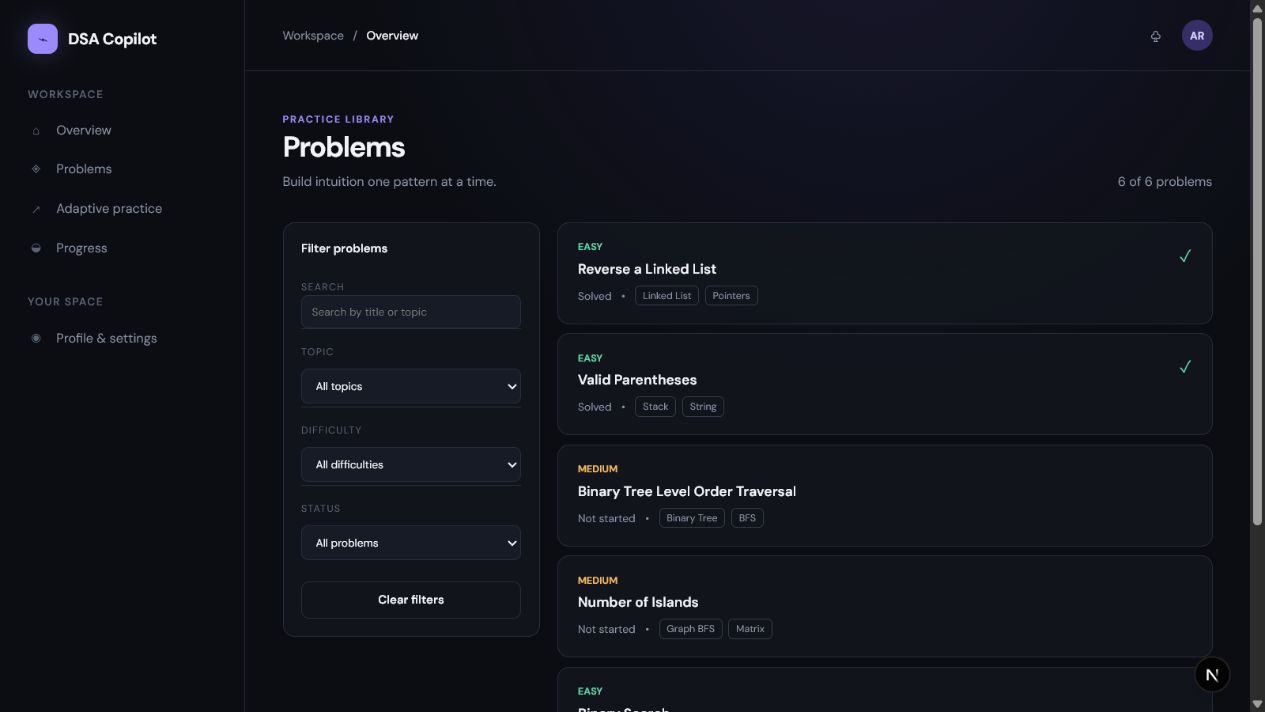
- Select problems by topic, difficulty, or completion status
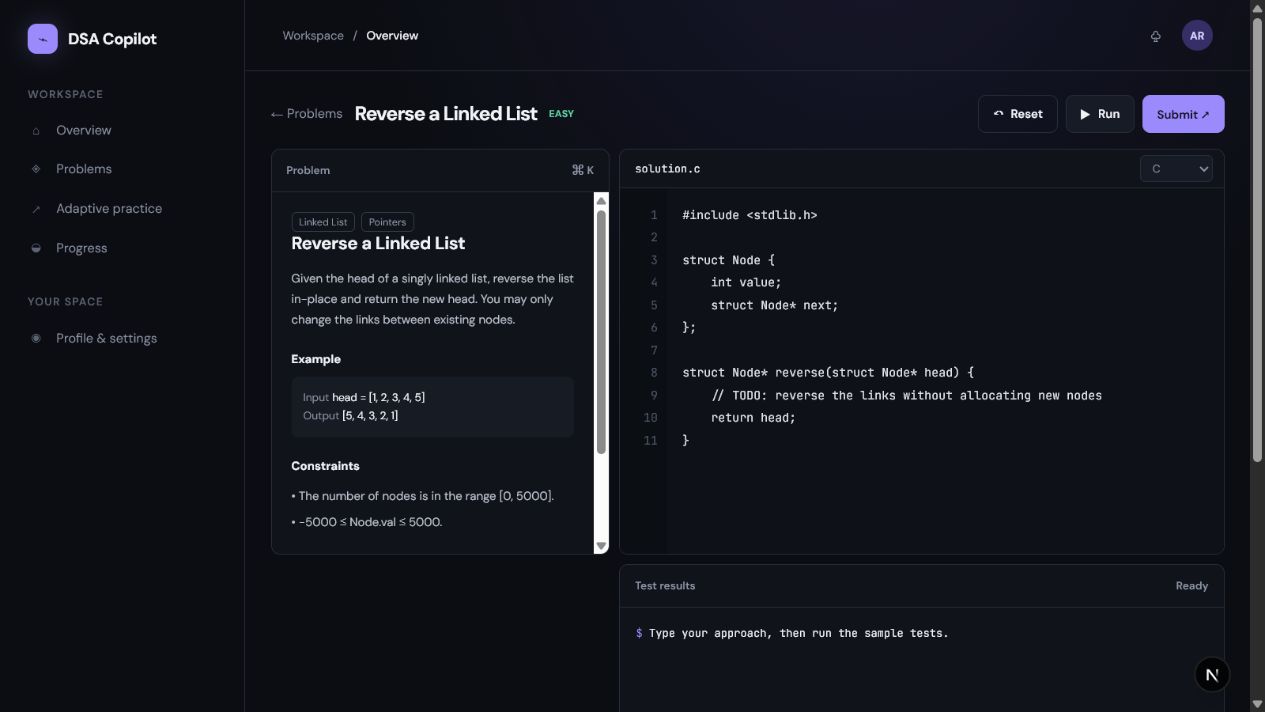
- Read problem-specific descriptions, examples, and constraints
- Write or paste code in C, Python, or Java
- Use line numbers, auto-indentation, and auto-brackets
- Run visible test cases and submit hidden edge cases
- Receive AI code analysis, Socratic hints, and Big-O complexity
- Visualize arrays, linked lists, stacks, trees, and graphs
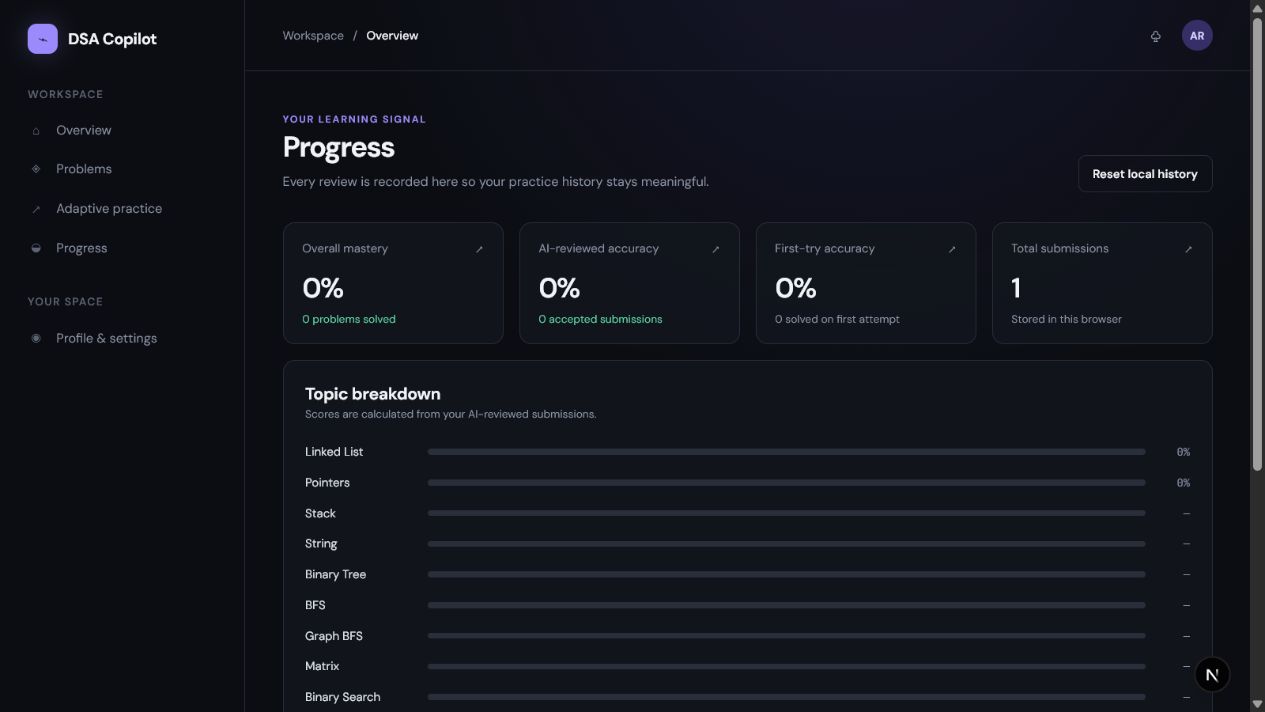
- Track solved problems, mastery, activity, streaks, and submissions
The goal is not to provide answers immediately. It is to guide learners toward the next correct step.
How We Built It
We built the project using Next.js, React, TypeScript, CSS, and the Gemini API.
The application includes a dashboard, problem library, editable coding workspace, visualizer, complexity analysis, progress dashboard, profile section, and authentication flows.
The code reviewer runs through server-side API routes so the Gemini API key remains private:
const apiKey = process.env.GEMINI_API_KEY;
We created a local judge workflow for visible and hidden test cases. Submissions update solved status, mastery, daily activity, streaks, and progress history.
The complexity panel analyzes submitted code and displays time and space complexity, such as:
Time Complexity: O(n)
Space Complexity: O(1)
We used Codex to structure the Next.js application, build the editor and judge workflow, debug runtime issues, fix hydration errors, implement account-specific progress, and prepare deployment documentation.
We used GPT-5.6 Luna as a reasoning and product-design partner. Luna helped us design the Socratic hint system, identify algorithmic invariants and edge cases, define the AI review response format, connect submissions to mastery metrics, and improve the overall learning experience.
What We Learned
We learned that an educational AI tool should not simply provide a technically correct answer. It must provide feedback at the right level.
A useful hint should:
- Identify the learner’s current mistake
- Point toward the relevant concept
- Encourage another attempt
- Reveal more detail only when necessary
We also learned how important state management is in an educational product. Solved problems, streaks, daily activity, mastery, and submission history must remain consistent with the user’s real actions.
Challenges We Faced
One major challenge was reviewing code without allowing the AI to incorrectly mark a solution as correct. We combined deterministic test-case evaluation with AI reasoning so that test results and explanations support each other.
We also solved challenges involving asynchronous route parameters, hydration mismatches, dynamic dates, chart coordinates, language-specific editor behavior, account-specific progress, and secure environment variables.
Another challenge was designing a clean and approachable interface instead of an intimidating neon developer tool. We focused on light and dark themes, glass panels, subtle animations, visual explanations, and progress views inspired by GitHub and LeetCode.
Team
DSA Copilot was collaboratively created by Ayushman Sahoo from UPES Dehradun and Omm Biswajit Kanungo from SOA University, with the help of OpenAI Codex and GPT-5.6 Luna.
Built With
- ai
- algorithms
- api
- codex
- css
- data
- gpt-5.6
- html5
- javascript
- luna
- next.js
- node.js
- openai
- react
- structures
- supabase
- typescript
- vercel
- visualization
