-
DRT Bus Tracker | GUI
Inspiration
Mentioned in the opening ceremony was a huge screen with live bus positions. Why not put that power into user's hands? A simple interface to get bus locations and delays relevant to the stop you are waiting at seemed like an intuitive and approachable project.
What it does
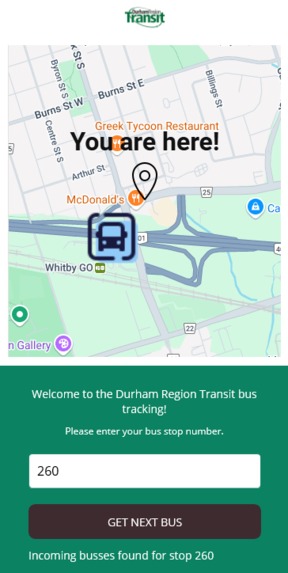
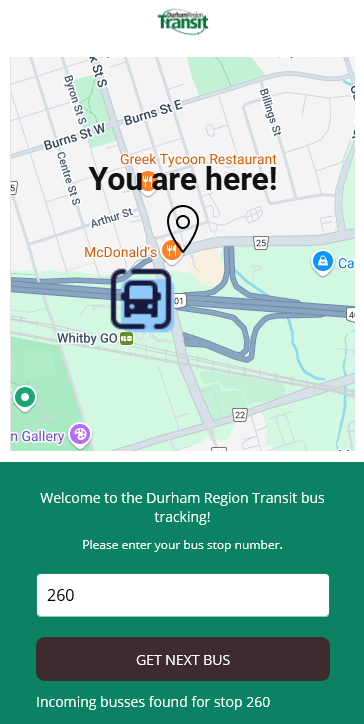
Takes in the stop number of a user waiting for a bus, and shows them nearby buses on trips that will reach that stop. It also outputs the delays, if any, on those trips, so the user knows if they're in for a wait!
How we built it
We all wanted to learn .NET MAUI for multi-platform app development, and successfully deployed using Visual Studio for both Windows Desktop and Android (emulator) platforms.
We used a Google Maps websource embedded in XAML for the GUI, on the back end we used the provided API for DRT live updates, the provided static .zip for trips and stops data, and built a data handler to get that data and compare real time results to what we 'known' from our static resources.
Challenges we ran into
We all had trouble getting Android emulation to begin with, and MAUI had a steeper initial learning curve than expected, particularly getting all static resources to compile and build for each platform. We planned on using MAUI Maps, but it turned out to not be fully supported!
Accomplishments that we're proud of
The app totally looks like what we imagined, and we got MAUI working (we had some doubters...)! The data handling was something that went well and all team members contributed to, so that was a major group accomplishment. Brady gets extra credit for getting the map to work!
What we learned
Never underprepare for a new technology, and XAML is not so bad.
What's next for DRT Bus Tracker
Only time will tell...


