-
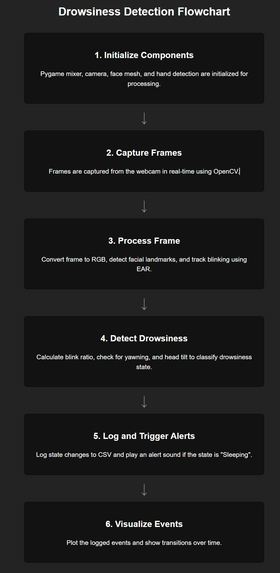
flowchart
-
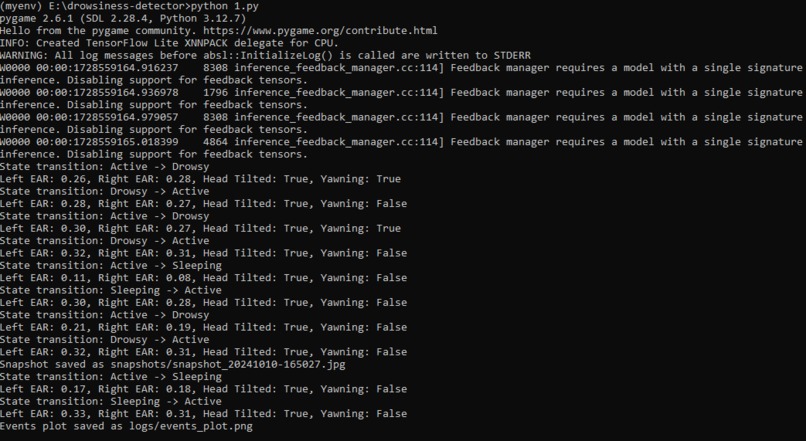
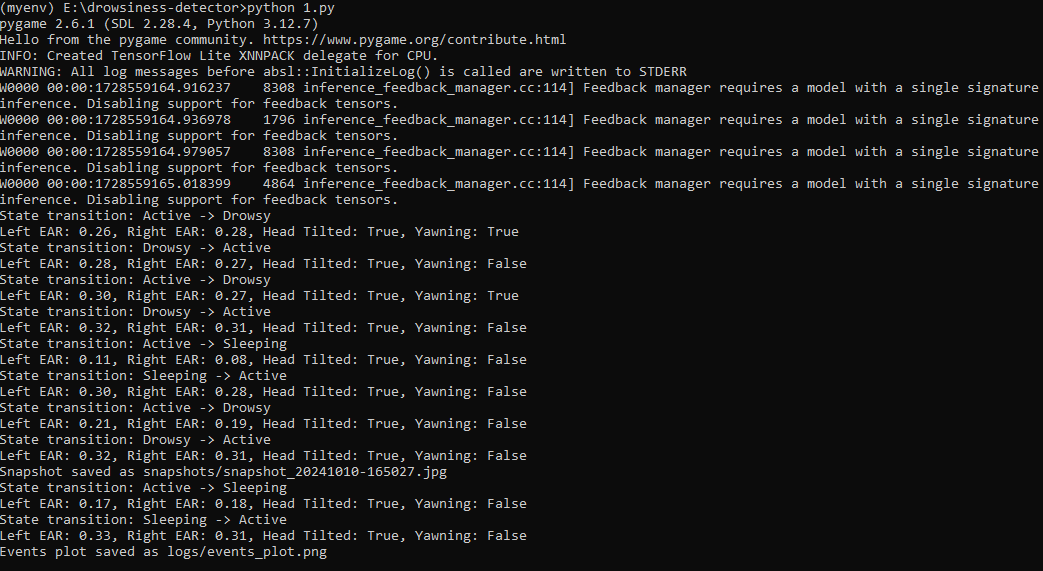
output-obtained
-
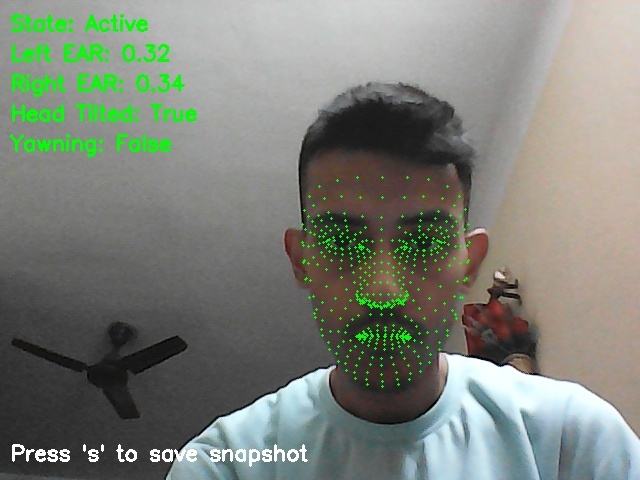
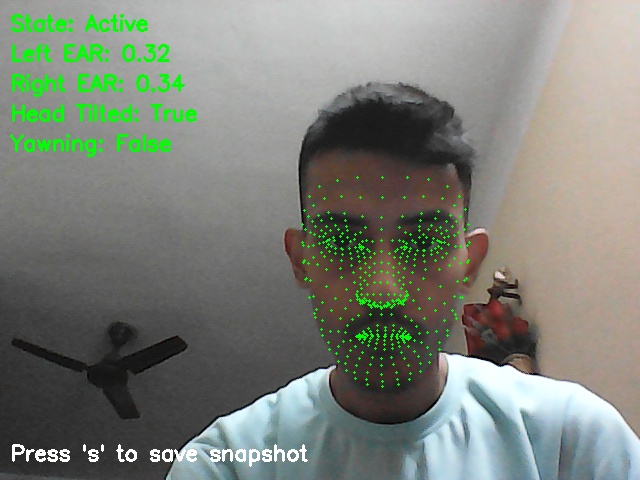
working-in-real_time
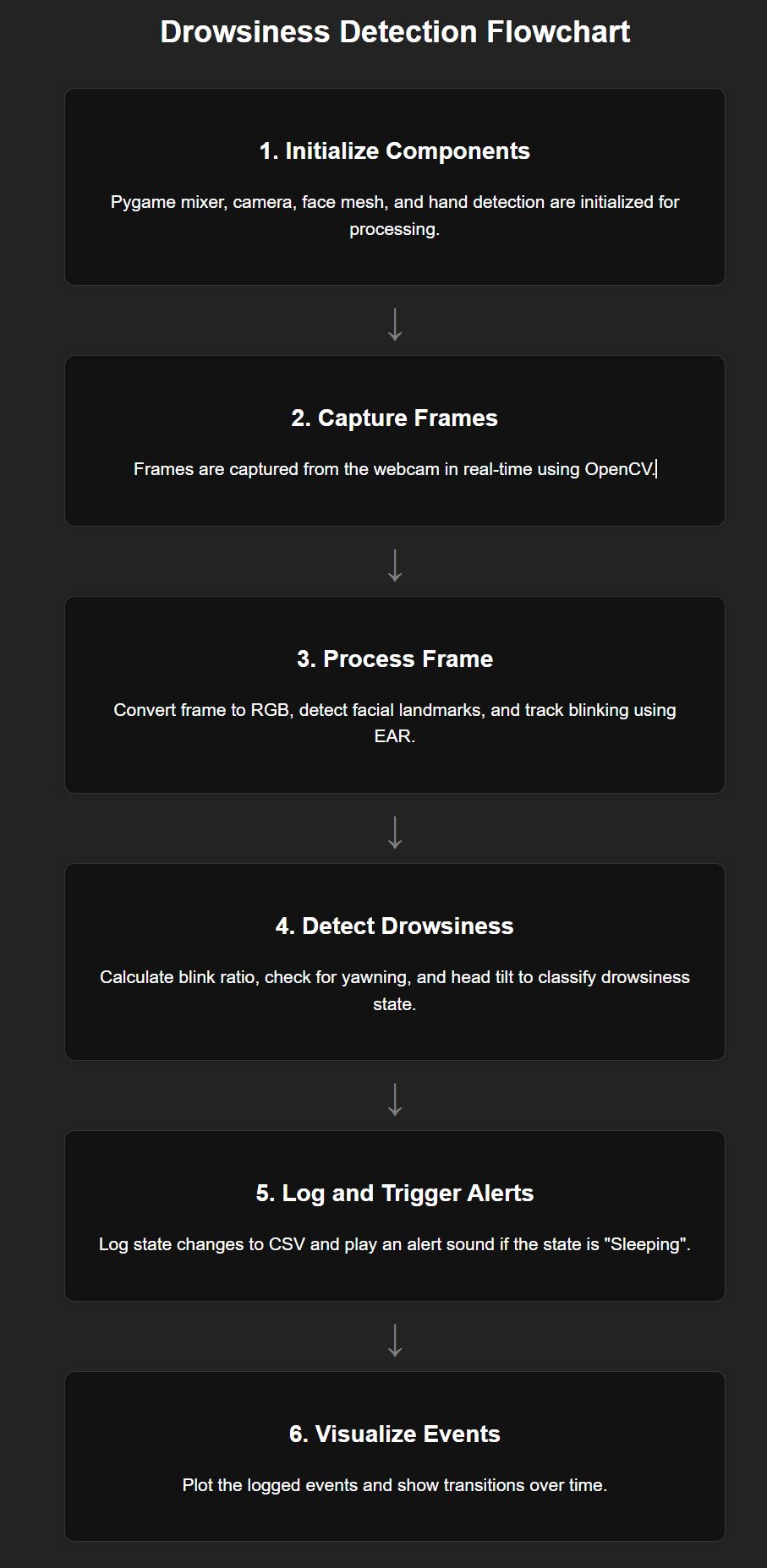
Inspiration
Ever since my school days, I had a problem of falling asleep in class. Those early experiences, combined with my current passion for ML/AI and computer vision (especially OpenCV), sparked the idea of creating a system that could keep people alert. I wanted to build something that had important implications of a real-world problem.
What it does
Drowsiness Detector is a real-time system that monitors user alertness by analyzing facial landmarks and hand movements. It detects signs of drowsiness through head tilts and yawning, and it can even trigger a sound alert to prevent any potential accidents. The project also logs drowsiness events with timestamps and visualizes the data over time, ensuring a comprehensive overview of the user's alertness status.
How I built it
I developed the project using Python and several powerful libraries:
- OpenCV for real-time video processing.
- Mediapipe for accurate facial landmark detection.
- Pygame and Winsound for the audio alert system.
- NumPy and Matplotlib for data handling and visualization.
Challenges I ran into
- One notable challenge was handling false alerts—specifically, when a hand covers the face, the system incorrectly identifies the user as drowsy, regardless of whether they are yawning.
- Also, balancing sensitivity and specificity in various lighting conditions and facial orientations also proved to be a complex task that required iterative testing and fine-tuning; but, there are still a few issues with it.
Accomplishments that we're proud of
- Successfully integrating multiple Python libraries to build a cohesive, real-time drowsiness detection system.
- Implementing a robust alert mechanism that notifies users instantly when signs of drowsiness are detected.
- Creating a comprehensive logging and visualization feature that offers valuable insights into user alertness patterns over time.
What I learned
This project deepened my understanding of computer vision, machine learning, and the practical integration of various software libraries. I learned how to manage real-time data processing, address issues of false positives, and balance user experience with technical performance.
What's next for Drowsiness Detector
Looking forward, I plan to refine the detection algorithms to better differentiate between genuine drowsiness and other non-critical actions, such as a hand covering the face. Future iterations can also include enhanced features like multi-user detection, integration with wearable devices, and cloud-based analytics for broader application in safety-critical environments.

Log in or sign up for Devpost to join the conversation.