-
-
visualization win app 6
-
visualization win app 7
-
visualization web app 2
-
visualization web app
-
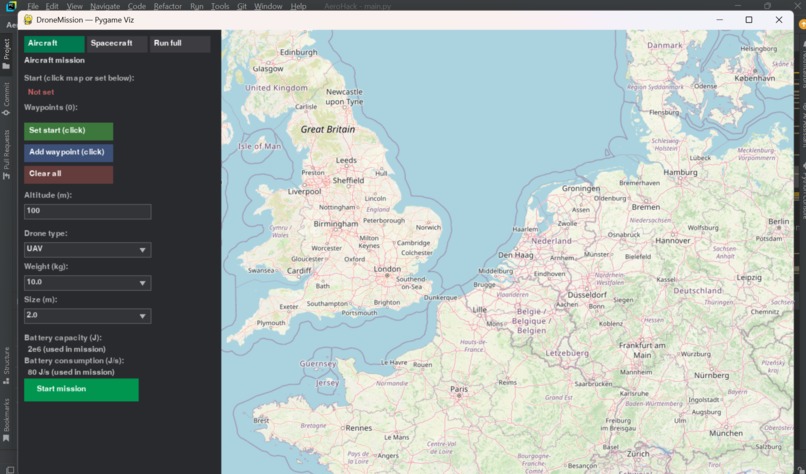
visualization win app
-
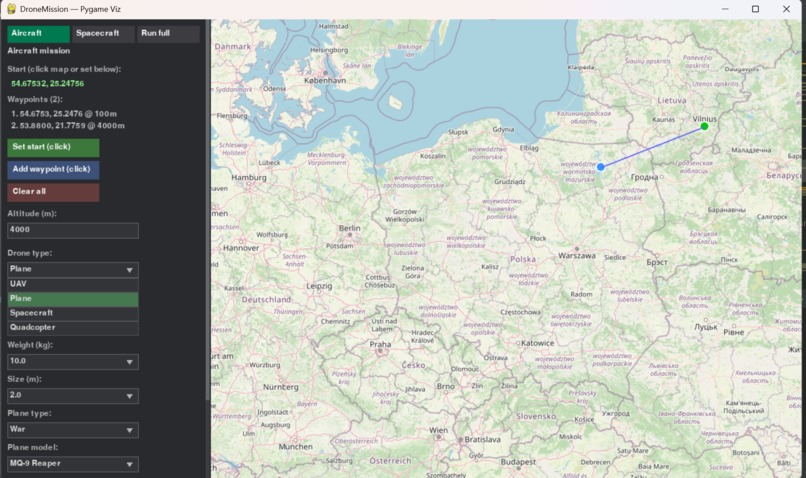
visualization win app 2
-
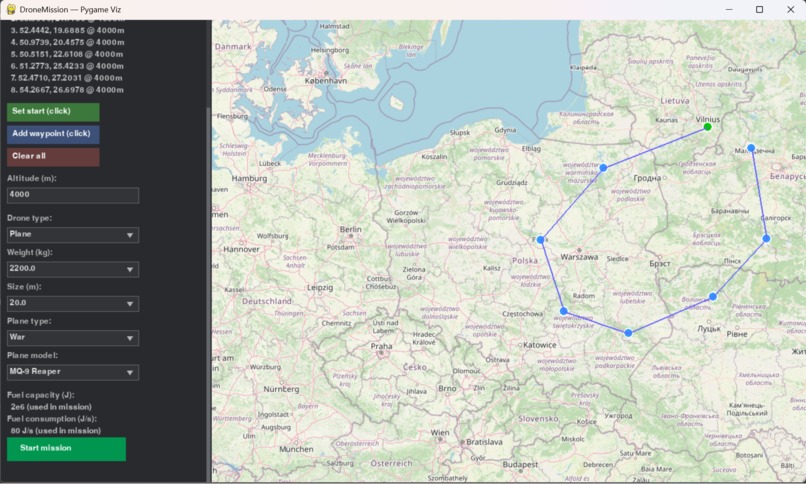
visualization win app 4
-
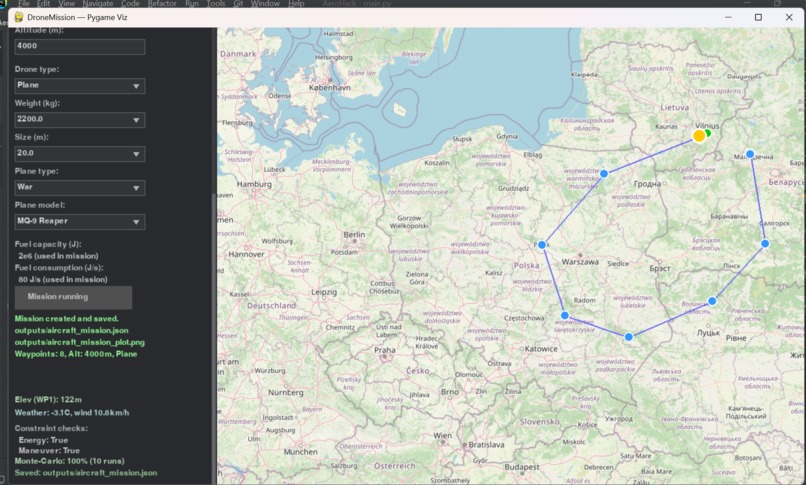
visualization win app 5
-
visualization win app 3
DroneMission — AeroHack
Inspiration
We wanted a single framework that could plan and simulate both aircraft missions (UAVs and fixed-wing) and spacecraft missions (e.g. CubeSat-style LEO) using the same core ideas: decision variables, constraints, and one solver. Real missions need fuel/battery limits, crash risk, and clear visualization—so we added energy depletion (no fuel / no battery), crash position reporting, and two UIs: a web app and a Pygame desktop app, both with editable parameters and the same logic as the main pipeline.
What it does
- Unified planning engine — One solver and constraint/objective interface for both aircraft and spacecraft. Aircraft: point-mass kinematics, turn limits, fuel or battery capacity, wind; spacecraft: orbit visibility, observation and downlink windows, slew and power constraints.
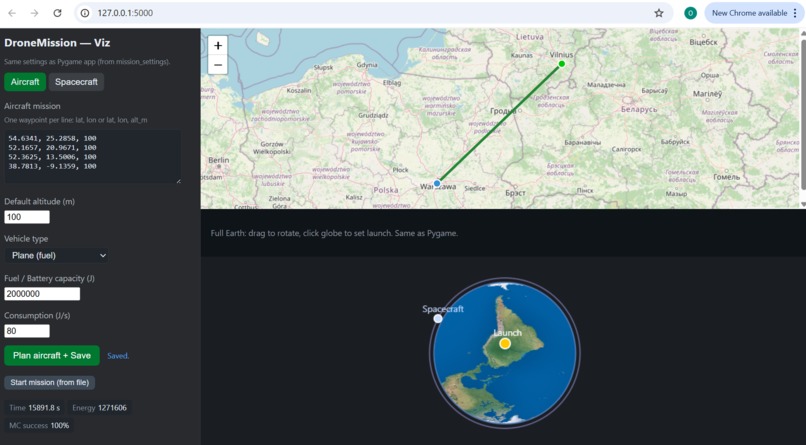
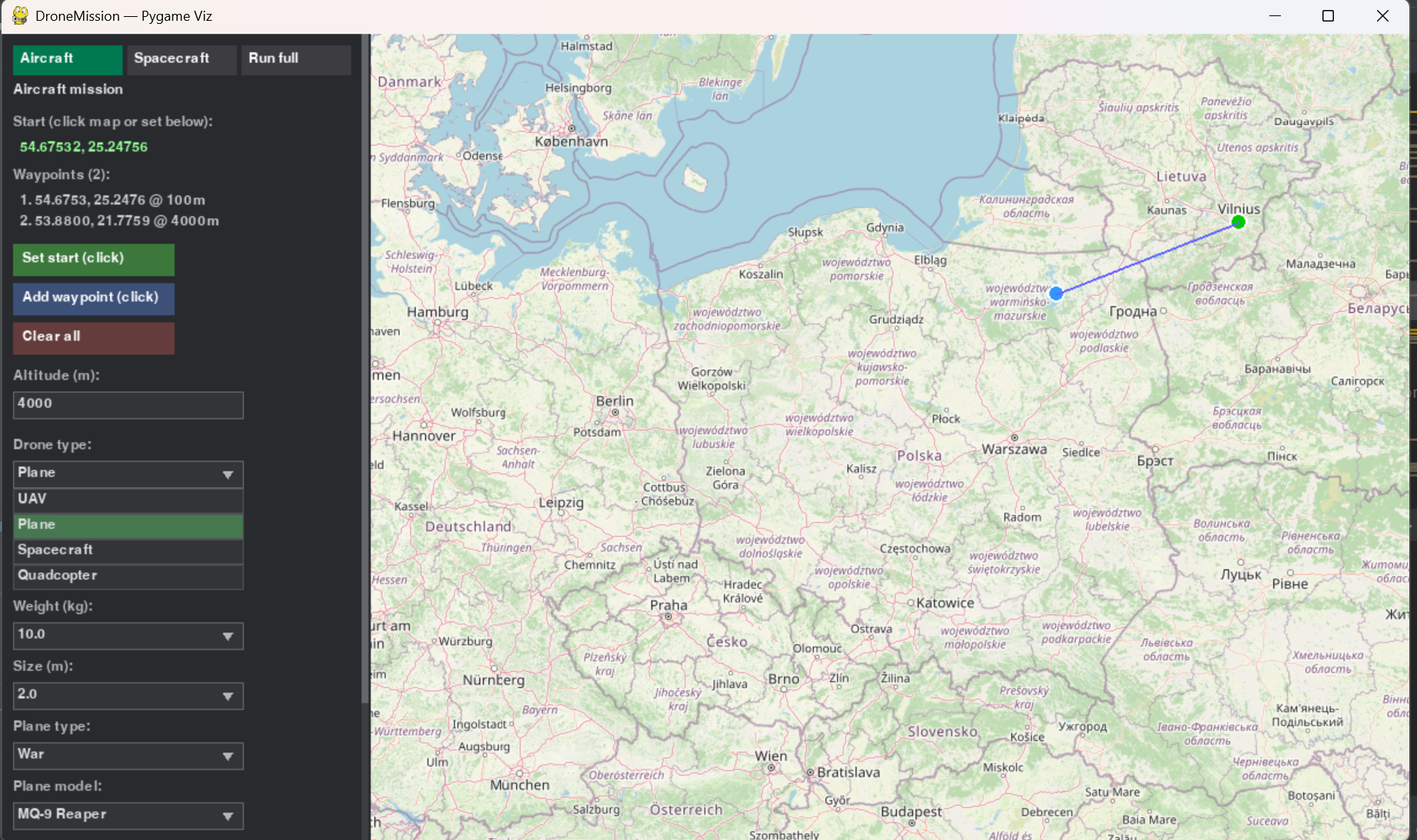
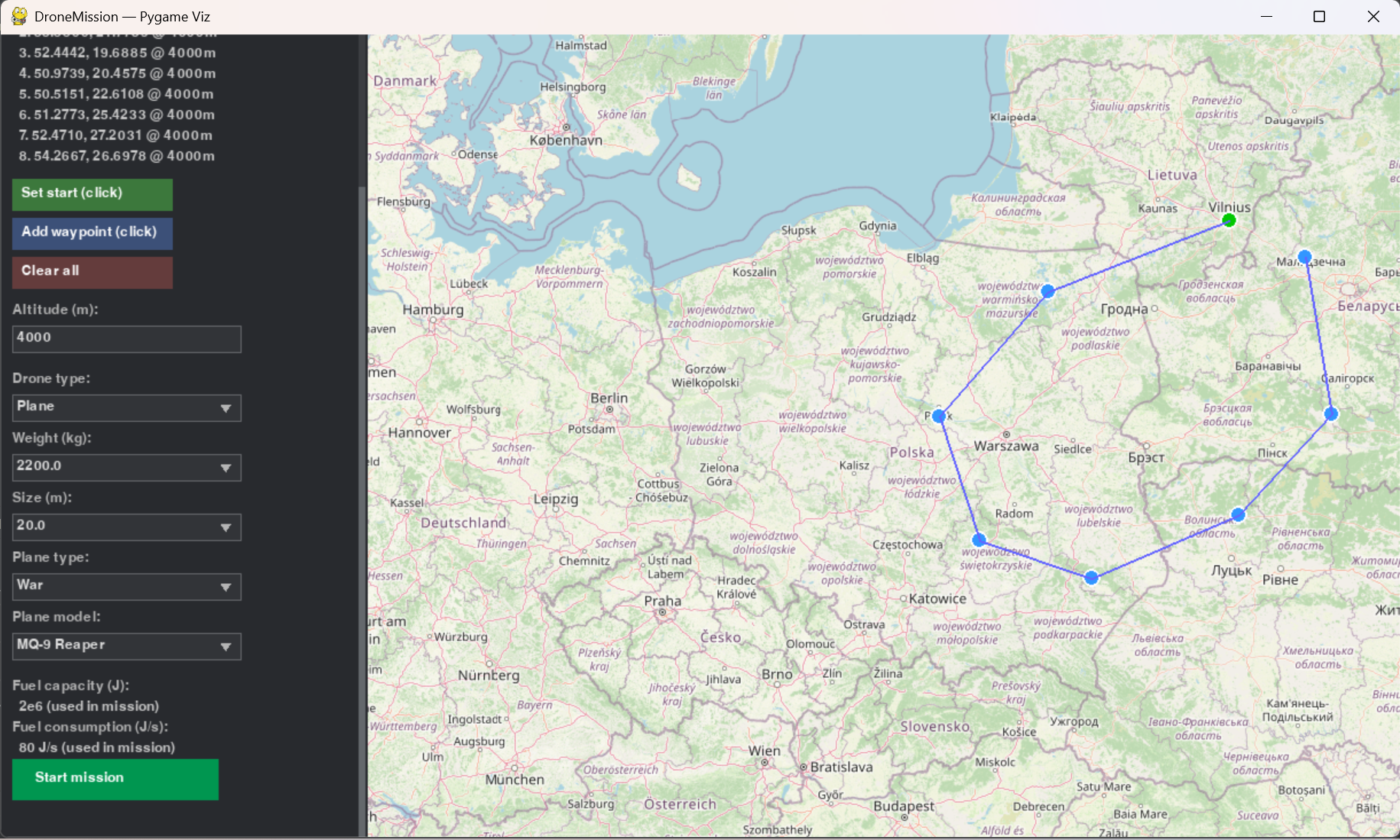
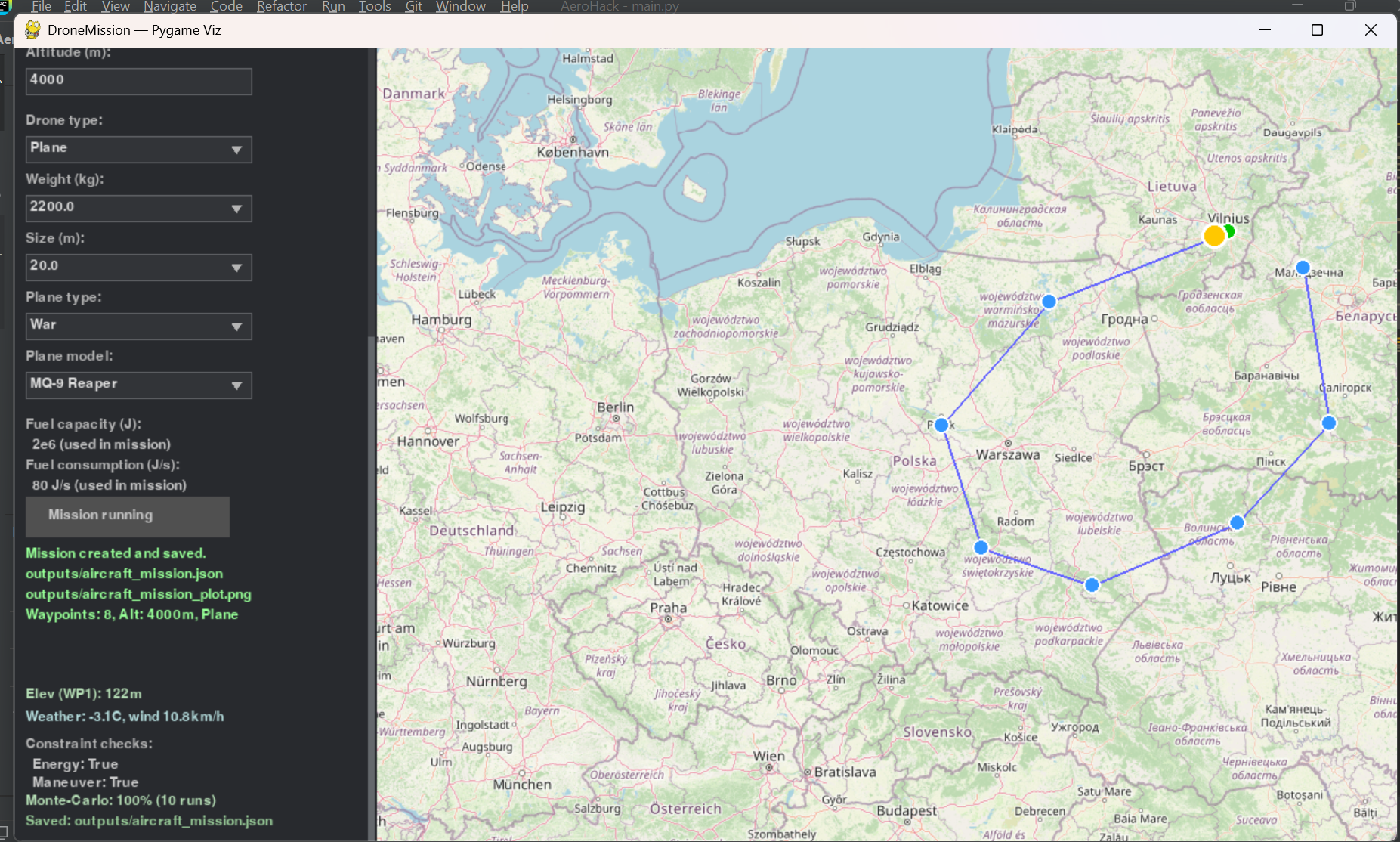
- Aircraft missions — Define waypoints (lat, lon, optional alt); plan a time-optimal route; simulate with fuel/battery consumption; report energy remaining at each waypoint and where the aircraft would crash (no fuel or no battery) if it runs out. Supports Plane (fuel tank) and UAV/drone (battery). Monte-Carlo for wind uncertainty.
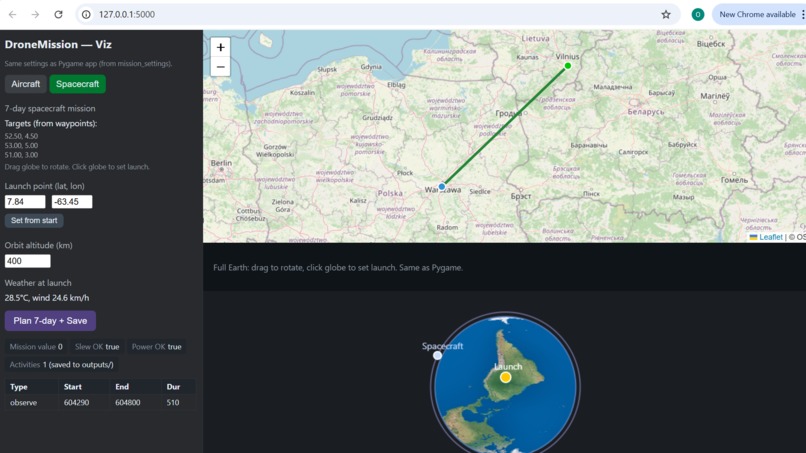
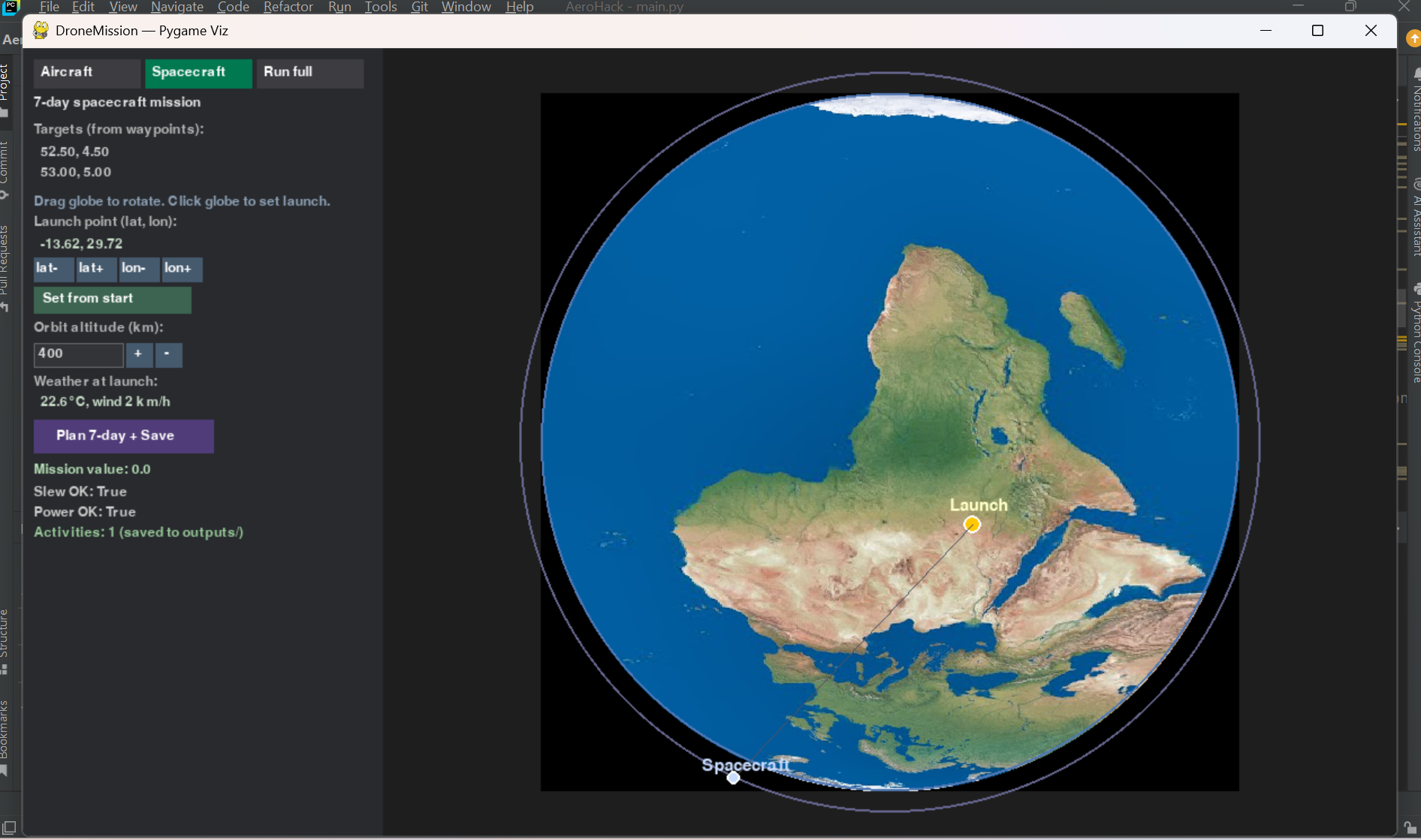
- Spacecraft missions — 7-day LEO schedule: observations of ground targets and downlinks to a ground station; mission value; Slew OK / Power OK constraint checks.
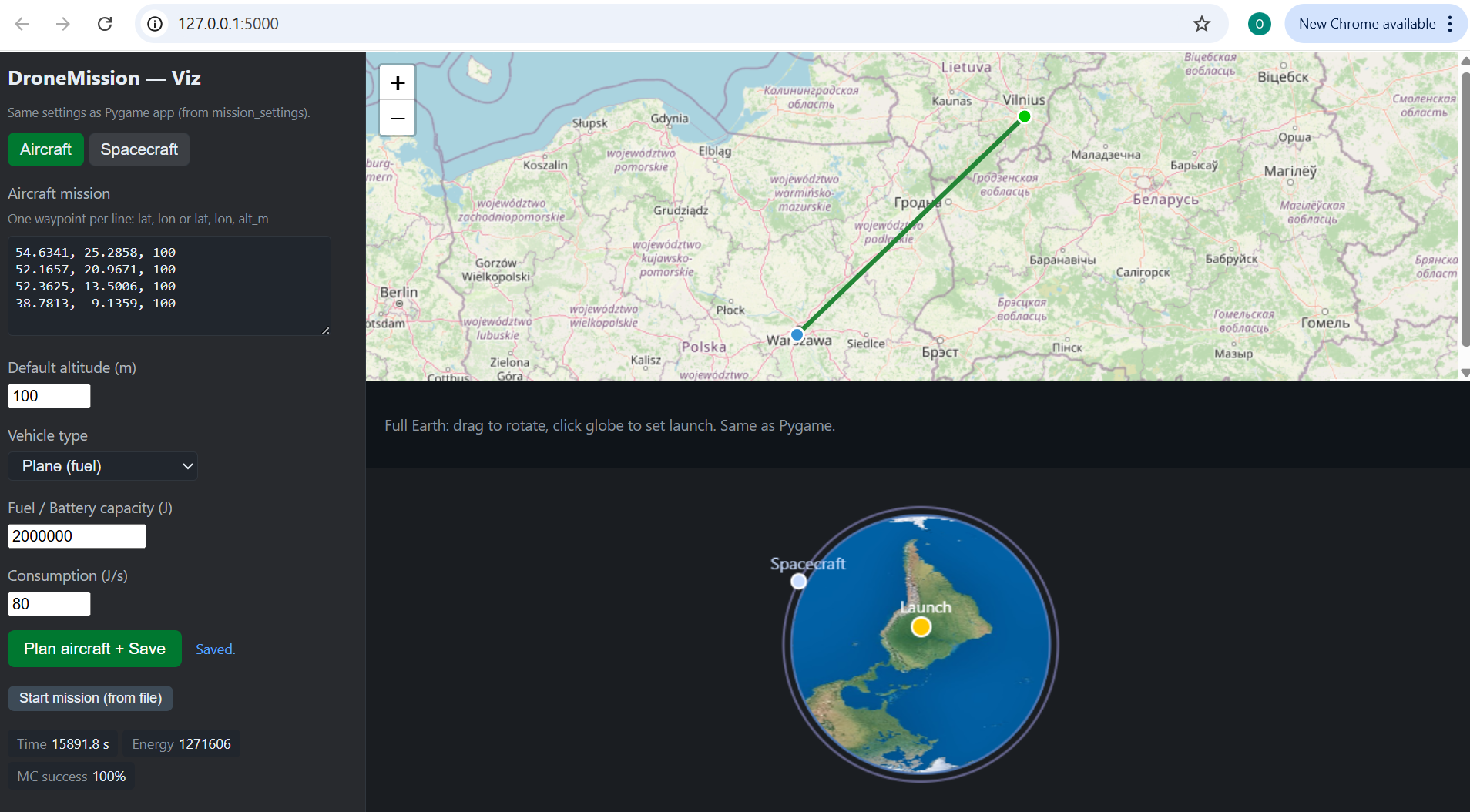
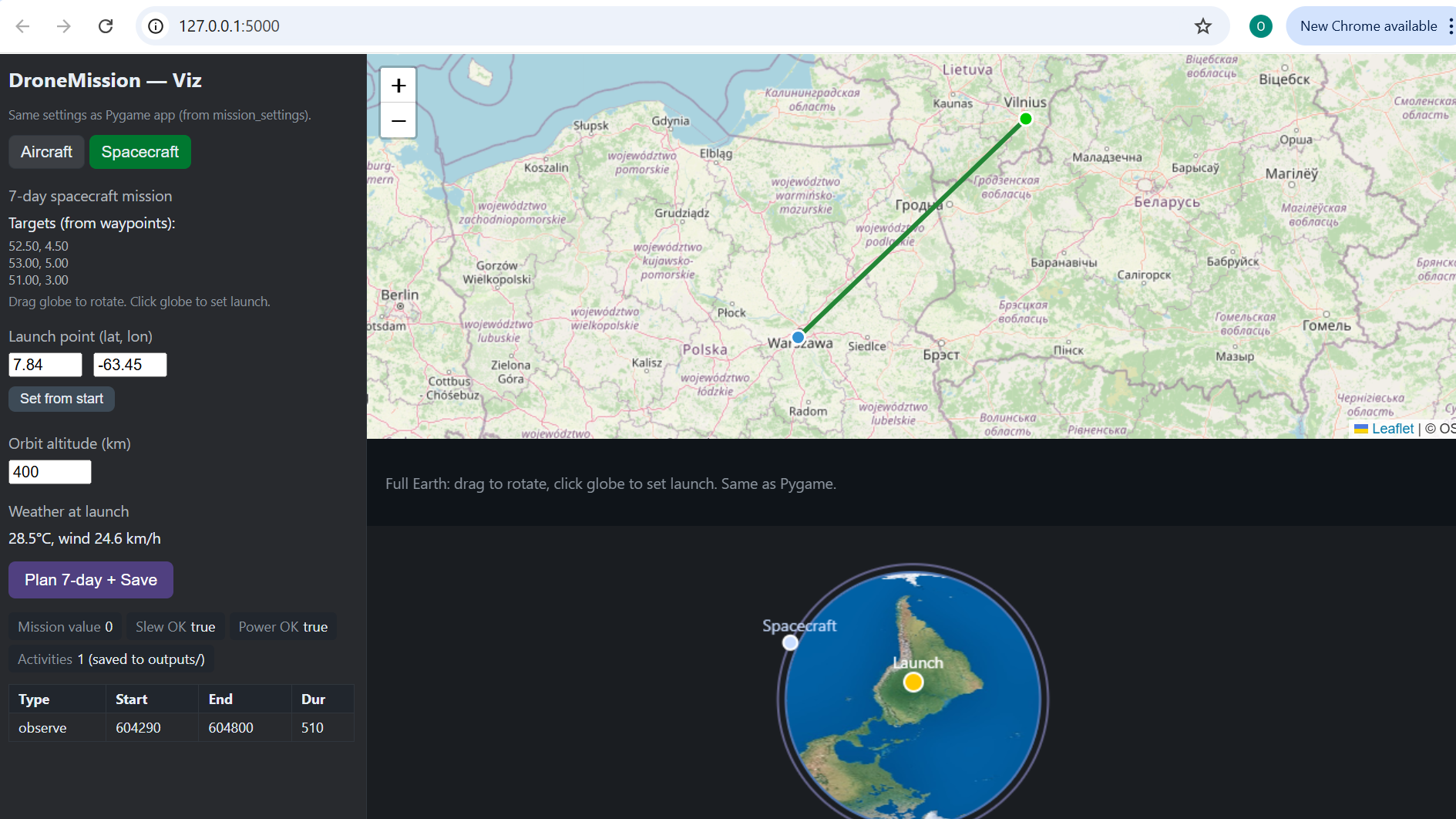
- Web app — Flask at http://127.0.0.1:5000. Aircraft tab: edit waypoints (textarea), altitude, vehicle type, fuel/battery capacity, consumption; Plan aircraft + Save runs with your values and updates the map. Spacecraft tab: set launch point (lat/lon) and orbit altitude; Plan 7-day + Save; full Earth globe with drag to rotate and click to set launch; weather at launch.
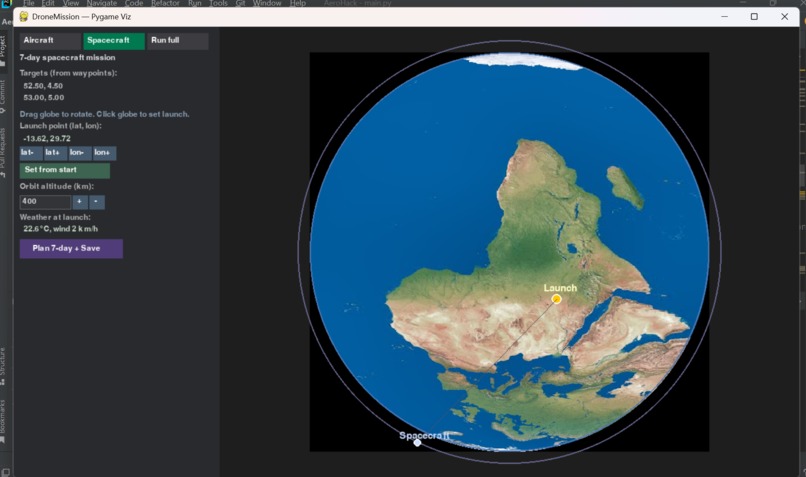
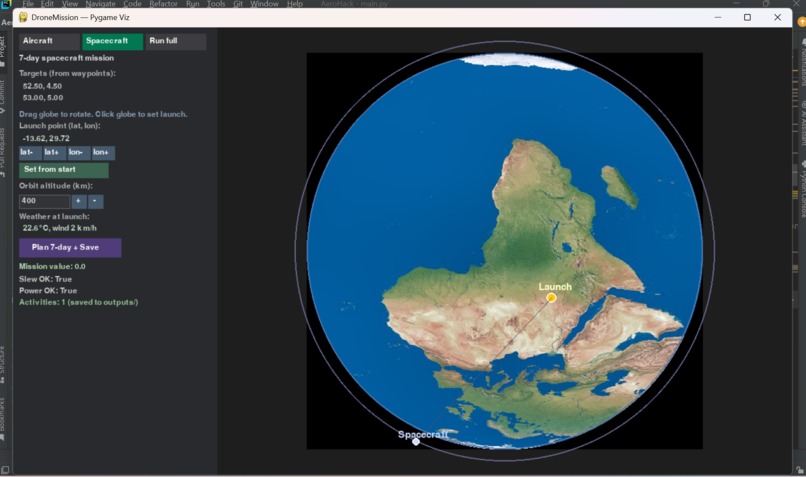
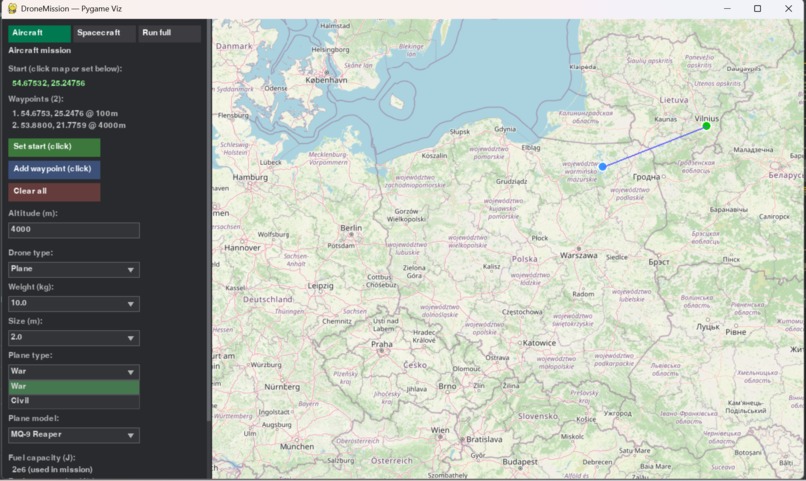
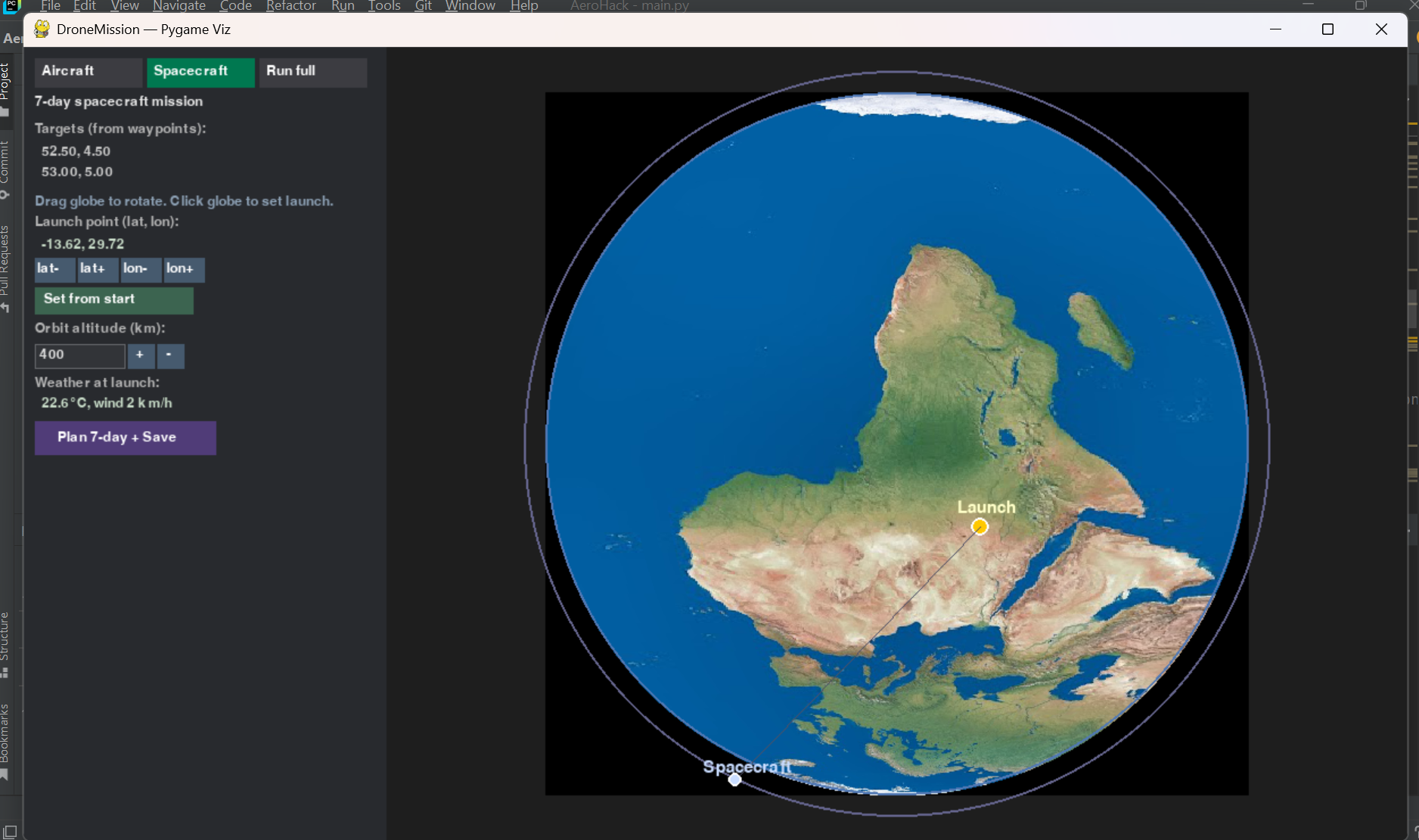
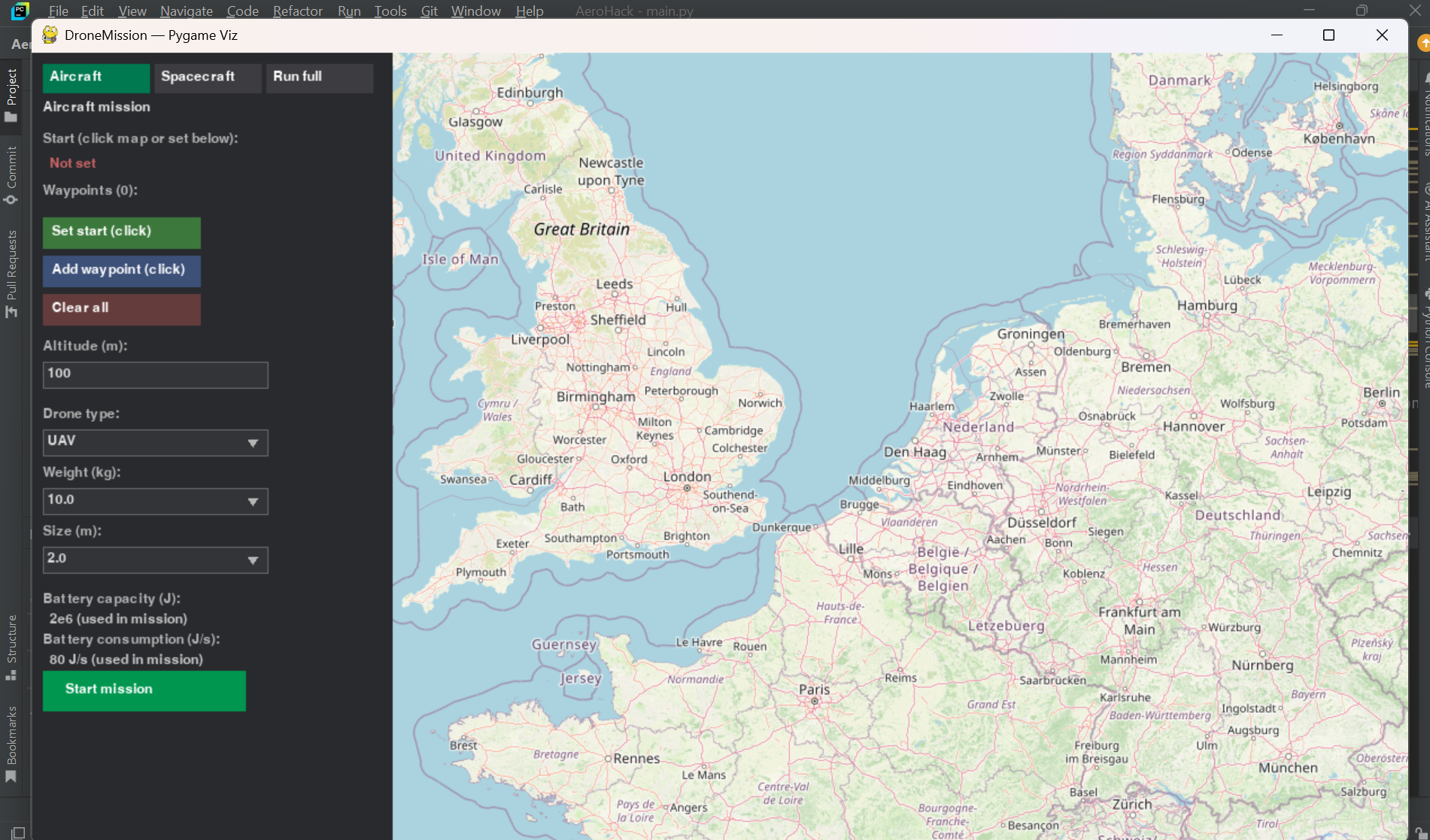
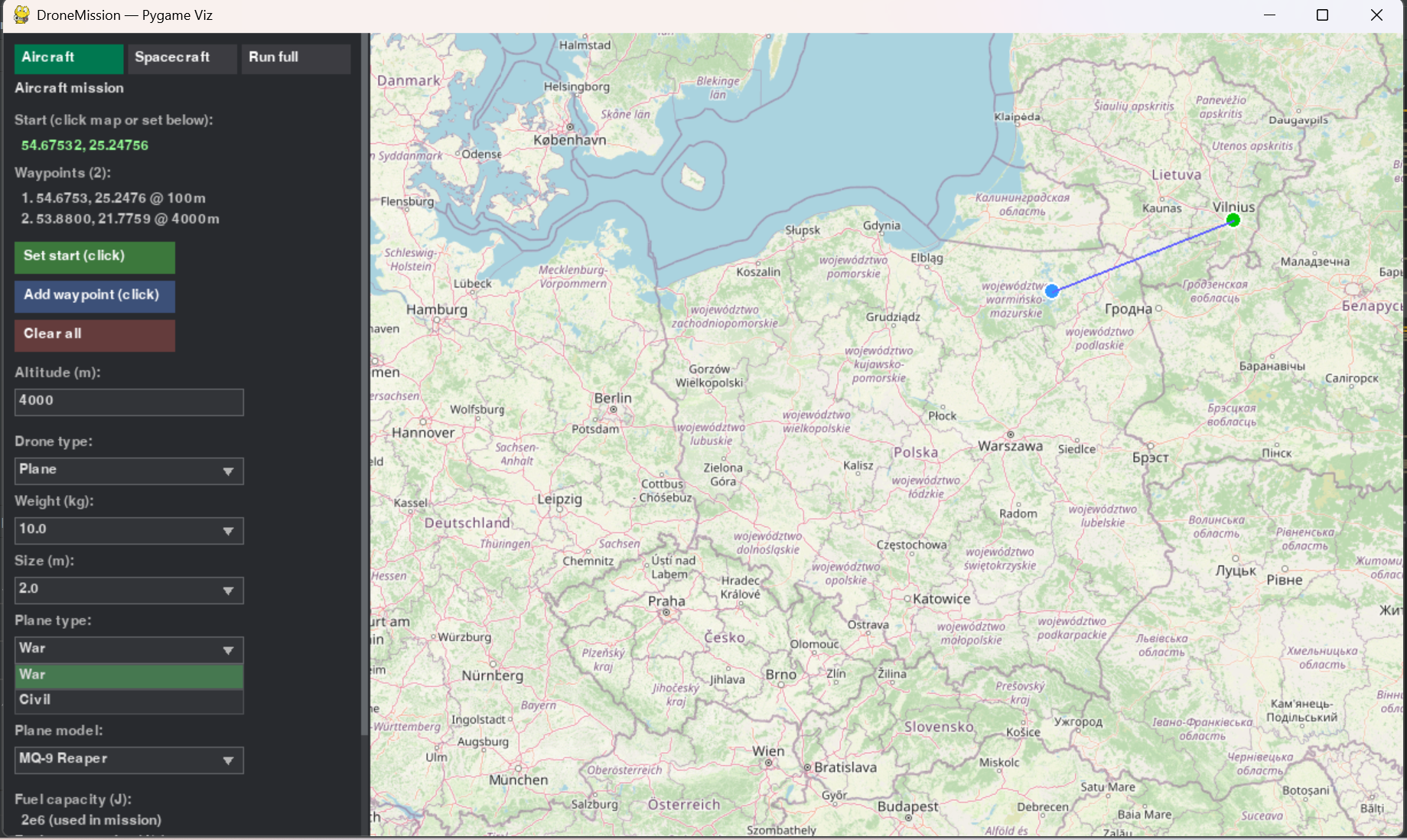
- Pygame app — Desktop window: real map (OSM), set waypoints by clicking, run aircraft mission, replay with crash/fail if fuel/battery depletes; Spacecraft tab with textured Earth, drag to rotate, click to set launch, launch/orbit inputs, weather at launch.
- Outputs — JSON and CSV in
outputs/: aircraft route with energy levels and crash_depletion (if any), spacecraft schedule, constraint checks, plots.
How we built it
- Core (
src/core/) — Shared decision variables, constraints, objective, and a single constraint-based solver used by both domains. - Aircraft (
src/aircraft/) — Model (kinematics, turn rate, energy), altitude correction, planner calling the core solver, simulation with depletion detection (interpolated crash position), Monte-Carlo. - Spacecraft (
src/spacecraft/) — Orbit propagation, visibility and pass windows, planner and schedule, slew and power constraints. - Single entry point (
src/run_all.py) — Readsmission_settings.py(waypoints, vehicle type, fuel/battery capacity, targets, station, etc.), runs aircraft then spacecraft, writes all outputs. - Web app (
webapp/) — Flask; HTML/JS with editable aircraft form and spacecraft form; APIs:/api/plan_aircraft,/api/plan_spacecraft,/api/weather,/api/settings,/api/start_mission; Leaflet for aircraft map; canvas for Earth with texture and drag/click. - Pygame viz (
pygame_viz/) — Same planning/simulation viapipelineandmission_runner; OSM map view and full-Earth spacecraft view with texture, rotation, and click-to-set-launch; weather and elevation APIs.
Challenges we ran into
- Unifying two domains — Keeping one solver and one constraint interface while modeling aircraft (continuous path, fuel/battery) and spacecraft (discrete observation/downlink windows) required a clear abstraction (decision variables, constraints, objective) and careful formulation of each domain.
- Depletion and crash position — Simulating segment-by-segment and detecting when energy runs out during a segment, then interpolating the exact (lat, lon, time) for reporting and for the viz (crash/fail marker).
- Web vs file settings — Letting users change aircraft/spacecraft parameters in the web app without editing files: we added POST APIs that accept waypoints and params and run the same pipeline, writing to
outputs/so the UI stays in sync. - Earth visualization — Making the spacecraft view “real” (textured Earth, rotatable) in both Pygame and the web app: texture loading/caching, spherical projection, drag-to-rotate and click-to-lat/lon.
Accomplishments that we're proud of
- One engine, two missions — Same core solver and concepts for aircraft and spacecraft; single config file (
mission_settings.py) and single run entry point (run_all.py). - Fuel/battery and crash reporting — Explicit fuel tank (planes) and battery (drones), energy remaining at every waypoint, and “where would it crash?” (position and reason: no_fuel / no_battery).
- Two UIs with parity — Web app and Pygame app both support editing aircraft waypoints and params and spacecraft launch/orbit; both show Earth (web: canvas with texture and drag/click; Pygame: textured globe, drag, click to set launch).
- Real data — Elevation (Open-Elevation) and weather (Open-Meteo) in the viz; mission outputs (JSON/CSV/plots) suitable for downstream use.
What we learned
- Constraint-based planning with a shared solver works well across different domains if the variable and constraint interfaces are designed carefully.
- Simulating step-by-step and checking energy after each segment gives both correct totals and precise depletion events for reporting and visualization.
- Providing the same capabilities in a web app and a desktop app (and from the CLI via
run_all) improves usability and keeps behavior consistent.
What's next for DroneMission
- More vehicle types — Richer plane/drone models (e.g. different consumption models, multiple fuel tanks).
- Interactive web map — Click-to-add waypoints on the aircraft map (like Pygame), not only textarea.
- Mission file import/export — Save and load mission config (waypoints, params) as JSON/YAML from the web app.
- Extended spacecraft scenario — Multiple orbits, more constraint types, and optional real orbit propagation (e.g. TLE/SGP4).
- CI and packaging — GitHub Actions for tests; optional PyPI or standalone executable for easier install and run.

Log in or sign up for Devpost to join the conversation.