-
-
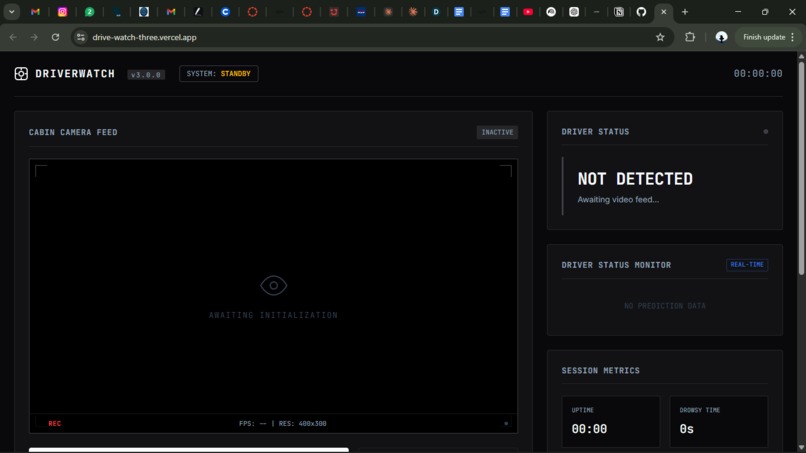
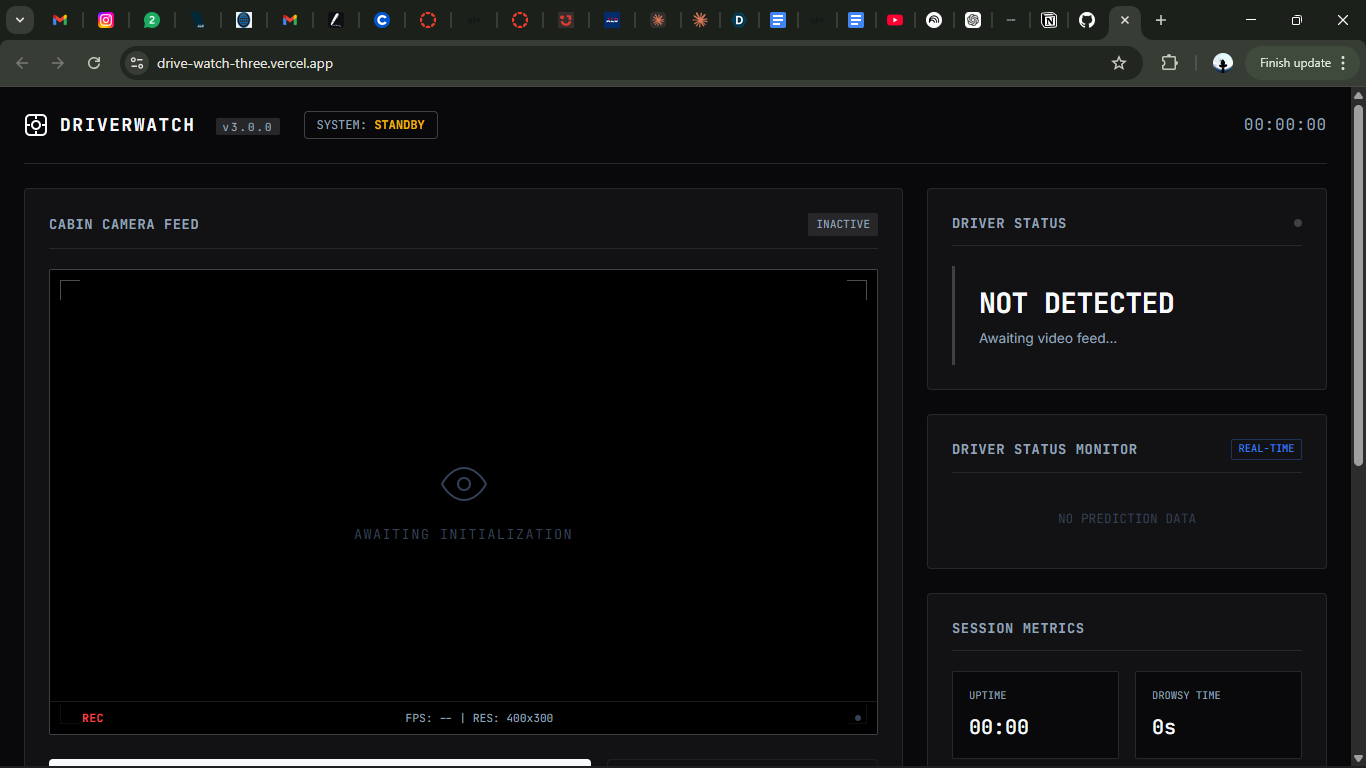
live dashboard
Inspiration
Drowsy driving (sleeping while driving) kills thousands of people every year. My dad was almost a victim due to a drowsy driver on the road, and yet there is still no widely accessible, real-time system that can detect it and respond automatically inside a vehicle. That gap inspired DriverWatch. I wanted to build something that could genuinely intervene before a tragedy happens, not after it.
What it does
DriverWatch monitors a driver's face in real time using a webcam and a custom-trained AI model. It classifies the driver's state, Awake, Sleepy, or Neutral, on every frame. When sustained drowsiness is detected, it immediately triggers an alarm. If the driver does not respond within 10 seconds, the system automatically initiates an emergency dispatch protocol; no human intervention required.
How we built it
AI Model Trained a custom image classification model using Google Teachable Machine, deployed in the browser via TensorFlow.js, zero server dependency, real-time inference. Data Augmentation Training data was limited, so I wrote a Python pipeline to multiply every image into 6 versions: Total Training Images=Noriginal×6\text{Total Training Images} = N_{\text{original}} \times 6Total Training Images=Noriginal×6 AugmentationEffectHorizontal flipSimulates different seating positionsBrightness +40%Simulates daytime conditionsBrightness −50%Simulates night drivingRotation ±15°Simulates head tilt pythonenhancer = ImageEnhance.Brightness(img) brighter = enhancer.enhance(1.4) darker = enhancer.enhance(0.5) rotated = img.rotate(15, expand=False, fillcolor="black") Front-End The full dashboard, camera feed, confidence bars, session metrics, event log, and alarm overlays were built from scratch using HTML, CSS, and JavaScript. No frameworks.
Challenges we ran into
Model accuracy: Getting consistent classification across different lighting, face angles, and appearances was harder than expected. The augmentation pipeline was built specifically to solve this. In-browser ML performance, running TensorFlow.js inference while updating the UI simultaneously required careful async handling to maintain smooth frame rates. Scope vs. time: The original vision was a standalone embedded software system. Given the hackathon timeline, I pivoted to a browser-based proof of concept that demonstrates the full pipeline faithfully.
Accomplishments that we're proud of
A fully working end-to-end pipeline: detection → alarm → emergency dispatch, running entirely in the browser A custom data augmentation tool that multiplied training data by 6×, significantly improving model robustness A professional-grade dashboard UI built entirely from scratch The emergency dispatch protocol, the system escalates autonomously with no human needed
What we learned
How to train and deploy a custom ML model end-to-end using Teachable Machine and TensorFlow.js That data quality matters more than quantity, and augmentation is a powerful way to bridge the gap How to design a tiered autonomous response system with real-world safety implications Those constraints force clarity; a tight deadline taught me to ship something real over something perfect
What's next for Driver Watch
The browser app is the proof of concept. The next version is the real product.
Hardware integration, a standalone dashboard camera device that mounts in the vehicle and runs the AI autonomously, no laptop needed GPS tagging on emergency dispatch events Fleet management dashboard for monitoring multiple drivers simultaneously Mobile companion app for fleet supervisors Integration with the vehicle's systems for automatic speed reduction on fatigue detection


Log in or sign up for Devpost to join the conversation.