-
-
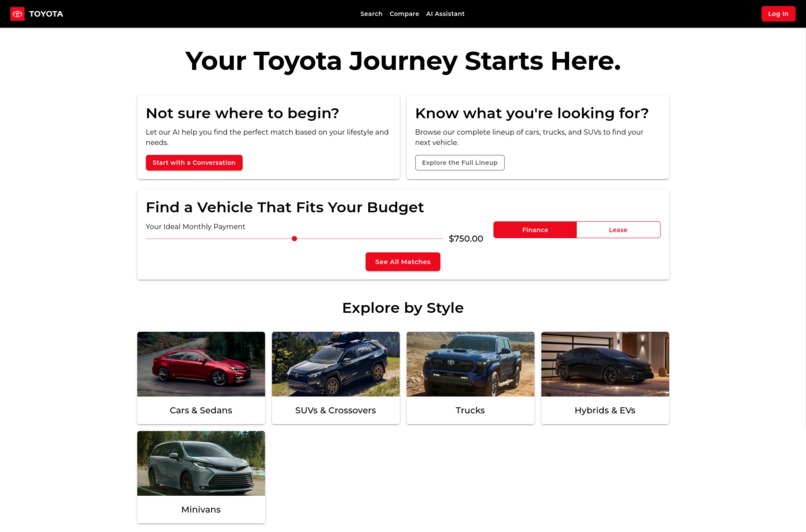
Front Page
-
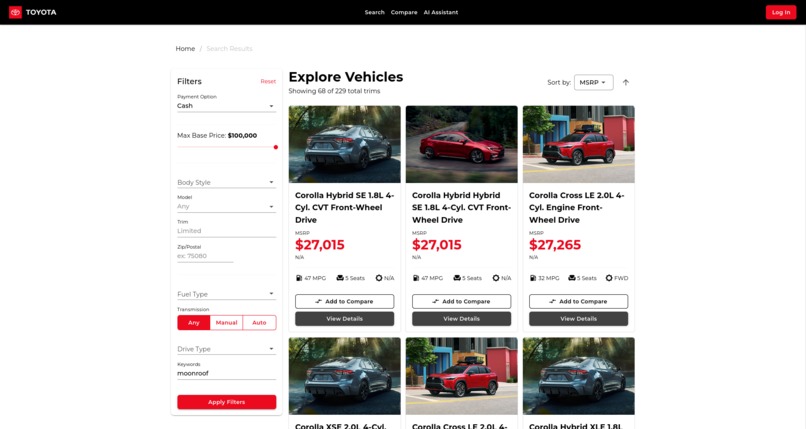
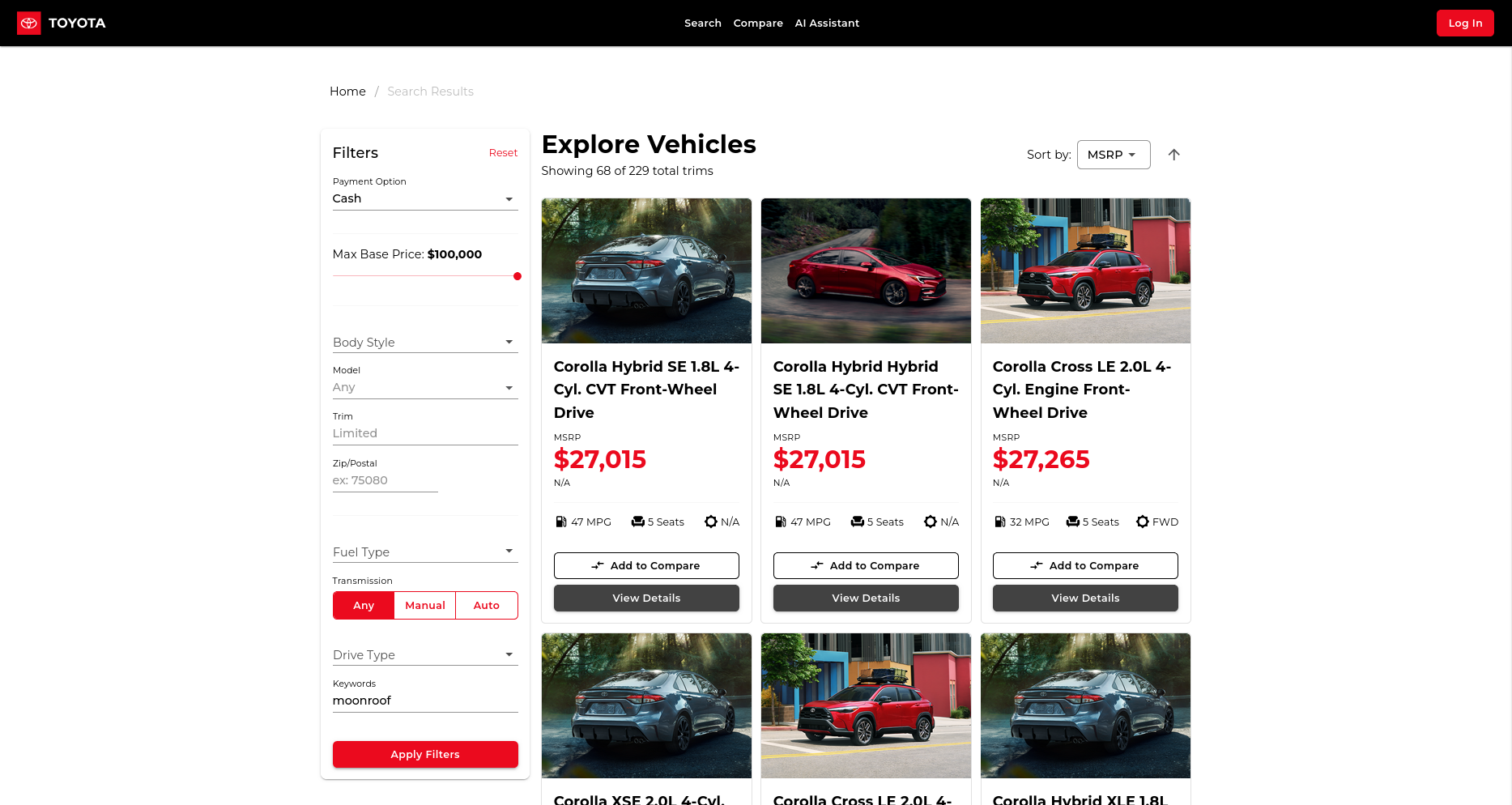
Advanced Search
-
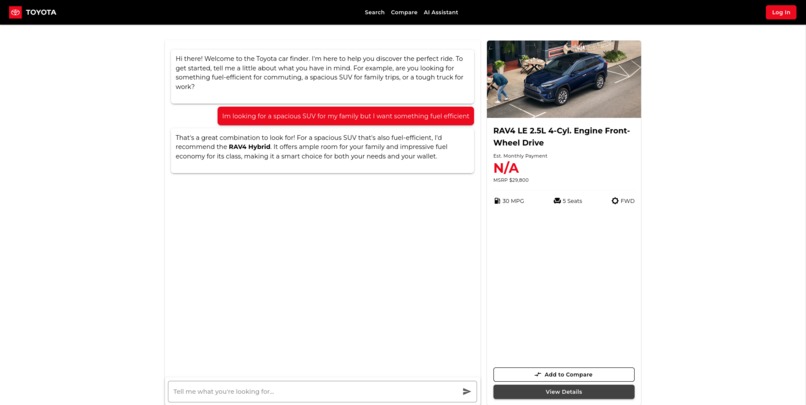
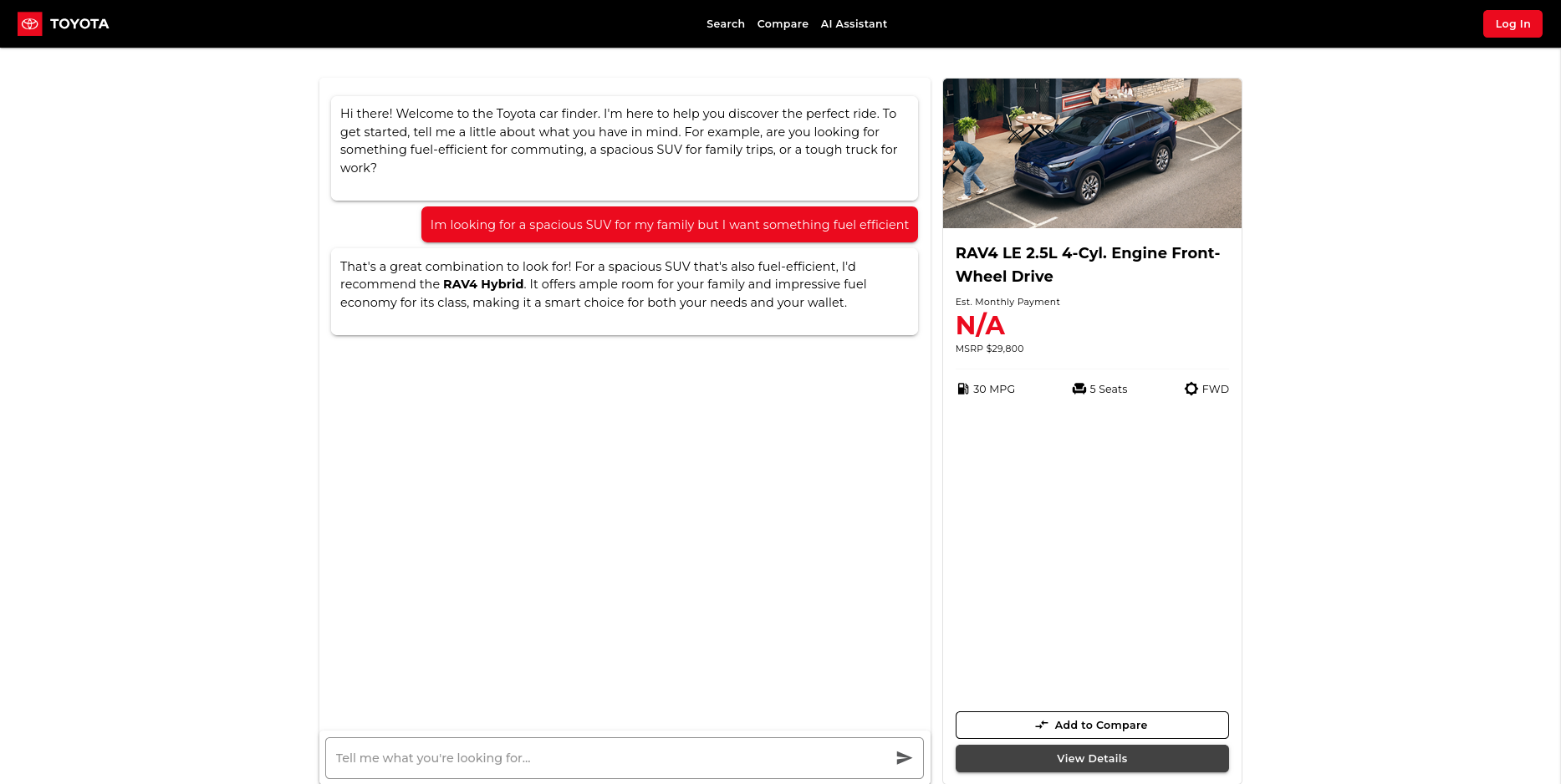
Chat Bot
Inspiration
As a college student and a total car-obsessive, I spend way too much time on car websites and looking at cars on the road. I love digging into features, comparing trims, and figuring out what's new. But honestly, it's a mess. You're constantly bouncing between 10 different tabs, trying to figure out if the base model has the features you want, or if you need to jump three trim levels just to get Apple CarPlay.
I realized the shopping experience is complicated. It’s overwhelming for people who don't know what they want ("Should I get a Tacoma, a RAV4 or a Camry?") and frustrating for people who do ("Why can't I just see all the trucks with a 360-degree camera?"). I wanted to build what I wished I had: an expert in my pocket. A tool that could listen to what I actually care about, like my budget, my commute, and my can't-live-without features like 360 cameras, and just show me the right cars.
What it does
Drive Your Dream is a smart vehicle shopper that cuts through the noise. It’s designed for two people: the "Novice" and the "Power User."
- For the Novice: You can talk to our AI assistant. Instead of clicking boxes, you just say, "I'm looking for a new car for my family, I have a budget of around $500 a month, and I really need good safety features." The AI will understand and recommend the best vehicles from the catalog.
- For the Power User: You can jump right in. We have a powerful, cost-first search. You can set your exact monthly finance or lease budget first, then filter by model (like "Trucks") and specific features (like
Apple CarPlay,360 Parking,Self-Driving).
From there, you can add cars to a "Compare" list to see a simple, side-by-side feature breakdown. Once you pick a winner, the app helps you find matching inventory or start a build.
How we built it
This project is built on a modern stack. The front end, which has all the cool sliders and search boxes, is a Blazor WASM application. This allows it to run entirely in the user's browser for a super-fast, app-like feel.
The "brains" of the operation, all the vehicle data, trims, and features, are currently static, but were collected by python scripts. I wrote a scraper (using libraries like BeautifulSoup and Playwright) to collect all the vehicle specifications and feature data to build our own catalog for the AI and search filters to use.
Challenges we ran into
The single biggest challenge, by far, was data collection. My plan to scrape Toyota.com for all the feature data ran into a wall. I found the initial data quickly through an API endpoint, but the detailed feature set was loaded into a page with client rendering. I was constantly running into issues with dynamically loaded content (where the data isn't in the initial HTML) and complex site structures.
It's incredibly difficult to get a clean, consistent dataset of all features for all trims. I had to use the first API to get trim codes and then use Playwright to expand sections of the feature tables to then create a JSON file for each vehicle trim.
Accomplishments that we're proud of
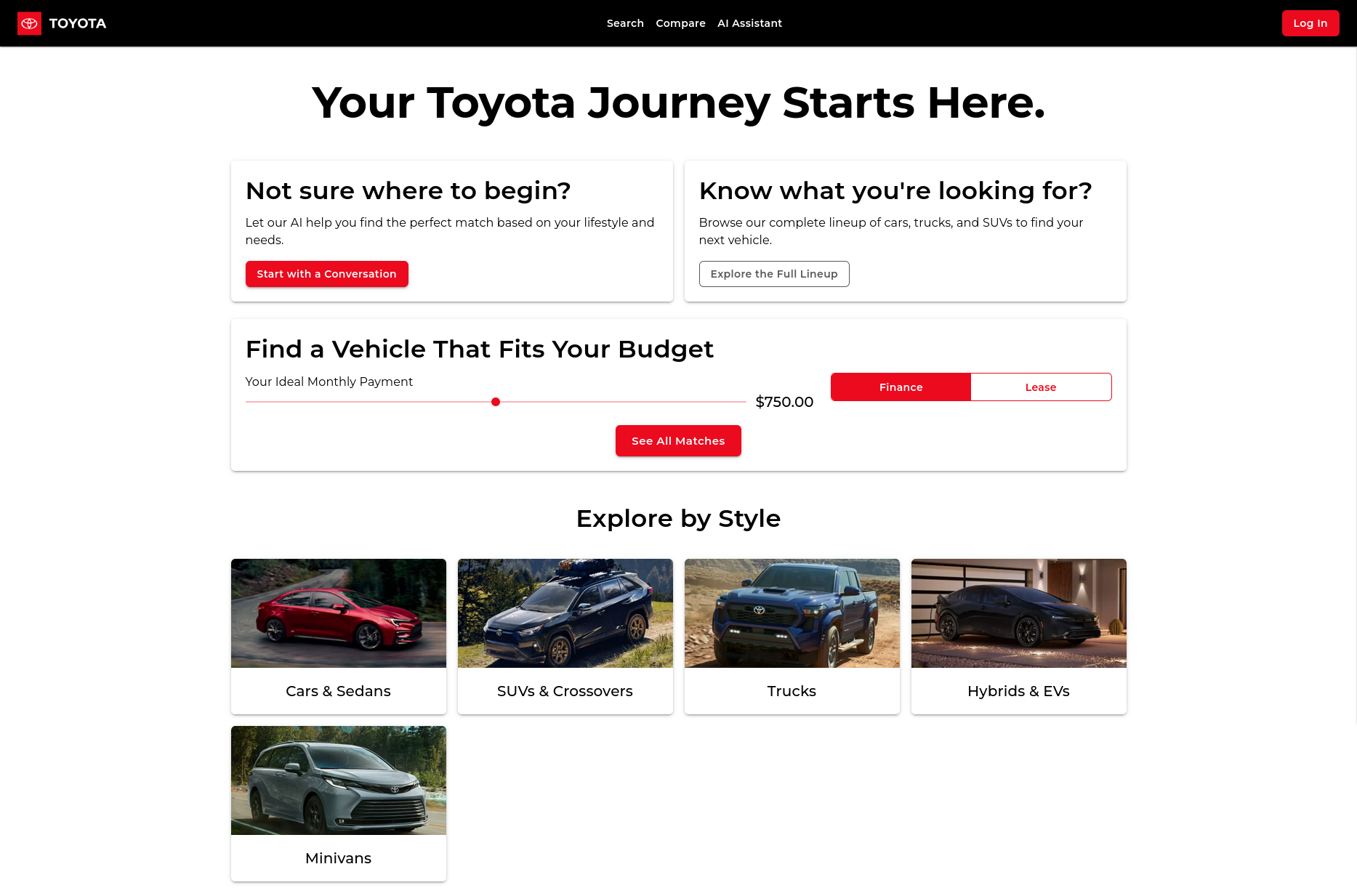
I'm most proud of the dual-path UI and the AI chat. The front page (where you can either "Talk to AI" or "Search Myself") perfectly captures the original vision. I’m also really proud of the AI assistant concept. Being able to translate someone's everyday language like "I need a car that's cheap on gas" into a concrete recommendation like a "Prius or a Corolla Hybrid" is the core of what makes this app special.
What we learned
I learned two major things. First, Blazor WASM is an incredibly powerful tool for building slick, responsive web apps. Second, and more importantly, web scraping is a brittle and often unsustainable way to get data from a major corporation. The "right" way to do this would be to use an official API. I learned Blazor WASM can not make cross reference requests, which prevented my initial implementation of the AI section of the project.
What's next for Drive Your Dream
The number one priority is to move away from the Python scraper. The next step would be to apply for access to an official Toyota developer API. This would give us 100% accurate, real-time data on features, pricing, and inventory.
With a stable data source, I’d focus on expanding the AI. I want it to be able to answer complex questions like, "What's the real-world cost difference between leasing a RAV4 LE and financing a Corolla Cross L?" or "Which Toyota SUV has the most cargo space for under $40,000?"


Log in or sign up for Devpost to join the conversation.