-
-
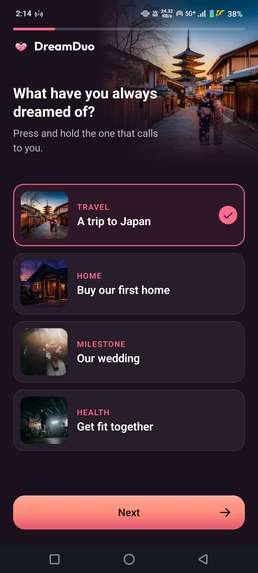
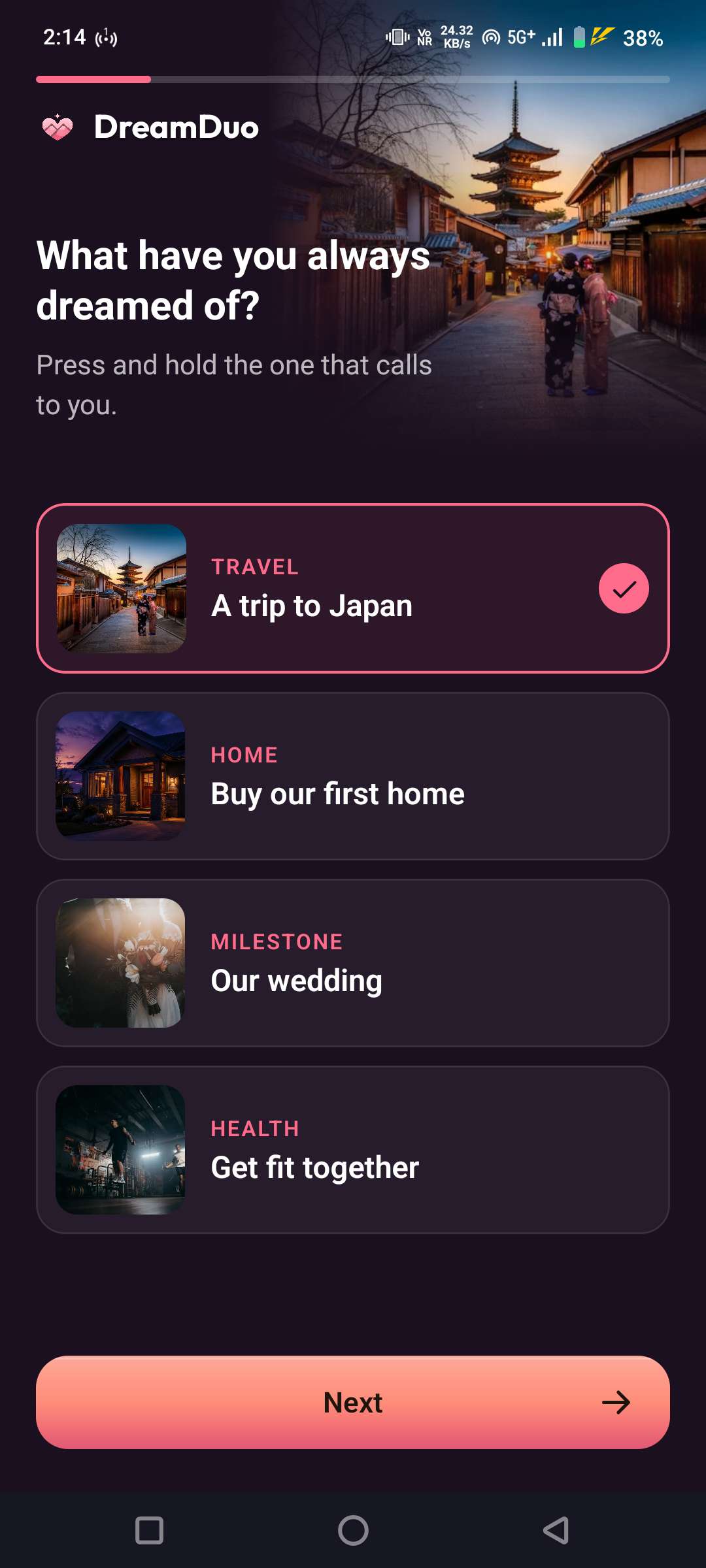
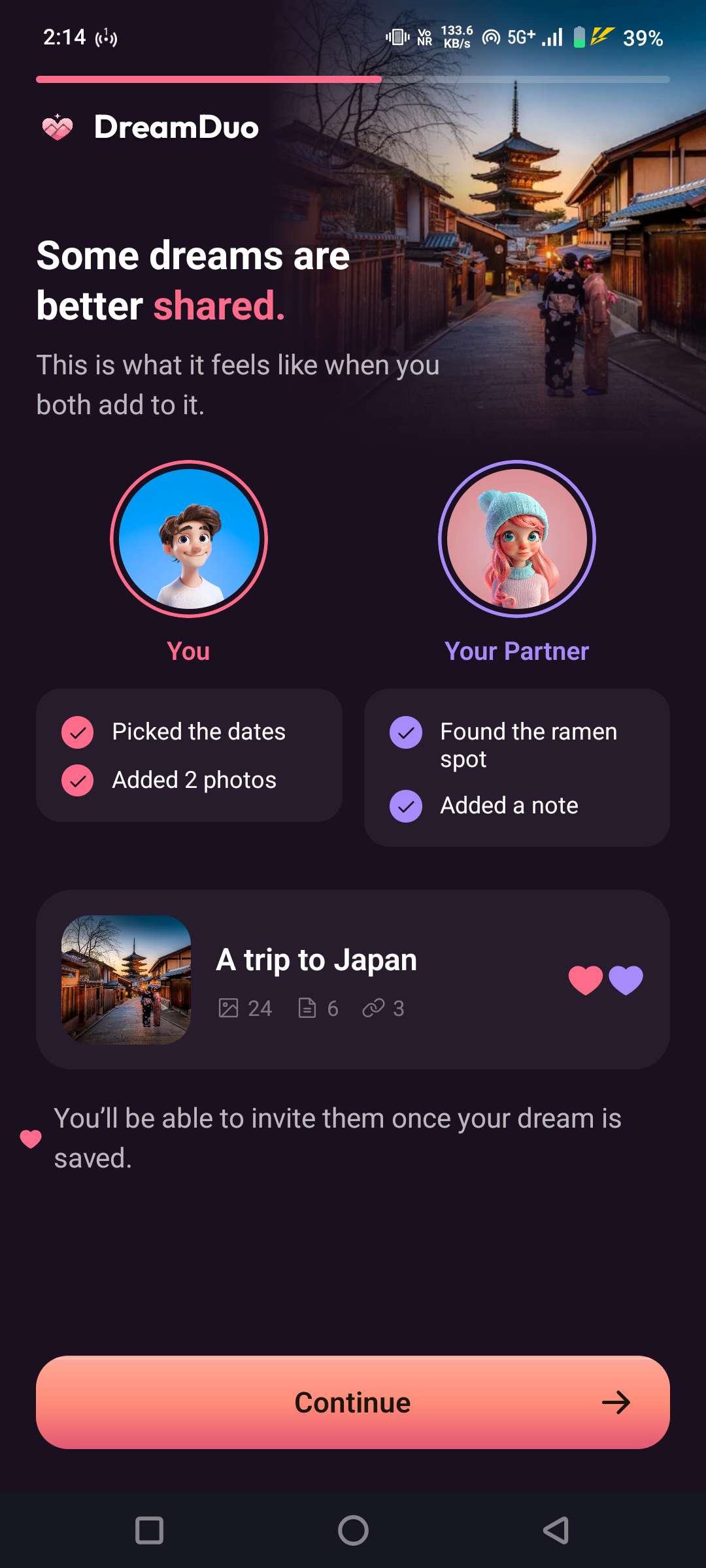
The onboarding starts with a dream, so users can begin building before they even create an account.
-
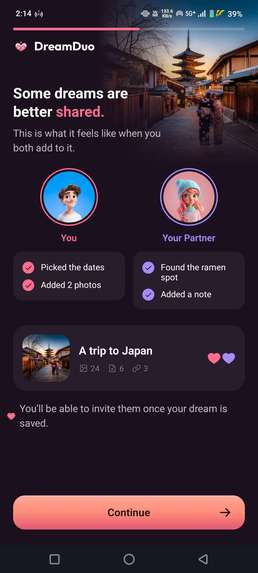
Both partners can contribute to the same dream, from tasks and dates to photos and notes.
-
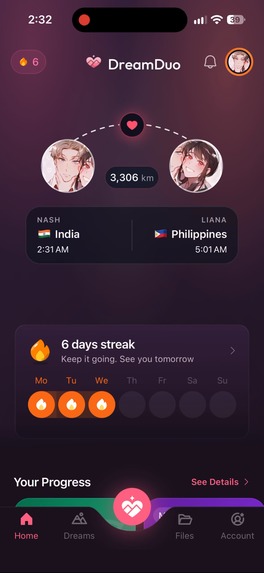
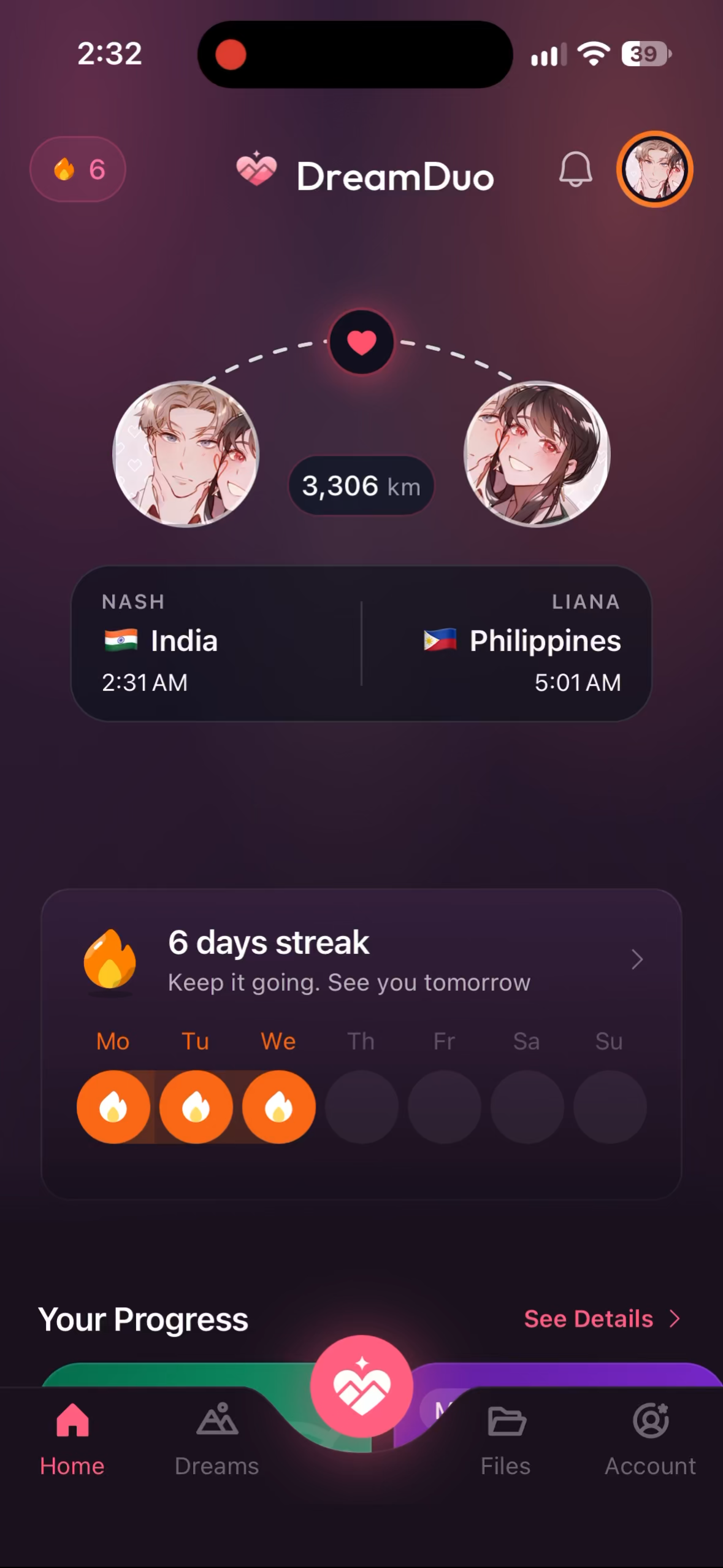
The home screen brings together your relationship check-in, active dreams and shared progress.
-
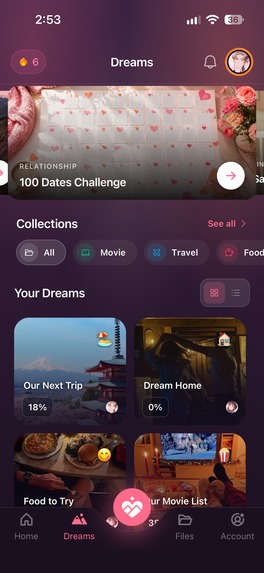
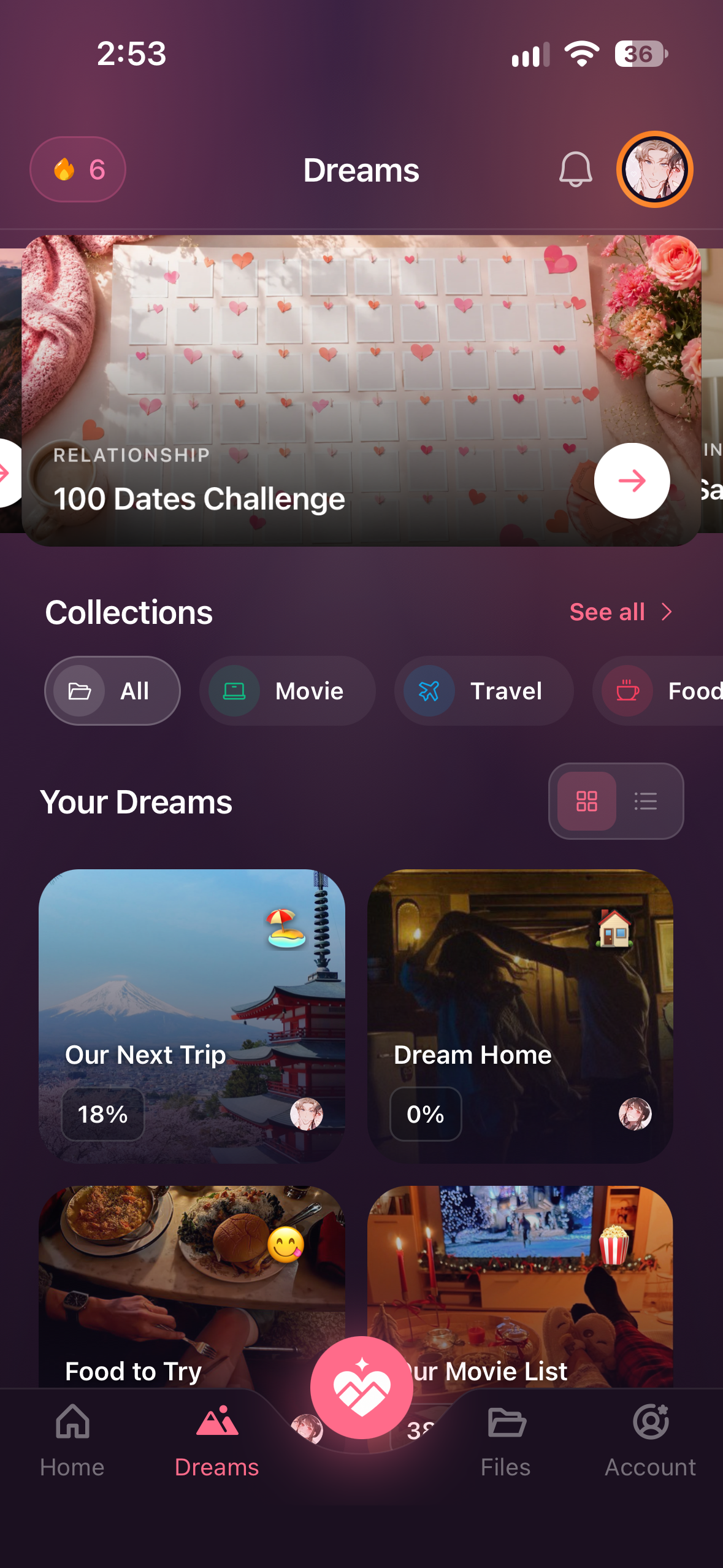
Dreams are the main workspace for plans you are building together.
-
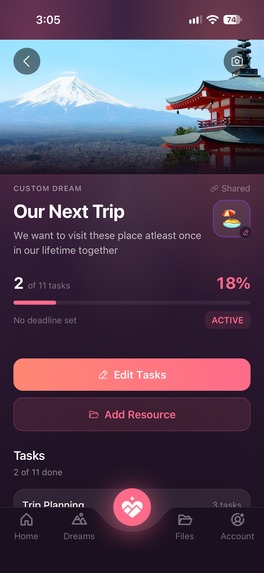
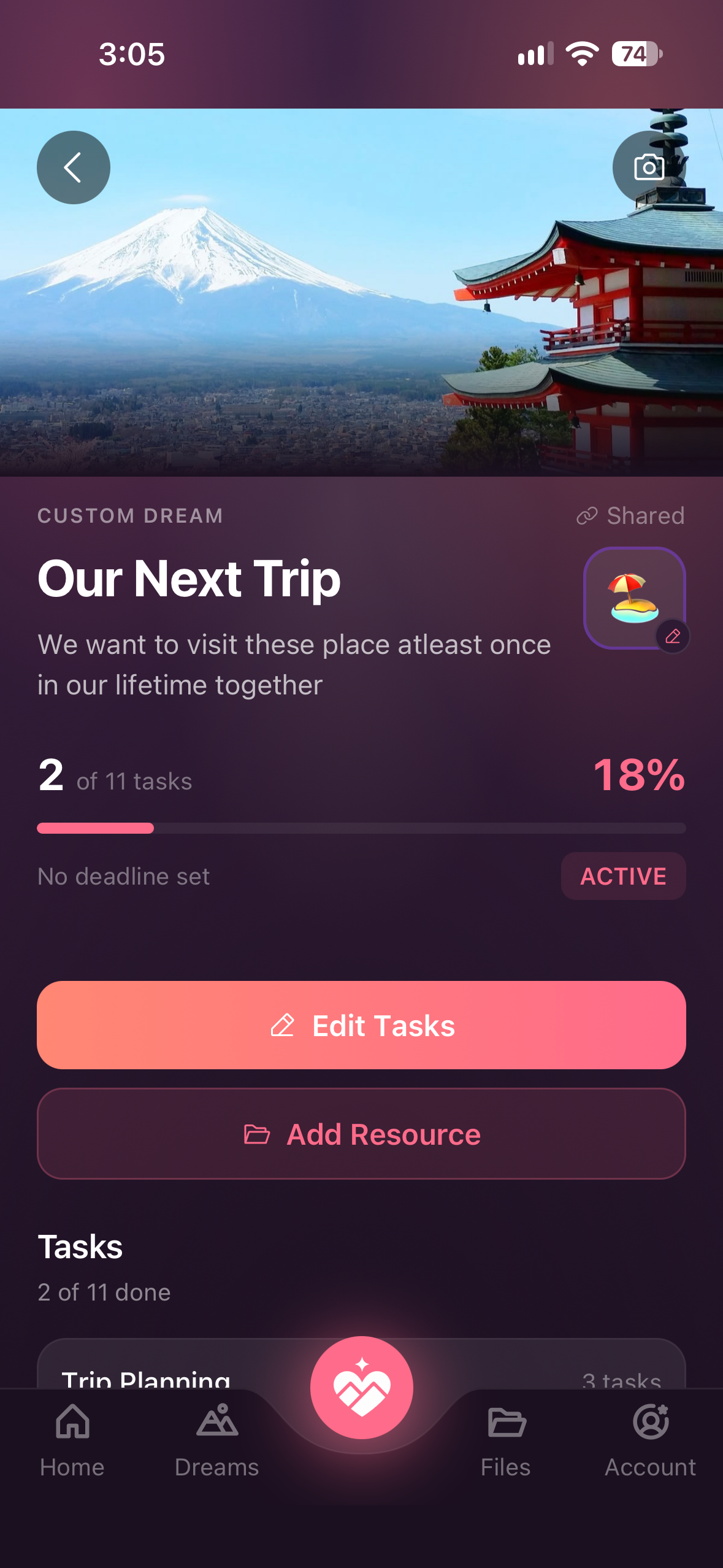
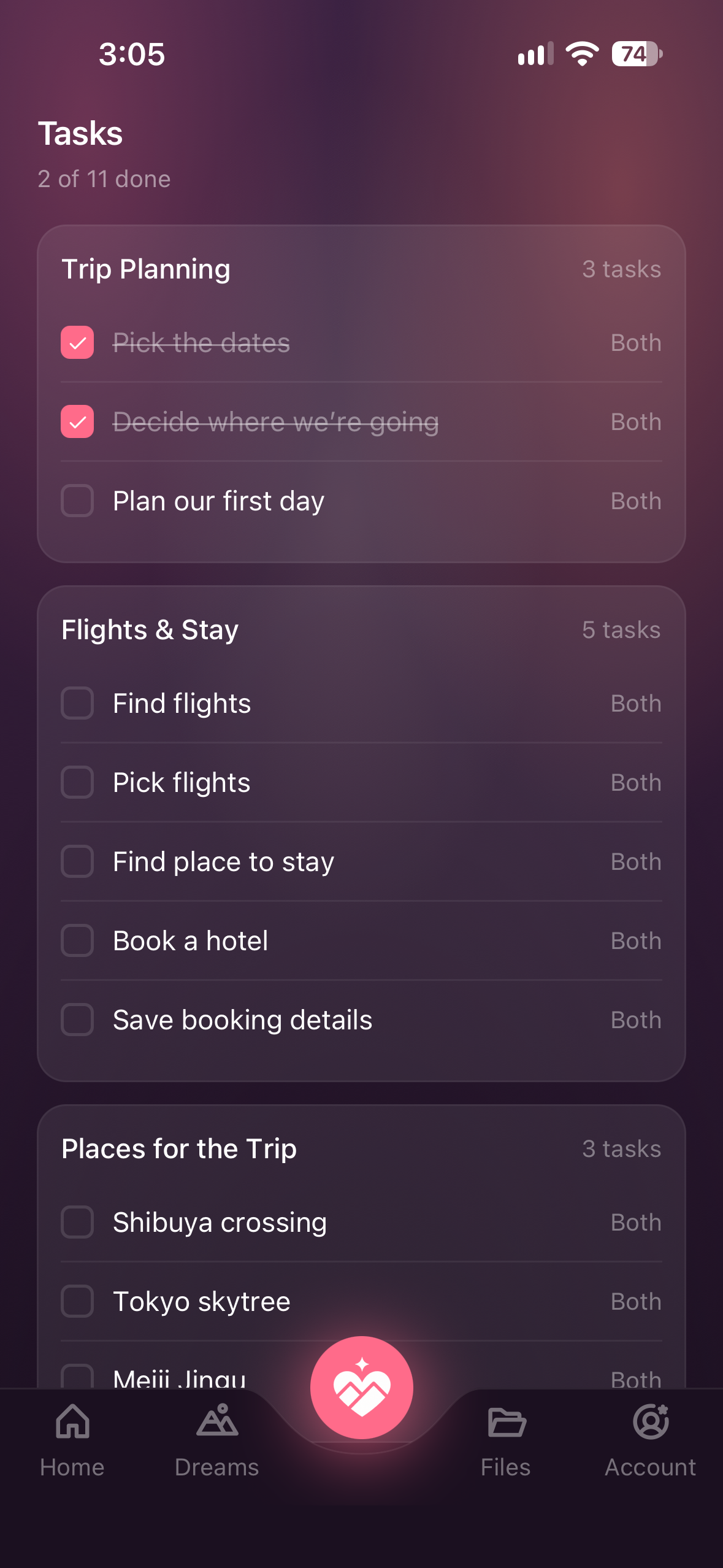
Organize Dreams into sections and track what’s done.
-
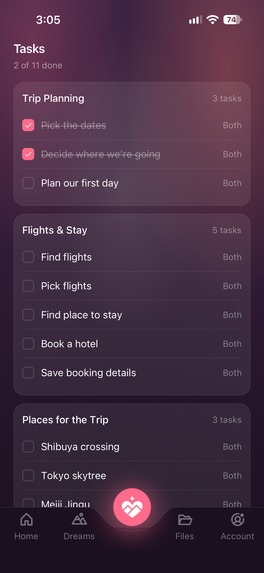
Keep your plan, progress, and resources together in one Dream.
-
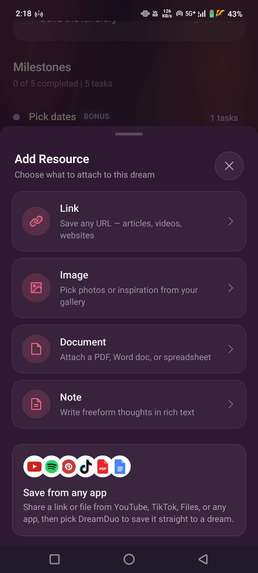
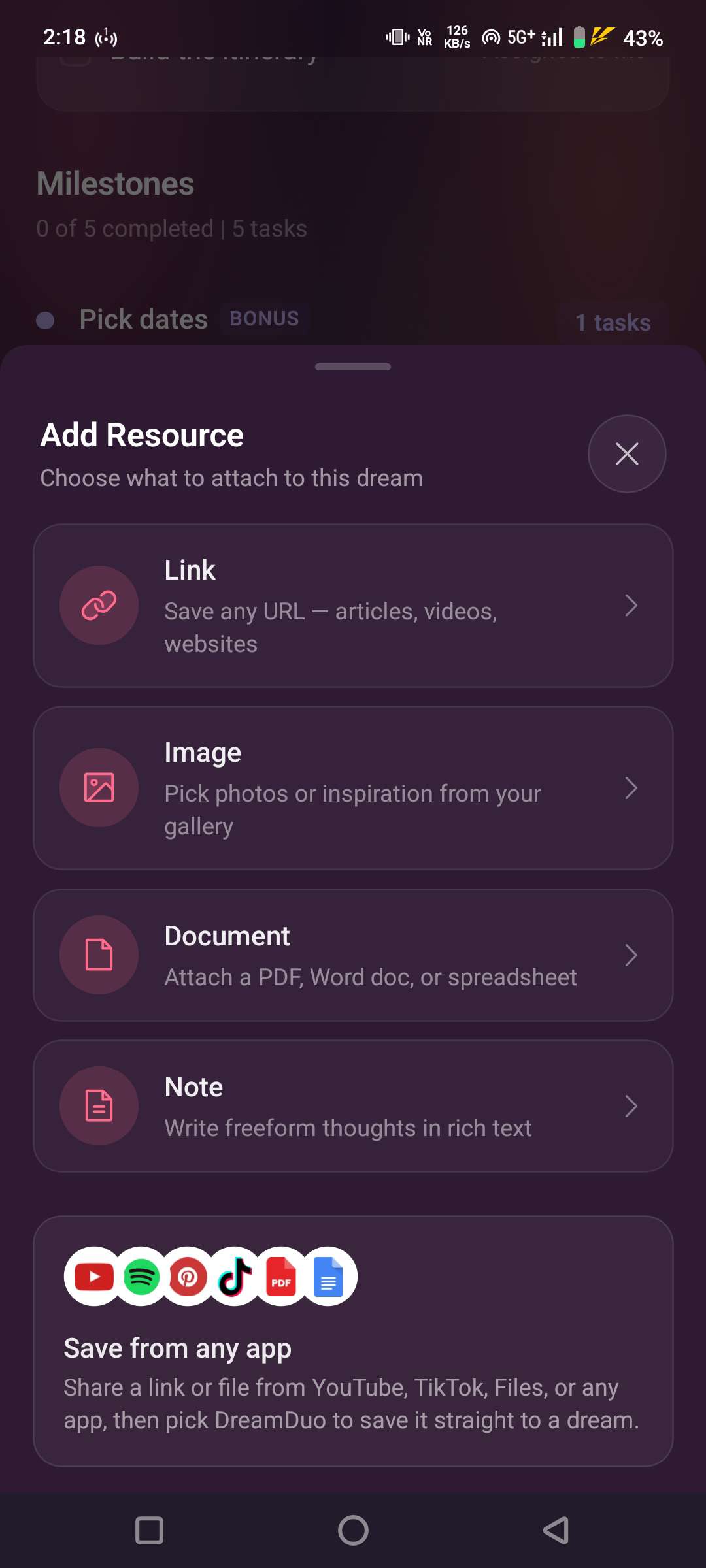
Save links, photos, documents and notes directly to a dream, including content shared from other apps.
-
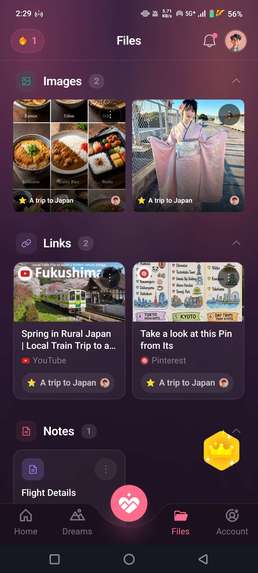
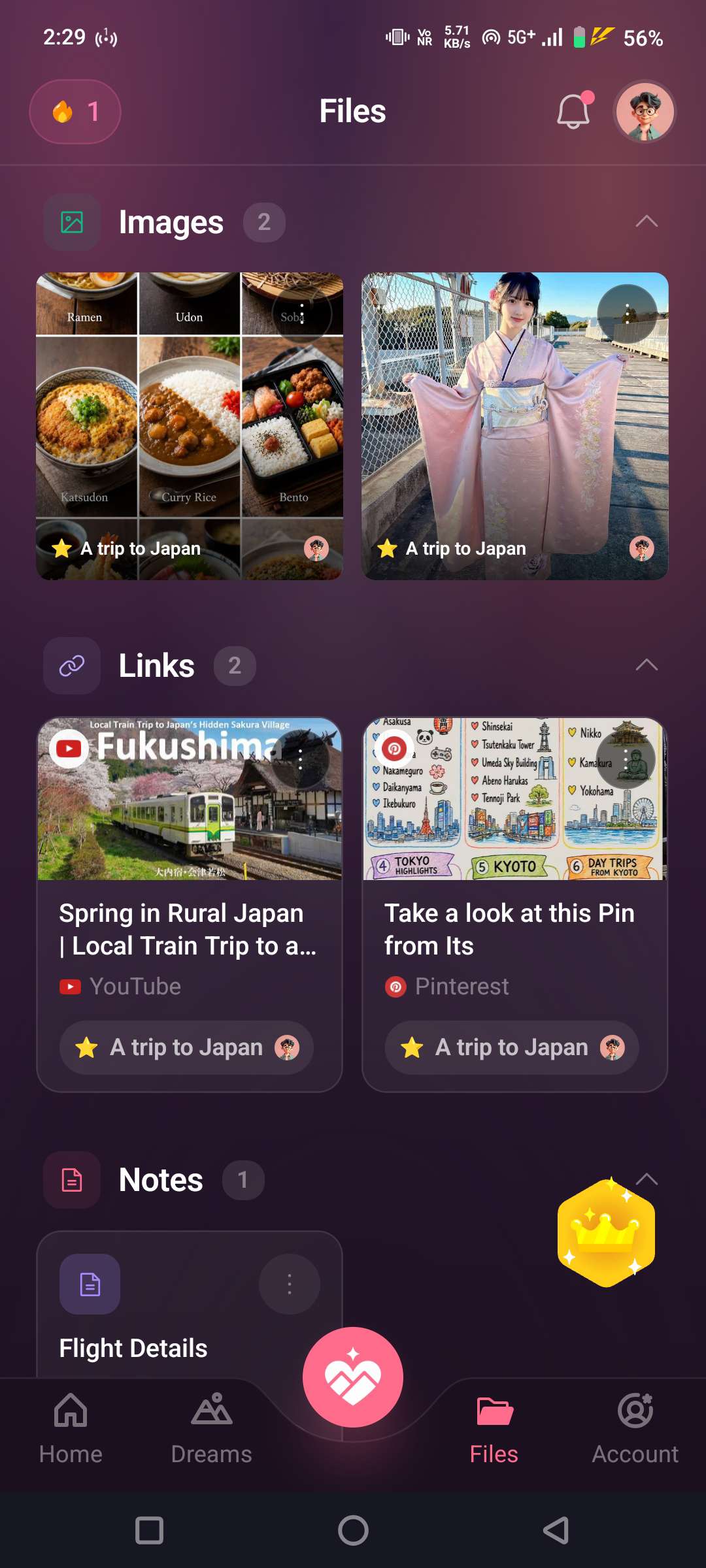
Keep photos, links, notes, and documents together in one shared space for your dreams.
-
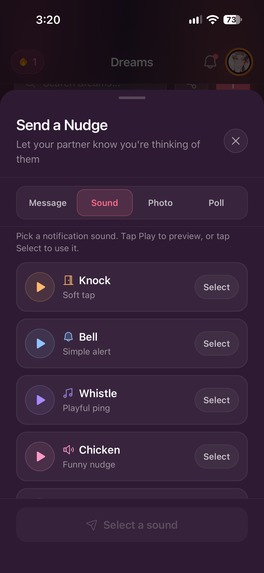
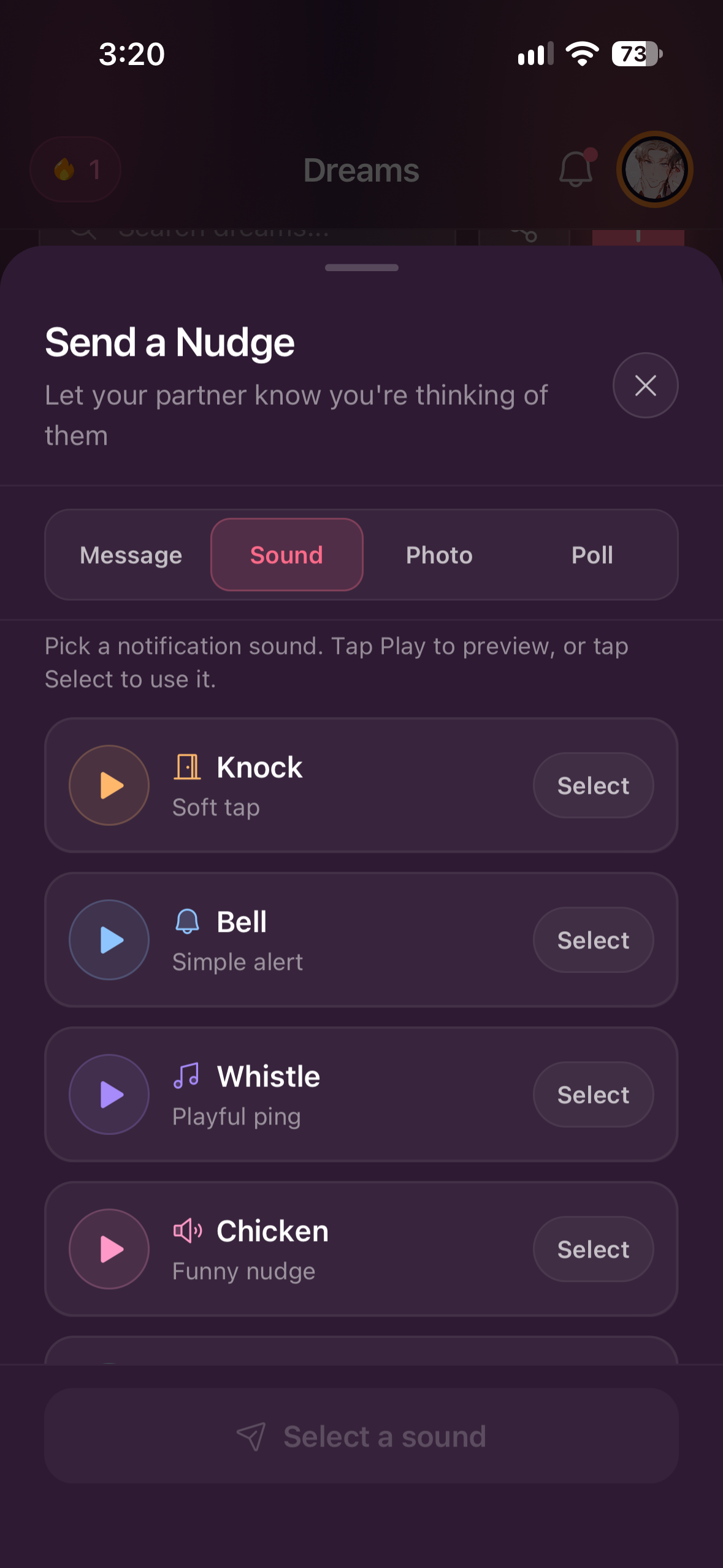
Get your partner’s attention with a quick message, photo, poll, or sound.
-
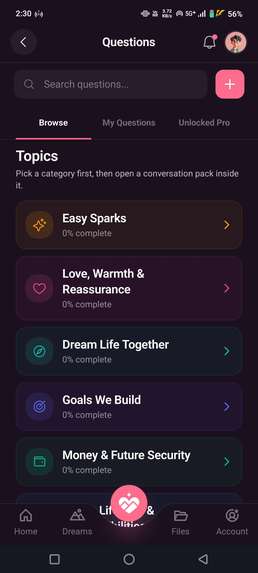
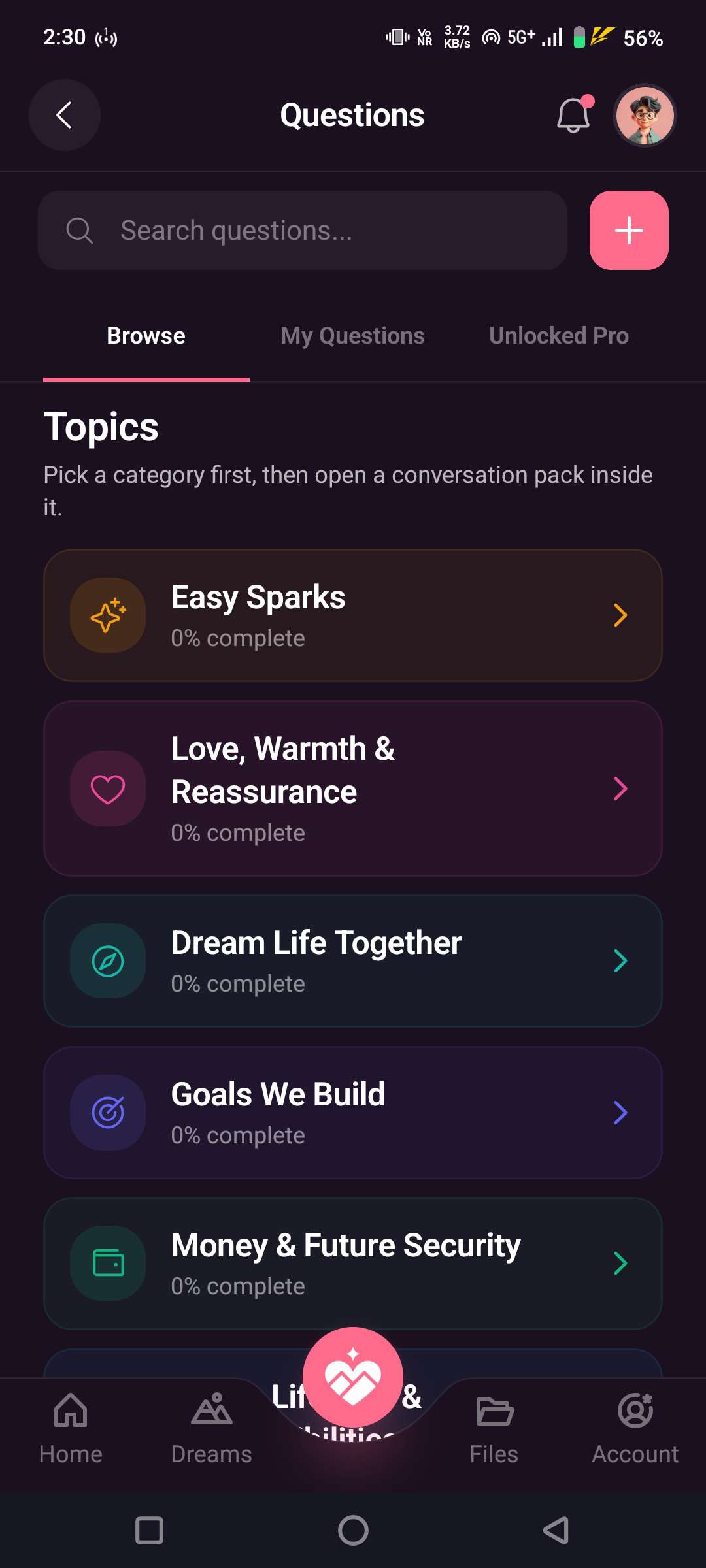
A library of conversation packs gives couples something new to explore together every day.
-
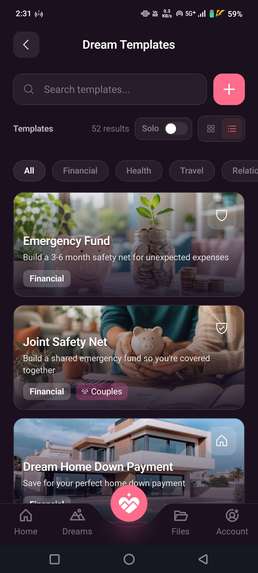
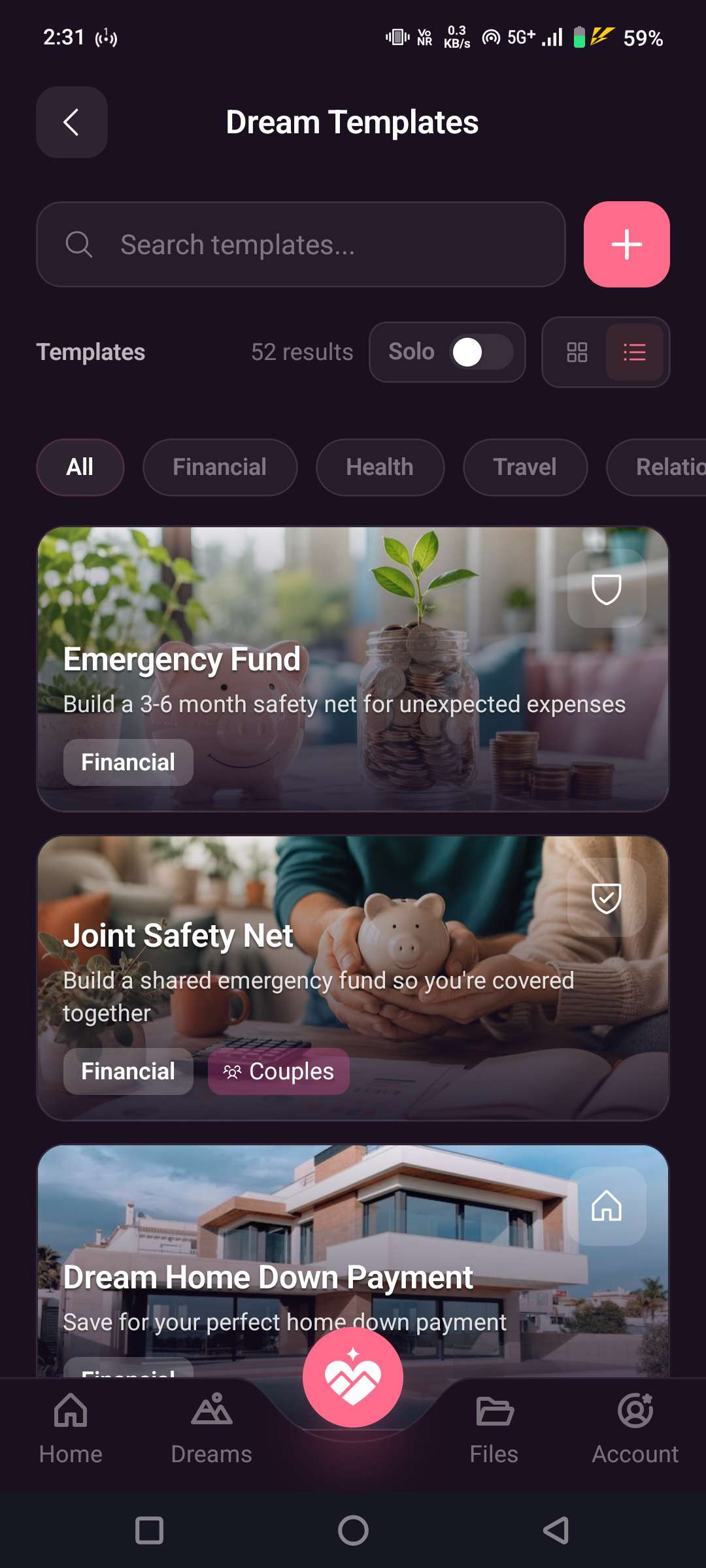
Start with ready-made plans or create your own dream from scratch.
-

DreamDuo App Logo

TL;DR
DreamDuo is a shared space for couples to keep the things they want to do, save, experience, and build together.
A restaurant someone wants to visit. A Reel you said you'd watch later. A trip you started planning on a call. A movie you don't want to forget. A future goal that affects both of you.
Instead of leaving those things scattered across chats, saved posts, screenshots, and different apps, DreamDuo gives them one shared home.
I built it from my own relationship, first for me and my girlfriend, then shaped it into something other couples could use too.
Inspiration
DreamDuo started with a lot of small moments rather than one big problem.
My girlfriend and I kept sending each other restaurants, food, places, Reels, YouTube videos, movies, and random ideas, usually with something like "We should do this together" or "I'll take you here when you come."
Those ideas started in a conversation and then disappeared into chats, saved posts, screenshots, or somewhere else.
The same thing happened with bigger plans: trips, future goals, graduation, jobs, and eventually closing the distance.
At some point, I realized we were already building a list together. We just hadn't made one.
So I built DreamDuo. My girlfriend helped shape a lot of the ideas based on the things we actually do as a couple.
The idea is simple: all those little "we should do this together" moments deserve somewhere to go after the conversation ends.
What it does
DreamDuo organizes shared plans around Dreams.
A Dream can be a trip, a date, a future goal, a place to visit, a movie list, moving in together, or anything two people want to work toward together. Templates help you pick your first one and get started.
Inside a Dream, couples can:
- Add tasks and milestones and watch progress move as things get done
- Write notes directly inside the Dream
- Share images, Reels, videos, and links from other apps straight into it
- Leave a surprise for your partner that unlocks at a milestone
Around the Dreams, DreamDuo has smaller everyday features for couples:
- Nudges: send a text, image, or soundboard nudge that arrives as a notification on your partner's phone
- Daily questions to start conversations
- Mood tracking, daily streaks, and distance tracking
Pro unlocks the full bank of 2,000+ couple questions, unlimited Dreams, and more.
The app is live on both iOS and Android, and couples can pair across the two.
How I built it
I built DreamDuo as a solo project.
The mobile app uses Expo, React Native, TypeScript, Expo Router, NativeWind, and TanStack Query.
The backend uses Node.js, Express, TypeScript, Prisma, PostgreSQL, and pg-boss for background jobs, so I didn't need a separate queue service.
Authentication uses better-auth, file storage uses Cloudflare R2, push notifications use Expo Push Notifications, and Sentry handles crash monitoring.
For subscriptions, I integrated RevenueCat for purchases and entitlement management.
A key architectural decision was treating a couple as two separate accounts connected through a shared relationship state. Shared Dreams, progress, and questions belong to the couple, while each person keeps their own account.
RevenueCat and monetization
DreamDuo is free to use, with an optional Pro subscription.
The subscription is built for couples: one partner subscribes, and Pro is shared with the paired partner.
RevenueCat handles the purchase and entitlement state, and the backend applies that access to the couple.
Testing note for judges: Google Play purchases are temporarily unavailable. You can test Pro on iOS using the 7-day free trial.
Challenges
The biggest challenge was building for two people instead of one.
Dreams, progress, milestones, questions, pairing, and subscription access all depend on shared relationship state, while the two users still need separate accounts and permissions.
Shipping on both platforms was the second. I launched on Android first, then built iOS after people asked for it publicly, while keeping the couple experience the same across both phones.
I also had to keep DreamDuo feeling like a place for a couple's plans and ideas. It's easy for an app like this to turn into another productivity tool people have to maintain.
What I learned
Build from behavior
The strongest product ideas came from things my girlfriend and I already did: sharing restaurants, saving videos, forgetting movies, talking about future plans, and keeping lists in random places.
Public feedback can change the roadmap
People asked for iOS, so I bought an iPhone, built the iOS version, collected interest from people waiting for it, and shipped it.
The story matters as much as the features
Organizing links is only the surface. What people responded to was the idea of giving all those little "we should do this together" moments somewhere to live after the conversation ends.
What I'm proud of
DreamDuo started as something I needed in my own relationship and became a working product on two stores without losing that original idea.
I'm also proud of the shared subscription model. The product is built around a pair, and the subscription follows the same idea: one subscription covers both partners.
What happened after launch
DreamDuo went live on Google Play on August 24, 2026. I shipped at that point because the core Dream flow worked for us, and I needed to know if it worked for anyone else.
The biggest post-launch update was iOS. People asked for it, so I built and shipped it in September, making DreamDuo cross-platform for couples on different phones.
I also shared the story behind the product across several Reddit communities. Those posts reached 100K+ views, 300+ upvotes, and 100+ comments combined.
Since launch, DreamDuo has grown to 50+ registered users and 1 paying subscriber.
These numbers are still small, but they've shown me what people actually relate to and which parts of the story are worth building on.
What's next
Next, I want to make DreamDuo more useful after a plan is created: richer shared timelines, shared savings goals, completed Dreams that become memories, and more ways for a couple to see the life they're building together.
Try it out
Website: https://www.dreamduo.app
App Store: https://apps.apple.com/app/dreamduo-a-couples-app/id6807477523
Google Play: https://play.google.com/store/apps/details?id=com.dreamduo.app


Log in or sign up for Devpost to join the conversation.