Captain Quack AR: a mixed-reality front desk for a real tattoo studio
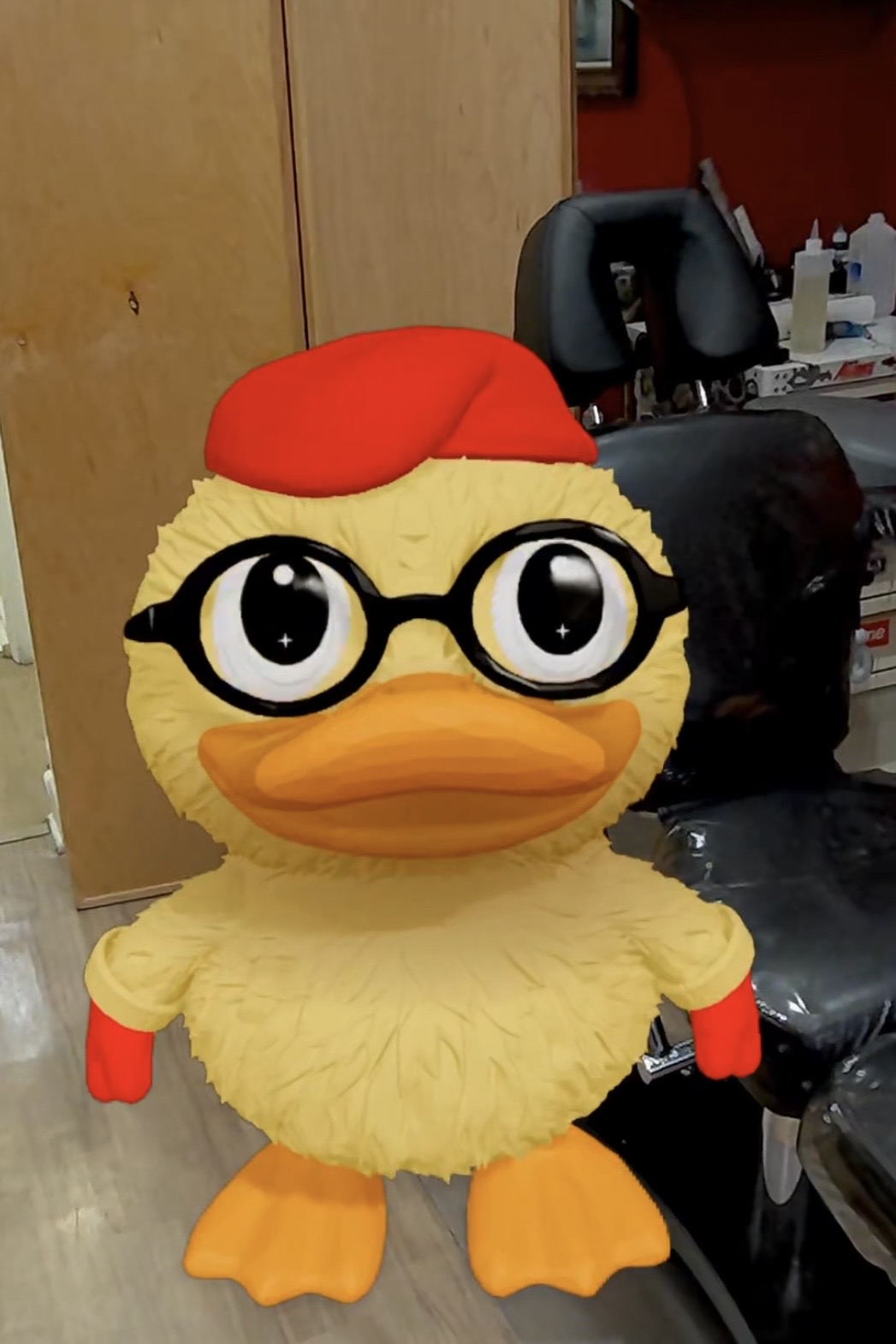
An animated duck you talk to, and who talks back, stands in your room in passthrough AR and runs the visit end to end, hands-free. Built for Sueno Tattoo in Silver Spring, Maryland, and live on the studio's real booking system.
Inspiration
It started with getting ducked, and seeing a duck fly a plane. I wanted to bring tech into the tattoo world, so I made a mascot. I went from making holographic stickers to building a GIPHY account that passed 100M views. Then Captain Quack became an interactive chat on the studio's website, and now he's a hands-free consultant in mixed reality.
A consultation is a conversation, not a form, and in a studio everyone's hands are busy.
What it does
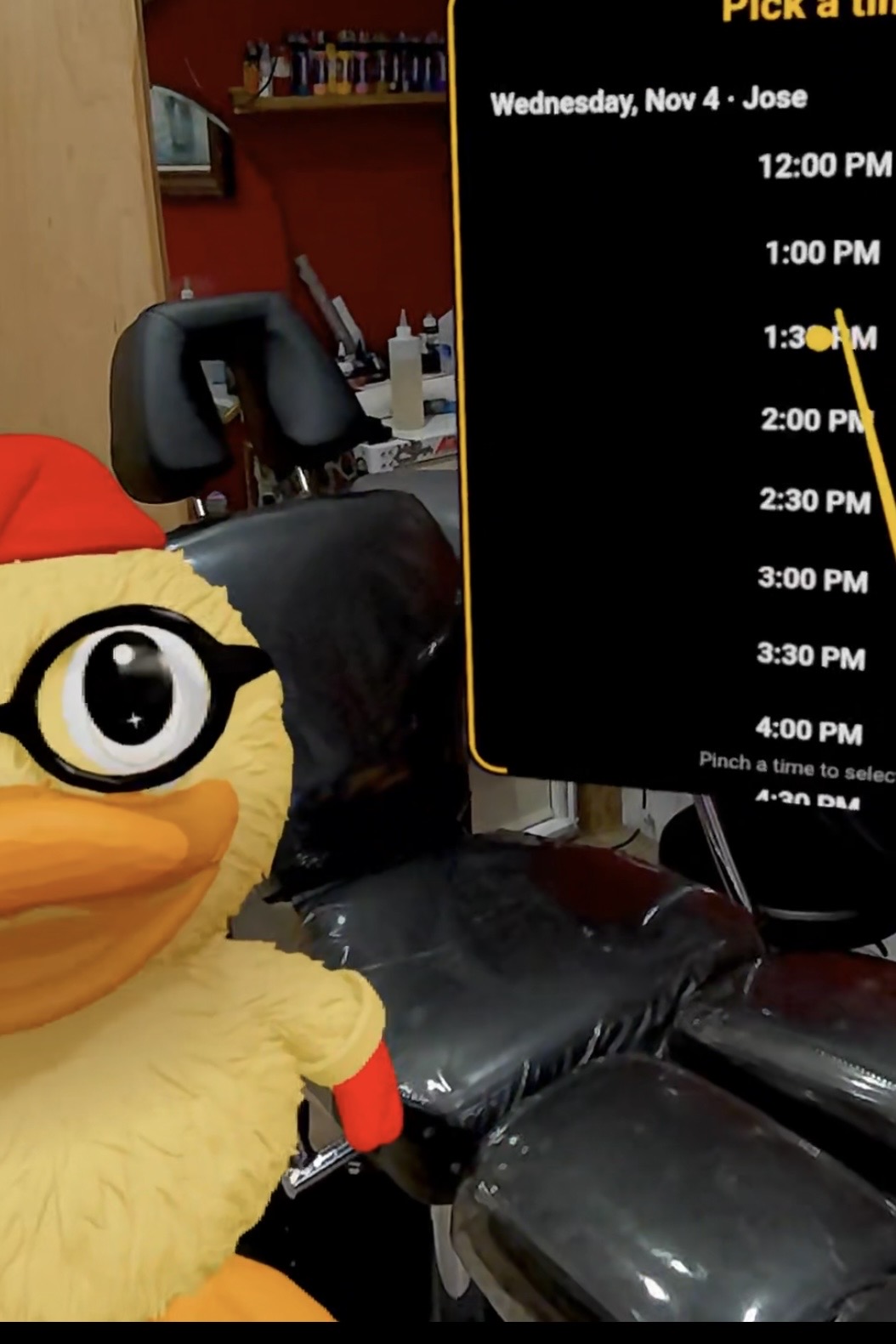
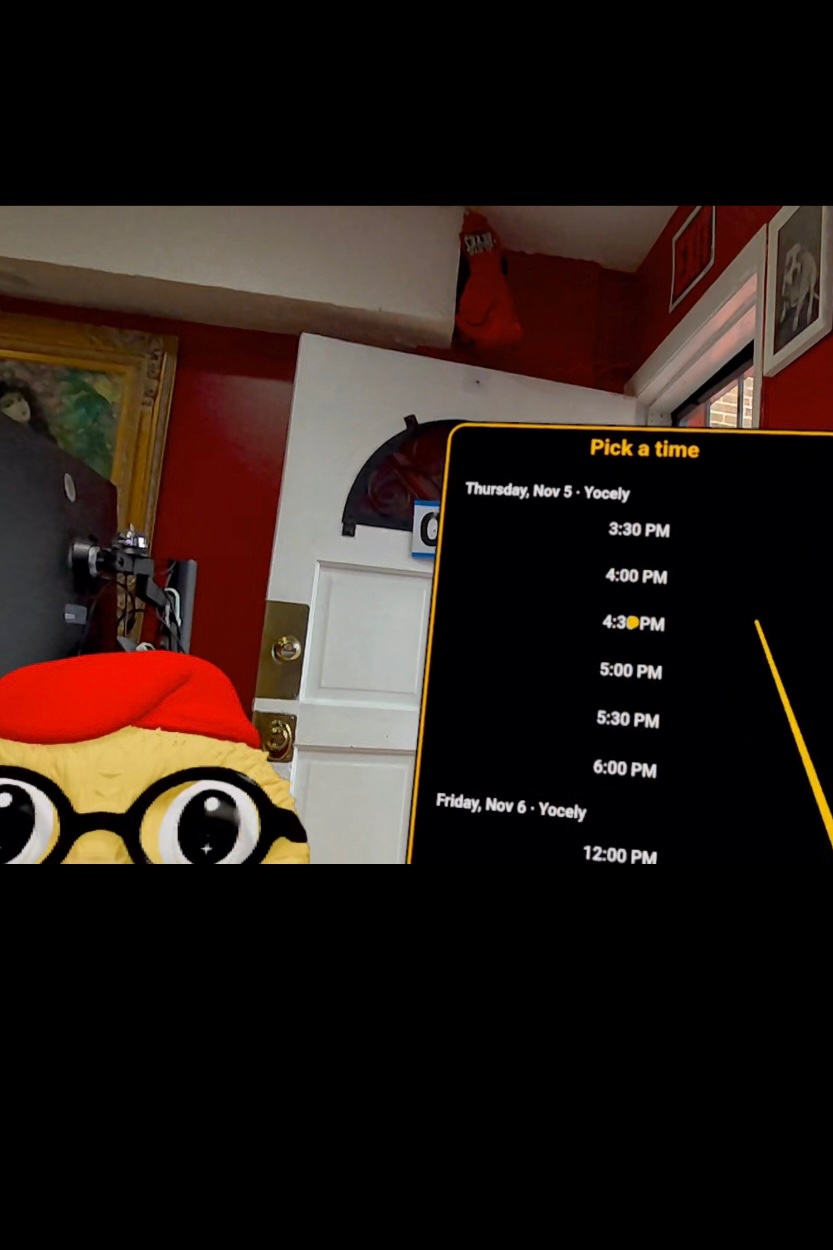
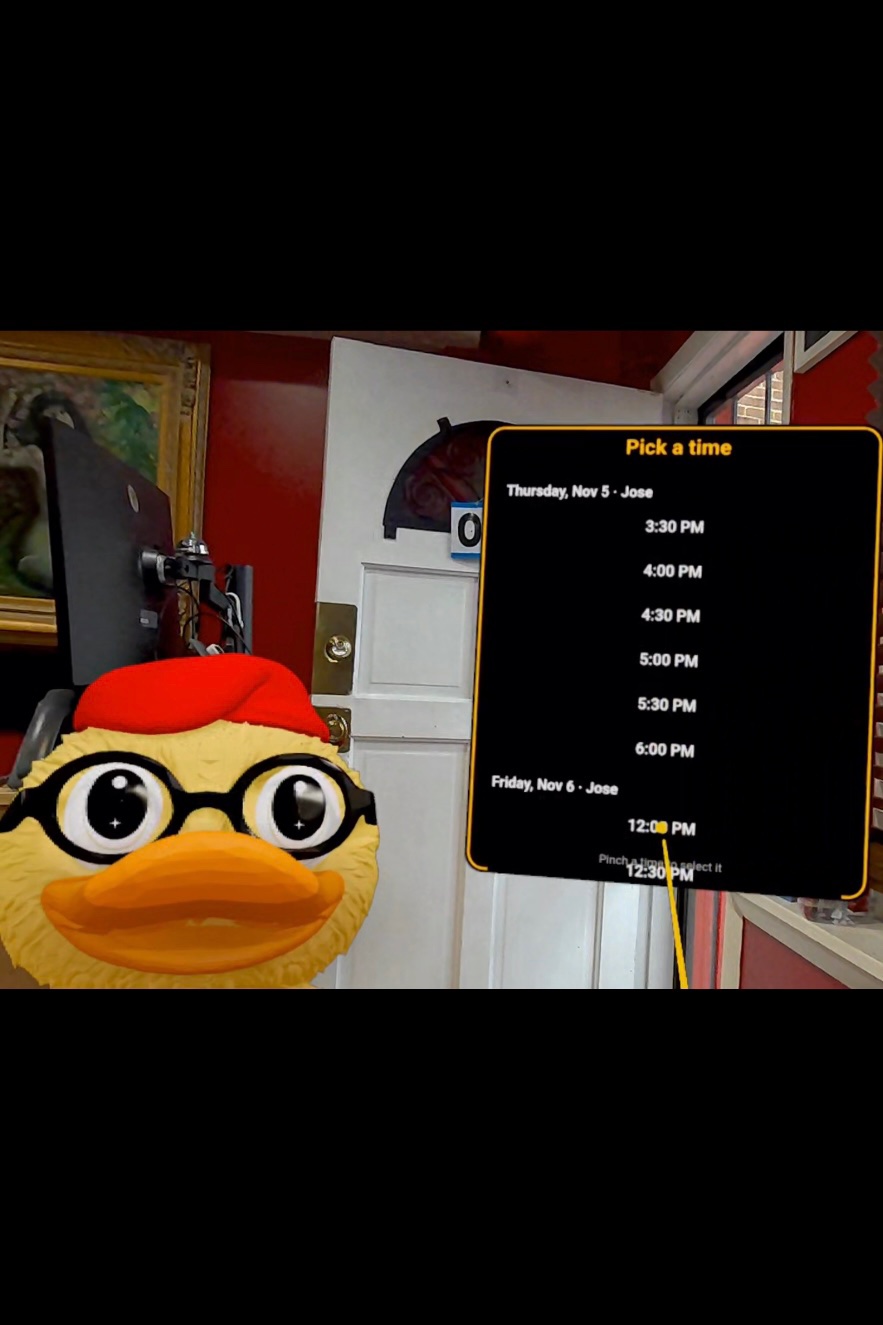
- Piercings: a 3D ear floats up beside the duck. Pinch studs to pick piercings, see live prices from the studio's real menu, pick a time, and book with the studio's piercer.
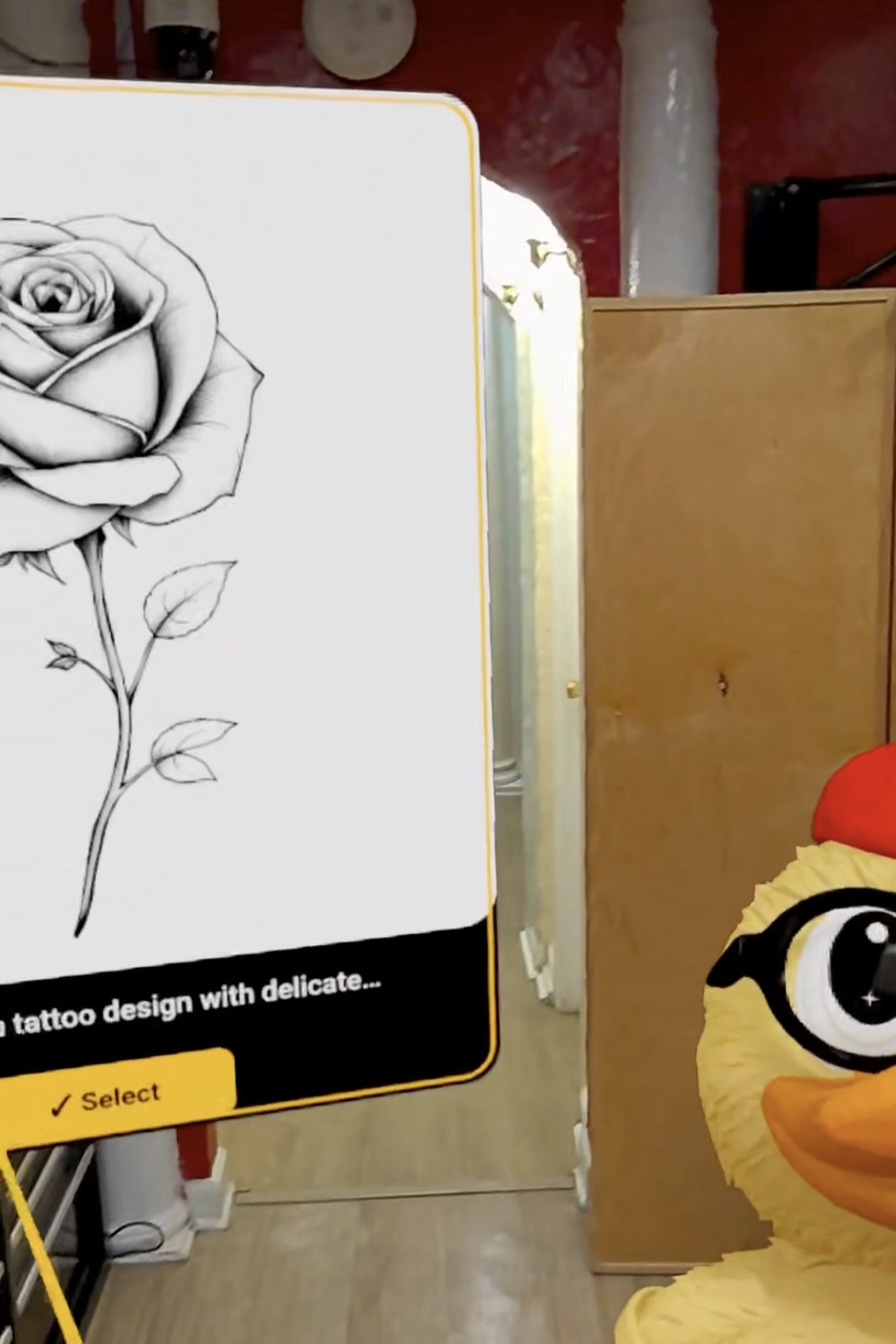
- Tattoos: a few short questions, then a finished full-color design generated live. Or browse the studio's 32-design flash gallery by pinch.
- Reference photos: he texts you a request, you reply with the picture, and it appears in the headset.
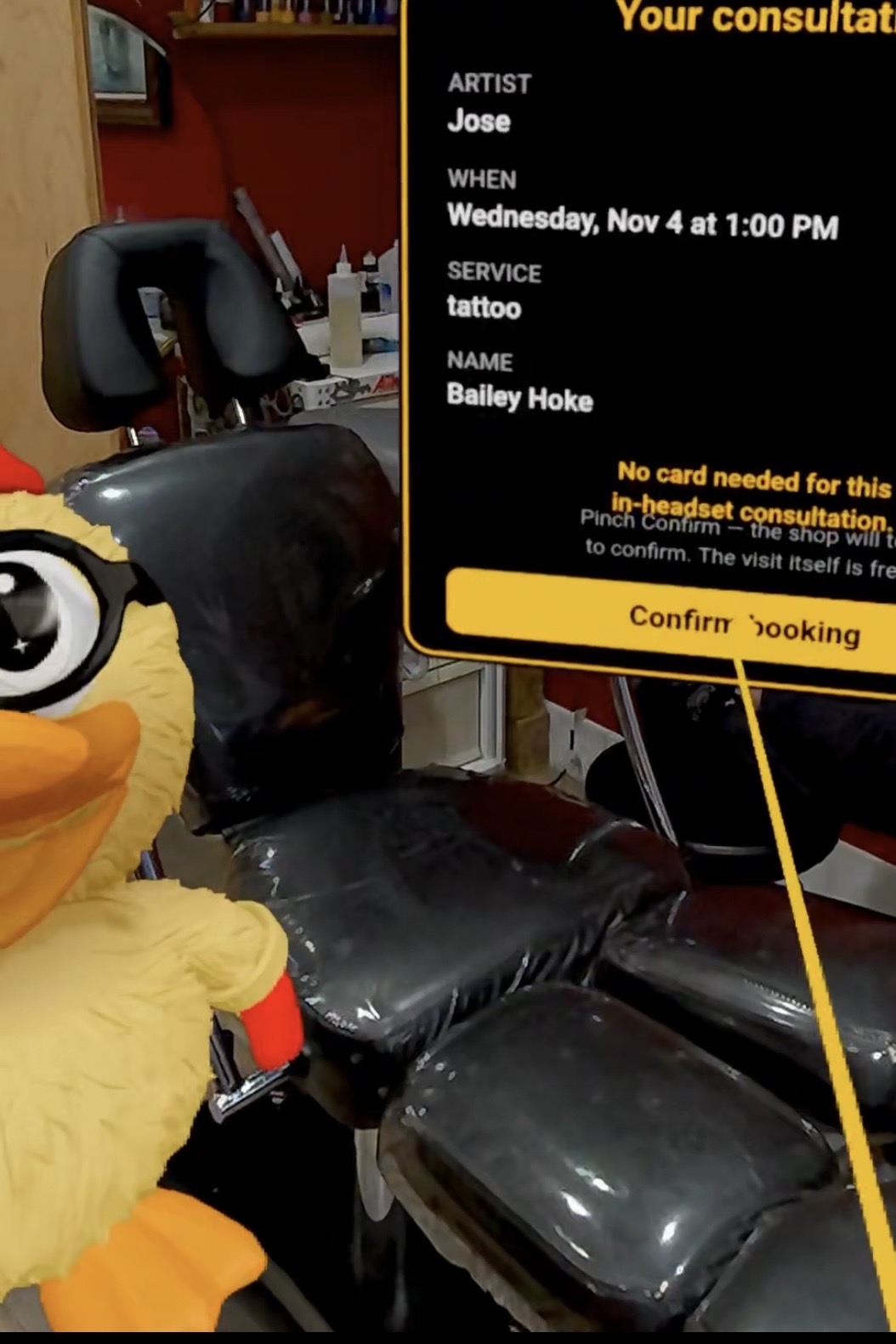
- Booking: the free tattoo consultation books fully in-headset with a pinch. The shop confirms every booking by text.
Everything is live: real availability, the studio's actual menu and prices, and bookings that land in the real system. It's seated, hands-only (no controllers), and a visit takes under ten minutes. He never quotes tattoo prices; those are set at the in-person consultation. The studio's booking page is bilingual (English/Spanish).
What's new in this competition
Before the competition, Captain Quack was a chat assistant on suenotattoo.com with live booking. During the competition window I built the mixed-reality layer: the WebXR duck, speech-to-speech consults, pinch-only UI, the 3D piercing ear, the flash gallery and live design generation, photo-by-text into a live call, and in-headset booking.
How I built it
A WebXR app in plain three.js, opened from a link in the Quest browser with no install.
| Piece | Tech |
|---|---|
| AR scene and pinch UI | three.js, WebXR hand tracking |
| Voice | OpenAI realtime (speech to speech) |
| Tattoo designs | Replicate (flux-schnell, flux-kontext-pro) |
| Backend | Next.js, TypeScript, Supabase |
| Texts and photos | Telnyx SMS/MMS |
The duck's tools query the backend server-side, so everything he says is the studio's real data. I built it alone, for my own studio.
Challenges I ran into
- Pinch reliability. Custom smoothing and anchoring missed pinches. I rebuilt selection around the pinch event's own pose.
- Photos inside a live call. Getting a texted image into an ongoing AR session without breaking it took downscaling and a wait state that keeps the duck fully live.
- Card entry in a headset. Tattoo consultations confirm in-headset with no card. Piercings keep a card hold, charged on a cancellation inside 48 hours or a no-show, finished on the phone as a deliberate payment-security step.
- No legs. The duck's model has no leg rig, so he became the consultant who walks you through your design, designed for seated use.
What I learned
- People describe tattoo ideas, they don't draw them, so the duck asks questions first.
- A real menu changes constantly, so he only shows what's bookable right now.
- A piercing is not a consultation, so the booking flow had to match how the business actually runs.
- Privacy is part of the product: voice and chat conversations aren't stored, and only the text of text-chat questions is saved. No user data goes to Meta's ad pipeline.
- For pinch interaction, trust the system's own pose.
What's next
A template other studios and salons can adopt, and support for Meta's VR Glasses, since the hands-only WebXR approach carries forward.
Try it
Open on Quest 3/3S. Allow microphone, hand tracking and passthrough.
Built solo for Sueno Tattoo.
Built With
- next.js
- openai
- replicate
- supabase
- telnyx
- three.js
- typescript
- webxr

