-
-
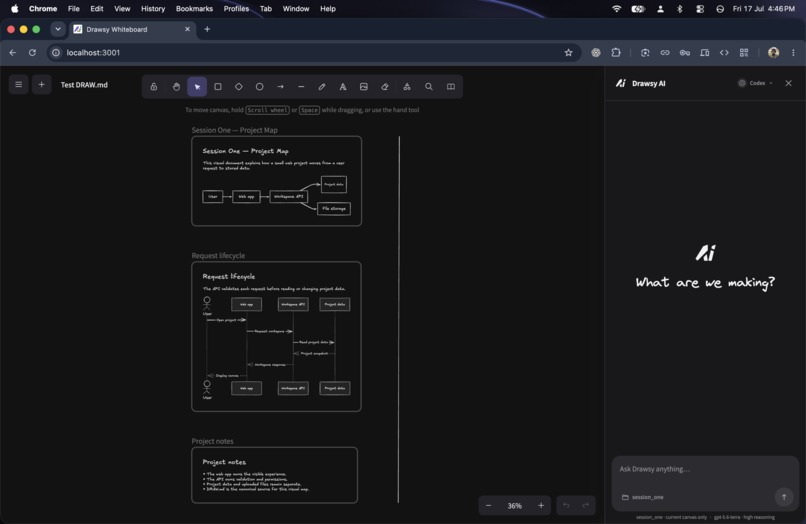
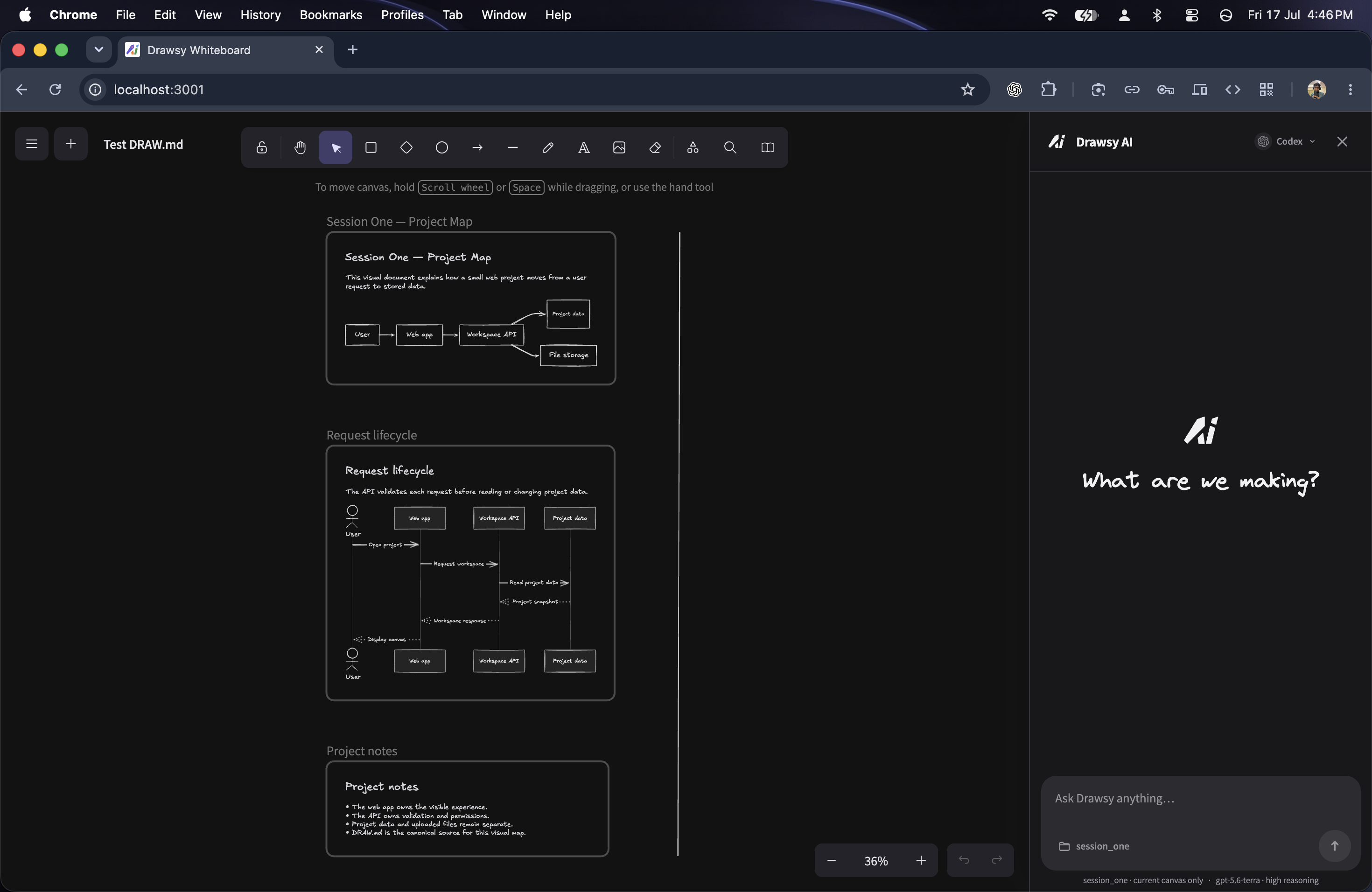
DRAW.md Example Demonstration
-
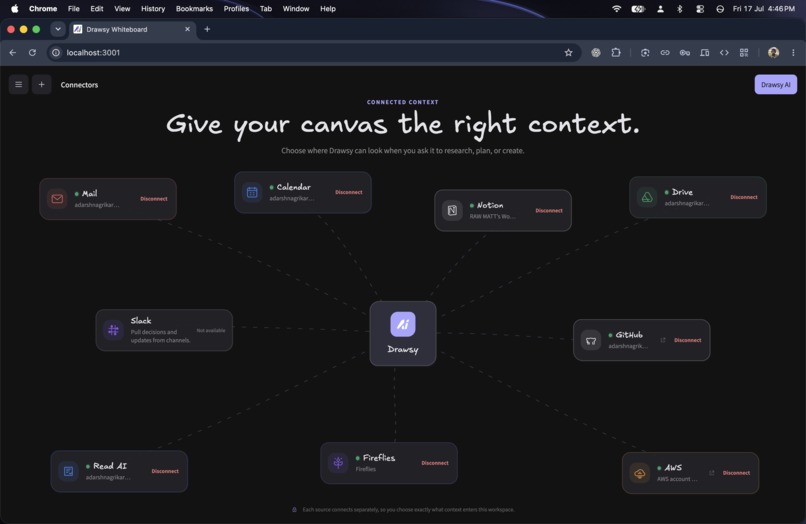
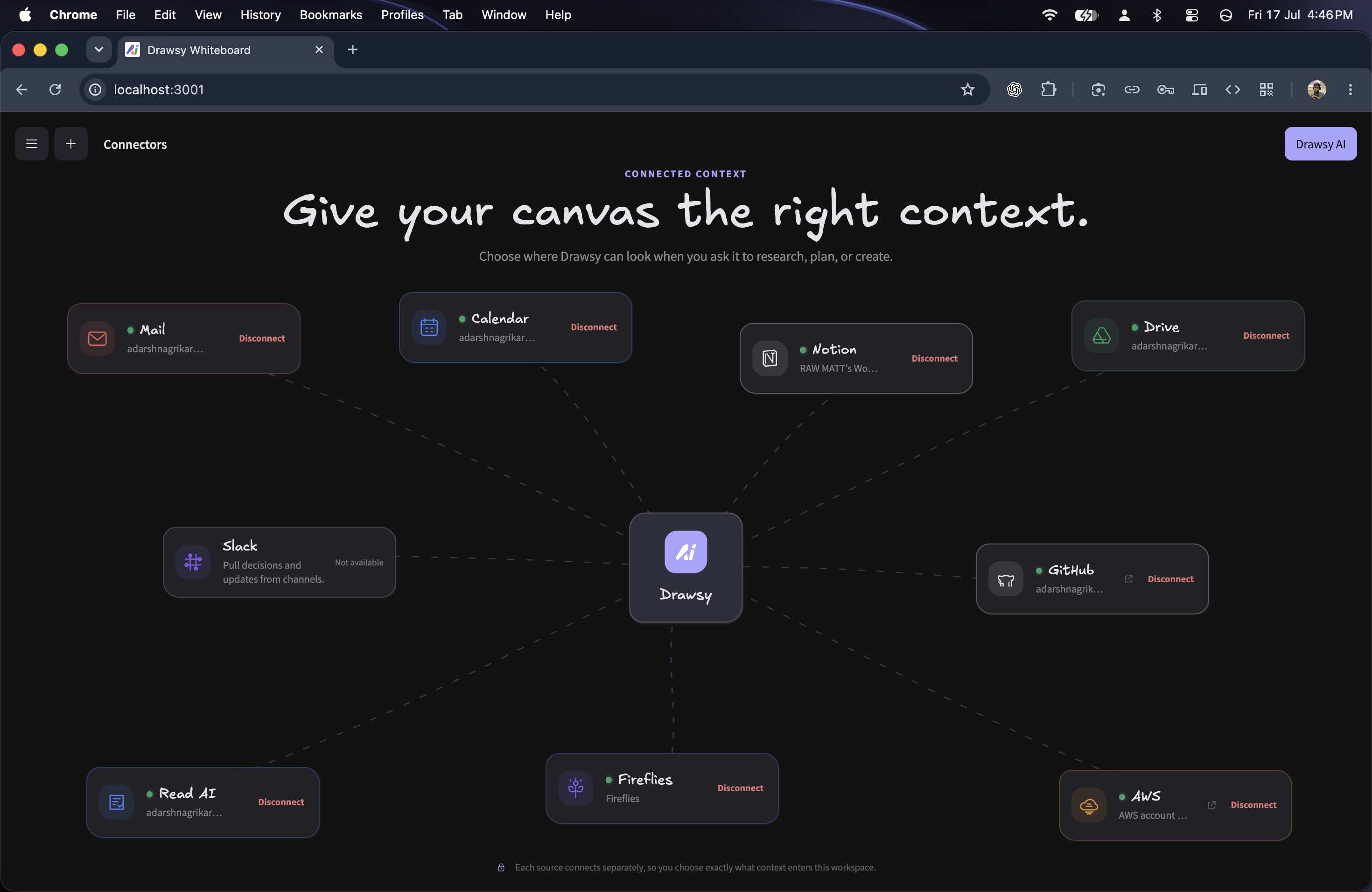
Drawsy Connectors
-
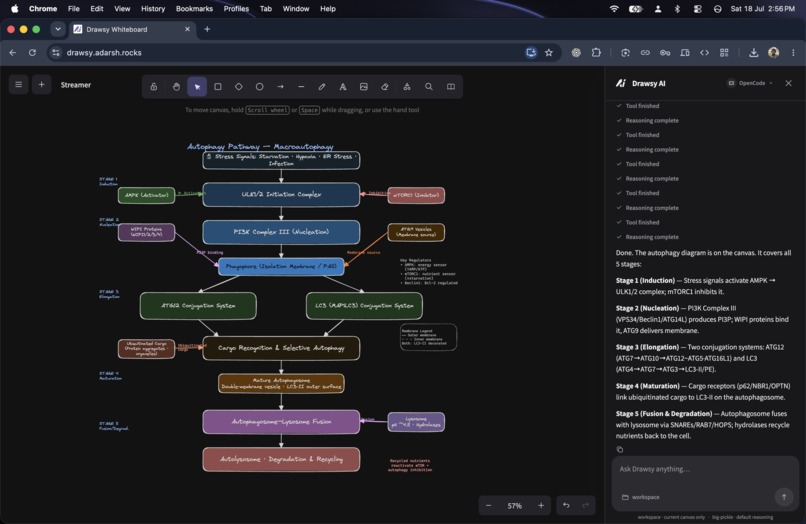
Complex Diagram
-
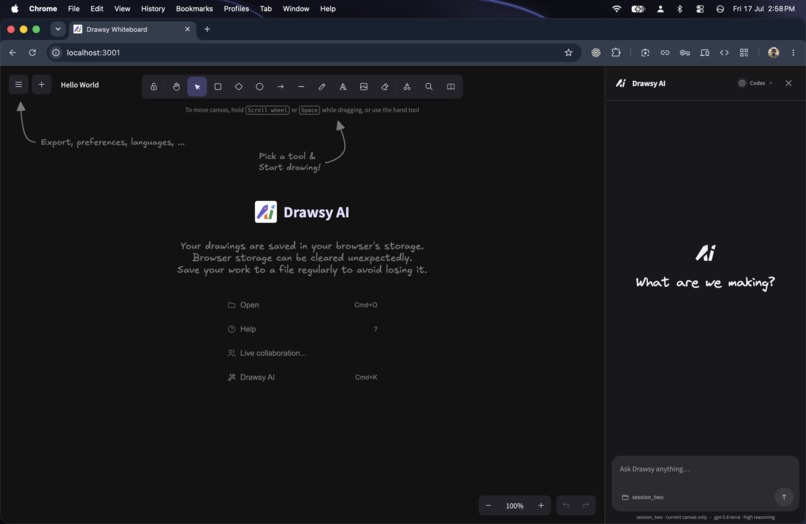
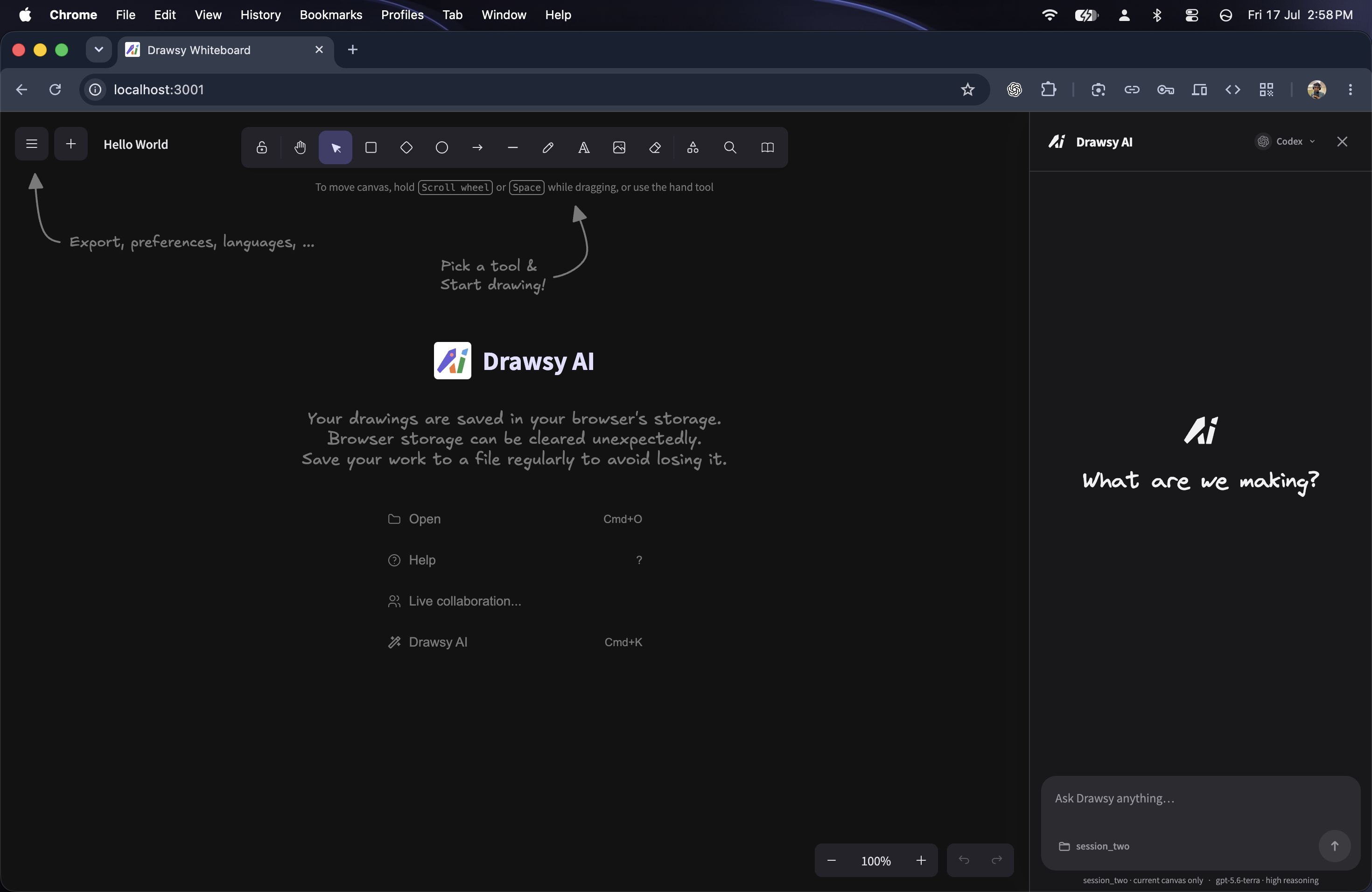
Drawsy Landing Page - Drawsy Workspace
-
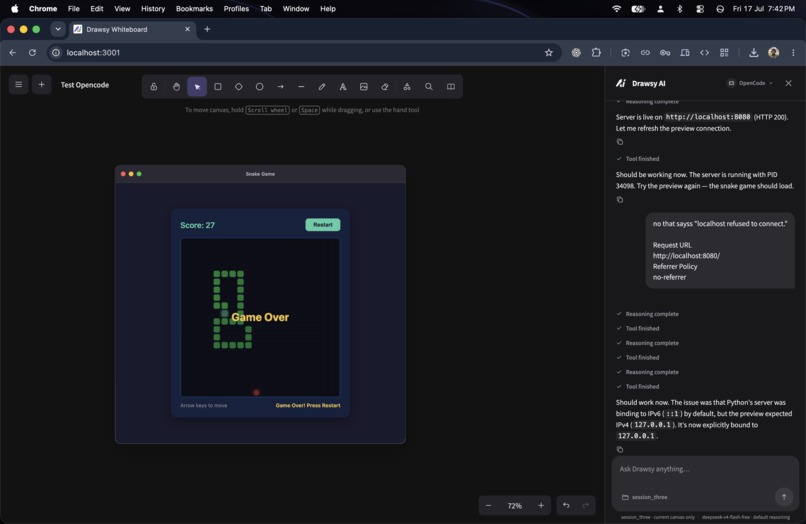
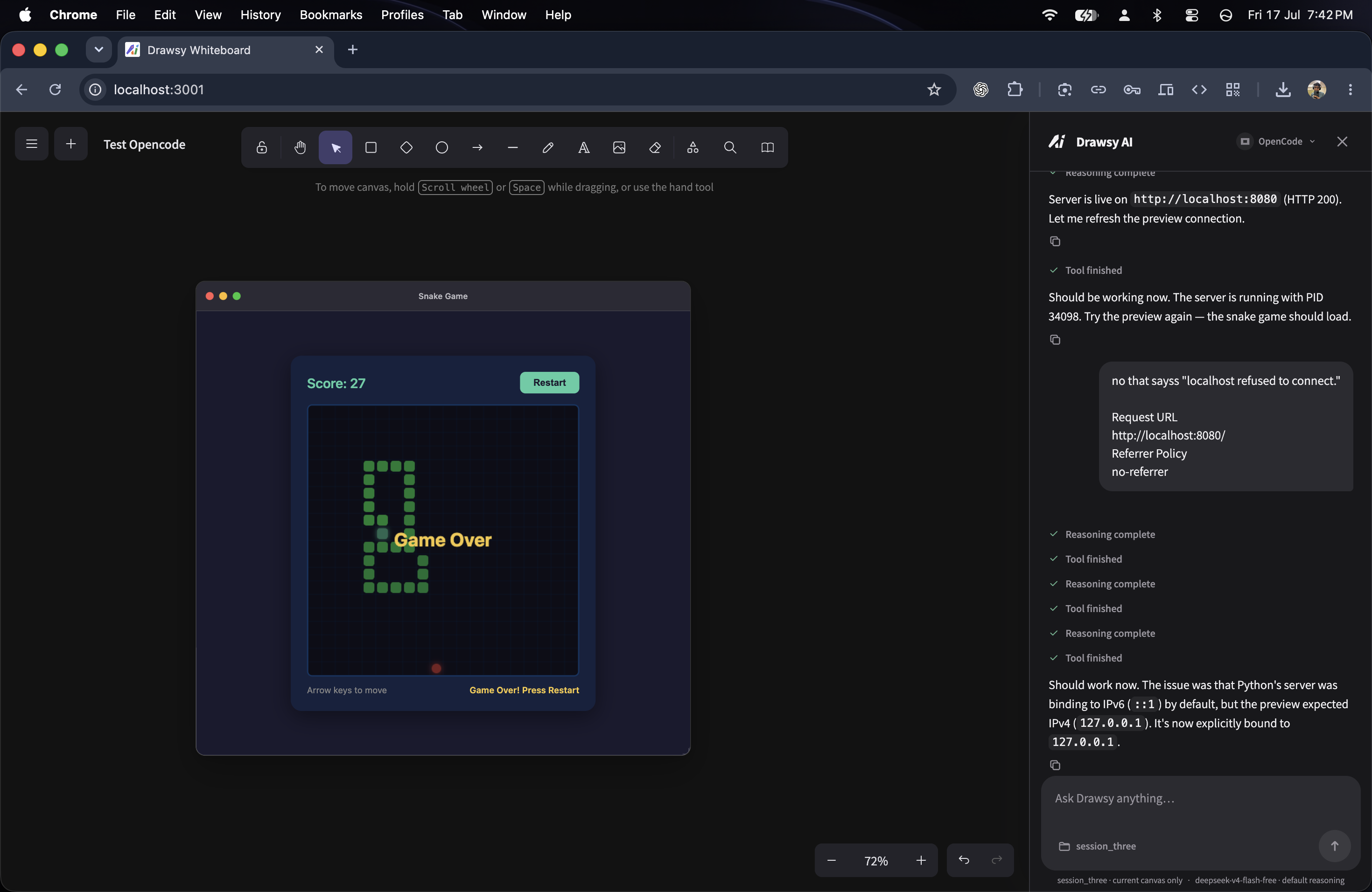
Live Preview
-
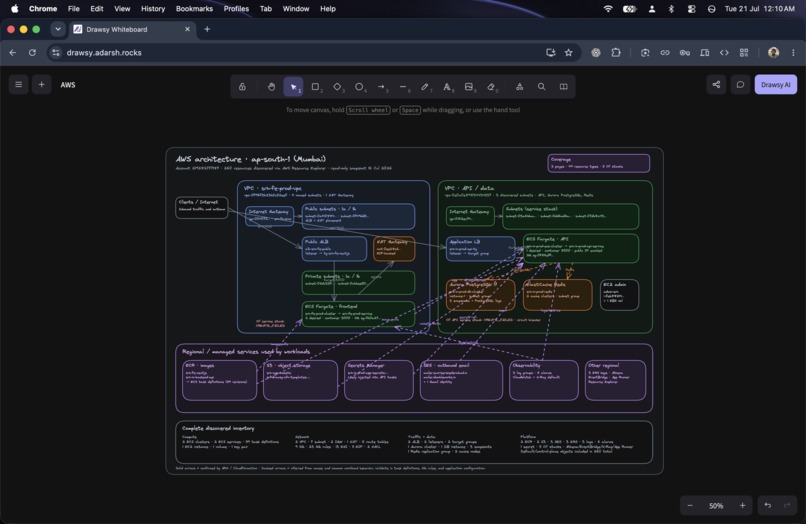
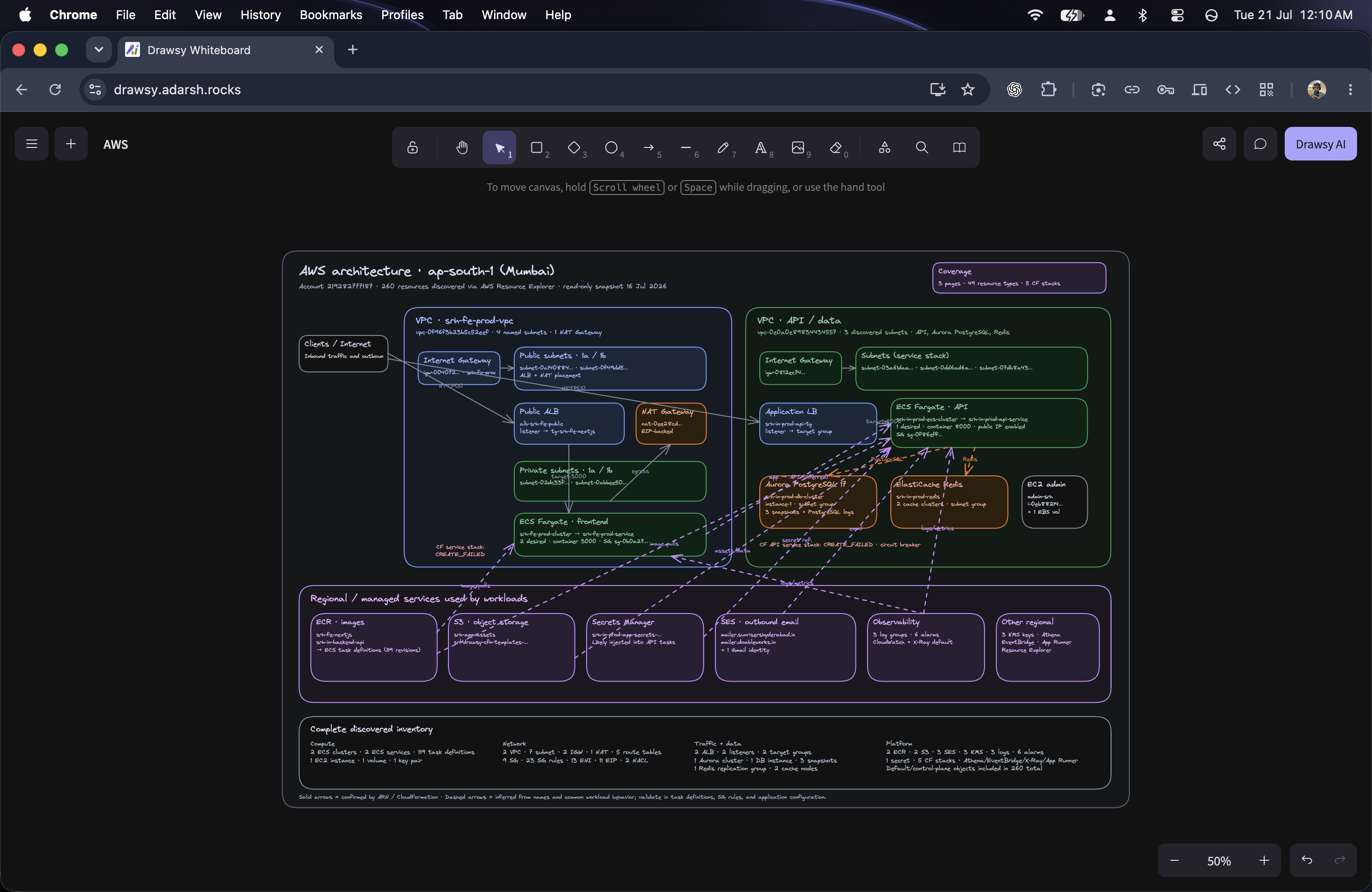
Drawsy Reads AWS connected ARN and Understands and Plots the Resource Diagram
Inspiration
I have been an Excalidraw user for a long time. I loved its simplicity and the freedom of an infinite canvas, but I kept wishing it could do more after the sketch was done.
When I planned a project, I wanted the same space to help me read the relevant mail, look at my GitHub work, structure tasks, draw an explanation, run the code I was building, and present the outcome. Instead, I was constantly moving between whiteboard, browser, Jira, mail, editor, terminal, and slides.
I did not want to replace Excalidraw with another productivity app. I wanted to extend the canvas I already enjoyed using.
OpenAI Build Week gave me the catalyst and the Codex credits to seriously pursue it. What felt like weeks of product and engineering work became an intense less-than-one-week build sprint with Codex as my implementation partner. That is how Drawsy started becoming a workspace instead of only a whiteboard.
What it does
Drawsy turns a visual canvas into a working environment.
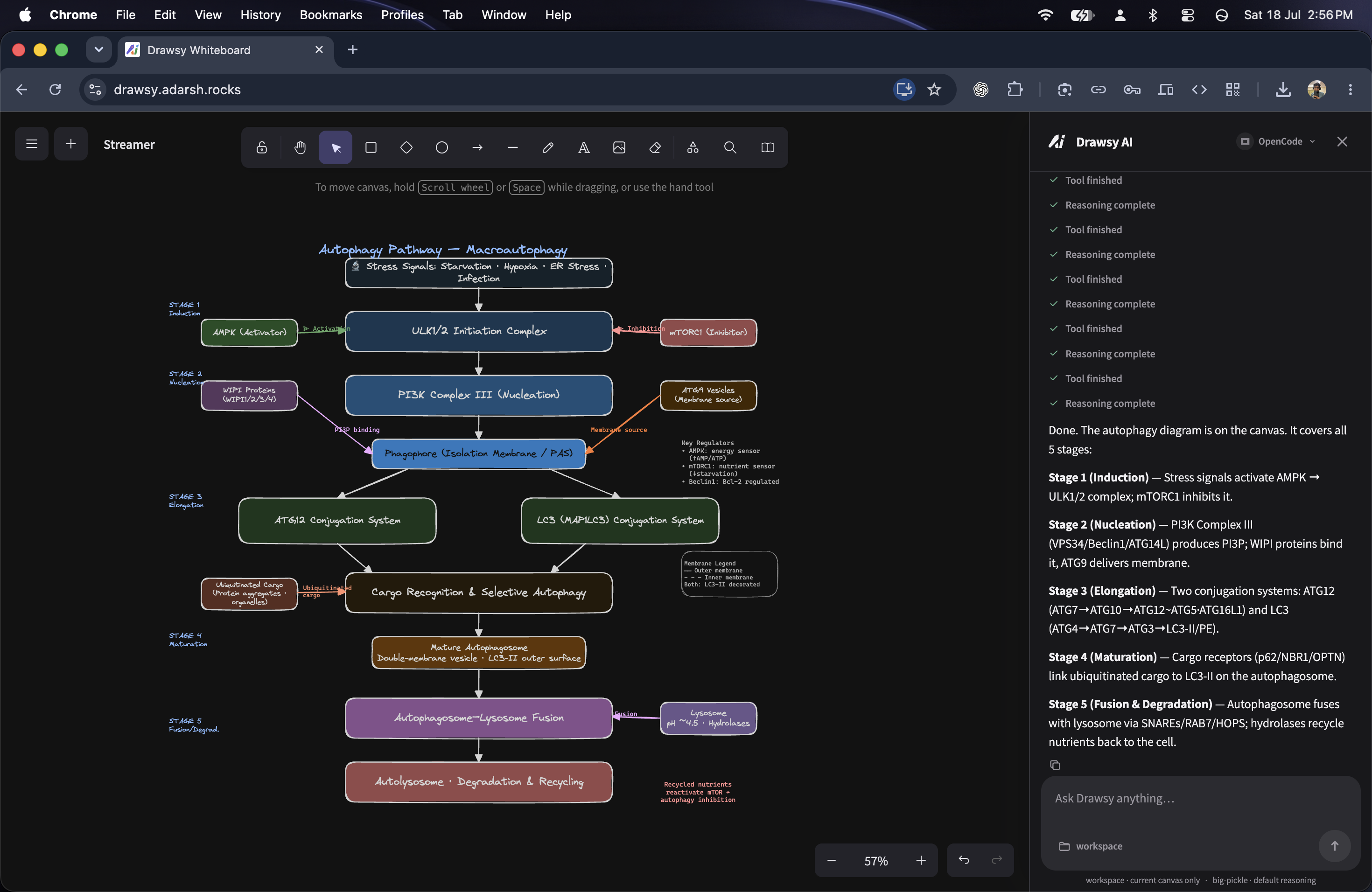
I can ask AI to create a complex diagram and watch it appear in readable, editable passes instead of receiving a flattened image. I can select a part of the canvas, press C, and give the model visual context for a specific image edit or refinement.
I can connect sources such as Gmail, Calendar, Drive, GitHub, Jira, meeting tools, and AWS. They are not automatically fed into every prompt; I explicitly attach the relevant source with an @ tag when I need it.
I can open a selected coding folder, let Codex or OpenCode build or run an app, and attach its live interactive preview directly to the canvas. I can also use DRAW.md to turn readable Markdown and Mermaid from a project folder into normal editable canvas content.
Finally, I can turn the work on the canvas into a presentation without moving it into a separate slide tool.
Try it: https://drawsy.adarsh.rocks
How I built it
I started from an existing Excalidraw-based implementation. The original editor work predates OpenAI Build Week; the Drawsy AI workspace extensions were built during the submission period.
I used Codex and GPT-5.6 throughout the sprint to understand the codebase, implement the frontend and supporting services, debug failures, test flows, and deploy the result. I also integrated Codex into Drawsy itself through an app-server workflow, so the product can use the same local coding capability I used to build it.
The frontend is React and TypeScript. Around it, I built the Drawsy-specific surfaces for AI chat, presentations, Kanban, Jira, connectors, selected-folder permissions, image context, DRAW.md, and live previews.
The key technical layer is a scoped MCP/agent bridge. It gives the agent only the context needed for the active task: the current canvas or presentation, selected visual context, explicitly tagged connected sources, the selected coding folder, and relevant Drawsy resources.
I also added OpenCode as a second runtime. The point was not just a model switcher: Codex and OpenCode should follow the same Drawsy rules for folder scope, permissions, connectors, canvas tools, and previews.
Challenges I ran into
The hardest issue was diagram quality.
A model can produce valid canvas elements that still look wrong: text can wrap after fonts load, arrows can cross unrelated nodes, labels can overflow, and a connector can point somewhere visually ambiguous. I had to move beyond simply accepting model-generated coordinates.
I added progressive canvas updates, native Excalidraw text reflow, layout inspection, and rendered-scene review. This gave the agent feedback about actual layout problems without hardcoding a specific diagram style or forcing a subject-specific template.
Image editing was another challenge. A canvas screenshot is useful for understanding annotations, but it is not the original image source. The C selection workflow keeps both the visual crop and the original source available, so the model can understand the requested change and edit the correct asset.
Live previews were also tricky. They need to be interactive and hot-reloading, but they should not be permanently synchronized as ordinary canvas data. I made previews session-local and isolated them from Drawsy’s internal service ports.
Accomplishments that I'm proud of
I am proud that Drawsy is not just a chat panel added to a whiteboard.
The AI sidebar makes space beside the canvas instead of covering it. Complex diagrams arrive as editable visual work. Image annotations can become real edit instructions. Connected sources stay opt-in per prompt. A project document can become a visual map. A running app can sit beside the plan that created it.
I am also proud of the product constraint I kept returning to: no hidden context. Connecting an account is separate from using it. Selecting a folder is separate from opening the rest of the machine. A live preview is useful without being made permanent shared canvas data.
What I learned
I learned that the value is not “AI can draw.” The value is making AI work with the context a person already has, without taking control away from them.
I also learned that model flexibility only works if the experience around it remains consistent. Whether I use Codex or OpenCode, the important part is the same: clear scope, explicit access, editable output, and visible progress.
What's next for Drawsy AI and Workspace
I want to deepen the workflows that are already working rather than add random features.
Next, I want to improve multi-step presentation creation, project-level DRAW.md conventions, source citations on generated visual work, collaboration around agent-created content, and connector coverage. I also want to harden the hosted runtime and make the local-first experience easier for more people to use. I would also want to add Voice prompting, or a BiDi experience while just dictating and letting it draw the entire thing for you. I am still working on it, and no matter what, I'll make it a handy tool for anyone to use.
Then next is Security of course, I'm onto hardening the sessions, and all the metadata and previews being created and also integrating ChatGPT Sites for the future use case of deployment too.
Users would soon be able to integrate their own GPT account, or opencode logins, as API is still supported with us. That will give them flexibility to use Drawsy Locally, encrypted on their device and Only sync if they login and agree to sync (Encrypted of course).
The direction remains simple: I want the canvas to stay useful when the work moves from idea to execution.
Built With
- amazon-web-services
- cloudflare-r2
- docker
- ec2
- excalidraw
- express.js
- firebase
- github-api
- google-workspace-apis
- gpt-5.6
- mcp
- mermaid
- nginx
- node.js
- oauth-2.0
- openai-codex
- opencode
- python
- react
- socket.io
- typescript
- vite
- websockets


Log in or sign up for Devpost to join the conversation.