-
-
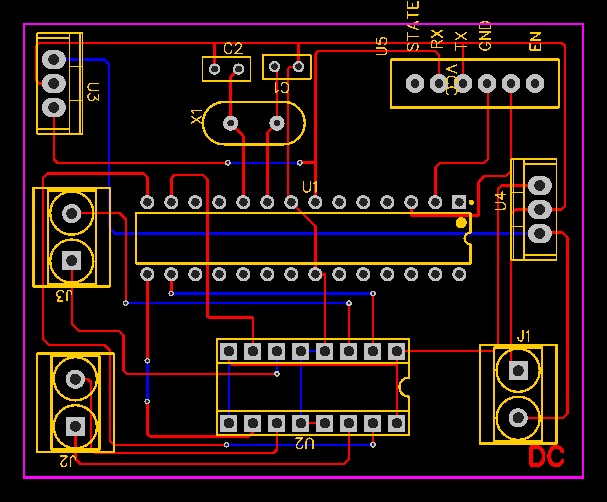
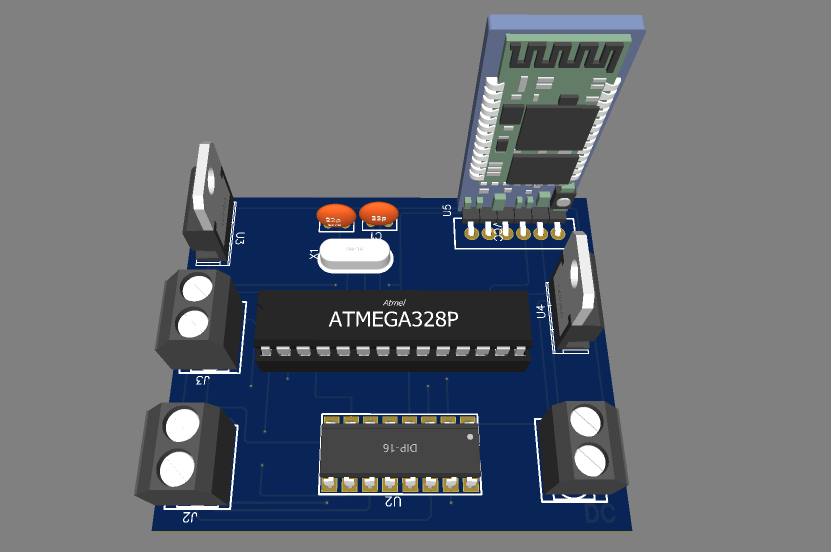
PCB design of
-
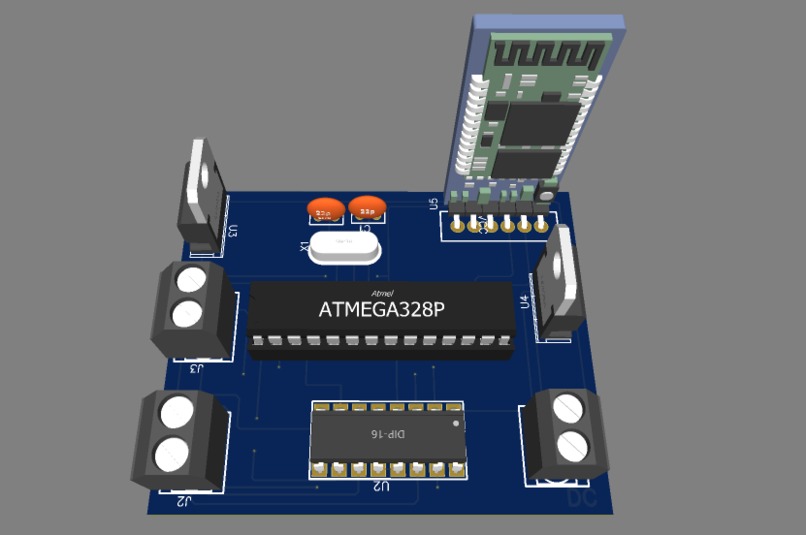
3D model of the PCB
-
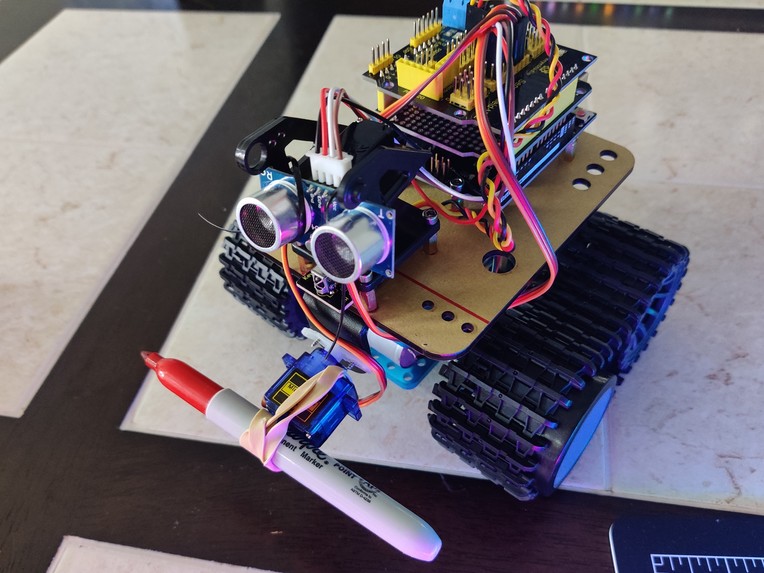
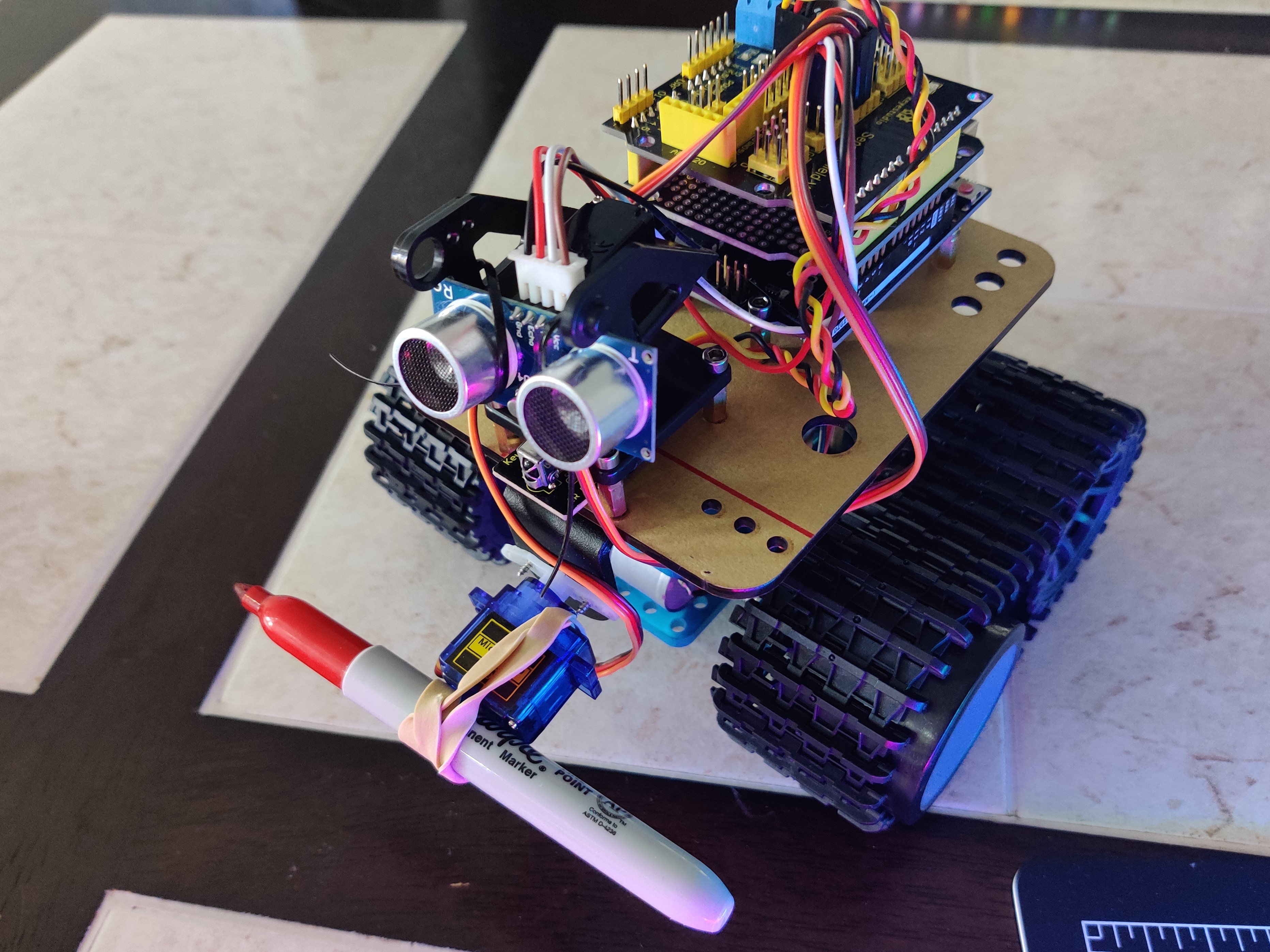
Final Robot Design
Inspiration
The project started with our keen interest in hardware. We wanted to build a robot that automates a task, but we were unsure of what the task would be. Then we got the idea of building a rover that can ease the task of drawing tracks, sports court line making, making big signs/posters/billboards, etc.
What it does
It is a four-wheel-drive Bluetooth-connected rover with a drawing tool (pen, sharpie, pencil, etc) attachment, which allows it to copy and draw physically exactly what the user draws on their device virtually. The code can also scan any image and modify it into a vector image, that the rover will then be able to draw.
How we built it
The rover was built using a chassis, wheels, motors, a servo motor, motor driver, and the Arduino Uno board. By using the motor driver, four motors are driven by the Arduino upon receiving the coordinates from the application as to which direction it should go from the local origin. The robot is powered using 2 LiOn 3.7v rechargeable batteries. The batteries can be recharged using a battery charger. Later would like to build a platform/App where one will be able to draw the desired shape, whose coordinates will be sent as a list over the Bluetooth communication. The communication with the Bluetooth module in the rover is made using the serial RX, TX software serial library.
Challenges we ran into
At first, the batteries we chose were 9v batteries, which had a very low current output, thus reducing the power abstaining the robot to start. Converting images into vector points the rover could follow was also difficult as converting raster images into vectors kept resulting in inaccuracies.
Accomplishments that we're proud of
Making the robot work in time was the biggest achievement of them all.
What we learned
We learned about motor connections, interfacing motor drivers. We also learned about how to make Arduino understand the coordinates sent by the python program. We also learned about advanced modules like that of Bluetooth and got to know about serial communication.
What's next for Scribbly
Soon we would like to work on the App that will allow the user to draw the desired shape, whose coordinates will be sent as a list over the Bluetooth communication. And in the future, we would also like to build another version of this project where the robot will be able to attach to any whiteboard and draw on the whiteboard at almost the same time as what one draws on the app.


Log in or sign up for Devpost to join the conversation.