Inspiration
This project was inspired by the idea of having a portable robot provide a more physical means of communicating between two people over the internet. After all, there is something different between seeing someone's response on a screen compared to having it written or drawn out in front of you in their handstrokes. Thinking about it, the imperfection of the robotic controls just adds character to the entire process, making it a potentially interesting platform for game concepts in the IoT space.
What it does
This creation allows the user to open a drawing interface on their pc and draw into it with a mouse or pen. The lines of the drawing are sent over to a receiving pc, which then communicates the plotting locations to a robot which then draws out its interpretation of the image. This should allow for some interesting two-way visual communication in a non-conventional method.
How we built it
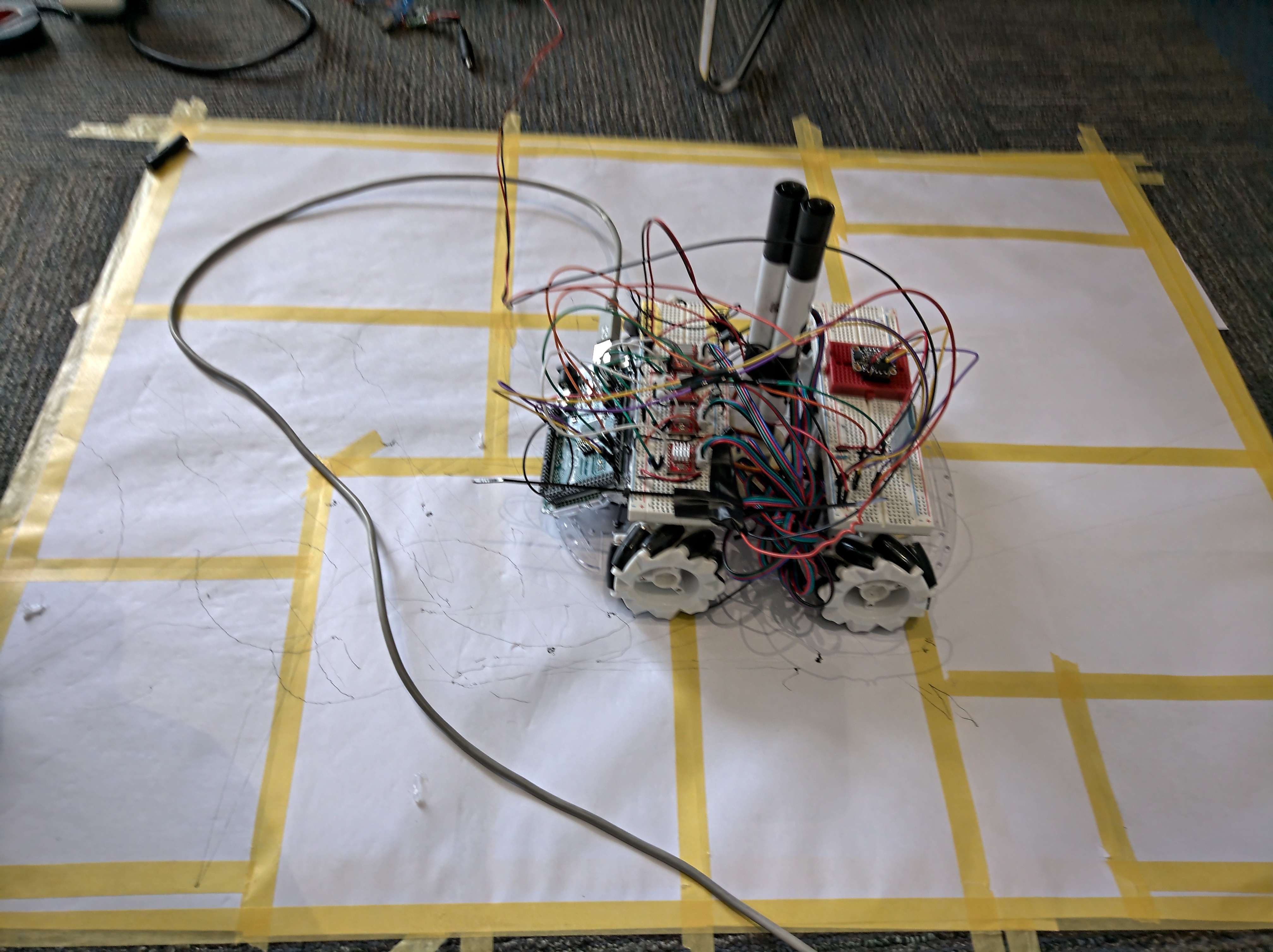
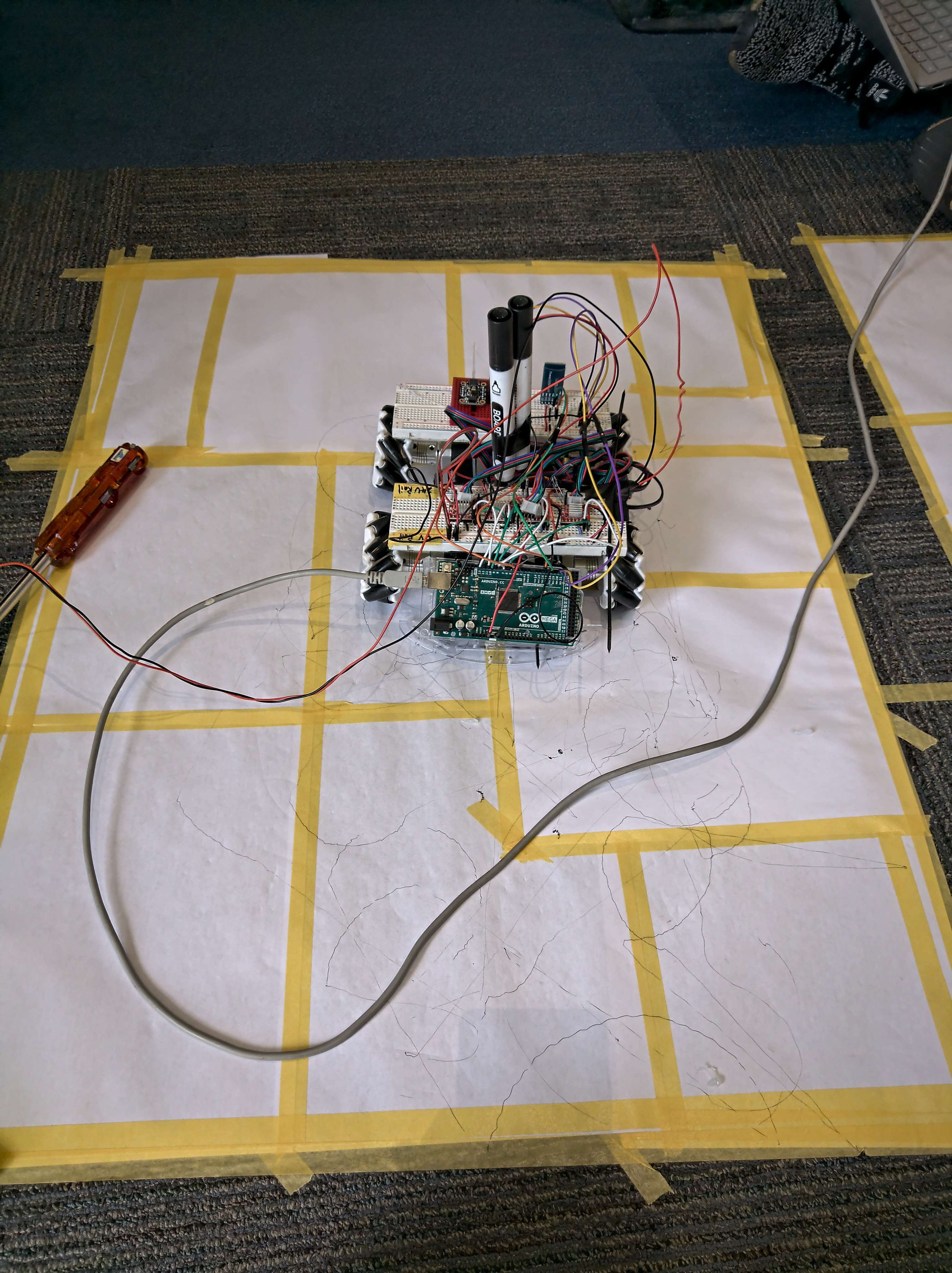
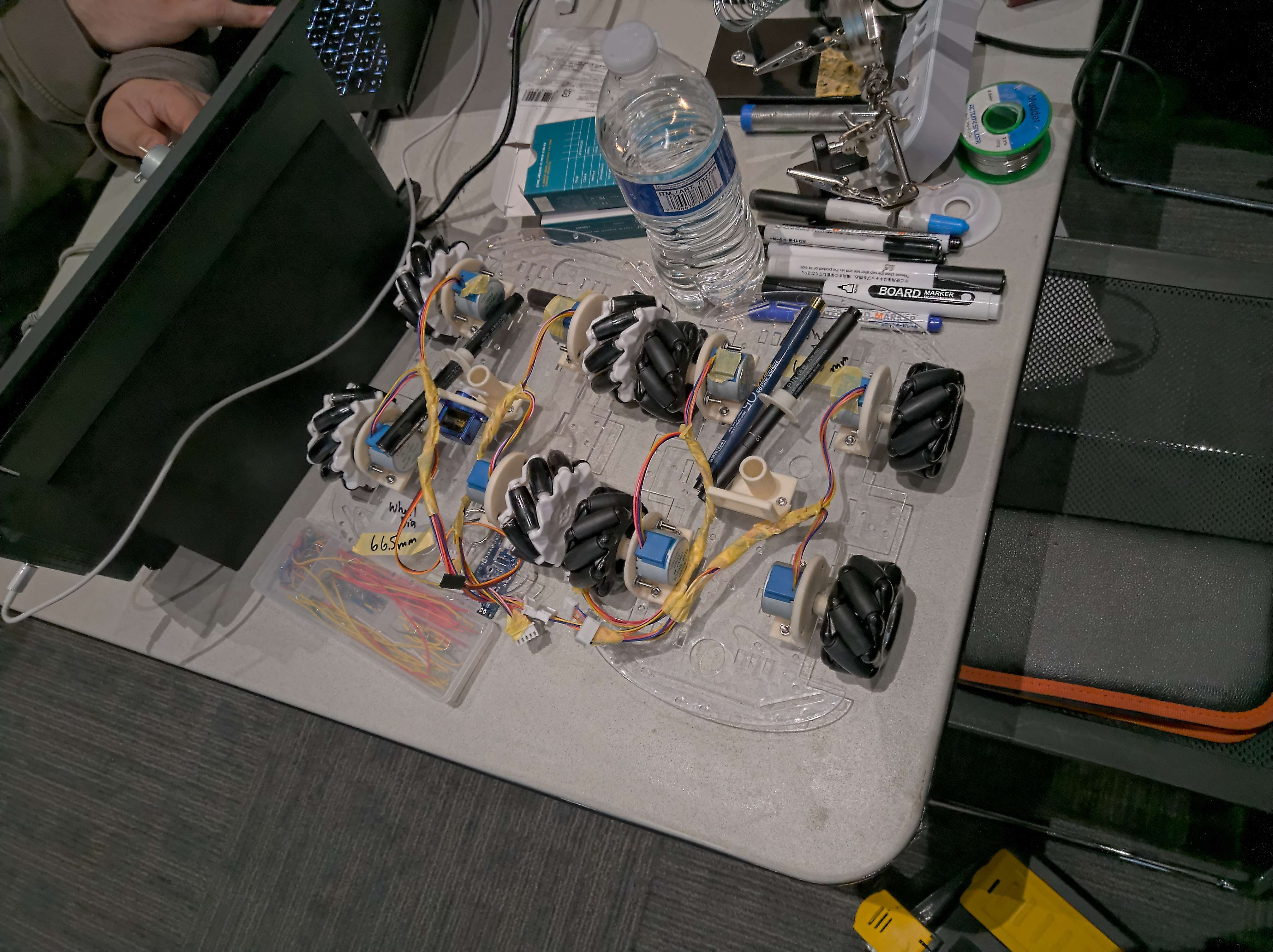
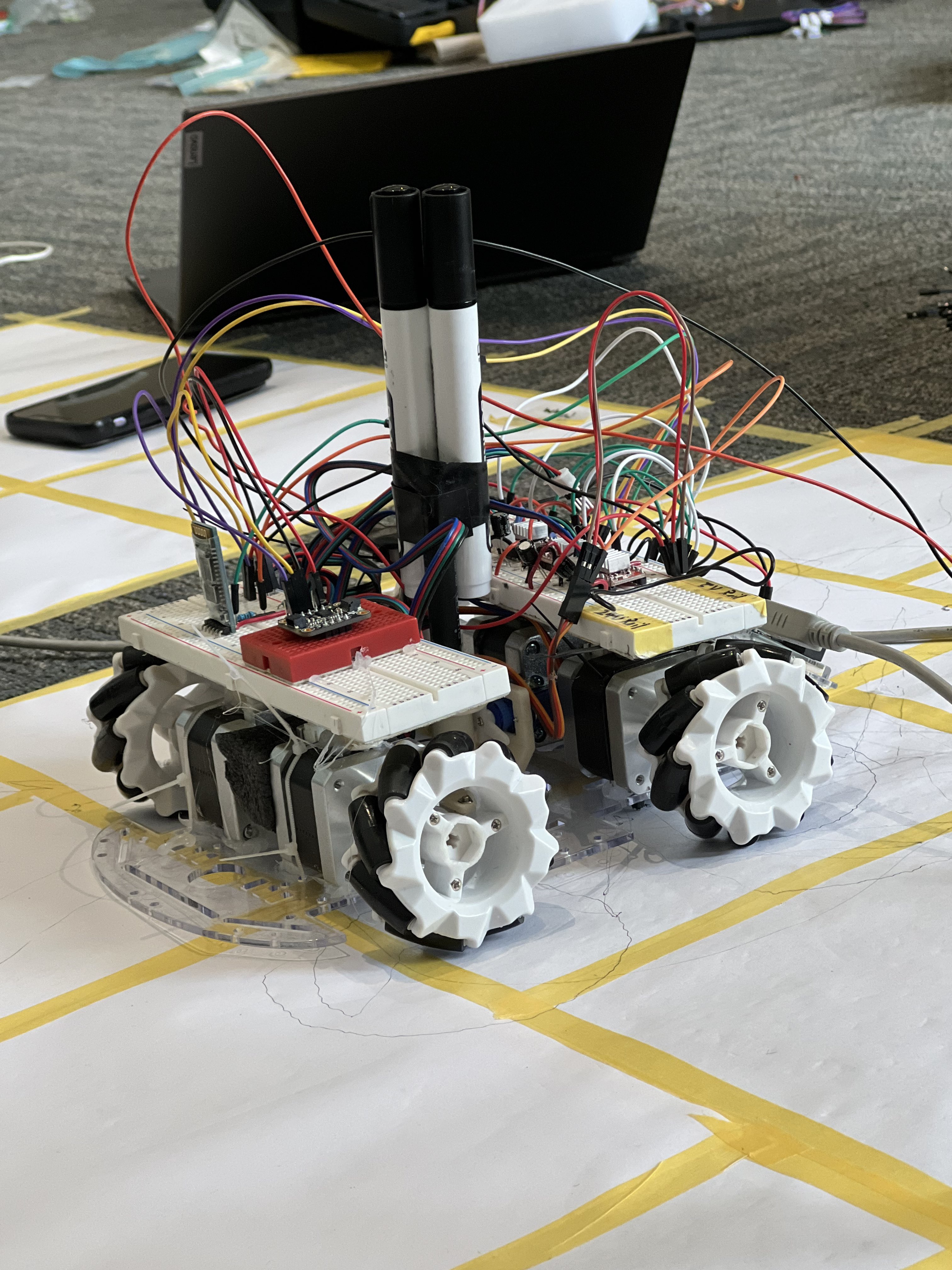
The robot chassis was obtained from a kit. Stepper motors were mounted using cable ties and hot glue, and the wheels were attached using aluminum couples and super glue to join the wheels to the shafts. Stepper controllers were set up on a breadboard and controlled by an Arduino Mega. This system was powered using a 24V power supply to power the Mega and the stepper motors. The Arduino Mega communicated with the host PC using an HC05 Bluetooth module.
User input is captured using a Python UI using Tkinter. Points drawn by the user are collected and filtered to provide a set of usable points for the robot to use for plotting. These are then communicated to the other connected pc. Communication between the two pcs is accomplished via TCP network sockets over WiFi. The original socket implementation used the Python threading library for multithreaded support for multiple clients. However, two-way communication was not achieved, although one-way communication was possible with the socket implemenetation.
The robot plots by performing steps based on the information received. The mechanum drive wheels are used to perform the necessary lateral and rotational moves to plot out the points, with rotational orientation being tracked using an inertial measurement unit (imu) to maintain orientation awareness. Pen deployment was achieved using a servo motor to lift and drop a pen in a 3D-printed pen-holding cylinder and collar. The mecanum drive allows for reorientation about the pen in the center of the bot.
Challenges we ran into
The original stepper motors used were found to be insufficient for this task, as there were significant issues with the steppers missing steps and performing much better in forward motion than reverse. The batteries were also found to be insufficient to drive the original steppers to satisfactory performance.
As a result, the decision was made to switch to a tethered system using Nema 17 stepper motors, which were significantly less likely to have the issues described. However, due to the current requirements, this necessitated a switch to a tethered system rather than a battery-powered system.
Accomplishments that we're proud of
- an organized electrical, firmware, and software structure for optmized dev across two firmware and software repos
- significantly changing the project hardware halfway through the hackathon to overcome encountered issues
- undertaking a project with two common serial interfaces for sensors (I2C, UART), and a common network interface (TCP Sockets)
- designing a project with a wide breadth of mechanical, electrical, and software challenges
- on-site hardware debugging including 3D printing, dremeling, soldering, etc. Hardware represent!
What we learned
This was the first attempt by this team to create and use 3D-printed parts for any robotic application. 3D printing skills were practiced for only several days prior to the hackathon, prior to which the person in charge of printing did not have any 3D-printing experience. Furthermore, the team has not used TCP sockets or controlled a robot over a network prior. The team also explored a few new intersections of firmware we have not explored prior, specifically implementing OOP and hierarchical design for robotic drive.
This was also the first hackathon for 3/4 members!
What's next for Drawbot.io
- A sturdier mechanical chassis
- Transition to a full IoT sytem to cut out the PC "middleman" by moving towards SBCs
- A battery powered system to forgo the tether used in development
- A PCB for more reliable electrical connections


Log in or sign up for Devpost to join the conversation.