-
-

DrapeIt — Haute Couture Digital Styling Platform combining On-Device Real-Time AR Draping and YouCam AI Virtual Try-On.
-
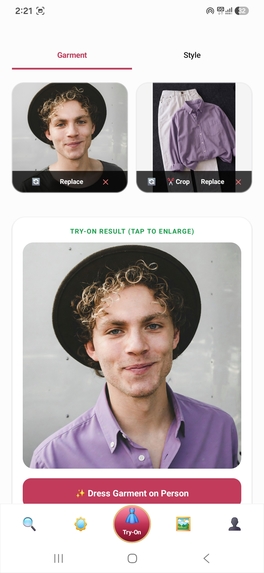
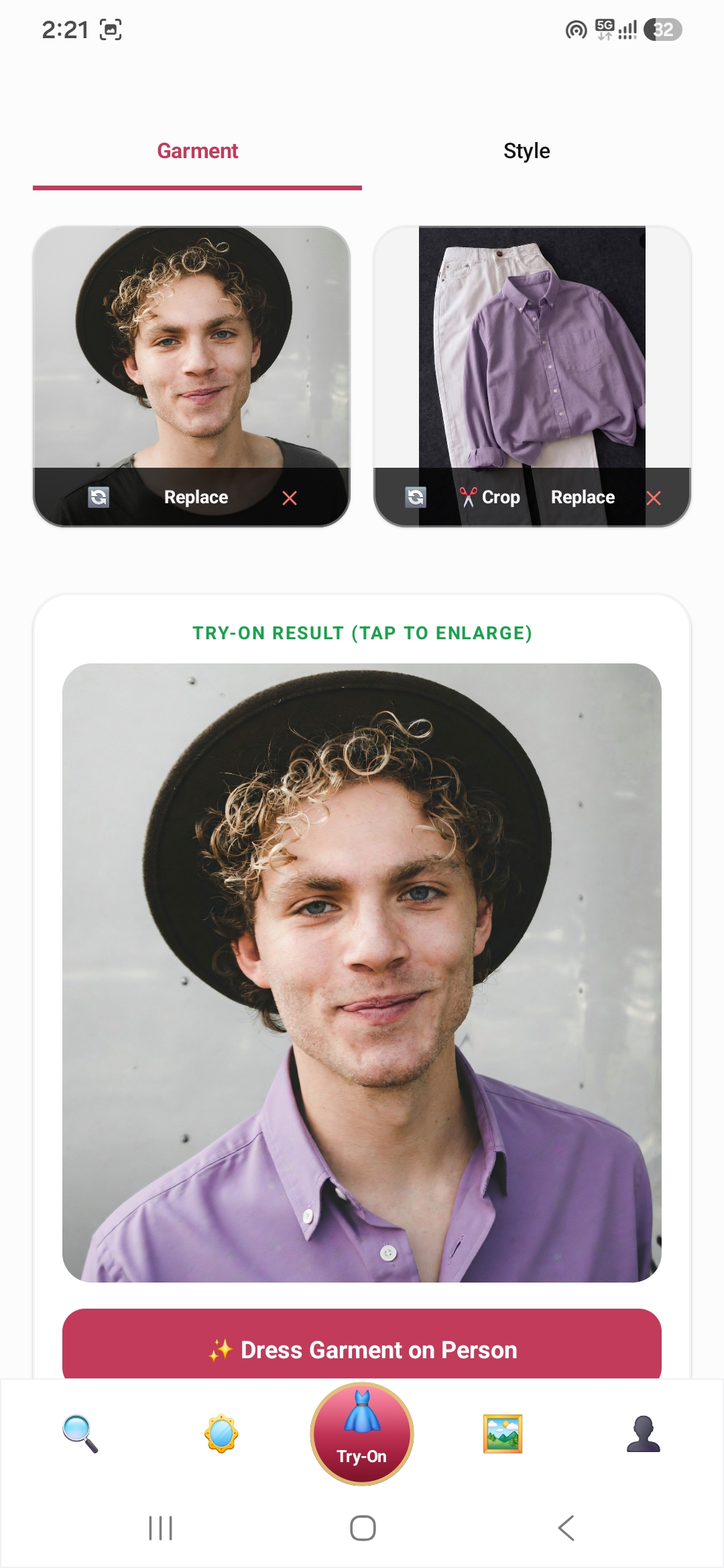
AI Virtual Try-On (YouCam Clothes V3) — Photorealistic neural garment fitting on real user portrait with natural lighting and contours.
-
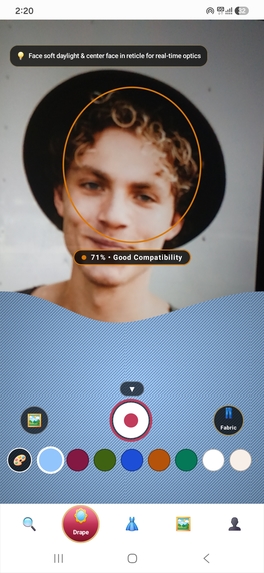
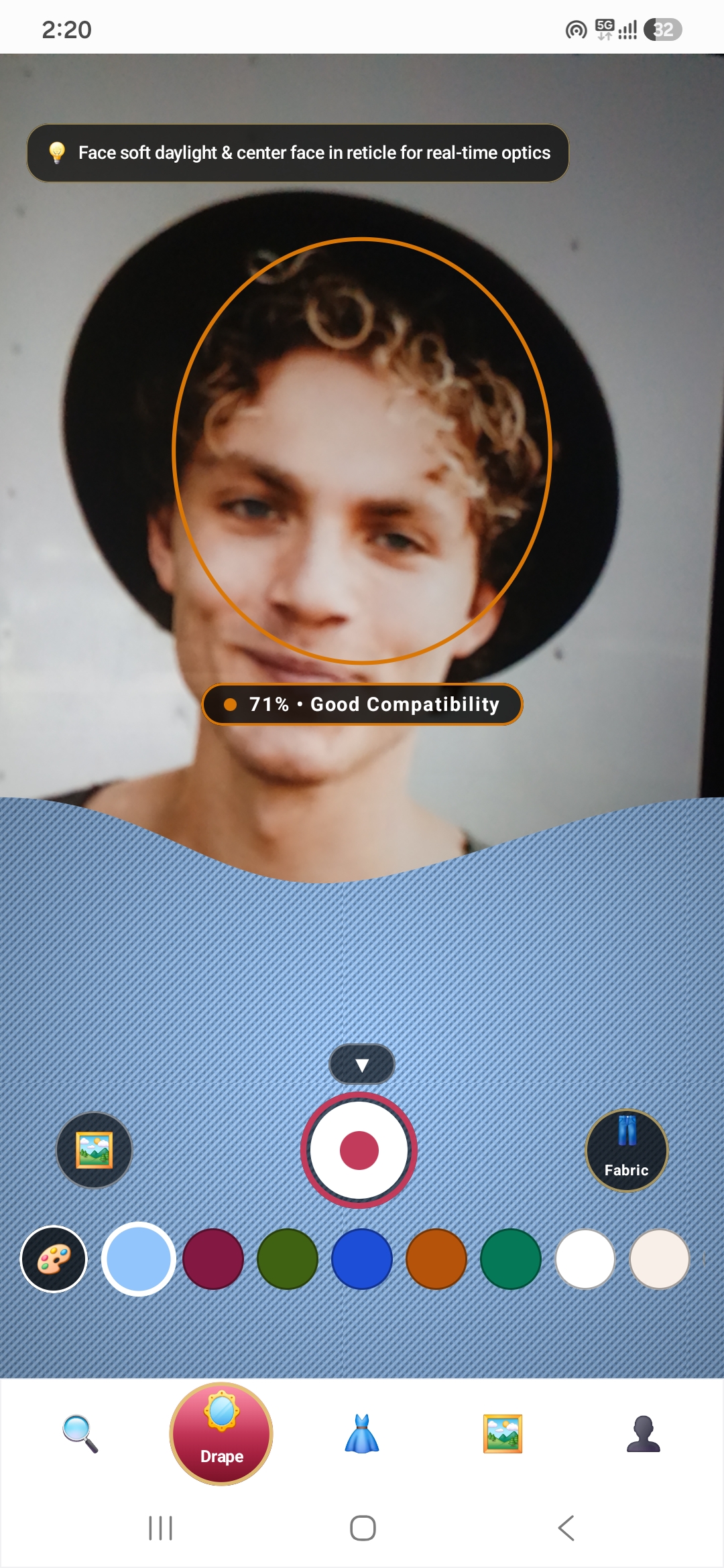
Real-Time AR Live Drape Studio — On-device MediaPipe chin tracking with procedural PBR fabric shaders and real-time color harmony scoring.
-
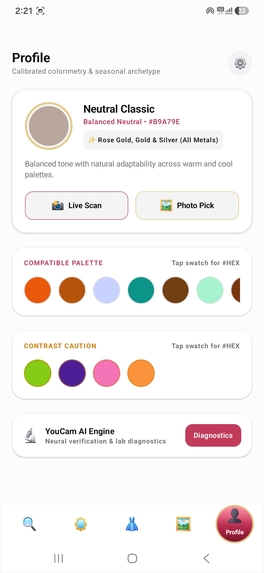
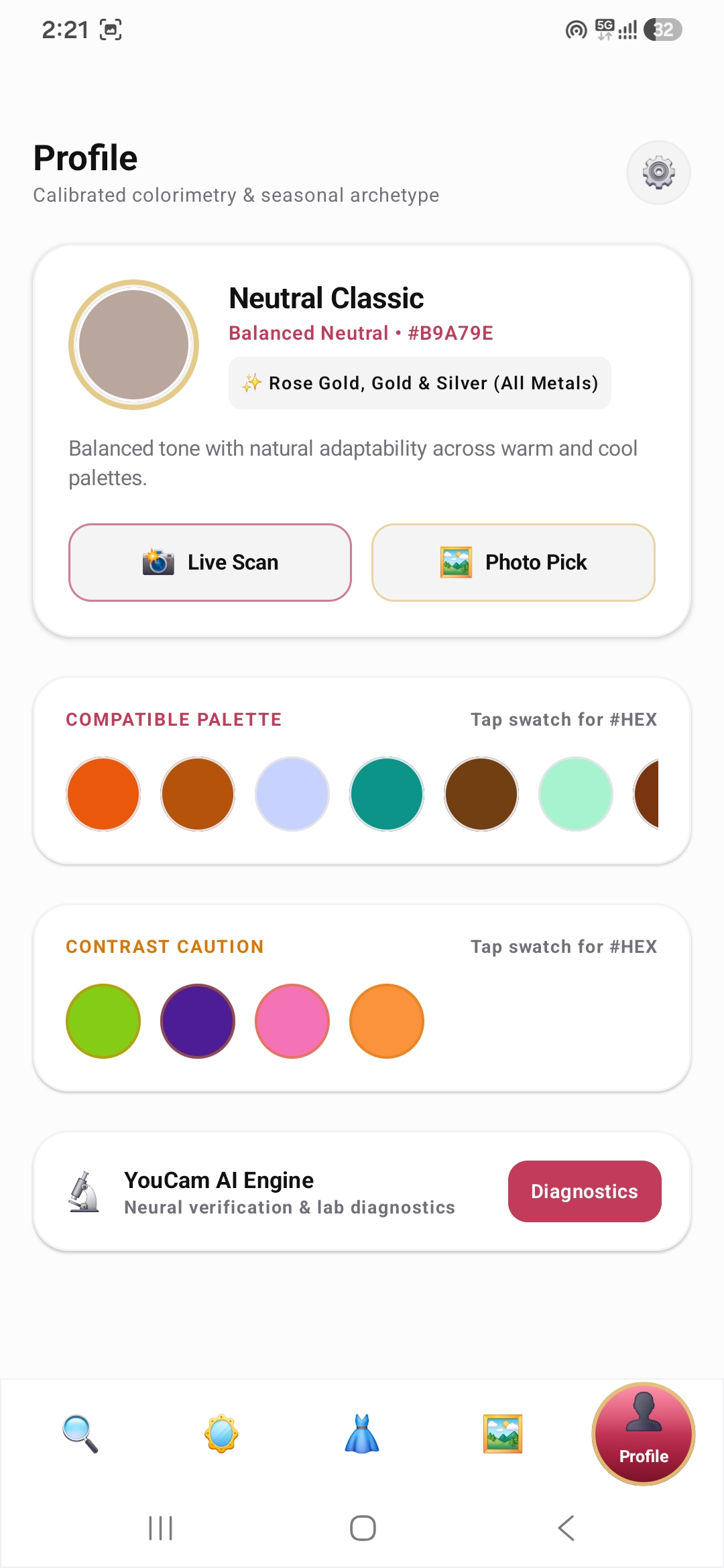
Personal Colorimetry & Seasonal Profile — Calibrated skin tone with dynamically generated Compatible Palette and Contrast Caution swatches.
-
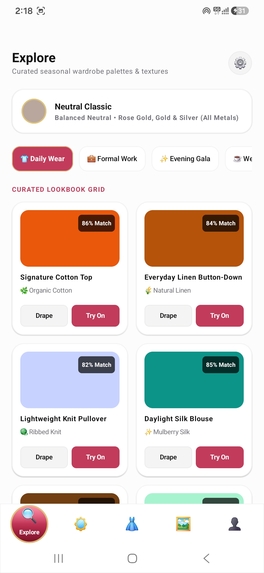
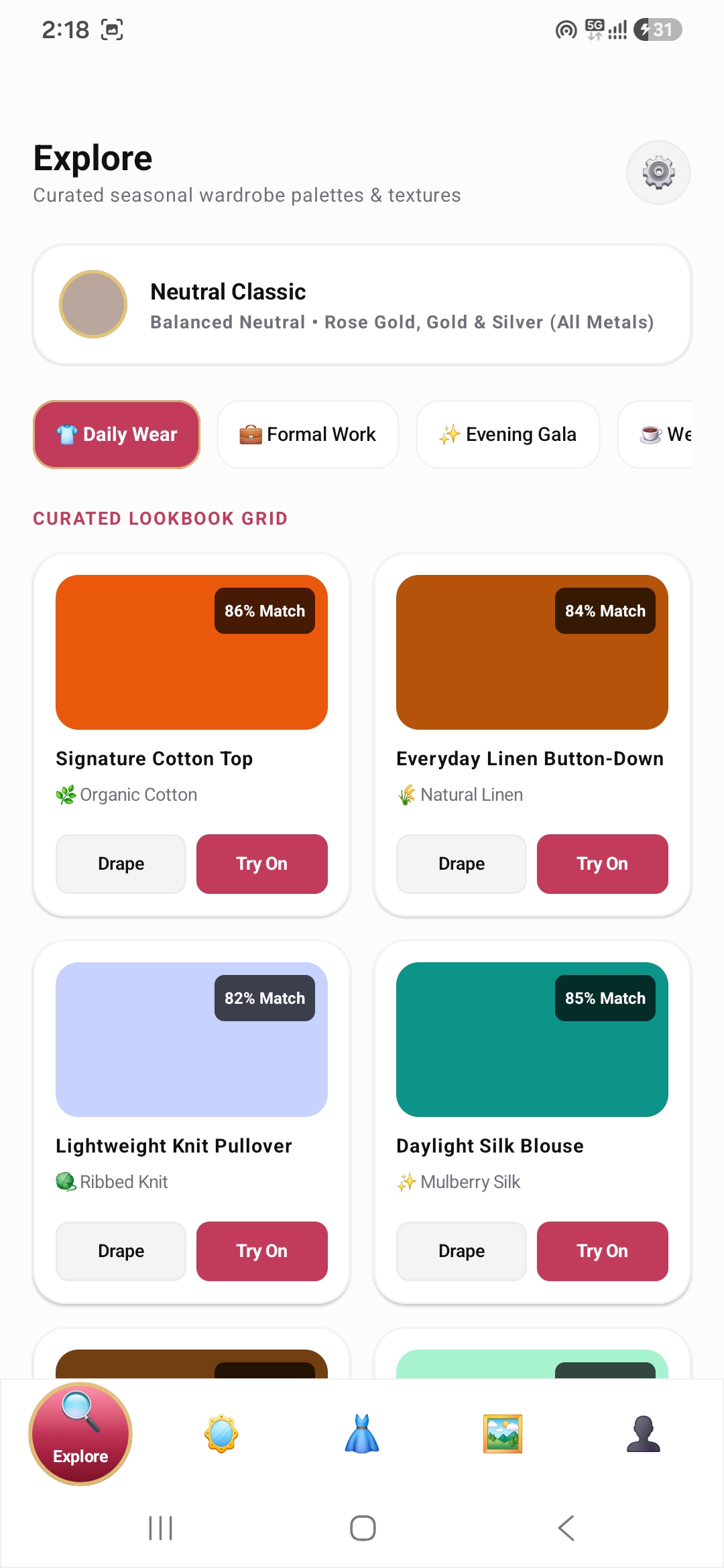
Curated Explore Lookbook — Occasion-based wardrobe recommendations (Daily Wear, Work, Evening, Casual) tailored to your skin archetype.
-
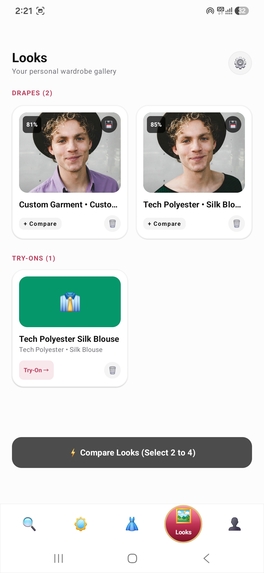
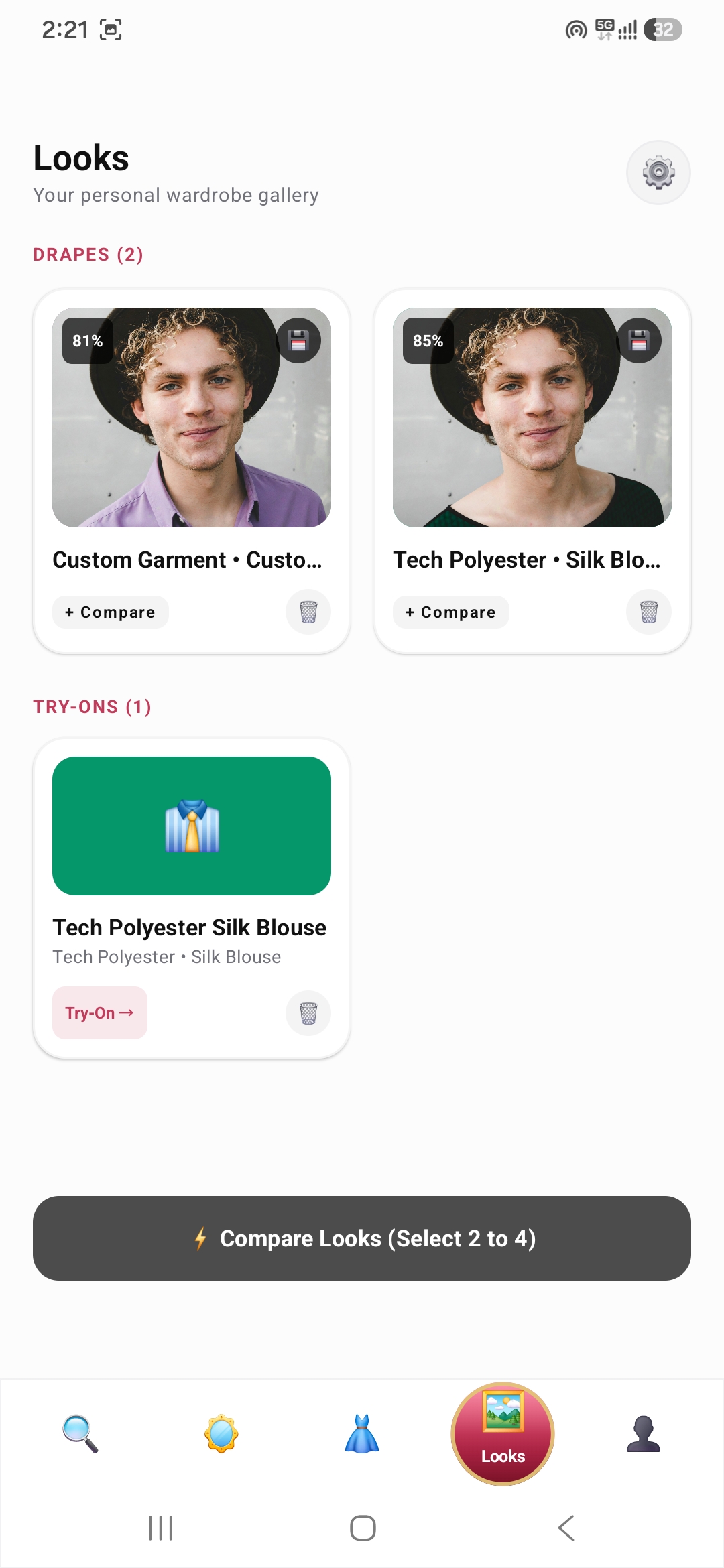
Personal Wardrobe Gallery — Review and organize saved drape snapshots and AI virtual try-on outfits.
-
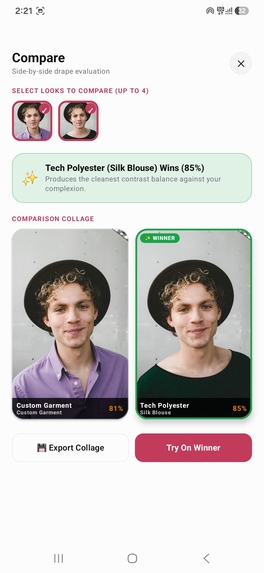
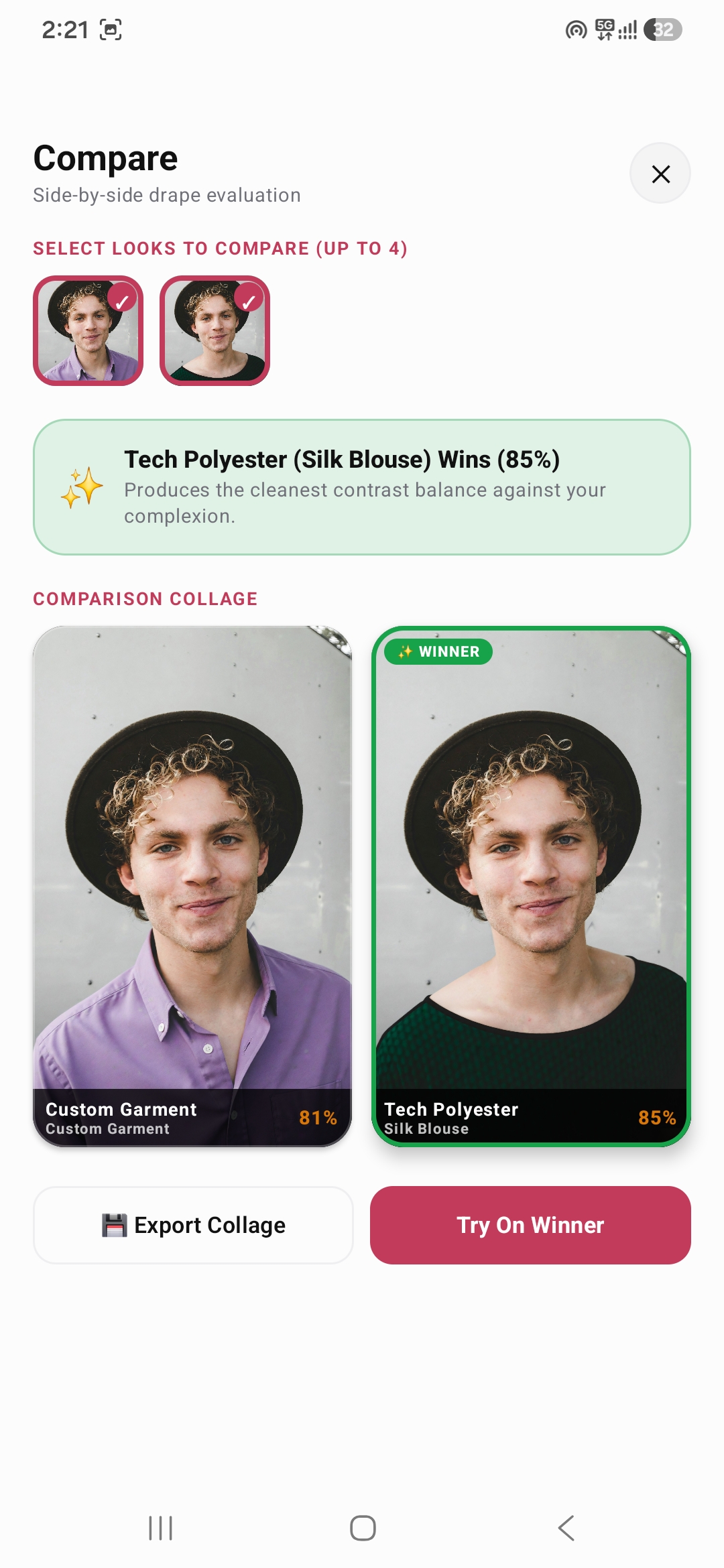
Photo Compare Studio — Objective side-by-side outfit comparison with Delta-E contrast metrics and automated winner badges.

💡 Inspiration
Shopping for clothes online is full of guesswork. A flat digital swatch on an e-commerce website cannot show you how a fabric's real-world texture, weave, luster, and exact hue will look against your natural skin undertone. This uncertainty leads to cart abandonment and high return rates across fashion retail.
We built DrapeIt to answer a fundamental question before you buy: "Will this exact fabric material, texture, and color actually flatter my complexion?"
By pairing on-device CameraX & MediaPipe FaceMesh tracking with procedural PBR fabric shaders and Perfect Corp's YouCam Cloud AI (Clothes & Skin Tone Analysis), DrapeIt turns any smartphone into an interactive virtual styling studio.
🪞 What It Does
DrapeIt gives users a cohesive 5-tab digital wardrobe experience:
1. Real-Time AR Live Drape Studio
- Anatomical Face Tracking: Uses MediaPipe on-device face mesh landmarks (chin anchor point 152) to project a virtual cloth drape across the user's chest.
- Low-Pass Exponential Smoothing: An $\alpha = 0.28$ smoothing filter eliminates camera jitter, giving virtual cloth natural weight and stability.
- Instant Harmony Scoring: Real-time colorimetry engine computes CIEDE2000 contrast separation and evaluates tone harmony dynamically as lighting changes.
- Static Photo Analysis: Upload any portrait from your gallery to run a one-shot MediaPipe pixel analysis.
2. 14 Physically-Based Procedural Fabric Shaders
DrapeIt features a multi-pass luminance-preserving texture engine across 14 real-world materials:
- Mulberry Silk (anisotropic sheen), Lustrous Satin (liquid gloss), Genuine Leather (Voronoi grain), Heritage Tweed (herringbone bouclé), Plush Corduroy (8-wale ridges), Natural Linen (organic slub crosshatch), Structured Denim (45° 3x1 twill), Plush Velvet (inverted Fresnel nap), Pure Cashmere (brushed fleece), Merino Wool (loop knit), Sheer Chiffon (translucent grid), Ribbed Knit (2x2 wales), Organic Cotton (basketweave), and Tech Polyester (honeycomb mesh).
- Specular light reflections dynamically sweep across the cloth as you move your head.
3. Universal 360° Color Spectrum (16.7M Colors)
- Full 360° Hue, Saturation, and Value sliders with direct
#RRGGBBhex input. - Material weaves, shadows, and highlights stay crisp and tangible over any color without flat color overlay degradation.
4. Personal Colorimetry & Seasonal Profile
- 15-Frame Sliding-Window Stability Check: Measures color variance across consecutive frames ($\le 1.2\ \Delta E_{00}$) to lock genuine complexion readings without sensor noise.
- Calculates Individual Typology Angle ($ITA^\circ$) and derives Compatible Palette and Contrast Caution swatches mathematically from real skin tone coordinates.
5. Virtual Try-On Studio (YouCam Clothes AI)
- Guided 2-Step Workflow:
- Upload Person: Pick your portrait photo.
- Upload Garment: Select clothing and use the built-in 3:4 interactive cropper to pan, zoom, and frame the item.
- Dispatches the normalized pair to YouCam's
/s2s/v2.0/task/cloth-v3API via our secure backend proxy, rendering photorealistic neural fits in seconds.
6. Explore Occasion Styling & Looks Compare Studio
- Occasion-based wardrobe recommendations (Daily Wear, Formal Work, Evening Gala, Weekend Casual) tailored to your skin profile.
- Side-by-side outfit comparison matrix with Delta-E contrast scores.
🛠️ How We Built It
- Mobile Client: Built with Kotlin 2.3 and Jetpack Compose on Android. Camera capture and ML inference run locally using CameraX and Google MediaPipe (FaceLandmarker & FaceMesh).
- Procedural Texture Shaders: Custom Jetpack Compose Canvas shaders generate mathematical bump maps, specular micro-highlights, and Fresnel rim absorption entirely on-device at 60 FPS.
- Color Science Engine: Pure Kotlin mathematical color engine implementing sRGB to D65 $L^a^*b^$ conversion, CIEDE2000 ($\Delta E_{00}$) color difference formulas, and Individual Typology Angle: $$ITA^\circ = \frac{\arctan\left(\frac{L^* - 50}{b^*}\right) \times 180}{\pi}$$
- Cloud AI Proxy: A stateless Cloudflare Worker proxy (TypeScript) manages session tokens, validates image payloads, and communicates with Perfect Corp's YouCam S2S API (
/s2s/v2.0/task/cloth-v3).
🧗 Challenges We Ran Into
Camera Sensor Noise & Fluctuation: Mobile phone camera auto-exposure and white balance continuously adjust, causing raw RGB skin readings to fluctuate frame-to-frame. We solved this by developing a 15-frame rolling buffer that tracks CIEDE2000 variance, only locking the reading when consecutive frames stabilize within $\le 1.2\ \Delta E_{00}$.
Preserving Fabric Weave Across Any Color: Traditional color overlays wash out fabric micro-textures. We engineered a 4-pass luminance-preserving shader that applies color tint in $L^a^*b^$ space while multiplying the underlying bump-mapped shadows and specular highlights.
E-Commerce Garment Normalization: Raw screenshots often contain messy backgrounds or hangers that degrade neural try-on quality. We built an interactive on-device cropper that lets users pinch, zoom, and center clothing, automatically flattening the item onto a padded white canvas.
🏆 Accomplishments We're Proud Of
- Achieving smooth, true 60 FPS on-device AR fabric draping with procedural PBR shaders that react dynamically to head movement.
- Zero Mock Data: Every harmony score, compatible color, and stability reading is calculated mathematically from actual pixels.
- Clean, zero-leakage security architecture with no private keys or personal data embedded in the APK.
📚 What We Learned
- Color science in perceptual color spaces ($L^a^*b^$, CIEDE2000) and how melanin and hemoglobin balance affect clothing harmony.
- Advanced procedural shader rendering in Jetpack Compose Canvas.
- Best practices for designing low-latency mobile pipelines connecting on-device computer vision with generative cloud AI.
🚀 What's Next for DrapeIt
- E-Commerce Plugin SDK: Bringing DrapeIt's live AR drape and try-on directly onto Shopify and custom fashion retail product pages.
- Multi-Garment Layering: Allowing users to try on layered outfits (e.g. outerwear jacket over a knit sweater).
- Dynamic Ambient Light Compensation: Auto-detecting ambient light color temperature to adapt virtual fabrics to indoor warm lighting.
Built With
- android
- augmented-reality
- camerax
- ciede2000
- cielab
- cloudflare-workers
- color-science
- computer-vision
- ecommerce
- fashion-tech
- generative-ai
- jetpack-compose
- kotlin
- mediapipe
- mobile
- pbr-shaders
- typescript
- virtual-try-on
- youcam-api

