-
-
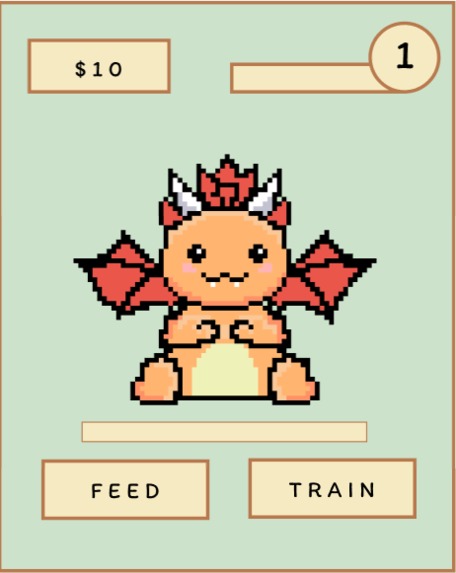
Dragon_Page
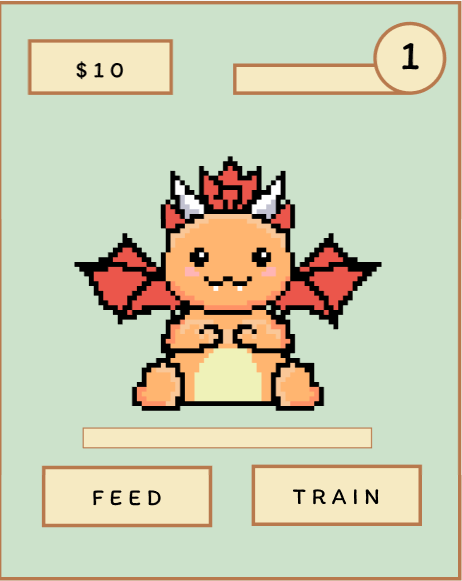
Inspiration
Our main motivation was to show our creative side, implementing art into coding. As humans, we are creative and social creatures who like interacting with colors and depth. Dragonfly aims to show the creative side of computer science. The main feature of nurturing and caring for a dragon is something Artificial Intelligence cannot do well compared to a human. In addition, the game understands the hectic world, and attempts to soothe feelings of overwhelm by creating a stress-free cozy environment. As such, we created a game based on care and growth to show humanity.
What it does
Created with inspiration from pixel art that older games have, Dragonfly is a game where people can turn their brain off and enjoy training and growing their own dragon!
How we built it
We built the main application and its functions using JavaScript, CSS and HTML. The artwork was created on our tablet with a pixel drawing app and the overall game design was developed on figma.
Challenges we ran into
We ran into multiple challenges ranging from limited skill to a time crunch. Some specific challenges were our project being too large to upload on github, translating figma layout to code while making it readable, coding game logistics while limiting functionality so we can fit it in the time frame.
Accomplishments that we're proud of
We are the most proud of the artwork and the game interaction bits such as music playing when you click a button and the load bar working when you feed and train the dragon!
What we learned
We learned how to implement artwork to a game and also how to think of the game from the point of view of the player. We had to think about what we find fun in games and replicate it to really bring the game to life.
What's next for Dragonfly
Next steps are definitely to elaborate on the game functions and add more depth to it such as creating a farm page so the player can earn their food to feed the dragon and just add more layers to the gaming experience. We would also like to add animation to the dragon and have it react to different buttons.
Built With
- css
- electron
- figma
- github
- html
- javascript
- vscode


Log in or sign up for Devpost to join the conversation.