-
-
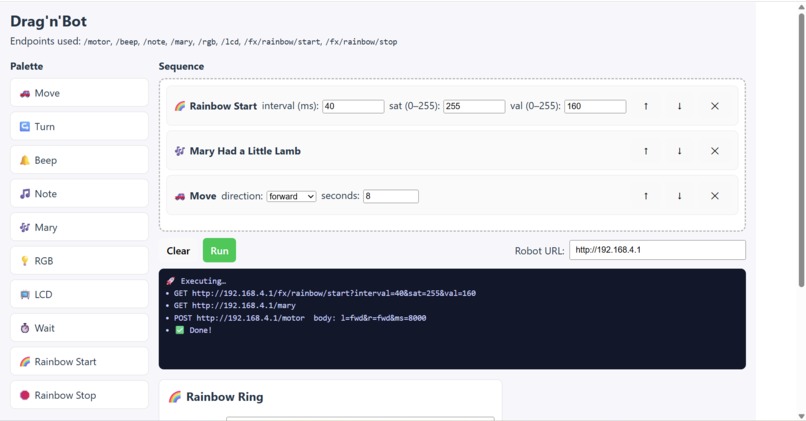
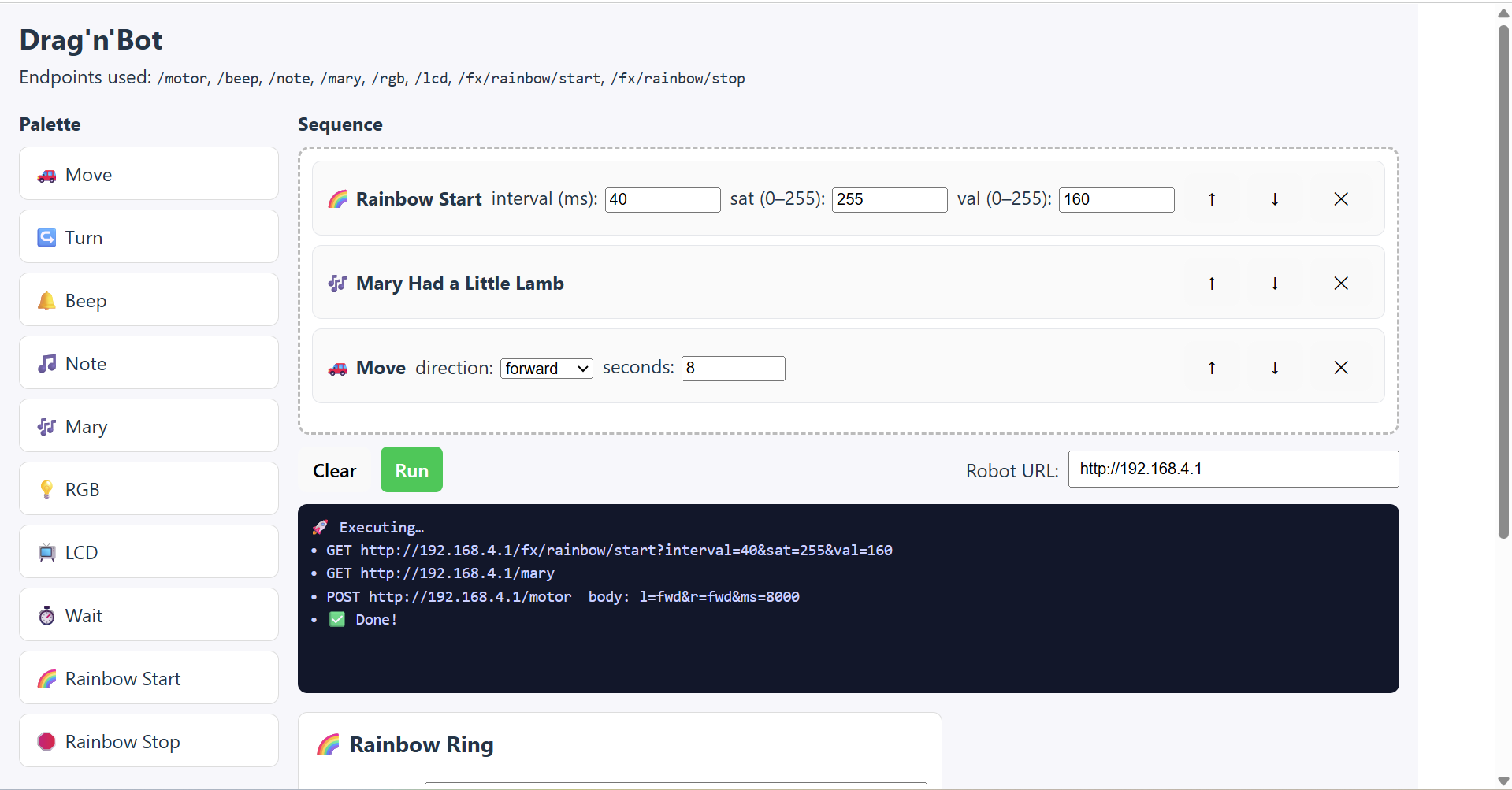
Software to Control Drag'n'Bot
-
-
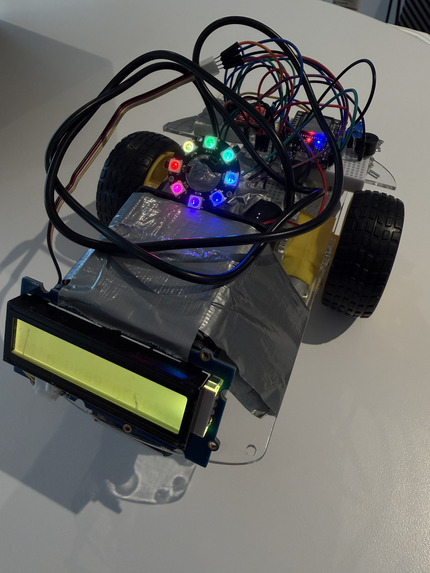
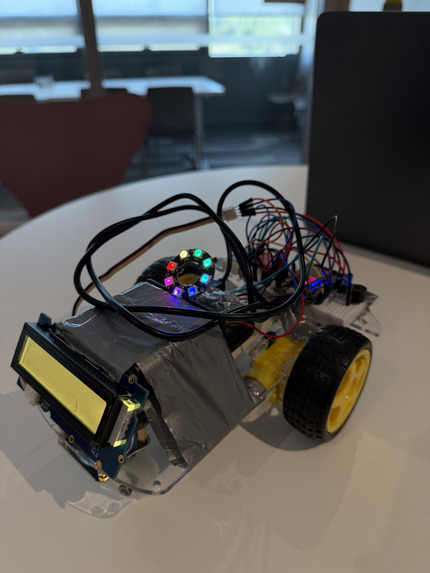
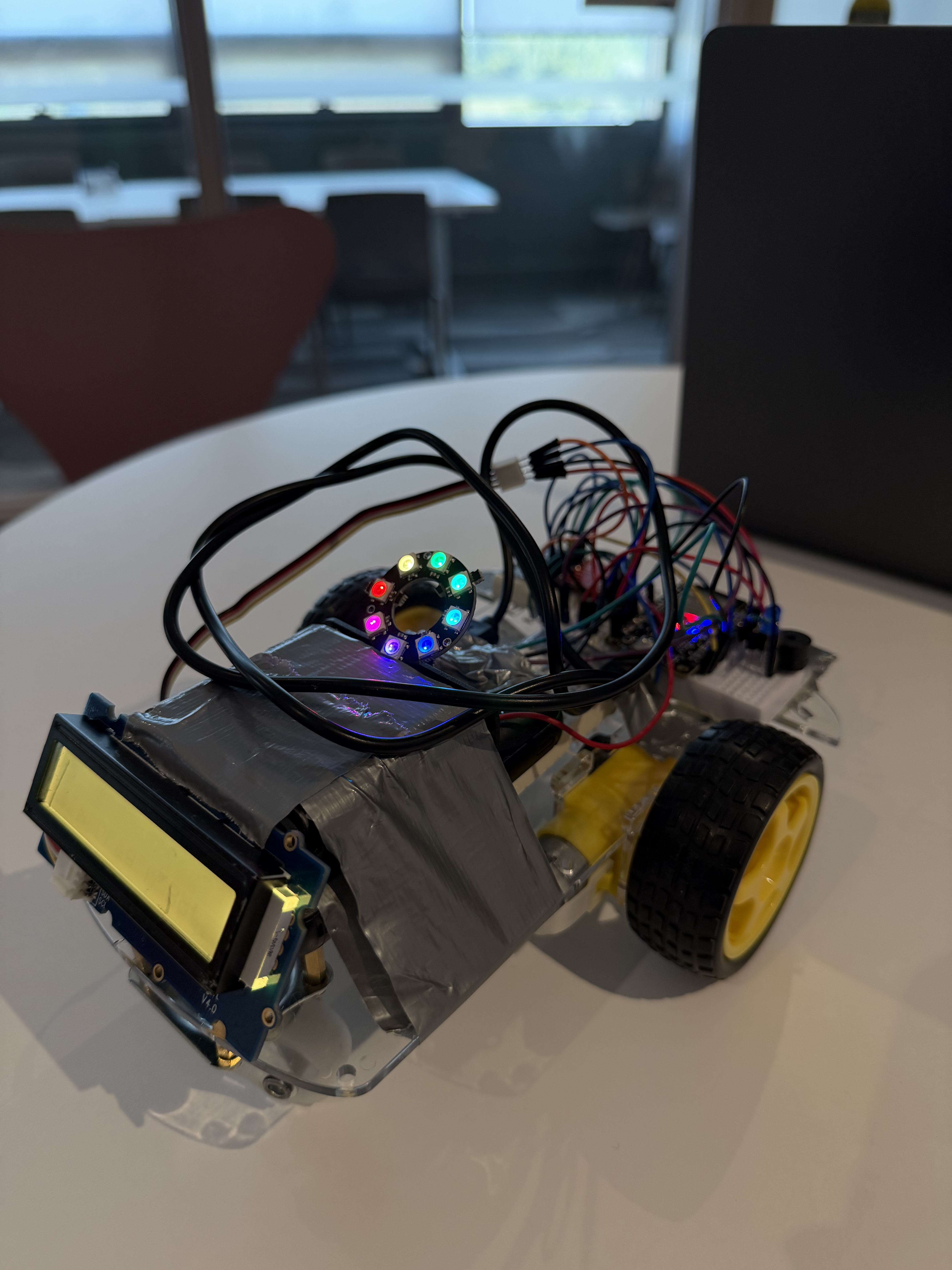
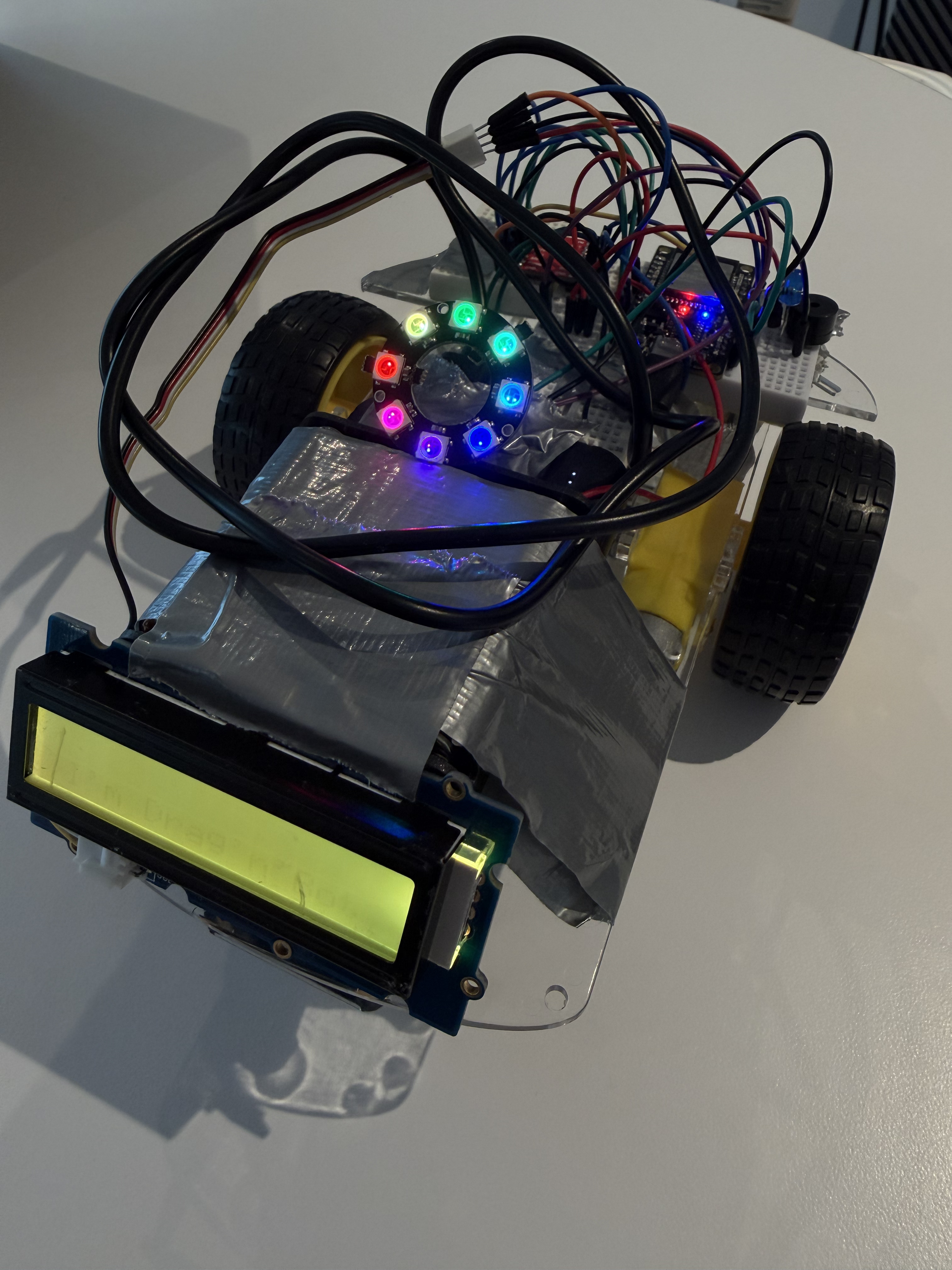
Meet Drag'n'Bot
-
-
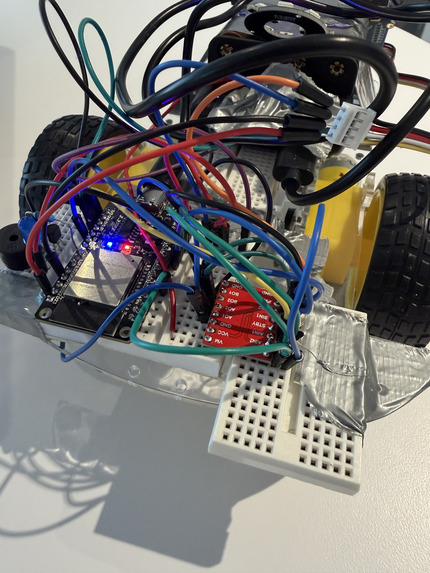
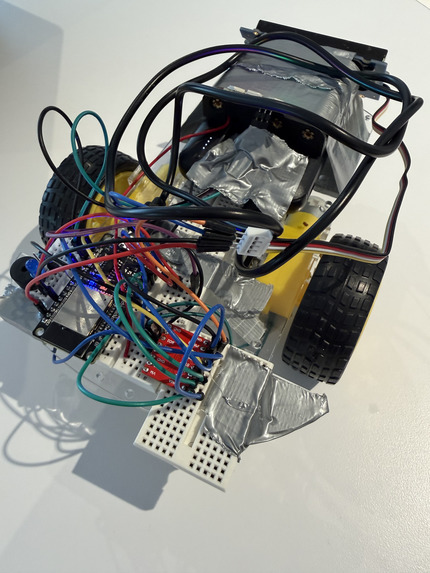
Circuitry
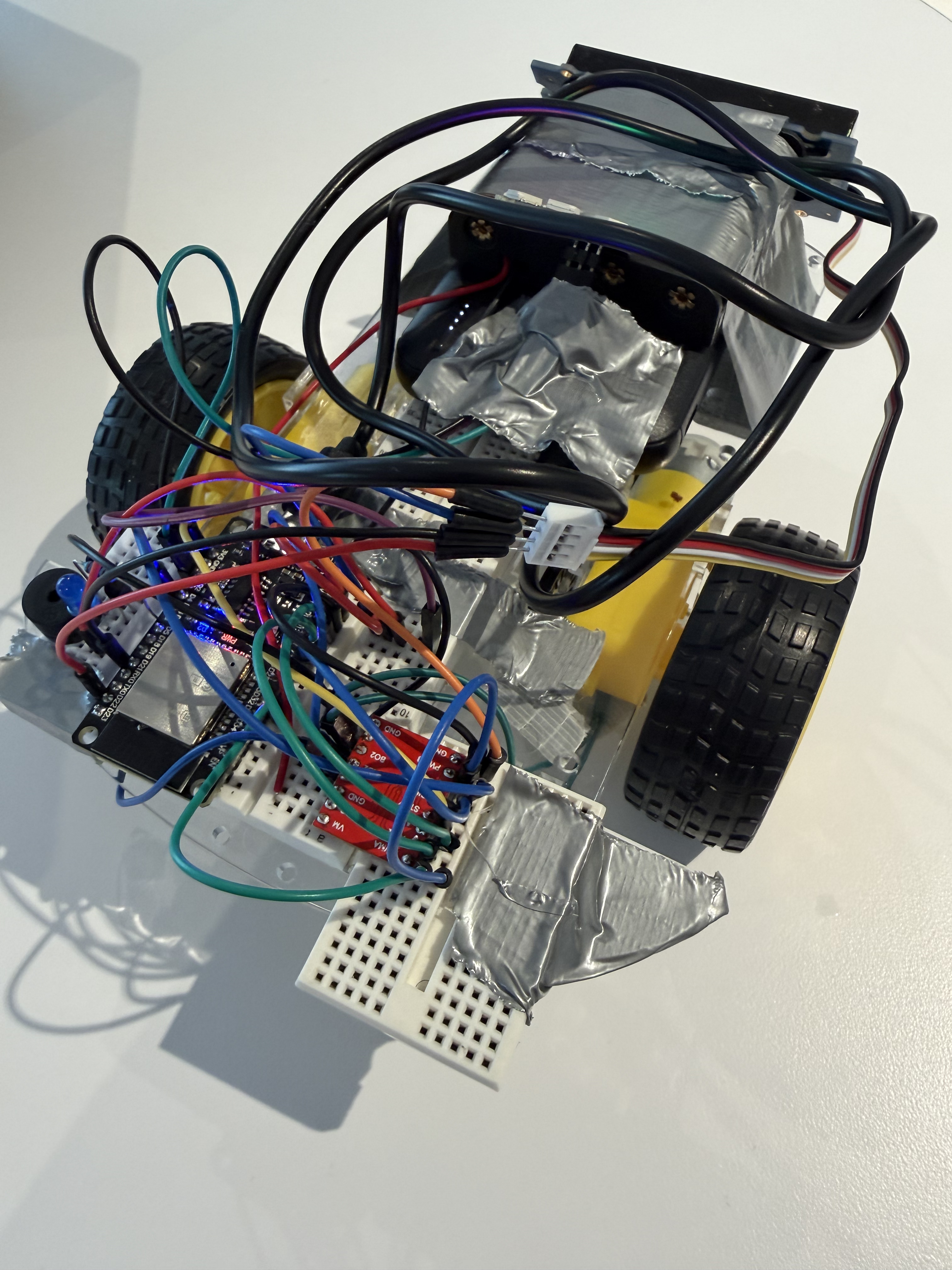
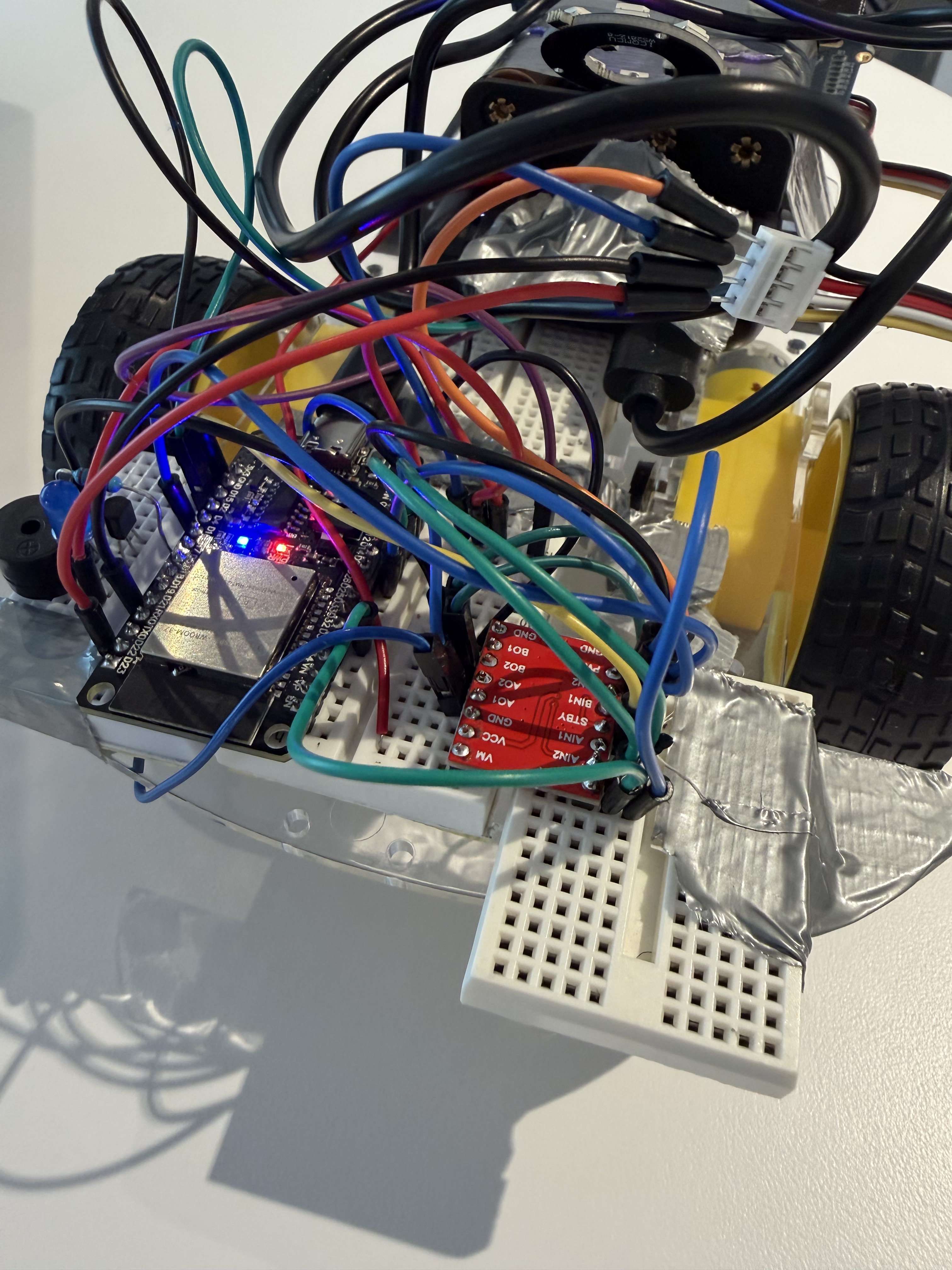
Inspiration
We wanted to make programming tangible for young learners. While various platforms make coding visual and fun, everything still happens on a screen. We thought, what if characters could come to life in the real world? What if kids could see their code move, light up, and react? That idea sparked our project: Meet Drag'n'Bot your interactive educational robot buddy that you can program using drag-and-drop blocks; blending block coding + robotics for a hands-on learning experience.
What it does
Our platform teaches kids how to program by controlling a real robot using block-based coding. By using different blocks users can put together a complete program and that see the underlying fundamental code that makes Drag'n'Bot move! Users can drag and connect blocks like “Move Forward,” “Turn 90°,” “Set LED Color,” or “Play Sound” to create a sequence. When they press “Run,” the robot performs the programmed actions — moving, turning, flashing lights, and even making sounds.
How we built it
We developed an interactive web interface using React and JavaScript, allowing users to visually create code through a custom drag-and-drop block system we built from scratch. Each sequence of blocks is converted into a JSON command stream, which is transmitted to the robot using the Web Serial API. On the hardware side, the robot runs C++ firmware programmed in the Arduino IDE for the ESP32 microcontroller. The firmware interprets the received JSON commands and executes corresponding actions — controlling the motors, RGB LEDs, passive piezo buzzer, and LCD display to animate the user’s program in the real world. Tech Stack:
- Frontend: React, JavaScript, CSS
- Communication: Web Serial API
- Firmware: C++ (Arduino IDE on ESP32)
- Hardware: Motors, RGB LEDs, Passive Piezo Buzzer, LCD Display
Challenges we ran into
- Establishing reliable serial communication between the browser and the ESP32 was challenging. Timing mismatches, buffer overflows, and connection drops caused several early bugs.
- Soldering and wiring the components correctly took time, as we had to carefully test pin connections and ensure stable power delivery to the motors, LEDs, and sensors.
- Integrating the final pieces together was one of the toughest parts. We tested each wheel and component individually, but combining everything so the entire robot moved smoothly and responded accurately to commands required significant fine-tuning and debugging.
Accomplishments that we're proud of
- Built a fully working prototype where code written in blocks comes to life through a physical robot.
- Created a clean, kid-friendly UI playfulness while introducing real-world robotics.
- Made programming exciting and approachable for first-time learners, especially those curious about hardware.
What we learned
- How to seamlessly connect software and hardware through the Web Serial API and ESP32 firmware, turning on-screen code into real-world actions.
- The importance of designing for young learners. Simplicity, color, and timing make a huge difference in keeping kids engaged and curious.
- How satisfying it is to see code come alive!! Watching our robot move, light up, and respond to commands made all the debugging worth it!
What's next for Drag'n'Bot
We plan to:
- Add sensor blocks (distance, light, sound) so kids can write reactive programs.
- Launch a curated set of lesson plans and challenges for classrooms.
- Integrate Blockly to have more coding structures available for youth to learn.
Our long-term goal is to make learning how to code easy, fun, and tangible! We want to inspire curiosity and confidence by turning programming into a playful, hands-on experience.
Built With
- arduino
- c++
- css3
- esp32
- javascript
- lcd
- leds
- motors
- react
- webserial
- wiring


Log in or sign up for Devpost to join the conversation.