💡Inspiration
Have you ever hit a mental BufferOverflow? Spending countless hours in front of your screen, sifting through data, only to realize you're drowning in information beyond your brain's capacity? 🤯
In our current era of information overload, researchers, professionals, and curious minds alike struggle not just with the sheer volume of data, but with identifying what's truly relevant. With an average of 250 academic articles read per researcher annually, the challenge isn't just in consuming this information—it's in effectively filtering through the noise to find the gems that matter. Often, this quest ends with valuable insights lost in isolation, making it difficult to see the big picture and connect the dots of our knowledge.
Our team has experienced first-hand the frustration of juggling disjointed tools. The critical missing piece? A way to not only manage but intelligently filter the flood of information to highlight what's relevant to our unique knowledge landscape.
😄What It Does

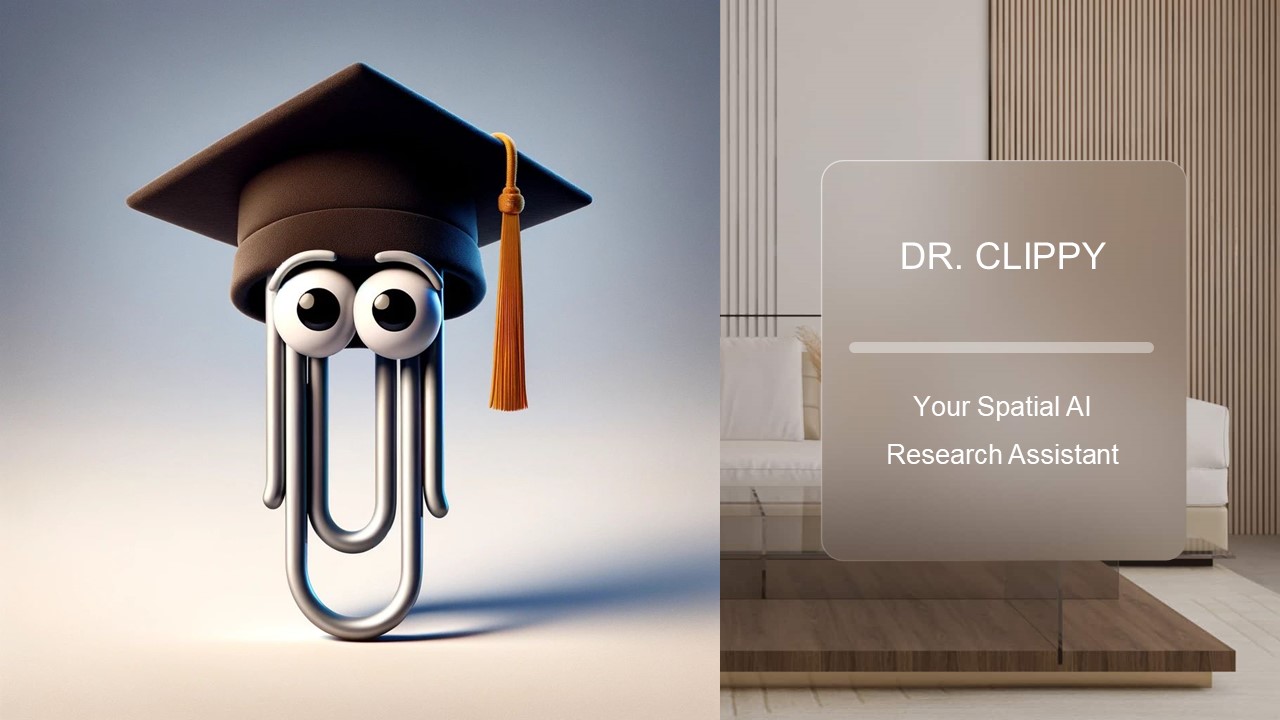
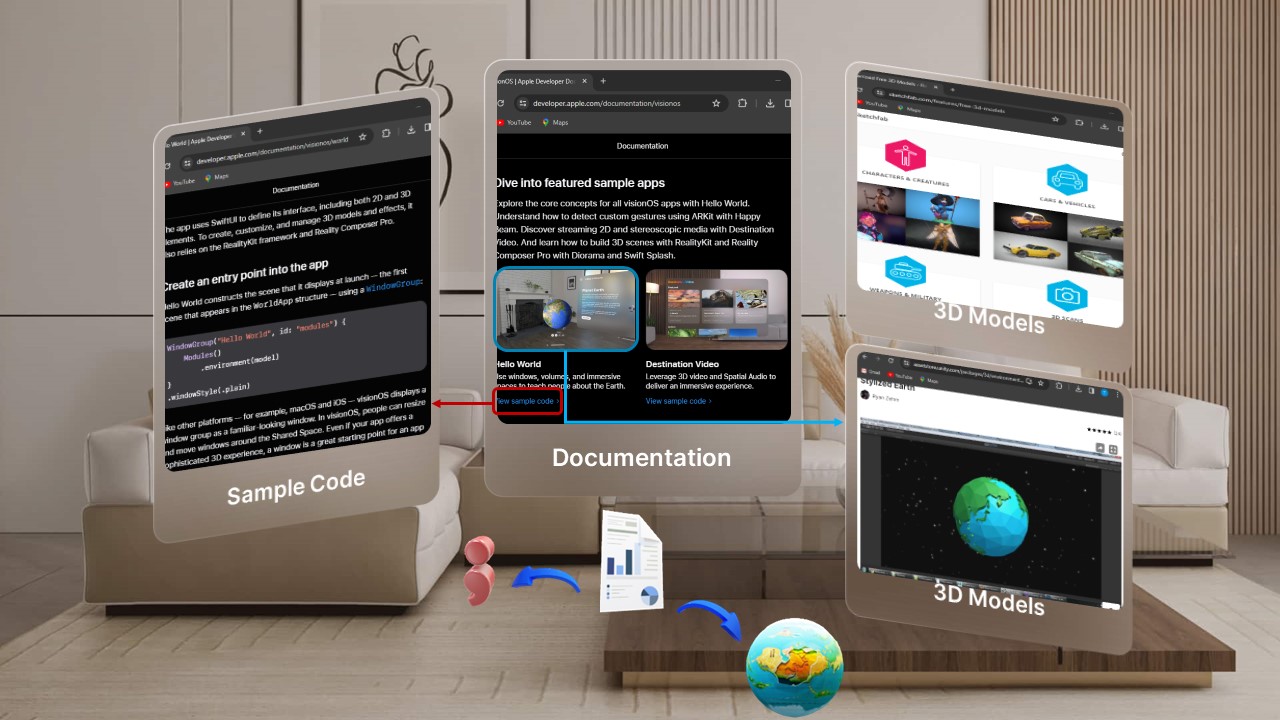
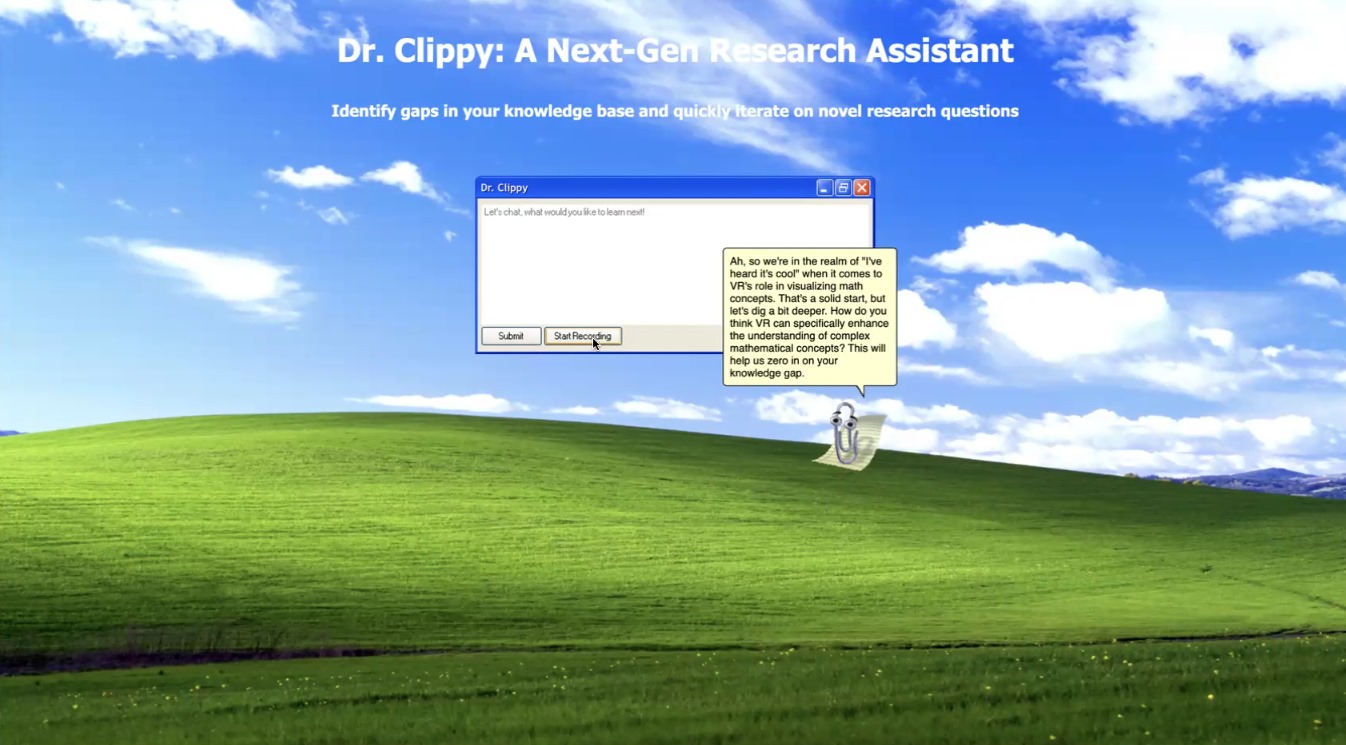
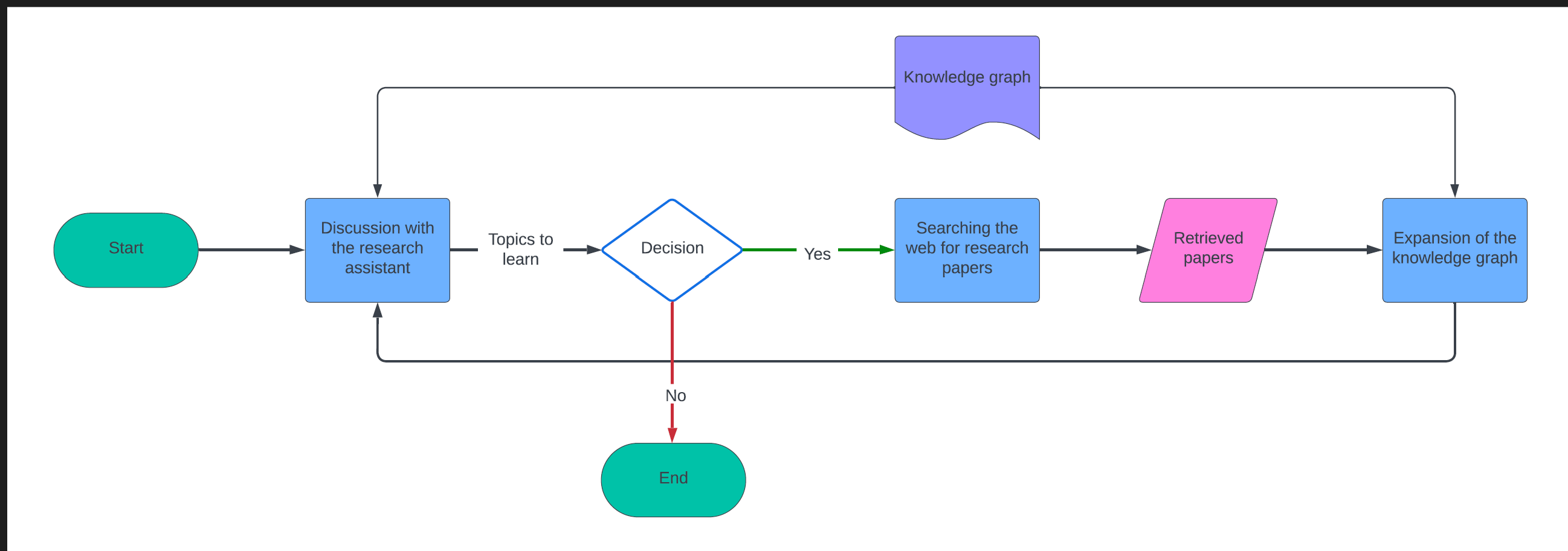
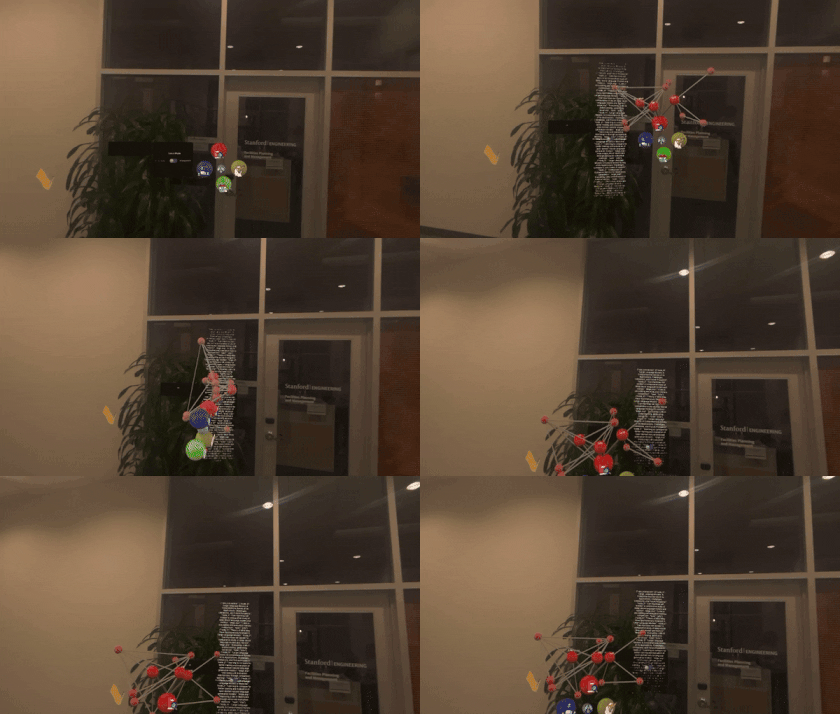
Dr. Clippy asks questions to gauge your knowledge by communicating with you through voice or text, identifies gaps, and suggests papers tailored to you from online searches. It then leverages spatial computing to build and visualize a 3D spatial mind map of your existing knowledge. The suggested papers are visually suggested as new nodes that connect to your knowledge graph, showing how new information connects to other papers you know so you can decide whether to read the suggested papers and expand on your knowledge.
Here’s how Dr. Clippy stands out:
- Personalized Discovery: Dr. Clippy recommends academic papers and resources tailored to your knowledge base and gaps.
- Visual Knowledge Mapping: Dr. Clippy visualizes how new information slots into your existing knowledge, highlighting connections and sparking innovation through a spatial 3D mind map.
- Collaborative and Interactive: Dr. Clippy is your AI assistant and research partner that you can talk to. Beyond solo research, Dr. Clippy enables shared knowledge building with your research colleagues. Edit, expand, and share collective wisdom in a mixed reality space powered by Apple Vision Pro.
💻 How We Built It
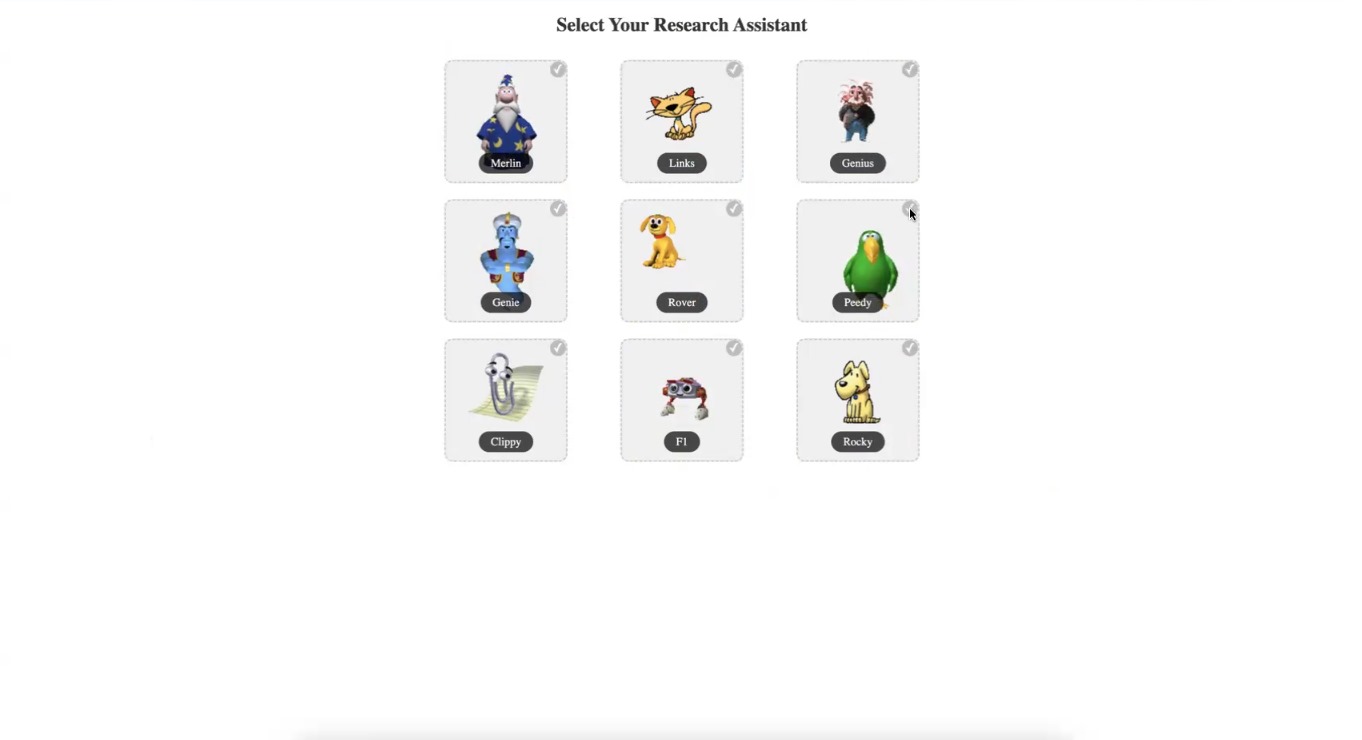
We created Dr. Clippy to be an interactive, AI-driven research assistant, featuring the iconic Clippy from the Windows XP era. Alongside Clippy, there are 8 other avatars that echo MS Windows, offering a variance in agent flavor. We utilized maps to animate these avatars, with JavaScript enabling a range of actions. Our web application is developed using Flask, integrating JavaScript, HTML, and Python for a comprehensive user experience.
When a user has an existing knowledge graph, we visualize it in 3D and store the graph's nodes and edges in a database for persistence and easy manipulation. Users can upload papers they've read, and our system applies cosine similarity to analyze how the abstracts relate to one another. This approach helps us build an initial knowledge graph, offering users a head start in integrating their research into our platform.
The research assistant has voice and text input functionalities, employing the Whisper API to seamlessly convert voice to text. We've innovated in speeding up text-to-speech conversion by parsing sentences individually, achieving a 40% reduction in response wait times. To signal the end of a conversation, we crafted detailed prompts with keywords, culminating in a research question that highlights gaps in the user's knowledge base, prompting an online search.
This search process utilizes the Google Search API, specifically through the Google Scholar Engine, to identify personalized paper recommendations tailored to the user's research interests. We then conduct a similarity search among the top three new personalized papers and the user's existing knowledge base. This allows us to determine how these new papers interlink with the foundational knowledge, visually representing these connections through nodes and text on their edges in the user's knowledge graph.
We designed and implemented a 3D mind map in Unity, providing an intuitive overview of the user's knowledge base. This visualization represents categories, research fields, and resources, along with their interconnections. Using visionOS and Unity Polyspatial tools, we enabled interactive manipulation of the knowledge graphs for collaborative sharing, editing, and expansion, embodying a plug-and-play approach to collective knowledge building. Additionally, we included an entertainment mode for users looking for
🚧 Challenges We Ran Into
Our project encountered several technical and integration challenges across various aspects of development:
- Animated Agents Integration: Achieving a seamless user experience with animated agents in Flask proved challenging.
- Real-time Text-to-Speech: We faced hurdles in generating near real-time text-to-speech responses. To manage data streams efficiently and incorporate non-verbal cues like “uh-huh” and “hmm” to mask processing delays, we had to use multithreading.
- Functional Memory in Interactions: Implementing a functional memory in interactions with OpenAI presented difficulties in reducing latency and improving responsiveness.
- Similarity Search with Chroma's Library: We encountered limitations in returning distinct results due to insufficient documentation, leading to redundant data.
- Chroma Vector Databases Management: Managing multiple Chroma vector databases was challenging due to the need for specific labeling for persistence and local storage.
- Multi-threading Challenges: We faced issues with multi-threading, especially when dealing with global variables.
- Transition from OpenAI Assistant to Chat: The transition impacted performance due to initial unfamiliarity with the latest models.
- Web Search Functionality: Initial inconsistency and a steep learning curve with insufficient documentation made web search integration challenging, especially when combined with Langchain and other components.
- Intercommunication Framework Design: Designing a complex framework for communication between Vision Pro, web apps, and external APIs was necessary to maintain consistency between audio threads and visual output in a web server and Flask environment.
- Integration with Unity and Apple Vision Pro: Integrating the web applications with Unity and Apple Vision Pro was particularly challenging without prior examples or established practices.
- Network Connection on Apple Vision Pro: Establishing an inbound network connection on the Apple Vision Pro posed the most significant challenge due to compatibility issues between Unity's .NET framework and iOS hardware.
🏆 Accomplishments We're Proud Of
- First Research Assistant App for Apple Vision Pro: We pioneered the first research assistant application specifically designed for Apple Vision Pro, setting a new standard in interactive and immersive research tools.
- Interactive Spatial Knowledge Graph: Conceptualized and implemented an innovative, shareable spatial knowledge graph that allows for a dynamic way to represent, search, filter, add, and share knowledge.
- External Device Interaction with Vision Pro: Pioneered methods allowing external devices (laptops, IoT devices, etc.) to interact with Vision Pro, greatly expanding the potential of spatial computing and enabling impactful downstream use cases.
- Spatial Research Knowledge Graph App: Introduced the world's first spatial Research Knowledge Graph Application, achieving two-way communication between PCs and Apple Vision Pro.
- Novel Text-to-Audio Speed Algorithm: Implemented a groundbreaking algorithm to accelerate text-to-audio generation, significantly enhancing the user experience.
- Engaging Animations for AI Assistants: Developed captivating animations for AI assistants, fostering user engagement and enhancing the overall user experience while establishing distinct personalities for each AI research assistant.
- Integrated System: Successfully integrated a comprehensive system encompassing speech recognition, speech generation, AI assistant functionality, AI-driven information retrieval and filtering, Unity modeling and interaction, communication with Apple Vision Pro, web server communication, and advanced, interactive web UI.
📚 What We Learned
As a team, we gained valuable insights and developed a range of skills throughout the project:
- Mastering JavaScript Animations: Learned the intricacies of creating engaging animations using JavaScript.
- System Design Importance: Realized the critical importance of thorough system design before commencing development to avoid wasted efforts.
- Tool Proficiency: Became proficient with tools like Whisper, OpenAI's Assistant and Chat, LangChain, vector databases, and similarity search techniques, especially in applications for Apple Vision Pro through VisionOS.
- Code Simplicity: Understood the crucial importance of maintaining a simple code structure for ease of debugging and maintenance.
- Clear Communication: Learned the significance of clear communication and regular check-ins within the team to ensure seamless integration of different project components.
🔮 What's Next for Dr. Clippy
The future of Dr. Clippy extends well beyond academic research:
- Consulting Applications: Consultants could leverage Dr. Clippy to navigate through industry reports, market analyses, and case studies, constructing comprehensive knowledge graphs that reveal trends, gaps, and opportunities in their specific sectors.
- Healthcare Integration: Healthcare professionals could use it to bridge the latest research findings with clinical guidelines and patient data, enhancing diagnosis and treatment plans with evidence-based insights.
- Personalized Research Experience: By integrating with authors' publication records, Dr. Clippy could offer a unique perspective on how their research fits within the broader context of existing work, encouraging cross-disciplinary innovation and collaboration.
- Broadening Horizons: The potential of Dr. Clippy is to not only streamline information discovery but also to foster a deeper, more intuitive understanding of complex data across various fields and industries.

Log in or sign up for Devpost to join the conversation.