Inspiration
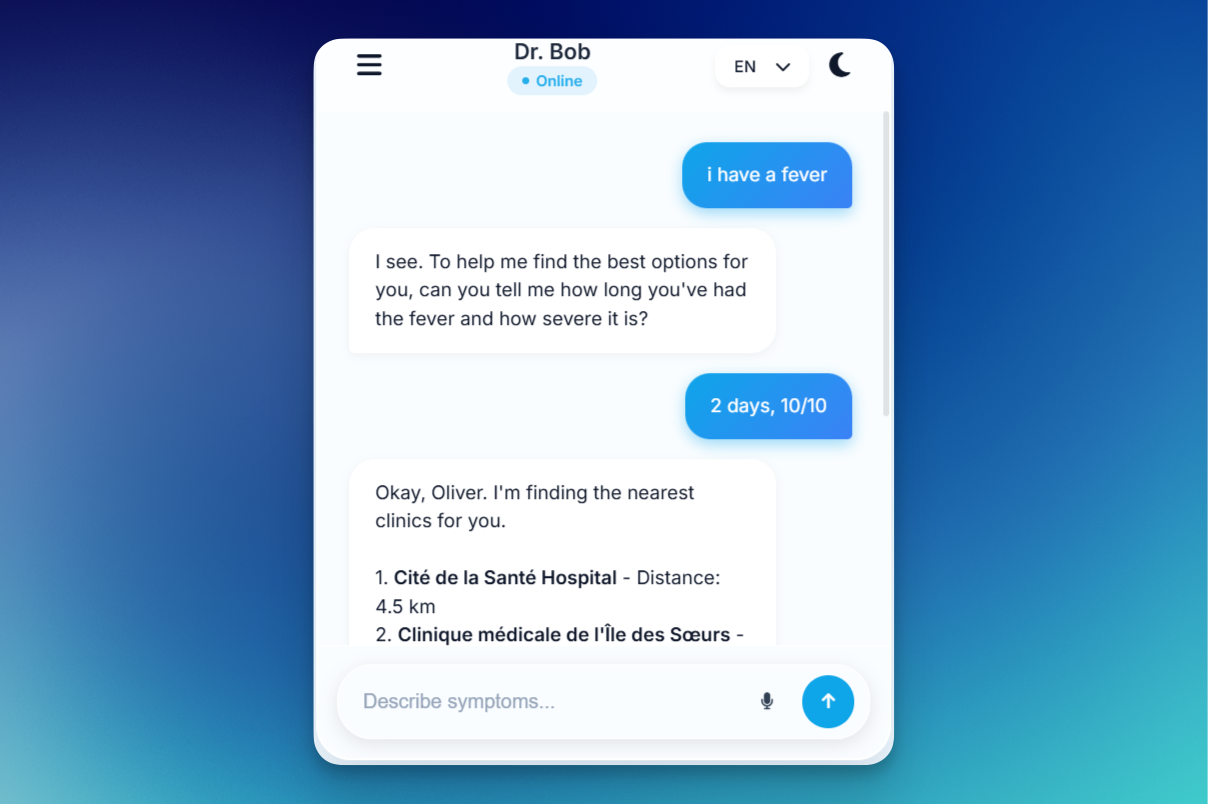
The inspiration for Dr. Bob came from the realization that when people are sick, the last thing they want to do is navigate complex healthcare portals or wait on hold with clinics. We wanted to create a "frictionless" medical assistant that feels as natural as texting a friend, but with the professional reliability of a triage nurse. The "icy light blue" aesthetic was chosen to evoke a sense of calm and cleanliness, moving away from the "clinical and cold" feel of traditional medical apps.
What it does
Dr. Bob is an AI-powered medical consultant designed to triage symptoms and connect users with care.
- Symptom Triage: Uses a chat interface to analyze user symptoms and provide immediate guidance.
- Location-Aware Care: Automatically detects the user’s location to find the nearest physical clinics.
- Medical Profiling: Maintains a private "Medical Profile" (conditions like Asthma, etc.) that it can share with clinics during an appointment request.
- Trusted Clinics: Allows users to save a "whitelist" of preferred clinics for faster prioritization.
- Theme Engine: Features a seamless light/dark mode for comfortable use at any time of day (or night, during a medical emergency).
How we built it
We used a modern full-stack approach focused on high-performance "Glassmorphism" UI:
- Frontend: Built with HTML5, CSS3 (using custom properties/variables for the theme engine), and Vanilla JavaScript for smooth, low-latency animations.
- Backend: Powered by Python and Flask, handling user authentication, session management, and secure data storage.
- Database: Structured to handle relational data like user conversations, medical conditions, and trusted contact lists.
- API Integration: Leveraged the browser's Geolocation API for real-time location securing and an LLM-based chat engine for medical reasoning.
Challenges we ran into
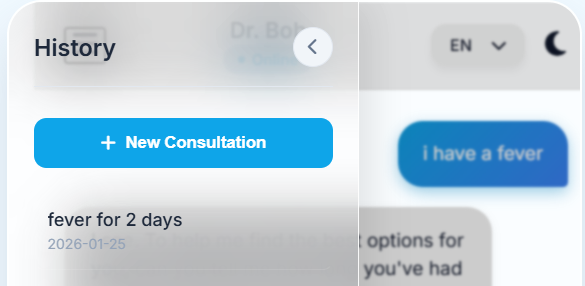
One of the biggest hurdles was the UI Synchronization. Creating a sidebar that blurs the background while maintaining a responsive chat interface required complex CSS z-index management and backdrop-filter logic. We also faced challenges with Event Propagation—ensuring that clicking a button inside a menu didn't accidentally trigger "close" listeners on the parent containers. Fine-tuning the "Medical Profile" to be both secure and easily accessible via a "pop-up" modal while keeping the app feeling like a single-page mobile experience was a significant logic puzzle.
Accomplishments that we're proud of
- The Theme Engine: We built a highly reactive theme system that doesn't just swap colors but animates icons and shifts ambient "blobs" in the background for a premium feel.
- User Experience (UX): The "springy" animations and glass-panel effects give the app a tactile, high-end mobile feel within a standard web browser.
- Functional Integration: Successfully bridging the gap between a "chatting" AI and a "functional" tool that manages real-world clinic contacts and medical history.
What we learned
We learned a great deal about State Management in vanilla JavaScript—specifically how to manage complex UI states (modals, sidebars, and dark mode) without relying on heavy frameworks. We also gained deep insights into Responsive Design, ensuring that the mobile-frame container remains centered and functional across different screen resolutions while maintaining its "iPhone-app" aesthetic.
What's next for Dr. Bob
- Voice Integration: Allowing users to speak their symptoms to Dr. Bob for hands-free triaging.
- Direct Booking: Integrating with clinic APIs to book appointments directly within the chat window.
- Secure Document Upload: Letting users upload photos of symptoms (like rashes or prescriptions) for more accurate AI analysis.
- Wearable Sync: Connecting with Apple Health or Fitbit to provide Dr. Bob with real-time heart rate and oxygen data during a consultation.


Log in or sign up for Devpost to join the conversation.