Inspiration
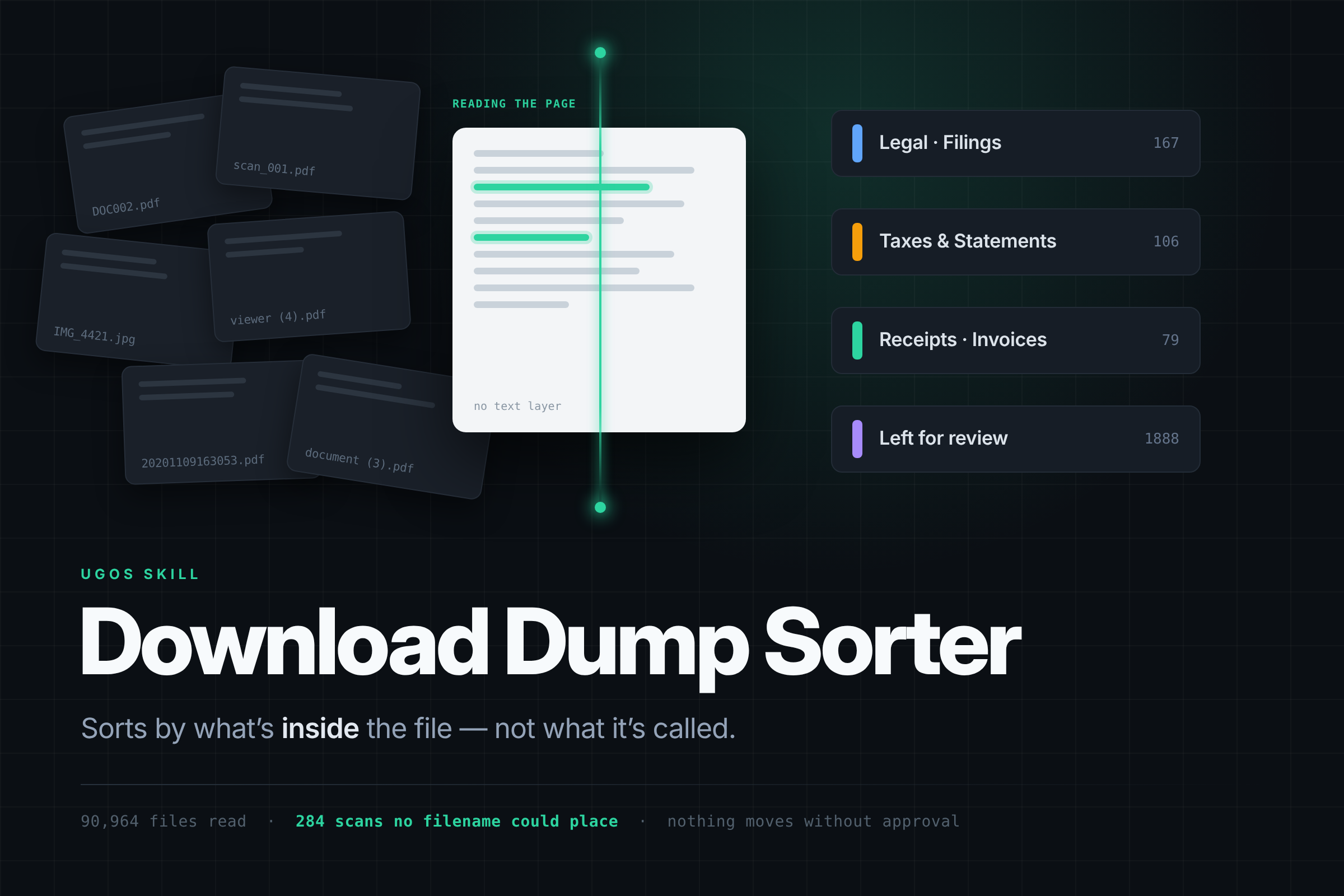
My own Downloads folder. I pointed a script at it expecting a few thousand files and found 90,964, across 177 GB. Buried in there were court filings, tax documents and signed agreements — and the ones that mattered most had the worst names: DOC002.pdf, 20201109163053.pdf, viewer (4).pdf, scan_001.pdf.
That is the real shape of the problem. The files you most need to find again are precisely the ones whose filenames tell you nothing, because a scanner named them, not a person.
What it does
Download Dump Sorter sorts one chosen folder by reading what is inside each file, then asks before it touches anything.
- Inventories the folder and groups byte-identical copies using the NAS duplicate scan.
- Reads document text and metadata.
- OCRs whatever returned no text — the step that decides whether this works at all.
- Reads image metadata, or describes the image when there is none.
- Derives a folder taxonomy from the vocabulary actually found in that folder, and saves the plan to the NAS as a reviewable report with per-file evidence.
- Moves files only after you approve the plan.
Files it cannot place confidently are left where they are and listed, with the reason. A guess that looks like a decision is worse than an admission, because you cannot tell the two apart once the file has moved.
How I built it
The parent Skill only delegates; the registered experts do the work:
ug-filesystemandfile-workflow→file-agent— inventory, checksums, directory creation, movesug-filemgr→file-agent— duplicate scanug-document→document-agent— metadata, page count, extractionug-photo→photo-agent—vision-ocr, EXIF,vision-vlmug-knowledge→knowledge-agent— saving the plan
Before writing a line of the Skill, I built the same pipeline locally and ran it against my real 90,964-file folder, so the classification rules, the confidence thresholds and the OCR fallback are measured rather than guessed.
Why content beats metadata
UGOS already organises by type and by btime/ctime/mtime. That is metadata, and metadata cannot tell two PDFs apart.
In my reference folder, 284 documents were scans carrying no text layer. Sorting by type and date places none of them meaningfully. Extraction alone also fails on them — it returns an empty string. Only rendering the page and running OCR recovers anything, and it recovered text from 269 of the 284, at a 98% hit rate on the early batches.
That is the entire argument for this Skill in one number: the documents that most need organising are invisible to every cheaper method.
Challenges I ran into
OCR nearly killed the run. The first pass burned 22 minutes of CPU and committed nothing — one pathological PDF was consuming everything at 200 DPI. The fix was ordering documents smallest-first so progress appears early, plus a page-pixel ceiling and a per-document time budget. No single file can stall the batch.
Folder-level identification does not work. I tried labelling sub-folders from a 25-file sample. A 43 GB application directory came back as "Code-and-Scripts"; another came back as "SEO-and-Ads". The labels read plausibly and were wrong. So the Skill keeps coherent sub-folders whole and reports them as unidentified rather than inventing a category — an extracted application scattered across a dozen folders by subject is damage, not organisation.
The checker is stricter than the docs suggest. My first package failed with 8 errors: delegate must sit on one physical line, the section must be named Orchestration rather than Expert orchestration, and capability evidence needs the exact - `cli` → `agent` form. Reading check-lib.mjs was faster than guessing.
Accomplishments I am proud of
static-passfrom the bundled checker: 0 errors, 0 warnings.- A design validated against 90,964 real files before it was ever written as a Skill.
- An approval boundary that genuinely holds: the plan is written to the NAS before anything moves, so it doubles as the record of where every file came from.
What I learned
Honest failure reporting is a feature. A sorter that places 60% of a folder and hands you a reasoned list of the rest is more useful than one that places 100% and silently guesses at a third of them — because the second one destroys your ability to audit it.
What's next
Validation on the AI NAS: a mixed folder with evidence recorded per file, a folder of scanner-named PDFs that only OCR can place, and an empty folder that correctly produces nothing at all.
Built With
- ai-agents
- markdown
- ocr
- ugos
- ugreen-nas
- uliya
