-
-
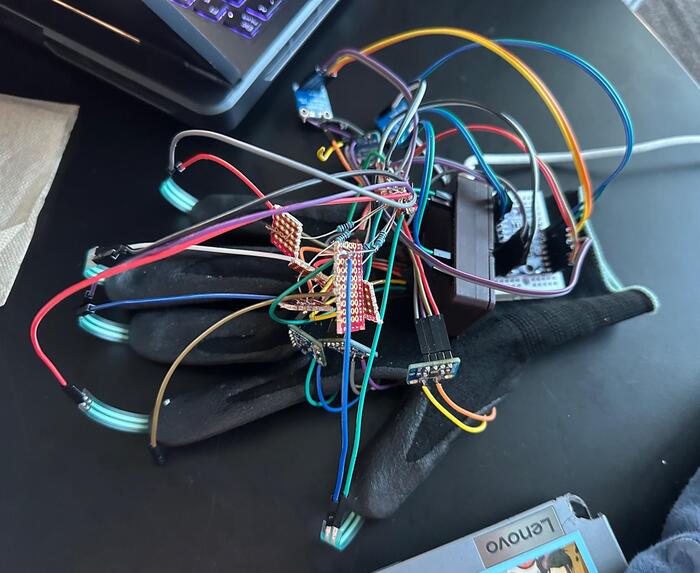
DotWave - Prototype Glove
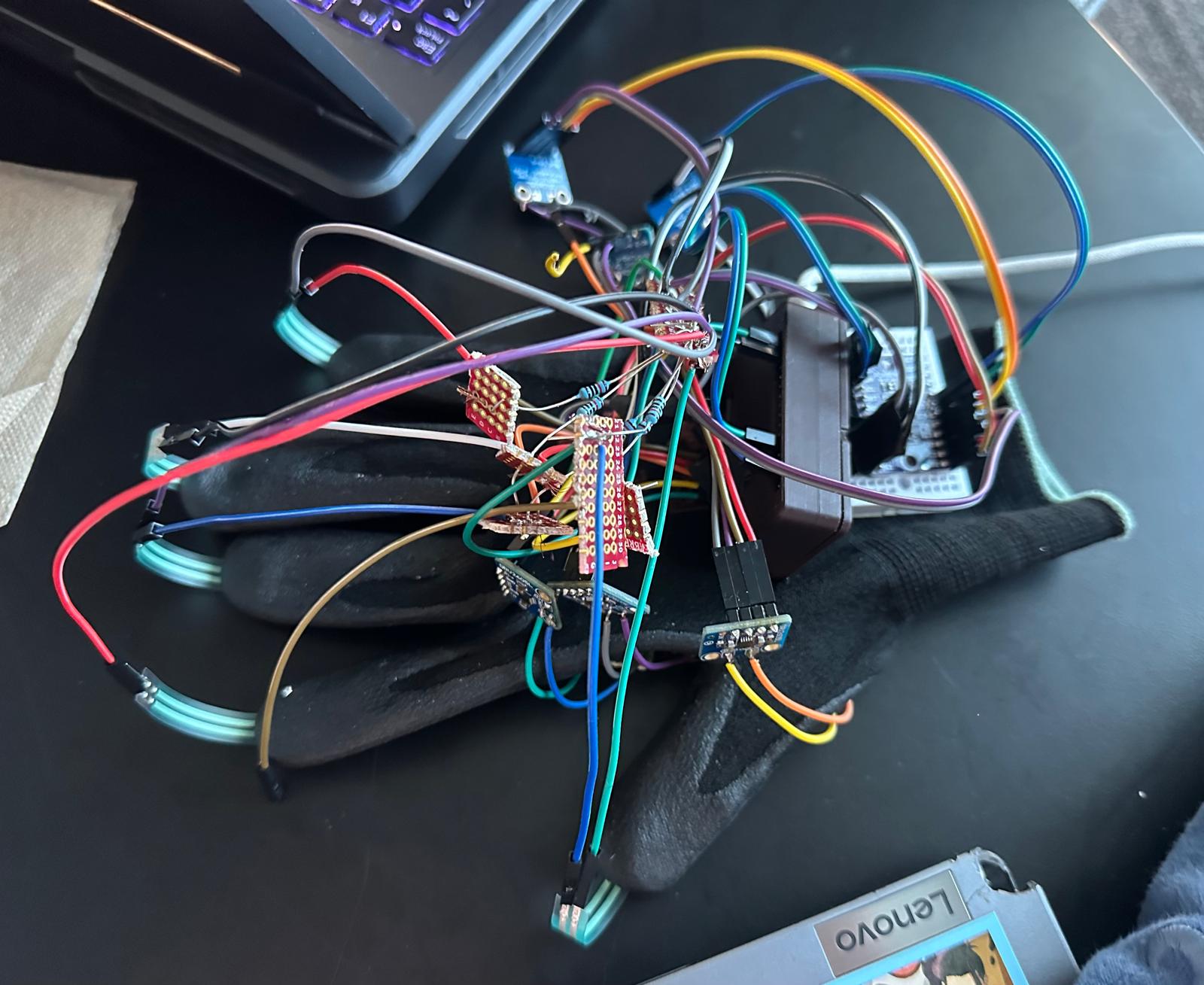
DotWave — Two-Way Tactile Web Access
Making digital communication something you can feel, and respond to.
Inspiration
We interact with digital information constantly, whether we're browsing websites, reading messages, or navigating applications. Most of these experiences are built around what we can see or hear.
But what happens when someone cannot reliably use either?
For people who are deafblind, communicating with someone unfamiliar with tactile communication can be challenging. Existing assistive technologies offer valuable solutions, but specialized hardware can be expensive, and many interfaces aren't designed around simple, portable, two-way interaction.
We wanted to explore a different possibility: What if someone could receive digital information through touch and respond using that same hand?
That question became DotWave.
What It Does
DotWave combines a wearable Braille-inspired communication interface with software that converts digital text into tactile patterns.
Our proposed glove uses six vibration motors arranged in a 3 × 2 matrix on the palm, corresponding to the six dots of a Braille cell.
When a character is received, the appropriate motors vibrate to represent its Braille pattern.
But communication should work both ways.
Five pressure sensors positioned at the fingertips allow the wearer to enter Braille characters through finger presses. An ESP32 processes these inputs and sends the resulting text back to the connected computer.
We also developed a Chrome extension designed to make webpage information easier to explore through touch.
The extension can identify webpage elements such as buttons, links, headings, and input fields, convert their labels into Braille patterns, and organize longer webpage content into a readable sequence.
For lengthy pages, DotWave incorporates Google Gemini to produce shorter, context-aware descriptions. This is particularly important because tactile information is delivered character by character, making unnecessary text costly in time.
The goal is a communication system that doesn't just translate text, but makes digital interaction more manageable.
How We Built It
DotWave brings together embedded electronics, browser software, a local communication bridge, and AI-assisted text processing.
Hardware architecture
Our glove design uses an ESP32 as its primary controller, six coin vibration motors, six DRV2605L haptic driver modules, and a TCA9548A I²C multiplexer.
Five force-sensitive resistors provide finger-based input.
The firmware is designed to control the vibration motors, interpret pressure-sensor inputs, provide tactile confirmation, and support two-way communication.
Software architecture
We built a Chrome extension using JavaScript to identify webpage elements and convert their text into Braille character patterns.
A Python bridge communicates with the extension through a local WebSocket connection and is designed to send commands to the ESP32 over USB serial.
The browser software manages reading order, character timing, interruptions, and navigation between webpage elements.
AI integration
For longer webpages, we integrated a Gemini-based summarization pipeline.
Instead of processing everything on a page indiscriminately, our software can extract relevant text and ask the model to produce a concise, faithful description.
We also implemented safeguards including response timeouts, text sanitization, caching, and fallback behavior when AI processing is unavailable.
Our priority was to use AI where it provides a meaningful advantage, while keeping ordinary Braille conversion deterministic.
Challenges We Faced
One of our biggest design challenges was figuring out how to represent six Braille dots through vibrations on a person's palm.
Unlike traditional raised Braille, vibrations travel through the skin and can overlap. We needed to consider motor spacing, vibration timing, and whether individual patterns would be distinguishable.
Another challenge was designing a typing interface using only one hand. We developed a finger-input approach that encodes Braille dots through pressure sensors while managing character boundaries, accidental inputs, and corrections.
On the software side, we faced a different problem: converting an entire webpage into tactile characters can take far too long.
That led us to explore selective webpage reading and AI summarization, allowing us to reduce unnecessary information before transmitting it.
Finally, connecting browser interactions, Python software, and microcontroller firmware required a consistent communication protocol and careful handling of timing and interruptions.
Accomplishments We're Proud Of
We developed a software architecture that connects webpage content extraction, Braille translation, playback scheduling, and embedded-device communication.
We also built a browser interface that can identify different webpage elements and present them in a more meaningful order.
Rather than relying entirely on AI, we implemented direct Braille conversion for predictable character encoding and reserved AI for contextual summarization.
We created automated software tests and a simulated hardware interface so we could develop and debug substantial portions of the system before the physical glove was fully assembled.
What We Learned
This project taught us that accessibility isn't simply about converting information from one format into another.
How information is delivered matters just as much as what information is delivered.
A webpage containing hundreds of characters might be easy to scan visually but exhausting to receive one tactile character at a time.
Similarly, an electronically correct Braille pattern is only useful if the wearer can reliably distinguish it.
We learned to think about interaction speed, tactile perception, hardware limitations, accessibility, and software reliability as parts of the same design problem.
What's Next
Our next priority is validating the complete physical interface, especially vibration-pattern recognition and finger-input accuracy.
We also want to test DotWave with experienced Braille readers and deafblind users to understand whether the interaction is genuinely intuitive and useful.
Future development could include wireless communication, expanded Braille support, keyboard-accessible browsing, improved tactile feedback, and more robust mobile integration.
Our long-term goal is not to replace established accessibility tools, but to explore how an affordable, wearable interface could make digital communication more accessible.
DotWave: Feel the message. Send one back.
