-
-
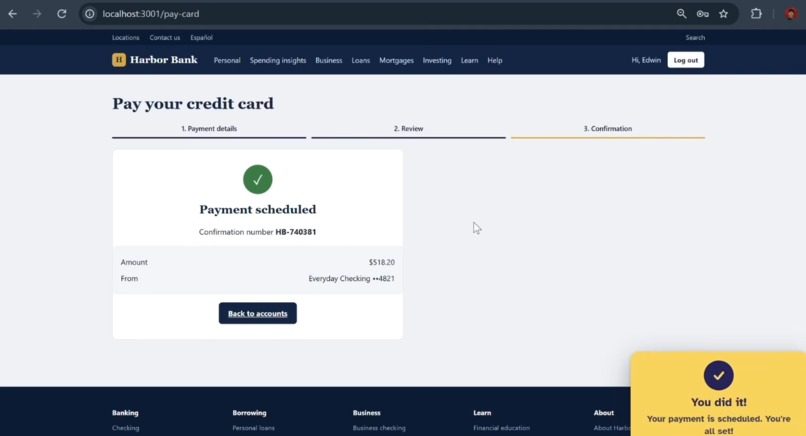
After Completing Done
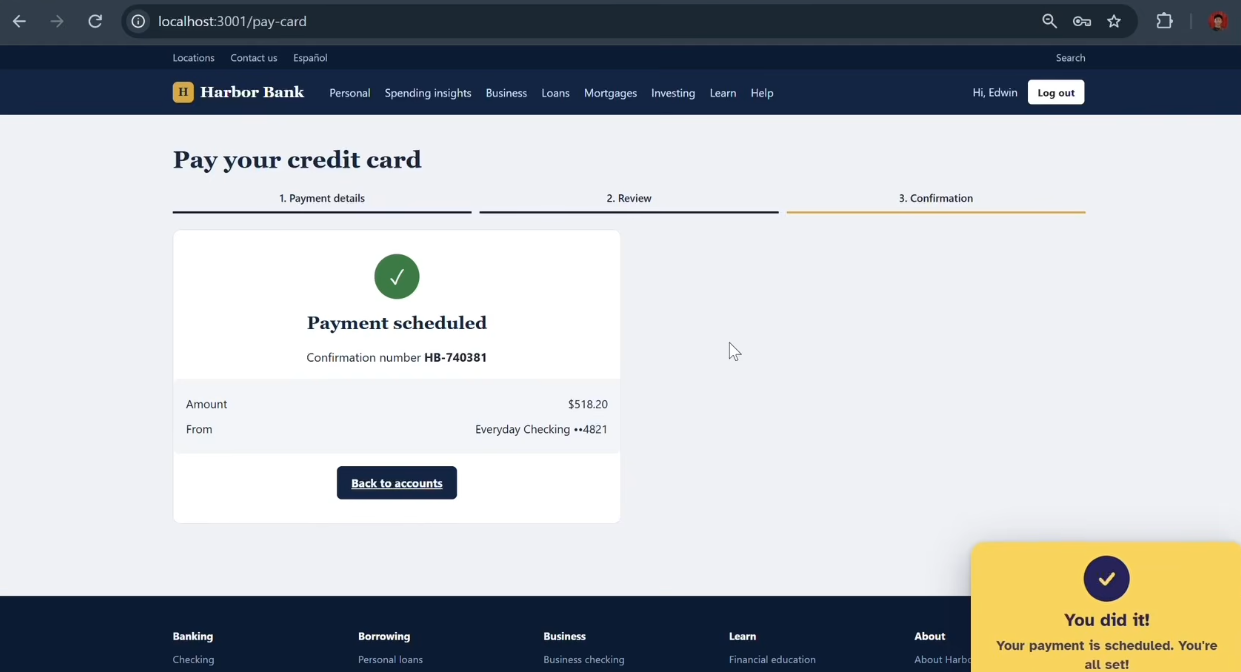
Inspiration
Navigating a new task in a web browser can be difficult, especially for older adults, people with low vision, and anyone who feels overwhelmed by a crowded screen. Having a tech-literate person available is not always possible.
That is why we created Dotty: A Patient Pointer for the Web — an AI-powered browser overlay that appears when users ask for help and guides them through difficult website tasks one step at a time.
Instead of taking over the browser, Dotty helps users understand what to do while keeping every decision and action in their hands.
What it does
Users tell Dotty one goal, typed or spoken:
- Pay my credit card bill.
- What are my allergies?
- Order milk, eggs and bread for pickup.
Dotty examines the current website and shows the user exactly where to go next. The page dims, a large yellow cursor moves toward the relevant control, a high-contrast ring highlights it, and a short caption explains what to do.
The user performs the action. Dotty then looks at the page again and provides the next step until the goal is complete.
- No chat window: Dotty uses one simple goal box and one visual pointer.
- No takeover: Dotty never clicks, types, or enters information for the user.
- Password-safe: Dotty never asks the user to provide a password.
- Handles real-world problems: Dotty can recover from popups, wrong clicks, logout, reloads, Back navigation, and new tabs.
- Supports information goals: Dotty can guide users to account or health information and highlight the answer.
- Push-to-talk voice: Users can press Alt+X to speak their goal. Voice transcription runs locally through faster-whisper.
How we built it
- Chrome extension: Dotty is built with Chrome Manifest V3 and plain JavaScript. A scanner numbers visible buttons, links, fields, tabs, and text landmarks. An overlay draws the dim layer, yellow ring, cursor, and instruction caption. A watcher detects when the user completes an action.
- Set-of-Marks grounding: During every step, Dotty captures a screenshot of the current page with numbers drawn on interactive elements. It sends the screenshot and matching element list to the AI model. The model returns one valid element number and one short instruction.
- Structured AI reasoning: The Node.js and TypeScript backend uses Google Gemini with structured JSON output. Every response is validated against a schema and checked against the live element list before it is shown to the user.
- Event-driven guidance: Dotty does not constantly poll the page. It waits for meaningful events, such as a click, navigation, page change, popup, or user confirmation, before planning the next step.
- Local voice input: faster-whisper runs in Docker on the local machine, allowing push-to-talk voice transcription through a local service.
- Realistic demo applications: We built three React and Vite demo applications: Harbor Bank, SunPlaza Pharmacy, and FreshCart Grocery.
- Demo Hub: The Demo Hub allows us to open and reset the demo applications and intentionally adjust popup behavior for testing.
- Automated evaluation: Playwright drives the real unpacked Chrome extension across 19 scenarios, including banking, pharmacy, grocery, popups, wrong clicks, logout recovery, reloads, Back navigation, new tabs, voice input, and information goals.
Challenges we ran into
- Accuracy versus speed: The model must identify the correct live element without inventing coordinates or selecting a nearby control. We created structured validation and a fixture-based bake-off to improve reliability.
- Latency: A new model request after every user action can feel slow. Dotty uses an event-driven loop, predicts a possible next step, and can hedge slow model requests.
- Off-path users: Real users click the wrong button, press Back, reload the page, log out, or open a new tab. Dotty needed to preserve the original goal and re-plan from the user's current screen.
- Messy websites: Popups, promotional dialogs, icon-only controls, dense navigation, dynamic pages, and similar-looking buttons required a semantic scanner instead of hard-coded selectors.
- Sensitive information: Banking and healthcare workflows require careful boundaries. Dotty does not request passwords, excludes field values from the element list, and provides low-confidence guidance instead of guessing.
- Accessibility: We needed to make the interface helpful without adding more visual clutter. The final experience uses one short instruction at a time, a large high-contrast pointer, page dimming, keyboard access, and Atkinson Hyperlegible typography.
Accomplishments that we're proud of
- Built an AI accessibility tool that is deliberately not a chatbot and not an autonomous browser agent.
- Created a simple interaction model: one goal, one next step, and the user remains in control.
- Made the same system work across banking, healthcare, grocery, and general web workflows.
- Added recovery for wrong clicks, popups, logout, reloads, Back navigation, and new tabs.
- Created three realistic demo applications with real navigation, forms, popups, confirmations, and intentional dead ends.
- Added voice input with push-to-talk local transcription.
- Built visual guidance using a high-contrast yellow cursor and ring.
- Tested the real extension with Playwright across 19 end-to-end scenarios.
- Demonstrated the concept on real websites such as Outlook and Amazon during manual testing.
- Designed the system so that it helps users act independently instead of acting for them.
What we learned
We learned that useful AI guidance is not always about generating a long answer. For difficult web tasks, the most useful response is often one clear next action presented at the right moment.
We learned that a reliable browser assistant needs:
- Grounding in both the current screenshot and the live DOM.
- A strict response format that can be validated.
- An event-driven loop that waits for the user to act.
- Recovery based on the original goal instead of a fixed sequence of selectors.
- Accessibility built into the interaction model from the beginning.
- Clear boundaries so the user understands what the AI did and did not do.
- Privacy-conscious handling of forms, passwords, and personal information.
We also learned how to build a Chrome extension, create a browser overlay, connect an AI model to a real-time interaction loop, design a local voice pipeline, and evaluate an AI system against realistic user behavior.
What's next for Dotty: A Patient Pointer for the Web
- Model comparison: Add Featherless AI as an optional model provider behind Dotty's existing structured step contract and compare accuracy, latency, and cost with Gemini.
- Privacy-preserving context: Explore Backboard for non-sensitive task context, recovery history, accessibility preferences, and evaluation traces while keeping passwords, payment details, health identifiers, and raw field values out of stored context.
- Impact measurement: Use Adaption Labs to measure task completion, recovery after interruptions, time-to-completion, and user confidence.
- Accessible onboarding: Use Momen to prototype a simple onboarding and project-impact experience.
- Design refinement: Use Mobbin research to improve Dotty's goal-entry, guidance, and completion flows while reducing cognitive load.
- Improved voice input: Improve transcription cleanup, punctuation, formatting, and support for additional languages.
- Broader accessibility: Support more assistive-technology patterns, additional browser environments, and more websites with complex layouts.
- Privacy-first deployment: Explore local or private model hosting options for sensitive banking, healthcare, and government workflows.
- Sustainable operation: Investigate sponsorships, grants, accessibility partnerships, and institution-based deployments to support the compute and maintenance costs of the service.
Dotty's long-term goal is simple:
Make essential digital services easier to use without taking away the user's independence, privacy, or control.
Built With
- adaption
- api
- assistive
- automation
- backboard
- browser
- design
- docker
- faster-whisper
- featherless
- javascript
- labs
- learning
- machine
- mobbin
- momen
- playwright
- python
- technology
- typescript
- v3
- voice
- whisper

Log in or sign up for Devpost to join the conversation.