-
-
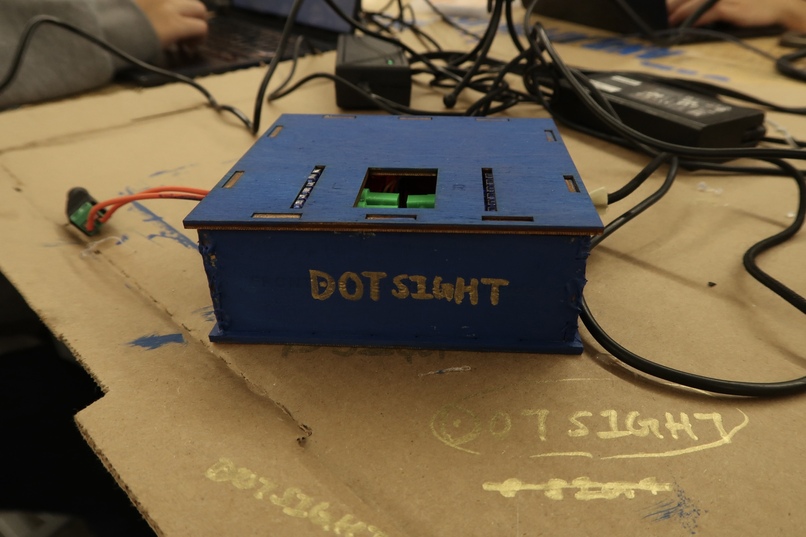
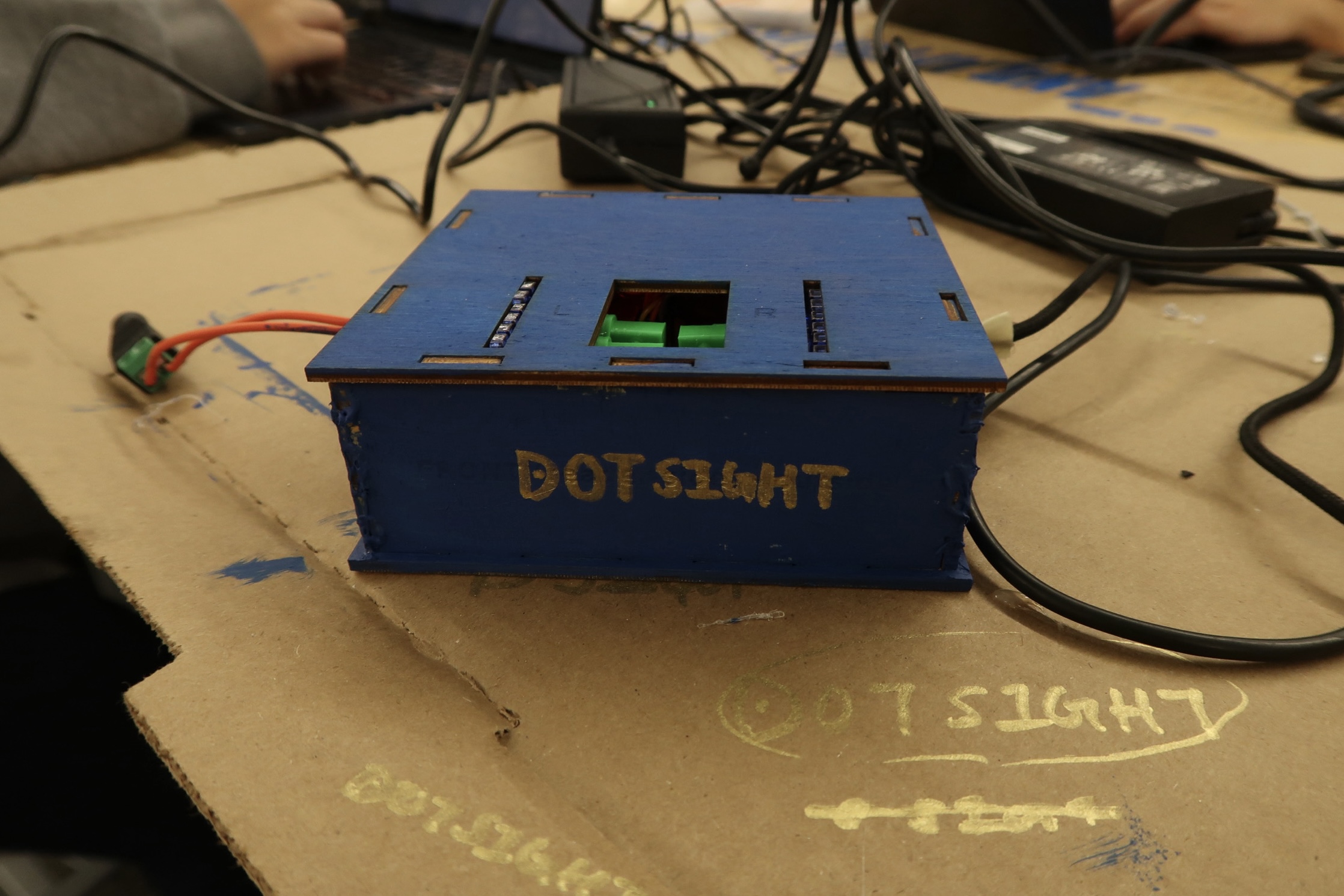
DotSight
-
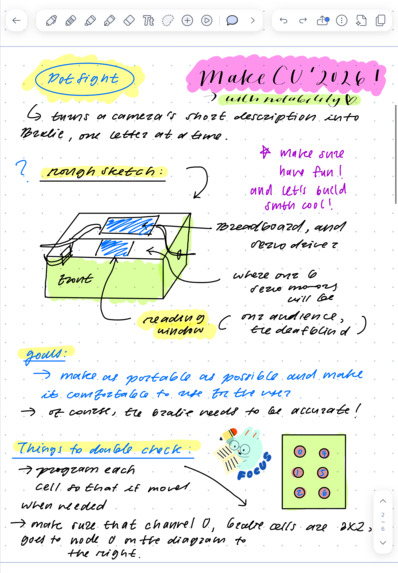
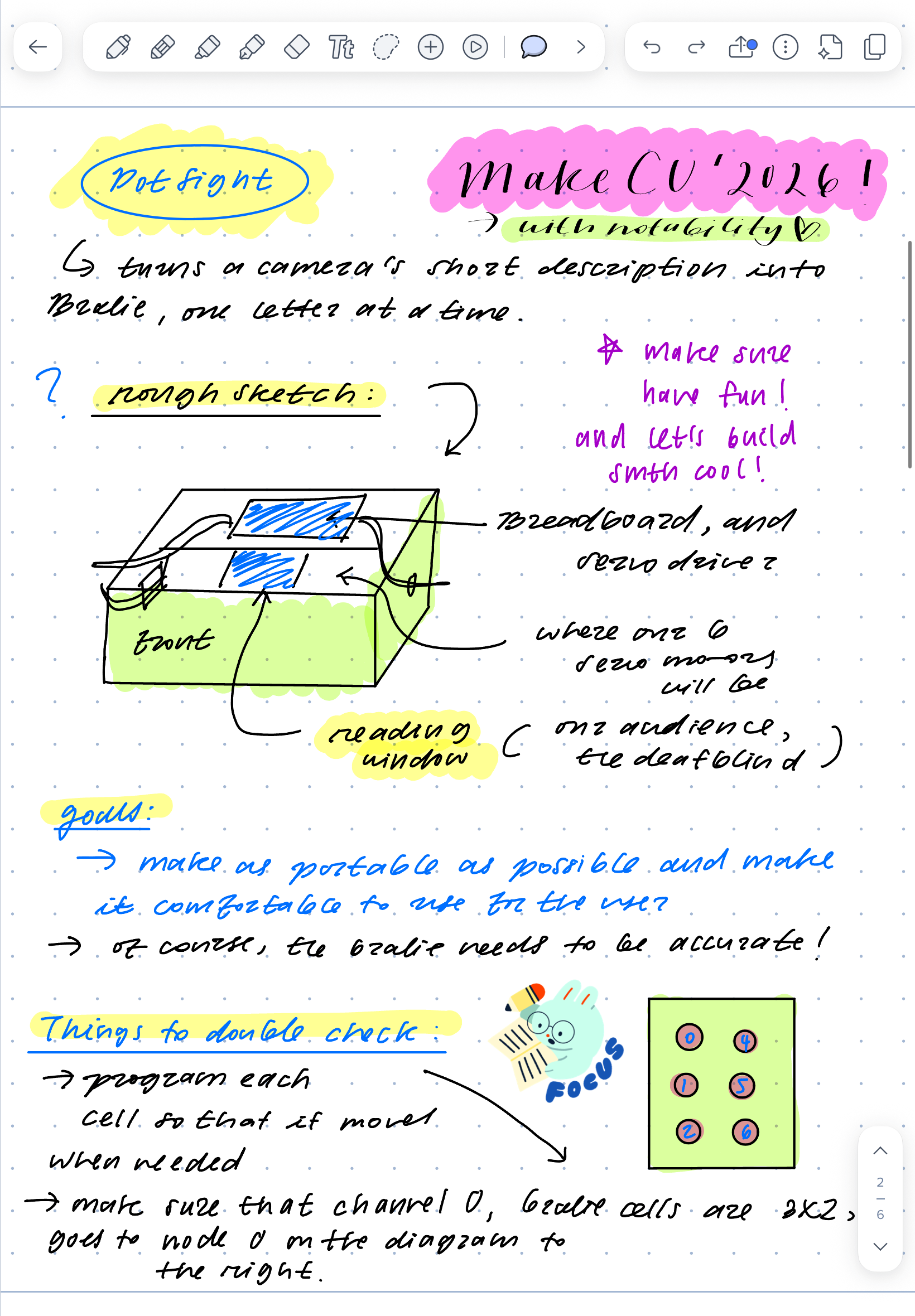
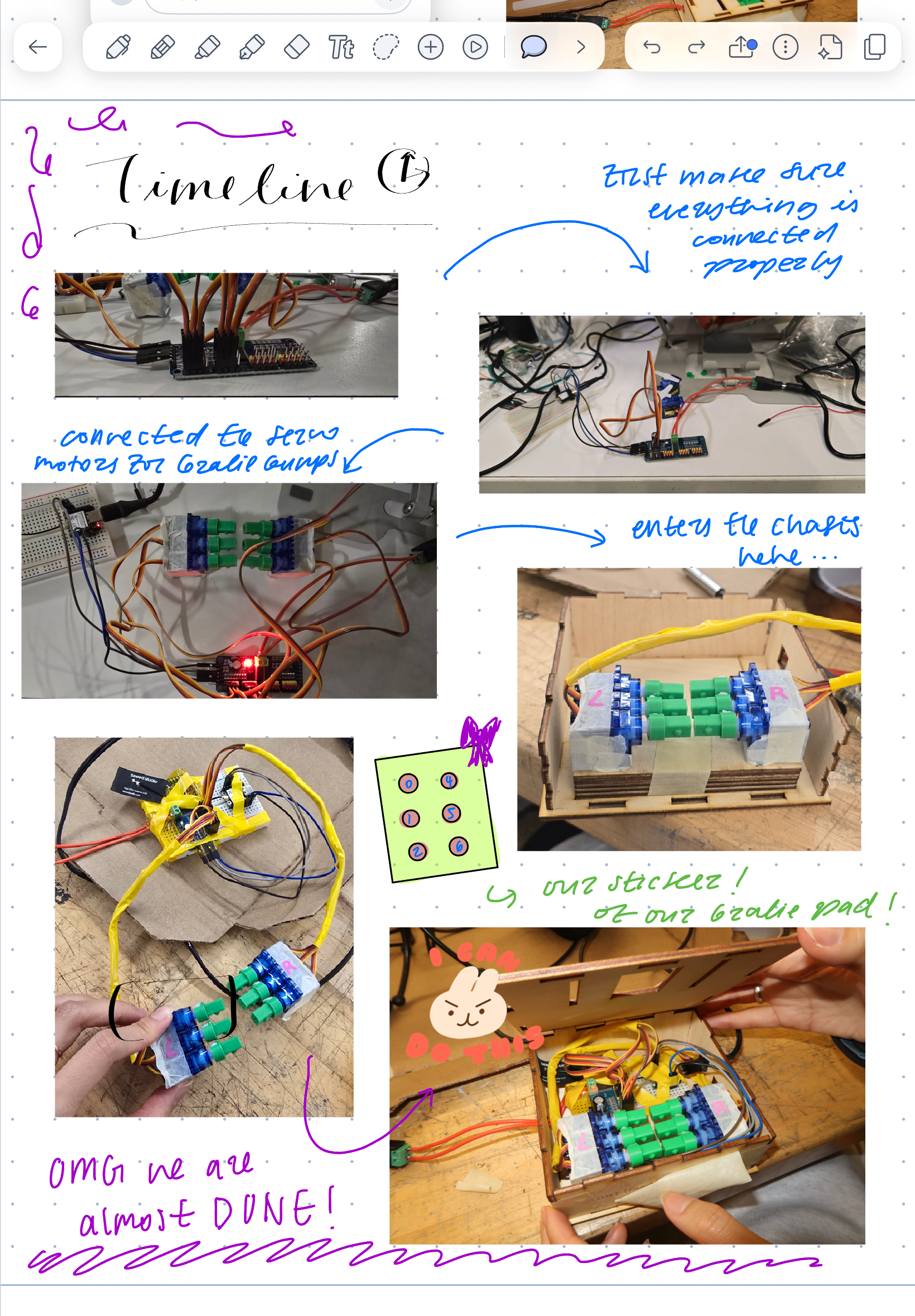
Notability: Project Planning Notes (Page 1)
-
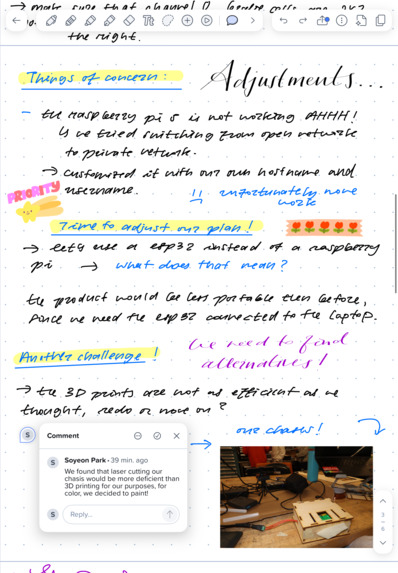
Notability: Project Planning Notes (Page 2)
-
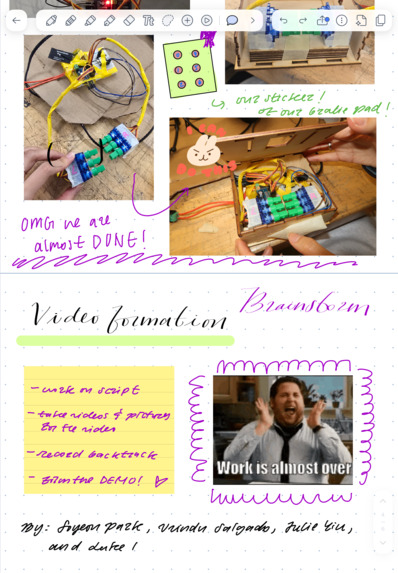
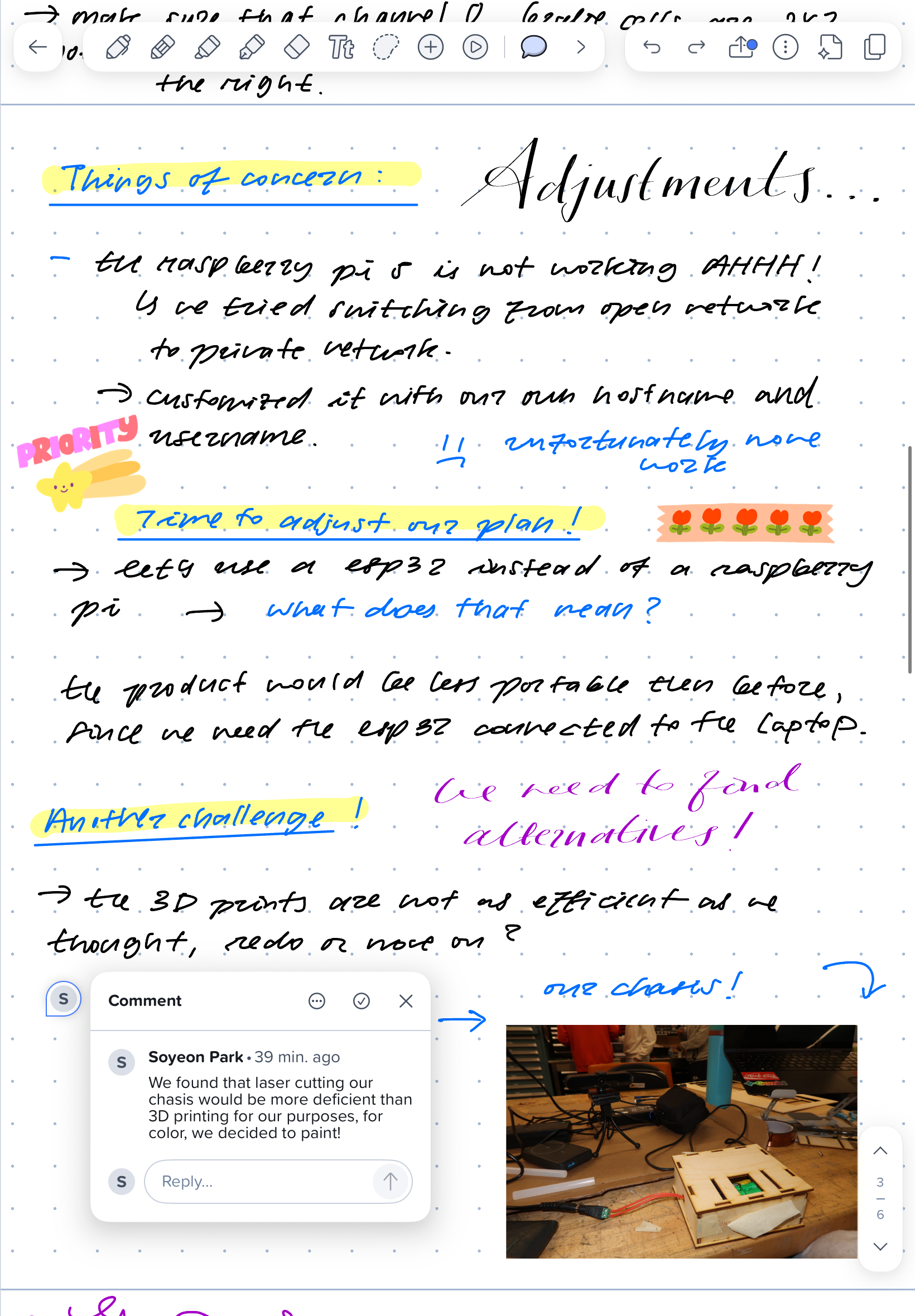
Notability: Project Planning Notes (Page 3)
-
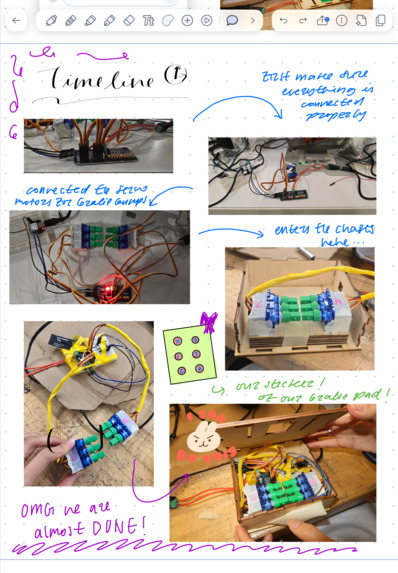
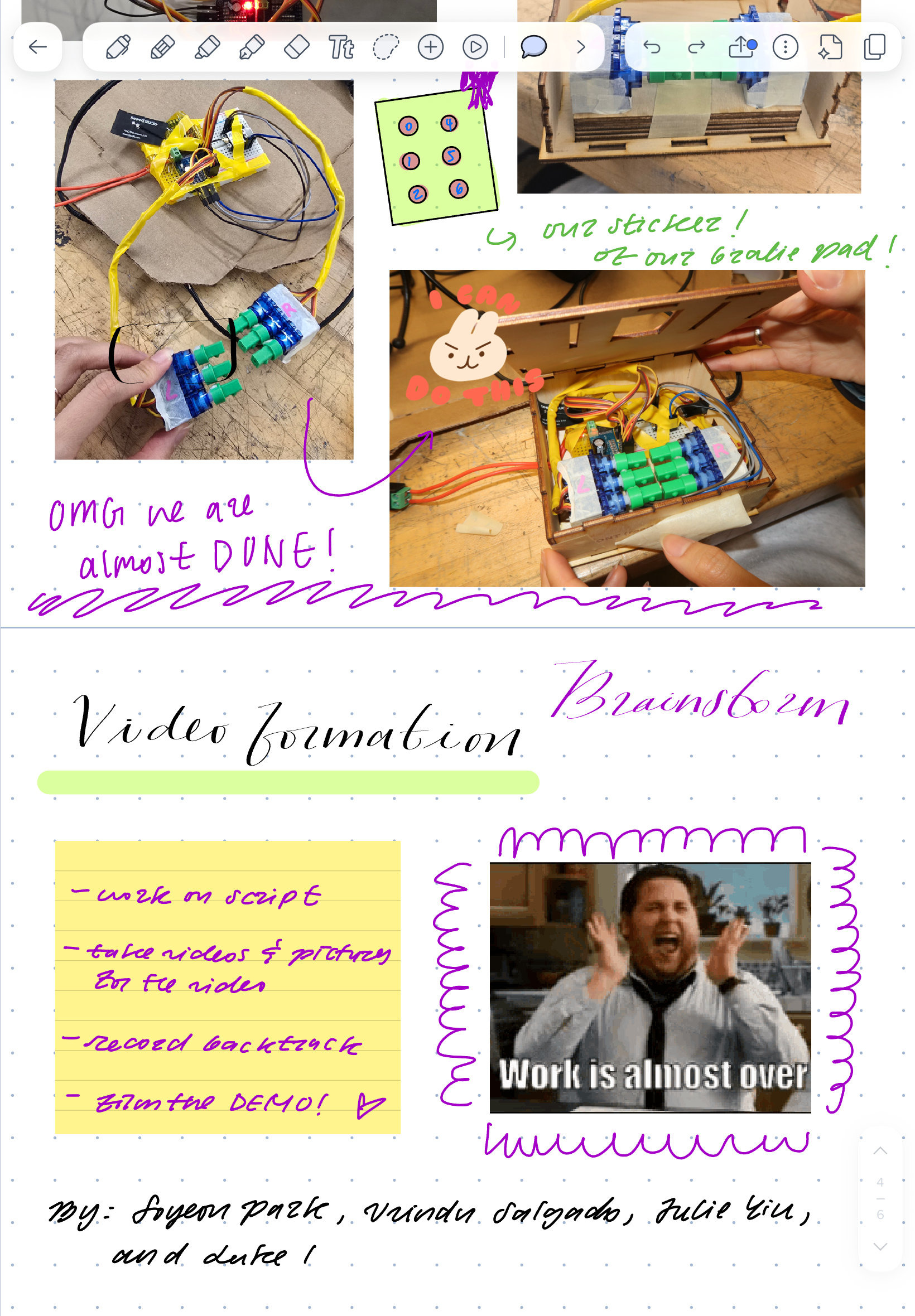
Notability: Project Planning Notes (Page 4)
-
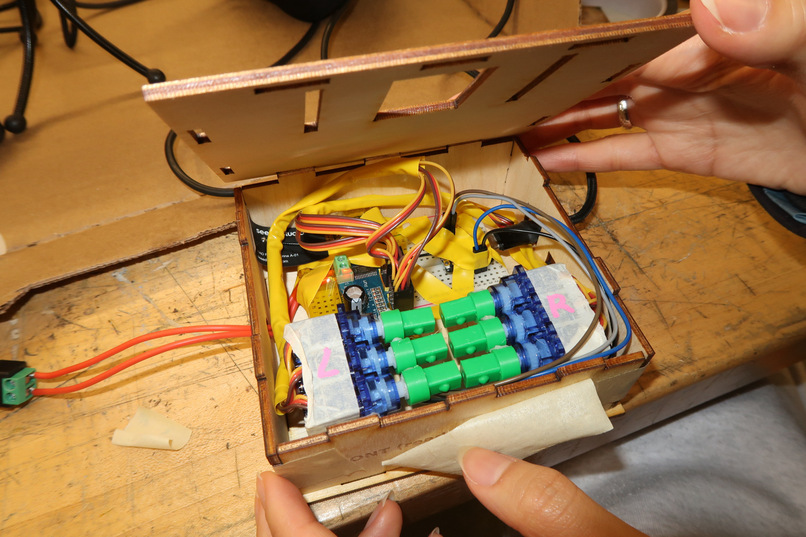
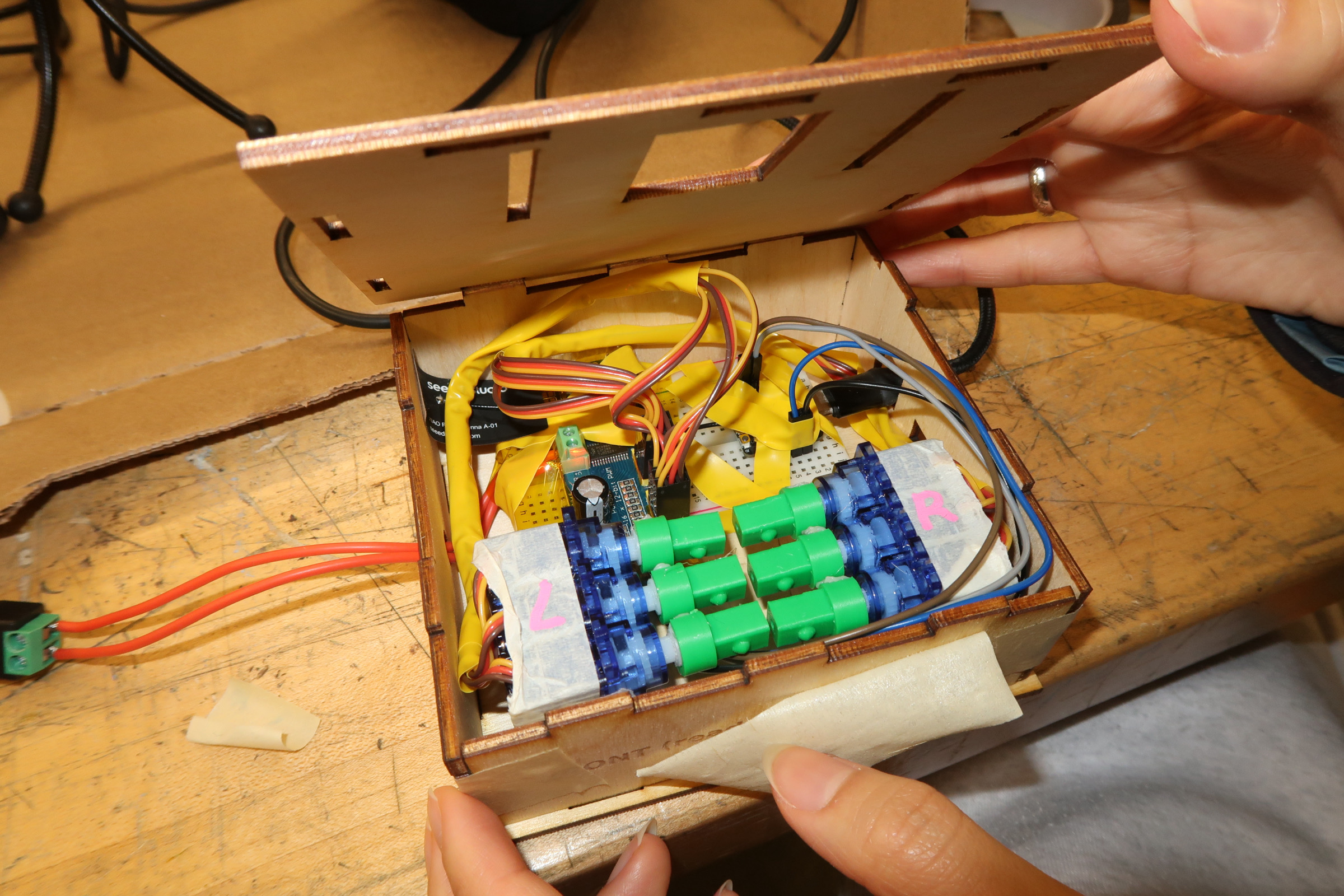
Inside of DotSight: ESP32 takes computer-vision-acquired word and turns it into signals for servos to form braille characters
-
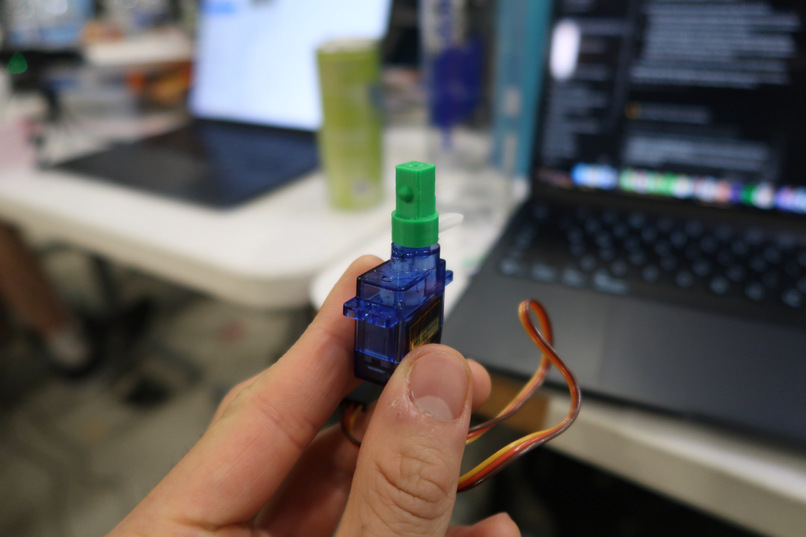
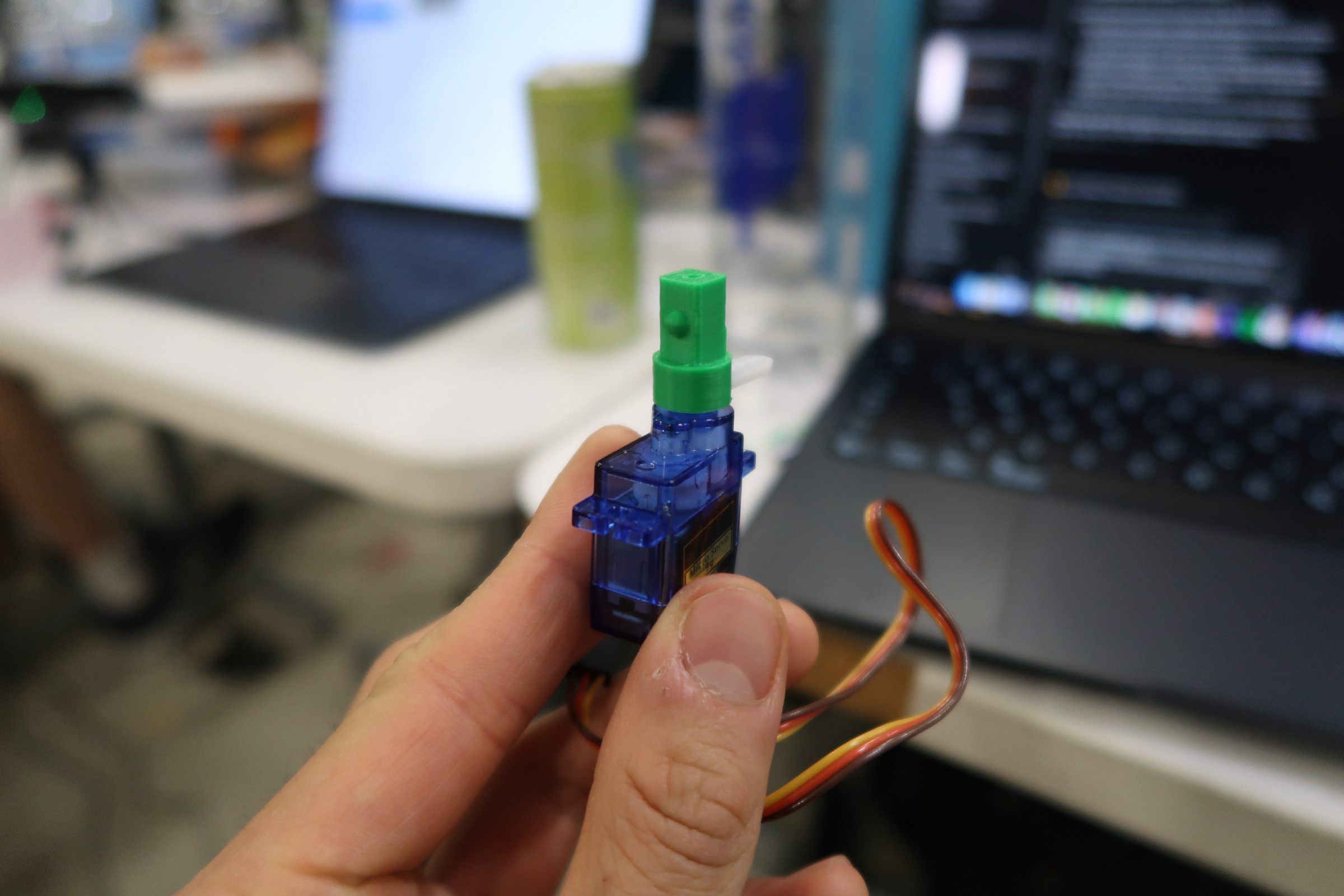
Braille Drum: Servo turns dot up or down depending on letter to be shown
-
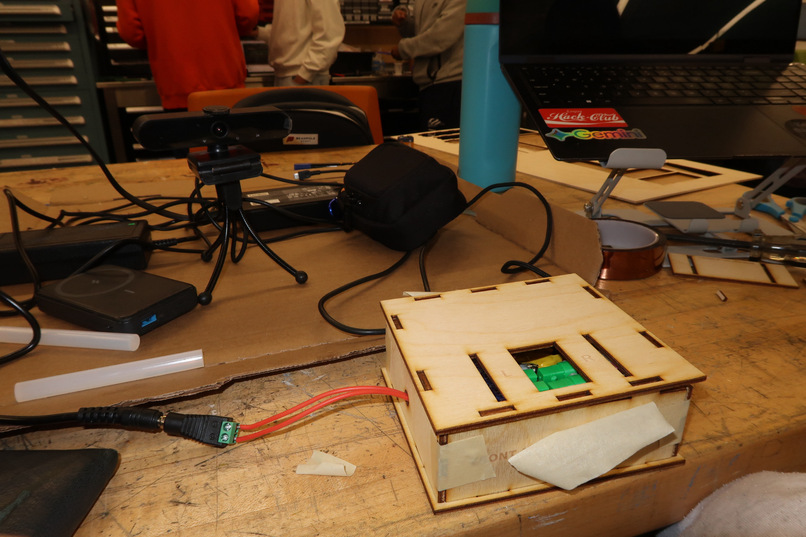
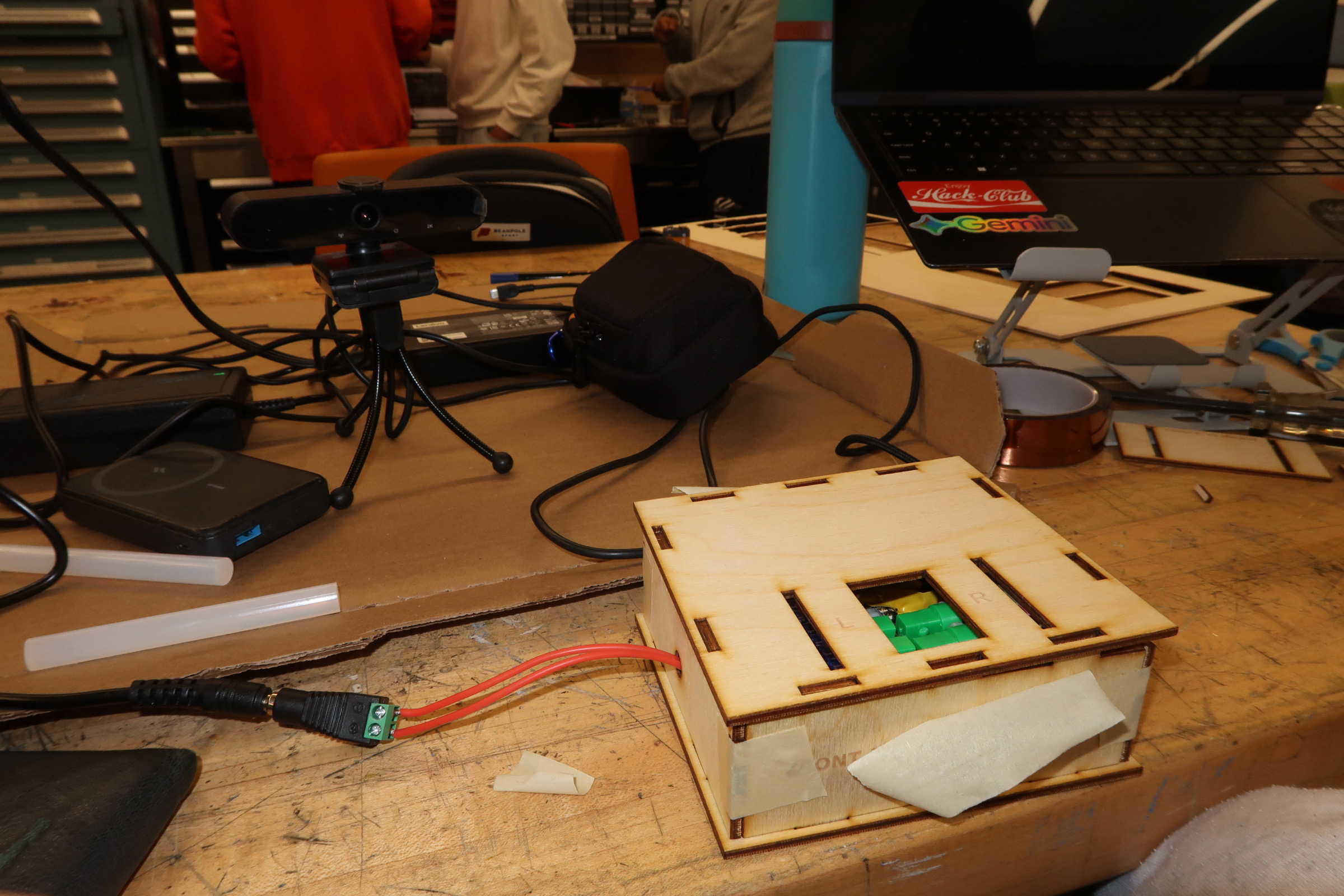
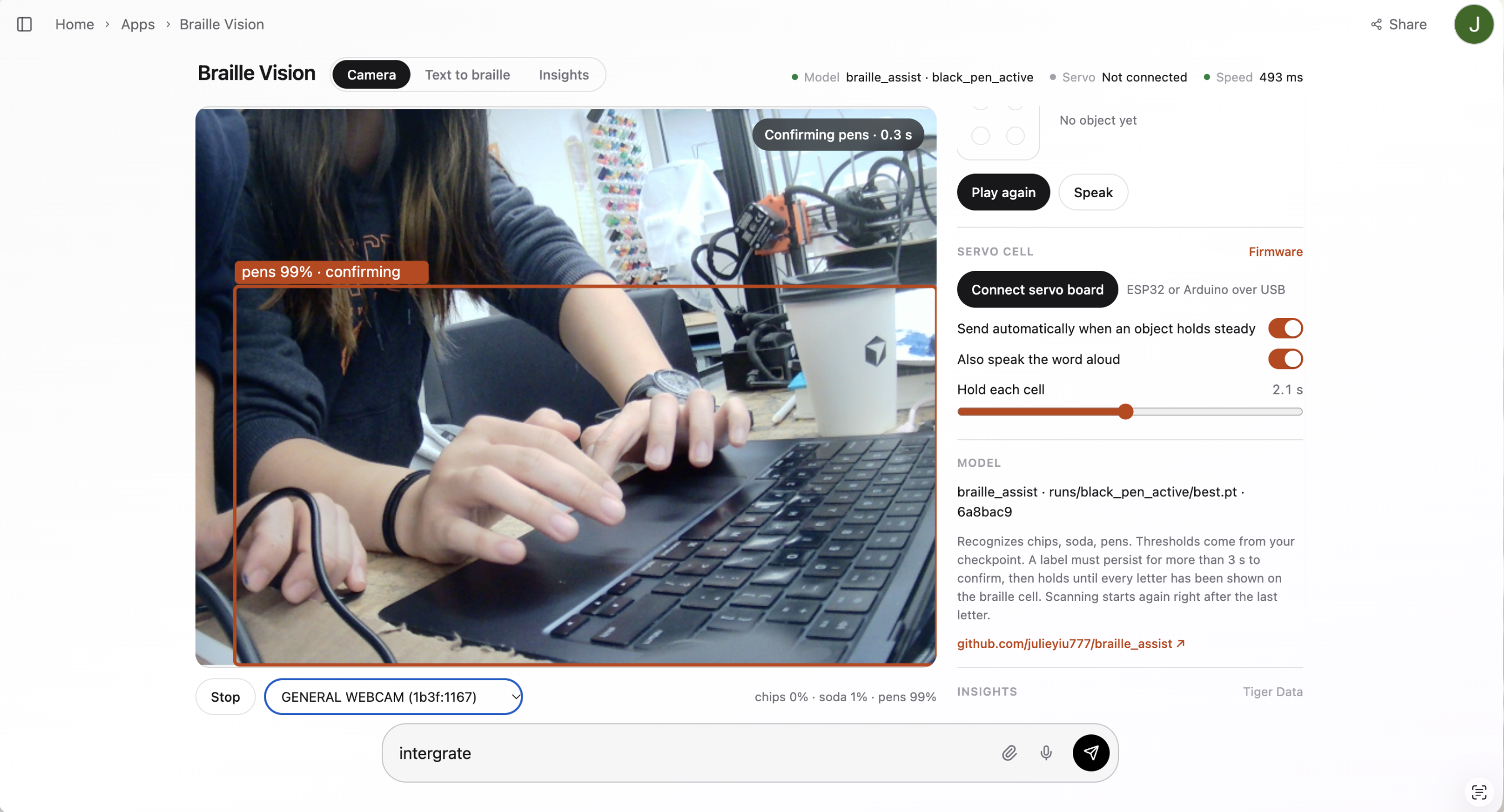
DotSight + Web Camera
-
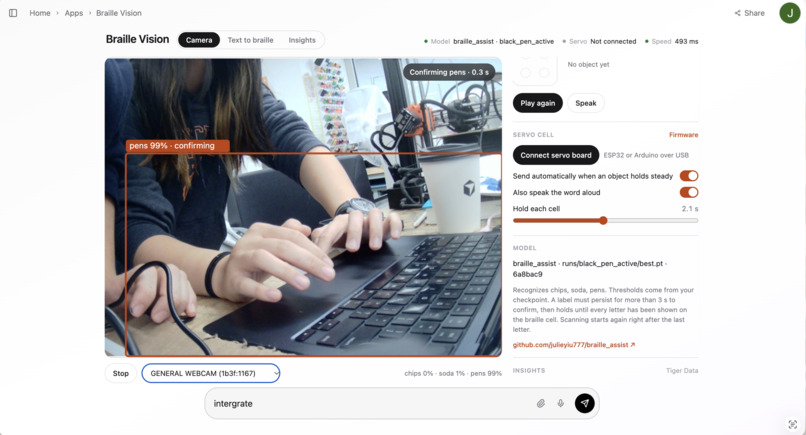
Page: Computer Vision to Braille
-
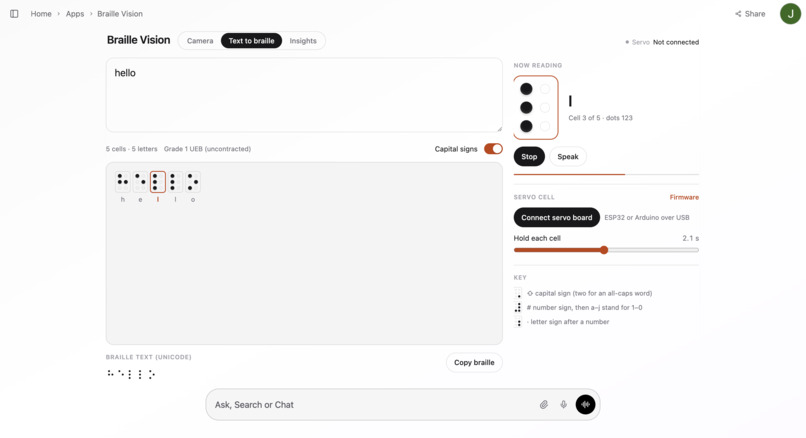
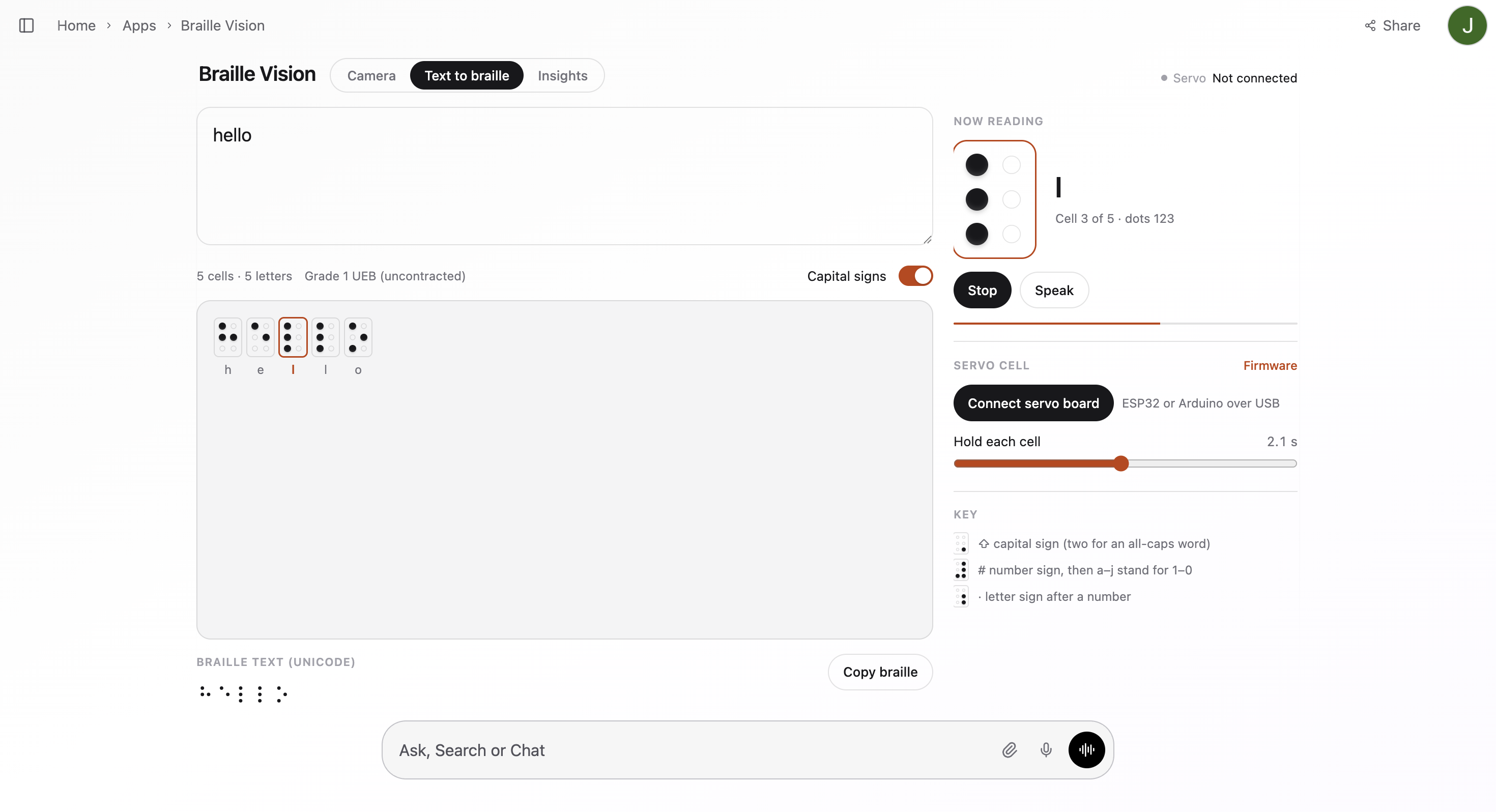
Page: Translating Script to Braille
-
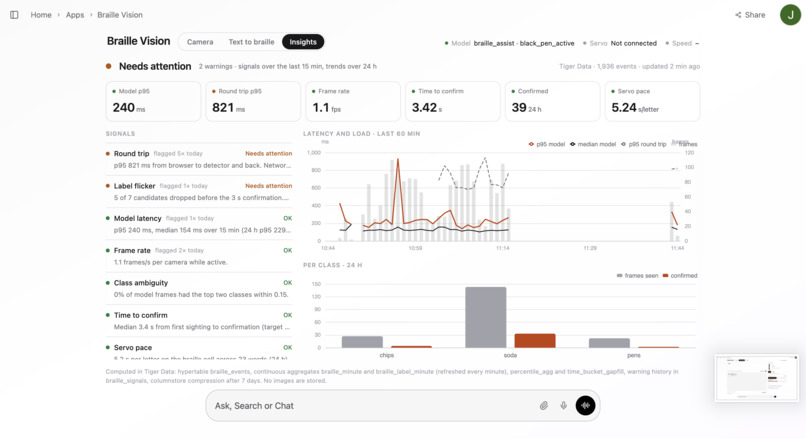
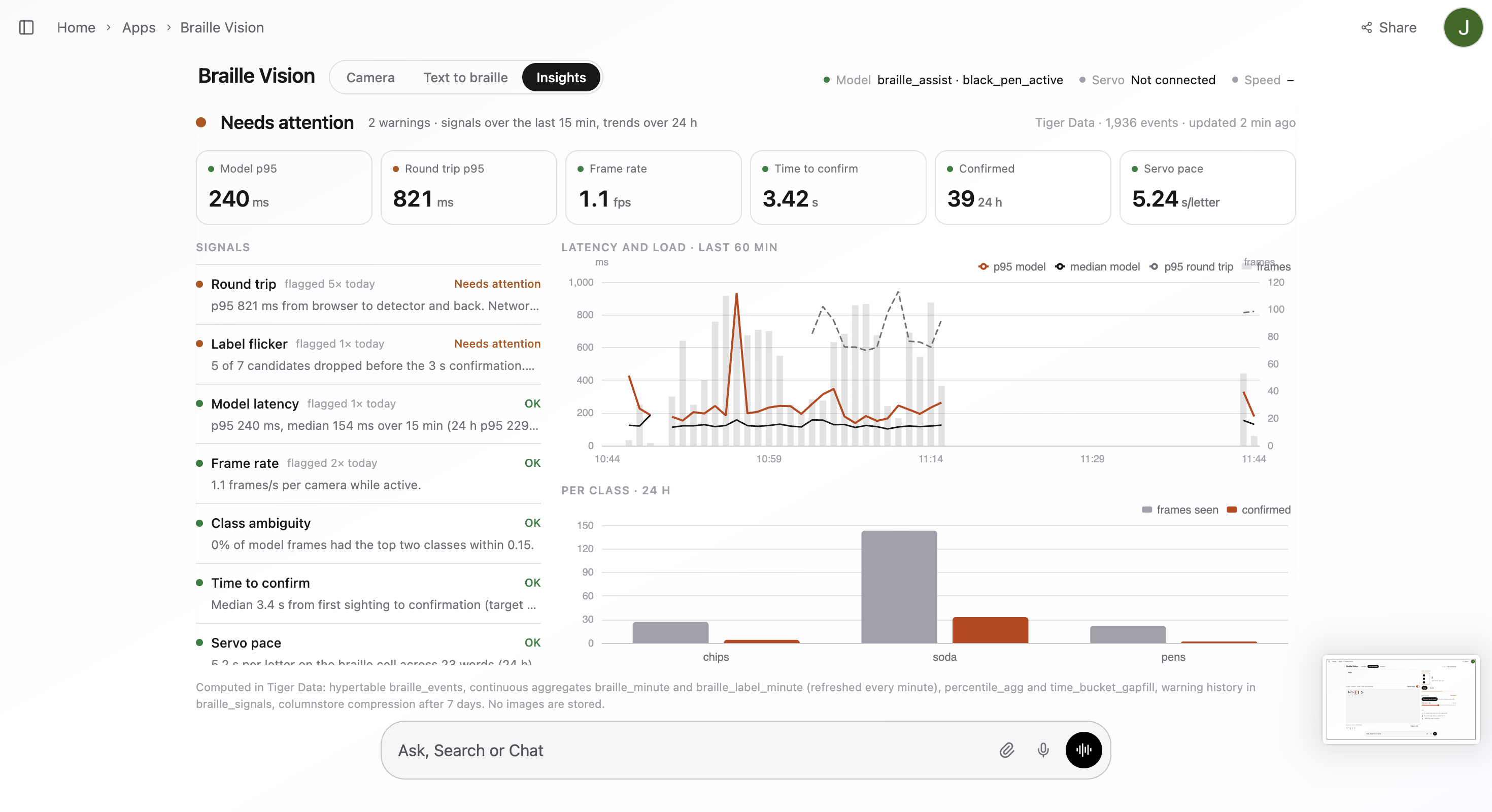
Page: Tiger Data Insight
-
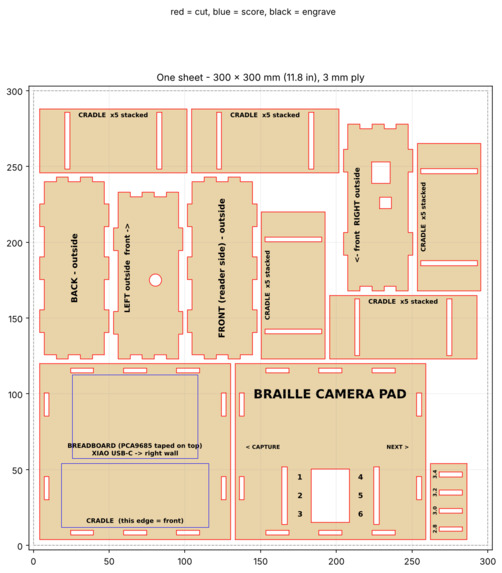
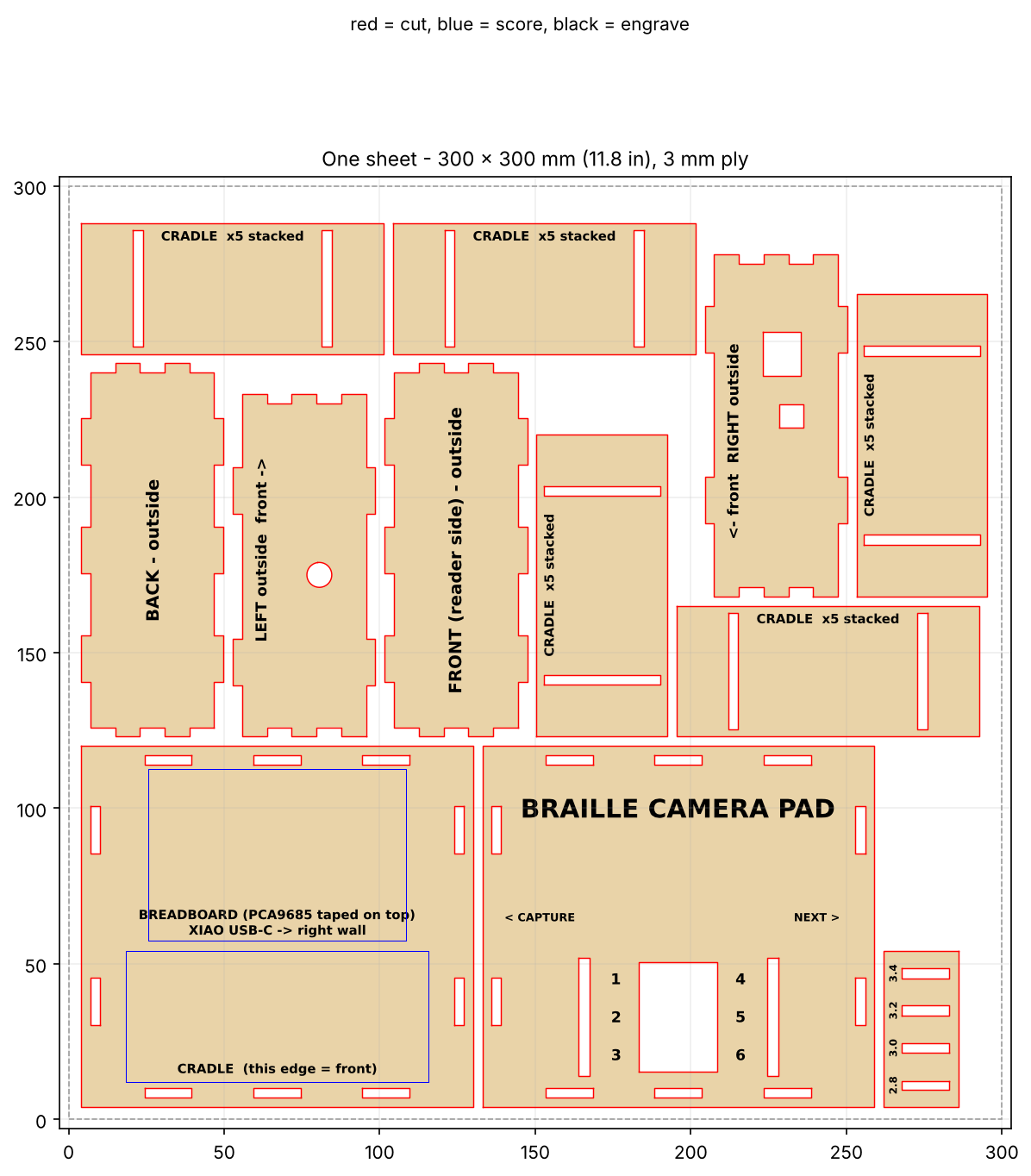
Assembly layout for frame
Inspiration
A camera can identify an object and tell you what it sees. But if the answer comes through a speaker, what happens when the person using it cannot hear?
We wanted to build something for blind and deaf-blind people who read braille. Something that could take an everyday question, “what’s in front of me?”, and answer it through touch. That became DotSight: a camera connected to a mechanical braille cell.
What it does
DotSight photographs the object in front of the user, identifies it through a vision model, and spells its name on a refreshable braille cell. Press Capture to take a photo, then Next to move through the answer one letter at a time. The cell holds each character until the user advances, so the reading speed is theirs to control.
The physical output comes from three servos rotating patterned pieces beneath a reading surface. Together, they form the six dot positions of a braille character. The same cell is reused for every letter in the description.
1. Starting with YOLOv8
We first used YOLOv8 to explore camera-based object detection and establish the initial recognition pipeline.
This gave us a starting point for connecting what the camera could see to a label that our braille mechanism could display.
2. Switching to a model for everyday objects
We then switched to a machine learning model that detects common everyday objects, including chips, soda, and pens.
Our focus was on recognizable items someone might encounter on a desk or around their home. Instead of producing a long visual description, the system uses a short object label that can be read through a single braille cell.
We normalize the label to lowercase letters and spaces and limit it to 12 characters to match the prototype’s supported output.
3. Programming the servos with ESP32 microcontrollers
Next, we programmed the servo controls using ESP32 microcontrollers, turning recognized object names into physical braille patterns.
A lookup table maps each letter from a to z to its six-dot braille pattern. We divide that pattern into three rows, each containing a left and right dot.
Each row has four possible states:
- Neither dot
- Left dot only
- Right dot only
- Both dots
One servo controls each row. The firmware translates each character into three calibrated servo positions through a show_letter(c) function.
For example, a uses a left dot in the top row, while c uses both dots in the top row.
4. Bringing the system together with Mana.space
We integrated the object recognition software and ESP32-controlled braille hardware through Mana.space.
Mana provides the application layer that brings the interaction together: capturing an image, handling the detected label, and coordinating the flow toward braille output.
This connected the separate software and hardware components into one experience: capture an object, identify it, and read its name through touch.
5. Using Tiger Data as a dynamic database
Tiger Data serves as DotSight’s dynamic database, storing timestamped detection and performance events as the system runs.
It gives us a record of how the prototype behaves across interactions, rather than relying only on what happens during a single demonstration.
📝 Notability — A Path from Visual Notes to Tactile Reading
We used Notability’s pen tools to sketch different layouts for our Braille pad and left comments in the notes so we could build on each other’s ideas. We put our hardware photos in a timeline and wrote down why we switched to laser cutting and an ESP32, so we could look back and see what changed at each stage. For the demo, we used a sticky-note checklist to decide what to film and keep track of the shots we still needed. We also added GIFs and made our own Braille pad sticker, which we reused across pages to give the notebook a consistent look.
🐯 Tiger Data — Turning Detection Events into Accessibility Insights
Tiger Data became DotSight’s time-series analytics layer, helping us understand not just what the camera recognizes, but how the system behaves between seeing an object and presenting its name through touch.
We record detection events, confidence scores, confirmation times, model latency, browser round-trip times, braille playback durations, and hardware errors in a TimescaleDB hypertable. This connects the vision pipeline and physical output through a shared timeline, without storing camera images.
Using continuous aggregates, we summarize activity into one-minute windows and display the results in our Insights dashboard. Percentile calculations reveal slow responses that averages can hide, while per-class summaries show which objects have actually been recognized and confirmed during testing.
This matters because an accessibility device needs more than a correct prediction. A delayed answer, an unstable label, or a stalled mechanical display can interrupt the interaction. Our analytics distinguish model processing time from network delays and track how long each character takes to present. They also flag unnecessary camera uploads while the display is already spelling a word.
Our workflow: camera detection → timestamped events → Tiger Data hypertables → continuous aggregates → performance signals → targeted improvements.
Tiger Data gives us an evidence-based way to improve DotSight’s responsiveness and reliability, rather than relying only on whether a demonstration appears to work.
How we built it
The system connects a camera and vision software to an ESP32 controlling a mechanical braille cell.
Image to text
The camera captures a still image, and the vision model is asked to name the main object in one to three words. We normalize the response to lowercase letters and spaces and cap it at 12 characters. This keeps the output within the alphabet our cell supports and limits how much the user has to read through a single cell.
Text to braille
A lookup table maps each letter from a to z to its six dot pattern. We split that pattern into three rows, each containing a left and right dot. Each row has four possible states: neither dot, left only, right only, or both.
For example, a needs a left dot in the top row and two empty rows. b needs left dots in the top and middle rows. c needs both dots in the top row. The firmware translates those row states into three servo positions through a show_letter(c) function.
Mechanical cell
Each row is a rotating hexagonal prism with the four dot patterns on four consecutive faces. Those faces are 60° apart, so all four states fit within a standard servo’s 180° travel. One servo selects the face for each row, while openings in the top plate expose the reading faces.
That gives us all 64 possible six dot combinations using three actuators. It also avoids having to build six separate mechanisms to raise and lower individual pins.
Fabrication and calibration
We used CAD, printed components, and laser fabrication for the cell and supporting structure. The cell is enlarged to accommodate the servos and rotating pieces. Each servo has its own calibrated positions for the four faces, since the same commanded angle does not guarantee the same physical alignment across all three assemblies.
Challenges we ran into
Getting the faces level: selecting the correct dot pattern is only part of the problem. The face also has to stop level with the reading surface. We calibrated each servo separately so the three rows would line up.
Making the mechanism readable by touch: a pattern can look correct while still being awkward under a fingertip. The top plate has to expose the intended face while covering the neighbouring faces, and the rotating pieces need enough clearance to move freely.
Keeping the model’s answer short: every extra character requires another step through the cell. We constrained the model’s response and cleaned the text before converting it to braille, rather than passing a full description straight to the hardware.
Fitting the build into the weekend: standard braille spacing leaves very little room for this mechanism. We built an enlarged cell and used laser fabrication for parts of the structure so we could assemble the prototype within the hackathon.
Accomplishments that we're proud of
The three servo cell is the part we’re most proud of. Treating a character as three pairs of dots gave us a mechanism where each actuator chooses between four physical states. A 26 letter alphabet becomes a lookup table and three calibrated movements per character.
We’re also proud of bringing the camera, vision output, character mapping, and physical display together in one interaction: capture an object, get its name, and step through it by touch.
What we learned
The mechanical tolerances determine whether the software’s answer can actually be read. A correct braille lookup table cannot compensate for a tilted face, uneven rows, or a shifted piece.
We also learned how much the output device changes the software requirements. Twelve characters is a short answer on a screen, but it means twelve separate character presentations on our prototype. That made response length and user controlled pacing part of the core design.
What's next for DotSight
The next step is testing with blind and deaf-blind braille readers, particularly around dot spacing, the reading surface, button placement, and aiming th


