Inspiration
When you enter an unfamiliar hospital, school, or office, one of the first things you need to figure out is where to go. Many buildings display a floor plan near the entrance. It shows how the rooms and corridors connect, where you are, and how to reach your destination.
For someone who can see it, that map provides an overview of the building. A blind visitor cannot access the same information from a printed image and may have to ask for directions or piece together a layout from verbal descriptions.
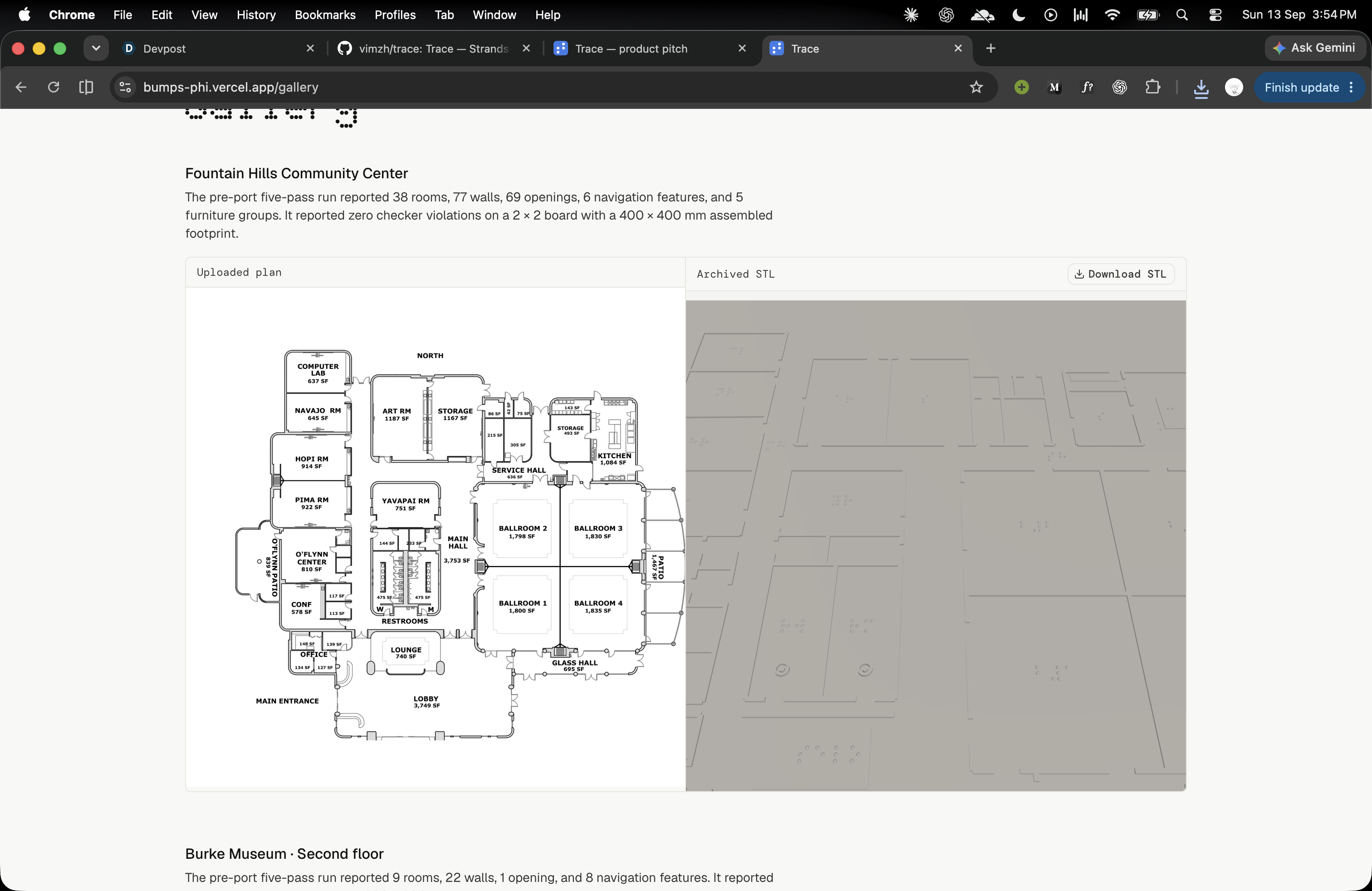
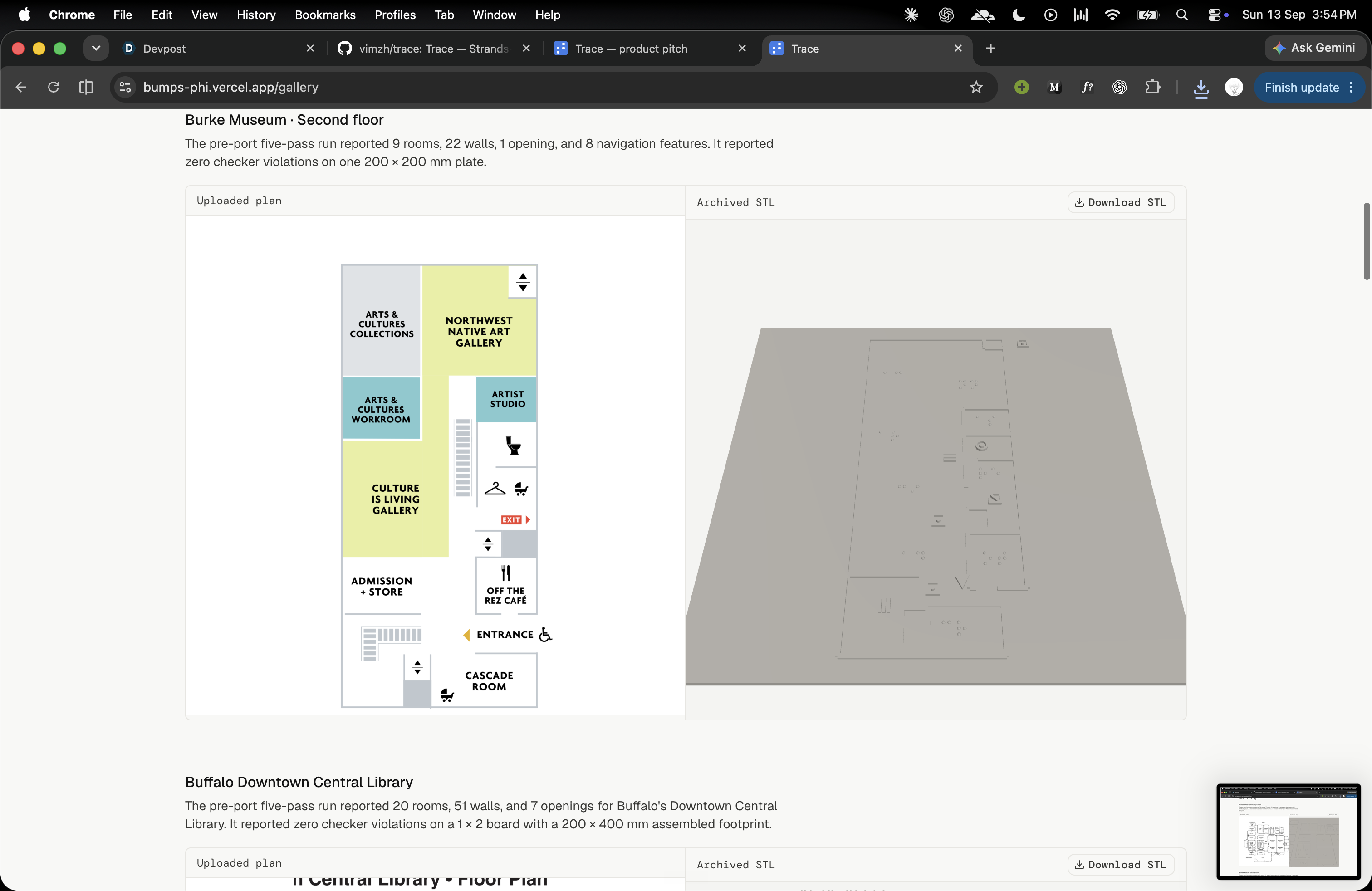
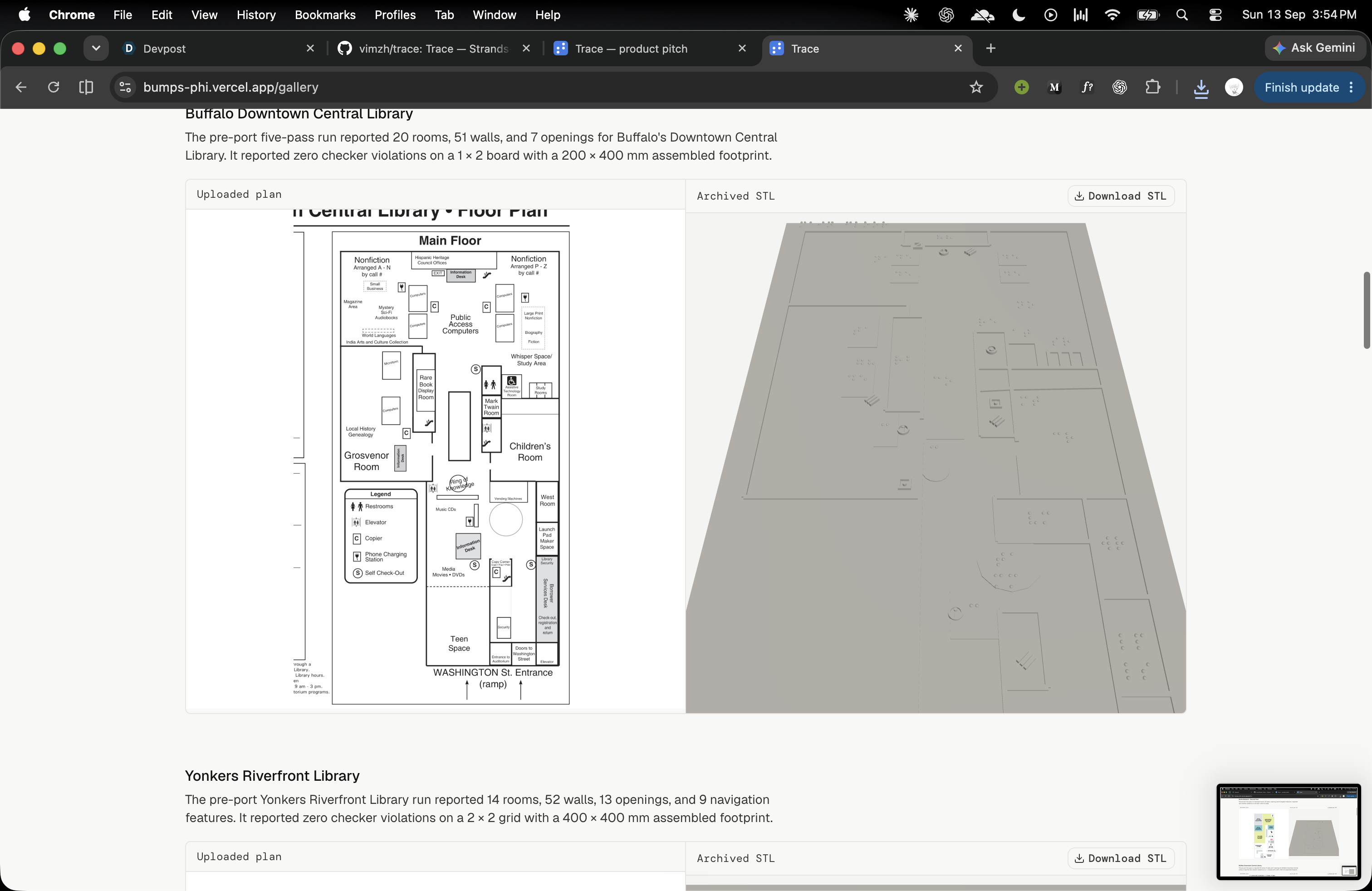
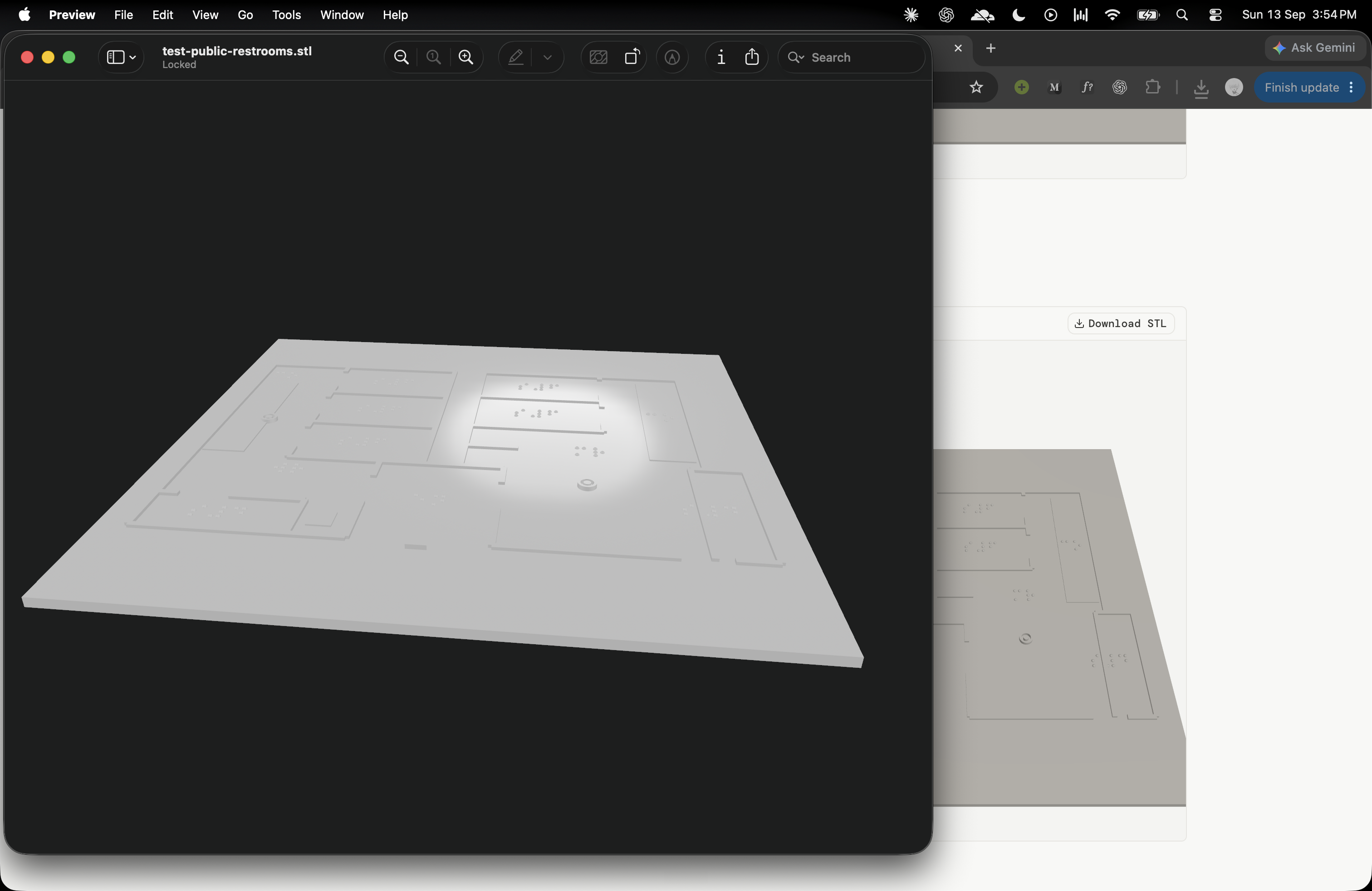
A tactile map makes that layout readable through touch. It uses raised lines, shapes, and braille labels to represent walls, rooms, and doors.
But making one takes time, needs a specialist, and costs money. Even people who want to make their buildings accessible can hesitate because they do not know where to start.
I built Trace to make that process easier: take a floor plan a building already has and turn it into a map someone can read with their hands.
What it does
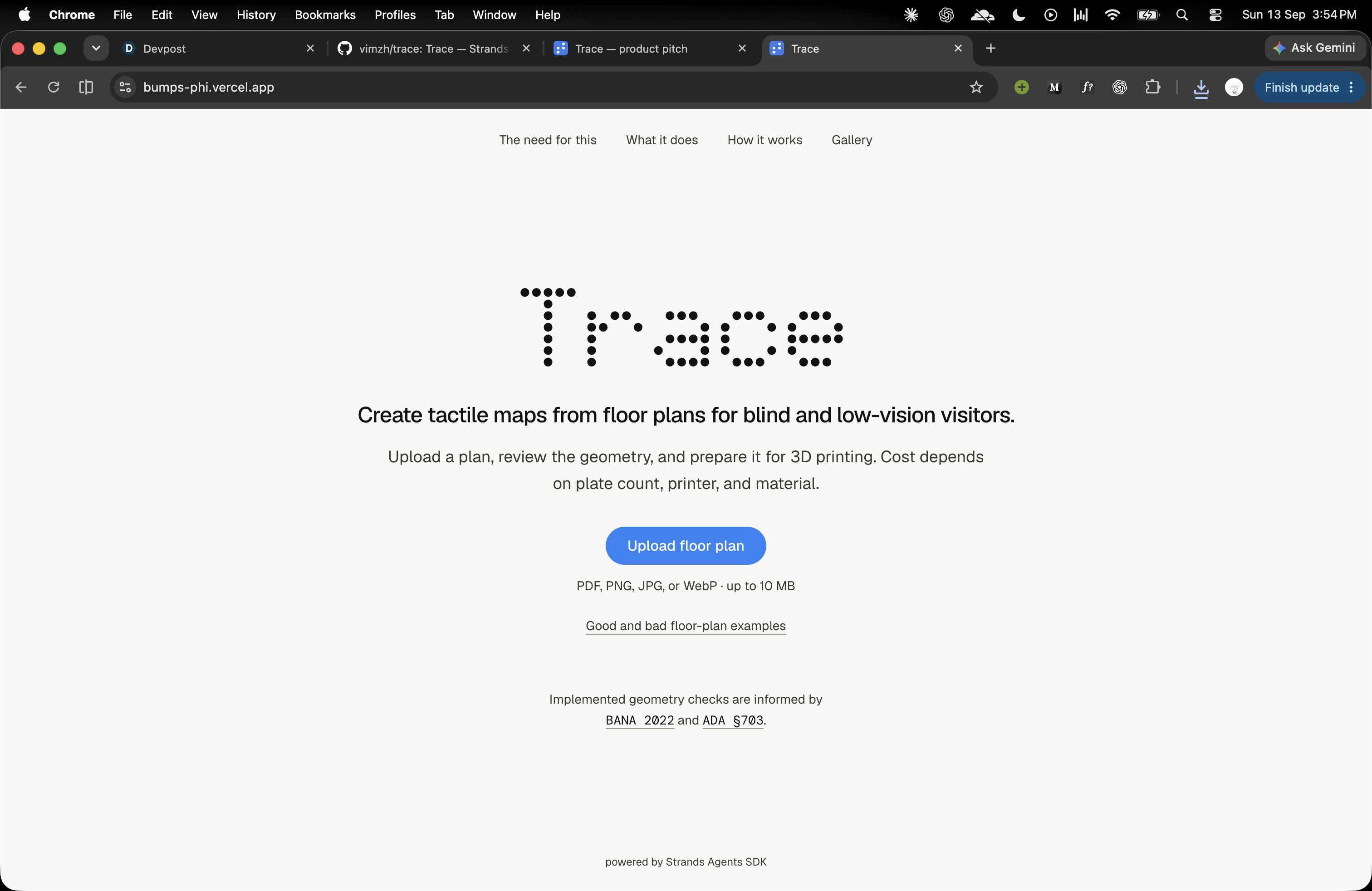
Trace turns a floor plan into a tactile map for 3D printing using Strands Agents
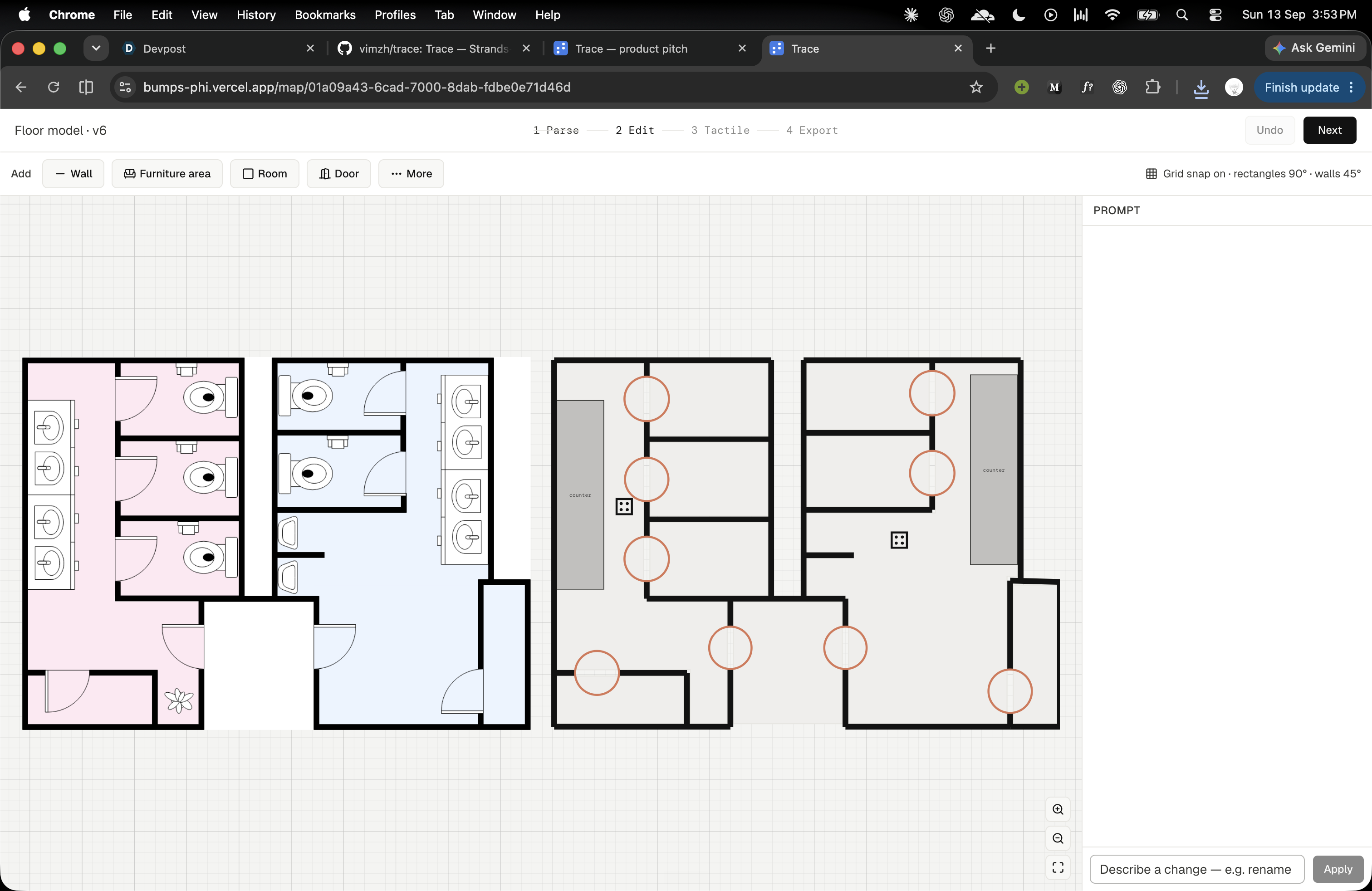
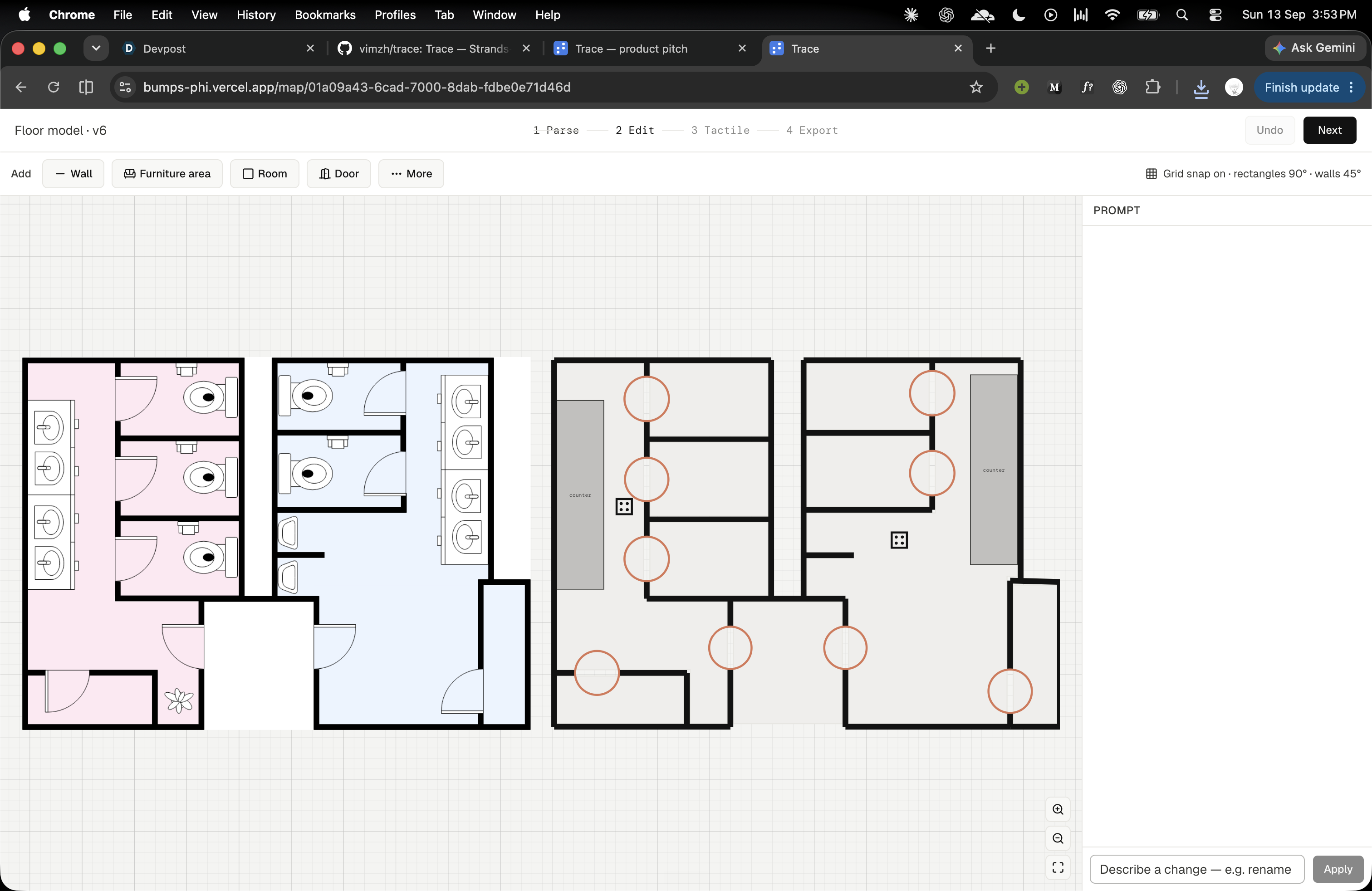
Upload a floor plan, review the extracted layout, and correct anything that needs attention. You can edit it on a canvas or describe a change in plain English.
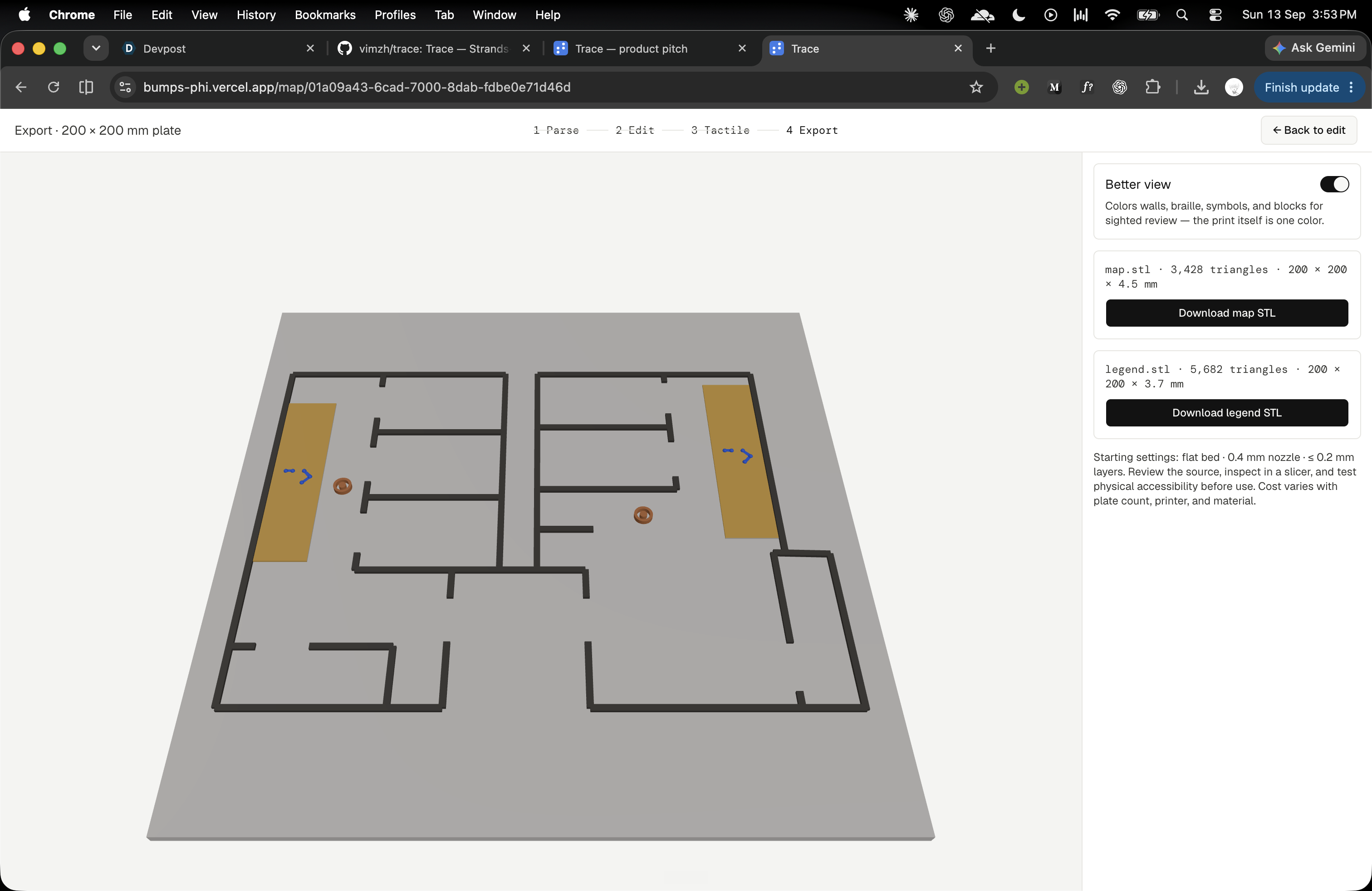
Trace then creates raised walls, tactile symbols, and braille labels, along with a separate legend. Download the STL files and use a compatible 3D printer to produce the map.
You can prepare it through a web browser on an ordinary computer.
How I built it
I used the Strands Agents SDK with Amazon Bedrock to divide the work between specialized AI agents. One reads the floor plan, another checks the extracted layout against the original, and another examines door openings.
The user reviews uncertain details before the layout becomes a tactile design. Geometry code creates the raised features, checks their dimensions and spacing, and generates the STL files. Export stays blocked while those checks report violations.
I built the application with Next.js, Bun, Hono, and PostgreSQL, with Three.js for the 3D preview and Manifold for mesh generation.
Challenges I ran into
A floor plan is made to be seen. A tactile map needs to make sense under someone's fingers. Raising every line would create clutter, so deciding what to preserve and what to remove was a central challenge.
Accuracy also matters. An invented doorway or a missing wall can change someone's understanding of a route. I added review steps and made uncertain details visible so users can correct them.
Fitting braille labels and distinct symbols into a limited print area required careful spacing and layout checks.
Accomplishments that I'm proud of
I'm proud of connecting the process from an uploaded floor plan to downloadable tactile map and legend files in one workflow.
Users can inspect and correct the AI's work before printing, and fixed geometry checks control whether the design can be exported.
As a solo project, bringing together image interpretation, an editor, tactile geometry, and STL generation was a substantial achievement.
What I learned
I learned that more detail does not always make a map more useful. For touch, clear routes, distinct shapes, and enough space between elements matter.
I also learned where AI needs boundaries. It can help interpret a drawing, but physical measurements need explicit rules and checks.
Most importantly, generating a file does not prove that the printed map is useful. That needs testing with blind and low-vision readers.
What's next for Trace
My next step is to print representative maps, verify the files in independent slicing software, and test them with blind and low-vision readers.
I want to use that feedback to improve readability and handle difficult floor plans more reliably. Additional languages and support for multiple floors can follow once the core experience is validated.
The goal is to make it easier for a place that already has a floor plan to offer a map more people can use.
Built With
- 3d
- agents
- amazon
- bun
- drizzle
- hono
- manifold
- next.js
- postgresql
- sdk
- strands
- strandsagent
- three.js
- typescript


Log in or sign up for Devpost to join the conversation.