-
-
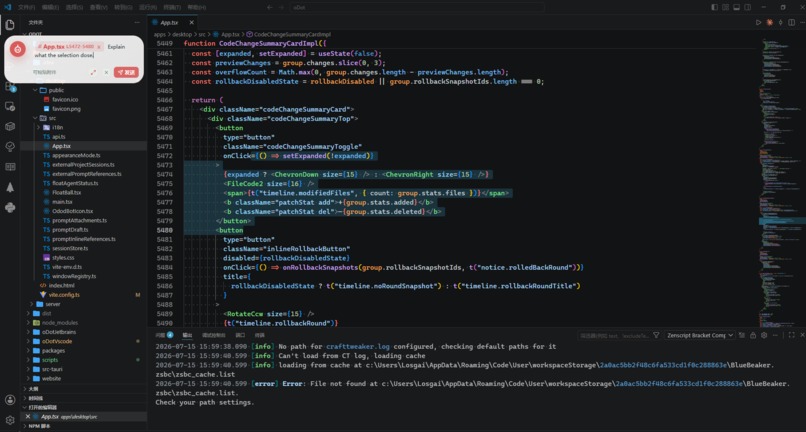
Float ball mode
-
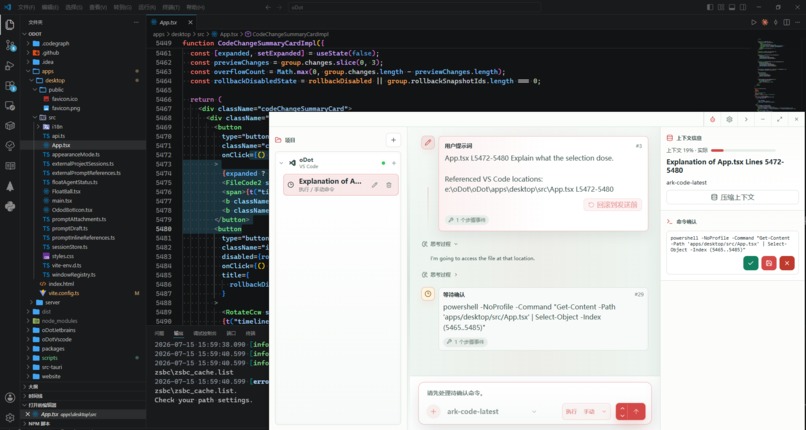
Window mode
-
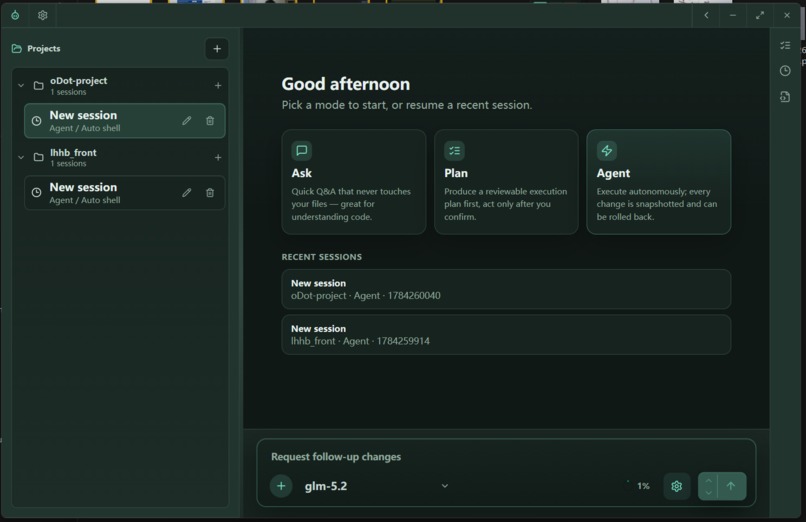
Dark
-
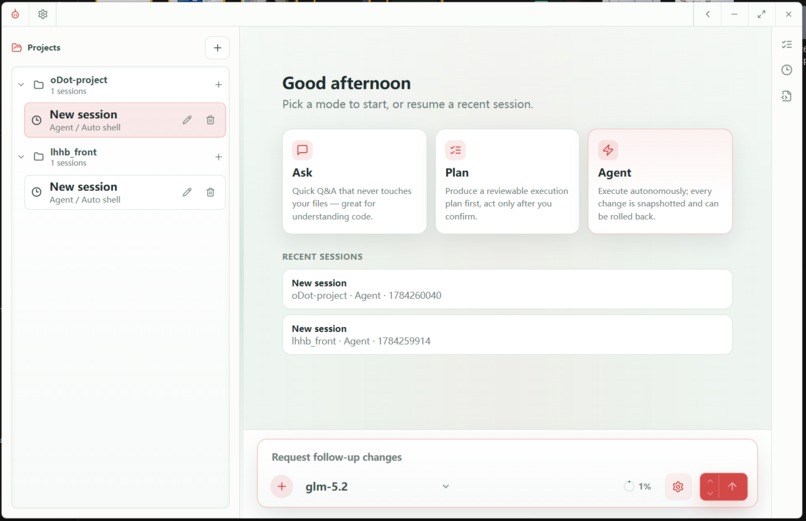
Light
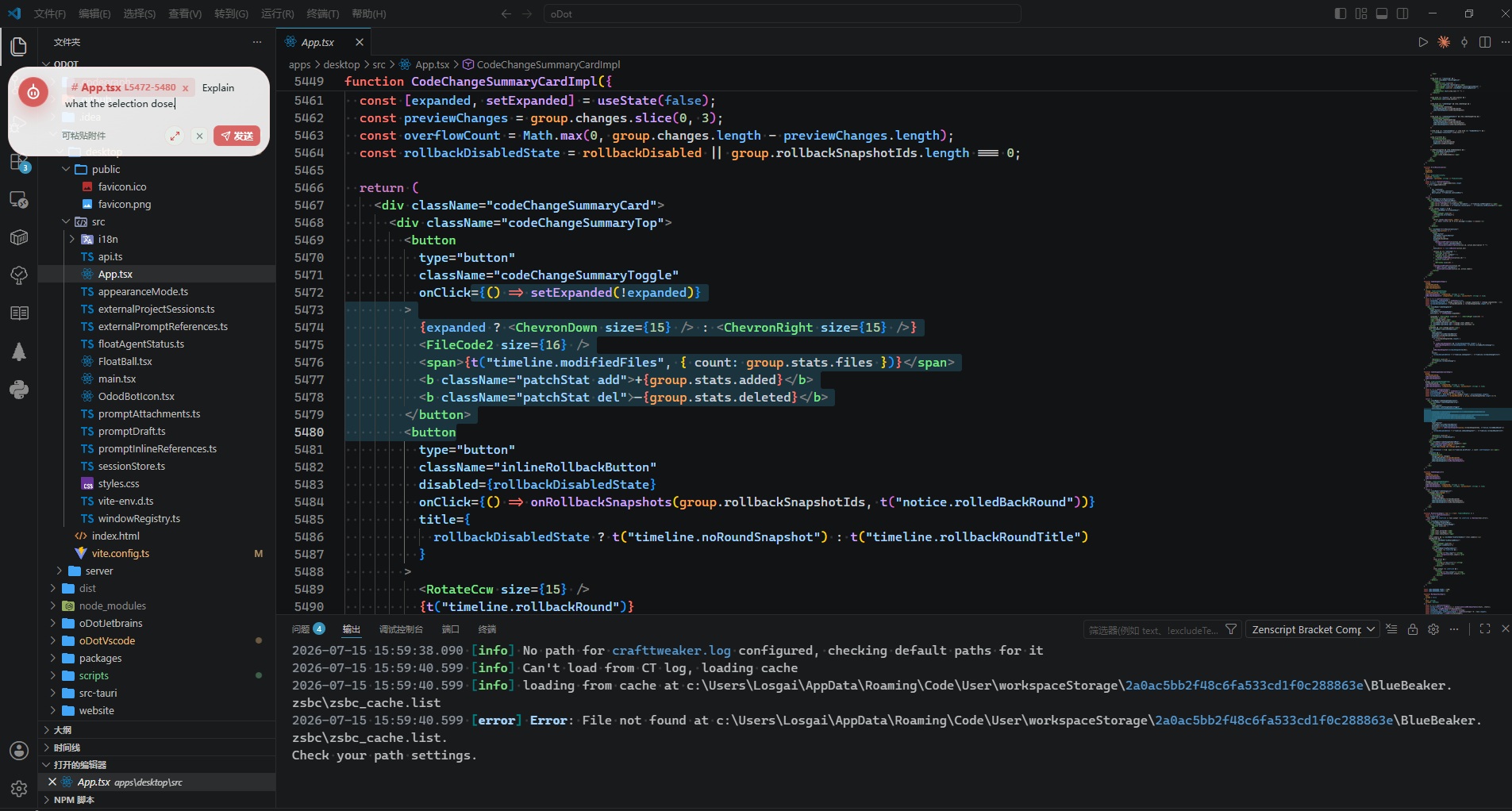
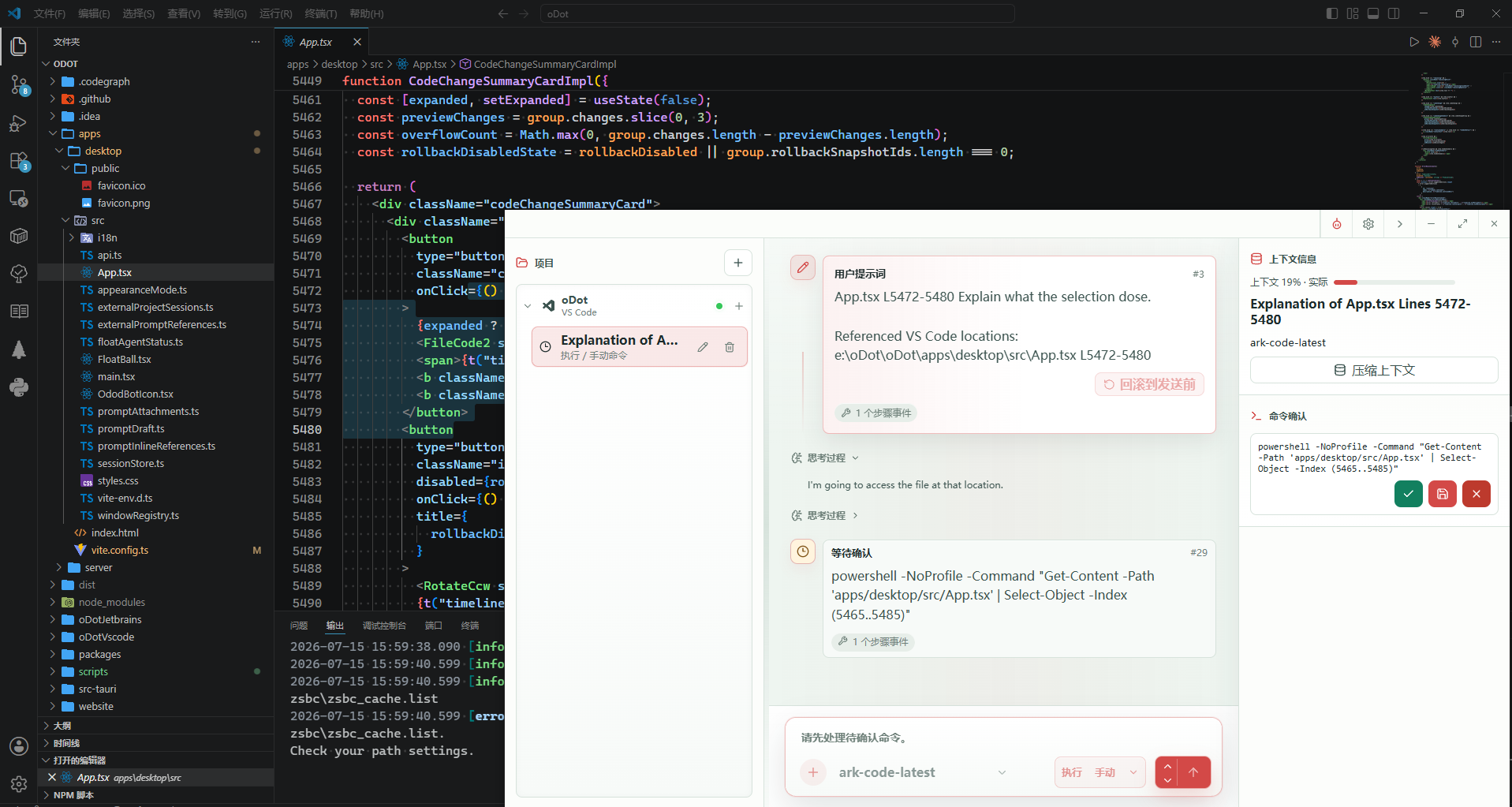
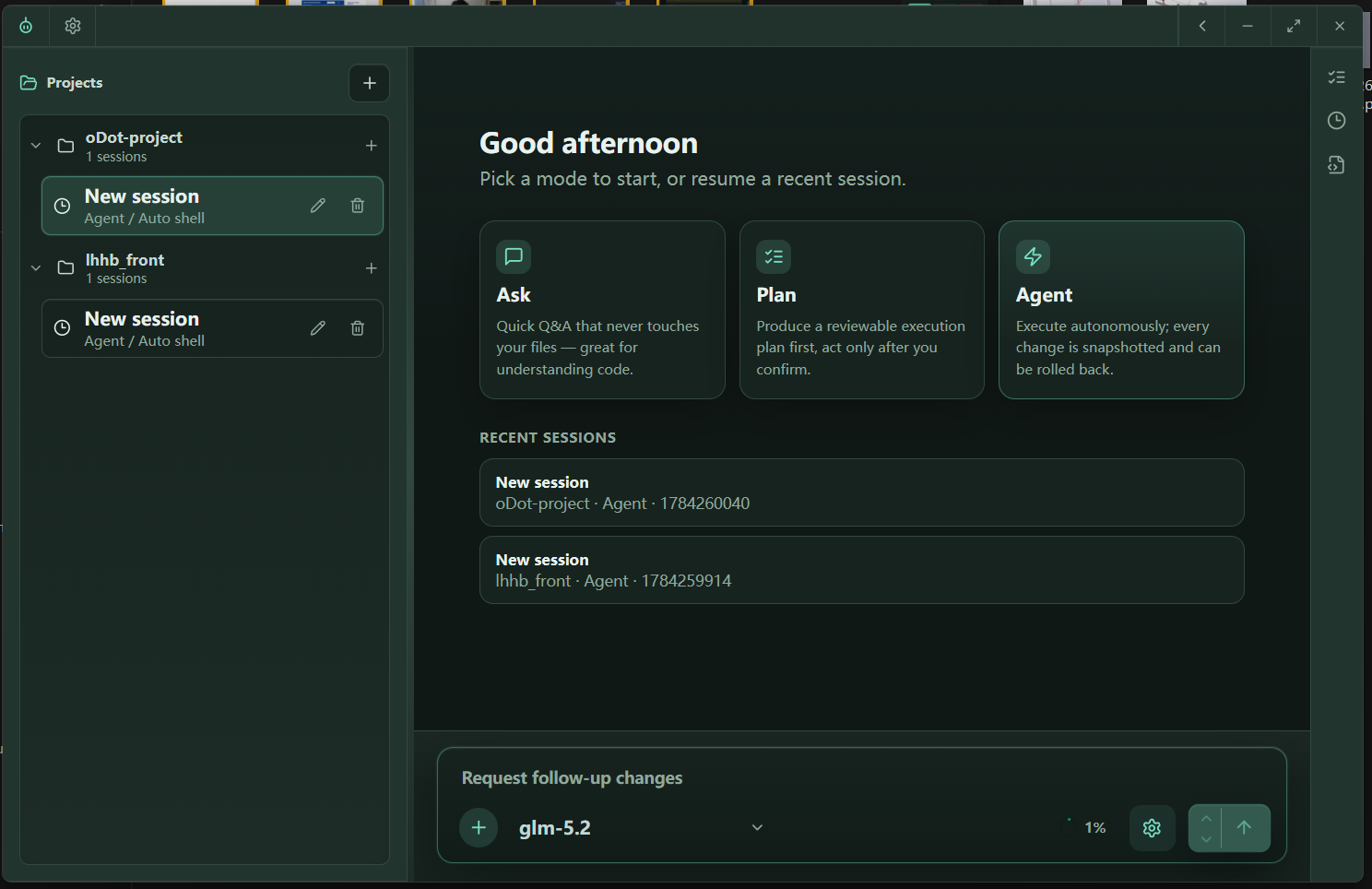
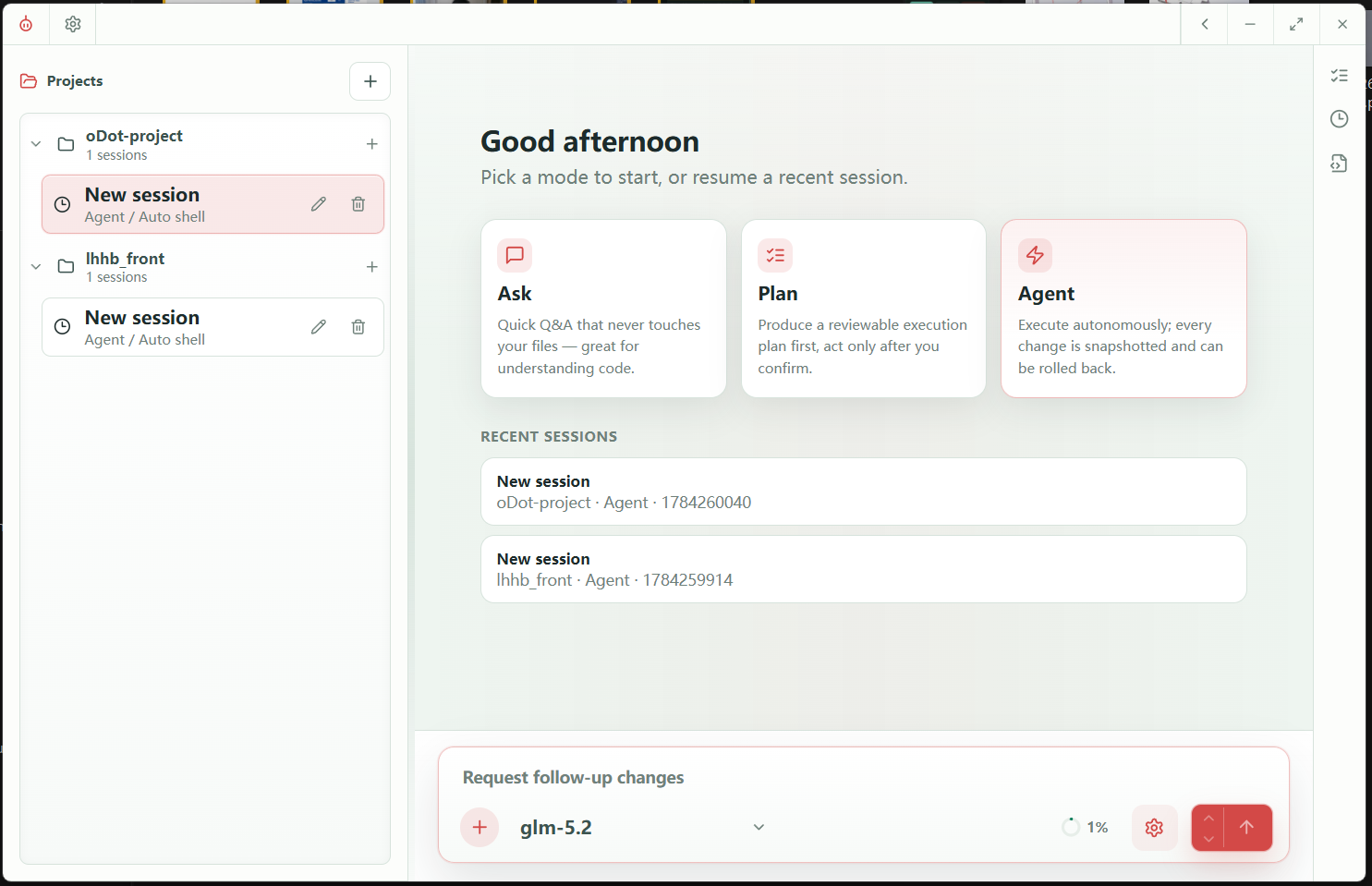
Inspiration
We built oDot because modern developers waste too much time switching between IDE-specific AI coding plugins. VS Code has one ecosystem, JetBrains has another, and every new editor introduces yet another plugin to learn. On top of that, most AI assistants live inside large chat panels that eat precious screen real estate.
We wanted a single, IDE-agnostic AI teammate that stays out of the way until you need it — a lightweight floating agent that works alongside any editor or browser, understands your project, and safely edits files under your control.
What it does
oDot is a Tauri 2.x desktop AI coding assistant with three agent modes:
- Ask — read and search your project to answer questions without changing anything.
- Plan — run approved shell commands, investigate the codebase, and produce a concrete implementation plan saved as a markdown file.
- Agent — fully autonomous file edits, creations, deletions, and verification commands.
Every file mutation is snapshotted (before/after content + unified diff, SHA-256 hashed) so any change can be rolled back with one click. Shell commands run under a configurable policy (manual or auto), and dangerous commands always require explicit approval. A topmost transparent floating window lets you chat with the agent without leaving your editor, and VS Code / JetBrains extensions can send selected code, files, or folders directly into the prompt composer.
How we built it
The stack is intentionally lean and desktop-first:
- Frontend: React 18 + TypeScript + Vite, with Zustand for live event state.
- Backend: Rust with Tauri 2.x, exposing 54 commands across file tools, session management, provider configuration, and real-time event broadcasting.
- Persistence: SQLite in WAL mode for sessions, events, snapshots, context summaries, permission requests, and background jobs.
- LLM runtime: Custom SSE parser over
reqwestsupporting OpenAI, Anthropic, OpenAI-compatible, and Anthropic-compatible providers. - Agent loop: A Rust runner orchestrates LLM calls, tool execution, and automatic context compression when sessions grow long.
- IDE integration: A local TCP bridge (
external_bridge.rs) andodot://deep links let VS Code and JetBrains plugins wake oDot and send prompt references. - Safety: Path-level mutex locks, workspace-root confinement, file-count/size limits, and snapshot-based rollback.
Challenges we ran into
- Anthropic API compatibility: Tool-calling and streaming formats diverge enough from OpenAI that native Anthropic support is still largely unusable; we optimized the runtime around OpenAI-compatible providers first.
- Cross-platform floating window drag: Smooth drag for a transparent, topmost window required different code paths on Windows (Win32 mouse state) and macOS (CoreGraphics), with a fallback for Linux.
- Reliable SSE parsing: Streaming LLM responses can split JSON across chunk boundaries, so we wrote a dedicated
llm_runtime.rsparser that handles partial tool-call fragments. - Context compression: Long sessions need structured summaries (goals, constraints, progress, decisions, next steps) without losing the narrative; we iterate on prompt design and threshold tuning.
- IDE bridge protocol: Keeping VS Code and JetBrains extensions in sync with a running desktop app over a local TCP port required discovery files, heartbeats, offline detection, and authentication tokens.
Accomplishments that we're proud of
- Safe autonomous edits: Snapshot + rollback makes the Agent mode feel safe enough to actually use.
- Floating agent window: A tiny, always-available UI that doesn't fight for screen space.
- IDE bridge: Developers can keep their existing workflow and editor shortcuts while still leveraging oDot's agent.
- MCP integration: External Model Context Protocol servers extend the agent's capabilities without rebuilding the core.
- Browser-free iteration: An Express fallback server lets the frontend be developed and tested in a browser without a full Rust rebuild.
What we learned
- Building a desktop app in Rust/Tauri gives tight control over native behavior (windowing, drag, deep links, keychain) while keeping a modern React frontend.
- LLM tool calling is the easy part; making it reliable, observable, and recoverable across long sessions is the hard part.
- Cross-platform IDE integration is as much about protocol design and discovery as it is about code.
- Session state management with real-time event streaming forces you to design the data model upfront — SQLite plus an event bus turned out to be a solid foundation.
What's next for oDot, An AI Intergrator
- Improve native Anthropic support and add more provider formats.
- Expand IDE plugins beyond VS Code and JetBrains (e.g., Neovim, Sublime Text).
- Add team/shared session support with optional cloud persistence.
- Smarter context compression and long-term memory across sessions.
- Built-in skill marketplace so users can share agent recipes and MCP configurations.
Built With
- claude
- codex
- cursor


Log in or sign up for Devpost to join the conversation.