-
-
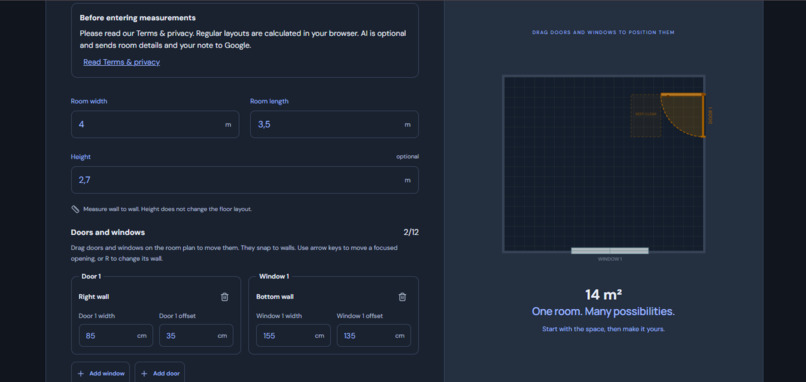
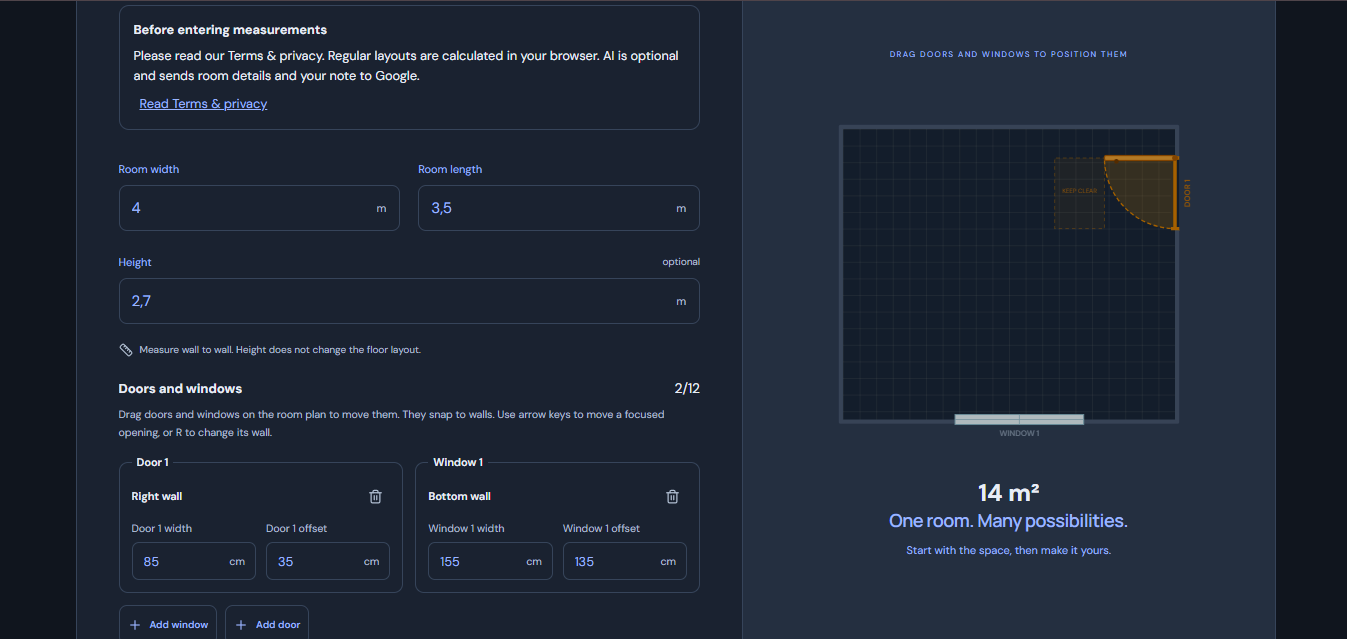
Set your room dimensions and place doors and windows directly on the floor plan.
-
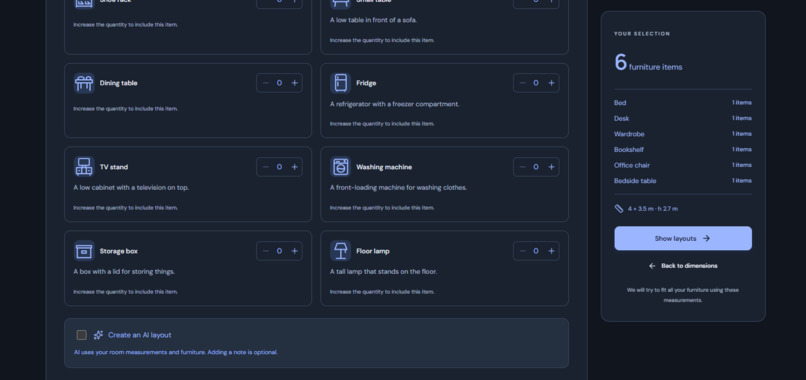
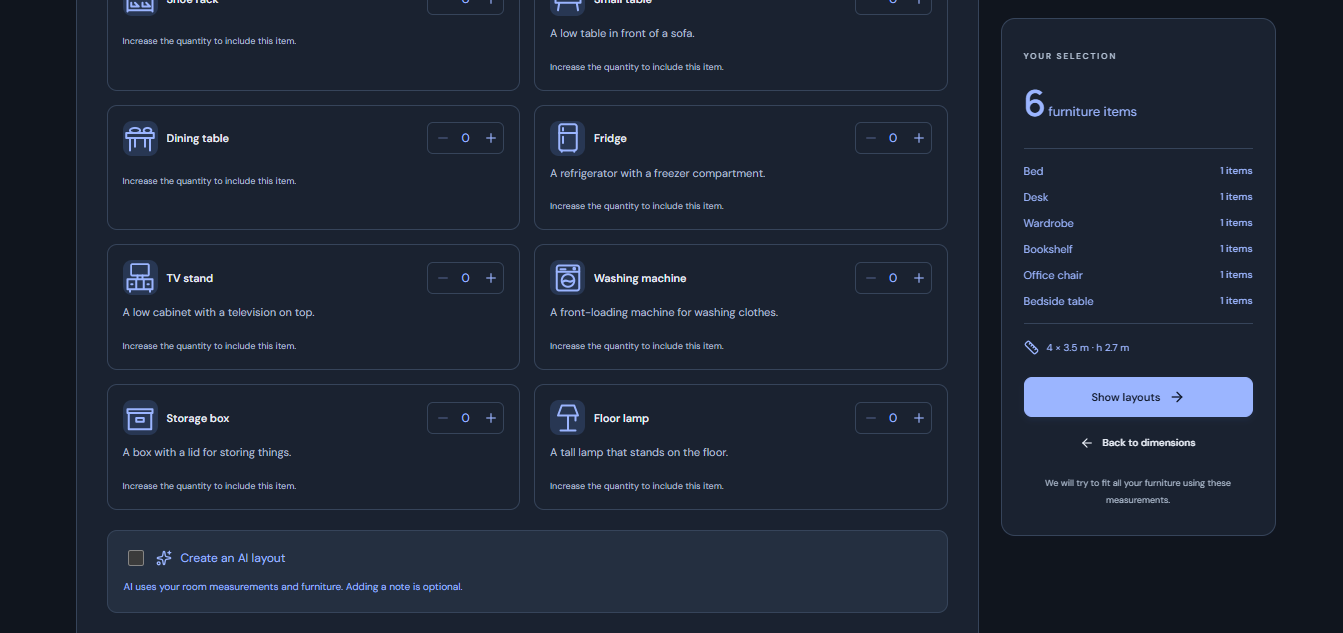
Choose your furniture, set quantities, and decide whether to request an AI-generated layout.
-
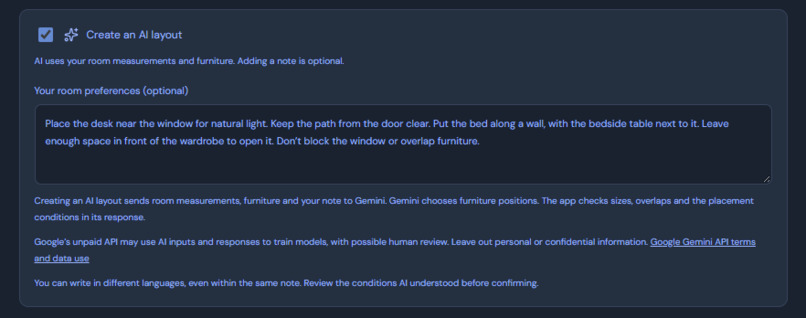
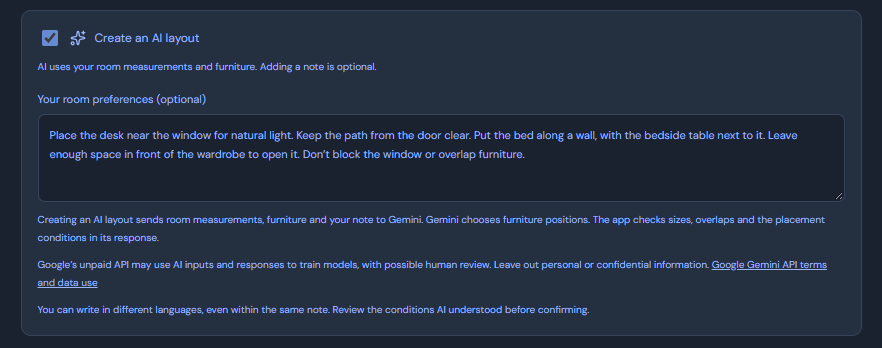
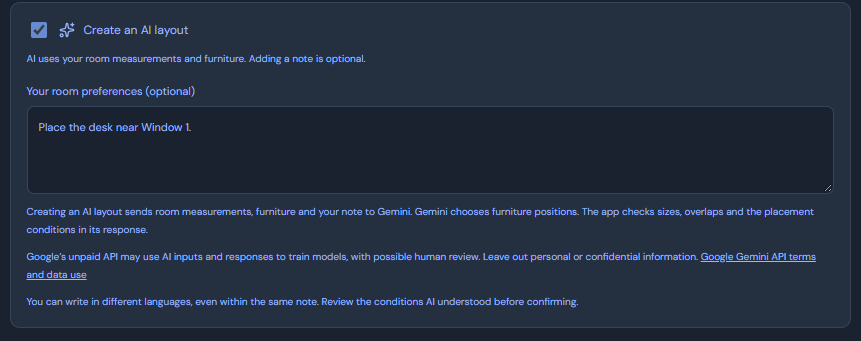
Describe your room preferences in plain language; DormFit sends the note to Gemini and checks the suggested layout.
-
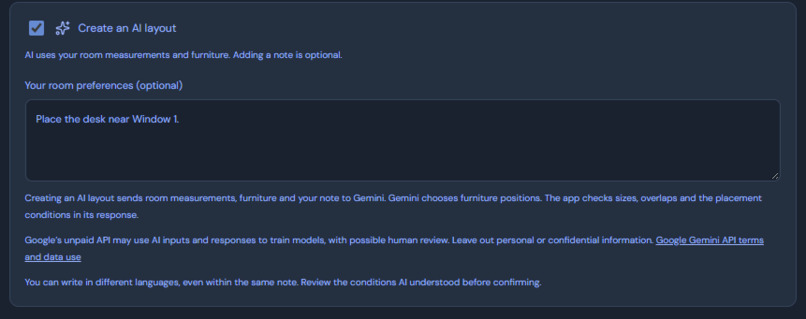
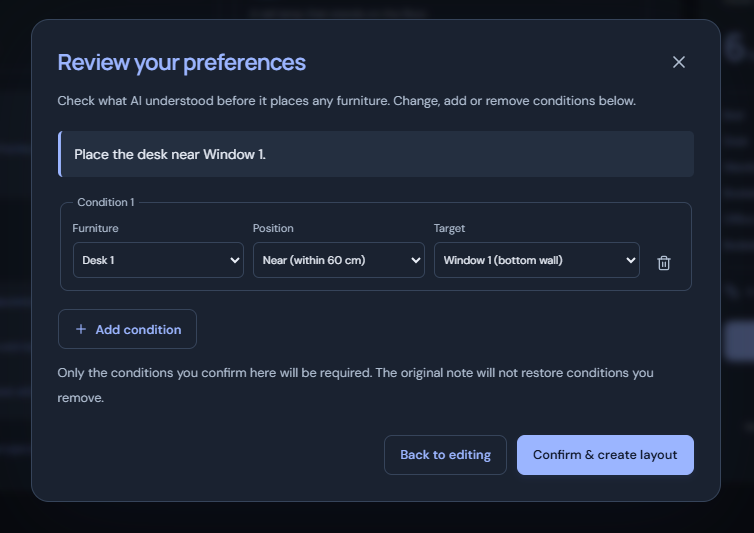
Add a placement preference for AI to interpret, then review the condition before generating a layout.
-
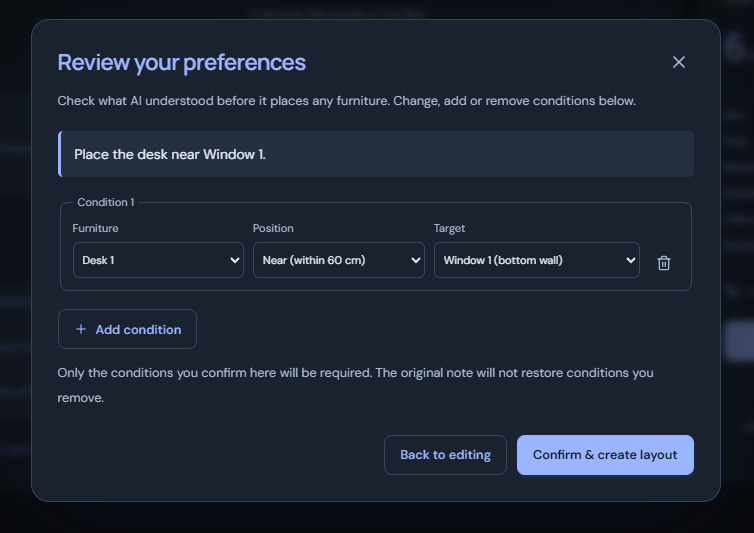
Review and edit the placement condition AI extracted before confirming the layout.
-
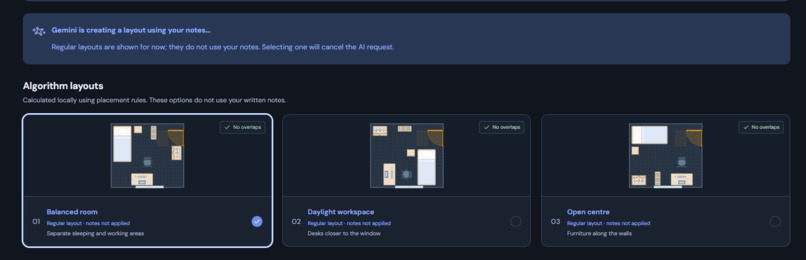
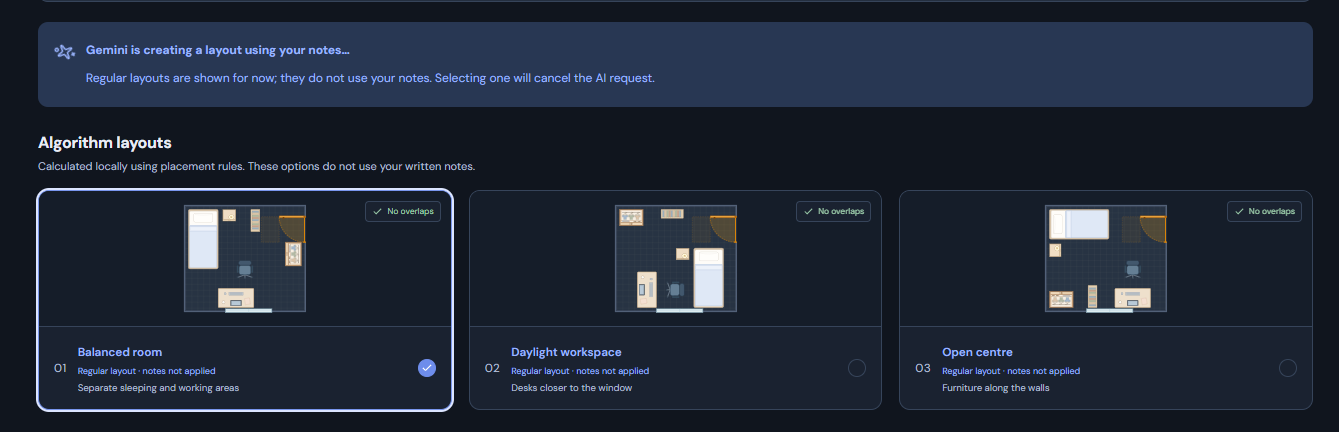
AI creates a layout from your note while rule-based suggestions are ready immediately.Choosing one of the suggestions cancels the AI request
-
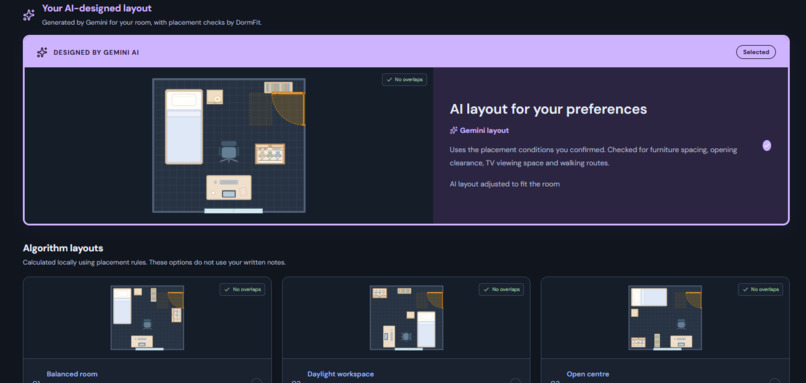
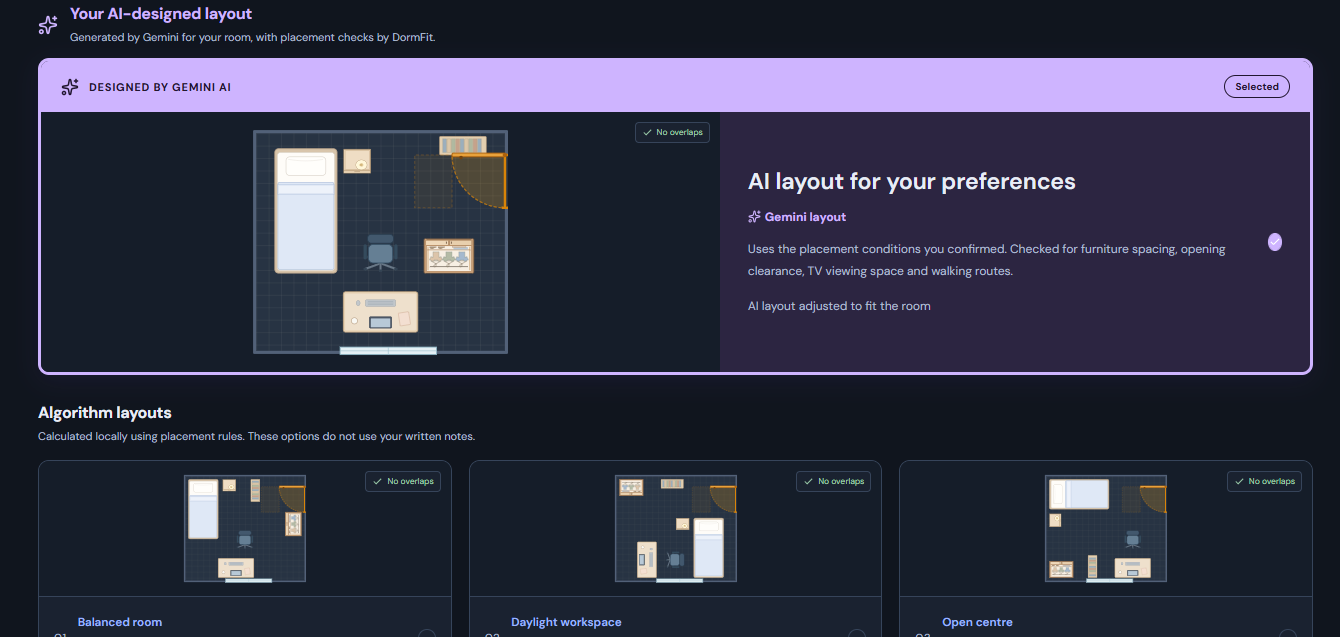
Gemini places the desk near the window as requested; DormFit checks the layout, with rule-based options available to compare.
-
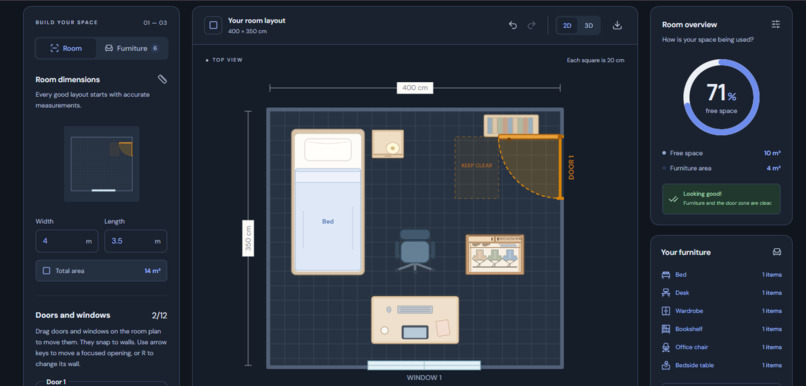
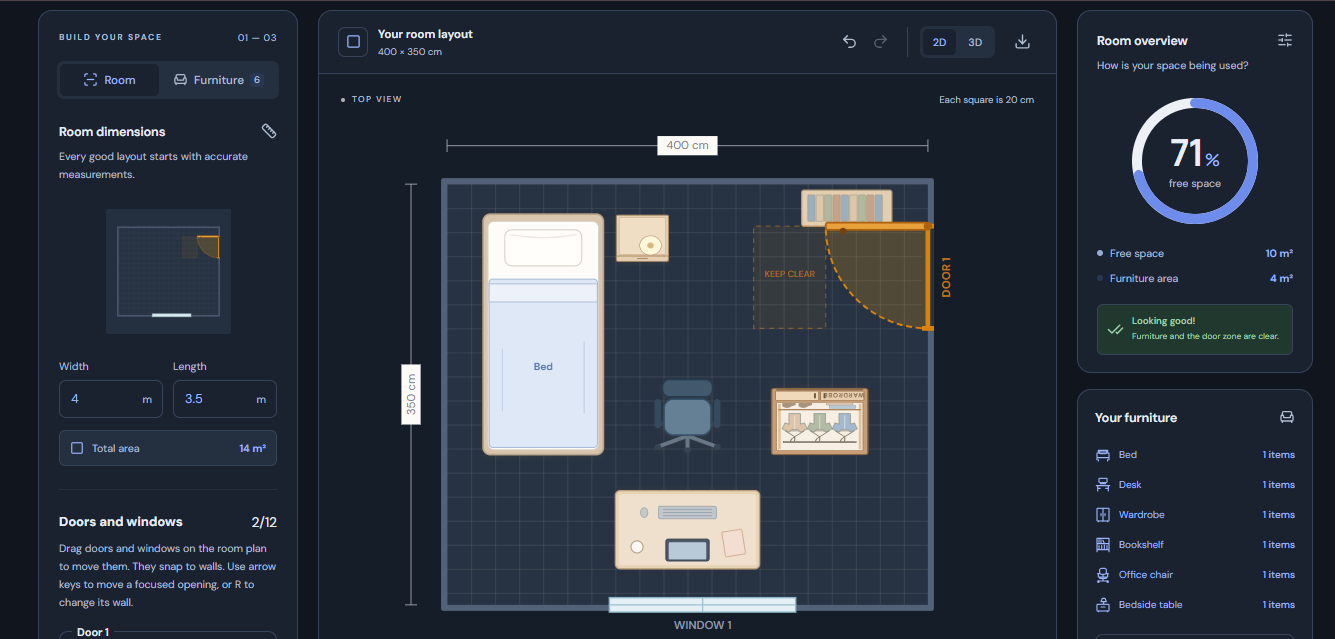
Inspect the 2D layout, check remaining floor space, and keep the door’s entry area clear.
-
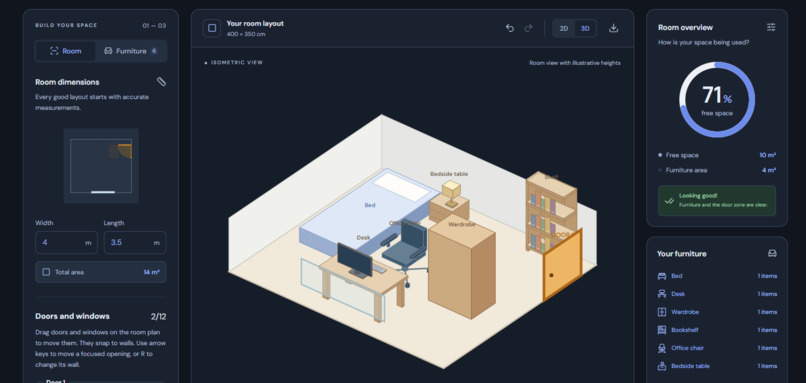
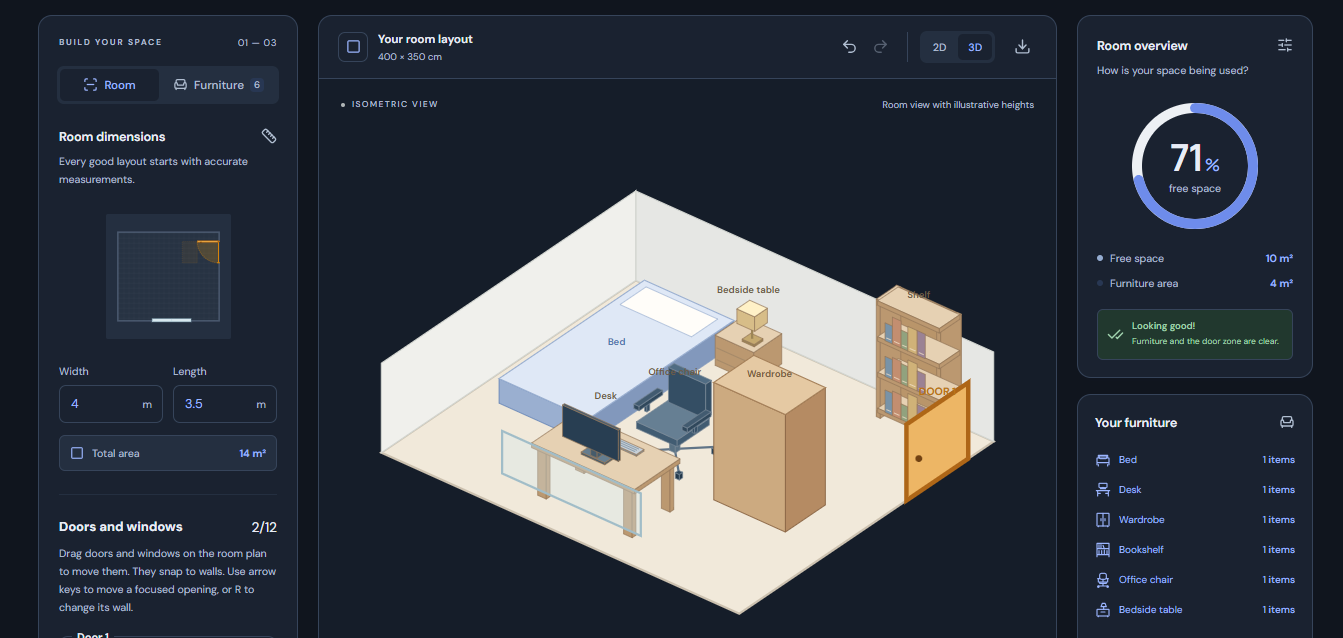
Switch to the 3D view to explore furniture placement, room proportions, and clear access through the door.
Inspiration
Planning a room can be difficult when you have to imagine how furniture will fit from a list of measurements. I wanted to make it easier to try different arrangements before moving heavy furniture or buying something new.
What it does
DormFit lets you enter room dimensions, add furniture, and explore layout suggestions. You can move doors and windows, resize and rotate furniture in four directions, and save layouts in your browser.
AI can suggest a layout based on your room and written notes. DormFit checks the suggestion for fit and walking access; if it cannot use the AI result, it can still show layouts made by its built-in planner.
How i built it
I built the website with React, TypeScript, and Vite. A Node.js backend handles requests to Gemini so the API key stays on the server. The layout planner, room editor, and furniture checks run in the app. The interface supports English, Russian, and Turkish.
Challenges i ran into
A layout can fit inside a room and still be hard to use. For example, furniture near a door can block the entrance, or a wardrobe may not have enough space in front of it. I worked on checks for walking access and furniture clearance, and made the planner reject or repair layouts that fail those checks.
Another challenge was making furniture easy to edit while keeping its size and rotation consistent across the layout editor and saved layouts.
Accomplishments that i am proud of
I’m proud that DormFit combines room planning, AI suggestions, and practical layout checks in one place. Users can adjust furniture themselves, move doors and windows, compare layouts, and keep their saved plans in the browser.
What i learned
I learned that an AI-generated answer needs clear limits and checks before it becomes useful. I also learned how important it is to keep room measurements, furniture positions, and rotations consistent throughout the app.
What's next for DormFit
Next, I’d like to improve how the planner understands written preferences, offer clearer explanations when a layout has an access issue, and add more ways to share or export a finished room plan.
Built With
- css
- geminiapi
- javascript
- node.js
- react
- typescript
- vite
