-
-
Doomify
Inspiration
The idea for Doomify came from the simple fact that it is hard to focus online. I can scroll endlessly through funny photos and short videos, the famous "doomscrolling", but the second I hit a big wall of text in a news story or article, I completely lose interest. The problem is not the information; it is that it is presented in a way my modern, scroll addicted brain rejects. I wanted to fix the format so people could actually finish reading the important things they start..
What it does
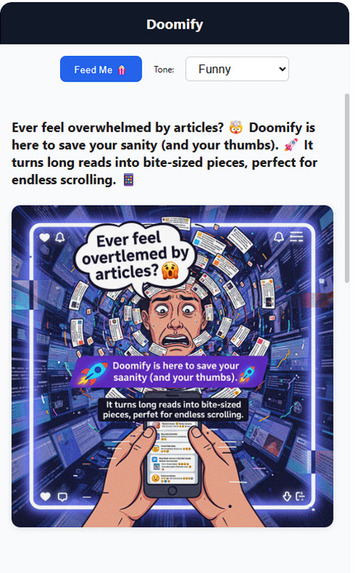
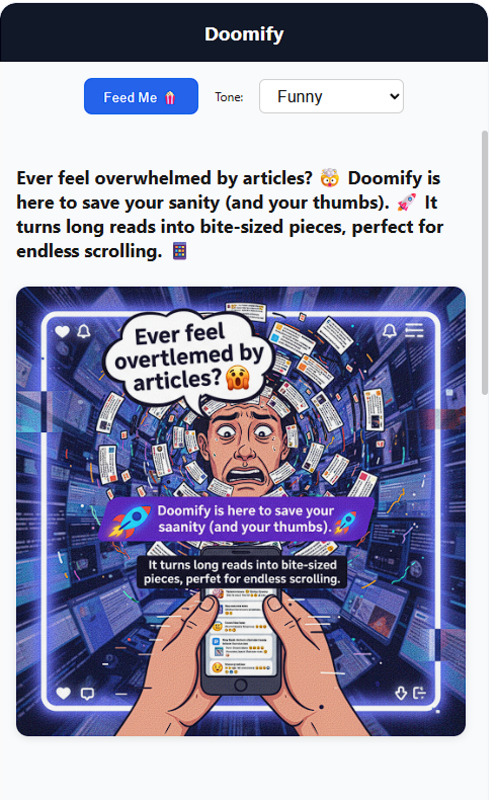
Doomify makes reading effortless. When a user clicks the extension button on any article, it instantly pulls the main text and rewrites it into a quick, addictive scrolling feed. Each short section of the summary comes with a relevant, AI generated image and an emoji, transforming a static article into a visually engaging experience a user can breeze through in minutes.
How we built it
Grabbing the Text: A user clicks the Doomify button. The extension code called the Content Script looks at the active webpage, pulls out the main body of the article, and sends the raw text off to the AI.
The AI Summary (Gemini Nano): I use Gemini Nano to read the long text. I gave the model instructions to break the summary into several small, punchy sections, the "scrollable chunks". Crucially, for every chunk of text, the model also writes a perfect little description of the image that goes with it.
Picture Time! (Gemini 2.5 Flash Image API): For each new text chunk, I immediately ask a second, fast AI model to create a unique, relevant image based on the description from the summary step. I bundle the text, the new image, and an emoji together. The complete, transformed feed then slides right into the side panel for the user to start scrolling!
Challenges we ran into
The Extension Rulebook: I had to learn how to build the Chrome extension using the new rules Manifest V3. Figuring out how the non stop background code Service Worker works and making sure all the different parts could smoothly talk to each other was tricky at first.
The Selection Challenge: I spent a lot of time struggling with manipulating the DOM Document Object Model. I had to focus on creating precise JavaScript code to reliably pinpoint and grab only the article content and ensure a smooth experience across different types of web pages.
Making the AIs Play Nice: Since I rely on two major AI calls in a row, one for text, one for image, I had to work hard to make sure the process was fast and did not make the user wait forever for the final result. Speed was everything, and balancing the text summary instructions with the image creation prompts took a lot of tweaking prompt tuning.
Accomplishments that we're proud of
I am most proud of building a functional product that combines two different AI models in sequence, one for text, one for images, within a browser extension. Getting a complex, multi step process like this to execute reliably and fast enough for a good user experience was a huge win. I am also proud that I achieved the goal of genuinely making a long article feel as engaging as a social media feed.
What we learned
This was my first time building a Chrome extension, so I gained a lot of knowledge about the entire Manifest V3 architecture. I learned the critical importance of careful prompt engineering to guide the AI output into a very specific format. Most importantly, I learned how to deal with the real world challenge of getting code to interact with and pull specific data from inconsistent, live webpages.
What's next for Doomify
Next, I want to add a feature to save and organize Doomified feeds so a user can build a personal, scrollable library of all the long articles they actually managed to finish.

Log in or sign up for Devpost to join the conversation.