Don’t Let It Spark XR
Passthrough Camera Access (PCA) with AI fire safety training app for Meta Quest that turns your real environment into a live fire-hazard classroom.


Inspiration
Traditional fire-safety training in restaurants and workplaces hasn’t changed in decades. Most people only get:
- A PDF, poster, or dull slideshow
- One rushed fire extinguisher demo
- And then they’re expected to remember everything in a real emergency
Meanwhile, modern spaces are full of hidden spark points — laptops left on beds, overloaded outlets, microwaves stacked on paper boxes, power strips under piles of cables.
So we asked:
What if your headset could see those risks in your real room and teach you fire safety using the actual objects around you?
That became Don’t Let It Spark XR — a passthrough VR training experience that uses on-device YOLO object detection to spot hazards and quiz you on what’s safe vs dangerous.


What it does
Don’t Let It Spark XR transforms your real room into an interactive fire-safety training ground using the Quest’s passthrough camera and on-device AI.
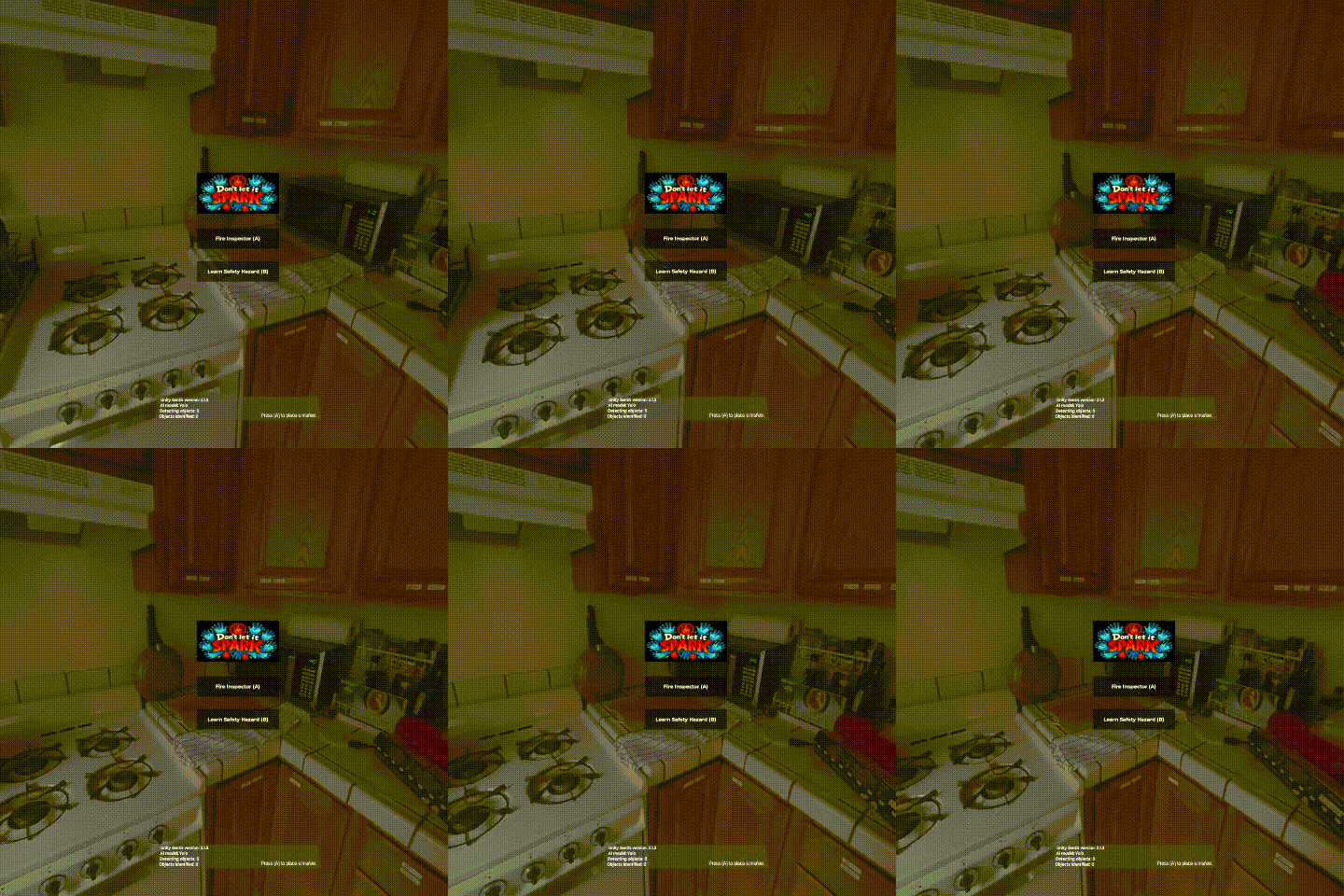
You can play in two modes:
🔍 Fire Inspector Mode (Auto Labeling)
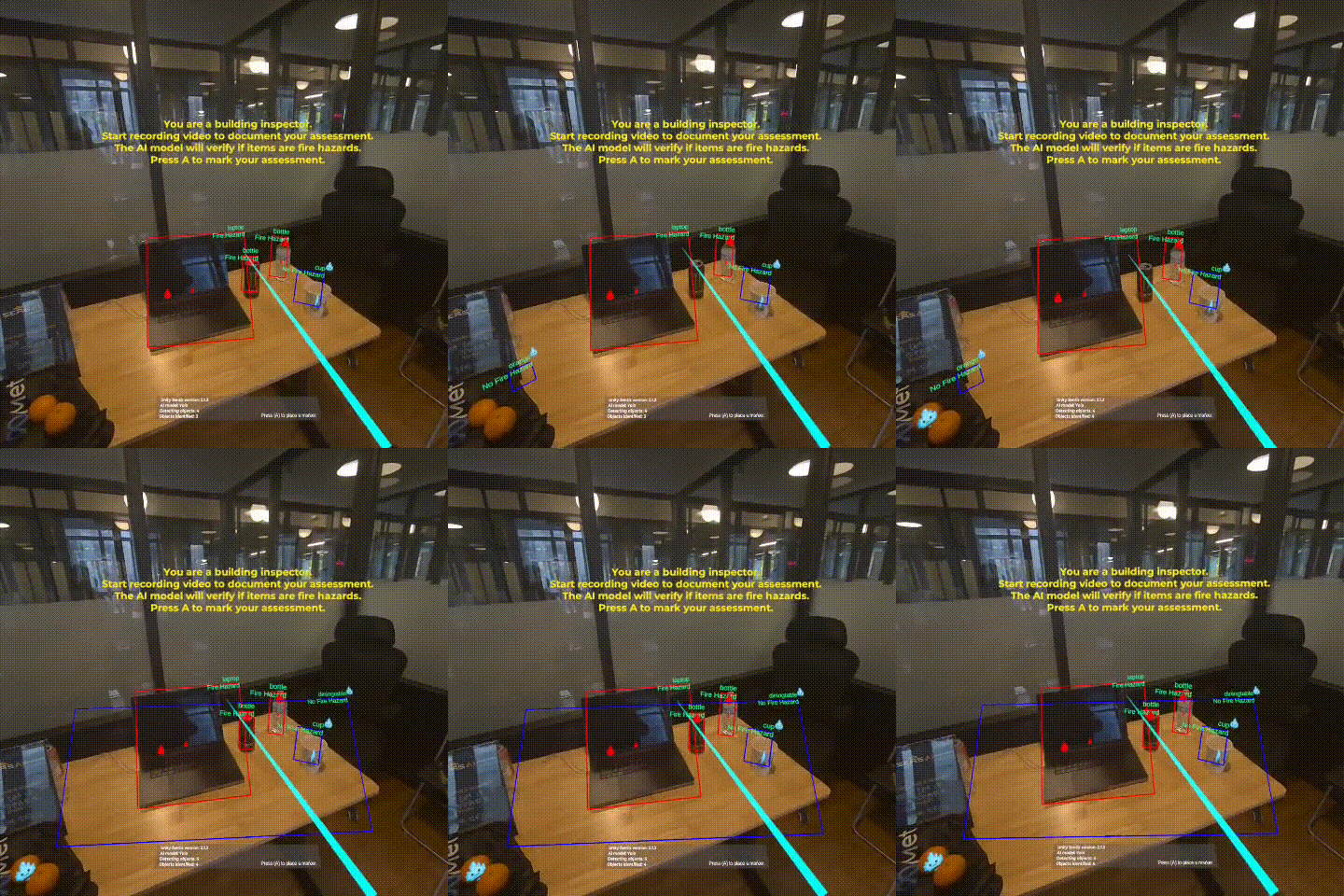
Role: You’re a building inspector doing a safety walkthrough. Objective: Identify and document fire hazards in your environment.
Gameplay:
- Press A to start Inspector Mode
- A quick 5-second tutorial explains your role
- Use your controller to point at objects around you
- The AI automatically detects and classifies objects in real time
- Fire hazards appear with red flame icons 🔥
- Safe objects appear with blue ice icons ❄️
- Press A again to mark objects for your assessment report
Mechanics:
- Real-time object detection with a YOLO model
- Color-coded 3D bounding boxes over your real furniture & devices
- Flame / ice icons anchored in your physical space
- Markers persist so you can walk around and inspect them from different angles
This mode is designed for inspectors, managers, and trainers who want a fast visual map of risk in a real room.
📚 Safety Quiz Mode (Worker Training)
Role: You’re a worker learning how to spot fire hazards. Objective: Correctly identify which objects are dangerous.
Gameplay:
Press B to start Quiz Mode
A 5-second tutorial explains the quiz rules
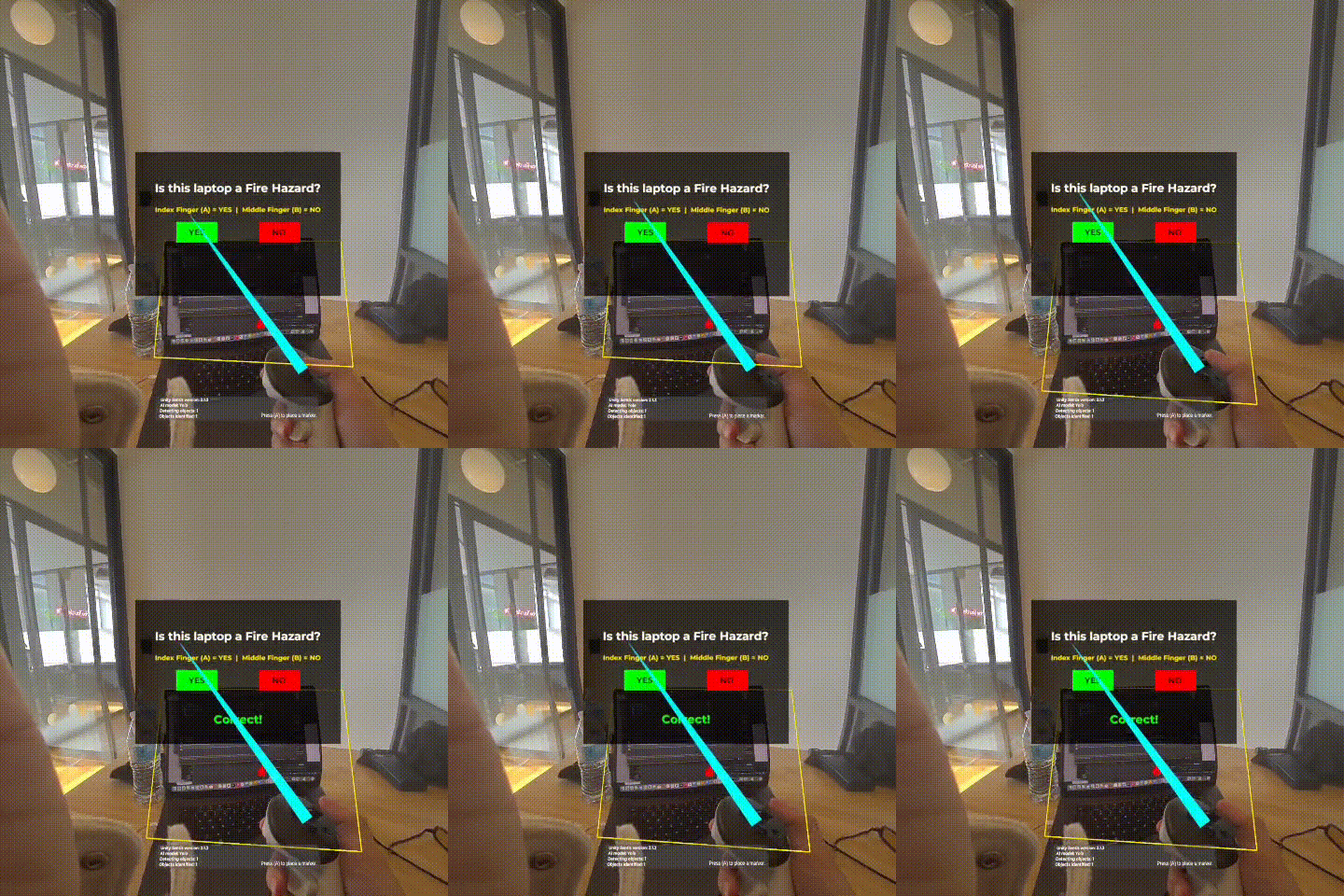
Point at an object and press A to select it
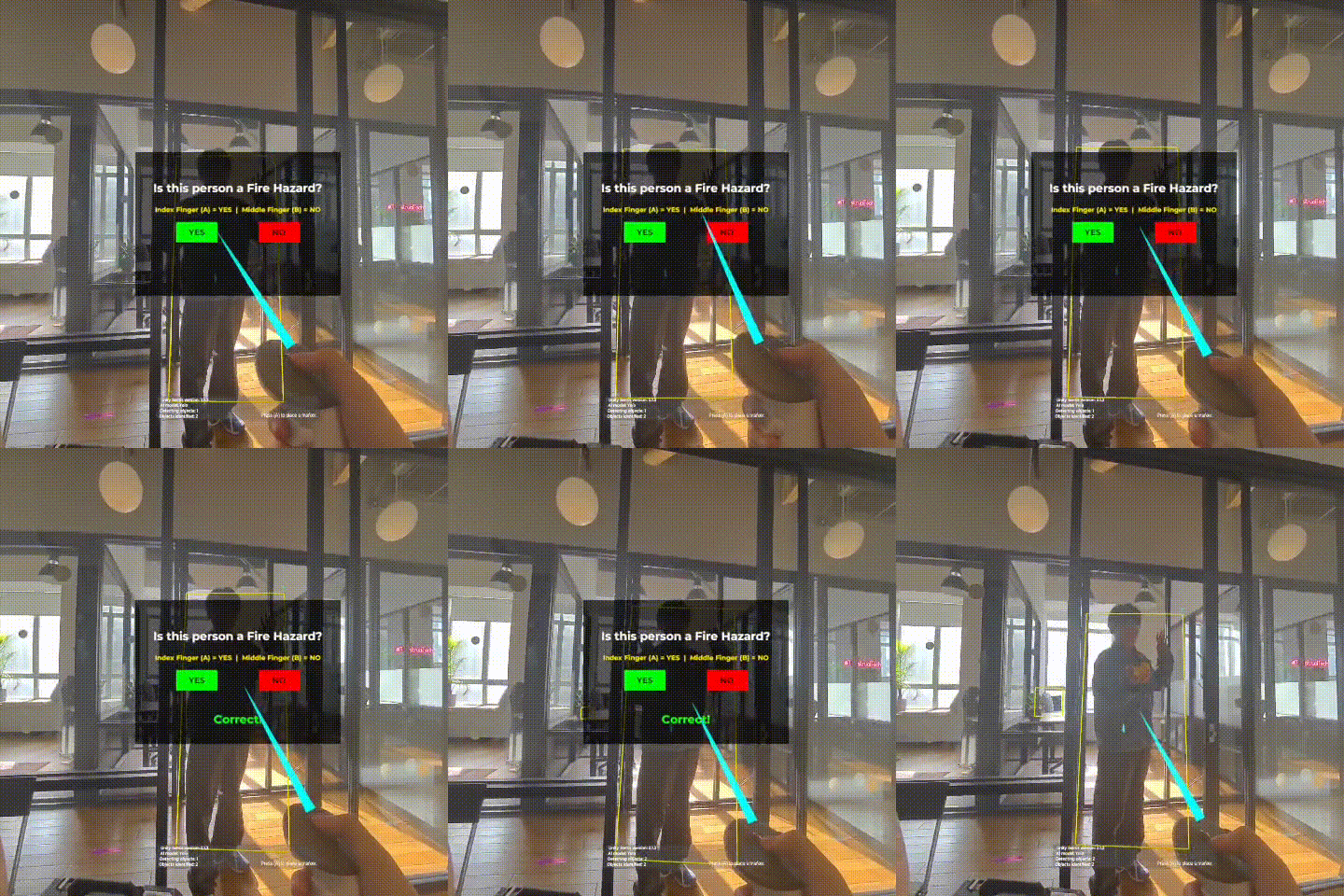
A question appears:
“Is this [object] a Fire Hazard?”
Answer using controller inputs:
- Index trigger / A → YES, it’s a hazard
- Grip / B → NO, it’s safe
Get instant feedback: “Correct!” or “Wrong!”
After 3 questions, you see a final score (0–100%)
Mechanics:
- Objects are shown with neutral yellow boxes (no hints before you answer)
- Small input delay (~0.5s) to avoid accidental button presses
- Score and feedback encourage learning from mistakes
This mode is designed for staff training — think restaurant workers, office employees, or students learning basic fire safety.
Fire Hazard Classification
The AI model classifies common objects into hazard vs safe:
🔥 Fire Hazards (Red):
Electronics: Laptop, TV, Cell Phone, Microwave, Toaster, Oven
- Reason: Generate heat, include electrical components, can overheat or spark
❄️ Safe Objects (Blue):
- People & Furniture: Person, Chair, Couch, Bed, Dining Table
Non-electronic items: Book, Vase, Potted Plant, Clock
- Reason: Low or no heat generation, lower fire risk in normal conditions
This simple mapping makes it easy for players to visually remember what to watch out for in real life.
Controls
| Action | Input |
|---|---|
| Start Fire Inspector | A Button |
| Start Safety Quiz | B Button |
| Select Object | A Button |
| Answer “YES” (Hazard) | Index Trigger |
| Answer “NO” (Safe) | Grip |
| Return to Menu | Menu Button |
No hand tracking is required — the entire experience is built around simple controller input so anyone can play immediately.
Educational Value
Don’t Let It Spark XR teaches fire safety through:
- Active learning: You move, point, and decide in your real environment
- Immediate feedback: Learn from mistakes right away
- Contextual training: You see risks on actual objects around you, not stock photos
- Gamified quizzes: Scores motivate you to improve
- Visual memory: Flame vs ice icons create a strong visual association with risk
Great for:
- Fire safety training programs
- Building inspector practice
- Workplace safety workshops
- Home fire prevention education
How we built it
Platform: Meta Quest 3 / Quest 3S Engine: Unity 6000.0.38f1 XR SDK: Meta XR with Passthrough Camera API AI Model: YOLOv8 (via Unity Sentis 2.1.3) Performance: ~30 ms per frame, 30+ FPS on-device
AI Model & Architecture
Object Detection Model
- Model: YOLOv8 (You Only Look Once)
- Dataset: COCO (80 everyday object classes)
- Input: 640×640 RGB frames from Quest passthrough
- Output: Bounding boxes, class labels, confidence scores
Pipeline:
- Camera Capture: Quest passthrough cameras stream RGB frames
- Preprocessing: Frames resized to 640×640 and normalized
- Inference: YOLOv8 runs on-device via Unity Sentis
- Post-processing: Non-maximum suppression + confidence threshold
- Classification: Map YOLO classes → fire risk (HIGH RISK vs SAFE)
- Visualization: Render 3D boxes + flame/ice icons in the headset view
Example mapping:
laptop→ HIGH RISK → Red box + 🔥 iconoven→ HIGH RISK → Red box + 🔥 iconmicrowave→ HIGH RISK → Red box + 🔥 iconperson→ SAFE → Blue box + ❄️ iconchair→ SAFE → Blue box + ❄️ iconbook→ SAFE → Blue box + ❄️ icon
On-Device Processing
- No cloud required — all AI runs locally on the Quest
- Privacy-first: Camera data never leaves the headset
- Low latency: Instant detection and feedback
- Works offline: No internet connection needed once installed
Requirements
- Hardware: Meta Quest 3 or Quest 3S
- OS: Horizon OS v74+
- Permissions: Camera access (granted on first launch)
- Play area: ~2m × 2m recommended
Installation
- Download the APK to your Quest
- Enable Developer Mode and install via SideQuest or ADB
- Launch “Don’t Let It Spark XR”
- Grant camera permissions when prompted
- Choose your mode and start learning 🔥❄️
What’s next
- More detailed hazard classes (overloaded vs normal outlets, cable mess scoring)
- Scenario-based training (kitchen, office, dorm room presets)
- Session history + exportable reports for trainers and managers
- Multi-user training sessions and classrooms
Long term, we want any room with a Quest to double as a fire safety trainer, so people can practice spotting hazards before anything ever sparks.


Log in or sign up for Devpost to join the conversation.