-
Logo
-
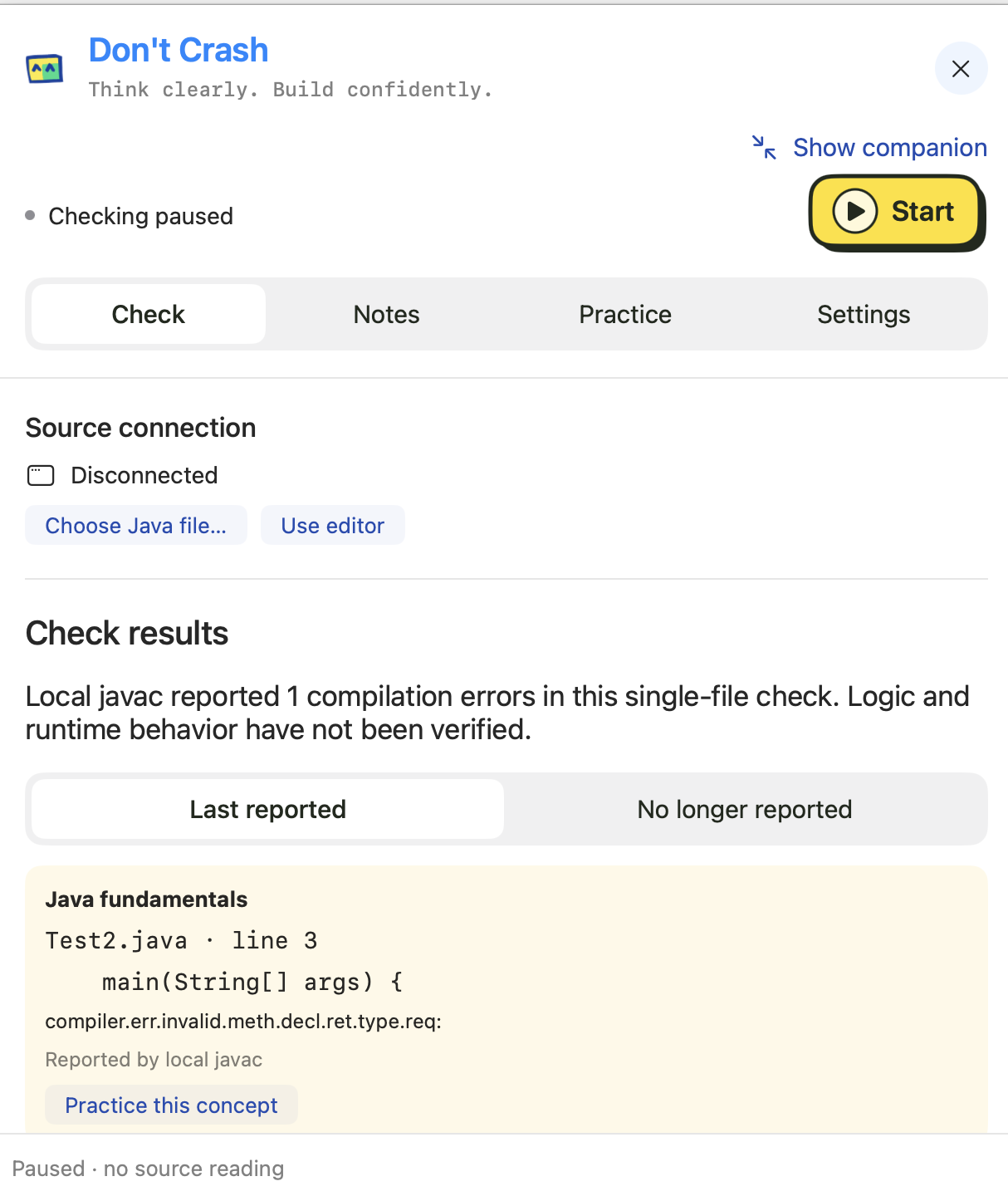
Check Page
-
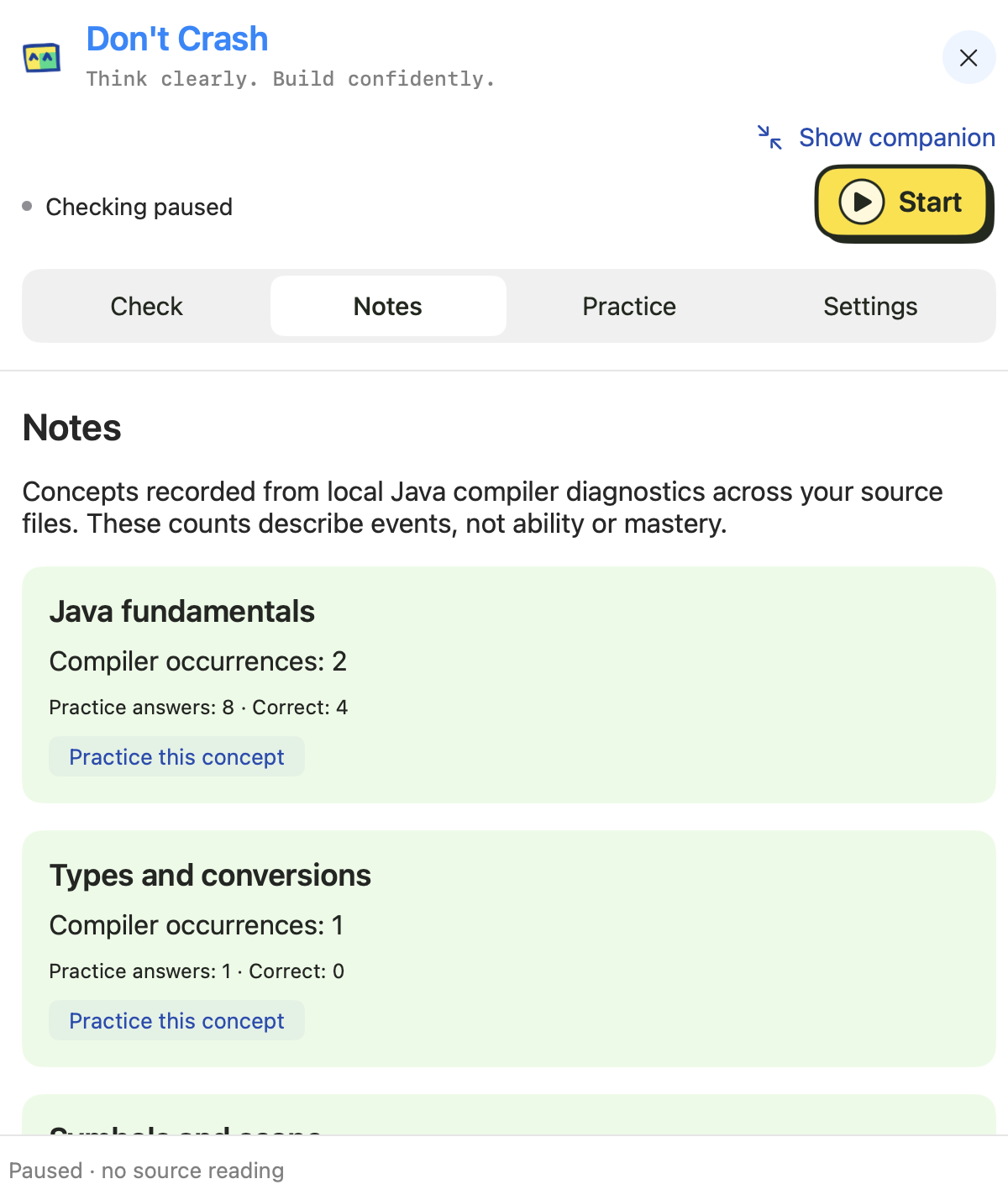
Notes Page
-
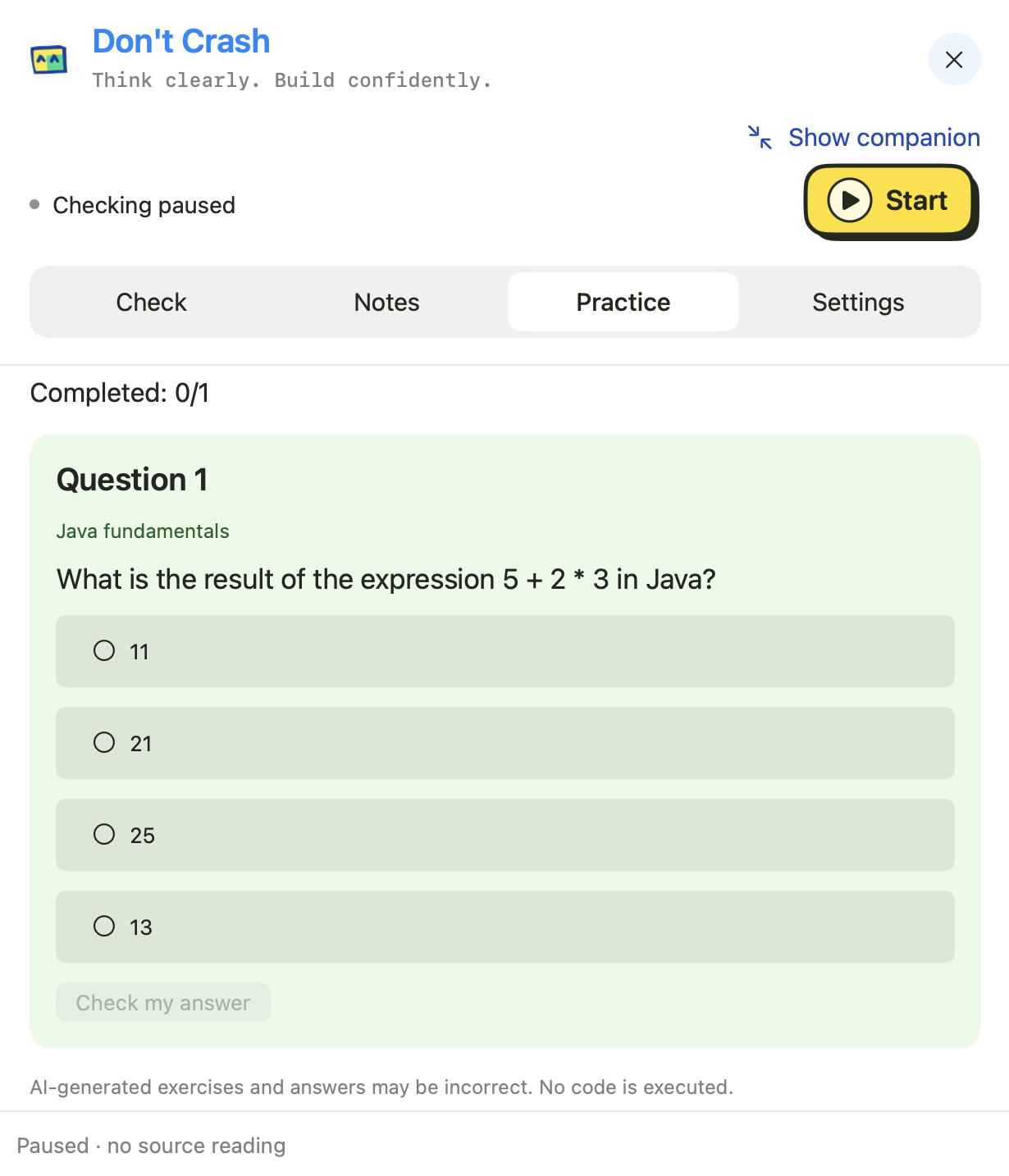
Practice Page
Inspiration
When we were learning Java, compiler errors were a regular and frustrating part of the experience. Sometimes we could get our code to compile without fully understanding why the change worked. Then the same kind of error would appear in the next assignment.
We wanted to make those moments more useful. Instead of stopping at “Where did I go wrong?”, we wanted to ask, “What concept should I practice next?” That inspired us to build a learning companion that connects Java compiler feedback with independent practice.
What it does
Our app follows a simple learning flow: check your code, record the concepts, and practice them.
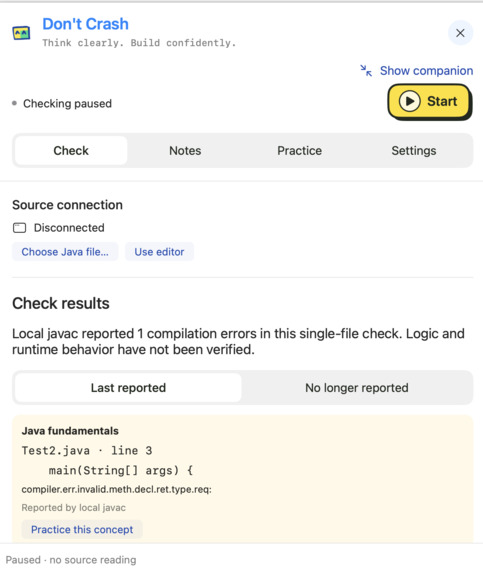
- Check: Connect a supported editor or select a saved Java file to receive local, single-file compiler diagnostics.
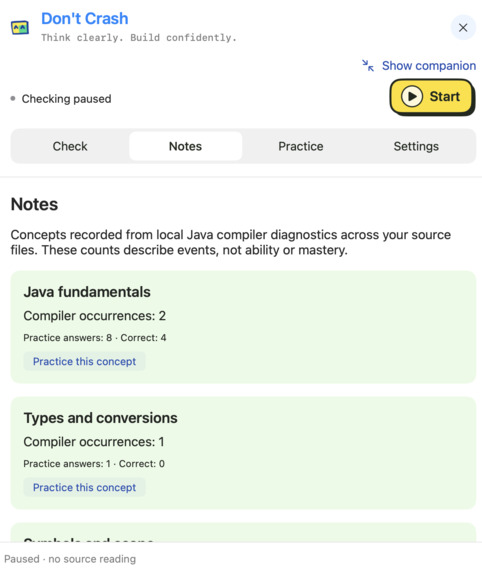
- Notes: Review concepts associated with past compiler errors, grouped using predefined classification rules.
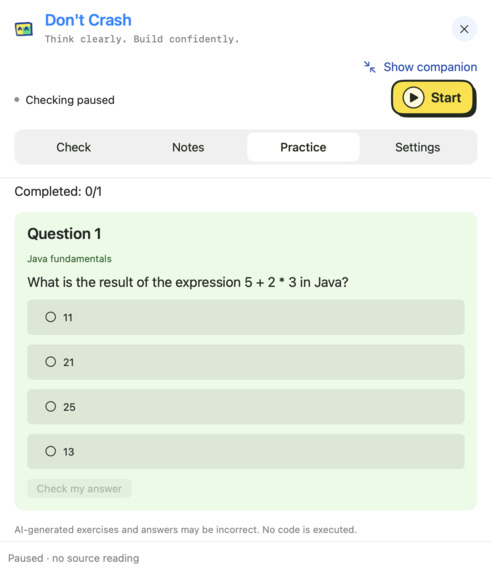
- Mixed Practice: Generate three independent questions based on the concepts recorded in Notes.
- Topic Practice: Choose one specific concept and generate one focused question.
- Practice History: Review saved questions, submitted answers, explanations, and overall practice statistics. AI is optional and used to generate practice questions and answer explanations. The practice request contains concept names and aggregate error and answer counts.
How we built it
Our team consists of two sophomores and one freshman. None of us had experience with Swift before this project, so building a native macOS app challenged us to step outside our comfort zones. We relied heavily on AI-assisted “vibe coding,” while learning to read, test, and revise the generated code.
We built the app using Swift, SwiftUI, and AppKit. Local Java checks use javac, and predefined rules map compiler diagnostics to learning concepts. SQLite and local JSON storage preserve diagnostic records, practice sets, and answers.
For practice generation, we built a shared request pipeline supporting Databricks, OpenAI, and DeepSeek, with credentials stored in the macOS Keychain. We also designed a playful comic-inspired interface to make encountering an error feel less intimidating.
Challenges we ran into
One major challenge was deciding what the app should—and should not—do. Early versions combined compiler diagnostics with AI code suggestions. We realized that beginners could confuse a compiler-reported error with an AI interpretation. Direct suggestions about assignments could also conflict with classroom expectations. We narrowed the AI’s role to generating independent exercises. This gave the app a clearer purpose: helping learners practice underlying concepts.
Another problem is we relied heavily on AI-assisted “vibe coding”. This helped us build quickly, but it also caused problems: features overlapped, changes introduced unexpected behavior, and we sometimes struggled to understand why something was broken. These experiences taught us that we cannot depend too heavily on vibe coding. AI can generate code, but we still need to understand and adjust it.
Accomplishments that we're proud of
We are proud that we successfully built a working app, especially since none of us had used Swift before. We worked hard, kept going when things broke, and put a lot of effort into turning our idea into something people can actually use.
What we learned
As two sophomores and one freshman with no prior Swift experience, we learned about native macOS development and API integration. AI-assisted coding helped us get started with unfamiliar technologies and challenged us to work beyond our existing skills.
However, we also realized that we cannot rely entirely on vibe coding. Generating code quickly does not mean we understand how it works or whether it is correct. We still need programming fundamentals to evaluate the output, investigate bugs, and take responsibility for what we build.
What's next for Don't Crash
Currently, users need to provide their own API credentials to generate practice questions, which can be confusing for beginners. We hope to add a backend that manages AI requests so users can start practicing without configuring an API themselves. We would also like to explore support for more programming languages, bringing the same learning experience to beginners beyond Java.
Built With
- swfit


